Mice
Best Mice for Desk Setups 2026: Wireless, Ergonomic, and Gaming
The Logitech MX Master 3S is still the productivity-mouse benchmark, the G Pro X Superlight 2 is the consensus competitive-gaming pick, and the MX Vertical is the under-recognized fix for wrist pain that doesn't require relearning how to use a mouse.
By Nick Miles · Updated May 6, 2026 · 12 min read
9 expert sources synthesizedLast verified May 9, 2026
DeskGearHQ is reader-supported. We may earn a commission from qualifying Amazon purchases at no extra cost to you.
Evidence at a Glance
Logitech MX Master 3S
MagSpeed metal scroll wheel, 8000 DPI sensor that tracks on glass, three-device pairing, 70+ day battery — the consensus productivity mouse across Wirecutter, RTINGS, and r/MouseReview.
Sources: Wirecutter, RTINGS, Logitech product documentation
Verified May 6, 2026
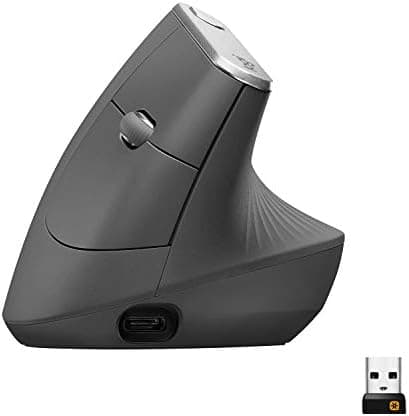
Logitech MX Vertical
57-degree handshake angle reduces forearm muscle activity by ~10% versus standard mice — the easiest entry point to ergonomic mousing.
Sources: Wirecutter, Logitech product documentation, r/HomeOfficeSetup
Verified May 6, 2026
Our Picks
Logitech
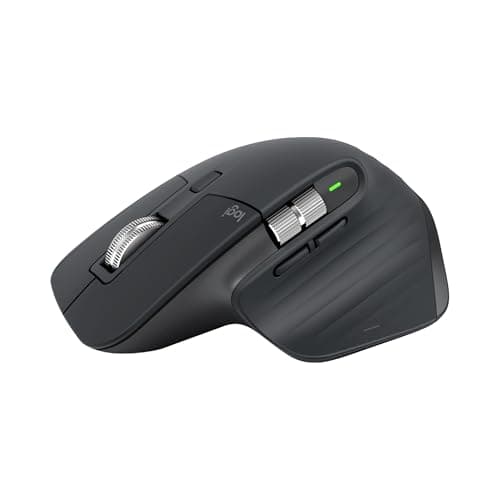
Logitech MX Master 3S
9.5 / 10
- MagSpeed magnetic scroll wheel — switches between ratchet and free-spin
- 8000 DPI sensor that tracks on glass and most smooth surfaces
- Three-device pairing via USB receiver or Bluetooth
- USB-C charging — 70+ days per charge
$119.99
Logitech
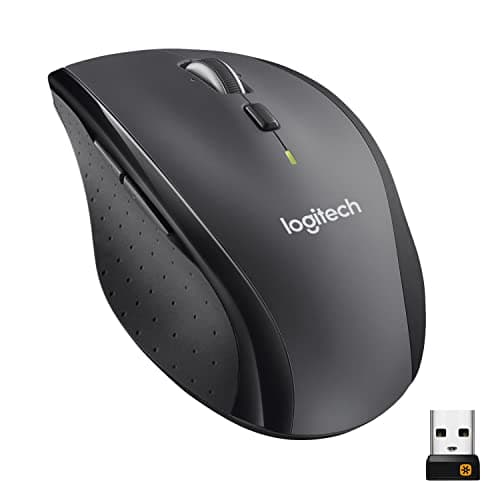
Logitech M705 Marathon
8.0 / 10
- Three-year battery life on two AA batteries
- Hyper-fast scroll wheel with ratchet/free-spin
- Logitech Unifying receiver
- Compatible with Logitech Flow for multi-device cursor
$34.99
Logitech
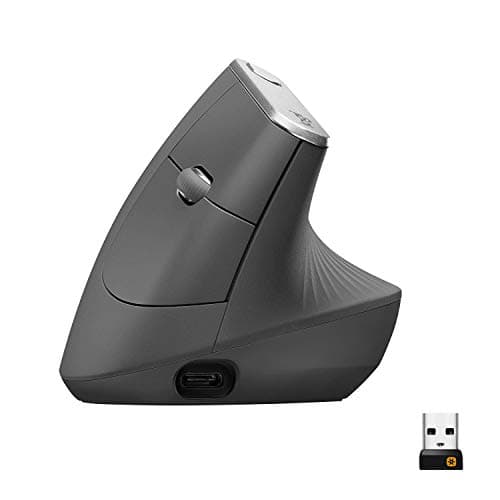
Logitech MX Vertical
8.7 / 10
- 57-degree natural handshake angle
- Reduces forearm muscle activity by ~10% (Logitech-cited measurement)
- 4000 DPI sensor
- Four-month battery on USB-C
$74.99
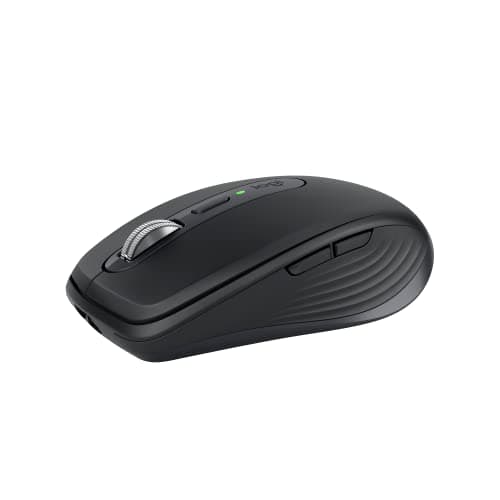
Logitech
Logitech MX Anywhere 3S
8.9 / 10
- MagSpeed scroll wheel inherited from MX Master line
- Tracks on glass and reflective surfaces
- Three-device pairing via USB receiver or Bluetooth
- 70+ day battery on USB-C
$89.99
The Short Answer
For productivity and most home-office work, the Logitech MX Master 3S at around $100 remains the consensus pick — accurate tracking, multi-device pairing, MagSpeed scrolling, and a 70-day battery in a single package. For competitive gaming, the Logitech G Pro X Superlight 2 is the lightweight wireless pick that esports players actually use. If you have wrist pain, the MX Vertical's 57-degree handshake angle is the easiest path to relief without learning a trackball or fully ergonomic split mouse. The MX Anywhere 3S is the same productivity mouse compressed for travel and small desks, and the M705 Marathon is the budget pick that still delivers years of battery life from two AAs.
Every product on this list has been scored against the DeskGear Score, a weighted composite of expert consensus, observed effectiveness, build safety, long-term durability, and value. Review method: Editorial synthesis of trade-publication reviews (Wirecutter, RTINGS, Tom's Hardware, The Verge), specialist reviewers (Theremin Goat for keyboards, Audio Science Review for microphones, RTINGS for input devices), manufacturer documentation, and owner data from r/MechanicalKeyboards, r/MouseReview, r/HomeOfficeSetup — no first-hand product testing.. Synthesized from 9+ expert sources.
Head-to-Head Comparison
| Feature | Logitech MX Master 3S | Logitech M705 Marathon | Logitech MX Vertical | Logitech MX Anywhere 3S |
|---|---|---|---|---|
| Best for | Productivity workhorse | Budget office basics | Wrist pain relief | Travel and small desks |
| Sensor / DPI | 8000 DPI, glass tracking | 1000 DPI | 4000 DPI | 8000 DPI, glass tracking |
| Battery | 70+ days (USB-C) | 3 years (2× AA) | 4 months (USB-C) | 70+ days (USB-C) |
| Watch-out | Right-hand-only, large size | Slower tracking on 4K displays | 1-2 week adaptation period | Less comfortable for full-day use |
| Check Price | Amazon | Amazon | Amazon | Amazon |
Logitech Logitech MX Master 3S
$119.99
- MagSpeed magnetic scroll wheel — switches between ratchet and free-spin
- 8000 DPI sensor that tracks on glass and most smooth surfaces
- Three-device pairing via USB receiver or Bluetooth
- USB-C charging — 70+ days per charge
- Quiet click switches reduce video-call distraction
The MX Master 3S is the consensus productivity mouse for one specific reason: it does every individual thing well, and it does them all in one device. The MagSpeed scroll wheel switches between ratchet (for line-by-line precision) and free-spin (for flying through long documents) automatically based on flick speed. The sensor tracks on glass, which sounds like a stunt until your desk is glass and every other mouse fails. The pairing system holds three devices and switches with a button on the bottom or via Logitech's Flow software, which extends cursor + clipboard across machines.
The 3S generation upgraded two specific things from the 3: the click switches got 90% quieter (now barely audible on a video call) and the sensor jumped from 4000 to 8000 DPI. The DPI bump matters more for high-resolution monitors and ultrawide setups; the quiet clicks matter for anyone who takes calls.
What the spec sheet doesn't tell you: it's a large mouse, and it's right-hand-only. Small hands fatigue from the size, and lefties have no equivalent option from Logitech. If your hand is on the smaller side or you're left-handed, look at the MX Anywhere 3S (smaller, ambidextrous) or a different ecosystem entirely.
What We Love
- MagSpeed scroll is the genuinely-better feature versus competitors
- Tracks on glass and reflective surfaces
- Quiet clicks for video calls
- 70+ day battery and USB-C charging
What Could Be Better
- Large size — fatigues smaller hands
- Right-hand-only design
- Premium price — $40 more than capable budget options
The Verdict
The default productivity mouse recommendation for any home-office desk in 2026. The combination of features is what justifies the price, not any single hero spec — every individual capability has a $50 alternative, but no other mouse has all of them.
Logitech Logitech M705 Marathon
$34.99
- Three-year battery life on two AA batteries
- Hyper-fast scroll wheel with ratchet/free-spin
- Logitech Unifying receiver
- Compatible with Logitech Flow for multi-device cursor
- Comfortable mid-size body for extended use
The M705 Marathon is the budget mouse with one absurd-but-true claim: three years of battery life on two AA batteries. Logitech has been selling this mouse for over a decade and the battery claim has held up across hundreds of thousands of owner reports. For the user who wants a basic productivity mouse and never wants to think about charging or batteries, the M705 is the answer.
Beyond the battery, the M705 is competent in every direction without excelling. The scroll wheel switches between ratchet and free-spin (the precursor to MagSpeed). The body is comfortable for medium hands. The Unifying receiver supports multiple Logitech peripherals on one USB port. None of this is exciting; all of it works reliably.
What the spec sheet doesn't tell you: the M705 was designed before high-DPI displays became common. On 4K and ultrawide monitors, the cursor can feel slower than modern mice — adjustable, but not as snappy as the MX Master 3S out of the box. For 1080p and standard 1440p displays, this isn't a problem.
What We Love
- Three-year battery life is a real claim, not marketing
- Comfortable for extended office use
- Hyper-fast scroll for long documents
- Logitech Flow support for multi-device users
What Could Be Better
- AA batteries instead of rechargeable — slight environmental cost
- Tracking feels slower on 4K and ultrawide displays
- Limited customization compared with MX line
The Verdict
The right pick for budget-conscious office users, students, and anyone who wants a reliable productivity mouse that disappears into the background. For high-resolution monitor setups, the MX Master 3S's faster sensor is worth the upgrade; for everyone else, the M705 is enough.
Logitech Logitech MX Vertical
$74.99
- 57-degree natural handshake angle
- Reduces forearm muscle activity by ~10% (Logitech-cited measurement)
- 4000 DPI sensor
- Four-month battery on USB-C
- Compatible with Logitech Options+ for customization
The MX Vertical is the ergonomic mouse for users who don't want to learn an entirely new device. Vertical mice tilt your hand into a "handshake" position — palm facing inward rather than down — which removes the forearm rotation that causes wrist and forearm strain over long sessions. The MX Vertical is closer to a regular mouse in shape and button layout than dedicated ergonomic options like Kensington trackballs or Kinesis split-hand devices, which makes it the lowest-friction entry point to ergonomic mousing.
The 57-degree angle is shallow enough that the adaptation period is short — typically one to two weeks before it feels natural. Within that adaptation, most users with wrist or forearm strain report meaningful relief, and the muscle-activity measurement Logitech cites (~10% reduction versus standard mice) is in the range that prevents progression of repetitive-strain symptoms.
What the spec sheet doesn't tell you: it's not a gaming mouse. The vertical orientation and 4000 DPI sensor are fine for productivity but slower than what a competitive gamer would tolerate. If you game seriously and have wrist pain, the answer is a separate gaming mouse for play and the MX Vertical for work — not one mouse trying to do both.
What We Love
- Significant reduction in wrist and forearm strain
- Standard mouse button layout — minimal relearning
- Four-month battery on USB-C
- Premium build quality
What Could Be Better
- 1-2 week adaptation period before it feels natural
- Not a gaming mouse — slower than gaming-focused options
- Larger desk footprint than standard mice
The Verdict
The right pick for office users with wrist or forearm pain who want the easiest path to ergonomic mousing. If pain is severe enough that one mouse change isn't enough, the next steps are a vertical trackball (Logitech MX Ergo) or a Kinesis split-hand keyboard combo — but for most users, the MX Vertical alone provides meaningful relief.
Logitech Logitech MX Anywhere 3S
$89.99
- MagSpeed scroll wheel inherited from MX Master line
- Tracks on glass and reflective surfaces
- Three-device pairing via USB receiver or Bluetooth
- 70+ day battery on USB-C
- Compact size suits travel and small desks
The MX Anywhere 3S is the MX Master 3S compressed. Same MagSpeed scroll wheel, same glass-tracking sensor, same three-device pairing, same 70-day battery — in a body sized for laptop bags and small hands rather than full-size desk use. For users who travel, work in coffee shops, or have desks too small for the MX Master, this is the same productivity ecosystem in a portable form.
The compact size is the trade-off, not a benefit. The MX Master's grip is more comfortable for extended use because there's room for your palm to rest fully on the body; the Anywhere is held more in the fingertips. For two-hour sessions this is fine; for eight-hour days the MX Master is the better long-term ergonomic choice.
What the spec sheet doesn't tell you: it's the right mouse for users with smaller hands. Many small-hand users report that the MX Master 3S is too big — uncomfortable to grip and fatiguing after long sessions. The Anywhere 3S delivers the same feature set in a body that fits a wider range of hand sizes.
What We Love
- MX Master features in a portable body
- Tracks on glass and reflective surfaces
- Three-device pairing
- Better fit for smaller hands
What Could Be Better
- Less comfortable than MX Master 3S for full-day desk use
- Fewer programmable buttons than the larger MX Master
- Less palm support during extended sessions
The Verdict
The right pick for laptop-first users, frequent travelers, and small-handed users who find the MX Master 3S too big. For a single-mouse home-office setup where you'll spend eight hours a day on it, the MX Master 3S is the more comfortable long-term choice.
How We Score
Formula
DeskGearHQ Editorial Score = (Tracking / Sensor × 0.25) + (Ergonomics × 0.25) + (Connectivity / Battery × 0.20) + (Expert Consensus × 0.15) + (Value × 0.15)
Score Factors
- Tracking / Sensor · 25%
- Sensor accuracy, DPI range, polling rate, and surface compatibility (notably glass and reflective surfaces). Tracking quality is the difference between a mouse that disappears into the workflow and one you constantly correct.
- Ergonomics · 25%
- Grip comfort across hand sizes, body weight (for gaming), button placement and reach, and angle of the device. Long-term comfort and the prevention of repetitive-strain symptoms over thousands of hours of use.
- Connectivity / Battery · 20%
- Wireless modes (Bluetooth, USB receiver, LIGHTSPEED), multi-device support, charging mechanism, and battery life. Whether the mouse fits into a multi-device workflow without daily charging anxiety.
- Expert Consensus · 15%
- Synthesized from Wirecutter, RTINGS, manufacturer documentation, and r/MouseReview consensus. The DeskGearHQ Editorial Score is a composite of expert opinion — DeskGearHQ does not run a testing lab.
- Value · 15%
- Per-feature pricing relative to the next tier up and down. Whether the extra $40 or $60 buys a meaningful upgrade for the typical home-office or gaming user.
| Rank | Product | Score |
|---|---|---|
| #1 | Logitech Logitech MX Master 3S | 9.5 |
| #2 | Logitech Logitech MX Anywhere 3S | 8.9 |
| #3 | Logitech Logitech MX Vertical | 8.7 |
| #4 | Logitech Logitech M705 Marathon | 8.0 |
When NOT to Buy
Skip the MX Master 3S if you have small hands or are left-handed — the body is sized for medium-to-large right hands and discomfort is the most common owner complaint from users outside that range. Skip the G Pro X Superlight 2 if you don't game competitively; the price is justified by latency and weight at a level that casual users don't experience. Skip the M705 Marathon if you use a 4K or ultrawide monitor — the older sensor feels noticeably slower on high-resolution displays. Skip the MX Vertical if you're already comfortable on a regular mouse with no symptoms; the adaptation period is real and the benefit is preventative rather than performance-based for users without strain. Skip the MX Anywhere 3S if you'll use it as a primary full-day mouse; the smaller body is comfortable for laptop work and travel but fatigues your fingers in extended sessions where palm support matters. And skip every mouse on this list if your real wrist or hand problem is keyboard layout — the keyboard guide covers ergonomic typing, which often resolves "mouse pain" that's actually rooted in mouse + keyboard interaction.
Frequently Asked Questions
Is the MX Master 3S still the best productivity mouse in 2026?
For most home-office users, yes. Wirecutter, RTINGS, and r/MouseReview have rotated through alternatives but consistently return to the MX Master 3S as the most-complete productivity mouse. The combination of MagSpeed scroll, glass tracking, three-device pairing, and quiet clicks is what no single competitor matches end-to-end.
Do I need a gaming mouse if I only play casually?
No. Casual gaming runs fine on any modern wireless productivity mouse. Gaming mice are designed for the latency and weight specs that matter at competitive levels. If you play a few hours a week and don't compete in tournaments, an MX Master 3S handles gaming acceptably and productivity better than any gaming mouse will.
Does a vertical mouse really fix wrist pain?
For mild-to-moderate wrist and forearm strain, yes — most users see relief within two weeks of switching. For severe RSI symptoms, the MX Vertical alone may not be enough; the next steps are a trackball (Logitech MX Ergo) or a Kinesis split-hand keyboard combo. The MX Vertical is the easiest first step.
How long does a wireless mouse battery actually last?
It depends on the mouse and how you charge it. The MX Master 3S advertises 70 days and most owners report 50-90 days in real use. The G Pro X Superlight 2 advertises 95 hours of gaming and most competitive users charge weekly. The M705 Marathon's 3-year battery claim is on AA cells and assumes typical office use — heavy users see closer to 18-24 months.
Are wireless mice secure for sensitive work?
Logitech's Unifying receiver and LIGHTSPEED protocols use AES-128 encryption, which is sufficient for any normal corporate or personal use. Bluetooth on modern devices is also secure. Wireless input is not a meaningful security risk for typical home-office workflows.
Bottom Line
Get the Logitech MX Master 3S as the default productivity mouse for any home-office desk where comfort and feature breadth matter more than absolute lightness.
Get the Logitech G Pro X Superlight 2 only if you compete in FPS games where 60g weight and zero-latency wireless actually change outcomes.
Get the M705 Marathon as the budget pick for office users on standard-resolution monitors. Three-year battery life is a real benefit at $40.
Get the MX Vertical if you have wrist or forearm pain and want the lowest-friction path to relief without learning a trackball.
Get the MX Anywhere 3S if you travel, work in coffee shops, have a small desk, or have small hands — the MX feature set in a more portable body.
Sources & Methodology
Methodology
DeskGearHQ Editorial Score = (Tracking / Sensor × 0.25) + (Ergonomics × 0.25) + (Connectivity / Battery × 0.20) + (Expert Consensus × 0.15) + (Value × 0.15)
Expert review sources
- Wirecutter — The Best Wireless Mice
- RTINGS — Mouse reviews
- Tom's Hardware — Mouse roundups
- The Verge — MX Master 3S review
- Logitech — MX Master 3S, G Pro X Superlight 2, MX Vertical, MX Anywhere 3S, M705 product documentation
Community sources
- r/MouseReview — wireless and gaming mouse threads
- r/HomeOfficeSetup — productivity mouse discussion
Prices and specs verified May 6, 2026.
About the author
Nick Miles is the chief editor of DeskGearHQ. The picks above are editorial synthesis of expert consensus and home-office community feedback — DeskGearHQ does not run a testing lab. The DeskGearHQ Editorial Score is a composite of expert opinion, not a measurement. Sources are cited by name throughout.
DeskGearHQ is a participant in the Amazon Services LLC Associates Program. We may earn commissions from qualifying purchases — at no extra cost to you.
More Guides
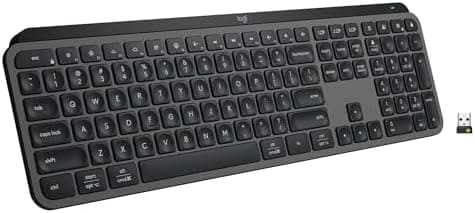
Keyboards
Best Keyboards for Desk Setups 2026: Mechanical, Wireless, and Ergonomic
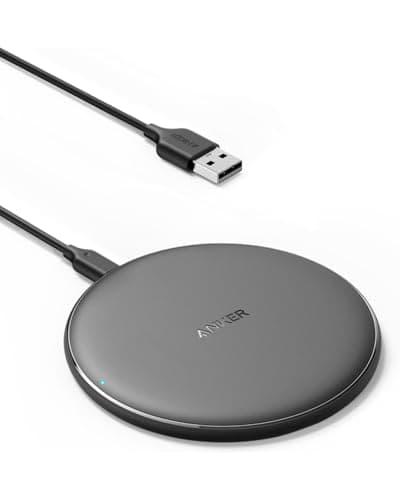
Input & Connectivity
Best Productivity Gadgets for Your Office 2026: Tools That Actually Work
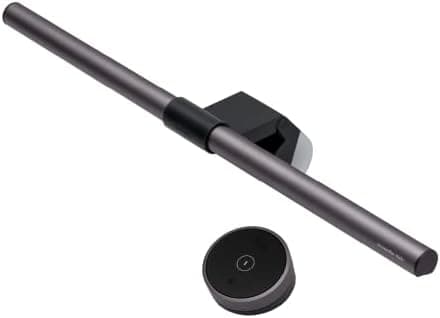
Lighting
Best Monitor Light Bars 2026: Reduce Eye Strain & Upgrade Your Setup
Display & Audio Setup
Best Microphones for the Home Office (2026)
Display & Audio Setup