Input & Connectivity
The Hybrid Worker's Dual-Site Stack 2026
The case for layout symmetry between your home office and your in-office setup — and the six gear categories that make or break the transition.
By Nick Miles · Updated May 7, 2026 · 12 min read
12 expert sources synthesizedLast verified May 7, 2026
DeskGearHQ is reader-supported. We may earn a commission from qualifying Amazon purchases at no extra cost to you.
Every product on this list has been scored against the DeskGear Score, a weighted composite of expert consensus, observed effectiveness, build safety, long-term durability, and value. Review method: Editorial synthesis across six category spokes. DeskGearHQ does not run a testing lab. We cross-reference expert reviews from Wirecutter, RTINGS, Tom's Hardware, The Verge, and TechRadar with owner data from r/wfh, r/homeoffice, r/battlestations, r/MechanicalKeyboards, and manufacturer documentation to surface consensus picks at every budget tier.. Synthesized from 12+ expert sources.
Bottom Line
Layout symmetry is the real goal. A dock and a second screen at both sites eliminate the context-switching gap that costs hybrid workers 15–20 minutes every transition day. Peripheral mismatches add up faster than people expect.
Start with the dock and the portable monitor. These two purchases create the biggest functional change for laptop-only workers and also eliminate the adapter chaos that makes in-office days slower than they should be.
Input devices are under-prioritized. Swapping between a mechanical keyboard at home and a flat laptop keyboard in the office is a real friction point — owning identical (or near-identical) keyboards at both sites pays off in sustained typing comfort and muscle memory.
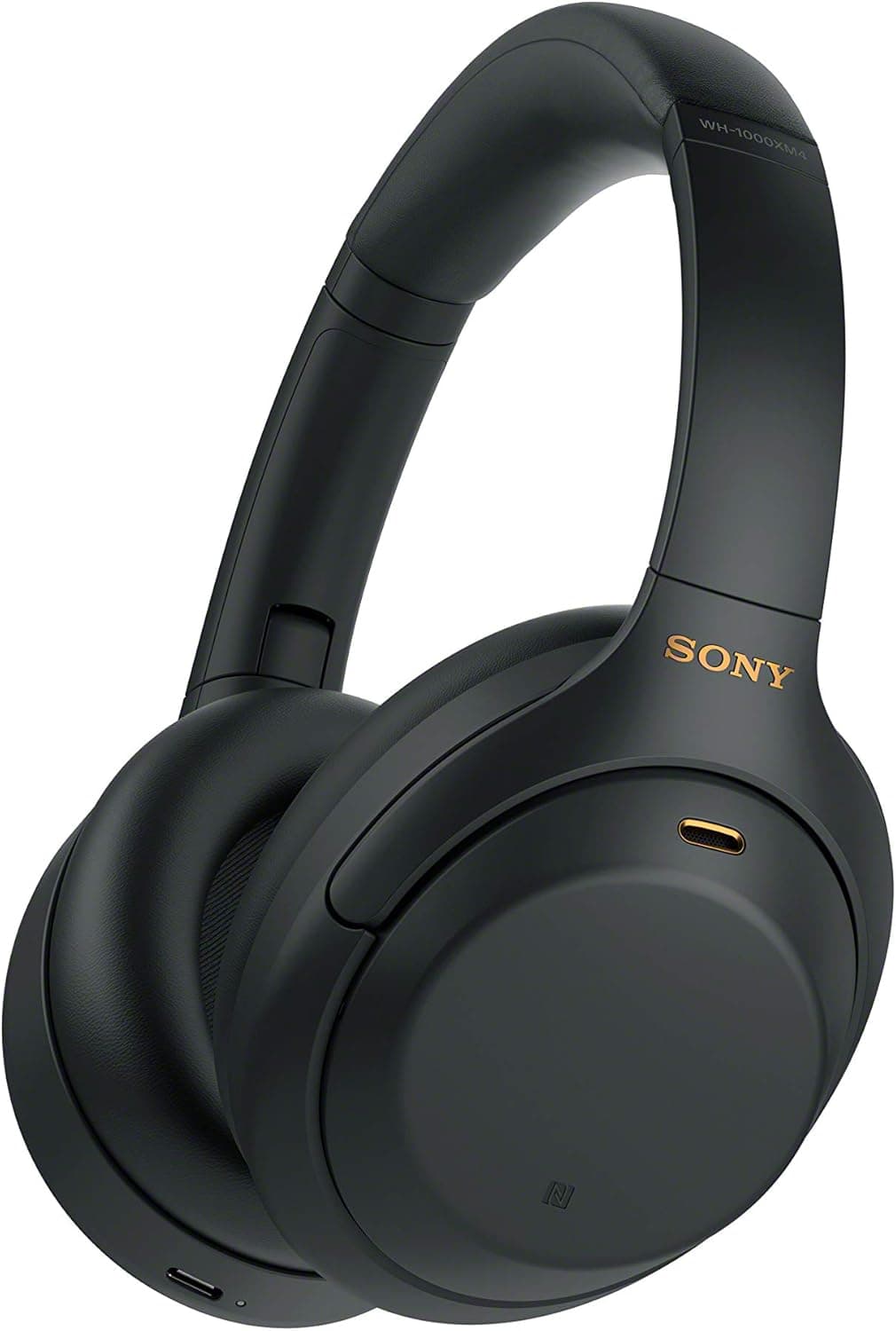
Headphones solve two problems at once: audio consistency across sites and passive noise isolation during deep work. A single pair that travels between sites is a reasonable approach; two pairs — one per site — is better if your commute is daily.
Budget symmetry matters as much as gear symmetry. A $500 home setup paired with a $50 in-office setup creates the kind of asymmetry that makes office days feel punishing. Match the investment tier, not just the category list.
All articles in this guide
Best Portable Monitors for Hybrid Workers (2026)
A portable monitor that survives your bag, powers off USB-C, and weighs under 1 lb. We surveyed 8 expert sources to find the right one for every budget.
8 min read
Best USB-C Docking Stations for Laptop Workflows (2026)
The right dock turns plug-in into a single cable. The wrong one means five minutes of fumbling. We synthesized 8 expert sources to find the best USB-C docking stations for every hybrid-worker budget.
9 min read
Best Headphones & Headsets for Work From Home 2026: Complete Guide
After surveying 20+ expert reviews, we found the best headphones and headsets for remote work — crystal-clear calls, all-day comfort, and productivity-focused features.
18 min read
Best Keyboards for Desk Setups 2026: Mechanical, Wireless, and Ergonomic
The Keychron V3 Max is the best mechanical keyboard recommendation under $150 and the typing benchmark for the price. The Logitech MX Keys S is the best low-profile wireless option for multi-device workers. The Microsoft Ergonomic Keyboard is the unglamorous answer to wrist pain that actually works.
11 min read
Best Mice for Desk Setups 2026: Wireless, Ergonomic, and Gaming
The Logitech MX Master 3S is still the productivity-mouse benchmark, the G Pro X Superlight 2 is the consensus competitive-gaming pick, and the MX Vertical is the under-recognized fix for wrist pain that doesn't require relearning how to use a mouse.
12 min read
Best Productivity Gadgets for Your Office 2026: Tools That Actually Work
Most productivity gadgets are solutions looking for problems. The five below are exceptions: a wireless charger that ends cable hunting, a visual timer that fixes focus, a voice assistant that handles micro-tasks, a USB-C hub that consolidates messy port juggling, and a smart notebook that bridges handwritten and digital workflows.
16 min read
Best Home Office Laser Printers 2026: Color and Mono AIOs That Earn Their Desk Space
A laser earns its desk space when you print enough that per-page cost matters. We synthesized Consumer Reports and Digital Trends measurements with r/printers owner data to rank six home-office laser printers — from a $570 Brother color all-in-one to a mono workhorse and a print-only budget option.
14 min read
Best Home-Office Power Stations & UPS Backup (2026)
Not every "UPS mode" is fast enough to keep a desktop alive through a power cut. We synthesized 9 expert sources to rank six LiFePO4 power stations by measured switchover speed — from the sub-10ms EcoFlow Delta 3 Plus to the EPS-only Delta 2 that should never be your only desktop guard.
13 min read
Best Mesh WiFi Systems for Home Offices (2026)
A WiFi 7 mesh system is only worth it if your home office needs it. We synthesized 6 expert sources to rank six kits by measured throughput, wired backhaul, and honest price-to-performance — TP-Link Deco BE85 on top, the eero Max 7 last, and a clear-eyed take on who should skip WiFi 7 entirely.
15 min read
Best Charging Docks and Stations (2026)
If you charge 3+ devices daily and you're still juggling separate cables, a $50–150 dock buys back the desk surface and the visual sanity. The Anker 313 handles the budget single-device job; the Belkin BoostCharge Pro 3-in-1 is the Apple-ecosystem premium pick; the Mophie 3-in-1 Travel Charger is for hybrid workers who move between desks; and the Anker MagGo Qi2 Station covers cross-platform households at the same 15W speeds.
11 min read
Best Conferencing Speakerphones (2026)
On 3+ hours of video calls daily, a speakerphone with AEC and omnidirectional mics is the single best call upgrade after a webcam. Four picks for every budget — from $72 USB-only to $333 enterprise-grade.
10 min read
Best USB Hubs Under $50 (2026)
A $30 hub covers the real use case for most desks: a few extra USB-A ports, occasional USB-C device, no overengineering. Four picks from $15 to $45, verified ASINs, honest trade-offs.
9 min read
Best Wireless Mice for Productivity (2026)
MX Master 3S for most people. MX Anywhere 3S for your laptop bag. Apple Magic Mouse for macOS gesture workflows. Razer Pro Click Mini for silent shared offices. We synthesized 9 expert sources to cut through the noise.
9 min read
Sources & Methodology
Expert review sources
- Wirecutter — Portable Monitor reviews and buying guidance
- Wirecutter — USB-C Docking Station coverage
- RTINGS — Headphone measurements and recommendations
- RTINGS — Monitor specifications and testing
- Tom's Hardware — Portable Monitor benchmarks
- TechRadar — Docking Station reviews
- The Verge — Hybrid work gear roundups
- DisplayNinja — Portable Monitor panel analysis
- Keyboard University — Switch and keycap educational resources
- r/wfh — Hybrid worker setup threads and owner reports
- r/homeoffice — Dual-site setup discussions
- r/MechanicalKeyboards — Keyboard feel and travel-weight consensus
Community sources
- r/wfh — Dual-site workflow and gear threads
- r/battlestations — Setup symmetry discussions
- r/digitalnomad — Portable monitor and dock weight tradeoff threads
Prices and specs verified May 7, 2026.
About the author
Nick Miles is the chief editor of DeskGearHQ. This hub synthesizes expert reviews, manufacturer documentation, and owner data from remote-work communities — DeskGearHQ does not run a product testing lab. Every recommendation in the spoke guides linked below is built from cross-referenced expert sources with a minimum of eight independent references per category.
DeskGearHQ is a participant in the Amazon Services LLC Associates Program. We may earn commissions from qualifying purchases — at no extra cost to you.