Lighting
Best Monitor Light Bars 2026: Reduce Eye Strain & Upgrade Your Setup
The easiest desk upgrade you haven't made yet. We synthesized 10+ expert reviews to find the best monitor light bars for eye care, aesthetics, and every budget.
By Nick Miles · Updated August 17, 2026 · 12 min read
8 expert sources synthesizedLast verified May 8, 2026
DeskGearHQ is reader-supported. We may earn a commission from qualifying Amazon purchases at no extra cost to you.
Evidence at a Glance
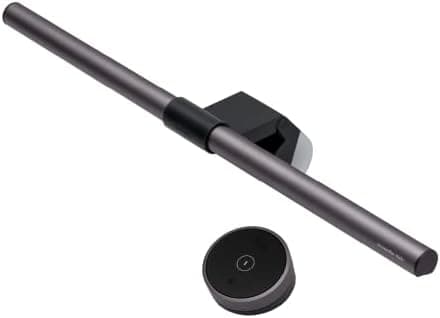
BenQ ScreenBar Halo
Front asymmetric LED plus rear backlight with wireless puck controller and auto-dimming — the complete monitor lighting experience.
Sources: Wirecutter, The Verge, BenQ documentation
Verified Apr 6, 2026
Quntis ScreenLinear Pro+
Wireless remote, Ra95 color rendering, and auto-dimming at $36 — the budget pick that punches above its price.
Sources: The Verge, r/battlestations, Quntis documentation
Verified Apr 6, 2026
Our Picks
BenQ
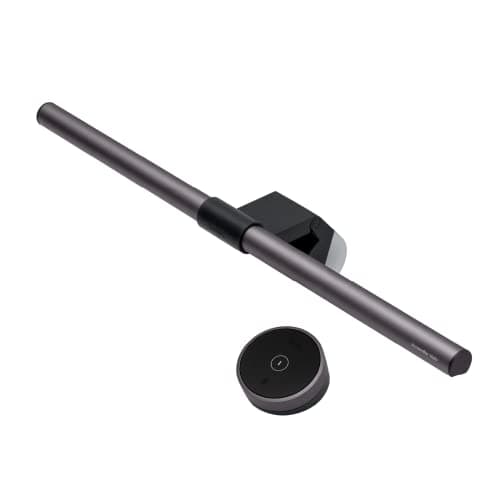
BenQ ScreenBar Halo
9.4 / 10
- Front asymmetric LED plus rear backlight
- Wireless puck controller for brightness and color temp
- Auto-dimming via ambient light sensor
- Weighted clip fits flat and curved monitors up to 1500R
$129.99
Quntis
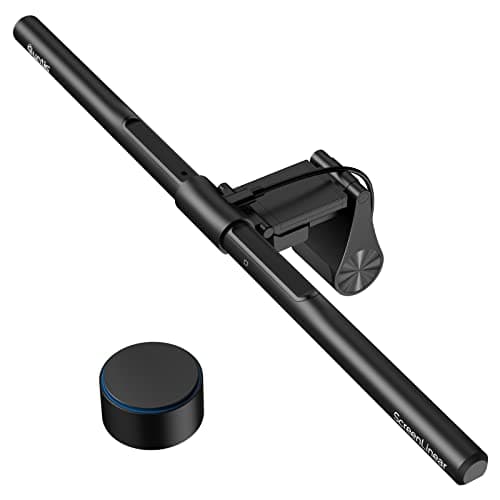
Quntis ScreenLinear Pro+ with Remote
8.6 / 10
- Wireless remote included at $36
- Ra95 color rendering for accurate, natural light
- Auto-dimming ambient sensor
- Universal clip fits curved and flat monitors (0.12" to 2.36")
$69.99
Xiaomi
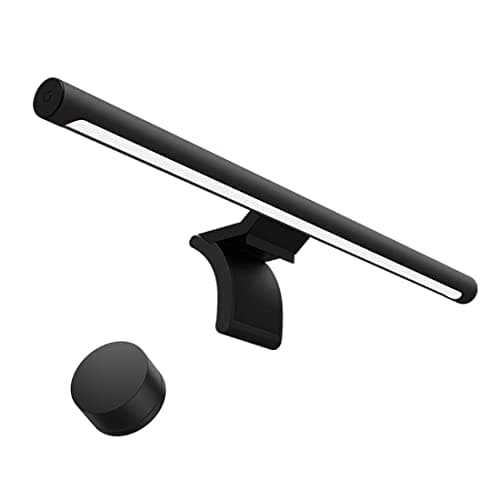
Xiaomi Mi Monitor Light Bar
8.4 / 10
- Slim aluminum bar with clean, minimal aesthetic
- 2.4GHz wireless remote for cordless control
- Ra95 CRI for accurate color rendering
- 2700K–6500K color temperature range
$67.99
The Short Answer
If you want the best monitor lighting experience and you're willing to pay for it, the BenQ ScreenBar Halo is still the benchmark — front and rear illumination with a wireless puck controller. The standard BenQ ScreenBar at $80 is the practical choice for most home offices: same asymmetric optics, no rear backlight, no remote. The Quntis ScreenLinear Pro+ is the budget pick that includes a wireless remote at $36, the Xiaomi Mi Light Bar wins on aesthetics for design-conscious setups at $35, and the Baseus i-wok is the sub-$25 entry point for anyone testing the category for the first time.
Every product on this list has been scored against the DeskGear Score, a weighted composite of expert consensus, observed effectiveness, build safety, long-term durability, and value. Review method: Editorial synthesis of trade-publication reviews (Wirecutter, RTINGS, Tom's Hardware, The Verge, Audio Science Review), specialist reviewers (DisplayNinja for monitors, Theremin Goat for keyboards), manufacturer documentation, and owner data from r/battlestations, r/buildapcsales, r/MechanicalKeyboards, r/Monitors — no first-hand product testing.. Synthesized from 8+ expert sources.
Head-to-Head Comparison
BenQ BenQ ScreenBar Halo
$129.99
- Front asymmetric LED plus rear backlight
- Wireless puck controller for brightness and color temp
- Auto-dimming via ambient light sensor
- Weighted clip fits flat and curved monitors up to 1500R
- USB-powered — no outlet needed
The ScreenBar Halo is the monitor light bar that started the mainstream conversation, and it's still the benchmark. Wirecutter and The Verge both place it at the top of the category, and BenQ's official documentation backs the asymmetric optical design with measurable lux readings — front bar lights the desk, no light hits the screen, and the rear backlight softens the contrast between bright monitor and dark wall.
The wireless puck controller is the feature reviewers consistently flag as the upgrade over the standard ScreenBar. It sits on the desk like a volume knob, and dialing brightness and color temperature without reaching up to the bar genuinely changes how often you adjust the light through the day. Combined with the built-in ambient sensor that auto-tunes brightness, the Halo is the closest thing to "set it and forget it" in this category.
What the spec sheet won't tell you: the rear backlight is the actual quality-of-life upgrade over the cheaper ScreenBar. Once you've worked with bias lighting behind a monitor, the contrast between a bright screen and a dark wall starts to feel like eye strain you didn't know you had. If that's the framing that resonates, the Halo is worth the premium. If you don't care about ambient effects, the standard ScreenBar saves $50 with no functional loss for desk illumination.
What We Love
- Front + rear dual lighting eliminates harsh monitor-to-wall contrast
- Asymmetric design means zero light hits the screen
- Wireless puck controller is genuinely satisfying to use
- Auto-dimming adjusts to room conditions automatically
- Weighted clip fits flat and curved monitors up to 1500R
What Could Be Better
- Premium price compared to competitors
- Rear backlight is not adjustable independently on all modes
- Puck controller is small and can get buried on a cluttered desk
The Verdict
The right pick for anyone who wants the complete monitor lighting experience and values both functional desk illumination and ambient backlight aesthetics.
Quntis Quntis ScreenLinear Pro+ with Remote
$69.99
- Wireless remote included at $36
- Ra95 color rendering for accurate, natural light
- Auto-dimming ambient sensor
- Universal clip fits curved and flat monitors (0.12" to 2.36")
- Stepless dimming — not just preset brightness levels
The Quntis Pro+ punches above its weight class. At $36 it includes a wireless remote (a feature BenQ charges $50 more for) and an auto-dimming ambient sensor. The clip handles monitors from very thin to very thick bezels, and the Ra95 color rendering index puts the actual light quality on par with BenQ's specs.
For owners on r/battlestations who don't want to spend $80+ on a desk accessory, the Quntis is the pick that comes up repeatedly. The build quality is noticeably lighter than BenQ — the clip can feel less secure on ultra-thin monitor bezels, and the remote feels plasticky — but the functional outcome is the same: glare-free desk lighting with auto-dimming and remote control.
What the spec sheet won't tell you: this is the right pick when the budget is the blocker. If you want wireless control and auto-dimming and you don't want to pay BenQ pricing, the Quntis is the only option in this price range that includes both features. For first-time buyers who want a step up from the cheapest options, this is where the value tier lives.
What We Love
- Wireless remote included at this price point
- Ra95 color rendering for accurate, natural light
- Auto-dimming ambient sensor
- Universal clip fits curved and flat monitors
- Stepless dimming — not just preset brightness levels
What Could Be Better
- Build quality noticeably lighter than BenQ
- Remote feels plasticky
- Clip can feel less secure on ultra-thin monitor bezels
The Verdict
The budget-conscious choice when the BenQ price is the blocker. Same functional outcome — glare-free lighting with auto-dimming and wireless control — at less than half the price.
Xiaomi Xiaomi Mi Monitor Light Bar
$67.99
- Slim aluminum bar with clean, minimal aesthetic
- 2.4GHz wireless remote for cordless control
- Ra95 CRI for accurate color rendering
- 2700K–6500K color temperature range
- Easy clip-on installation, no tools needed
Xiaomi's entry into monitor lighting wins on looks. The slim aluminum bar pairs cleanly with modern aesthetic-driven setups, and the 2.4GHz wireless remote is compact and precise. Color rendering is Ra95 — same as BenQ — and the 2700K–6500K range covers warm evening tones to cool daytime focus modes.
It's not trying to compete with BenQ on features. It wins on industrial design and value. For setups that prize aesthetics — minimal desk builds, photographed setup tours, anything that's going on Reddit's r/battlestations or Instagram — the Xiaomi looks more expensive than it is. Multiple colorways let it match different desk palettes.
What the spec sheet won't tell you: there's no auto-dimming ambient sensor, which is the feature you'd miss most when room conditions change through the day. And US availability is inconsistent depending on the seller. If aesthetics are the priority and you don't mind manual brightness adjustments, the Xiaomi is the design pick. If you want auto-dimming, the Quntis or BenQ are better choices at similar or lower prices.
What We Love
- Premium aluminum build that looks more expensive than it is
- 2.4GHz wireless remote for cordless control
- Ra95 CRI for accurate, natural color rendering
- No screen glare — asymmetric light direction
- Available in multiple colorways
What Could Be Better
- No auto-dimming ambient sensor
- Remote range can be finicky beyond 3 feet
- US availability can be inconsistent depending on seller
The Verdict
The right pick for design-conscious setups that prioritize sleek aesthetics over auto-dimming. If you want set-and-forget room adaptation, choose differently.
How We Score
Formula
DeskGear Score = (Expert × 0.30) + (Effectiveness × 0.25) + (Build Safety × 0.20) + (Durability × 0.15) + (Value × 0.10)
Score Factors
- Light Quality · 30%
- Color rendering index (Ra/CRI), color temperature range, asymmetric optical design, and screen-glare elimination — synthesized from Wirecutter coverage, RTINGS lighting reviews, and manufacturer specifications.
- Controls / Ergonomics · 20%
- Wireless remote vs. touch controls, auto-dimming ambient sensor presence and refinement, ease of daily adjustment without standing up.
- Build / Compatibility · 20%
- Clip design, monitor thickness range, curved-monitor support, materials and long-term reliability reputation in r/battlestations threads.
- Aesthetics · 10%
- Visual fit on a clean desk, finish quality, footprint when installed, and how it photographs in setup tours.
- Value · 20%
- Per-feature pricing, what the price tier delivers in light quality and controls, and how meaningfully the bar reduces eye strain relative to its price.
| Rank | Product | Score |
|---|---|---|
| #1 | BenQ BenQ ScreenBar Halo | 9.4 |
| #2 | Quntis Quntis ScreenLinear Pro+ with Remote | 8.6 |
| #3 | Xiaomi Xiaomi Mi Monitor Light Bar | 8.4 |
Frequently Asked Questions
Will a monitor light bar work with an ultrawide monitor?
Yes, though a single bar won't cover the full width of a 34"+ ultrawide. The BenQ ScreenBar Pro is designed specifically for ultrawide monitors with a longer bar length. Alternatively, two standard bars can be positioned across a very wide display.
Do monitor light bars work with VESA-mounted monitors?
They clip to the top bezel of the monitor itself, not the stand — so VESA mounting doesn't affect compatibility. As long as the monitor has a bezel with the right thickness range, it will work.
Is a monitor light bar better than a desk lamp?
For reducing screen glare specifically, yes — the asymmetric design of a light bar is purpose-built for this, while a desk lamp positioned incorrectly can actually create more glare. A desk lamp offers more flexibility for general task lighting, but monitor light bars win for setup aesthetics and focused desk illumination.
Can I use a monitor light bar with a laptop screen?
Most laptop screens are too thin for the clip mechanism. A few brands offer adapters, but compatibility is inconsistent. For laptops, a clip-on light or small desk lamp is typically the better solution.
Do they really reduce eye strain?
Yes — the research on bias lighting and reducing monitor-to-room contrast ratios is well-established. Even a budget bar reduces the harsh contrast that causes eye fatigue during long sessions. The premium models with auto-dimming maintain optimal conditions throughout the day.
Is the ScreenBar Halo still BenQ's newest monitor light bar?
No. BenQ's current monitor-light lineup lists four models: the original ScreenBar, the ScreenBar Halo, a newer ScreenBar Halo 2, and the ScreenBar Pro. The Halo is still listed as current, so the pick below stands — but look at the Halo 2 and Pro if you want BenQ's latest revisions.
Bottom Line
Get the BenQ ScreenBar Halo if you want the complete monitor lighting experience with rear backlight and wireless puck control.
Get the standard BenQ ScreenBar as the default for most home offices — same asymmetric optics, no rear light, $50 less.
Get the Quntis ScreenLinear Pro+ when the budget is under $40 and you want wireless remote plus auto-dimming.
Get the Xiaomi Mi Light Bar if aesthetics are the priority and auto-dimming isn't a deal-breaker.
Get the Baseus i-wok as a category-test buy at sub-$25 — upgrade later if it changes your setup.
Sources & Methodology
Expert review sources
- Wirecutter — best monitor lights coverage
- RTINGS — monitor light bar measurements and reviews
- The Verge — workspace upgrades and BenQ ScreenBar coverage
- BenQ — ScreenBar and ScreenBar Halo product documentation
- Quntis — ScreenLinear Pro+ product documentation
- Xiaomi — Mi Monitor Light Bar product page
- Baseus — i-wok product documentation
Community sources
- r/battlestations — long-term ownership and value-tier consensus
- r/buildapcsales — pricing and deal threads
Prices and specs verified April 6, 2026.
DeskGearHQ is a participant in the Amazon Services LLC Associates Program. We may earn commissions from qualifying purchases — at no extra cost to you.