Display & Audio Setup
Best Webcams for Home Office 2026: Video Quality That Matters
The Logitech C920s is still the default webcam recommendation for remote work, the Brio 4K handles HDR and tough lighting better than anything else under $200, and the NexiGo N60 quietly delivers 1080p that's good enough for most calls at half the price.
By Nick Miles · Updated August 17, 2026 · 13 min read
8 expert sources synthesizedLast verified May 9, 2026
DeskGearHQ is reader-supported. We may earn a commission from qualifying Amazon purchases at no extra cost to you.
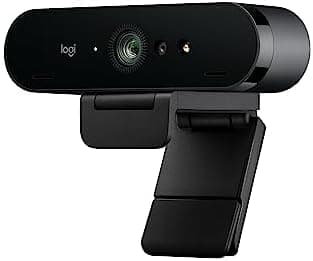
Evidence at a Glance
Logitech C920s HD Pro
1080p/30fps with dual stereo mics, autofocus, and a privacy shutter — the default office webcam recommendation across Wirecutter, RTINGS, and remote-work setup guides.
Sources: Wirecutter, RTINGS, Logitech product documentation
Verified May 6, 2026
Logitech Brio 4K
True 4K with HDR and adjustable field of view — the only sub-$200 webcam that handles backlit windows and difficult office lighting cleanly.
Sources: The Verge, Tom's Hardware, Logitech product documentation
Verified May 6, 2026
NexiGo N60
1080p/30fps with manual focus ring and built-in noise-canceling mic at half the price of name-brand options — the budget webcam that doesn't feel like a compromise.
Sources: Wirecutter, r/HomeOfficeSetup, NexiGo product documentation
Verified May 6, 2026
Our Picks
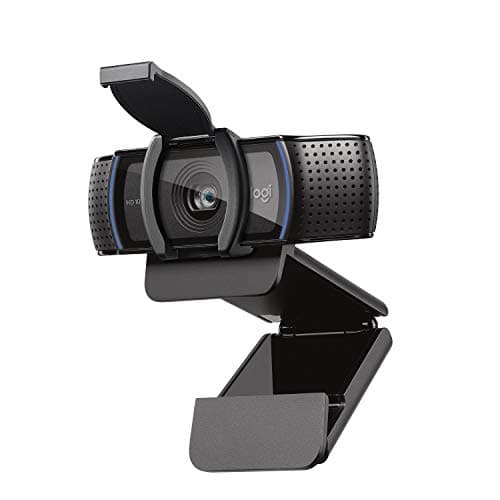
Logitech
Logitech C920s HD Pro
9.2 / 10
- True 1080p video at 30fps
- Dual stereo microphones with built-in noise reduction
- Autofocus and auto light correction
- Privacy shutter included
$70
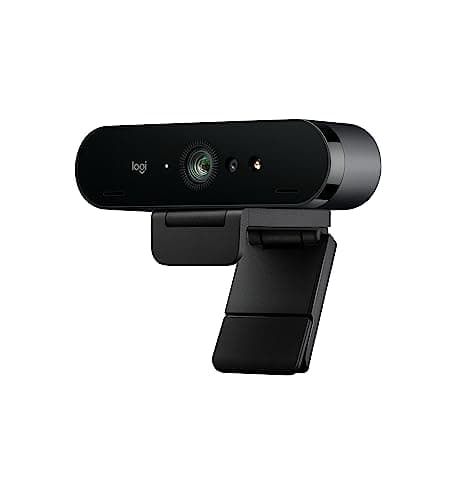
Logitech
Logitech Brio 4K
9.4 / 10
- True 4K recording at 30fps (or 1080p at 60fps)
- HDR with auto light adjustment
- 5x digital zoom with smooth tracking
- Adjustable field of view (65°, 78°, 90°)
$119.89
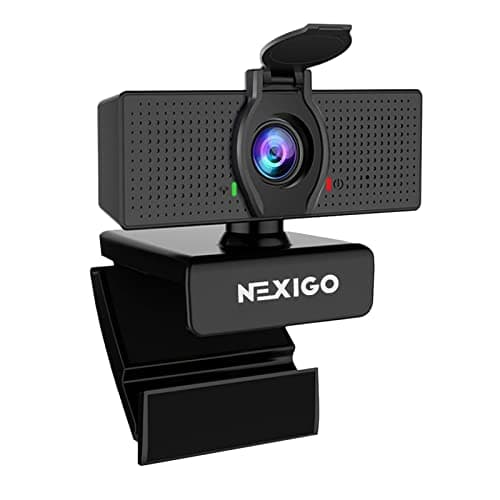
NexiGo
NexiGo N60
8.4 / 10
- Full 1080p at 30fps
- Manual focus ring for precise sharpness control
- Built-in noise-canceling microphone
- Privacy cover included
$26.99
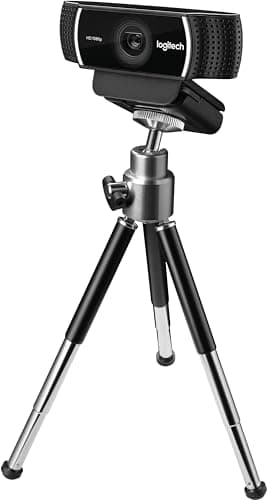
Logitech
Logitech C922 Pro Stream
8.9 / 10
- 1080p at 30fps or 720p at 60fps
- Background removal without a green screen
- Improved low-light performance over C920s
- Automatic lighting adjustment
$58.44
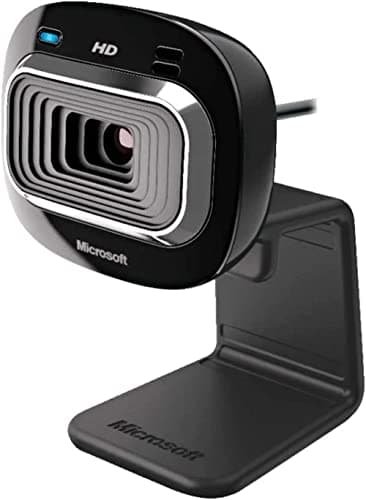
Microsoft
Microsoft LifeCam HD-3000
7.6 / 10
- Compact, foldable design
- 720p at 30fps
- Works on any USB port — no drivers required
- Reliable autofocus
$39.99
The Short Answer
For most remote workers, the Logitech C920s HD Pro at around $70 is still the default — it's been the go-to office webcam for years because it works reliably with every video platform and produces sharp, natural-looking 1080p without fuss. If video presence is part of your job (sales calls, executive meetings, content creation), the Logitech Brio 4K's HDR processing handles backlit windows and uneven lighting better than anything else in this price range. The NexiGo N60 at $35 is the budget pick that's genuinely good — not 'good for the price,' but actually good. The C922 Pro Stream adds background removal and better low-light performance for $20 more than the C920s, and the Microsoft LifeCam HD-3000 at $25 is the travel and backup camera that always works.
Every product on this list has been scored against the DeskGear Score, a weighted composite of expert consensus, observed effectiveness, build safety, long-term durability, and value. Review method: Editorial synthesis of trade-publication reviews (Wirecutter, RTINGS, Tom's Hardware, The Verge), specialist reviewers (Theremin Goat for keyboards, Audio Science Review for microphones, RTINGS for input devices), manufacturer documentation, and owner data from r/MechanicalKeyboards, r/MouseReview, r/HomeOfficeSetup — no first-hand product testing.. Synthesized from 8+ expert sources.
Head-to-Head Comparison
| Feature | Logitech C920s HD Pro | Logitech Brio 4K | NexiGo N60 | Logitech C922 Pro Stream | Microsoft LifeCam HD-3000 |
|---|---|---|---|---|---|
| Resolution | 1080p/30fps | 4K/30fps or 1080p/60fps | 1080p/30fps | 1080p/30fps or 720p/60fps | 720p/30fps |
| Best for | Default office webcam | Executive/sales/content creation | Budget upgrade from laptop cam | Streaming or poor room lighting | Travel and backup |
| Standout feature | Reliable plug-and-play across every platform | HDR for difficult lighting | Manual focus ring eliminates hunting | Background removal without green screen | Foldable for laptop bags |
| Watch-out | Mounting clip prefers thin monitors | 4K eats bandwidth and CPU | Slightly grainier in low light | Modern platform blur has caught up | 720p looks soft in 2026 |
| Check Price | Amazon | Amazon | Amazon | Amazon | Amazon |
Logitech Logitech C920s HD Pro
$70
- True 1080p video at 30fps
- Dual stereo microphones with built-in noise reduction
- Autofocus and auto light correction
- Privacy shutter included
- Works plug-and-play with Zoom, Teams, Google Meet, Slack, Discord
The C920s has been the default office webcam recommendation for years, and the reason is consistency. The 1080p image is sharp without being over-processed, colors look natural rather than washed out or oversaturated, and the autofocus is fast enough that you don't go blurry when leaning forward to share a thought. It works with every video platform out of the box — no drivers, no configuration, no surprises.
The dual stereo microphones are a step above what most webcams ship with. They're not a substitute for a dedicated mic if your job depends on audio quality, but they're genuinely usable for casual calls and quick meetings. Logitech's noise reduction is conservative — it cuts steady-state hum without mangling your voice the way aggressive AI denoisers sometimes do.
What the spec sheet doesn't tell you: the mounting clip works better on thin monitors than thick ones. If your monitor has a chunky bezel or a curved back, the clip can sit at an angle that shows the top of your head instead of your face. Worth checking before you commit, especially if you've moved to a newer ultrawide or studio display.
What We Love
- Reliable 1080p that looks professional on every video platform
- Natural color balance — no washed-out or overly warm look
- Privacy shutter built in
- Plug-and-play with no drivers
What Could Be Better
- Not 4K — can't downsample to a sharper image
- Mounting clip works better on thin monitors than thick ones
- Built-in mic is fine for quick calls, not for important meetings
The Verdict
The default webcam recommendation for any remote worker who wants reliable, professional-looking video without spending more than $100. The track record across Wirecutter, RTINGS, and home-office setup content is unusually consistent — this is the camera people stop researching and just buy.
Logitech Logitech Brio 4K
$119.89
- True 4K recording at 30fps (or 1080p at 60fps)
- HDR with auto light adjustment
- 5x digital zoom with smooth tracking
- Adjustable field of view (65°, 78°, 90°)
- Compatible with Windows Hello facial recognition
When video presence is part of how you make a living, the Brio is the obvious upgrade. The 4K sensor downsamples to incredibly sharp 1080p, and the HDR processing is the part that actually matters day to day — it balances a bright window behind you against your face in front, which is exactly the lighting situation that destroys cheaper webcams.
The adjustable field of view is more useful than it sounds. The 65° crop frames you tightly for one-on-one calls and looks more like a video portrait; the 90° wide angle fits two people on the same screen for shared workspace setups. Most webcams force one fixed framing and you live with it.
What the spec sheet doesn't tell you: 4K eats bandwidth and CPU. Running 4K video calls on a low-spec laptop or marginal home internet will produce dropped frames, choppy playback, and a worse experience than the C920s would have given you. Most people end up running the Brio at 1080p anyway — that's where the HDR processing shines and the bandwidth is realistic.
Two upgrade paths sit above the Brio, and it's worth knowing which one you're actually shopping for. If the problem is staying in frame while you move — whiteboards, standups, demos — the tracking tier is covered in best AI auto-framing webcams. If you're outfitting a dedicated call room rather than a desk, the all-in-one tier that combines camera, speakers, and mic array in one unit is covered in best video bars for home-office conferencing.
What We Love
- HDR handles backlit and mixed lighting better than any sub-$200 webcam
- Adjustable field of view for one-on-one or group framing
- Sharp 1080p downsampled from a true 4K sensor
- Windows Hello support for laptop login
What Could Be Better
- Premium price compared with the C920s
- 4K requires real bandwidth and CPU headroom
- Most users end up running it at 1080p anyway
The Verdict
The right pick when video quality directly affects how you're perceived — sales, executive presence, content creation. Skip it if your video calls are mostly internal stand-ups; the C920s does that job for $110 less.
NexiGo NexiGo N60
$26.99
- Full 1080p at 30fps
- Manual focus ring for precise sharpness control
- Built-in noise-canceling microphone
- Privacy cover included
- Plug-and-play, no drivers needed
At $35, the N60 is the budget webcam that doesn't feel like a budget webcam. The 1080p image is clean and professional — slightly more grain than premium options, slightly punchier color, but well within the "looks fine on a video call" zone. For students, side projects, and anyone whose first webcam is the laptop's built-in camera, this is a major upgrade for less than the cost of dinner out.
The manual focus ring is genuinely useful. Autofocus on cheaper cameras tends to hunt — sharpening, blurring, sharpening again — every time you shift in your seat. Manual focus locks the image in place. Set it once for your typical sitting distance and you're done.
What the spec sheet doesn't tell you: low-light performance is the gap. In a well-lit room with daylight or a desk lamp, the N60 looks great. In a dim home office at 7pm with one overhead bulb, you'll see noise and grain that the C920s wouldn't show. If your calls are mostly daytime, this matters less; if you take calls at night, factor a desk light into the budget.
What We Love
- Genuine 1080p quality at half the price of name-brand options
- Manual focus ring eliminates autofocus hunting
- Privacy cover and noise-canceling mic included
- Plug-and-play with every video platform
What Could Be Better
- Slightly grainier image than premium options in low light
- Colors lean slightly oversaturated
- Build quality is plastic-y compared with Logitech
The Verdict
The budget pick that's actually good. Buy it for students, side desks, backup cameras, and anyone whose alternative is a laptop's built-in camera. Pair it with a desk lamp if your calls happen at night.
Logitech Logitech C922 Pro Stream
$58.44
- 1080p at 30fps or 720p at 60fps
- Background removal without a green screen
- Improved low-light performance over C920s
- Automatic lighting adjustment
- Includes 3-month XSplit license
The C922 is the C920s with $20 of extra features bolted on — background removal without a green screen, better low-light handling, and a 720p/60fps mode for smoother motion in presentations. Logitech originally pitched it at streamers, but the upgrades translate well to remote workers stuck with imperfect home-office lighting.
The background removal is the headline feature. It works well enough for casual use — clean backgrounds, even lighting — but it's not perfect. Hair edges, hand gestures, and busy backgrounds can produce visible artifacts. Most modern video platforms now include their own background blur, which has caught up to and sometimes exceeded what the C922's hardware does.
What the spec sheet doesn't tell you: the 720p/60fps mode is the underrated upgrade. For presentations with screen movement, scrolling, or any kind of demo work, 60fps looks dramatically smoother than 30fps. If you trade some pixel resolution for frame rate, your audience perceives the difference.
What We Love
- Better low-light handling than the C920s
- 60fps option produces smoother motion
- Background removal works without a green screen
- Same plug-and-play reliability as other Logitech webcams
What Could Be Better
- Background removal can artifact at hair and hand edges
- Modern platform-side blur has caught up to the hardware
- Only $20 cheaper than the Brio's 1080p mode
The Verdict
The right pick if you stream, present often, or work in a poorly lit room. For everyday Zoom calls, the C920s is the better-value choice — the C922's extras are most useful in specific workflows.
Microsoft Microsoft LifeCam HD-3000
$39.99
- Compact, foldable design
- 720p at 30fps
- Works on any USB port — no drivers required
- Reliable autofocus
- Folds flat for travel
The LifeCam HD-3000 is not going to win an image-quality contest. What it does is work, every time, on every laptop, in every conference room, with no setup. For travelers, hot-deskers, and anyone who needs a backup webcam that fits in a laptop bag, that reliability is the feature.
The 720p resolution is the major limitation in 2026. A decade ago this was the standard; today, most video platforms expect 1080p, and 720p looks visibly softer than what your colleagues are sending back. For internal stand-ups and quick check-ins, that's fine; for client-facing or recorded calls, it's a noticeable downgrade.
What the spec sheet doesn't tell you: the foldable design is the actual reason to buy this over a 1080p budget webcam. The HD-3000 collapses flat enough to fit in a laptop sleeve without a separate accessory pouch. It's the camera you carry; the camera you don't carry doesn't matter.
What We Love
- Genuinely tiny — fits in a laptop sleeve
- Always works, no drivers, no fuss
- Cheap enough to keep one as a backup
- Reliable autofocus despite the price
What Could Be Better
- 720p maximum — visibly softer than 1080p in 2026
- Image quality drops noticeably in low light
- 1080p budget webcams exist at similar prices
The Verdict
The travel and backup webcam that always works. For a primary home-office camera, spend the extra $10 on the NexiGo N60 and get genuine 1080p. For a laptop bag, this is the right size and the right price.
How We Score
Formula
DeskGearHQ Editorial Score = (Expert Consensus × 0.35) + (Image Quality × 0.25) + (Reliability/Compatibility × 0.20) + (Value × 0.20)
Score Factors
- Expert Consensus · 35%
- Synthesized from Wirecutter, RTINGS, The Verge, Tom's Hardware, manufacturer documentation, and owner reports on r/HomeOfficeSetup. The DeskGearHQ Editorial Score is a composite of expert opinion — DeskGearHQ does not run a testing lab.
- Image Quality · 25%
- Resolution, color balance, low-light performance, autofocus accuracy, and HDR/lighting handling. Sharpness in real video-call conditions matters more than maximum-resolution numbers on the spec sheet.
- Reliability/Compatibility · 20%
- Plug-and-play behavior across Zoom, Teams, Google Meet, Slack, and Discord. UVC compliance, driver requirements, mounting versatility, and how the webcam handles the common edge cases (thick monitors, multi-platform use, sleep/wake).
- Value · 20%
- Per-feature pricing relative to the next tier up and down. Whether the extra $20 or $100 buys a meaningful upgrade for the typical home-office user — not a spec-sheet bullet that never gets exercised.
| Rank | Product | Score |
|---|---|---|
| #1 | Logitech Logitech Brio 4K | 9.4 |
| #2 | Logitech Logitech C920s HD Pro | 9.2 |
| #3 | Logitech Logitech C922 Pro Stream | 8.9 |
| #4 | NexiGo NexiGo N60 | 8.4 |
| #5 | Microsoft Microsoft LifeCam HD-3000 | 7.6 |
When NOT to Buy
Skip an external webcam entirely if your laptop's built-in camera is already 1080p and well-positioned (recent MacBook Pros, ThinkPad X1 Carbons, and Surface devices ship with cameras that hold their own). Skip the Brio 4K if your home internet upload speed is below ~10 Mbps or your laptop is more than five years old — you won't see the benefit of the 4K sensor and will pay for processing overhead you can't use. Skip the C922 Pro Stream if you're not streaming and your room is well-lit; the C920s does the same job for $20 less. Skip the LifeCam HD-3000 as a primary camera in 2026 — 720p is the part that hasn't aged well. And skip every webcam on this list if your real problem is lighting, not the camera. A $30 desk lamp positioned beside your monitor improves video quality more than a $180 webcam sitting in the dark.
Frequently Asked Questions
Is a 1080p webcam enough in 2026, or do I need 4K?
1080p is enough for almost every video call. Most platforms (Zoom, Teams, Google Meet) downsample 4K input anyway, and the bandwidth required for true 4K transmission is more than most home connections want to dedicate to a meeting. Buy 4K only if you record video for content creation, take very high-stakes sales or executive calls where image quality is part of the impression, or want HDR processing for difficult lighting (the Brio's actual differentiator).
Does my webcam matter more than my lighting?
No. Lighting matters more. A $30 desk lamp beside your monitor will improve video quality more than upgrading from a $35 webcam to a $180 webcam. The right order of operations is: fix lighting, then upgrade the webcam, then upgrade the microphone.
Are built-in laptop cameras good enough now?
Recent MacBook Pros, ThinkPad X1 Carbons, and Surface devices ship with 1080p cameras that hold their own against entry-level external webcams. Older laptops (pre-2022) and most budget models still use 720p sensors that look soft. Check your laptop's spec sheet before assuming you need an external camera — and check the camera's vertical position. A built-in camera that points up your nose is unflattering even at 1080p.
Should I worry about webcam privacy?
A physical privacy shutter is the most reliable answer. The C920s, Brio, and N60 all include one; the C922 and LifeCam don't. Software-based camera permissions help, but a physical cover removes the question entirely. If your webcam doesn't include a shutter, a $5 third-party slide cover is worth buying.
Do I need a separate microphone, or is the webcam mic fine?
Webcam microphones are acceptable for casual internal calls, but they pick up keyboard noise, room echo, and HVAC hum that a dedicated microphone wouldn't. If your work involves client-facing meetings, recorded calls, podcasts, or anything where audio quality matters more than convenience, a dedicated USB microphone is the upgrade that has the biggest impact on how you sound.
When is an AI auto-framing webcam worth the upgrade over a fixed webcam?
When you move during calls. A fixed-lens webcam like the C920s or Brio assumes you stay centered in front of the screen; the moment you stand up, whiteboard, or demo something physical, you drift out of frame. AI auto-framing cameras track you — either with a physical gimbal like the Insta360 Link 2, which pans at 45ms latency in the $199 tier, or with digital cropping like the OBSBOT Meet 2-4K, which delivers 4K 60fps framing under $100. If your calls are seated and static, the fixed lens is the better value — tracking hardware you never trigger is money spent on nothing. Our best AI auto-framing webcams guide ranks the current field across the $99 to $399 range.
What's the difference between a webcam and a video bar — and who needs the bar?
A webcam is a camera; a video bar is a camera plus speakers plus a beamforming microphone array in one housing, built to cover a room rather than a chair. Bars from Jabra, Poly, and Logitech run from roughly $600 to $1,700, carry Teams and Zoom certification with hardware call controls, and replace the separate webcam-plus-speakerphone combination in a dedicated call space. For a solo desk, a bar is overkill — a $70 webcam and a dedicated mic cover the same ground for a fraction of the price. The bar earns its cost in a shared or executive room where several people need to be seen and heard from one device.
Is the Logitech Brio 4K still current, or has it been replaced?
It is still current. Logitech lists the Brio 4K as available alongside the newer MX Brio, which sits at a higher price point. The Brio 4K has not been retired, so the recommendation below still stands for backlit and uneven lighting.
Bottom Line
Get the Logitech C920s HD Pro as the default choice for almost every home-office worker. It's the safe pick for a reason.
Get the Logitech Brio 4K only if video presence is part of how you're paid — sales, executive meetings, content creation. The HDR processing is what justifies the price, not the 4K resolution.
Get the NexiGo N60 as a genuine budget upgrade from a laptop's built-in camera. At $35 it's the highest value-per-dollar webcam on this list.
Get the C922 Pro Stream if you stream, present, or work in poor lighting where the low-light improvements matter.
Get the Microsoft LifeCam HD-3000 only as a travel or backup webcam. For a primary camera, the NexiGo N60 is the better pick at a similar price.
Sources & Methodology
Methodology
DeskGearHQ Editorial Score = (Expert Consensus × 0.35) + (Image Quality × 0.25) + (Reliability/Compatibility × 0.20) + (Value × 0.20)
Expert review sources
- Wirecutter — The Best Webcams
- RTINGS — Best Webcams reviews
- The Verge — Webcam reviews
- Tom's Hardware — Best webcams roundup
- Logitech — C920s, Brio 4K, C922 Pro Stream product documentation
- NexiGo — N60 product documentation
- Microsoft — LifeCam HD-3000 product documentation
Community sources
- r/HomeOfficeSetup — webcam recommendation threads
- r/Twitch — streaming-camera discussion
Prices and specs verified May 6, 2026.
About the author
Nick Miles is the chief editor of DeskGearHQ. The picks above are editorial synthesis of expert consensus and home-office community feedback — DeskGearHQ does not run a testing lab. The DeskGearHQ Editorial Score is a composite of expert opinion, not a measurement. Sources are cited by name throughout.
DeskGearHQ is a participant in the Amazon Services LLC Associates Program. We may earn commissions from qualifying purchases — at no extra cost to you.
More Guides
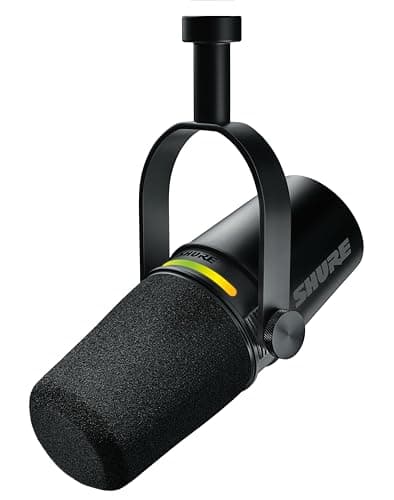
Display & Audio Setup
Best Microphones for the Home Office (2026)
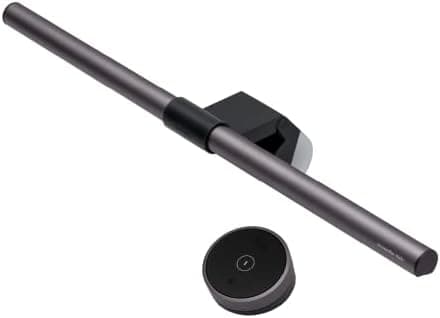
Lighting
Best Monitor Light Bars 2026: Reduce Eye Strain & Upgrade Your Setup
Keyboards
Best Keyboards for Desk Setups 2026: Mechanical, Wireless, and Ergonomic
Mice
Best Mice for Desk Setups 2026: Wireless, Ergonomic, and Gaming
Input & Connectivity