How to Look (and Sound) Professional on Video Calls (2026)
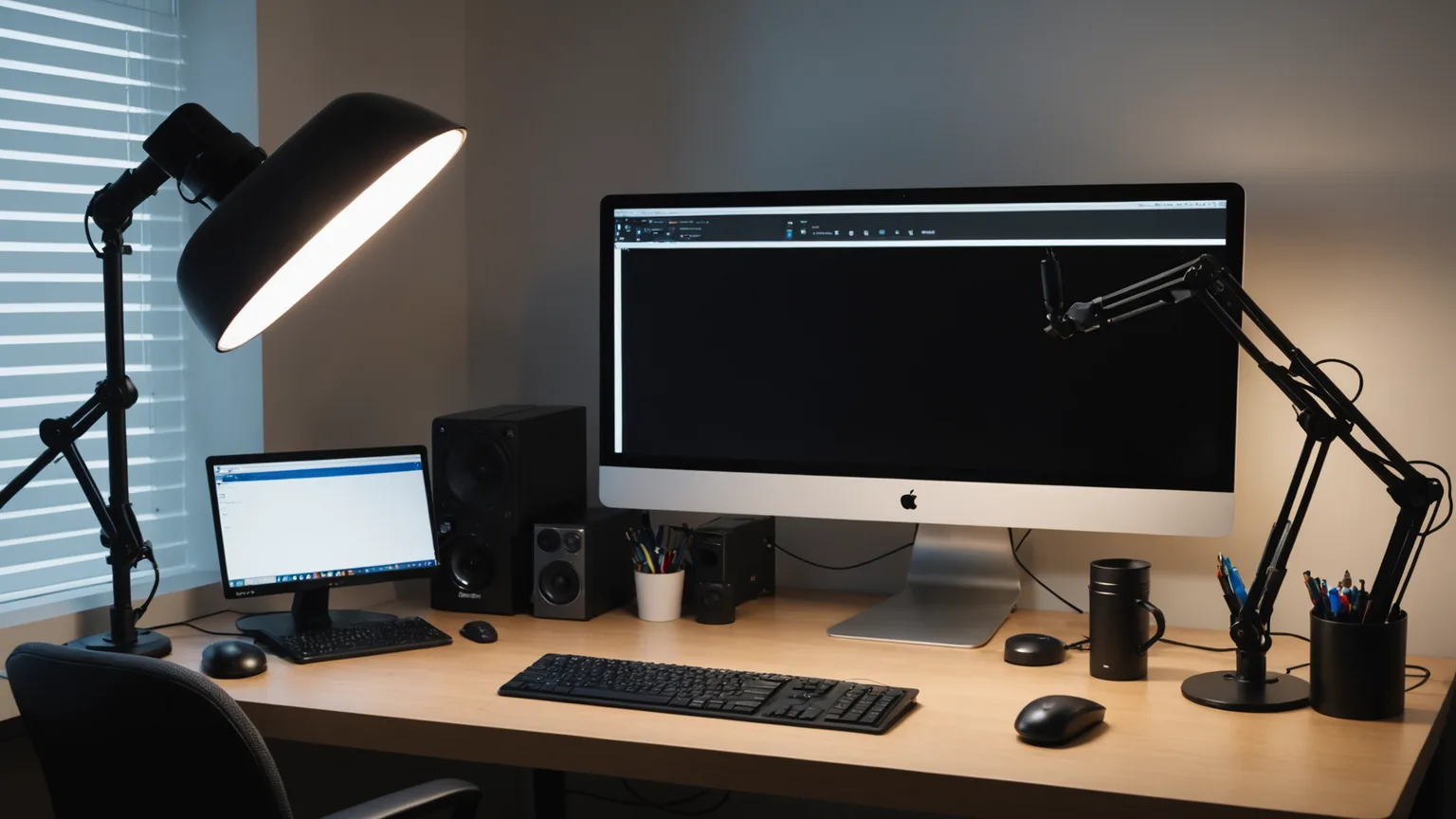
Fixing how you look on camera is an order-of-operations problem, not a big-budget one. Light and framing beat raw resolution, so this routes the upgrade from a $180 key light to a $2,700 bar — spend where the payoff shows, not on a pricey lens in a dark room.
This article contains affiliate links. We may earn a commission at no extra cost to you. Learn more
Featured in this Guide
Poly
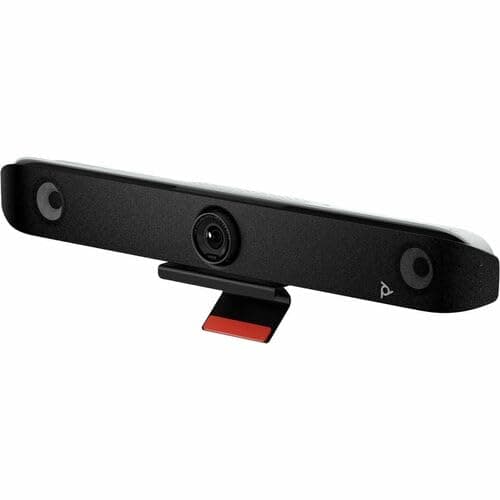
Studio V52 USB Video Bar
- •For a shared meeting room that needs camera
- •mics
- •and speaker in one drop-in box — 20MP 4K and ~20 ft mic reach
Logitech
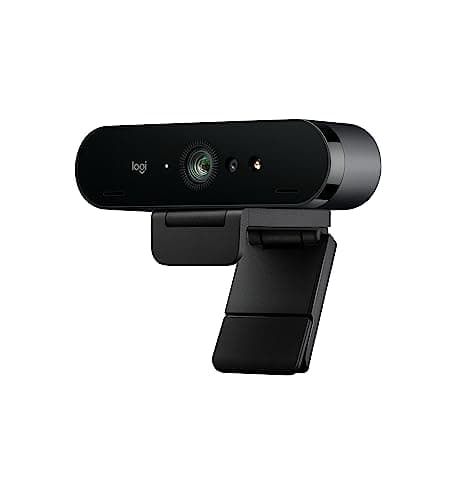
Brio 4K
- •The lens upgrade for a solo desk: true 4K with HDR that tames a backlit window better than any sub-$200 webcam near this price.
OBSBOT
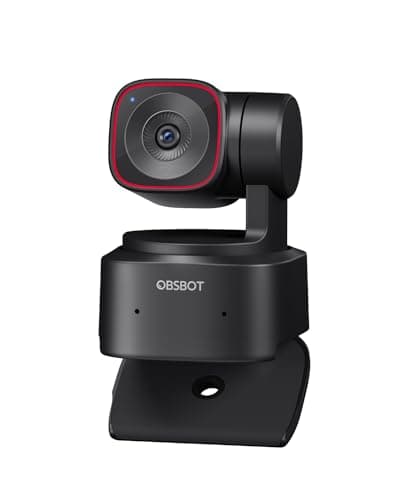
Tiny 2 Lite 4K Webcam
- •For presenters who stand or roam — a real motorized gimbal keeps you centered instead of cropping a digital box around you.
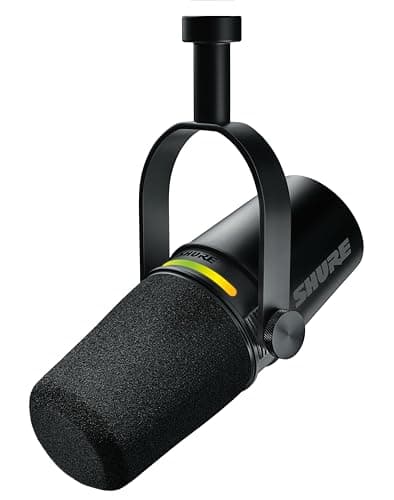
Shure
MV7+
- •The audio fix that reads as authority: a dynamic capsule shrugs off room echo and keyboard clatter
- •with USB-C now and XLR later.
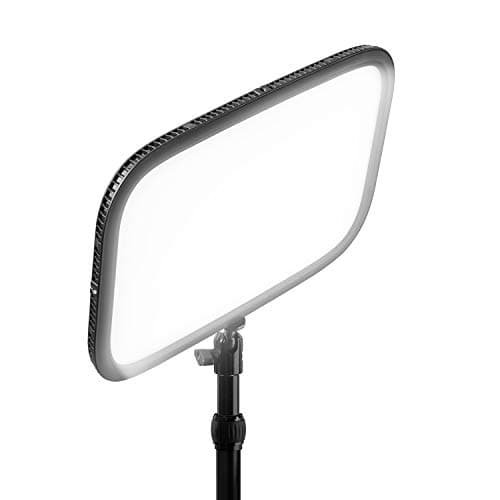
Elgato
Key Light
- •The lighting rung that outranks any lens — a 2800-lumen bicolor panel that flatters whatever camera you already own.
The Short Answer
For most desks the win is ordered, not expensive: light your face first, frame it second, fix audio third, upgrade the camera last. The Logitech Brio is the lens most solo setups should start from; the Poly Studio V52 folds all four rungs into one pricey box best suited to a shared room.
Search "how to look professional on video calls" and the results push a pricey webcam, but the order of the fix matters more than the size of the receipt. Looking sharp on camera is lighting first, framing second, audio third, and the camera last: a $2,700 sensor — roughly 23x the price of a $120 webcam — reads worse in a dark room than that cheap webcam lit and framed well. The DeskGear Video-Presence Score is weighted around that logic, and its formula leans hardest on flattering light and clean audio, the two things a raw megapixel count never buys. Coverage from The Verge, PCMag, Wirecutter, and Tom's Guide backs the same sequence: on a call compressed to roughly 720p by Zoom or Teams, a well-lit 1080p face beats a shadowed 4K one. Prices list around the figures shown as of August 2026 (2026-08-12); confirm the live total before buying.
The five rungs, side by side
AI & Smart Office
Chart
 DeskGearHQ.com
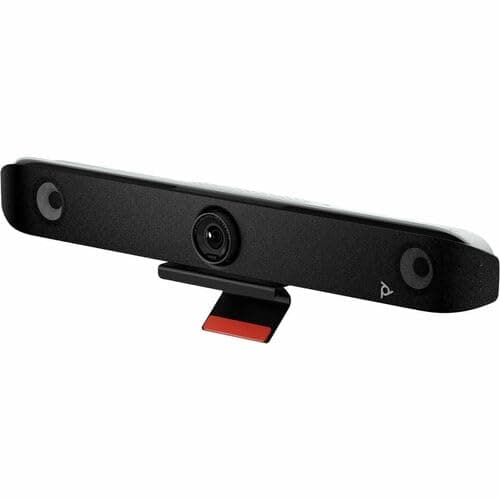
Fastest fix (all-in-one bar): Poly Studio V52 USB Video Bar
Poly Studio V52 USB Video Bar
(Current price, subject to change)
PCMag and Tom's Guide treat the Poly Studio V52 as a room-in-a-box: a 20MP sensor with 5x digital zoom, four long-range microphones with NoiseBlockAI, and dual HDMI outputs, all over a single USB-C cable that Teams and Zoom recognize on sight. That is the appeal of the all-in-one rung — instead of buying a camera, then a mic, then a light and wiring them together, you drop one certified bar under the monitor and the whole table reads clean. The honest catch is scale. The 95-degree field of view and roughly 20 ft mic reach are built for a group around a table, so a solo worker sitting three feet away pays for coverage no one uses. If a meeting room is the actual problem, the best video bars guide ranks nine more against it; for a personal desk, the component rungs below cost far less and fit better.
What We Love
- One USB-C cable delivers camera, four-mic array, and speaker — the fastest way to fix an entire room.
- A 20MP 4K sensor with 5x zoom holds face detail across a mid-size conference table.
- Four long-range mics reach roughly 20 ft with NoiseBlockAI and Acoustic Fence to cut side chatter.
- Dual HDMI out plus an HDMI input adds room-display flexibility a webcam can't touch.
What Could Be Better
- At a four-figure list price, it is wasted on a one-person desk that sits a few feet away.
- No appliance mode — it still needs a connected computer to run the call.
The Verdict
If your problem is a shared meeting room rather than a solo desk, the Poly Studio V52 USB Video Bar fits the brief — it folds camera, mics, and speaker into one USB-C bar you mount under the display and forget. The 9.0 reflects a 20MP 4K sensor and four mics that reach across a mid-size table, so a whole room reads clean from one device. On a home desk, most of that reach goes unused.
Best 4K webcam: Logitech Brio 4K
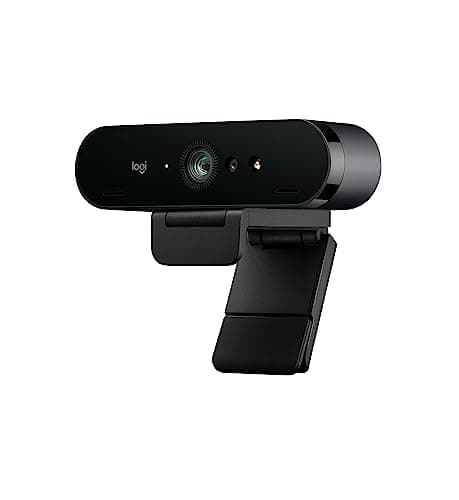
The lens is where a lit, framed desk should spend next, and the Logitech Brio is the webcam The Verge and Wirecutter keep on the shortlist for one reason: HDR. A true 4K sensor with auto light adjustment and 5x digital zoom tames a backlit window that turns a cheaper camera into a silhouette, and it downsamples to a clean 1080p for the call. The adjustable field of view lets you crop tight on one face or widen for two, and Windows Hello login rides along for a work laptop. Set expectations on resolution, though — that headroom is for recording, not the setting most calls use, and it asks for bandwidth and CPU to hold. Against the best webcams roundup it sits at the premium end; compared to the auto-framing pick below, it trades a motorized gimbal for a sharper, more color-accurate still image.
What We Love
- HDR handles backlit and mixed lighting better than any sub-$200 webcam we track.
- A true 4K sensor downsamples to a crisp 1080p, so the image looks clean even at call resolution.
- Adjustable field of view (65, 78, or 90 degrees) frames a single face or a two-person nook.
- Windows Hello face login is a quiet bonus for a work laptop.
What Could Be Better
- It costs more than the C920-class webcams, and most users run it at 1080p anyway.
- True 4K capture wants real bandwidth and CPU headroom to sustain.
The Verdict
For the solo desk where the webcam is the weak link, the Logitech Brio 4K is a sensible pick once the light is right. Its true 4K sensor and HDR earn the 9.4 by handling a backlit window better than any webcam near this price, so a bright room stops blowing out behind you. Just know most calls will run it at 1080p — the sensor is headroom, not a daily setting.
Best AI framing: OBSBOT Tiny 2 Lite 4K Webcam
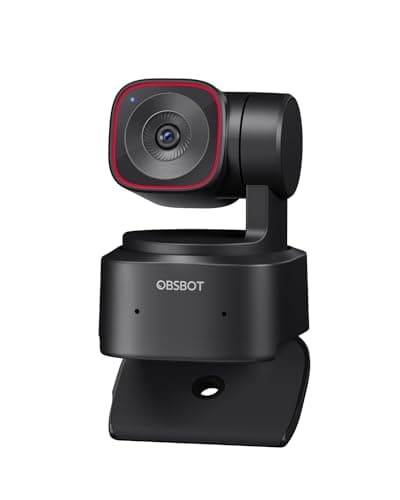
Auto-framing earns its keep the moment you stop sitting still, and Tom's Guide and TechRadar read the OBSBOT Tiny 2 Lite as the pick that does it with hardware rather than a crop. A 2-axis motorized gimbal physically turns the lens to follow you across a 360-degree pan, which looks like a camera operator panning rather than the jerky digital zoom that budget "AI framing" bolts onto a fixed sensor. Five speed levels let you dial the motion, gesture control starts and stops the tracking hands-free, and the lens rotates down for a privacy sleep you can see. The catch is baked in: the follow lags your movement by roughly 90ms on purpose, a deliberate delay that trades instant response for footage that does not judder. If following motion is the job, the best AI auto-framing webcams guide lines up the alternatives — you accept a hair of delay to stop being the person who keeps sliding out of the shot.
What We Love
- A true 2-axis gimbal pans a full 360 degrees, keeping a moving presenter centered.
- Five configurable tracking speeds tune the follow from subtle to snappy.
- Mechanical privacy is physical — the lens rotates down to sleep, no software toggle to trust.
- 4K at 30fps or 1080p at 60fps from a half-inch sensor holds up on any call.
What Could Be Better
- Tracking runs about 90 ms behind on purpose, so fast moves lag slightly.
- The OBSBOT Center app is required to change speeds or modes.
The Verdict
You've fixed lighting and still drift out of frame when you talk with your hands — that's where the OBSBOT Tiny 2 Lite 4K Webcam earns its place. A 2-axis motorized gimbal tracks you across a 360-degree pan, so the 8.7 buys real cinematic follow instead of a digital crop that pixelates as it chases you. The trade is a deliberate lag: tracking sits around 90 ms to keep the motion smooth.
Best microphone: Shure MV7+
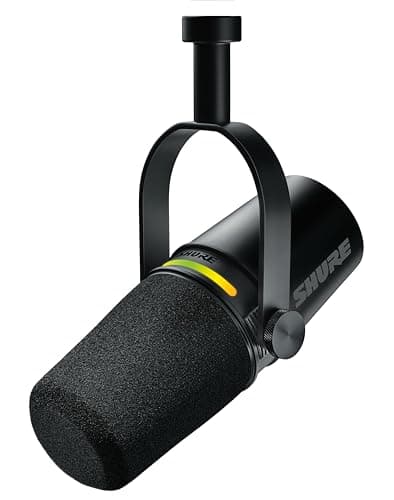
PCMag and The Verge slot the Shure MV7+ as the audio-clarity upgrade that reads as authority, and the reason is the capsule. A dynamic cardioid element rejects the reflections and keyboard clatter that a sensitive condenser would amplify, so an untreated spare-room office sounds intentional rather than cavernous. Auto Level Mode rides the gain for you, holding a steady voice through 8 hours of back-to-back calls, and the hybrid USB-C and XLR outputs mean you plug in over USB today and move to an audio interface later without buying a second mic. It is OBS Certified with a built-in pop filter and headphone monitoring, so the setup is honest plug-and-play. Audio sits third in the order on purpose — a clean picture with muddy sound still loses the room — and the best microphones guide ranks the field. If your face is sorted and the voice is the tell, this is the one to fix it.
What We Love
- A dynamic cardioid capsule attenuates room echo and keyboard noise — forgiving in an untreated office.
- Auto Level Mode keeps your voice at a consistent level on calls with no manual gain-riding.
- Hybrid USB-C and XLR means USB simplicity now and an audio-interface upgrade later, no re-buy.
- OBS Certified, with a built-in pop filter and headphone monitoring on the LED panel.
What Could Be Better
- At $269 it is a real jump over $100 USB mics, and audio is the last rung for a reason.
- The dynamic capsule is narrower and less airy than a premium condenser.
The Verdict
For anyone whose audio is the tell on calls — thin, echoey, or fighting a mechanical keyboard — the Shure MV7+ lines up with what you need. Its dynamic capsule rejects the room instead of amplifying it, and Auto Level Mode holds your voice steady without gain-riding — that is how the 9.0 sounds in practice. You give up the airy detail of a condenser for that forgiveness.
Best key light: Elgato Key Light
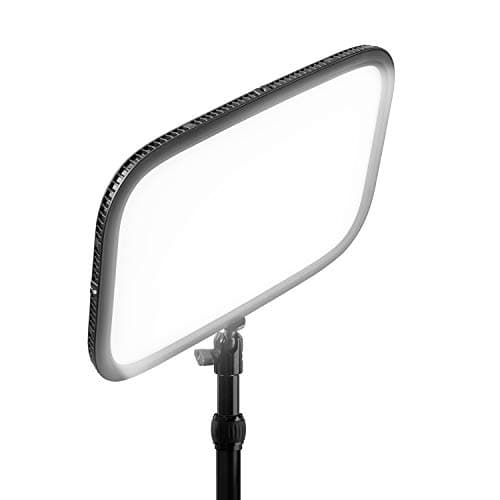
A key light does more for how you look than a sensor swap, which is why it ranks so high on the DeskGear Video-Presence Score, and the Elgato Key Light is where Wirecutter and Tom's Guide point for it. The flat panel puts out 2800 lumens — the brightest in its class — and the bicolor range slides from warm lamp light to daylight so your skin tone stops shifting with the time of day. It clamps to the desk edge and sits off-camera, no floor stand, and Wi-Fi plus Stream Deck control lets you nudge brightness without reaching past the webcam mid-call. Two limits keep it honest: it runs on AC only, so it is a desk fixture rather than a travel light, and a single panel leaves one side of your face softer than a proper two-light rig. Weigh it against the best streaming lights roundup, and if screen glare rather than a dark face is your issue, ambient bias lighting solves a different problem for less.
What We Love
- A 2800-lumen flat panel is the brightest in the consumer streamer class — enough to key a face cleanly.
- Bicolor 2900K to 7000K covers warm-lamp to daylight rooms without a gel.
- A desk clamp positions it off-camera with no floor stand eating space.
- Wi-Fi, Stream Deck, and app control adjust brightness without touching the light mid-call.
What Could Be Better
- At $179.99 it is the priciest entry in the budget-light class, and it is AC-only — not a travel light.
- It is a single source; a shadow-free two-light setup means buying a second.
The Verdict
If your face reads dim or shadowed no matter which camera you buy, the Elgato Key Light is where you'll be well-served first. A 2800-lumen bicolor panel clamps off-camera and flatters whatever webcam you already own, so the 9.0 reflects the rung that does more for the picture than a sensor swap. The honest limits: it is AC-only and a single light, so a two-source setup needs a second.
How We Score: DeskGear Video-Presence Score
DeskGear Video-Presence Score
Score Formula
(Image Quality x 0.30) + (Lighting Flattery x 0.25) + (Audio Clarity x 0.25) + (Ease of Use x 0.20)Score Factors
- Image QualitySensor resolution, HDR, and how well the picture survives call compression — what the viewer actually sees
- Lighting FlatteryHow much the pick improves the light on your face, directly or by adding a controllable key source
- Audio ClarityHow clean and present your voice sounds — room rejection, level consistency, and freedom from echo
- Ease of UseHow close to plug-in-and-work each device is across Zoom, Teams, and Meet, from one cable to a Wi-Fi pairing
DeskGear Video-Presence Score — Ranked
Logitech Brio 4K
9.4/10The lens upgrade — true 4K with HDR that survives call compression; start here on a lit desk.
Poly Studio V52 USB Video Bar
9.0/10The all-in-one bar — 20MP 4K, four ~20 ft mics, one USB-C cable; built for a shared room.
Shure MV7+
9.0/10The audio fix — dynamic capsule rejects room echo, USB-C now and XLR later.
Elgato Key Light
9.0/10The lighting fix — a 2800-lumen bicolor panel that flatters any camera you own.
OBSBOT Tiny 2 Lite 4K Webcam
8.7/10The framing fix — a real gimbal follows a moving presenter across a 360-degree pan.
Why the call app decides more than the camera
The single fact that reshapes this whole decision is that the call app throttles your camera before the picture ever leaves your desk. Zoom, Microsoft Teams, and Google Meet cap most one-on-one video at 720p and group video lower still, so a high-resolution sensor spends almost none of its detail on the viewer — downscaled to 1080p, roughly 75% of the original pixels never arrive. That is why the order holds: light and framing survive compression intact and a well-lit 1080p face outperforms a shadowed high-resolution one, while extra megapixels are discarded. All five picks connect as standard UVC devices, which enables Zoom, Teams, and Meet to see them without a driver hunt; over one cable the Poly bar delivers camera, mics, and speaker, while the webcams lean on the room's light. Before buying, check that your call app and upload speed can even carry 1080p across a full 8 hours of back-to-back calls — many plans cannot — because The Verge, PCMag, and TechRadar all note the ceiling is usually the platform, not the camera.
Those priorities are not editorial preference; they are the weighting baked into the DeskGear Video-Presence Score. The formula is a weighted composite that gives image quality a 0.30 factor, lighting flattery and audio clarity a 0.25 factor apiece, and ease of use a 0.20 factor, so the calculation deliberately ranks a flattering key light and a clean microphone alongside the camera rather than beneath it. Because every pick is normalized to one ten-point scale before the weighted formula yields a composite, a lighting or audio tool can finish first even though it captures no image itself — the coefficient on light plus the coefficient on audio outweighs the lone image-quality factor. That math is also why a room-scale tool reads differently here: the Poly bar's four microphones reach roughly 20 ft, so its score rests on coverage, and relative to a bare laptop camera the advantage the formula rewards is light and sound, which produces the professional read that viewers actually register. TechRadar and PCMag weight those same priorities.
Match the spend to the desk you actually have
The spread here represents a scope ladder rather than a quality ladder, and matching that scope to your particular desk is precisely where the money is ultimately conserved. The Elgato Key Light lists around $179.99 — approximately 1.5x the Brio — yet it demonstrably improves every camera you will ever own, which explains why the lighting rung consistently outranks a lens swap on the DeskGear Video-Presence Score for most professional buyers. The Logitech Brio lists around $119.49 for the sharpest available still image, the OBSBOT Tiny 2 Lite around $129 for motion tracking that faithfully follows you, and the Shure MV7+ around $269, roughly 2.7x a $100 USB microphone, for audio clarity that comfortably carries an entire room. Assembled together, those three complementary components arrive near $520 and collectively deliver a genuinely professional solo desk. Positioned against that component bundle, the Poly Studio V52 street-prices around $2,705 through resellers — we could not confirm a first-party HP list price, and it is not available at its older $1,699.99 figure — which works out to roughly 23x the Brio, about 21x the OBSBOT, about 15x the Elgato, just over 10x the Shure, and just over 5x the entire $520 configuration — because it essentially purchases a conference table's worth of microphone coverage. TechRadar and Wirecutter characterize that considerable premium identically: the video bar earns its keep only when a shared conference room, versus a single seated professional, is the underlying problem you are actually paying to resolve.
When NOT to Buy
This guide is a presence-first list, so the exclusions follow one rule: skip anything that photographs as effort without changing how you read on a call. Ring lights are the common miss — the halo catch-light looks studio on a shelf, but on a desk it throws glare across glasses compared to a key light's modeled fill, so they sit outside a professional look. The built-in laptop camera is left off for the obvious reason: it points up your nose from keyboard height and has no light of its own. We also passed over the resolution-at-any-cost webcams that chase megapixels the call app will only throw away, and the all-in-one "conferencing kits" that bundle a mediocre light with a mediocre mic to hit a price. None of these omissions would lift the DeskGear Video-Presence Score, since each adds cost or shelf-presence without improving light, framing, or audio. The rule that survives: buy for how you read on camera, not for how the box photographs on a shelf.
Who Should Buy What
Who Should Buy What
| If you are… | Recommended pick |
|---|---|
Shared-room / conference buyer Equipping a room where several people share one screen and wants camera, mics, and speaker in a single certified bar. | Poly Studio V52 USB Video Bar |
Solo desk, light already sorted Has decent front light and wants the sharpest, most backlight-proof webcam image for the money. | Logitech Brio 4K |
Stand-up presenter or teacher Moves, teaches, or talks with their hands and wants the frame to follow instead of cropping a digital box. | OBSBOT Tiny 2 Lite 4K Webcam |
Sounds distant on calls Picture is handled but audio is thin or echoey, and wants a mic that forgives an untreated room. | Shure MV7+ |
Dim or shadowed on camera Camera is fine but the face looks dark, and wants the one upgrade that flatters any sensor. | Elgato Key Light |
Frequently Asked Questions
What matters most for looking good on video calls?
More than any single gadget, the direction and quality of light. A soft source slightly above eye level and in front of you removes under-eye shadow and the harsh top-down look of ceiling lights; a window behind you does the opposite and turns you into a silhouette. Get the light in front, then worry about the camera. Framing is the free second step — lens at eye level, eyes about a third from the top of the picture.
Is a video bar better than a separate webcam and mic?
For a shared room, yes: one bar with a long-reach mic array beats cabling three devices for a table of people. For one person at a desk, no — a video bar's wide field and 20 ft microphones are built for coverage you will not use, and a webcam plus a key light and a mic will look and sound better for far less. The dividing line is how many people sit in front of it.
Do I need a 4K webcam, or is 1080p fine for Zoom?
For calls, 1080p is plenty, because Zoom, Teams, and Meet compress most video to 720p or 1080p before it reaches anyone — a 4K stream is downscaled on the way out, so the extra resolution is discarded. 4K earns its place only if you also record locally or crop in hard. Spend the 4K premium on light and framing instead; a well-lit 1080p face outreads a shadowed 4K one every time.
How do I light myself for video calls without a studio?
Start free: face a window during the day, or point a desk lamp at a white wall beside your screen to bounce a soft fill. The rules are position and softness — light in front and slightly above, never behind, and diffused rather than bare. A dedicated key light like the Elgato adds daylight-balanced output you control on a schedule, but a bright room aimed correctly gets you most of the way before any purchase.
Why do I sound bad on calls even with a good camera?
Almost always the room, not the mic. A laptop or webcam microphone sits far from your mouth and picks up the whole space — echo off bare walls, the keyboard, the fan — so you sound distant and thin. Moving a mic close to you fixes most of it, and a dynamic capsule rather than a sensitive condenser ignores the room instead of amplifying it. Soft furnishings help too; a hard-surfaced room echoes.
Where should the camera sit for a flattering angle?
At or just above eye level, roughly an arm's length away, tilted very slightly down. Laptop cameras fail because they sit at keyboard height and shoot up the nose; raising the laptop on a stand or using an external camera at monitor height fixes the angle for free. Frame so your eyes land about a third down from the top of the picture, with a little headroom but not a ceiling of empty space.
Bottom Line
Get the Poly Studio V52 USB Video Bar if You are equipping a shared or conference room and want camera, mics, and speaker in one certified bar — the reach justifies the price only with a table in front of it..
Get the Logitech Brio 4K if Your light and framing are handled and the webcam is the last weak link — you want the sharpest, most backlight-proof image near this price..
Get the OBSBOT Tiny 2 Lite 4K Webcam if You present standing or move around, and you want the frame to follow you instead of cropping a digital box that pixelates as it chases..
Get the Shure MV7+ if Your picture is sorted and audio is the tell — you want a mic that forgives an untreated room and upgrades to XLR later..
Get the Elgato Key Light if Your camera is fine but your face looks dim — you want the one upgrade that flatters every sensor you will ever own..
Your room already has soft front light, your framing is at eye level, and your calls sound clean — at that point you look professional already, and the next purchase is optional polish, not a fix.
Sources & Methodology
Methodology: DeskGear Video-Presence Score — Formula: (Image Quality x 0.30) + (Lighting Flattery x 0.25) + (Audio Clarity x 0.25) + (Ease of Use x 0.20). Factors: Image Quality: Sensor resolution, HDR, and how well the picture survives call compression — what the viewer actually sees | Lighting Flattery: How much the pick improves the light on your face, directly or by adding a controllable key source | Audio Clarity: How clean and present your voice sounds — room rejection, level consistency, and freedom from echo | Ease of Use: How close to plug-in-and-work each device is across Zoom, Teams, and Meet, from one cable to a Wi-Fi pairing
Expert review sources used in this analysis:
- Picks reflect aggregated editorial consensus across the webcam, video-bar, AI-framing, microphone, and lighting categories: The Verge, PCMag, TechRadar, Wirecutter, and Tom's Guide broadly cover these products, and their category guidance informs the lighting-first sequencing here
- No individual ratings or quotes are attributed
- The Poly Studio V52 is priced at its current reseller street of roughly $2,705, re-verified via the Amazon Creators API on 2026-07-24 — we could not confirm a first-party HP list price, and it is not available at its older $1,699.99 figure
- Other prices reflect stored list figures and shift often — confirm the live total before buying.
Nicholas Miles is the founder of DeskGearHQ and a longtime smart home enthusiast focused on helping everyday homeowners make better technology decisions. He researches, compares, and writes about products across security, climate, lighting, leak prevention, sensors, home energy, and automation, with an emphasis on real-world usefulness, ecosystem compatibility, reliability, privacy, and long-term value.
Affiliate disclosure: DeskGearHQ earns affiliate commissions on qualifying Amazon purchases. Our scoring methodology is independent of affiliate relationships.



