Best Video Bars for Home Office Conferencing 2026: 5 Picks
An all-in-one video bar folds the camera, microphone array, and speakers into one certified device. The Jabra PanaCast 50 is the overall benchmark for whole-room coverage; if you sit close at a solo desk, the small-room Poly Studio V12 is the one to read first.
This article contains affiliate links. We may earn a commission at no extra cost to you. Learn more
Featured in this Guide
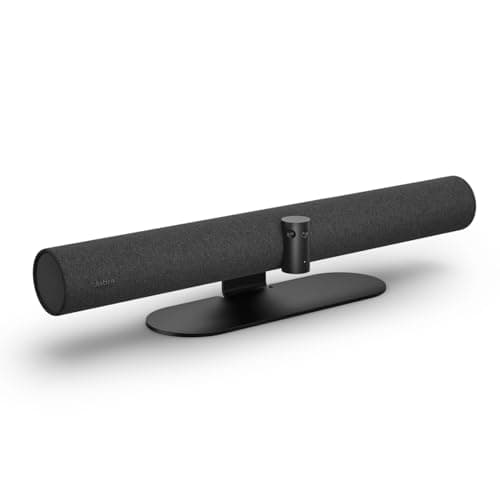
Jabra
PanaCast 50 Panoramic 4K Video Bar
- •For the hybrid office that seats two or three — 180° panoramic 4K
- •an 8-mic array with 15 ft reach
- •and four speakers cover a short
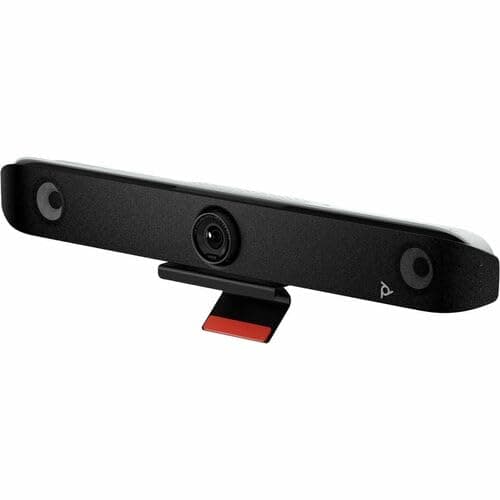
Poly
Studio V52 USB Video Bar
- •For the buyer whose office doubles as a meeting room — a 20MP 4K sensor
- •5x zoom
- •and four long-range mics reaching 20 ft carry a deeper space than a desk bar.
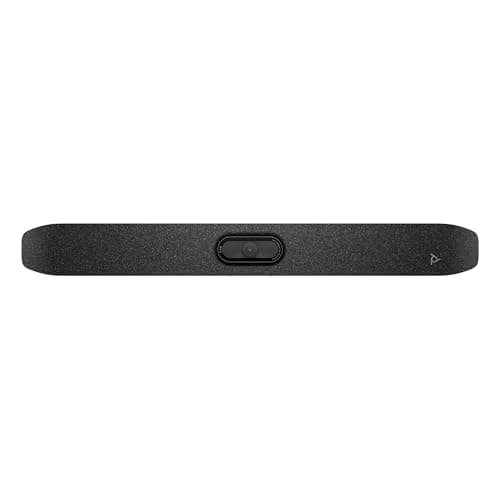
Poly
Studio V12 USB Video Bar
- •For the solo desk or huddle nook — a 4K 20MP camera
- •a 120° field of view
- •and DirectorAI framing at the lowest Poly price
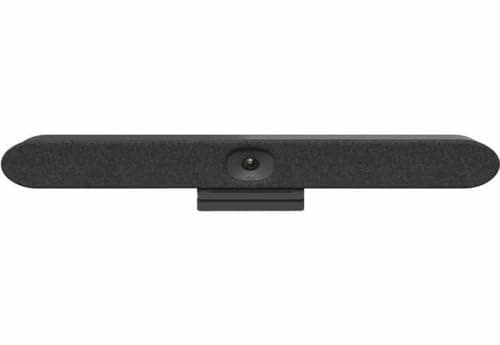
Logitech
Rally Bar Huddle All-in-One Video Bar
- •For the buyer who wants Zoom or Teams on the bar with no PC — CollabOS appliance mode plus a fallback USB mode
- •RightSight auto-framing
- •and a six-mic array.
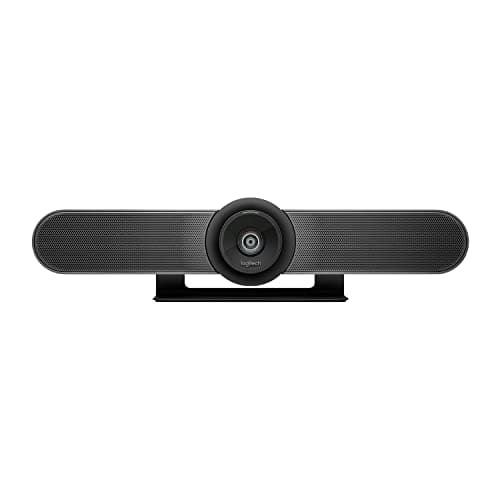
Logitech
MeetUp 4K ConferenceCam
- •For the budget desk that still wants an all-in-one — proven 4K optics
- •fixed 120° motorized pan/tilt lens
- •three mics with 13 ft pickup
The Short Answer
For most hybrid offices the Jabra PanaCast 50 is the pick: 180° panoramic 4K coverage, 6x zoom, and an 8-microphone array with 15 ft pickup keep a short, wide room framed and audible; it earns the highest DeskGear Video Bar Score in our weighted comparison. A solo desk gets most of it from cheaper small-room picks.
Searching "best video bar" tangles three questions together, because you are really asking whether one device can frame a whole room, capture voices across a table, and fill the space with sound without a separate speakerphone. As of July 2026 the conferencing-bar category is covered steadily across PCMag, TechRadar, ZDNet, Tom's Guide, and CNET, whose reviews consistently weigh framing, audio reach, and room fit rather than raw megapixels. The cleaner question is the size of your space, because a solo desk gets everything it needs from a small-room bar, while a short, wide room that seats several people rewards the panoramic coverage a single-lens webcam cannot deliver. Our weighted DeskGear Video Bar Score normalized every pick across camera, audio, coverage, setup, and value, so the composite ranking maps to real capability instead of a spec-sheet headline.
Side-by-side: the five video bars ranked
AI & Smart Office
Chart
 DeskGearHQ.com
Best overall: Jabra PanaCast 50 Panoramic 4K Video Bar
Jabra PanaCast 50 Panoramic 4K Video Bar
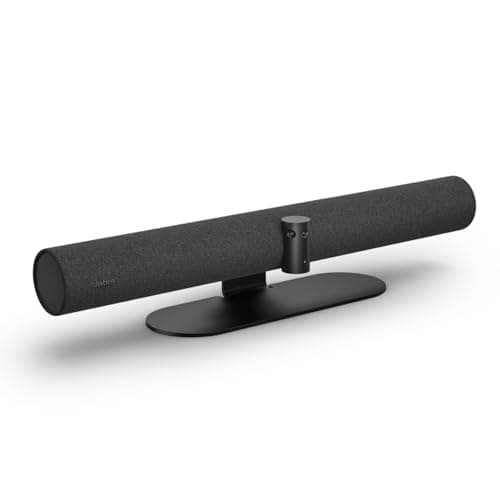
(Current price, subject to change)
The Jabra PanaCast 50 Panoramic 4K Video Bar earns the top DeskGear Video Bar Score because it solves the coverage problem a webcam cannot, and PCMag and ZDNet both frame it around that whole-room strength. Jabra's data sheet is the source for the hard numbers: three 13-megapixel cameras feed a real-time stitch into a 180° panoramic 4K image, which is roughly 1.5x the horizontal reach of a 120° bar, so a person seated at the far edge stays in the picture instead of sliding off it. The eight-microphone beamforming array pulls voices from about 15 ft, and unlike most bars it adds four speakers, so the room audio is handled without a second puck on the table. Two honest limits keep this grounded, because the panoramic stitch runs at up to 30 fps, and the wide coverage is spend a centered solo user never recovers. Compared to the small-room picks, this is the bar that produces a usable frame when a colleague pulls up a chair.
What We Love
- Three 13-megapixel cameras stitch into a genuine 180° panoramic 4K view — the widest coverage in this field by a wide margin.
- An 8-microphone beamforming array with 15 ft pickup plus four speakers make it a full room-audio system, not just a camera.
- Intelligent framing and a 6x digital zoom keep the active talker centered without a motorized lens that can wear out.
What Could Be Better
- At $992 it is overkill for a solo desk that never seats a second person on camera.
- The panoramic stitch caps at 30 fps, so fast motion is a touch less fluid than an unstitched single-lens bar.
The Verdict
If your home office ever seats a second or third person, the Jabra PanaCast 50 Panoramic 4K Video Bar keeps everyone in frame. Its three cameras stitch into a 180° panoramic 4K view, so nobody at the edge of a short, wide room gets cropped, and the eight-microphone array plus four speakers mean no separate speakerphone. A solo desk that never seats a guest can spend far less elsewhere.
Best for medium rooms: Poly Studio V52 USB Video Bar
Poly Studio V52 USB Video Bar
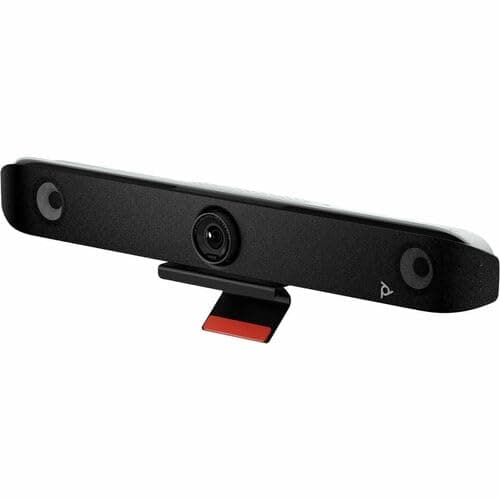
(Current price, subject to change)
The Poly Studio V52 USB Video Bar is the medium-room answer, and TechRadar and PCWorld both position it as a step up from a desk webcam rather than a rival to one. HP's Poly spec sheet supplies the numbers that matter here: a 20MP sensor delivers 4K UHD, and its 5x digital zoom crops in on a distant face while the high-resolution sensor holds detail that a lower-count webcam gives up. The four long-range microphones reach about 20 ft with NoiseBlockAI and Acoustic Fence defining the pickup zone, so a colleague across a conference table is captured cleanly while hallway noise is rejected. The dual HDMI outputs and HDMI input give it the flexibility to drive a room display, which is why it reads as room hardware. The honest counterweight is price and fit, because at roughly $2,705 in current reseller listings and a 95° horizontal field of view, it delivers its value only in a deeper space, whereas a solo desk gets the same daily experience from the Poly Studio V12 USB Video Bar for far less money.
What We Love
- A 20MP 4K UHD sensor renders a detailed, sharp image sized for a medium conference room rather than a close desk.
- Four long-range microphones reach roughly 20 ft with Poly NoiseBlockAI and Acoustic Fence pinning the pickup to the table.
- Dual HDMI outputs and an HDMI input make it flexible for a room display setup, not just a laptop on a desk.
What Could Be Better
- At roughly $2,705 through resellers it is the most expensive pick here, and a solo desk never touches its medium-room reach.
- The 5x zoom is digital, not optical, and the 95° horizontal field of view favors a table in front over a wide room.
The Verdict
If your home office doubles as an actual meeting room, the Poly Studio V52 USB Video Bar is built for that depth. Its 20MP 4K sensor and four long-range microphones that reach about 20 ft mean a person across a conference table still reads sharp and sounds present. On a solo desk you would pay for reach you cannot use, which is where the smaller Poly picks make more sense.
Best for small rooms: Poly Studio V12 USB Video Bar
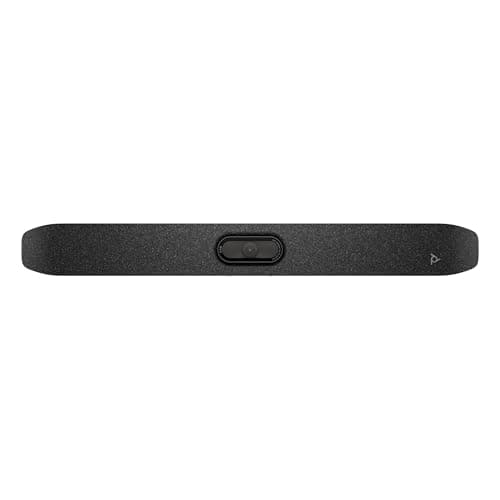
The Poly Studio V12 USB Video Bar is the small-room value pick, and Tom's Guide and CNET both cover it as the plug-and-play entry into Poly's bar line. HP's spec sheet grounds the claims: a 4K 20MP sensor with a 120° horizontal field of view frames a desk user or a two-person nook without the empty edges a panoramic bar leaves, and Poly DirectorAI automates speaker, people, and group framing so the camera tracks the talker on its own. The four MEMS microphones pull voices from about 15 ft with NoiseBlockAI cleaning the signal, which is plenty for a small space. The single USB-C cable handles video, audio, and up to 65W of power delivery, and Poly Lens is there if you want managed updates. The honest limit is reach, because the 5x zoom is digital and the mic array is tuned for a small room, so this is not the bar for a deep space — but for a solo desk it delivers the same polished call as pricier picks and yields a real saving.
What We Love
- A 4K 20MP sensor with a 120° horizontal field of view frames a solo user or a two-person nook cleanly at close range.
- Poly DirectorAI handles speaker, people, and group framing automatically, so you never touch a pan-tilt control.
- One USB-C cable carries video, audio, and up to 65W of power delivery, which keeps a desk genuinely clutter-free.
What Could Be Better
- The 5x zoom is digital, so distant subjects soften as you push in — for real reach you sit closer or step up to the V52's longer mic range.
- Four MEMS microphones with 15 ft pickup suit a small room but do not reach a medium conference table.
The Verdict
If your setup is a solo desk or a small huddle nook, the Poly Studio V12 USB Video Bar fits the brief without paying for room-scale reach. It brings a 4K 20MP camera, a 120° field of view, and DirectorAI framing over a single USB-C cable, so it looks and sounds professional at the lowest Poly price. Step up only if your room is genuinely medium-sized or seats several people at once.
Best all-in-one appliance: Logitech Rally Bar Huddle All-in-One Video Bar
Logitech Rally Bar Huddle All-in-One Video Bar
(Current price, subject to change)
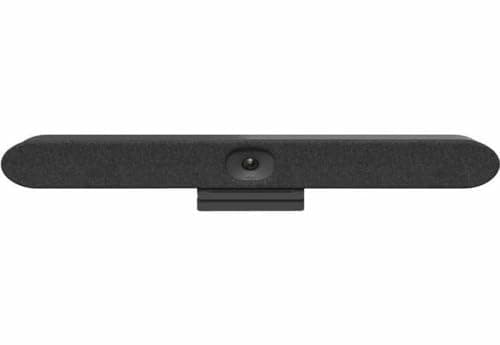
The Logitech Rally Bar Huddle All-in-One Video Bar is the flexibility pick, and PCMag frames its dual-mode design as the reason to choose it over a plain USB bar. Logitech's data sheet is explicit about the layout: a 4K camera with a 120° diagonal field of view and a 4x digital zoom drives RightSight auto-framing, while a six-microphone array forms five adaptive broadside beams with acoustic echo cancellation, so a small room is covered without a tabletop speakerphone. The headline capability is CollabOS, which lets the bar run Zoom or Teams as an appliance with no room PC, and it still falls back to USB mode when you would rather connect a laptop — that versus a single-mode bar is the whole argument. Two caveats keep it honest, because appliance mode adds a one-time setup the Logitech MeetUp 4K ConferenceCam never asks for, and Amazon's default listing is the Tap IP bundle rather than the roughly $2,299 standalone bar, so confirm the SKU and current price on the listing before you commit.
What We Love
- CollabOS appliance mode runs Zoom or Teams on the bar with no room PC, while USB mode keeps the laptop path open.
- A six-microphone array forms five adaptive beams with echo cancellation, so a small room stays clear without a separate puck.
- RightSight auto-framing plus a 4x zoom and a motorized privacy shutter make it a self-contained, security-conscious unit.
What Could Be Better
- Dual-mode flexibility adds a one-time CollabOS setup step that a pure USB bar like the MeetUp skips entirely.
- Amazon's default listing is the Tap IP bundle, a different SKU near $2,200; the standalone bar streets around $2,299, so confirm the SKU.
The Verdict
If you want the meeting platform to run on the bar itself, not a tethered computer, the Logitech Rally Bar Huddle All-in-One Video Bar fits. CollabOS appliance mode runs Zoom or Teams natively with a USB fallback, and RightSight framing plus a six-mic array cover a small room. Standalone it streets around $2,299; Amazon's default listing is the Tap IP bundle, so check the SKU before you buy.
Best value: Logitech MeetUp 4K ConferenceCam
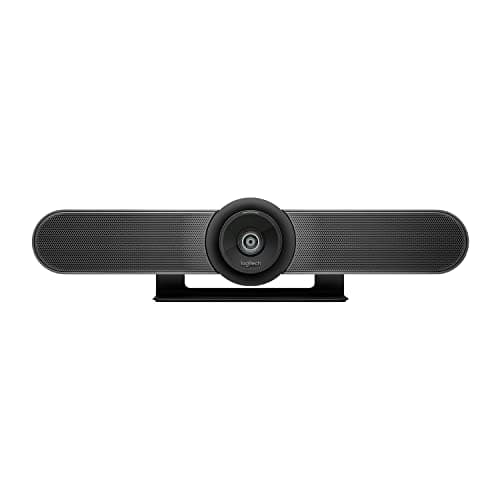
The Logitech MeetUp 4K ConferenceCam endures as the value pick, and Tom's Guide still points budget buyers to it as a real all-in-one rather than a webcam. Logitech's spec sheet backs the essentials: 4K optics behind a fixed 120° diagonal field of view, a motorized pan/tilt head that repositions the frame, three beamforming microphones with about 13 ft of pickup, and an integrated speaker, all over USB with no drivers to chase. Street pricing typically runs roughly $512 to $730, which is why it delivers the strongest value in this field for a small space. The honest context is age, because this is the oldest design here and its framing is not as adaptive as the newer AI bars, and the 13 ft mic reach means a bigger room needs the optional Expansion Mic. Logitech has since shipped a MeetUp 2 successor, but the original remains the sensible budget all-in-one, and compared to the room bars it yields most of the daily experience for a fraction of the outlay.
What We Love
- A proven 4K bar with an integrated speaker and a motorized pan/tilt head that repositions the frame on demand.
- A 120° diagonal field of view covers a huddle room or desk, and three beamforming microphones reach about 13 ft.
- True USB plug-and-play with no driver install, and street pricing that regularly lands well below the room bars here.
What Could Be Better
- It is the oldest design in this field, so framing intelligence trails the newer AI-driven bars.
- The 13 ft mic reach suits a small room only, and extending it means adding the optional Expansion Mic.
The Verdict
If you want a real all-in-one bar without the room-hardware price, the Logitech MeetUp 4K ConferenceCam is the value answer. It is a long-proven 4K bar with a fixed 120° lens on a motorized pan/tilt head, three beamforming microphones reaching about 13 ft, and USB plug-and-play. Just know it is the oldest design here; Logitech now sells a MeetUp 2 successor for the newest silicon.
How We Score: DeskGear Video Bar Score
DeskGear Video Bar Score
Score Formula
(Camera & Framing x 0.30) + (Audio Capture x 0.25) + (Room Coverage & FOV x 0.20) + (Setup & Platform Support x 0.15) + (Value per Dollar x 0.10)Score Factors
- Camera & FramingSensor resolution, zoom factor, and automatic framing quality — from a fixed 120° lens to a stitched 180° panoramic 4K view
- Audio CaptureMicrophone count, beamforming, pickup range (13 ft to 20 ft across this field), and whether integrated speakers replace a separate speakerphone
- Room Coverage & FOVHow much of a space the field of view and mic reach actually cover — a solo desk, a small huddle nook, or a medium conference table
- Setup & Platform SupportUSB plug-and-play simplicity, driver-free operation, and Teams and Zoom certification (Google Meet where offered), plus any appliance-mode independence
- Value per DollarDelivered capability against current price — rewards bars matched to their room size rather than over-specified for a desk
DeskGear Video Bar Score — Ranked
Jabra PanaCast 50 Panoramic 4K Video Bar
9.1/10Best overall — 180° panoramic 4K from three cameras, an 8-mic array, and four speakers for whole-room hybrid coverage.
Poly Studio V52 USB Video Bar
9.0/10Best for medium rooms — 20MP 4K, 5x digital zoom, four long-range mics reaching 20 ft, and dual HDMI outputs.
Poly Studio V12 USB Video Bar
8.9/10Best for small rooms — 4K 20MP, a 120° field of view, DirectorAI framing, and one-cable USB-C at the lowest Poly price.
Logitech Rally Bar Huddle All-in-One Video Bar
8.8/10Best all-in-one appliance — CollabOS runs Zoom or Teams with no PC, plus USB fallback, RightSight, and a six-mic array.
Logitech MeetUp 4K ConferenceCam
8.5/10Best value — a proven 4K bar with a fixed 120° lens on a motorized pan/tilt head, three beamforming mics, and driverless USB plug-and-play.
Which rooms and platforms these bars fit
The single fact that reshapes this decision is room size, not laptop brand, because every bar here connects over standard USB to any Windows PC or Mac and is certified for Microsoft Teams and Zoom (the Poly Studio V12 and Logitech MeetUp add Google Meet certification too). What differs is coverage, so a solo desk within a few feet of the bar is served by the small-room Poly Studio V12 or the value Logitech MeetUp, whose fields of view and 13-to-15 ft microphone reach are tuned for that distance. A short, wide space that seats two or three people rewards the Jabra PanaCast 50, because its 180° panoramic stitch fits a room where a 95-to-120° lens would crop someone off the edge — roughly 1.5x the horizontal coverage. A deeper room with a real table is where the Poly Studio V52 earns its keep, since its 20 ft mic reach and narrower 95° framing carry a distance the desk bars cannot. The Logitech Rally Bar Huddle adds one more axis, because its appliance mode runs the meeting app on the bar itself, which suits a shared room that should not depend on a personal laptop being present.
Cost vs. capability across the field
The price spread here tracks genuine capability rather than a brand tax, which is exactly why the weighted value factor inside our composite calculation rewards the bar matched to your room instead of the one with the biggest spec sheet. Our weighted DeskGear Video Bar Score normalized each pick across five factors, so the ranking maps to real capability rather than a headline number. The Logitech MeetUp anchors the entry tier as a proven driverless all-in-one that typically streets well under the room bars, and the Poly Studio V12 then normalizes to nearly the top composite for small-room use while costing far less than the panoramic and medium-room picks. Each step upward buys one specific thing, because the Jabra PanaCast 50 adds true 180° panoramic coverage and four speakers, the Poly Studio V52 adds 20 ft mic reach plus a table-focused 95° frame and dual HDMI, and the Logitech Rally Bar Huddle adds appliance-mode independence from a room PC. The decisive comparison is V12 versus PanaCast 50, because that gap buys panoramic framing and full room audio, so if your desk never seats a guest the V12 produces the smarter outcome while the PanaCast yields more coverage for anyone who needs it.
When NOT to Buy
This guide is all-in-one-bar-first, so the exclusions follow one rule: camera, microphones, and audio integrated into a single certified device. Standalone AI webcams — the tracking single-lens cameras that pair with a separate conferencing speakerphone — belong in our sibling AI auto-framing webcams guide, because they solve the desk-webcam problem rather than the whole-room one. We also left out installer-channel room systems not cleanly buyable on Amazon as a standalone unit, and the newer Logitech MeetUp 2, which is not cleanly listed as a standalone bar today, so we cover the proven original you can actually buy.
Who Should Buy What
Who Should Buy What
| If you are… | Recommended pick |
|---|---|
Hybrid room host Occasionally seats two or three people and needs everyone framed and audible; wants panoramic 180° coverage and built-in room audio. | Jabra PanaCast 50 Panoramic 4K Video Bar |
Medium-room owner Runs calls from a real table and wants long-range mics that reach across the room, with a display output. | Poly Studio V52 USB Video Bar |
Solo desk professional Sits close at a desk or small nook and wants certified 4K with automatic framing over one USB-C cable at the lowest Poly price. | Poly Studio V12 USB Video Bar |
Shared-room manager Wants the meeting app to run on the bar itself with no room PC, plus a USB fallback and built-in auto-framing and privacy shutter. | Logitech Rally Bar Huddle All-in-One Video Bar |
Budget-first buyer Wants a proven, driverless 4K all-in-one for a small room at the lowest price and does not need the newest AI framing. | Logitech MeetUp 4K ConferenceCam |
Frequently Asked Questions
What's the difference between a video bar and a webcam?
A video bar integrates the camera, a microphone array, and speakers into one certified device, so it handles both video and full room audio on its own. A webcam is camera-only and usually needs a separate speakerphone or headset for good audio. Bars are built for rooms; webcams are built for a single person at a desk.
Which video bar is best for a small home office?
For a solo desk or small huddle nook, the Poly Studio V12 is the small-room pick — a 4K 20MP camera, a 120° field of view, and DirectorAI framing over one USB-C cable. The Logitech MeetUp is the value alternative if you want a proven driverless bar for less. Both are tuned for close range rather than a deep room.
Do I need a panoramic 180° camera like the Jabra PanaCast 50?
Only if your space is short and wide or seats more than one person on camera. The PanaCast 50 stitches three cameras into a 180° panoramic 4K view so nobody at the edge is cropped — roughly 1.5x the horizontal reach of a 120° bar. A single person who sits centered and close gets no benefit from that extra coverage.
What's the difference between optical and digital zoom on a video bar?
Optical zoom magnifies with the lens and keeps a distant face sharp; digital zoom crops and enlarges the sensor image, which softens as you push in. Worth knowing: none of these bars uses optical zoom — they all zoom digitally (5x on the two Poly bars, 6x on the Jabra PanaCast 50, 4x on the Logitech Rally Bar Huddle). That makes sensor resolution and microphone reach matter more than the zoom number, so for a medium room prioritize a high-resolution sensor and a mic array that reaches the far end of the table.
Do these video bars work with both Teams and Zoom?
Yes. Every pick here is certified for Microsoft Teams and Zoom and connects over standard USB to any Windows PC or Mac; the Poly Studio V12 and Logitech MeetUp add Google Meet certification as well. The Logitech Rally Bar Huddle goes further with an appliance mode that runs Zoom or Teams on the bar itself with no room PC, while the others run through whichever app is on your connected computer.
How far can a video bar pick up voices?
It depends on the microphone array. The Logitech MeetUp reaches about 13 ft, the Poly Studio V12 and Jabra PanaCast 50 about 15 ft, and the Poly Studio V52's long-range array reaches up to about 20 ft. Match the reach to your room: a desk bar's 13-to-15 ft is plenty up close, but a deep table wants the 20 ft array.
Can a video bar run a meeting without a computer?
Most cannot — they are USB devices that rely on a connected PC or Mac running the meeting app. The exception here is the Logitech Rally Bar Huddle, whose CollabOS appliance mode runs Zoom or Teams on the bar itself with no room PC, and which still falls back to USB mode when you prefer to drive it from a laptop.
Is the Jabra PanaCast 50 worth the premium over a small-room bar?
It depends on your room. If you regularly seat two or three people, the panoramic 180° coverage and four-speaker audio are worth it, since a single-lens bar would crop someone off the edge. If you are one person at a desk, the Poly Studio V12 or Logitech MeetUp delivers the same call quality up close for meaningfully less money.
Why does the Rally Bar Huddle's price vary so much on Amazon?
The standalone Rally Bar Huddle streets around $2,299, but Amazon's default listing is the Tap IP bundle — a different SKU that pairs the bar with a touch controller and often shows up used or above $2,200. Before you buy, check exactly what the listing includes so you are comparing the standalone bar against the other picks rather than a full room bundle.
Do video bars need drivers or software to work?
The core video and audio are USB plug-and-play on every pick here, so a call works with no install. Optional apps — Jabra Direct, Poly Lens, or Logitech's tools — only add firmware updates, framing tweaks, and fleet management. The Logitech MeetUp is fully driverless, and the appliance mode on the Rally Bar Huddle is the one setup step that goes beyond plugging in.
Bottom Line
Get the Jabra PanaCast 50 Panoramic 4K Video Bar if Your room is short and wide or seats two to three people, and you want panoramic 180° coverage plus built-in room audio from one device..
Get the Poly Studio V52 USB Video Bar if Your office doubles as a medium meeting room with a table, and you want 20 ft mic reach, a table-focused 95° frame, and dual HDMI outputs..
Get the Poly Studio V12 USB Video Bar if You want a certified 4K bar for a solo desk or small nook with automatic framing over one USB-C cable, at the lowest Poly price..
Get the Logitech Rally Bar Huddle All-in-One Video Bar if You want a shared-room appliance that runs Zoom or Teams with no PC, with a USB fallback and built-in auto-framing — verify the listing bundle..
Get the Logitech MeetUp 4K ConferenceCam if You want a proven, driverless 4K all-in-one for a small room at the budget floor, and you do not need panoramic coverage or a room bar's longer mic reach..
You only ever join solo calls from a laptop at a desk and are happy with a webcam-plus-headset — a full room bar is more device than you need.
Sources & Methodology
Methodology: DeskGear Video Bar Score — Formula: (Camera & Framing x 0.30) + (Audio Capture x 0.25) + (Room Coverage & FOV x 0.20) + (Setup & Platform Support x 0.15) + (Value per Dollar x 0.10). Factors: Camera & Framing: Sensor resolution, zoom factor, and automatic framing quality — from a fixed 120° lens to a stitched 180° panoramic 4K view | Audio Capture: Microphone count, beamforming, pickup range (13 ft to 20 ft across this field), and whether integrated speakers replace a separate speakerphone | Room Coverage & FOV: How much of a space the field of view and mic reach actually cover — a solo desk, a small huddle nook, or a medium conference table | Setup & Platform Support: USB plug-and-play simplicity, driver-free operation, and Teams and Zoom certification (Google Meet where offered), plus any appliance-mode independence | Value per Dollar: Delivered capability against current price — rewards bars matched to their room size rather than over-specified for a desk
Expert review sources used in this analysis:
- Picks reflect aggregated category coverage checked against manufacturer specification sheets: PCMag and ZDNet on the conferencing-bar category and the Jabra PanaCast 50 panoramic design; TechRadar and PCWorld on the Poly Studio V52 as medium-room hardware; Tom's Guide and CNET on the Poly Studio V12 small-room bar; PCMag on the Logitech Rally Bar Huddle dual-mode CollabOS design; Tom's Guide on the Logitech MeetUp as a value all-in-one; and Engadget, Wired, Windows Central, and 9to5Mac on the broader video-bar-versus-webcam decision
- Hard specifications — camera resolution, field of view, zoom type, microphone count and pickup range, and speaker configuration — are drawn from the Jabra, HP Poly, and Logitech data sheets
- Prices re-verified via the Amazon Creators API on 2026-07-24
- The Jabra PanaCast 50 holds a clean New Amazon buy-box near $992, and the Logitech MeetUp now streets from about $512 new
- The Poly Studio V52 is priced at its current reseller street of roughly $2,705 — we could not confirm a first-party HP list price, and it is not available at its older $1,699.99 figure
- The Logitech Rally Bar Huddle is priced at its roughly $2,299 standalone (BYOD) street, and this guide links to the standalone bar; Amazon's default listing is the Tap IP bundle, a different SKU that often shows up used above $2,200
- The Poly Studio V12 is shown at its $899 list because its top Amazon listing currently returns no in-stock New buy-box
- Confirm New-condition pricing and the exact SKU on the listing before you buy.
Nicholas Miles is the founder of DeskGearHQ and a longtime smart home enthusiast focused on helping everyday homeowners make better technology decisions. He researches, compares, and writes about products across security, climate, lighting, leak prevention, sensors, home energy, and automation, with an emphasis on real-world usefulness, ecosystem compatibility, reliability, privacy, and long-term value.
Affiliate disclosure: DeskGearHQ earns affiliate commissions on qualifying Amazon purchases. Our scoring methodology is independent of affiliate relationships.



