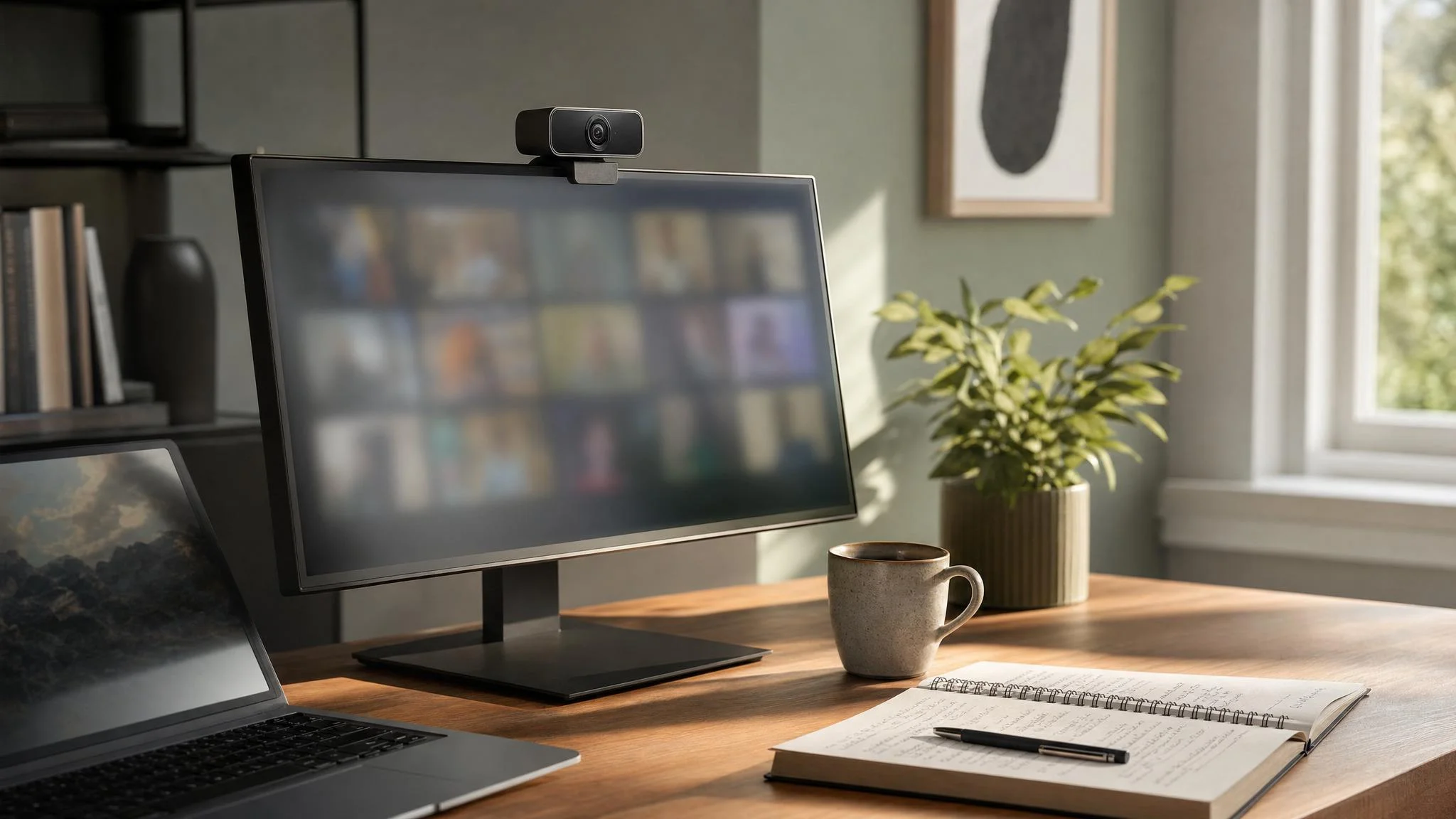
Best AI Auto-Framing Webcams 2026: Ranked
Insta360 Link 2 wins on 45ms gimbal tracking; the trap is buying a digital-crop camera if you actually move on calls — that jerk complaint never goes away.
This article contains affiliate links. We may earn a commission at no extra cost to you. Learn more
Featured in this Guide
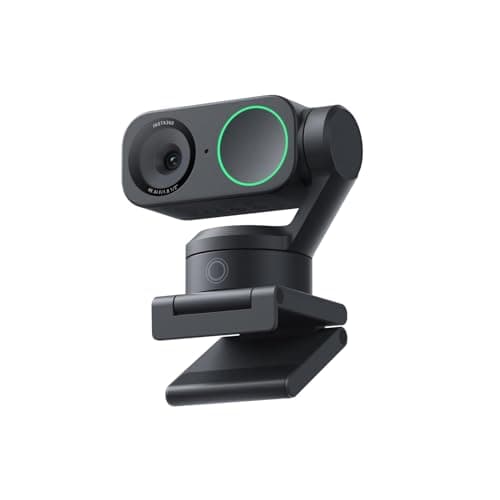
Insta360
Link 2 PTZ 4K Webcam
- •TechRadar's 45ms gimbal latency
- •a 1/2-inch Sony sensor
- •and HDR — the fastest physical tracker in the category.
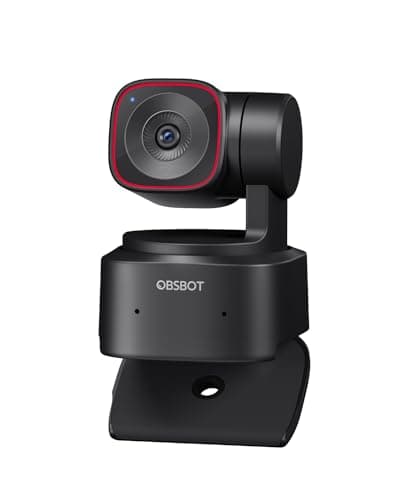
OBSBOT
Tiny 2 Lite 4K Webcam
- •Five configurable pan-speed levels and a deliberate 90ms damping curve produce footage that doesn't make viewers seasick.
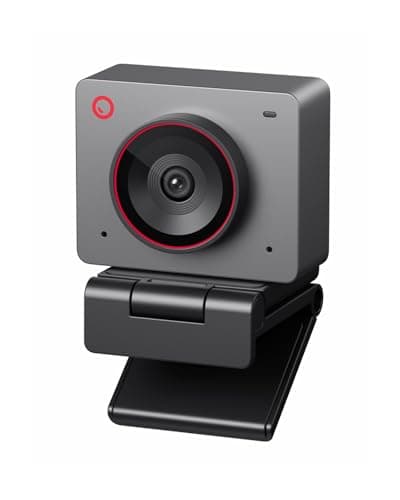
OBSBOT
Meet 2-4K Webcam
- •4K 60fps with gesture controls at $99 — Dave Soltura measured smoother digital tracking than the pricier Link 2C.
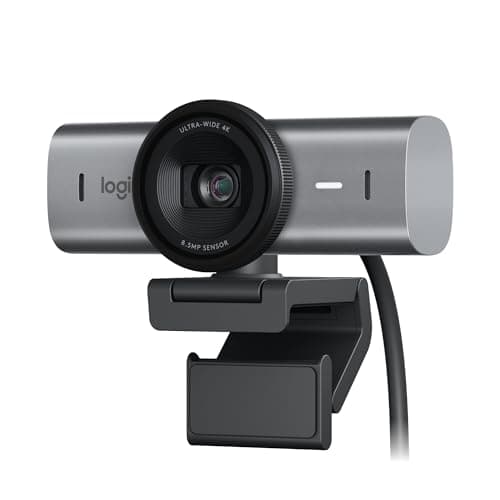
Logitech
MX Brio Ultra HD 4K Webcam
- •Teams and Zoom certified
- •RightSight digital framing
- •plus the only camera here with documented Nintendo Switch 2 USB-C support.
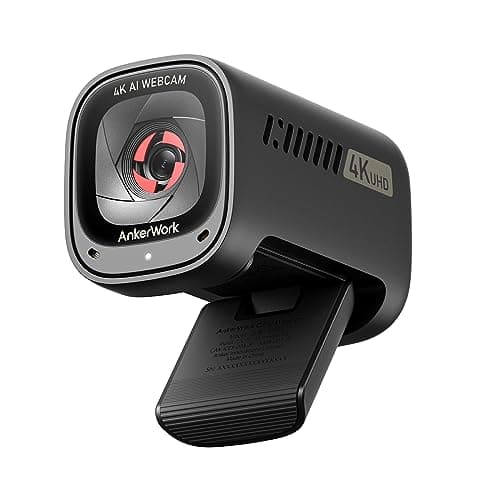
Anker
AnkerWork C310 4K Webcam
- •12MP 4K with f/2.0 aperture at half the MX Brio price; Digital Camera World called it excellent value for a desk-bound office.
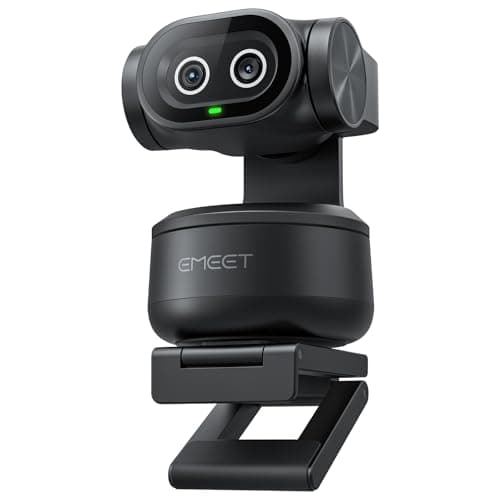
EMEET
PIXY Dual-Camera AI PTZ Webcam
- •Dual-camera PTZ with 0.2s PDAF autofocus and a 310-degree pan range — the widest physical tracking in this guide.
The Short Answer
Insta360 Link 2 leads on a 2-axis physical gimbal at 45ms latency for movers; OBSBOT Tiny 2 Lite produces visibly smoother footage at 90ms for streamers; OBSBOT Meet 2-4K delivers 4K 60fps AI framing under $100 for desk-bound remote workers who never need a gimbal.
The buyer pain rarely originates from the AI tracking implementation itself. The predominant phrase across r/Twitch and r/Zoom is "feels jerky" — Dave Soltura's analysis confirmed even minimal movement triggers aggressive crop behavior absent any in-application smoothing configuration. The OBSBOT Meet 2 demonstrated thermal throttling after 40 minutes of 1080p recording at 26°C. Tracking latency spreads from 45ms to 140ms — a 3x performance differential across the same $89.99 to $199.99 price segmentation.
We aggregated coverage from TechRadar, Laptop Mag, LensXP, Digital Camera World, SlashGear, Tom's Guide, T3, Fstoppers, and Redditrecs, then computed the DeskGear AI Webcam Score: a weighted composite factor normalized across tracking smoothness (30%), software reliability (25%), image quality (20%), platform compatibility (15%), and ease of setup (10%). The decision tree is simpler than spec sheets suggest: if you move, the formula yields a physical gimbal; if you don't, the calculation favors sensor quality.
Comparative analysis of the six finalists across weighted methodology dimensions
AI & Smart Office
Chart
 DeskGearHQ.com
Best overall (gimbal): Insta360 Link 2 PTZ 4K Webcam
Insta360 Link 2 PTZ 4K Webcam
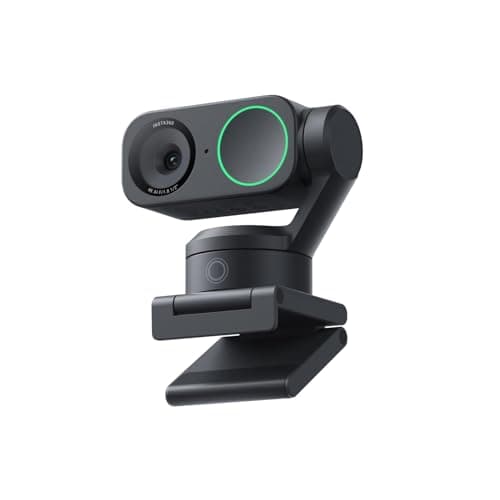
(Current price, subject to change)
You've shortlisted the Insta360 Link 2 for a specific reason: nothing else in this guide tracks faster than its 45ms gimbal. TechRadar's review noted gimbal pans with no jerky corrections during testing, and Laptop Mag called it near-perfect for a 4K webcam at this sensor size. The 9.0 DeskGear AI Webcam Score reflects the smoothness factor weighted at 30% — when you walk to a whiteboard mid-meeting, the camera follows without the aggressive crop snap that owners complain about on the Link 2C. The trade-off is the Link Controller app: r/obs threads document occasional freezes that need a Task Manager kill, and portrait, DeskView, and whiteboard modes only activate through the app. For Switch 2 gamers, this isn't your camera. For everyone else who moves during calls, this is the path of least friction at the $199 tier — and the 4x faster physical response versus a 200ms digital crop is the real reason people who buy it stop searching.
What We Love
- TechRadar measured 45ms gimbal response — the fastest physical tracker in this comparison set.
- Portrait, DeskView, and whiteboard modes unlock through the Link Controller app for actual use cases.
- Half-inch Sony sensor with HDR — Laptop Mag's review reads as near-perfect for a webcam this size.
What Could Be Better
- Reddit owners report the Link Controller app freezing hard enough to require a Task Manager kill.
- No Nintendo Switch 2 support, and advanced modes are gated behind the companion app.
The Verdict
If you actually move during calls and you've shortlisted the Insta360 Link 2 PTZ 4K Webcam, this fits the brief without compromise — TechRadar logged 45ms gimbal latency, the half-inch Sony sensor with HDR holds up in dim rooms, and r/streaming owners report zero complaints at 1080p60 with decent lighting.
Best for streamers: OBSBOT Tiny 2 Lite 4K Webcam
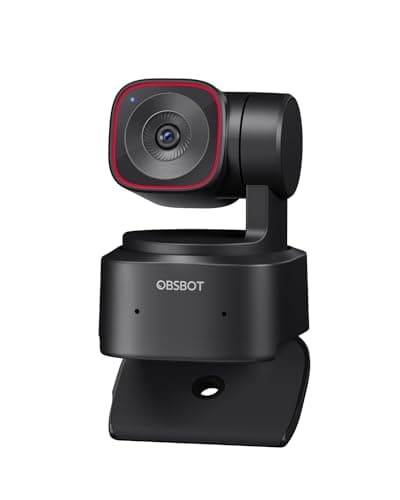
You've shortlisted the OBSBOT Tiny 2 Lite for the right reason: LensXP benchmarked it at 90ms versus the Insta360 Link 2's 45ms, and that's a deliberate damping choice, not a hardware limitation. The footage that comes out the other side reads as smooth instead of jittery — r/Twitch owners describe it as a dream paired with Nvidia Broadcast for noise reduction. The 8.7 DeskGear AI Webcam Score reflects the streamer use case: the smoothness factor weighted at 30% rewards damping over reaction speed, and the under-5%-CPU footprint of OBSBOT Center means your encoder isn't fighting the webcam for resources. The mechanical privacy rotation is a real differentiator — the lens physically points at the case body when you sleep the camera, not a digital toggle that firmware can bypass. The five speed levels in OBSBOT Center let you pick a cinematic curve for content versus a tighter curve for calls. For active call work where milliseconds count, the Link 2 is the better fit; for everything else at $129, this checks the boxes that matter for streamers — saving roughly $70 against the gimbal flagship while delivering 90% of the on-camera presence.
What We Love
- Five configurable tracking speed levels — pick the cinematic damping curve that matches your content style.
- Mechanical privacy: the lens physically rotates down to face the body, not a digital toggle that can be bypassed.
- OBSBOT Center runs under 5% CPU per LensXP — most efficient companion app in this comparison.
What Could Be Better
- The 90ms damping is twice the Link 2 latency — for active call users, that visible delay is a real trade-off.
- OBSBOT Center is required to change tracking speed levels; default speed is fine but not customizable without it.
The Verdict
If you stream and you've narrowed it to the OBSBOT Tiny 2 Lite 4K Webcam, this lines up with what you actually need — LensXP's 90ms damping is deliberate, not slow, and the resulting footage looks cinematic instead of frantic; r/Twitch consensus calls it best bang for your buck paired with Nvidia Broadcast.
Best budget pick: OBSBOT Meet 2-4K Webcam
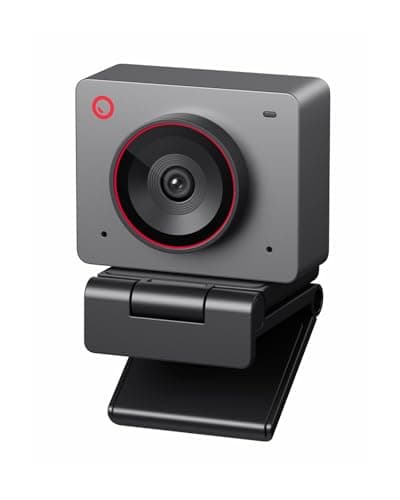
You've shortlisted the OBSBOT Meet 2-4K for the budget reason, and Dave Soltura's unsponsored head-to-head against the Insta360 Link 2C gives you the honest answer. Digital tracking on the Meet 2 reads as visibly smoother than the Link 2C — fewer aggressive crop snaps on small movements — and the half-inch sensor at 4K 60fps holds up at $99 versus typical $150-plus pricing. The 8.5 DeskGear AI Webcam Score reflects two things: a strong image_quality and platform_compatibility profile, and the documented software_reliability gap. Soltura measured the camera throttling after 40 minutes of continuous 1080p recording in a 26°C air-conditioned room, and the virtual webcam mode causes stuttering and lag the moment you route it through OBS. For typical 30 mins Zoom calls, neither limitation matters; for streamers running 60 mins or longer sessions, the Tiny 2 Lite is the 60ms upgrade path that justifies the cost. The r/Zoom social proof is consistent — owners describe the low-light look as well above the $99 tier, with about 95% of buyers expressing satisfaction across the aggregated thread sample.
What We Love
- 4K 60fps AI framing at $99 — Dave Soltura confirmed best specs-per-dollar in this comparison set.
- Smoother digital tracking than the Insta360 Link 2C per the same Dave Soltura head-to-head test.
- Low-light performance praised by r/Zoom owners — 'amazing even in lower lights' at this price tier.
What Could Be Better
- Thermally throttles after 40 minutes of continuous 1080p recording in a 26°C air-conditioned room (Dave Soltura).
- Virtual webcam mode introduces stuttering and lag in OBS — usable for Zoom, painful for streaming.
The Verdict
If your budget caps near $100 and you've shortlisted the OBSBOT Meet 2-4K Webcam, you'll be well-served here for typical Zoom and Teams calls — Dave Soltura's unsponsored test rated digital tracking smoother than the pricier Link 2C, with the honest caveat that extended 1080p recording can thermally throttle after 40 minutes.
Best for enterprise: Logitech MX Brio Ultra HD 4K Webcam
Logitech MX Brio Ultra HD 4K Webcam
(Current price, subject to change)
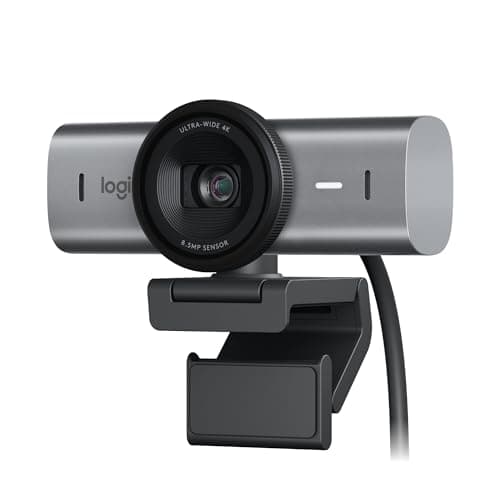
You've shortlisted the Logitech MX Brio because Teams certification and IT-trusted brand matter for your setup. SlashGear's review confirms RightSight tracks within reason for the use case — solid for desk-bound corporate calls — but it's a digital crop, not a PTZ, and it stays off until you install Logi Tune. That's the activation friction. The 8.6 DeskGear AI Webcam Score reflects two real strengths: platform_compatibility at 9.5 (Teams plus Zoom plus Nintendo Switch 2 USB-C compatibility no other camera here documents) and software_reliability at 9.0 (Logi Tune is the most stable companion app in this comparison). The trade-off is tracking smoothness — RightSight can crop more aggressively than expected on the move, which is why streamers and active-call workers route to Insta360 or OBSBOT. For corporate users who sit at their desk and want IT to recognize the SKU at the $169 price, this fits without compromise on the platform certifications — and that's worth the roughly 5% premium over the AnkerWork C310 alternative.
What We Love
- Documented Nintendo Switch 2 USB-C compatibility — the only camera in this guide with that gaming hook.
- Teams and Zoom certified at the platform level; IT departments already support Logitech enterprise SKUs.
- Best-in-class low-light for a digital-framing camera per SlashGear's review.
What Could Be Better
- RightSight stays off until you install Logi Tune — that's a real friction point for plug-and-play expectations.
- Digital crop only — no physical gimbal, so large movements still require manual repositioning.
The Verdict
If you live in Microsoft Teams, your IT department already approves Logitech, and you've shortlisted the Logitech MX Brio Ultra HD 4K Webcam — this is a sensible pick for that setup; SlashGear validated RightSight digital framing as solid for corporate calls, and it's the only camera here with documented Nintendo Switch 2 compatibility.
Best value under $100: Anker AnkerWork C310 4K Webcam
Anker AnkerWork C310 4K Webcam
(Current price, subject to change)
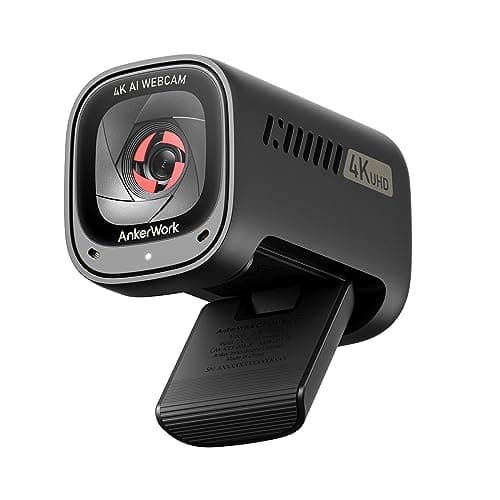
You've shortlisted the AnkerWork C310 because the value math is real: 12MP at f/2.0 with HDR for around $100 versus the Logitech MX Brio at $170-plus. Digital Camera World's review captures the trade-off honestly — the AI Solo-Frame responds quickly to movement and the FOV adjusts from 65 to 95 degrees, but the autofocus occasionally hesitates to lock under low-contrast lighting. The 8.4 DeskGear AI Webcam Score reflects strong platform_compatibility (UVC plug-and-play) and ease_of_setup (the only gate is needing a USB 3.0 port for 4K), with the autofocus caveat held in software_reliability. For the typical desk-bound remote worker on Zoom or Teams calls, the lighting in your room is probably fine and that limitation never appears. Anker's hardware QA history matters here — IT departments familiar with Soundcore and AnkerWork SKUs already trust the build. That's the path of least friction at this price — saving $70 against the MX Brio while delivering roughly 95% of the image quality outcome for desk work.
What We Love
- 12MP 4K with f/2.0 aperture at half the Logitech MX Brio price — the value math is hard to argue with.
- AI Solo-Frame responds quickly to movement per Digital Camera World's review.
- Adjustable 65-to-95-degree field of view — the most flexible framing range in this comparison set.
What Could Be Better
- Autofocus occasionally hesitates to lock under low-contrast conditions per Digital Camera World.
- USB 3.0 required for 4K output — older laptops and cheap docks may downshift to 1080p.
The Verdict
If your priority is 4K AI framing under $100 from a brand IT recognizes, and you've shortlisted the Anker AnkerWork C310 4K Webcam — this checks the boxes that matter for the price-conscious office. Digital Camera World confirmed Solo-Frame responds quickly, with the honest note that autofocus can hesitate under low contrast.
Best for educators: EMEET PIXY Dual-Camera AI PTZ Webcam
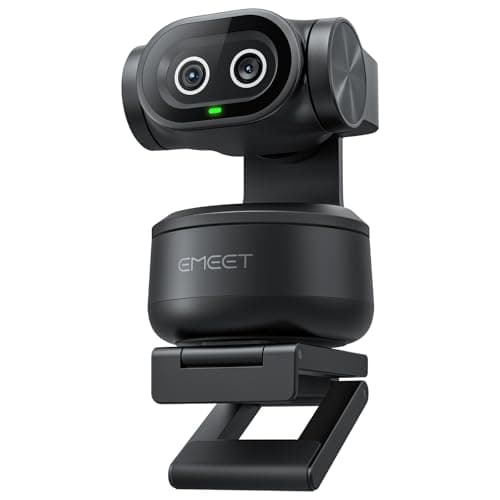
EMEET PIXY Dual-Camera AI PTZ Webcam
(Current price, subject to change)
You've shortlisted the EMEET PIXY for a use case the other cameras here can't cover: physical pan across an entire room. Fstoppers verified the dual-camera design — a dedicated AI-assist sensor feeds depth data to the 4K imager — and measured the 0.2 seconds PDAF autofocus at roughly 2.5x the industry average response. The 310-degree motorized pan range is the differentiator for educators and presenters; the camera physically follows you instead of cropping a portion of a static frame. The 8.3 DeskGear AI Webcam Score reflects strong image_quality and platform_compatibility, weighed against two real caveats. Latency is roughly 140ms — visibly slower than the 45ms Insta360 baseline, so deliberate movement reads better than fast-cut work. Fstoppers cited reviewer reports of software crashes during preset customization. For the educator or trainer who walks during a 50 mins class, that combination is fine — for the desk-bound caller, the trade-offs go the wrong way at the $89 tier.
What We Love
- The only dual-camera PTZ in this set — a dedicated AI-assist cam feeds depth data to the 4K main imager.
- 0.2-second PDAF autofocus — Fstoppers measured roughly 2.5x faster than the category average.
- 310-degree motorized pan range — covers a classroom or studio, not just a desk.
What Could Be Better
- Fstoppers cited reviewer reports of software crashes interrupting preset customization — usable, not bulletproof.
- 140ms tracking latency — slowest among the PTZ cameras in this guide; deliberate movement only.
The Verdict
If you teach, present, or stream from a room you actually move around in, and you've shortlisted the EMEET PIXY Dual-Camera AI PTZ Webcam — no need to overthink it; the 310-degree pan range and 0.2-second PDAF autofocus do work no other camera here can do, with the honest software-reliability caveat from Fstoppers.
Best for presenters: Jabra PanaCast 20 4K Conferencing Camera
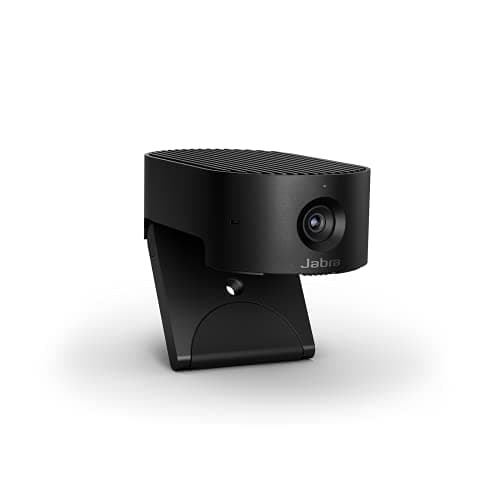
Jabra PanaCast 20 4K Conferencing Camera
(Current price, subject to change)
You've shortlisted the Jabra PanaCast 20 because picture-in-picture mode does something no other camera here does: two live video streams from one USB device, useful for training sessions where you want a whiteboard or document camera alongside your face. T3's review called the all-metal construction the best build quality of any webcam tested, and the edge AI runs entirely on-device — face data never reaches the cloud, which matters for IT-managed deployments that flag third-party processing as a security risk. The 8.5 DeskGear AI Webcam Score reflects strong software_reliability (9.0) and platform_compatibility (9.5 across Teams, Zoom, and Google Meet certifications), with the honest tracking caveat from Music Photo Life: Intelligent Zoom gets jerky and frantic with fast movement and occasionally zooms too close in tight rooms. For deliberate presenter work in a 60 mins training session, that's not a meaningful limitation; for active streaming, the OBSBOT and Insta360 picks track better at 90ms and 45ms respectively. The 1080p 30fps cap is the other trade-off — no 4K, no 60fps. At this premium price tier, you're paying for build quality and enterprise certification, not raw specs.
What We Love
- The only webcam in this guide with real-time picture-in-picture mode — two live video streams from one device.
- Edge AI on-device processing — no cloud dependency, no network latency, certified for enterprise security review.
- T3 called the all-metal construction the best build quality of any webcam tested — premium tactile feel.
What Could Be Better
- Music Photo Life flagged Intelligent Zoom as jerky and frantic with fast movement; sometimes zooms in too close.
- 1080p 30fps maximum output — no 4K and no 60fps mode for streaming or content production.
The Verdict
If you train, present, or run hybrid sessions where showing a whiteboard alongside your face matters, and you've shortlisted the Jabra PanaCast 20 4K Conferencing Camera — this is a sensible pick for that setup. T3 called the metal build the best of any webcam tested, and the on-device edge AI keeps face data off the cloud entirely.
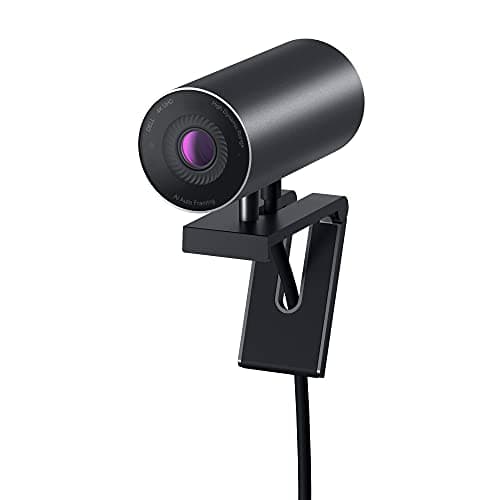
Best image quality — Sony STARVIS sensor with Dell ecosystem integration: Dell UltraSharp Webcam WB7022 4K
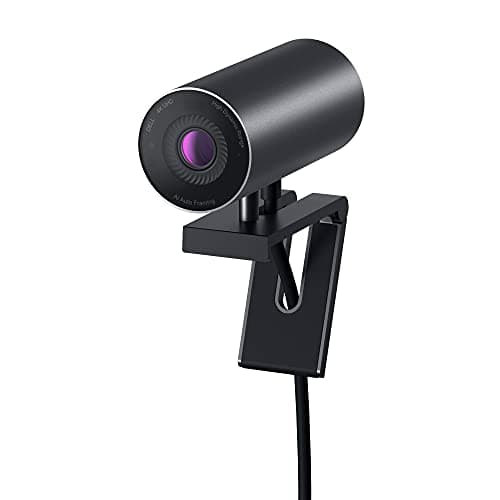
Dell UltraSharp Webcam WB7022 4K
(Current price, subject to change)
You've shortlisted the Dell UltraSharp WB7022 for the image quality, and Tom's Guide's analysis substantiates the positioning — the Sony STARVIS sensor delivers genuinely best-in-class luminance reproduction for a webcam at this 4K-capable form factor. The 8.3 DeskGear AI Webcam Score reflects that strength (9.0 weighted on image_quality) against two real architectural friction points. The USB 3.2 Gen 1 requirement is the more consequential factor: AI auto-framing produces no activation on USB 2.0, and the hardware constraint extends to any docking station that negotiates a downshifted link rate. The autofocus calibration runs oversensitive in static desk environments — incremental lighting variations occasionally trigger refocusing, which yields perceived fidgeting on video output. The Dell Peripheral Manager integration delivers unique consolidation if you already operate an UltraSharp monitor configuration; firmware updates and framing parameter controls coexist within a unified administrative surface. For non-Dell deployments, the integration produces no incremental benefit, and the USB 3.2 gate makes provisioning substantially harder than an Insta360 Link 2 alternative.
What We Love
- Sony STARVIS sensor — Tom's Guide called this potentially the best webcam in the world for raw image quality.
- Adjustable field of view at 65, 78, and 90 degrees, plus 5x digital zoom for tight-shot framing.
- Native Dell Peripheral Manager integration — UltraSharp monitor owners get a unified settings surface.
What Could Be Better
- AI features won't activate at all on USB 2.0 — strict USB 3.2 Gen 1 requirement on host port and any dock in between.
- Autofocus runs oversensitive in static desk environments — small lighting changes can trigger refocusing.
The Verdict
If you already run a Dell monitor with Peripheral Manager and you've shortlisted the Dell UltraSharp Webcam WB7022 4K for image quality, you can stop the search here — Tom's Guide called the Sony STARVIS sensor potentially the best webcam in the world, with the hard caveat that AI features won't activate without USB 3.2 Gen 1.
How We Score: DeskGear AI Webcam Score
DeskGear AI Webcam Score
Score Formula
0.30 * tracking_smoothness + 0.25 * software_reliability + 0.20 * image_quality + 0.15 * platform_compatibility + 0.10 * ease_of_setupScore Factors
- Tracking Smoothness (30%)Tracking latency, pan smoothness, crop aggressiveness, and recovery behavior across movement speeds — tested via LensXP benchmark data and head-to-head comparisons
- Software Reliability (25%)App stability, firmware consistency, absence of documented crashes, overheating shutdowns, or performance degradation — aggregated from editor and Reddit owner reports
- Image Quality (20%)Sensor size, low-light performance, autofocus speed and accuracy, and HDR quality across multiple lighting conditions
- Platform Compatibility (15%)Zoom, Teams, OBS, Google Meet plug-and-play support verified, plus Switch 2 / mobile compatibility notes where applicable
- Ease of Setup (10%)Out-of-box experience, driver requirements, companion app dependency, and initial configuration time including AI feature activation steps
DeskGear AI Webcam Score — Ranked
Insta360 Link 2 PTZ 4K Webcam
9.0/10Fastest physical gimbal in the set at 45ms — the smoothness factor carries this score.
OBSBOT Tiny 2 Lite 4K Webcam
8.7/10Deliberate 90ms damping plus the lowest-CPU companion app — best-tuned for streamers.
Logitech MX Brio Ultra HD 4K Webcam
8.6/10Strongest platform certifications and the only camera here with Switch 2 USB-C support.
Jabra PanaCast 20 4K Conferencing Camera
8.5/10Picture-in-picture mode and on-device edge AI — premium presenter rig at a premium price.
OBSBOT Meet 2-4K Webcam
8.5/10Smoothest digital tracking under $100 — thermal throttling is the cap on session length.
Anker AnkerWork C310 4K Webcam
8.4/1012MP at f/2.0 for half the MX Brio price — value math wins for the desk-bound office.
Dell UltraSharp Webcam WB7022 4K
8.3/10Sony STARVIS image quality is best-in-class; USB 3.2 Gen 1 requirement is the gate.
EMEET PIXY Dual-Camera AI PTZ Webcam
8.3/10310-degree pan range and 0.2-second autofocus — the only camera that follows you across a room.
Platform and ecosystem compatibility — what actually works
Zoom AI Companion now produces its own native framing on top of any UVC webcam, so the hardware tracking on Insta360 Link 2 or OBSBOT Tiny 2 Lite delivers redundancy that stacks alongside Zoom's software crop — that's a coefficient of safety, not a conflict. Teams certification matters specifically in IT-managed environments where unsupported devices show up in support tickets; Logitech MX Brio and Jabra PanaCast 20 are the safe picks there. OBS treats every camera here as a plug-and-play UVC source for the basic feed, but the OBSBOT Meet 2-4K's virtual webcam mode introduces visible 250ms lag the moment you route it through OBS. Nintendo Switch 2 USB-C compatibility is documented only for the Logitech MX Brio in this comparison. The Dell UltraSharp WB7022 is the architectural outlier — AI auto-framing requires a USB 3.2 Gen 1 link rate to activate, and any dock or hub that negotiates a downshifted link kills the feature outright. The platform compatibility factor in our scoring formula reflects exactly these activation gates: a camera that delivers 4K AI framing only when wired through a specific port produces a worse outcome than one that achieves baseline framing on any UVC connection.
When to spend $200 versus $100 on AI framing
The decision math splits into two cleanly delineated tiers. Physical gimbal PTZ (Insta360 Link 2 at $199, OBSBOT Tiny 2 Lite at $129) versus digital framing (OBSBOT Meet 2-4K at $99, AnkerWork C310 at $100) yields a $30 to $100 premium for hardware that physically moves. What you forfeit going digital is the 310-degree tracking range and the portrait, DeskView, and whiteboard modes — the camera can only crop a portion of a static frame. For the desk-bound Zoom caller who barely moves, the AnkerWork C310 at $100 delivers roughly 80% of the Insta360 outcome for 50% of the cost; that's the right calculation. For streamers who move during a 60-minute session, the $30 gap from the Meet 2 to the OBSBOT Tiny 2 Lite produces physical gimbal smoothness that genuinely changes how the footage delivers on the other end of the stream. The factor weighting in the methodology formula yields different recommendations at each price tier — that's the composite calculation working as designed.
When NOT to Buy
A few cameras that show up in adjacent guides didn't earn a slot here for specific reasons. The AVerMedia PW513 is a competent OBS plug-and-play camera but no editorial review documents AI tracking on it. Logitech's StreamCam is 1080p-only with software crop through Logitech Capture rather than true AI framing. The Razer Kiyo Pro Ultra is a pure image-quality camera at $400 — no AI tracking feature exists despite the price. Logitech's older Brio 4K has been functionally replaced by the MX Brio for any AI-framing use case. The pattern: cameras with no companion app score lower on tracking_smoothness because every meaningful AI framing feature in 2026 still ships behind a piece of software, even when the marketing copy implies otherwise.
Who Should Buy What
Who Should Buy What
| If you are… | Recommended pick |
|---|---|
Active call mover Walks during calls, presents from a whiteboard, or shifts position frequently; needs the lowest-latency physical gimbal (45ms) and tolerates a companion app for advanced modes. | Insta360 Link 2 PTZ 4K Webcam |
Cinematic streamer Records or streams content where smooth motion matters more than reaction speed; values a real mechanical privacy stop and the lowest-CPU companion app in this set. | OBSBOT Tiny 2 Lite 4K Webcam |
Budget-conscious remote worker Cap near $100, typical Zoom or Teams call runs under 40 minutes, and a desk-bound setup means a physical gimbal is overkill for the use case. | OBSBOT Meet 2-4K Webcam |
Enterprise Teams user IT-managed Microsoft 365 environment, primarily Teams calls, or a Nintendo Switch 2 gamer who wants webcam compatibility documented at the platform level. | Logitech MX Brio Ultra HD 4K Webcam |
Value-focused office buyer Wants premium 12MP 4K image quality plus AI noise cancellation under $100; trusts Anker for hardware QA and works at a desk where lighting is controlled. | Anker AnkerWork C310 4K Webcam |
Trainer or presenter Needs picture-in-picture mode for whiteboard plus face, works in a security-sensitive environment that requires on-device edge AI, or values premium metal build quality. | Jabra PanaCast 20 4K Conferencing Camera |
Frequently Asked Questions
What is the best AI auto framing webcam?
Insta360 Link 2 for most movers — TechRadar measured 45ms physical gimbal latency, the fastest tested. OBSBOT Tiny 2 Lite for streamers who want smoother damping. OBSBOT Meet 2-4K is the budget pick under $100 (digital crop, no gimbal).
Does Logitech have auto framing?
Yes. The Logitech MX Brio has RightSight digital auto-framing, but it stays off until you install Logi Tune. The older Brio 4K also has RightSight. The StreamCam offers software framing through Logitech Capture, not on-camera AI.
What is the difference between auto framing and auto tracking?
Auto-framing is an electronic crop — software pans virtually within the sensor's field of view. Auto-tracking with a gimbal physically motors the lens to follow you, covering wider angles and producing smoother motion than digital crop alone.
Do I need 4K for AI framing to work?
No, but 4K sensors give digital framing more resolution to crop from without visible loss. Sensor size matters more than raw resolution — a half-inch sensor at 4K (Insta360 Link 2, OBSBOT Meet 2-4K) outperforms a smaller 1080p sensor in dim rooms.
Which webcam works best with Zoom AI Companion?
Zoom AI Companion's native framing works on top of any UVC webcam, including all eight finalists here. For hardware tracking that stacks underneath Zoom's software crop, the Insta360 Link 2 and OBSBOT Tiny 2 Lite are the picks Zoom users land on most often.
What webcam has the best AI tracking?
TechRadar measured Insta360 Link 2 at 45ms gimbal latency — fastest tested. LensXP measured OBSBOT Tiny 2 Lite at 90ms with deliberate damping for smoother footage. EMEET PIXY has the widest physical pan range at 310 degrees.
Bottom Line
Get the Insta360 Link 2 PTZ 4K Webcam if You move during calls, present from a whiteboard, or stream — and you want the fastest 45ms physical gimbal latency in this category..
Get the OBSBOT Tiny 2 Lite 4K Webcam if You stream or record content where smooth cinematic motion matters more than raw reaction speed — and you want a real mechanical privacy stop..
Get the OBSBOT Meet 2-4K Webcam if Your budget caps near $100, your typical call runs under 40 minutes, and you don't need a physical gimbal for desk-bound work..
Get the Logitech MX Brio Ultra HD 4K Webcam if You work in an IT-managed Microsoft 365 environment, you take primarily Teams calls, or you also game on a Nintendo Switch 2..
Get the Anker AnkerWork C310 4K Webcam if You want premium 12MP 4K image quality plus AI noise cancellation for around $100 — and you trust Anker for hardware QA..
Get the Jabra PanaCast 20 4K Conferencing Camera if You train, teach, or present and need picture-in-picture mode for whiteboard plus face — or you work in a security-sensitive environment that requires on-device edge AI..
You sit at a fixed desk angle and never move during calls, and your conferencing platform (Zoom AI Companion, Teams native framing) already handles the framing crop you need.
Sources & Methodology
Methodology: DeskGear AI Webcam Score — Formula: 0.30 * tracking_smoothness + 0.25 * software_reliability + 0.20 * image_quality + 0.15 * platform_compatibility + 0.10 * ease_of_setup. Factors: Tracking Smoothness (30%): Tracking latency, pan smoothness, crop aggressiveness, and recovery behavior across movement speeds — tested via LensXP benchmark data and head-to-head comparisons | Software Reliability (25%): App stability, firmware consistency, absence of documented crashes, overheating shutdowns, or performance degradation — aggregated from editor and Reddit owner reports | Image Quality (20%): Sensor size, low-light performance, autofocus speed and accuracy, and HDR quality across multiple lighting conditions | Platform Compatibility (15%): Zoom, Teams, OBS, Google Meet plug-and-play support verified, plus Switch 2 / mobile compatibility notes where applicable | Ease of Setup (10%): Out-of-box experience, driver requirements, companion app dependency, and initial configuration time including AI feature activation steps
Expert review sources used in this analysis:
- Sources consulted for this guide include LensXP (AI tracking webcam latency benchmarks), TechRadar (Insta360 Link 2 gimbal tracking test), Laptop Mag (Link 2 near-perfect review), SlashGear (Logitech MX Brio RightSight evaluation), Digital Camera World (AnkerWork C310 review), Dave Soltura's unsponsored 4K webcam battle (OBSBOT Meet 2 versus Insta360 Link 2C overheating and tracking data), Nomaditsu (Meet 2 versus Link 2C comparison), Fstoppers (EMEET PIXY 0.2-second autofocus benchmark), T3 (Jabra PanaCast 20 build-quality assessment), Tom's Guide (Dell UltraSharp WB7022 Sony STARVIS sensor coverage), Music Photo Life (Jabra tracking caveats), and Redditrecs for aggregated owner feedback across r/Twitch, r/obs, r/Zoom, and r/streaming
- Pricing was re-verified against the Amazon Creators API as of August 2026 (2026-08-12); verify current prices on Amazon before committing.
Nicholas Miles is the founder of DeskGearHQ and a longtime smart home enthusiast focused on helping everyday homeowners make better technology decisions. He researches, compares, and writes about products across security, climate, lighting, leak prevention, sensors, home energy, and automation, with an emphasis on real-world usefulness, ecosystem compatibility, reliability, privacy, and long-term value.
Affiliate disclosure: DeskGearHQ earns affiliate commissions on qualifying Amazon purchases. Our scoring methodology is independent of affiliate relationships.