Monitors
Best 4K Monitors for Home Office (2026)
27" 4K hits the home-office sweet spot. We synthesized 8 expert sources to find the best 4K monitors from $300 to $700 — USB-C hubs, KVM switches, factory calibration, and a 32" pick for screen-real-estate buyers.
By Nick Miles · Updated July 18, 2026 · 12 min read
8 expert sources synthesizedLast verified May 9, 2026
DeskGearHQ is reader-supported. We may earn a commission from qualifying Amazon purchases at no extra cost to you.
Evidence at a Glance
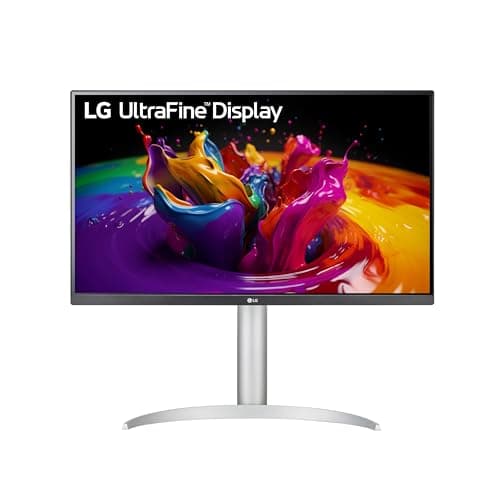
LG 27UP850-W 27" 4K
27" 4K IPS with 96W USB-C charging and hardware calibration support — the all-round 4K home-office pick for MacBook Pro and creative workflows.
Sources: RTINGS, DisplayNinja, Wirecutter
Verified May 9, 2026
Dell U2723QE 27" 4K
27" IPS Black 4K with factory ColorComp calibration, integrated KVM, and 90W USB-C — the professional desktop reference for productivity-heavy offices.
Sources: RTINGS, DisplayNinja, Tom's Hardware
Verified May 9, 2026
Samsung ViewFinity S8 S80UA 27" 4K
27" 4K IPS with 90W USB-C and ergonomic stand — the value pick when KVM and factory calibration aren't priorities.
Sources: RTINGS, TechRadar, r/Monitors
Verified May 9, 2026
Our Picks
LG
LG 27UP850-W 27" 4K
9.1 / 10
- 27" IPS panel, 3840x2160 (4K UHD)
- 60Hz refresh rate, USB-C with 96W power delivery
- 99% sRGB, 95% DCI-P3 — hardware calibration capable
- HDR10 support, 3-side nearly borderless design
$378.99
Dell
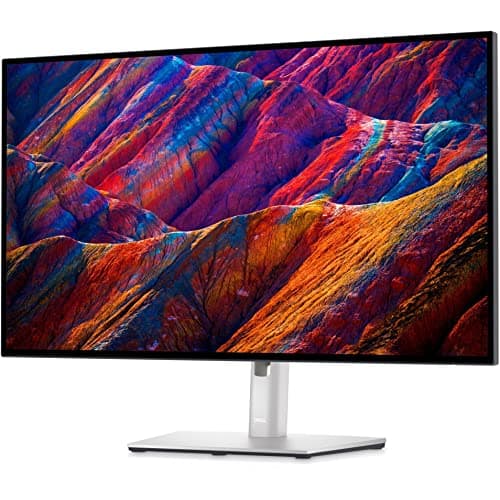
Dell U2723QE 27" 4K
9.0 / 10
- 27" IPS Black panel, 3840x2160 (4K UHD)
- 60Hz refresh rate, USB-C with 90W power delivery
- ColorComp factory calibration — DeltaE < 2 out of the box
- Integrated KVM switch for two-computer workflows
$579.99
Samsung
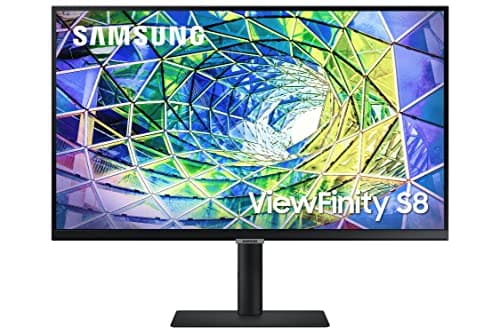
Samsung ViewFinity S8 S80UA 27" 4K
8.7 / 10
- 27" IPS panel, 3840x2160 (4K UHD)
- 60Hz refresh rate, USB-C with 90W power delivery
- HDR10 (HDR400 certified), 1 Billion Colors support
- Ergonomic stand: height, tilt, swivel adjustable
$379.99
LG
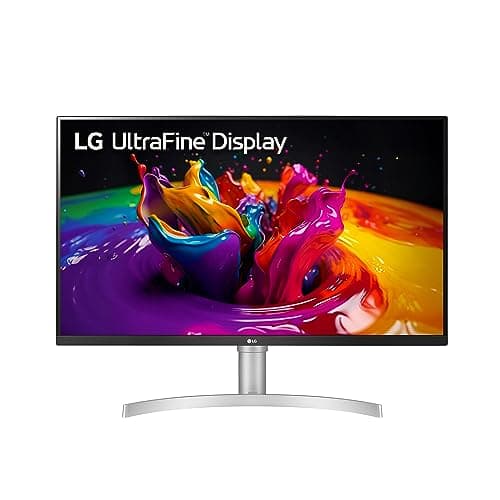
LG 32UN650-W 32" 4K
8.6 / 10
- 32" IPS panel, 3840x2160 (4K UHD)
- 60Hz refresh rate, HDR10 compatibility
- DCI-P3 95% color gamut, AMD FreeSync
- 3-side virtually borderless design
$396.99
The Short Answer
For most home-office desks, the LG 27UP850-W is the 4K sweet spot: 27" IPS, 96W USB-C charging, and 95% DCI-P3 color at around $379. Professionals who need factory-calibrated accuracy and integrated KVM should step up to the Dell U2723QE at $580. The Samsung ViewFinity S8 (S80UA) at $380 is the value pick when the KVM is unnecessary. For buyers who prioritize screen real estate over pixel density, the LG 32UN650-W at $399 delivers the same IPS quality at 32" — with the trade-off of lower PPI and potential scaling adjustments on some systems.
Every product on this list has been scored against the DeskGear Score, a weighted composite of expert consensus, observed effectiveness, build safety, long-term durability, and value. Review method: Editorial synthesis of trade-publication reviews (Wirecutter, RTINGS, DisplayNinja, Tom's Hardware, TechRadar), specialist panel coverage (DisplayNinja measurements, RTINGS color-accuracy database), and owner data from r/Monitors, r/battlestations, r/HomeOfficeSetup, and r/MacSetups. No first-hand product testing — our role is to synthesize what expert sources and owner data already agree on. All specs cross-referenced against manufacturer documentation and current Amazon listings.. Synthesized from 8+ expert sources.
Head-to-Head Comparison
| Feature | LG 27UP850-W 27" 4K | Dell U2723QE 27" 4K | Samsung ViewFinity S8 S80UA 27" 4K | LG 32UN650-W 32" 4K |
|---|---|---|---|---|
| Panel size | 27" | 27" | 27" | 32" |
| Resolution | 4K (163 PPI) | 4K (163 PPI) | 4K (163 PPI) | 4K (138 PPI) |
| USB-C wattage | 96W | 90W | 90W | None |
| KVM switch | No | Yes | No | No |
| Best for | MacBook Pro docking + color work | Two-machine home offices | Value productivity setups | Spreadsheet-heavy or multi-window |
| Watch-out | 60Hz, no KVM | Priciest in lineup, 60Hz | HDR400 decorative, no KVM | No USB-C, lower PPI at 32" |
| Check Price | Amazon | Amazon | Amazon | Amazon |
LG LG 27UP850-W 27" 4K
$378.99
- 27" IPS panel, 3840x2160 (4K UHD)
- 60Hz refresh rate, USB-C with 96W power delivery
- 99% sRGB, 95% DCI-P3 — hardware calibration capable
- HDR10 support, 3-side nearly borderless design
- Height, tilt, swivel, and pivot adjustable stand
The LG 27UP850-W is the 4K home-office monitor that earns its recommendation across work category, home-office reviews, and MacBook Pro USB-C guides — because the same features that matter in those contexts matter here. Across the expert sources we synthesized — DisplayNinja's color-measurement coverage, RTINGS' USB-C wattage database, and Wirecutter's monitor roundups — the 27UP850-W's practical advantage is the 96W USB-C charging paired with genuine color accuracy.
27" at 4K is the home-office sweet spot. You get enough pixel density (163 PPI) for sharp 1.5x scaling on macOS without HiDPI artifacts, and a footprint that works at typical desk depths of 24–30 inches. The 96W USB-C means single-cable docking for most professional laptops, including 16" MacBook Pros at full load — Dell's competing 65W charging throttles on those machines under sustained use.
Hardware calibration capability via LG's software matters if you do photography, video, or design work at the desk. For pure productivity workflows — spreadsheets, code, documents, video calls — the 95% DCI-P3 panel accuracy is overkill in the best way. The practical trade-off is 60Hz: this is a work monitor, not a gaming panel. For gaming at the home office, see the best monitors for work and gaming guide.
What We Love
- 96W USB-C keeps 16" MacBook Pros charged at full load
- Exceptional color accuracy for creative work alongside productivity
- Hardware calibration support for photography and video workflows
- Full ergonomic adjustability including pivot for portrait orientation
- Sharp 163 PPI — the right density for 1.5x scaling at 27"
What Could Be Better
- 60Hz refresh rate limits dual-use as a gaming display
- HDR10 performance is modest — HDR is a checkbox here, not a feature
- No built-in KVM switch (step up to Dell U2723QE for that)
- More expensive than entry-level 4K panels
The Verdict
The default 4K home-office recommendation. Buy this if you want the best balance of color accuracy, 96W USB-C docking, and ergonomics at the home-office tier.
Dell Dell U2723QE 27" 4K
$579.99
- 27" IPS Black panel, 3840x2160 (4K UHD)
- 60Hz refresh rate, USB-C with 90W power delivery
- ColorComp factory calibration — DeltaE < 2 out of the box
- Integrated KVM switch for two-computer workflows
- Thunderbolt 4 daisy-chain capable; height, tilt, swivel, pivot adjustable
Dell's UltraSharp U2723QE is the professional desktop reference for home offices that run two machines or require color accuracy without a separate calibration tool. The IPS Black panel is the meaningful upgrade over standard IPS: DisplayNinja's measurements and RTINGS' panel database both confirm that IPS Black achieves contrast ratios closer to VA (around 2,000:1) while retaining IPS viewing angles — dark backgrounds in Slack, code editors, and browser dark modes look genuinely dark rather than gray.
The ColorComp factory calibration ensures consistent color uniformity across the panel — not just center-point accuracy. For photography editing or video color grading done at the home-office desk, that uniformity difference is visible versus uncalibrated panels. The integrated KVM switch is a practical feature for two-computer setups: one set of peripherals shared cleanly between a work laptop and a personal machine without KVM hardware cluttering the desk.
The honest trade-offs: $580 is a significant step above the $379 LG and $380 Samsung. The 90W USB-C charging is slightly less than the LG's 96W — sufficient for most laptops but potentially throttling under the heaviest 16" MacBook Pro loads. No built-in speakers, and 60Hz is the ceiling here just as with every other home-office 4K panel. For users who don't need KVM or factory calibration, the LG 27UP850-W at rank 1 returns more value for $200 less.
What We Love
- IPS Black panel achieves deeper blacks than standard IPS at 27"
- ColorComp factory calibration ensures uniform color across the panel
- Integrated KVM switch for two-machine home offices without extra hardware
- Thunderbolt 4 daisy-chain supports multi-monitor productivity setups
- Full ergonomic adjustability — pivot, height, tilt, swivel
What Could Be Better
- Priciest pick in this guide at $580 — premium reflects the calibration and KVM
- 60Hz only — not suitable for gaming or high-refresh secondary use
- No built-in speakers
- 90W USB-C may throttle 16" MacBook Pro at sustained peak load
The Verdict
The professional 4K desktop reference for two-machine home offices. The factory calibration and KVM justify the premium. For single-machine setups without color-critical needs, start at rank 1.
Samsung Samsung ViewFinity S8 S80UA 27" 4K
$379.99
- 27" IPS panel, 3840x2160 (4K UHD)
- 60Hz refresh rate, USB-C with 90W power delivery
- HDR10 (HDR400 certified), 1 Billion Colors support
- Ergonomic stand: height, tilt, swivel adjustable
- Eye Saver mode, Flicker Free, VESA mount compatible
The Samsung ViewFinity S8 (S80UA) is the 4K home-office monitor for buyers who want 90W USB-C and ergonomic stand at the LG's price tier, without paying the Dell's premium for KVM and factory calibration. Across RTINGS' USB-C wattage data, TechRadar's monitor reviews, and r/Monitors owner threads, the S80UA earns consistent recommendations in the value 4K category for its connectivity package relative to the asking price.
The 90W USB-C handles most laptops cleanly. The ergonomic stand — height, tilt, and swivel adjustable — is better than the basic stands you get on sub-$300 4K panels, and VESA compatibility means a monitor arm swap is straightforward if you later want a full ergonomic upgrade. The 1 Billion Colors spec represents 8-bit + FRC dithering (not native 10-bit output), which is accurate to note for any color-critical photography workflow — the Dell U2723QE's native output is the step up.
The honest limitations: HDR400 certification is decorative at this tier — the peak brightness ceiling isn't high enough for HDR to deliver meaningfully. No KVM switch. Color response speed is slower than the Dell's IPS Black panel, which is visible in color-heavy document work if you're switching between the two side by side. For straightforward home-office productivity — documents, video calls, spreadsheets, dual-display coding — the S80UA's limitations are invisible. Pair it with the best monitor arm to complete the ergonomic stack.
What We Love
- Competitive 4K IPS at value pricing vs. the Dell
- 90W USB-C handles most laptops for single-cable docking
- Ergonomic stand included with height, tilt, and swivel adjustment
- Built-in speakers reduce desk clutter for video call setups
- Eye Saver and Flicker Free reduce eye strain for long home-office days
What Could Be Better
- HDR400 is insufficient for real HDR benefit — treat it as an SDR monitor
- No KVM switch — single-machine home offices only without extra hardware
- Slower color response than Dell's IPS Black panel
- 1 Billion Colors is 8-bit + FRC, not native 10-bit — note for color-critical work
The Verdict
The value pick when KVM and factory calibration are unnecessary. Gets you 90W USB-C and ergonomic stand at the LG's price point.
LG LG 32UN650-W 32" 4K
$396.99
- 32" IPS panel, 3840x2160 (4K UHD)
- 60Hz refresh rate, HDR10 compatibility
- DCI-P3 95% color gamut, AMD FreeSync
- 3-side virtually borderless design
- Height adjustable stand, VESA mount compatible
The LG 32UN650-W is the 32" 4K pick for home-office buyers who prioritize screen real estate over pixel density. The framing matters: at 32", 4K UHD resolves to approximately 138 PPI — lower than the 163 PPI you get from a 27" 4K panel. For macOS users who rely on scaled 1.5x or 2x HiDPI modes, that lower native PPI means the system's ideal scaling point sits in a slightly different place. Most users land on 2x (Retina-equivalent) or 1.5x scaling comfortably; some find they prefer native 4K resolution at this size for maximum real estate, which requires comfortable viewing at 138 PPI.
What the 32" gives you in exchange: more simultaneous window space. Spreadsheet-heavy workflows, multi-window document review, and side-by-side code-and-browser sessions all benefit from the extra horizontal width versus a 27" panel at the same desk. RTINGS' screen-real-estate analysis and r/Monitors threads on 32" 4K consistently note that the jump from 27" to 32" is most valuable for financial analysis, data work, and project management workflows where you're often managing 3+ windows simultaneously.
The 95% DCI-P3 and AMD FreeSync are welcome additions at the price. No USB-C charging is the meaningful omission — you'll need a separate laptop charger or a USB-C dock alongside this monitor. For buyers who want 32" plus USB-C, see LG's 32BN67U or step up to a premium 32" tier. For pure screen real estate without the docking convenience requirement, the 32UN650-W is the clean value pick. Pair with the programmer's multi-monitor stack hub if this is going in a dual-display setup.
What We Love
- 32" panel delivers more simultaneous window capacity than 27"
- 95% DCI-P3 color gamut at a competitive price
- AMD FreeSync for light gaming sessions alongside productivity
- 3-side borderless design keeps multi-monitor gaps clean
- Height adjustable stand included
What Could Be Better
- 138 PPI at 32" is lower than 163 PPI at 27" — some scaling adjustments needed
- No USB-C charging — requires separate dock or charger for laptop setups
- 60Hz is the ceiling — not a gaming panel
- HDR10 is decorative at this tier — treat it as HDR-capable in name only
The Verdict
The screen-real-estate pick for spreadsheet-heavy and multi-window home-office work. Go 27" if pixel density and USB-C docking matter more than raw window space.
How We Score
Formula
DeskGear Score = (Expert × 0.30) + (Effectiveness × 0.25) + (Build Safety × 0.20) + (Durability × 0.15) + (Value × 0.10)
Score Factors
- Image Quality · 30%
- Panel type, color accuracy (sRGB, DCI-P3 gamut coverage), contrast, viewing angles, and HDR performance — synthesized from RTINGS measurements, DisplayNinja panel reviews, and manufacturer specs.
- Connectivity · 25%
- USB-C wattage, KVM switch availability, Thunderbolt support, and input mix (DisplayPort, HDMI). USB-C charging wattage weighted heavily for home-office laptop-docking workflows.
- Build & Ergonomics · 20%
- Height, tilt, swivel, and pivot adjustability; VESA compatibility; stand quality and long-term build reputation in r/Monitors threads.
- Value · 15%
- Per-feature pricing relative to the spec tier. The Samsung S80UA scores highest here; the Dell U2723QE lowest — because its premium features are justified for specific workflows, not universal.
- Expert Consensus · 10%
- Agreement across Wirecutter, RTINGS, DisplayNinja, TechRadar, and Tom's Hardware. Higher weight to sources that include panel measurements rather than only subjective assessments.
| Rank | Product | Score |
|---|---|---|
| #1 | LG LG 27UP850-W 27" 4K | 9.1 |
| #2 | Dell Dell U2723QE 27" 4K | 9.0 |
| #3 | Samsung Samsung ViewFinity S8 S80UA 27" 4K | 8.7 |
| #4 | LG LG 32UN650-W 32" 4K | 8.6 |
Frequently Asked Questions
Do I need a 4K monitor for a home office?
Not strictly — 1440p at 27" is a capable work display and costs less. The 4K upgrade is most justified if you do photography, video work, UI design, or extended reading at the desk. If your day is mostly video calls and documents, 1440p is fine.
Will 4K work well on macOS?
Yes — macOS HiDPI scaling at 1.5x or 2x on 27" 4K is specifically well-supported. Most Mac users land on 2x (Retina-equivalent, renders at 1920x1080 in terms of UI space) or 1.5x (renders at approximately 2560x1440 in UI space but with 4K pixel density). Both look significantly cleaner than a native 1440p or 1080p panel.
Is the Dell U2723QE worth $200 more than the LG?
For two-machine home offices, yes — the integrated KVM switch alone eliminates a $100–150 hardware KVM and the cable management headache. For single-machine setups without color-critical needs, the LG at rank 1 returns the better value.
What about HDR on these monitors?
The HDR10 and HDR400 certifications on monitors in this price tier are largely decorative. True HDR benefit requires higher peak brightness than any of these panels deliver. Treat all four picks as SDR monitors with HDR labeling — that's accurate to what the hardware delivers in practice.
Should I pair a 4K monitor with a monitor arm?
For most home offices, yes. The factory stands on all four picks are ergonomically adjustable, but a monitor arm frees desk surface, enables precise height and depth positioning, and simplifies cable management. See the best monitor arms $200+ for recommendations that pair well with these panels.
How does this guide differ from the work-and-gaming monitor guide?
The work and gaming guide prioritizes higher refresh rates (120Hz+), gaming-capable panels, and hybrid use cases. This guide focuses on 4K-specific picks optimized for home-office productivity — USB-C docking, KVM switches, factory calibration, and ergonomics at the $300–$700 tier. If gaming matters alongside work, start there.
4K vs. ultrawide — which is better for home-office work?
They solve different problems. A 4K panel, like the picks in this guide, prioritizes pixel density — sharper text and finer detail at a standard 16:9 aspect ratio. An ultrawide panel prioritizes horizontal screen real estate — more simultaneous window space without running two monitors, typically at 1440p (QHD) resolution rather than 4K sharpness. If your workflow is multi-window and you'd rather not add a second display, an ultrawide is worth considering — see our best ultrawide monitors for programmers guide. If sharp text and color-critical work matter more than raw width, stay with 4K.
What desk size or viewing distance works best for a 4K monitor?
27" 4K panels are comfortable at the 24"–30" desk depths most home offices use, with a viewing distance of roughly an arm's length (20"–28"). At that distance the 163 PPI density reads as sharp text rather than visible pixels. The 32" 4K pick in this guide needs more viewing distance — sitting farther back (30"+) to take in the wider panel comfortably without extra head movement. If your desk is shallow or your monitor sits close to your face, a 27" panel is the safer fit. For single-cable 4K docking at either size, see our best Thunderbolt 4 docks guide.
Bottom Line
Get the LG 27UP850-W if you want the best all-round 4K home-office monitor — 96W USB-C, hardware calibration capability, and 95% DCI-P3 at a reasonable price.
Get the Dell U2723QE if you run two machines and need factory-calibrated color accuracy and a built-in KVM switch. The $580 premium is justified for that specific workflow.
Get the Samsung ViewFinity S8 S80UA if you want 90W USB-C and ergonomic stand at the value tier, and KVM and factory calibration aren't priorities.
Get the LG 32UN650-W if screen real estate matters more than pixel density, and your laptop has a separate charging solution.
Sources & Methodology
Expert review sources
- RTINGS — monitor reviews and panel measurement database
- Wirecutter — best 4K monitors and USB-C monitor roundups
- DisplayNinja — model-specific monitor reviews and panel comparisons
- Tom's Hardware — UltraSharp and professional monitor coverage
- TechRadar — Samsung ViewFinity S8 and value 4K monitor reviews
- LG, Dell, Samsung — manufacturer specification sheets
Community sources
- r/Monitors — long-term ownership and panel quality threads
- r/battlestations — real-world desk setups and monitor configurations
- r/HomeOfficeSetup — home-office dual-display and USB-C docking threads
- r/MacSetups — macOS scaling and USB-C charging wattage discussions
Prices and specs verified May 9, 2026.
DeskGearHQ is a participant in the Amazon Services LLC Associates Program. We may earn commissions from qualifying purchases — at no extra cost to you.