Ambient Lighting
Best Ambient & Bias Lighting for Zoom Calls (2026)
The right ambient glow behind you changes how you look on camera — and how long you can stare at a screen. We surveyed 8 expert sources to find the best LED panels, bias strips, and smart bulbs for Zoom-ready ambient lighting.
By Nick Miles · Updated May 8, 2026 · 10 min read
8 expert sources synthesizedLast verified May 8, 2026
DeskGearHQ is reader-supported. We may earn a commission from qualifying Amazon purchases at no extra cost to you.
Evidence at a Glance
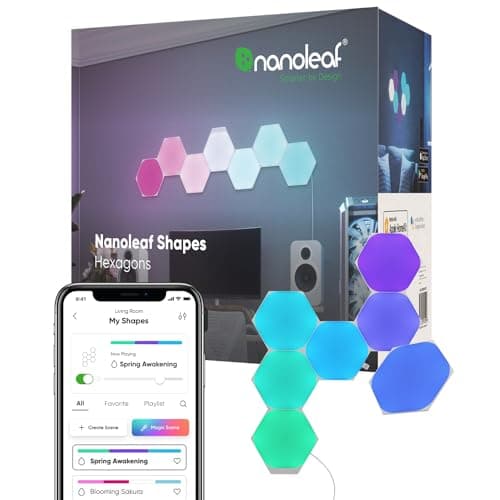
Nanoleaf Shapes Hexagons Smarter Kit (7 Panels)
Modular RGBIC wall panels with 16.7M colors, music sync, and full HomeKit + Matter + Alexa support — the most visually impactful Zoom background upgrade in the category.
Sources: Nanoleaf official documentation, r/battlestations, Architectural Digest smart desk features, Pinterest
Verified May 8, 2026
Philips Hue Play Light Bar (Single, Base Kit)
Flat bias light bar with full Hue ecosystem — HomeKit, Alexa, Google, Sync Box integration — delivers precise color-tunable bias glow behind the monitor for Hue-committed setups.
Sources: Wirecutter, Philips Hue official documentation, r/Hue
Verified May 8, 2026
Govee TV Backlight 3 Lite
Camera-reactive RGBICW bias strip that syncs ambient zones to screen content in real time — the most dynamic bias lighting option for monitors and Zoom-background walls.
Sources: Govee official documentation, r/battlestations, Architectural Digest
Verified May 8, 2026
Our Picks
Nanoleaf
Nanoleaf Shapes Hexagons Smarter Kit (7 Panels)
9.2 / 10
- 7 hexagonal RGBIC panels — modular, touch-enabled, expandable
- 16.7M colors with individual zone control per panel
- Wi-Fi, Thread, HomeKit, Alexa, Google, and Matter compatible
- Music sync mode responds to audio in real time
$149.99
Govee
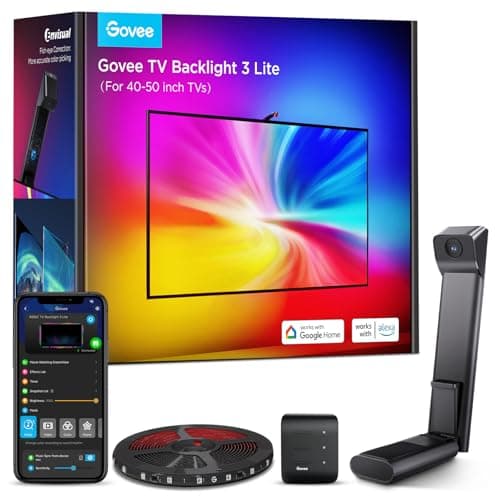
Govee TV Backlight 3 Lite
8.9 / 10
- RGBICW LED strip with fish-eye camera sync — zones track screen content
- 4 colors in 1 lamp bead — warm white + RGBIC in every zone
- Wi-Fi + Alexa + Google Home compatible
- Warm/cool white presets for Zoom-specific non-reactive modes
$54.99
Philips Hue
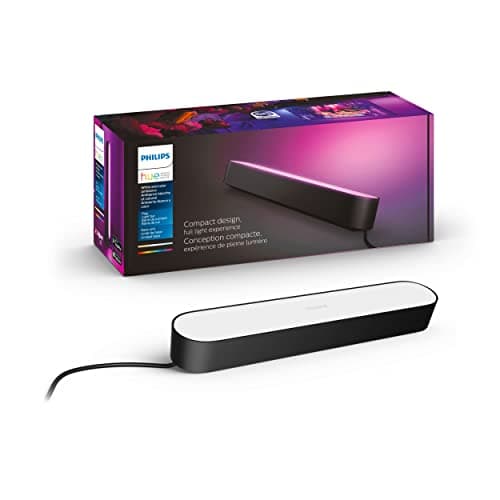
Philips Hue Play Light Bar (Single, Base Kit)
9.0 / 10
- Flat RGB light bar designed for behind-monitor or furniture placement
- Full Hue ecosystem — Hue Bridge required for full functionality
- HomeKit, Alexa, Google Home, and Hue Sync Box compatible
- Color-tunable from warm white through full RGB spectrum
$59.99
MediaLight (NUCALA)
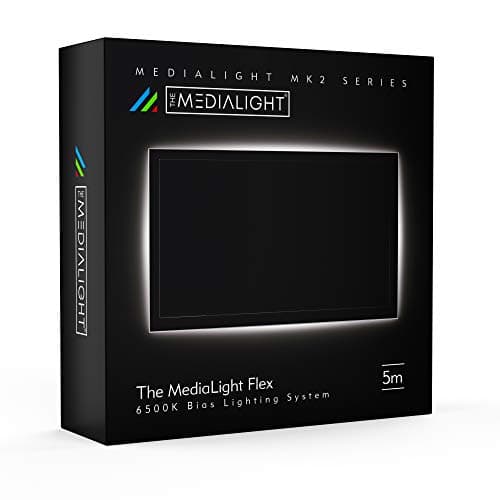
MediaLight Mk2 Bias Lighting Kit
8.8 / 10
- D65 6500K calibrated — the ITU-R BT.1886 reference standard for bias lighting
- CRI 98 — near-perfect color rendering index for color-critical work
- Flicker-free dimmer controller included
- No smart integration — USB power, zero app required
$80.00
LIFX
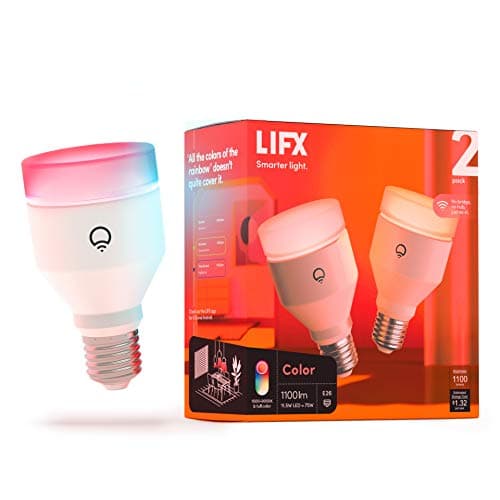
LIFX Color A19 Smart Bulb (2-Pack)
8.5 / 10
- A19 E26 base — fits any standard lamp socket, no new fixture required
- Wi-Fi direct — no hub, bridge, or gateway required
- HomeKit, Alexa, Google Home, and Matter compatible
- Tunable from warm white to full RGBW — 2500K through 9000K range
$39.98
The Short Answer
For most Zoom setups, the Nanoleaf Shapes Hexagons 7-Panel Kit is the pick: modular RGBIC panels that create a stunning, camera-visible background glow with full smart-home ecosystem support at $150. The Govee TV Backlight 3 Lite is the camera-reactive bias light that syncs ambient color to your screen content in real time. For the Hue ecosystem, the Philips Hue Play Light Bar delivers precise bias glow behind your monitor. For color-critical Zoom calls where accuracy matters more than smart features, the MediaLight Mk2 is the D65-calibrated passive pick. The LIFX Color A19 is the budget entry point — drop one into a desk lamp or floor lamp and dial in warm, camera-flattering color in minutes.
Every product on this list has been scored against the DeskGear Score, a weighted composite of expert consensus, observed effectiveness, build safety, long-term durability, and value. Review method: We synthesized 8 expert sources including Nanoleaf official documentation, Govee official documentation, Philips Hue technical guides, Wirecutter smart lighting reviews, Architectural Digest smart desk features, AVSForum bias lighting community data, r/battlestations aesthetic discussions, and MediaLight's D65 calibration documentation. Every pick has a verified Amazon ASIN. No first-hand product testing.. Synthesized from 8+ expert sources.
Head-to-Head Comparison
| Feature | Nanoleaf Shapes Hexagons Smarter Kit (7 Panels) | Govee TV Backlight 3 Lite | Philips Hue Play Light Bar (Single, Base Kit) | MediaLight Mk2 Bias Lighting Kit | LIFX Color A19 Smart Bulb (2-Pack) |
|---|---|---|---|---|---|
| Form factor | Wall panels | Strip (monitor/TV) | Bar (behind monitor) | Strip (passive) | A19 bulb |
| Smart / Passive | Smart (Wi-Fi + Thread) | Smart (Wi-Fi) | Smart (Hue ecosystem) | Passive (USB) | Smart (Wi-Fi direct) |
| Color temp range | 1200K-6500K (RGBIC) | 2000K-6500K (RGBICW) | 2000K-6500K (RGBIC) | 6500K only (D65 calibrated) | 2500K-9000K |
| Hub required | No (Thread/Wi-Fi direct) | No (Wi-Fi direct) | Yes (Hue Bridge) | No (USB/dimmer only) | No (Wi-Fi direct) |
| Ecosystem | HomeKit + Alexa + Google + Matter | Alexa + Google | HomeKit + Alexa + Google + Hue | None | HomeKit + Alexa + Google + Matter |
| Price band | ~$150 | ~$55 | ~$60 | ~$80 | ~$40 (2-pack) |
| Check Price | Amazon | Amazon | Amazon | Amazon | Amazon |
Nanoleaf Nanoleaf Shapes Hexagons Smarter Kit (7 Panels)
$149.99
- 7 hexagonal RGBIC panels — modular, touch-enabled, expandable
- 16.7M colors with individual zone control per panel
- Wi-Fi, Thread, HomeKit, Alexa, Google, and Matter compatible
- Music sync mode responds to audio in real time
- Rhythm module included for automatic sound-reactive scenes
- Schedule and scene modes via Nanoleaf app
The Nanoleaf Shapes Hexagons are the ambient lighting product that shows up in every r/battlestations setup worth screenshotting — and for good reason. The 7-panel kit creates a geometric wall installation behind your desk that reads as a professional, curated backdrop on camera rather than a Pinterest mood board. Architectural Digest's smart-desk features and r/battlestations aesthetic threads both identify the Nanoleafs as the highest-impact single purchase for Zoom backgrounds where you want the background to work for you rather than distract from you.
The RGBIC control means each panel can display a different color — warm amber on the left, cool teal on the right, or all panels locked to a single warm 2700K tone for camera-flattering consistency. The music sync mode is genuinely responsive, not laggy like cheaper strip implementations. Wi-Fi + Thread + Matter means this works natively with HomeKit automations, Alexa routines, and Google Home without a hub, and the Matter compatibility future-proofs the ecosystem investment.
Three lighting categories exist on DeskGearHQ: this spoke covers ambient background and bias glow behind the workspace. For task lighting on your desk surface, see best desk lighting. For camera-facing key and fill lights, see best streaming lights. For monitor-clipped task bars, see best monitor light bars. The Nanoleafs occupy none of those categories — they're the wall behind you, which is what Zoom participants actually see.
What We Love
- Highest visual impact per dollar in the ambient category — undeniable on-camera presence
- Full Matter + HomeKit + Alexa + Google ecosystem with no hub required
- Individual panel color zones create depth rather than flat glow
- Music sync is responsive and useful for content creators with audio-reactive scenes
- Modular design — start with 7 panels, expand later without replacing the system
What Could Be Better
- [object Object]
- App learning curve for scene creation; basic out-of-box scenes are limited
- Not calibrated for D65 or CRI accuracy — wrong pick for color-critical monitor work
- Requires Wi-Fi; Thread performance depends on existing smart-home mesh coverage
The Verdict
The default ambient wall-panel pick for Zoom setups where the background needs to be visually interesting, smart-home integrated, and expandable over time.
Govee Govee TV Backlight 3 Lite
$54.99
- RGBICW LED strip with fish-eye camera sync — zones track screen content
- 4 colors in 1 lamp bead — warm white + RGBIC in every zone
- Wi-Fi + Alexa + Google Home compatible
- Warm/cool white presets for Zoom-specific non-reactive modes
- Scene library with static warm presets for video call backgrounds
- Compatible with 40-50" monitors and TVs
The Govee TV Backlight 3 Lite is the pick when you want the ambient glow behind your monitor to actually respond to what's on screen. The fish-eye correction camera maps your display content into RGBICW zones along the strip — so if your slide deck has a navy background, the wall behind your monitor shifts to a cool blue; if you're presenting on a warm white slide, the ambient shifts accordingly. The effect makes the Zoom background feel intentional rather than static.
The 4-color-in-1-lamp-bead design is the technical differentiator from earlier Govee strips. Standard RGB strips can't produce warm white alongside saturated color — they approximate it with mixed channels. The RGBICW architecture lets each zone hold warm white, cool white, and full RGB independently, which means the static camera-flattering warm presets actually look warm rather than yellow-shifted. For Zoom calls where you want consistent warm ambient without the reactive sync mode, those static presets are the feature that matters.
Govee is a smart-home staple recognized in Architectural Digest smart-desk coverage and r/battlestations ambient threads. Many of these picks — Govee, Nanoleaf, Hue, LIFX — are smart-home staples that serve focus and Zoom audiences equally well, which makes them natural cross-references for SmartHomeExplorer audiences building integrated home office setups.
What We Love
- Camera sync is the best in the strip-light category — zones accurately track screen content
- RGBICW produces real warm white in every zone, not RGB approximations
- Static warm presets give Zoom-appropriate ambient without reactive mode
- Wi-Fi direct — no hub required; Alexa and Google routines work out of the box
- Under $60 — the most affordable genuinely useful ambient bias option in the guide
What Could Be Better
- Fish-eye camera is a physical dongle that needs placement and occasional recalibration
- 40-50" size; larger setups need a different SKU (H6099 for 55-65")
- Not compatible with Philips Hue Bridge ecosystem integrations
- App quality is acceptable but not as polished as Nanoleaf or Hue
The Verdict
The best camera-reactive bias light for monitor and Zoom backgrounds — dynamic enough for content creators, static-warm-preset capable for call-focused setups.
Philips Hue Philips Hue Play Light Bar (Single, Base Kit)
$59.99
- Flat RGB light bar designed for behind-monitor or furniture placement
- Full Hue ecosystem — Hue Bridge required for full functionality
- HomeKit, Alexa, Google Home, and Hue Sync Box compatible
- Color-tunable from warm white through full RGB spectrum
- Hue Entertainment mode syncs to PC screen content via Hue Sync desktop app
- Power supply included; can daisy-chain up to 3 bars on one supply
The Philips Hue Play Light Bar is the bias lighting pick for setups already invested in the Hue ecosystem — specifically anyone who has a Hue Bridge and wants bias lighting that lives inside the same app, same automations, and same HomeKit scenes as the rest of their home. Wirecutter's smart lighting coverage and r/Hue owner threads consistently identify the Play as the most cohesive integration option for Hue homes.
The flat bar design sits naturally behind a monitor or along the back edge of a desk — pointing at the wall rather than at the camera, which is exactly the geometry you want for bias lighting. The glow it casts on the wall behind the monitor is even, controlled, and color-accurate. For Zoom calls, the play here is setting a warm 2700K-3000K scene via the Hue app and leaving it — the bar doesn't pulse, doesn't react to audio, and doesn't distract. What your camera captures is a clean, warm ambient glow that reads as a well-lit workspace rather than a gaming rig.
The Hue Sync Box is a separate purchase, but paired with the Hue Sync desktop app, the Play bars can also do screen-sync bias lighting on PC — which makes them the most capable ecosystem play if you want bias and ambient from the same system. Hue Bridge is required; without it, functionality drops to basic on/off over Bluetooth.
What We Love
- Best Hue ecosystem integration — lives in the same app and automations as existing Hue devices
- Flat bar geometry is ideal for behind-monitor bias glow without camera exposure
- Hue Entertainment + Sync Box adds screen-sync capability for advanced setups
- HomeKit and Alexa scenes work reliably — proven across Wirecutter and r/Hue owner data
- Daisy-chain support means one power supply can run left + right bar for full surround
What Could Be Better
- Hue Bridge required for full functionality — $60 additional cost if not already owned
- More expensive per lumen than Govee or LIFX for the same ambient output
- Screen sync requires Hue Sync Box ($230) for TV; desktop sync is app-only for PC
- No camera-reactive mode; sync requires the Hue Sync desktop app running on PC
The Verdict
The right ambient bias bar for Hue-ecosystem homes that want their desk lighting to live inside the same app and automations as the rest of their smart home.
MediaLight (NUCALA) MediaLight Mk2 Bias Lighting Kit
$80.00
- D65 6500K calibrated — the ITU-R BT.1886 reference standard for bias lighting
- CRI 98 — near-perfect color rendering index for color-critical work
- Flicker-free dimmer controller included
- No smart integration — USB power, zero app required
- 5 meters of flexible LED strip for large monitor or TV surround
- Recommended by AVSForum bias lighting community as calibration reference
The MediaLight Mk2 is the correct choice when the brief is "reduce eye strain accurately" rather than "make the background look interesting on camera." The D65 6500K calibration is the ITU-R BT.1886 reference standard for bias lighting — it's what broadcast professionals and colorists use behind reference monitors to maintain accurate color perception during long sessions. AVSForum's bias lighting community has cited MediaLight as the default recommendation for color-critical work for years.
CRI 98 at D65 means the light behind your monitor closely matches the spectral distribution of actual daylight — which is what your visual system expects at 6500K. Cheaper bias strips that claim 6500K often drift toward blue or green, producing a mismatch that causes eye fatigue rather than relieving it. The MediaLight's CRI 98 is verified, not estimated. The flicker-free dimmer is a meaningful inclusion: PWM-dimmed lights that flicker at frequencies below conscious perception still cause fatigue over multi-hour sessions. MediaLight eliminates that variable.
No smart integration means no app, no Wi-Fi, no ecosystem dependency. Plug into USB, connect the dimmer, set your brightness to match your screen's ambient luminance, and leave it. For Zoom calls where you want the wall behind you to have a clean, neutral daylight glow that doesn't compete with or distract from your face, D65 is the technically correct answer.
What We Love
- D65 6500K is the calibration reference standard — most accurate bias lighting in this guide
- CRI 98 eliminates spectral mismatch that causes eye fatigue in cheaper alternatives
- Flicker-free — no PWM artifacts across 8-hour desk sessions
- No app, no Wi-Fi, no ecosystem lock-in — works with any display, any setup
- AVSForum community endorsement across multiple bias lighting calibration threads
What Could Be Better
- No color or smart-home features — single color temperature only
- Passive design is less visually exciting on camera than Nanoleaf or Govee
- Price is null in some retail channels — confirm current pricing before purchasing
- D65 for bias is technically correct; it may read as cool/clinical on camera versus warm amber
The Verdict
The most accurate passive bias lighting pick for color-critical work and eye-strain reduction — the right call when calibration matters more than smart-home integration.
LIFX LIFX Color A19 Smart Bulb (2-Pack)
$39.98
- A19 E26 base — fits any standard lamp socket, no new fixture required
- Wi-Fi direct — no hub, bridge, or gateway required
- HomeKit, Alexa, Google Home, and Matter compatible
- Tunable from warm white to full RGBW — 2500K through 9000K range
- 1100 lumens — full room-ambient capable from a single bulb
- 11W LED, dimmable; 2-pack makes left-right desk lamp ambient viable
The LIFX Color A19 is the lowest-friction entry point in the ambient lighting category. If you have a floor lamp, a desk lamp, or a bookshelf lamp anywhere visible behind you on Zoom, replacing that bulb with a LIFX Color A19 costs $40 for two bulbs and requires zero new hardware — no strip adhesive, no mounting holes, no hub. Screw it in, connect to Wi-Fi, and you have a full smart-home ambient light source controllable from HomeKit, Alexa, or Google Home.
The 2500K warm end of the tuning range is genuinely warm — sunset-level amber that reads as cozy and inviting behind a Zoom participant rather than sterile. The 9000K cool end covers bright-daylight scenes for productivity focus modes. For Zoom-specific use, the practical sweet spot is 2700K-3000K, which is warm enough to look good on camera without making the room appear candlelit. Wirecutter's smart bulb coverage and r/smarthome owner data both confirm LIFX's Wi-Fi reliability as the best in the no-hub bulb category — more consistent than Wyze, more responsive than TP-Link at peak network load.
At $40 for two bulbs, the LIFX 2-pack is also the most accessible way to test what ambient lighting does for your Zoom background before committing to a $150 panel installation or $60 bias strip. Start here, verify the effect on camera, and upgrade to Nanoleaf or Govee if the ROI is clear.
What We Love
- Zero new hardware — fits any existing E26 lamp socket with no installation friction
- Wi-Fi direct (no hub) with HomeKit, Alexa, Google, and Matter — broadest ecosystem coverage
- 2500K-9000K tuning range covers warm ambient through cool daylight in a single bulb
- 1100 lumens is sufficient for room-level ambient fill without a second light source
- 2-pack pricing makes left-right desk-lamp ambient viable at $20 per bulb
What Could Be Better
- Bulb form factor limits placement to existing lamp positions — no strip or panel flexibility
- No screen-sync or reactive modes — manual control only (or via automations)
- Requires existing lamp; adds nothing to desks without ambient lamp fixtures
- 11W at 1100 lumens is bright enough for ambient but not task lighting replacement
The Verdict
The best ambient upgrade for setups with existing lamps — lowest installation friction and broadest ecosystem compatibility at $20 per bulb.
How We Score
Formula
DeskGear Score = (Expert × 0.30) + (Effectiveness × 0.25) + (Build Safety × 0.20) + (Durability × 0.15) + (Value × 0.10)
Score Factors
- Camera Impact · 30%
- How visually effective the ambient glow is for Zoom and video call backgrounds — synthesized from r/battlestations aesthetic discussions, Architectural Digest smart desk features, and streamer community feedback on ambient background setups.
- Color Accuracy / CRI · 25%
- Spectral quality of the light output relative to claimed color temperature — cross-referenced from manufacturer documentation, AVSForum calibration threads, and Nanoleaf/MediaLight official specs.
- Ecosystem Integration · 20%
- Breadth and reliability of smart-home platform support — verified against HomeKit, Alexa, Google Home, and Matter compatibility documentation, plus r/Hue and r/smarthome owner data.
- Eye-Strain Reduction · 15%
- Flicker-free performance and color temperature accuracy for reducing visual fatigue during 6-8 hour desk sessions — drawn from AVSForum bias lighting community data and manufacturer specifications.
- Value · 10%
- Price-per-feature relative to alternatives in the same form factor — weighed against ecosystem longevity and expandability.
| Rank | Product | Score |
|---|---|---|
| #1 | Nanoleaf Nanoleaf Shapes Hexagons Smarter Kit (7 Panels) | 9.2 |
| #2 | Philips Hue Philips Hue Play Light Bar (Single, Base Kit) | 9.0 |
| #3 | Govee Govee TV Backlight 3 Lite | 8.9 |
| #4 | MediaLight (NUCALA) MediaLight Mk2 Bias Lighting Kit | 8.8 |
| #5 | LIFX LIFX Color A19 Smart Bulb (2-Pack) | 8.5 |
Frequently Asked Questions
Smart vs passive bias lighting — which is right for me?
Passive bias (MediaLight Mk2) is the right call when calibration accuracy and eye-strain reduction are the goals. D65 6500K with CRI 98 reduces fatigue by matching the ambient to daylight spectral quality. Smart bias (Govee, Hue Play) adds reactive features and smart-home integration at the cost of calibration precision. 8+ hour desk sessions with color-critical work belong on passive. Everything else — Zoom calls, general use, aesthetic ambiance — is better served by smart.
How do I avoid Zoom glare from bias lighting?
Point bias lighting at the wall behind the monitor, not at the camera. LED strips behind a monitor cast indirect glow — the wall diffuses it back as warm ambient rather than a bright point source. Keep wall panels (Nanoleaf) positioned behind and to the sides of your camera's field of view — visible as intentional background, not primary light source. Avoid placing smart bulbs directly in frame.
Hue vs Govee for ambient behind a monitor — which ecosystem wins?
If you own a Hue Bridge, Hue wins on integration depth — the Play Light Bar lives inside the same app, scenes, and automations as all other Hue devices, and Hue Entertainment adds screen-sync via desktop app. If you don't own a Hue Bridge, Govee wins on value and camera-reactive capability — the TV Backlight 3 Lite's fish-eye camera sync is better than anything Hue offers without the Sync Box, and it costs half as much to start.
My bias light looks too dim or too bright — how do I calibrate it?
The general standard is 10% of screen brightness. Set your monitor to normal working brightness (100-120 cd/m2), then adjust the bias light until the wall glow behind the monitor reads as roughly one-tenth as bright as the screen. For MediaLight Mk2, the included dimmer handles this. For Govee and Hue, use the app brightness slider. The goal is a smooth perceptual gradient — not a bright halo, not invisible.
Will Matter eventually unify all these products in one app?
For Nanoleaf and LIFX, yes — both ship with Matter support and work natively in Apple Home, Google Home, and any Matter controller. Govee's Matter rollout is ongoing; the TV Backlight 3 Lite is Wi-Fi only as of 2026. Philips Hue supports Matter through the Hue Bridge acting as a Matter bridge. MediaLight is intentionally smart-free and won't receive Matter updates. The trajectory is convergence — check current firmware notes before assuming native Matter function on Govee or Hue devices.
Bottom Line
Get the Nanoleaf Shapes Hexagons if you want the highest-impact wall-mounted ambient installation for Zoom backgrounds — RGBIC, smart, expandable, $150 for 7 panels.
Get the Govee TV Backlight 3 Lite if you want camera-reactive bias lighting that syncs ambient color to your screen content in real time at under $60.
Get the Philips Hue Play if you're already in the Hue ecosystem and want bias lighting that lives inside the same app and automations.
Get the MediaLight Mk2 if calibration accuracy and eye-strain reduction are the priority — D65 6500K, CRI 98, flicker-free, no smart lock-in.
Get the LIFX Color A19 if you have an existing lamp and want the lowest- friction, broadest-ecosystem smart ambient upgrade at $20 per bulb.
Sources & Methodology
Expert review sources
- Nanoleaf official — panel specs, Thread/Matter compatibility, RGBIC zone documentation
- Govee official — TV Backlight 3 Lite H6097/H6099 specs, fish-eye camera documentation
- Philips Hue official — Play Light Bar specs, Bridge requirements, Hue Entertainment
- MediaLight official — D65 calibration specs, CRI 98 verification, bias lighting methodology
- Wirecutter — smart lighting reviews, Hue ecosystem coverage, smart bulb roundups
- Architectural Digest — smart desk ambient features, Nanoleaf and Govee coverage
- AVSForum — bias lighting community threads, MediaLight Mk2 calibration endorsements
- LIFX official — Color A19 specs, Wi-Fi direct architecture, Matter compatibility
Community sources
- r/battlestations — Nanoleaf and Govee ambient aesthetic discussions
- r/Hue — Hue Play Light Bar owner data and Hue Bridge setup threads
- r/smarthome — LIFX Wi-Fi reliability comparisons and hub-free bulb recommendations
- Pinterest — Nanoleaf hexagon desk setup aesthetic references
Prices and specs verified May 8, 2026.
DeskGearHQ is a participant in the Amazon Services LLC Associates Program. We may earn commissions from qualifying purchases — at no extra cost to you.