How to Build a 4K Video-Editing Workstation (2026)
Most '4K editing PC' searches sell you a CPU while the timeline stutters on a slow disk. This build goes back-to-front: footage store and color first, then a Thunderbolt 5 spine, then compute sized to the codec.
This article contains affiliate links. We may earn a commission at no extra cost to you. Learn more
Featured in this Guide
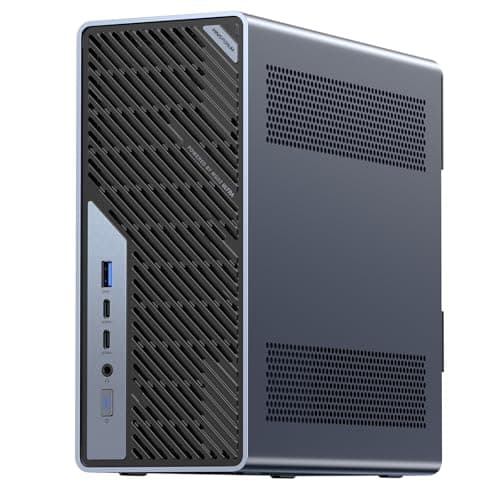
MINISFORUM
MS-02 Ultra Core Ultra 5 235HX Workstation (Barebone)
- •For the editor who wants a compact box that grows into a GPU workstation — PCIe 5.0 x16 and four DDR5 slots. Barebone: add RAM
- •an SSD
- •and Windows yourself.
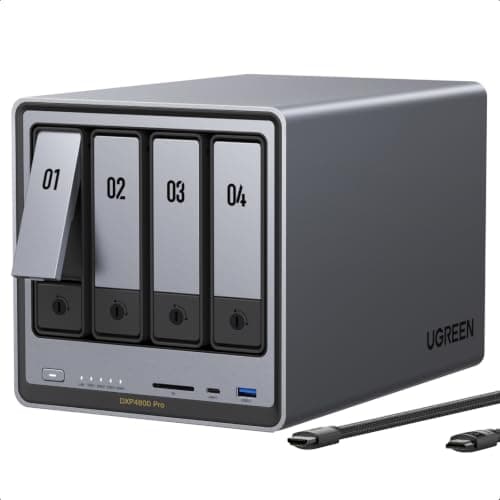
UGREEN
NASync DXP4800 Pro
- •For the team library: a 4-bay NASync with 10GbE and QuickSync 4K transcoding that holds terabytes everyone can reach. Diskless — buy the drives.
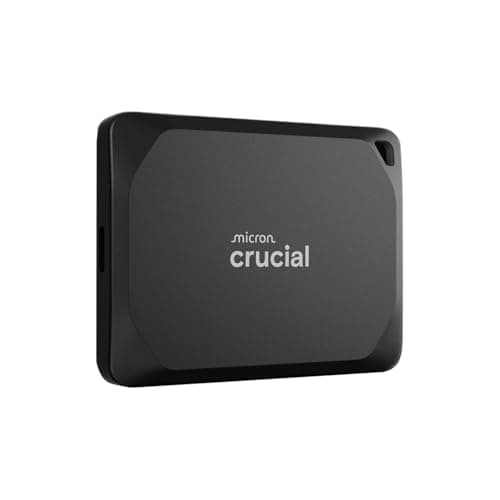
Crucial
X10 Pro 4TB Portable SSD
- •For fast local working storage off the NAS: 4TB at up to 2,100MB/s read
- •IP55-rugged for field pulls
- •on a single USB-C cable.
CalDigit
TS5 Plus Thunderbolt 5 Dock
- •For moving footage between compute
- •NAS
- •and drives: 20 ports
Datacolor
SpyderPro Advanced Colorimeter
- •For a grade you can trust: a lens sensor rated to 12,000 nits profiles OLED
- •QD-OLED
- •mini-LED
Elgato
Game Capture 4K X
- •For ingest from cameras and consoles: 4K144 HDR10 capture with tear-free HDMI 2.1 passthrough over USB 3.2 Gen 2.
The Short Answer
For most video editors the real bottleneck is throughput and color, not raw CPU. Build back-to-front: a NAS holds the footage, the Crucial X10 Pro is local scratch, the CalDigit TS5 Plus is the Thunderbolt 5 spine, the Datacolor SpyderPro keeps the grade true, and a mini workstation is sized last.
Search "best PC for video editing" and every result fixates on core counts and graphics cards, yet the component that actually stalls a timeline is usually the disk the footage sits on. An edit bay is bottlenecked by storage and color long before the processor, so this guide builds it back-to-front: fast local scratch and a shared NAS hold the footage, a calibrated monitor keeps the grade true, and a Thunderbolt 5 spine moves everything before compute is sized to the codec. We treat six existing DeskGear picks as one layered build rather than six competitors, and we rank each layer with the DeskGear Editing-Workstation Score, a weighted formula whose throughput factor carries roughly 1.5x the weight of value-per-dollar. Two picks arrive as shells you finish yourself — the workstation ships barebone and the NAS ships diskless — so drives and RAM remain a separate budget line.
Side-by-side: the six build layers scored
Input & Connectivity
Chart
 DeskGearHQ.com
The compute: MINISFORUM MS-02 Ultra Core Ultra 5 235HX Workstation (Barebone)
MINISFORUM MS-02 Ultra Core Ultra 5 235HX Workstation (Barebone)
(Current price, subject to change)
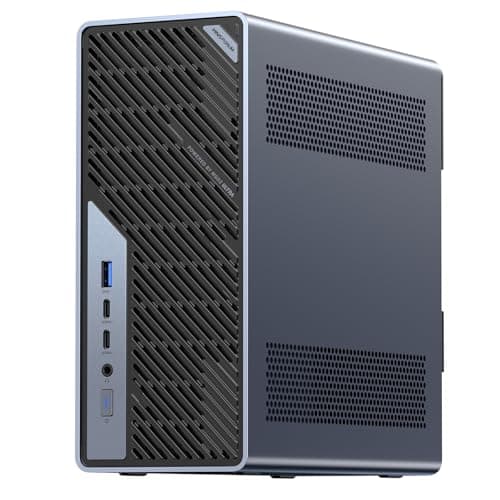
The MINISFORUM MS-02 Ultra Core Ultra 5 235HX Workstation (Barebone) is the compute layer, and it earns that slot because it is the one box here that scales. Tom's Hardware and Notebookcheck both frame the MS-02 line as a small-form workstation rather than a media box, and the spec that matters is the PCIe 5.0 x16 slot: drop in a desktop GPU and 8K ProRes stops leaning on the CPU alone. The Core Ultra 5 235HX contributes 14 cores and a 13-TOPS NPU, while 4x DDR5 SODIMM slots let you match memory to the codec instead of a soldered ceiling, and its USB4 v2 I/O outperforms a standard mini PC for footage moves. Its DeskGear Editing-Workstation Score reflects that ceiling, because the weighted formula rewards a PCIe slot that enables a full desktop GPU as the throughput factor scales. Two honest limits keep expectations grounded — it arrives barebone, so RAM, an NVMe SSD, and Windows are a separate spend, and the chassis runs near 36dB under sustained load. The trade you're accepting is assembly time and a little fan noise in exchange for a machine you upgrade for years rather than replace; if you'd rather it boot on day one, the mini-PCs guide ranks turnkey alternatives.
What We Love
- PCIe 5.0 x16 supports a dual-slot desktop GPU — the only pick here that grows into a full graphics workstation.
- Four DDR5 SODIMM slots and multiple M.2 slots give the deepest memory and storage headroom in this build.
- USB4 v2 at 80Gbps plus 10GbE and 2.5GbE outrun a standard mini PC on I/O bandwidth for footage moves.
- Core Ultra 5 235HX brings 14 cores and a 13-TOPS NPU, with cooling rated for 100W sustained.
What Could Be Better
- Ships as a barebone — no RAM, SSD, or OS, so the real cost climbs well above the $599 sticker.
- Larger chassis runs near 36dB under load, louder and bigger than the 1.0L mini boxes.
- The 235HX config omits the ECC memory and dual-25GbE of the flagship 285HX.
The Verdict
If you've built the storage and color first and you're now sizing the box to the codec, the MINISFORUM MS-02 Ultra Core Ultra 5 235HX Workstation (Barebone) fits the brief without over-buying. Its PCIe 5.0 x16 slot takes a desktop GPU and four DDR5 slots feed 4K/8K timelines. It ships barebone, so budget for RAM, an NVMe SSD, and Windows before first boot.
The shared store (NAS): UGREEN NASync DXP4800 Pro
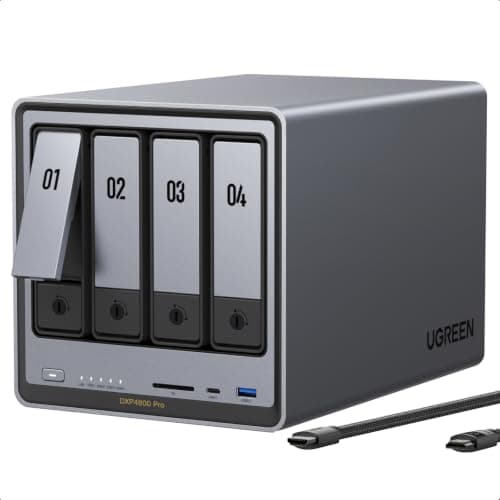
NASCompares and TweakTown both read the UGREEN NASync DXP4800 Pro as a creator-grade box rather than a backup appliance, and that distinction anchors its DeskGear Editing-Workstation Score: memory alone scales 12x, from an 8GB base to a 96GB ceiling. The 6-core Intel Core i3-1315U carries QuickSync, which enables it to transcode several high-resolution streams and run a virtual machine while it serves files — work the two-bay entry units simply stall on. Networking is where it pays off in an edit chain: a 10GbE port plus 2.5GbE, feeding four SATA bays and 2x M.2 NVMe slots, means the library answers a pull without becoming the thing everyone waits on. The counterweight is cost and scope, because $719.99 — roughly 1.2x the scratch SSD — buys the chassis alone, and a single 10-gig port, compared to the dual-port AMD sibling, trails at the ceiling. This is the shared archive, not the drive you scrub off — for the fast local half of that split, the portable-SSDs guide ranks the working drives, and the NAS guide ranks nine more boxes if you want a larger array.
What We Love
- 6-core Intel Core i3-1315U with QuickSync handles multi-stream 4K transcoding and VMs entry boxes can't touch.
- 8GB DDR5 standard with a 96GB ceiling — the highest memory headroom of any NAS in this build.
- 10GbE plus 2.5GbE, dual M.2 NVMe slots, and a dedicated 128GB system SSD keep the array responsive.
- Four SATA bays with RAID options hold terabytes of 4K/8K footage the whole team can reach at once.
What Could Be Better
- Diskless at $719.99 is the highest entry price here before you buy a single drive.
- The extra CPU and RAM headroom is wasted if the box only does Time Machine and file-share duty.
- A single 10GbE port (not dual) caps peak throughput below the pricier AMD sibling.
The Verdict
If your footage lives on scattered drives and more than one person needs it, the UGREEN NASync DXP4800 Pro lines up with what you actually need. Its 10-gig networking and QuickSync handle multi-stream 4K, and the 4-bay chassis holds the library. It arrives diskless, so the drives are a separate line in the budget.
The scratch SSD: Crucial X10 Pro 4TB Portable SSD
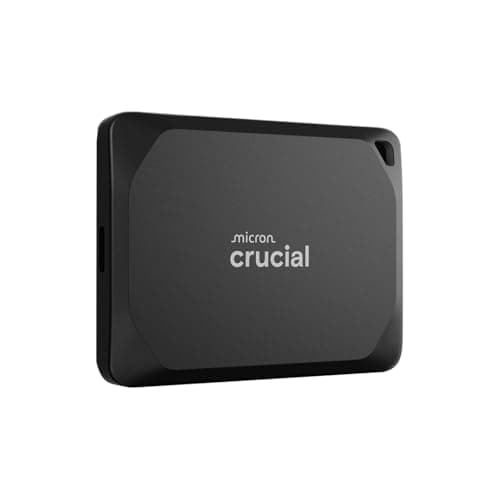
Where the NAS is the library, the Crucial X10 Pro 4TB Portable SSD is the desk you actually work on. TweakTown and Tom's Hardware both place the X10 Pro at the fast end of the bus-powered class, and the reason an editor feels it is scrubbing: pulling active clips off a drive that reads up to 2,100MB/s delivers a responsive playhead versus a spinning NAS volume over the network, which can't match it for the current project. The 4TB capacity collapses 4x 1TB drives into one, and the IP55-rated aluminum body means a location pull doesn't need a padded case to survive a shoot. The honest asterisk is the host: the rated write speed only lands on a 20Gbps USB-C port, and an older 10Gbps laptop jack roughly halves it. Think of it as the shooter's drive — you cut off it in the field, then park the footage on the NAS back at the desk. If you want to compare working drives head-to-head, the portable-SSDs guide ranks the field.
What We Love
- 4TB is the largest capacity in the build — one drive instead of juggling several smaller ones.
- Up to 2,100MB/s read and 2,000MB/s write on a 20Gbps host keeps a 4K timeline scrubbing smoothly.
- IP55 dust-and-water resistance plus a drop rating in a compact aluminum body suits location work.
- The aluminum shell sheds heat over long sustained writes, resisting the throttling plastic drives hit.
What Could Be Better
- The 4TB model is the highest total outlay among portable drives here.
- Full write speed needs a 20Gbps host — an older 10Gbps port halves it.
- Costs more per terabyte than the standard X10 for the IP55 rating and higher write spec.
The Verdict
If you want working storage that keeps the timeline responsive off the NAS, the Crucial X10 Pro 4TB Portable SSD is a sensible pick for that setup. 4TB at up to 2,100MB/s read means one drive instead of a stack, and IP55 ruggedness survives field pulls. Full speed needs a 20Gbps host.
The TB5 spine: CalDigit TS5 Plus Thunderbolt 5 Dock
CalDigit TS5 Plus Thunderbolt 5 Dock
(Current price, subject to change)
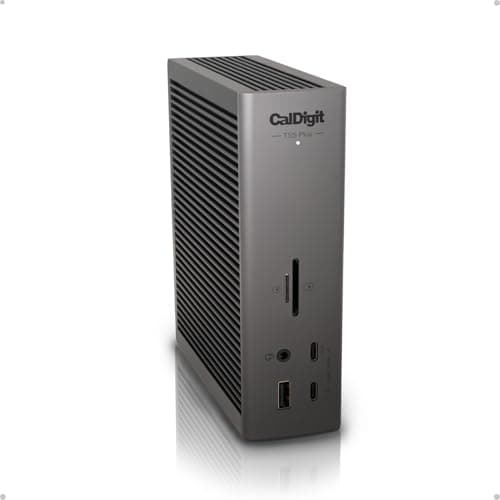
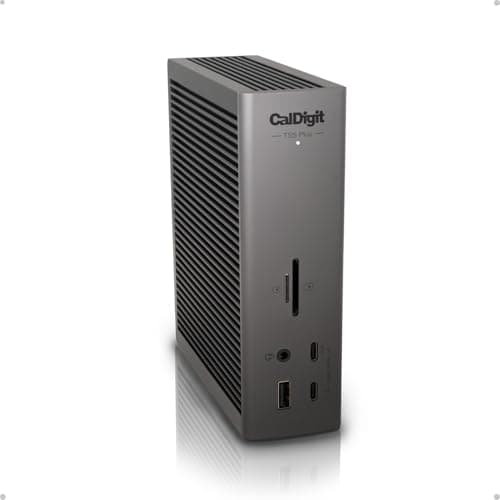
The CalDigit TS5 Plus Thunderbolt 5 Dock is the spine every other layer connects through, and it is the one place a build shouldn't cut corners. TechRadar and PCWorld both rate the TS5 Plus as a flagship, and the numbers explain why it anchors an edit chain: 3x Thunderbolt 5 ports at 80Gb/s, roughly 2x Thunderbolt 4's 40, carry the scratch SSD and displays alongside 5x USB-A and 5x USB-C, while 10 Gigabit Ethernet matches the NAS for library pulls, and a 330W internal supply delivers a genuine 140W to the host so the laptop charges under load instead of trickling. DisplayPort 2.1 is a quiet win here, since it drives a monitor natively and leaves a Thunderbolt port free for storage. The caveats are price and heat — it lists near the top of the dock market, and reviewers logged a 40-41°C chassis under sustained load. Compared to the cheaper Thunderbolt 5 docks that stop at 2.5GbE, the 10GbE port is the line that justifies the spend for anyone moving footage to a NAS; the Thunderbolt 5 docks guide ranks the lighter options if your desk doesn't need all 20 ports.
What We Love
- 20 ports — 3x Thunderbolt 5 at 80Gb/s, 5x USB-A, 5x USB-C, DisplayPort 2.1, dual UHS-II readers, three audio jacks.
- 10 Gigabit Ethernet, a real step up from the 2.5GbE on most rival docks, matches the NAS port for pulls.
- 140W host charging fed by a 330W supply, so every powered port runs without throttling the laptop.
- Dual controllers drive up to dual 8K@60Hz or dual 4K@240Hz, with DisplayPort 2.1 sparing a Thunderbolt port.
What Could Be Better
- $499.99 is among the most expensive docks on the market.
- Reviewers measured the chassis reaching 40-41°C (104-106°F) under sustained load.
- More ports than most single-desk setups will ever use.
The Verdict
If the compute, NAS, and drives all need to talk at once, the CalDigit TS5 Plus Thunderbolt 5 Dock fits without compromise on bandwidth. Three Thunderbolt 5 ports, 10-gig Ethernet, and 140W host charging from a 330W supply move footage and power the desk on one cable. It's the priciest spine here for a reason.
Color calibration: Datacolor SpyderPro Advanced Colorimeter
Datacolor SpyderPro Advanced Colorimeter
(Current price, subject to change)
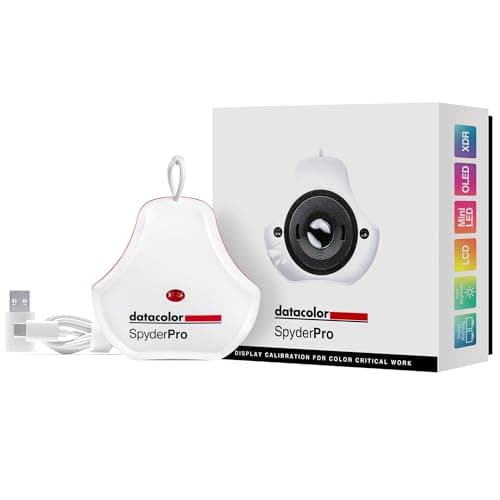
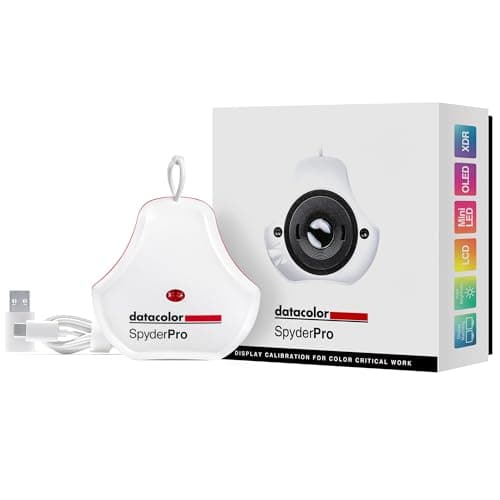
Color is the half of the bottleneck that never shows up in a benchmark, which is exactly why the Datacolor SpyderPro Advanced Colorimeter sits in this build. Digital Camera World and PCMag both single out the lens-based sensor rated to 12,000 nits: it is what lets the tool profile a modern QD-OLED or an Apple XDR panel accurately, versus an older sensor that clips the highlights and produces a grade that falls apart on someone else's screen. A profiling pass you finish in 90 seconds matters more than it sounds, because a calibration you can rerun that fast is one you'll actually do on a schedule as the panel drifts. StudioMatch then aligns a second monitor to the first, so a two-display suite reads the same white point. The cost is real for a small tool and the software runs deeper than a three-step wizard, so a first run takes patience. This is the pick for anyone whose color leaves the room; the colorimeters guide ranks lighter options for sRGB-only desks.
What We Love
- Lens sensor reads up to 12,000 nits — profiles mini-LED, OLED, QD-OLED, and Apple XDR panels no lower sensor can.
- 90-second guided calibration is fast enough to rerun on schedule instead of skipping it for months.
- 3D LUT export and Device Preview soft-proofing span both photo and video color workflows.
- StudioMatch and Spyder Tune align brightness and white point across multiple monitors on the desk.
What Could Be Better
- $199.00 is overkill for sRGB-only editing on a single standard LCD.
- The deepest software feature set has a steeper first-run learning curve than a three-step wizard.
- No projector-specific mode like the Spyder X2 Elite offers.
The Verdict
If you grade for delivery and can't trust the panel, the Datacolor SpyderPro Advanced Colorimeter lines up with what the workflow needs. A lens sensor rated to 12,000 nits profiles OLED, QD-OLED, mini-LED, and Apple XDR in a 90-second cycle you'll actually rerun. It's overkill for sRGB-only work on one LCD.
The capture card: Elgato Game Capture 4K X
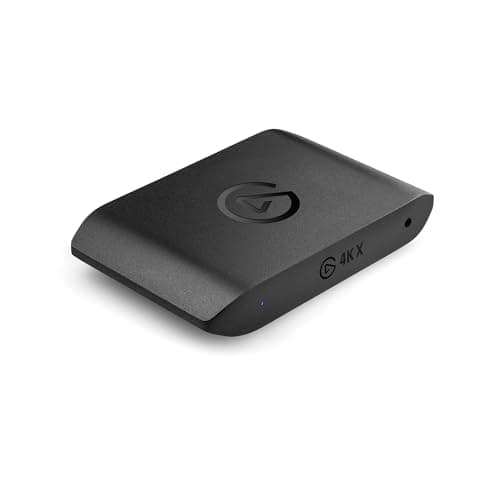
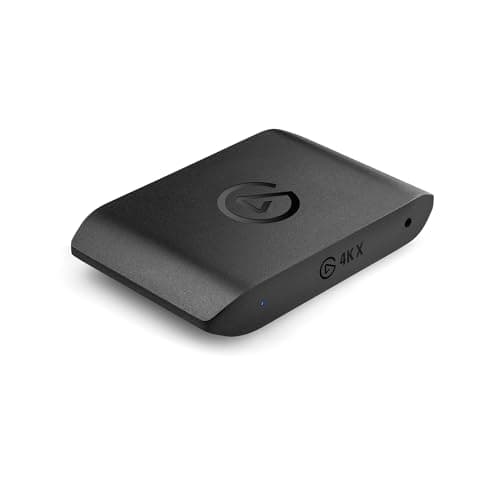
Not every edit bay needs an ingest card, but the ones fed by cameras or consoles do, and the Elgato Game Capture 4K X is the layer that gets that signal in clean. TechRadar and PCWorld both note the 4K144 ceiling as the headline, but the feature an editor feels day to day is the HDMI 2.1 passthrough with VRR: it records the source while your own display stays tear-free, so monitoring and capture don't fight. The USB 3.2 Gen 2 connection is what sustains those framerates without dropping frames, and broad device support — PC, Mac, iPad, plus current consoles — means one card covers mixed sources. The honest scoping note is that a lot of this ceiling is headroom: a 4K144 card runs 2.4x a console locked to 4K60, so most of that ceiling sits unused, and DSC displays drop passthrough to 4K120. It's the pick when the source outruns a basic card; the capture-cards guide ranks the cheaper options for a plain 4K60 feed.
What We Love
- Captures up to 4K144 with HDR10 — the highest recording ceiling in this class of card.
- HDMI 2.1 with VRR and HDR10 passthrough keeps your own display tear-free while it records.
- USB 3.2 Gen 2 sustains the top framerates without dropped frames on a supported port.
- Works across PC, Mac, and iPad, plus PS5, Xbox, and Switch 2, with the cables in the box.
What Could Be Better
- $249.99 is overkill for a console source that tops out at 4K60.
- Passthrough steps down to 4K120 on displays using Display Stream Compression (DSC).
- HDR capture support is strongest on Windows, and the rated framerates need a USB 3.2 Gen 2 port.
The Verdict
If cameras or consoles feed the bay, the Elgato Game Capture 4K X is a sensible pick for clean ingest. 4K144 HDR10 capture with tear-free HDMI 2.1 passthrough over USB 3.2 Gen 2 keeps your own display responsive while it records. For a source capped at 4K60, it's more headroom than you'll use.
How We Score: DeskGear Editing-Workstation Score
DeskGear Editing-Workstation Score
Score Formula
(Throughput Headroom × 0.30) + (Color Accuracy × 0.25) + (Storage Capability × 0.25) + (Value per Dollar × 0.20)Score Factors
- Throughput HeadroomSustained bandwidth the layer moves — bus speed, network port, or read/write ceiling — against what a 4K/8K timeline demands before it stalls.
- Color AccuracyFor the display and calibration layer, sensor range and panel coverage; for the chain, whether the grade survives from capture to delivery unchanged.
- Storage CapabilityCapacity, drive-bay count, RAID options, and how the layer holds or feeds terabytes of footage without becoming the wait.
- Value per DollarDelivered capability against list price — with barebone and diskless picks judged on the finished cost, not the sticker.
DeskGear Editing-Workstation Score — Ranked
Datacolor SpyderPro Advanced Colorimeter
9.2/10Color layer — a 12,000-nit sensor profiles OLED, QD-OLED, mini-LED, and XDR in a 90-second cycle.
Elgato Game Capture 4K X
9.2/10Ingest layer — 4K144 HDR10 capture with tear-free HDMI 2.1 passthrough over USB 3.2 Gen 2.
UGREEN NASync DXP4800 Pro
9.0/10Storage layer — 4-bay NAS, 10GbE, QuickSync 4K transcoding; diskless, drives sold separately.
CalDigit TS5 Plus Thunderbolt 5 Dock
9.0/10The spine — 20 ports, 3x Thunderbolt 5 at 80Gb/s, 10GbE, 140W host from a 330W supply.
Crucial X10 Pro 4TB Portable SSD
8.9/10Local scratch — 4TB at up to 2,100MB/s read, IP55-rugged, full speed on a 20Gbps host.
MINISFORUM MS-02 Ultra Core Ultra 5 235HX Workstation (Barebone)
8.3/10The compute — PCIe 5.0 x16 for a desktop GPU, four DDR5 slots; barebone, add RAM/SSD/OS.
What the chain needs to work together
This build assumes a host with a Thunderbolt 5 (or backward-compatible Thunderbolt 4) port, because the spine's top bandwidth and full host charging only appear on a true Thunderbolt host — a plain USB-C laptop gets data and power but not the display and bandwidth headroom the dock advertises. The scratch SSD wants a 20Gbps USB-C port to hit its rated speed, and the NAS earns its keep only when the host and dock both carry a 10-gig path, since a 2.5GbE link leaves most of the array's throughput on the table. Color has its own prerequisite: the colorimeter calibrates whatever panel you own, but the grade is only as trustworthy as the monitor's gamut, so a wide-gamut display is the partner that makes the profile meaningful. If you'd rather skip building the compute layer entirely, a calibrated all-in-one can host the same chain — the all-in-one PCs guide ranks machines that trade the barebone assembly for a screen and a boot-ready OS. This interdependence is exactly what the weighted formula behind the composite score rewards: a true 10-gig path scores higher on the throughput factor because it delivers headroom a slower link cannot, and the formula weights that factor above every other input.
What the build costs and how to stage it
Bought together, the six layers list around $2,878 before you populate either the barebone workstation or the diskless NAS, so the finished basket inevitably lands higher once drives and RAM go in, and planning for that gap upfront beats being surprised by it at checkout. The spending is not monolithic, however, because the back-to-front order that organizes the build doubles as a sensible staging order that spreads the investment across several months. The colorimeter lists around $199 and the capture card around $250, which makes color and ingest the two cheapest layers to add first, and together they resolve accuracy problems that no faster processor could ever address. The scratch SSD lists around $610 and the Thunderbolt 5 spine around $500 — together roughly 2.5x the color-and-ingest pair — the connective middle tier that actually makes footage move between compute and storage. The NAS lists around $720, roughly 2.9x the capture card, and the workstation around $599 barebone at near 2.4x that same card, making them the two heaviest layers you can comfortably defer longest, because a solo editor can begin on the scratch drive alone and add the shared library only when a second collaborator genuinely needs it. Because this remains a July-4-tail window with prices still in motion, confirm current pricing on every layer before purchase, since the list figures here are the reference rather than the receipt.
When NOT to Buy
This is a compact, Thunderbolt-centric bay, so the exclusions follow that shape. Full tower workstations with a 16-core Threadripper and a triple-slot GPU will out-render everything here, but they trade the desk-friendly footprint and the single-cable spine this build is organized around, and most editing work never saturates that much silicon. We also left off dedicated DAS RAID enclosures: they're faster than a portable SSD for a local array, yet they duplicate the job the NAS already does for a shared library and the scratch drive does for the working set, so adding one is spend without a new capability in this chain. And we skipped the entry sRGB colorimeters that undercut the Datacolor on price, because a sensor that can't read a modern OLED or XDR panel's peak brightness hands back a profile that looks right on your desk and wrong on delivery — the one place color calibration cannot afford to be approximate.
Who Should Buy What
Who Should Buy What
| If you are… | Recommended pick |
|---|---|
The upgrader who builds Wants a compact workstation that takes a desktop GPU and deep DDR5, and is fine installing RAM, an SSD, and Windows. | MINISFORUM MS-02 Ultra Core Ultra 5 235HX Workstation (Barebone) |
The small editing team Needs a shared, always-on footage library with 10GbE and real 4K transcoding; will populate the four bays with drives. | UGREEN NASync DXP4800 Pro |
The location shooter Wants one terabyte-scale, IP55-rugged drive to cut off in the field, then park footage on the NAS at the desk. | Crucial X10 Pro 4TB Portable SSD |
The single-cable desk Runs compute, NAS, scratch SSD, and dual high-res displays together and wants 10GbE plus 140W charging from one dock. | CalDigit TS5 Plus Thunderbolt 5 Dock |
The delivery colorist Grades for clients or platforms on a wide-gamut OLED, mini-LED, or XDR panel that drifts and needs regular profiling. | Datacolor SpyderPro Advanced Colorimeter |
The camera-and-console creator Ingests high-framerate HDR from a camera or console and wants a tear-free passthrough to their own monitor. | Elgato Game Capture 4K X |
Frequently Asked Questions
What is the biggest bottleneck in a 4K editing workstation?
It's almost always the sustained read speed of the drive holding your active footage, paired with the codec. Long-GOP H.265 leans on the CPU to decode, while ProRes leans on raw disk throughput — and a single slow SSD stalls scrubbing no matter how many cores you have. Match the drive speed to the codec before you spend on the processor.
Do I need a NAS if I already have portable SSDs?
They solve different problems. A portable SSD like the Crucial X10 Pro is fast local scratch — a single-user drive you edit directly off and carry to a shoot. A NAS is a shared, always-on archive: it holds the whole library over 10-gigabit Ethernet for more than one person, and RAID protects against a drive failure a lone SSD can't survive. Most serious bays end up with both.
Is a mini workstation powerful enough for 4K/8K editing?
For 4K, yes, and for most 8K once you add a GPU in the PCIe 5.0 x16 slot and size the RAM to the codec — 8K ProRes RAW really wants 64GB or more. The barebone design is the point here: you spec the memory and storage to your footage instead of accepting a soldered ceiling a sealed mini PC would impose.
Do I really need to calibrate my editing monitor?
If your color leaves the room — to a client, a platform, or a second reviewer — yes. Panels drift over months, and OLED and laptop displays shift more than most editors expect, so a profile from last year is already stale. Even a factory-calibrated monitor drifts with temperature and age, which is why a one-time calibration at unboxing isn't enough. Purely sRGB hobby work on one screen you never share can skip it.
What does Thunderbolt 5 add for video editing?
Headroom for doing several things at once. Thunderbolt 5's 80Gb/s (up to 120 with Bandwidth Boost) roughly doubles Thunderbolt 4's 40, which is what lets a fast external SSD, a 10-gig NAS link, and dual high-res displays share the same dock without fighting for bandwidth. It stays backward-compatible, so a Thunderbolt 4 laptop still works at its own ceiling.
How much should a 4K editing setup cost?
This build lists around $2,878 before drives and RAM, so budget higher for the finished cost. The useful part is that you can stage it: add the cheaper color and ingest layers first, then the scratch SSD and dock, and defer the NAS and workstation until a shared library or heavier codec actually forces the spend.
Bottom Line
Get the UGREEN NASync DXP4800 Pro if You need a shared, always-on footage library with 10GbE and 4K transcoding, and you'll add your own drives to the four bays..
Get the Crucial X10 Pro 4TB Portable SSD if You want fast local scratch you can edit off directly and carry to a shoot, on a single USB-C cable at 4TB..
Get the Datacolor SpyderPro Advanced Colorimeter if You deliver color and run a wide-gamut OLED, mini-LED, or XDR panel that needs accurate, repeatable profiling..
Get the CalDigit TS5 Plus Thunderbolt 5 Dock if You want one Thunderbolt 5 dock that carries 10GbE to the NAS, a scratch SSD, dual displays, and 140W charging together..
Get the Elgato Game Capture 4K X if You ingest high-framerate HDR from a camera or console and want a tear-free passthrough to your own monitor..
Get the MINISFORUM MS-02 Ultra Core Ultra 5 235HX Workstation (Barebone) if You want a compact workstation that grows with a desktop GPU and deep DDR5, and you're happy to add RAM, an SSD, and Windows..
You edit occasional 1080p or light 4K on a laptop that already keeps up — a full six-layer bay is more capability than that workload needs.
Sources & Methodology
Methodology: DeskGear Editing-Workstation Score — Formula: (Throughput Headroom × 0.30) + (Color Accuracy × 0.25) + (Storage Capability × 0.25) + (Value per Dollar × 0.20). Factors: Throughput Headroom: Sustained bandwidth the layer moves — bus speed, network port, or read/write ceiling — against what a 4K/8K timeline demands before it stalls. | Color Accuracy: For the display and calibration layer, sensor range and panel coverage; for the chain, whether the grade survives from capture to delivery unchanged. | Storage Capability: Capacity, drive-bay count, RAID options, and how the layer holds or feeds terabytes of footage without becoming the wait. | Value per Dollar: Delivered capability against list price — with barebone and diskless picks judged on the finished cost, not the sticker.
Expert review sources used in this analysis:
- Picks reflect aggregated editorial review against stored spec sheets: Tom's Hardware and Notebookcheck on the MINISFORUM MS-02 Ultra workstation; NASCompares and TweakTown on the UGREEN NASync DXP4800 Pro; TweakTown and Tom's Hardware on the Crucial X10 Pro; TechRadar and PCWorld on the CalDigit TS5 Plus; Digital Camera World and PCMag on the Datacolor SpyderPro; and TechRadar and PCWorld on the Elgato Game Capture 4K X
- Prices reflect published list pricing as of August 2026 (2026-08-12) and move often — confirm current terms before buying
- Every layer's DeskGear Editing-Workstation Score is a weighted composite of four factors — throughput headroom weighted highest, then color accuracy and storage capability, then value per dollar — with each factor normalized before the formula ranks the build tier.
Nicholas Miles is the founder of DeskGearHQ and a longtime smart home enthusiast focused on helping everyday homeowners make better technology decisions. He researches, compares, and writes about products across security, climate, lighting, leak prevention, sensors, home energy, and automation, with an emphasis on real-world usefulness, ecosystem compatibility, reliability, privacy, and long-term value.
Affiliate disclosure: DeskGearHQ earns affiliate commissions on qualifying Amazon purchases. Our scoring methodology is independent of affiliate relationships.



