
Best All-in-One PCs for a Home Office 2026: 5 Picks Compared
An all-in-one collapses tower, monitor, and cables into one power cord and a wireless keyboard — the cleanest desktop a home office runs. The first fork is macOS versus Windows; the second is a bright 4K screen versus a small-desk budget. The iMac 24-inch M4 is our overall pick.
This article contains affiliate links. We may earn a commission at no extra cost to you. Learn more
Featured in this Guide
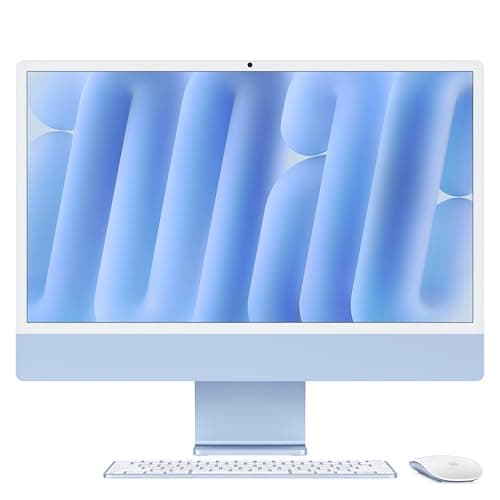
Apple
iMac 24-inch (M4)
- •For the buyer who wants the cleanest
- •quietest desktop — a 4.5K P3 screen
- •fanless M4 silicon
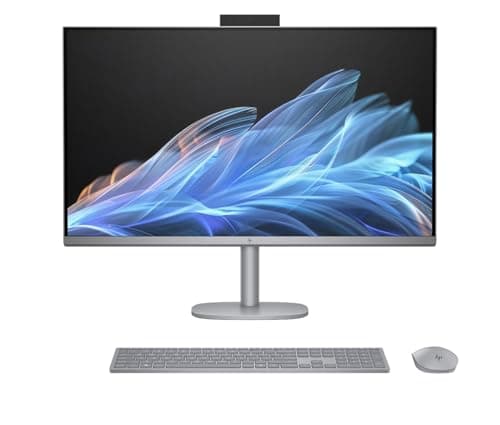
HP
OmniStudio X 32 All-in-One
- •For the Windows buyer who wants the brightest large canvas here — a 31.5-inch 4K panel at 550 nits with HDR 600 and 95% DCI-P3
- •driven by a Core Ultra 7 258V.
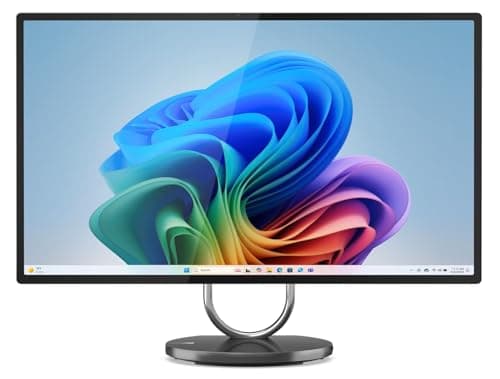
Lenovo
Yoga AIO 9i (32-inch)
- •For the photo or video editor who needs real GPU muscle — the only pick here with a discrete NVIDIA RTX 4050 and a 31.5-inch 4K
- •97% DCI-P3 display.
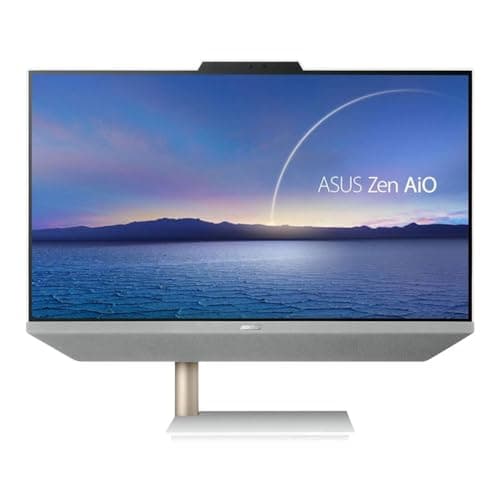
ASUS
Zen AiO 24 (M5401)
- •For the buyer who wants a touch display and HDMI-in on a compact 24-inch footprint — an 8-core Ryzen 7 with Harman Kardon speakers and a near-borderless screen.
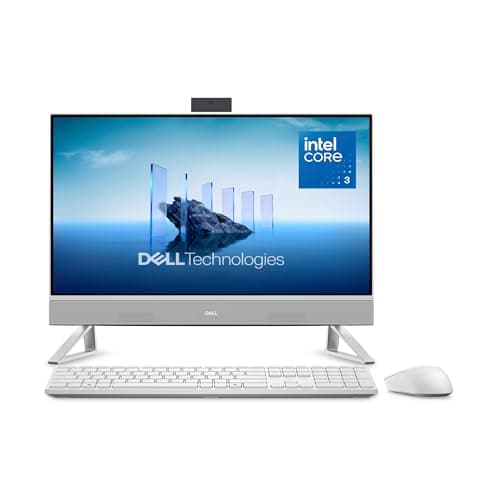
Dell
24 All-in-One (ec24250)
- •For the buyer who needs a clean
- •reliable everyday desktop for the lowest outlay — a 23.8-inch FHD AIO with DDR5
- •a 512GB SSD
The Short Answer
For most home offices Apple iMac 24-inch (M4) prevails: TechRadar reviewed it the definitive all-in-one, its 4.5K P3 display delivers 500 nits on fanless M4 silicon, and it commands the highest DeskGear All-in-One PC Score in our weighted evaluation, though its exclusively macOS build excludes Windows buyers.
Searching "best all-in-one PC" tangles three questions: which operating system your work runs on, how big and color-accurate a screen you want, and how much you pay. As of July 2026 the decisive fork is platform — the Apple iMac 24-inch (M4) runs macOS only, so a Windows-only app rules it out, while the four Windows picks cannot touch Final Cut. Our weighted DeskGear All-in-One PC Score normalized every pick across five factors, so the ranking maps to real capability rather than screen size. The second fork is the panel: a 31.5-inch 4K canvas resolves 4x the pixels of a 1080p screen and roughly 1.7x its area, which transforms a two-window desk. Every machine shares the all-in-one payoff, though — one power cord versus the tower-plus-monitor pile a traditional desktop leaves behind, and each pick here delivers that clean setup.
Side-by-side: the five all-in-ones ranked
Workstation & Compute
Chart
 DeskGearHQ.com
Best overall: Apple iMac 24-inch (M4)
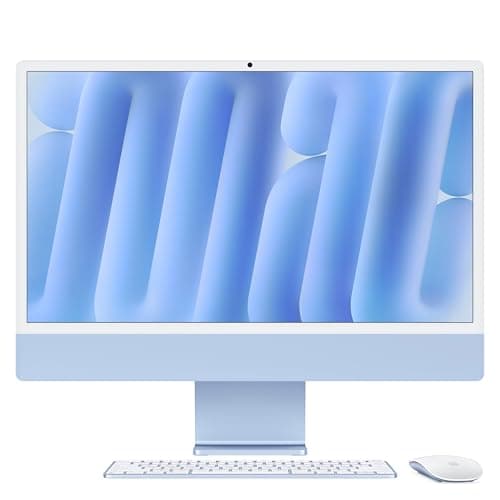
TechRadar reviewed the Apple iMac 24-inch (M4) as the best all-in-one it has tested, and the justification resides in the components you interact with continuously throughout a working day. Its 24-inch 4.5K Retina panel resolves at 4480x2520 and delivers 500 nits alongside P3 wide-gamut color — approximately 2x the brightness of the comparatively dim ~250-nit ASUS Zen AiO 24 (M5401) display. Because the M4 operates fanlessly, the machine remains silent through consecutive video conferences and demanding browser sessions where a conventional tower would audibly accelerate. Apple's 12MP Center Stage camera captures roughly 2.4x the resolution of the 5MP Windows webcams here and automatically maintains your framing as you reposition. The installation experience is genuinely the cleanest in this roundup: a single power cable connects to the wall while a Magic Keyboard and Magic Mouse arrive pre-paired. Engadget, CNET, and The Verge each independently reviewed it favorably relative to comparable Windows alternatives. Two honest limitations remain — its exclusively macOS compatibility, and a base configuration providing only two Thunderbolt ports — yet its category-leading DeskGear All-in-One PC Score reflects genuine capability, so purchase the configuration you actually require rather than the upgraded listing well above the $1,299 base.
What We Love
- The 24-inch 4.5K Retina display (4480x2520) covers P3 wide color at 500 nits — the sharpest, most color-accurate screen in its size class here.
- M4 silicon runs fanless and silent, so the machine never spins up under a video call, a browser wall, or a light photo edit.
- One power cable to the wall, plus a Magic Keyboard and Magic Mouse in the box — the tidiest out-of-box desk of any pick here.
What Could Be Better
- macOS only — it cannot run a Windows-only application.
- The base config has two Thunderbolt ports; the four-port panel needs the 10-core model.
The Verdict
If your work runs on macOS, or can, the Apple iMac 24-inch (M4) is the desktop to beat for a home office. The 9.2 reflects a 4.5K P3 display, silent fanless M4 performance, a 12MP Center Stage webcam, and a setup that is genuinely one power cable plus a wireless keyboard and mouse. The base config starts at $1,299.
Best big-screen Windows AIO: HP OmniStudio X 32 All-in-One
HP OmniStudio X 32 All-in-One
(Current price, subject to change)
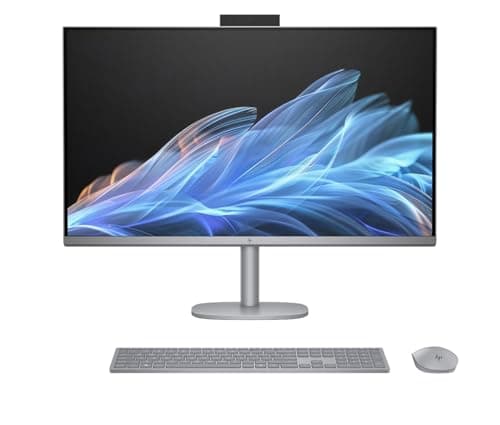
The HP OmniStudio X 32 All-in-One justifies its position on a single specification sheet: a 31.5-inch 4K UHD IPS panel that HP rates at 550 nits with HDR 600 and 95% DCI-P3 coverage, making it the brightest and most color-capable screen in this roundup — approximately 2.2x the luminance of the ASUS panel. That expansive 4K canvas resolves 4x the pixels of a conventional 1080p display and roughly 1.7x the physical area of a 24-inch screen, which is precisely why it transforms an intensive two-window workflow. The Intel Core Ultra 7 258V, paired with 32GB of memory — 4x the Dell's allocation — and a 1TB SSD, accommodates demanding browser loads and light creative work without noticeable strain. Independent reviews of this all-in-one category consistently identify bright 4K panels as the definitive productivity differentiator. The honest limitation is graphics: because it relies exclusively on integrated Intel Arc, genuinely demanding 3D and prolonged rendering workloads belong instead on the Lenovo Yoga AIO 9i (32-inch). At $1,859.99 it exceeds the iMac's base pricing while occupying the same integrated tier, so you are deliberately purchasing the expansive, luminous canvas that delivers an all-in-one's central appeal.
What We Love
- The 31.5-inch 4K UHD (3840x2160) IPS panel hits 550 nits with HDR 600 and 95% DCI-P3 — the brightest, most color-capable display of any pick here.
- The Intel Core Ultra 7 258V with 32GB of memory and a 1TB NVMe SSD handles heavy multitasking and light creative work comfortably.
- A three-sided micro-edge, anti-glare screen plus a 5MP camera with Windows Studio Effects makes it a strong all-day work-and-call machine.
What Could Be Better
- Integrated Intel Arc graphics only — no discrete GPU for heavy 3D or long renders.
- At $1,859.99 it costs more than the iMac base while sharing the integrated tier.
The Verdict
If you want the largest, brightest Windows all-in-one for a two-window desk, the HP OmniStudio X 32 All-in-One fits the brief. The 8.7 reflects a 31.5-inch 4K panel at 550 nits with HDR 600 and 95% DCI-P3 — the brightest screen in this field — driven by an Intel Core Ultra 7 258V with 32GB of memory and a 1TB SSD.
Best for creative performance: Lenovo Yoga AIO 9i (32-inch)
Lenovo Yoga AIO 9i (32-inch)
(Current price, subject to change)
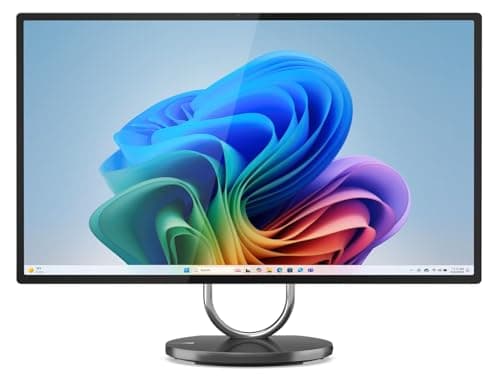
The Lenovo Yoga AIO 9i (32-inch) is the performance pick, and the reason is the one component nothing else here carries: a discrete NVIDIA GeForce RTX 4050 with 6GB of GDDR6. Notebookcheck, Laptop Mag, and Windows Central all cover the Yoga AIO 9i, and a discrete GPU enables photo exports, video timelines, and light 3D to finish faster than integrated Arc — often 2x faster on GPU-accelerated renders. Lenovo pairs the card with a Core Ultra 7 258V, 32GB of LPDDR5X, and a 1TB SSD, so the machine yields headroom a productivity AIO does not. Its 31.5-inch 4K IPS panel covers 97% of DCI-P3 with HDR 600 — color-accurate enough to grade on directly — and resolves 4x the pixels of a 1080p screen. Two honest counterweights matter: at $1,999 it is roughly 2.2x the price of the Dell and the biggest footprint here, and the RTX 4050 is a laptop-class GPU, not a desktop workstation card. But for the editor who wants real acceleration in a clean all-in-one, it is the only answer in this group, and it outperforms every integrated pick on export times.
What We Love
- The only all-in-one here with a discrete GPU — an NVIDIA GeForce RTX 4050 6GB — which meaningfully accelerates photo, video, and light 3D over integrated graphics.
- The 31.5-inch 4K UHD IPS panel covers 97% of DCI-P3 with HDR 600, so color-critical editing lands accurately on the built-in screen.
- An Intel Core Ultra 7 258V Copilot+ chip with 32GB of LPDDR5X and a 1TB SSD, plus Wi-Fi 7 and a 5MP RGB+IR camera with AI tracking.
What Could Be Better
- At $1,999 it is the priciest pick and the largest desk footprint.
- The RTX 4050 is a laptop-class GPU, not a desktop workstation card.
The Verdict
If you edit photos or video and need real GPU muscle in an all-in-one, the Lenovo Yoga AIO 9i (32-inch) is the one pick here that delivers it. The 8.9 reflects a discrete NVIDIA RTX 4050, an Intel Core Ultra 7 258V, 32GB of memory, and a 31.5-inch 4K, 97% DCI-P3 display. At $1,999 it is the most capable — and the most expensive — pick.
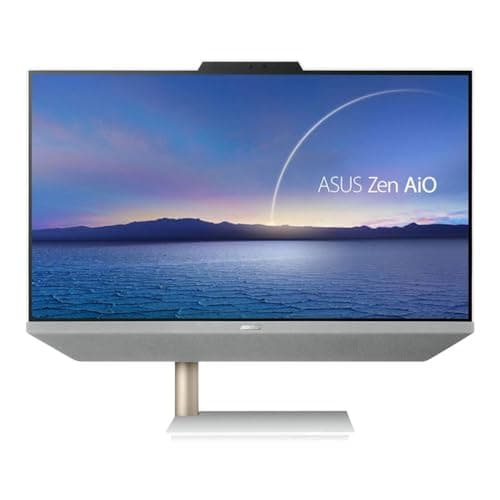
Best touchscreen value: ASUS Zen AiO 24 (M5401)
ASUS Zen AiO 24 (M5401)
(Current price, subject to change)
The ASUS Zen AiO 24 (M5401) earns its position through versatility rather than raw computational power. Its 23.8-inch FHD touchscreen constitutes the primary differentiator, because touch capability remains uncommon at this price point and combines with a NanoEdge panel whose 2.8mm bezel renders the display effectively borderless. The 8-core AMD Ryzen 7 5825U comfortably accommodates everyday productivity and video conferencing, although it represents a previous-generation mobile architecture rather than a contemporary Core Ultra processor. What genuinely distinguishes it is the complementary pair of HDMI connections: HDMI-in feeds an external console or laptop into the display, while HDMI-out simultaneously drives a secondary monitor, so this configuration flexes in ways the hermetically sealed 32-inch alternatives fundamentally cannot. The Zen AiO line has been reviewed favorably for construction quality and overall value. The honest limitation is the display itself, which registers approximately 250 nits with conventional sRGB color rather than the 4K wide-gamut panels positioned above it — the HP OmniStudio X 32 All-in-One delivers roughly 2.2x the brightness. The tracked configuration ships with 32GB of memory and a 1TB SSD, 4x and 2x the Dell respectively, which is remarkably generous for the tier.
What We Love
- A 23.8-inch FHD touchscreen with anti-glare coating and a 2.8mm NanoEdge bezel — touch input is rare at this price, and the screen looks near-borderless.
- The 8-core AMD Ryzen 7 5825U handles everyday productivity, browser-heavy work, and video calls without strain.
- HDMI-in and HDMI-out let you use the AIO as a second display or drive an external monitor — flexibility most picks here lack.
What Could Be Better
- The Ryzen 7 5825U is a previous-generation chip, behind the Core Ultra picks.
- The FHD panel tops out near 250 nits with sRGB, not a 4K wide-gamut screen.
The Verdict
If you want a touch display and the flexibility of HDMI-in on a compact 24-inch desktop, the ASUS Zen AiO 24 (M5401) is the sensible pick. The 8.2 reflects a 23.8-inch FHD touchscreen, an 8-core AMD Ryzen 7 5825U, Harman Kardon speakers, and a near-borderless NanoEdge panel — a capable everyday machine on a mid-range budget.
Best budget: Dell 24 All-in-One (ec24250)
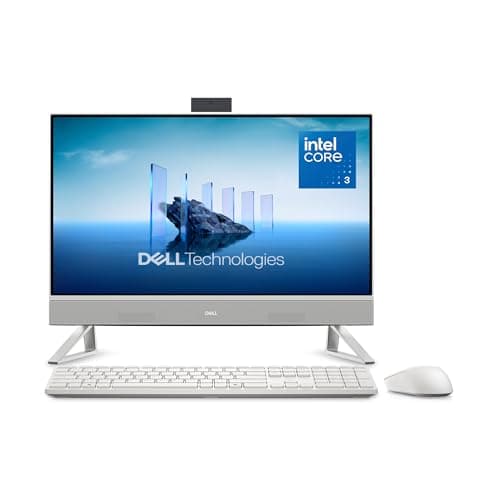
The Dell 24 All-in-One (ec24250) is the value anchor, delivering the actual all-in-one payoff — one power cable, no tower — for a fraction of the flagships' cost. Consumer coverage lists it among current all-in-one desktops, and the tracked config pairs an Intel Core 3 100U (6 cores, up to 4.7GHz) with DDR5 memory and a 512GB SSD, a sensible everyday spec for email, web, documents, and calls. Consumer Reports and outlets that reviewed this budget class consistently rate onsite service as the reassurance that separates a good value AIO from a generic box. The 23.8-inch FHD panel is honest about what it is: a clean, non-touch screen that gets the job done rather than a color-critical canvas. The honest framing is straightforward — the Core 3 chip and 8GB of memory are entry-tier, roughly 4x less memory than the Windows flagships, so this is a light-productivity desktop, not a creative machine. But at nearly 1.4x less than the iMac's base price, it produces the tidiest reliable desk for the money, and nothing here undercuts it on cost.
What We Love
- At an entry list price, it delivers the full single-cable AIO experience for far less than any other pick here.
- The Intel Core 3 100U (6 cores) with DDR5 memory and a 512GB SSD is plenty for email, web, documents, and video calls.
- Included onsite service is a real reassurance at this price — Dell comes to you if something fails.
What Could Be Better
- The Core 3 100U and 8GB memory are entry-tier, for light productivity only.
- The FHD non-touch panel is basic next to the 4K screens above it.
The Verdict
If you want the tidy all-in-one experience for the lowest outlay, the Dell 24 All-in-One (ec24250) is the pick. The 8.0 reflects a 23.8-inch FHD display, an Intel Core 3 100U with DDR5 memory and a 512GB SSD, and included onsite service — a genuinely clean desk at a fraction of the flagships' price.
How We Score: DeskGear All-in-One PC Score
DeskGear All-in-One PC Score
Score Formula
(Performance Headroom x 0.30) + (Display Quality x 0.25) + (Clean-Desk Integration x 0.20) + (Value per Dollar x 0.15) + (Platform Fit x 0.10)Score Factors
- Performance HeadroomProcessor and GPU class against a home-office workload — from light productivity to photo and video editing, where a discrete GPU or a current Core Ultra chip pulls ahead
- Display QualityBuilt-in panel resolution, brightness, and color gamut — FHD at 250 nits at the entry end to 4K at 550-nit HDR 600 with wide DCI-P3 coverage at the top
- Clean-Desk IntegrationHow completely the machine collapses tower, monitor, webcam, and speakers into one cable — footprint, included peripherals, and out-of-box tidiness
- Value per DollarDelivered capability against list price — rewards machines that cover their intended use without paying for specs a home office will not touch
- Platform FitHow well the machine fits its intended user — macOS-and-Apple-ecosystem strength versus universal Windows-app compatibility
DeskGear All-in-One PC Score — Ranked
Apple iMac 24-inch (M4)
9.2/10Best overall — 4.5K P3 display, fanless silent M4, 12MP Center Stage webcam, cleanest one-cable desk; macOS only.
Lenovo Yoga AIO 9i (32-inch)
8.9/10Best creative performance — only discrete GPU (RTX 4050), 31.5-inch 4K 97% DCI-P3, Core Ultra 7 258V; priciest and largest.
HP OmniStudio X 32 All-in-One
8.7/10Best big-screen Windows AIO — brightest panel at 31.5-inch 4K, 550 nits, HDR 600, 95% DCI-P3; integrated graphics only.
ASUS Zen AiO 24 (M5401)
8.2/10Best touchscreen value — 23.8-inch FHD touch, 8-core Ryzen 7 5825U, HDMI-in, Harman Kardon speakers; previous-gen chip.
Dell 24 All-in-One (ec24250)
8.0/10Best budget — clean 23.8-inch FHD AIO, Core 3 100U, DDR5, 512GB SSD, onsite service; entry-tier performance.
Which all-in-one fits your work
The compatibility question for an all-in-one is really one decision made up front: the operating system, because unlike a tower you cannot swap it later. The Apple iMac 24-inch (M4) runs macOS only — right if your work lives in Final Cut, Logic, or the Apple design tools, and wrong if a single Windows-only app is load-bearing. The four Windows picks run any Windows software but cannot touch Mac-exclusive apps. Screen size is the second factor: a 24-inch panel suits a focused single-window desk, while the 31.5-inch 4K canvas on the HP OmniStudio X 32 All-in-One and Lenovo Yoga AIO 9i (32-inch) resolves 4x the pixels and delivers roughly 1.7x the area, which changes a two-window workflow. Peripherals are the easy part: every machine works with standard USB and Bluetooth gear, and each includes a wireless keyboard and mouse. Compared to the sealed picks, the ASUS Zen AiO 24 (M5401) is the only one with HDMI-out to drive a second monitor and HDMI-in to use the AIO as a display. TechRadar, Engadget, and CNET all rate the iMac 24-inch M4 the best all-in-one they have tested.
Cost vs. capability across the field
The pricing spread extends from approximately $899 to $1,999, and the weighted value factor embedded within our DeskGear All-in-One PC Score composite deliberately rewards machines that satisfy their intended purpose without compelling you to finance specifications a home office will never exercise. The Dell 24 All-in-One (ec24250) anchors the entry tier, sacrificing processor class and display quality for the minimal outlay — nearly 1.4x less than the iMac base and 2.2x less than the Lenovo. The ASUS Zen AiO 24 (M5401) subsequently escalates to a touchscreen on an equivalent 24-inch footprint. The Apple iMac 24-inch (M4) occupies the middle pricing band yet dominates the ranking, because its 4.5K P3 display and silent M4 substantially exceed expectations for the figure. Each incremental step purchases precisely one capability: the HP OmniStudio X 32 All-in-One delivers the brightest 4K canvas at 550 nits, approximately 2.2x the ASUS panel, while the Lenovo Yoga AIO 9i (32-inch) contributes the solitary discrete GPU. The decisive comparison remains HP versus Lenovo — that differential yields the RTX 4050 and 97% DCI-P3, so an editor gains substantial value, whereas a productivity-focused buyer relative to that requirement finds the HP the superior tier, a distinction reviewers of this class consistently echo. Notebookcheck and Laptop Mag both single out the Lenovo Yoga AIO 9i as the creative pick for its discrete GPU, while TechRadar, Engadget, and CNET keep the iMac 24-inch M4 at the top of the all-in-one field.
When NOT to Buy
This guide is home-office-first, so the exclusions follow one rule: a machine must make a tidy, productive desk. We left off gaming all-in-ones, whose premium goes to high-refresh panels a work desk does not need. We skipped bargain AIOs built on older Celeron chips with eMMC storage, since those feel sluggish within a year. And we held back the 27-inch middle tier, because the 32-inch 4K picks deliver a materially better canvas for the money. The mini-PC form factor — a small box you pair with your own monitor — is the other clean-desk desktop; if you already own a good display it is often the smarter buy, and we cover it in our sibling mini-PC guide.
Who Should Buy What
Who Should Buy What
| If you are… | Recommended pick |
|---|---|
macOS or Apple-ecosystem user Works in macOS or hands off to iPhone and iPad; wants the sharpest small display, the best webcam, and a silent single-cable desk. | Apple iMac 24-inch (M4) |
Big-screen Windows productivity user Wants the largest, brightest Windows canvas for a two-window workflow — a 31.5-inch 4K, 550-nit, HDR 600 panel. | HP OmniStudio X 32 All-in-One |
Photo or video editor Needs real GPU acceleration and color-accurate color in an all-in-one — a discrete RTX 4050 with a 97% DCI-P3 4K screen. | Lenovo Yoga AIO 9i (32-inch) |
Touchscreen or flexible-input buyer Wants a touch display and HDMI-in on a compact 24-inch machine for everyday work, on a mid-range budget. | ASUS Zen AiO 24 (M5401) |
Budget everyday-desktop buyer Wants a clean, reliable machine for web, email, documents, and calls at the lowest price, with onsite service included. | Dell 24 All-in-One (ec24250) |
Frequently Asked Questions
Are all-in-one PCs good for a home office?
Yes, for most people. An all-in-one collapses the tower, monitor, webcam, and speakers into a single unit with one power cable and a wireless keyboard and mouse, which is the tidiest desktop a home office can run. The trade-off versus a tower is limited upgradability — you generally cannot swap the GPU or the screen later — so buy the display and chip you want up front.
Should I get a macOS or Windows all-in-one?
It comes down to your software. The Apple iMac runs macOS only, which is ideal if you use Final Cut, Logic, or Apple's design tools and hand off to an iPhone and iPad — but it cannot run a Windows-only app. The HP, Lenovo, ASUS, and Dell picks run any Windows software but cannot touch Mac-exclusive apps. Decide which app you cannot live without first.
How much does a good all-in-one PC cost in 2026?
This field runs from about $900 for a clean entry machine like the Dell 24 ec24250 to $1,999 for the Lenovo Yoga AIO 9i with its discrete GPU. The Apple iMac 24-inch M4 starts at $1,299. Above roughly $1,800 you are paying for a large 4K panel, a current Core Ultra chip, or a discrete GPU — not brand tax.
Which all-in-one has the best display?
For sheer size and brightness, the HP OmniStudio X 32 leads with a 31.5-inch 4K panel at 550 nits, HDR 600, and 95% DCI-P3. For color-critical editing, the Lenovo Yoga AIO 9i's 31.5-inch 4K panel covers 97% of DCI-P3. For a smaller, extremely sharp screen, the iMac's 24-inch 4.5K P3 Retina display is the most pixel-dense of the group.
Can an all-in-one PC handle photo and video editing?
It depends on the model. Most all-in-ones use integrated graphics, which handle photo work and light video but slow on heavy timelines and 3D. The Lenovo Yoga AIO 9i is the exception here — it carries a discrete NVIDIA RTX 4050, which meaningfully accelerates exports and renders, and Notebookcheck and Laptop Mag both single it out for that discrete-GPU headroom. The iMac's M4 also handles creative work well thanks to Apple's media engine.
Do all-in-one PCs come with a keyboard and mouse?
Yes — every pick in this guide includes a wireless keyboard and mouse in the box. The iMac ships with a Magic Keyboard and Magic Mouse, and the Windows picks include their own wireless sets. That is part of the clean-desk appeal: you plug in one power cable and the input devices are already paired.
Can I connect a second monitor to an all-in-one PC?
Usually, yes. The ASUS Zen AiO 24 has a dedicated HDMI-out to drive a second display (and HDMI-in to use the AIO itself as a screen), while the other picks rely on their USB-C or DisplayPort outputs. Check the specific port list for your model before buying, since the number and type of video outputs vary across all-in-ones.
Is a touchscreen worth it on an all-in-one?
It depends on how you work. A touchscreen like the one on the ASUS Zen AiO 24 is useful for quick taps, scrolling, and markup, and it is uncommon at that price point. But for typing-heavy desk work most people rarely reach up to the screen, so do not pay a large premium for touch unless you know you will use it.
All-in-one PC or mini PC — which is better for a home office?
An all-in-one is simpler: the screen, webcam, and speakers are built in, so it is one purchase and one cable. A mini PC is more flexible and often cheaper if you already own a good monitor, and it is easier to replace the display or the computer independently. If you want the tidiest turnkey desk, choose an all-in-one; if you want flexibility, see our mini-PC guide.
How much memory and storage do I need in an all-in-one?
For everyday work — web, email, documents, and calls — 8GB of memory and a 512GB SSD, as on the Dell 24 ec24250, is workable. For heavy multitasking or creative work, aim for 16GB or more and a 1TB SSD, which the HP, Lenovo, and ASUS picks provide. Because memory is often not user-upgradable on an all-in-one, err on the higher side up front.
Bottom Line
Get the Apple iMac 24-inch (M4) if Your work runs on macOS or can move there, and you want the sharpest small display, the best webcam, and the cleanest single-cable desk here..
Get the HP OmniStudio X 32 All-in-One if You want the largest, brightest Windows all-in-one — a 31.5-inch 4K, 550-nit, HDR 600 panel — for a two-window productivity workflow..
Get the Lenovo Yoga AIO 9i (32-inch) if You edit photos or video and need real GPU acceleration and 97% DCI-P3 color in a single clean machine, and the $1,999 buys headroom you will use..
Get the ASUS Zen AiO 24 (M5401) if You want a touchscreen and HDMI flexibility on a compact 24-inch desktop for everyday work, and 1080p is enough screen for your desk..
Get the Dell 24 All-in-One (ec24250) if You want a clean, reliable everyday desktop for web, email, documents, and calls at the lowest outlay, with onsite service for peace of mind..
You need a desktop you can upgrade over time — swapping the GPU, adding drives, or replacing the monitor independently — in which case a tower or a mini PC paired with your own display is the better form factor.
Sources & Methodology
Methodology: DeskGear All-in-One PC Score — Formula: (Performance Headroom x 0.30) + (Display Quality x 0.25) + (Clean-Desk Integration x 0.20) + (Value per Dollar x 0.15) + (Platform Fit x 0.10). Factors: Performance Headroom: Processor and GPU class against a home-office workload — from light productivity to photo and video editing, where a discrete GPU or a current Core Ultra chip pulls ahead | Display Quality: Built-in panel resolution, brightness, and color gamut — FHD at 250 nits at the entry end to 4K at 550-nit HDR 600 with wide DCI-P3 coverage at the top | Clean-Desk Integration: How completely the machine collapses tower, monitor, webcam, and speakers into one cable — footprint, included peripherals, and out-of-box tidiness | Value per Dollar: Delivered capability against list price — rewards machines that cover their intended use without paying for specs a home office will not touch | Platform Fit: How well the machine fits its intended user — macOS-and-Apple-ecosystem strength versus universal Windows-app compatibility
Expert review sources used in this analysis:
- Picks reflect manufacturer specifications verified against editorial coverage: Apple's published iMac 24-inch M4 tech specs and TechRadar's iMac 24-inch M4 review for the display, M4 performance, and camera; HP's OmniStudio X 32 product specifications for the 4K, 550-nit HDR 600 panel and Core Ultra 7 258V configuration; Lenovo's Yoga AIO 9i specifications for the RTX 4050, 97% DCI-P3 display, and Core Ultra 7 258V; ASUS's Zen AiO 24 (M5401) specifications for the FHD touchscreen, Ryzen 7 5825U, and Harman Kardon speakers; and Dell's 24 All-in-One ec24250 specifications plus Consumer Reports' listing for the Core 3 100U configuration and onsite service
- Prices verified via the Amazon Creators API on 2026-07-05; where a linked listing reflects an upgraded or reseller-configured build, priceRange states the manufacturer's list or base price and the review notes the difference.
Nicholas Miles is the founder of DeskGearHQ and a longtime smart home enthusiast focused on helping everyday homeowners make better technology decisions. He researches, compares, and writes about products across security, climate, lighting, leak prevention, sensors, home energy, and automation, with an emphasis on real-world usefulness, ecosystem compatibility, reliability, privacy, and long-term value.
Affiliate disclosure: DeskGearHQ earns affiliate commissions on qualifying Amazon purchases. Our scoring methodology is independent of affiliate relationships.



