Best Home-Office NAS for Creator Backup 2026: 5 Picks
Sort the 'how many bays, how fast a NIC, whose backup software' mess before you spend $284.99 to $719.99 on an empty box. The UGREEN DXP4800 GT is the overall benchmark; if you want the most mature Time Machine and Windows-backup software, read the Synology DS925+ first.
This article contains affiliate links. We may earn a commission at no extra cost to you. Learn more
Featured in this Guide
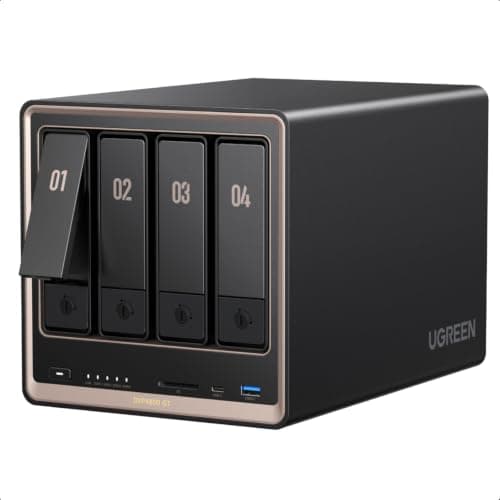
UGREEN
NASync DXP4800 GT
- •For the creator who edits 4K/8K off the NAS — dual 10GbE
- •4 bays
- •2x NVMe/U.2
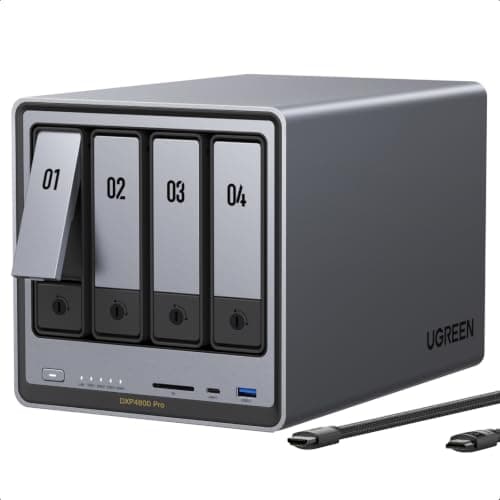
UGREEN
NASync DXP4800 Pro
- •For the power user running Plex transcodes and virtual machines — 6-core Intel Core i3-1315U and a 96GB RAM ceiling
- •$719.99 diskless.
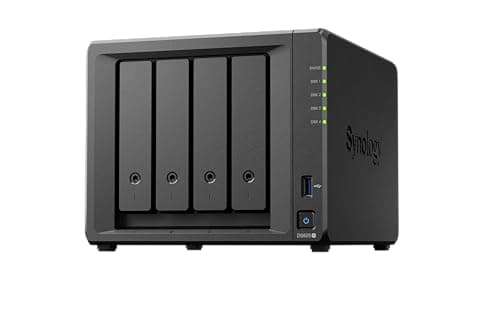
Synology
DiskStation DS925+
- •For the buyer who wants the most mature backup suite — Synology DSM with Active Backup
- •Hyper Backup
- •and native Time Machine
Synology
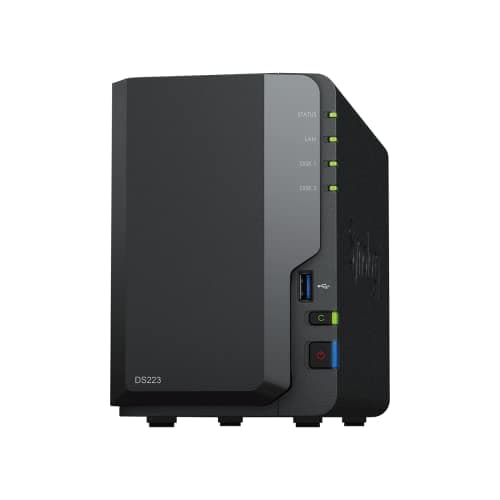
DiskStation DS223
- •For the solo creator who just needs mirrored photo and document backup — full DSM software in a 2-bay box at $284.99.
TerraMaster
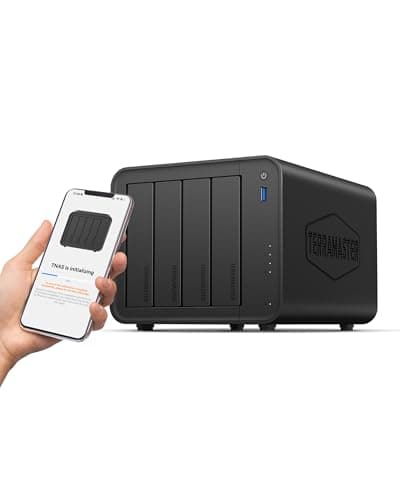
F4-425
- •For the buyer who wants four bays cheaply — tool-free trays
- •2.5GbE
- •and single-stream 4K transcoding at $365.48 diskless.
The Short Answer
For most home offices the UGREEN NASync DXP4800 GT is the recommendation because it pairs dual 10GbE networking with 4 bays, 2x NVMe/U.2 SSD support, and the highest DeskGear Home Office NAS Score in our weighted comparison, although every NAS here ships diskless, so plan on four SATA drives before it stores a file.
Searching "best home-office NAS" tangles three questions: how fast it moves files, how many drives it holds, and whose backup software you live inside. As of July 2026 the listings stay noisy, since a 2-bay entry unit and a 4-bay creator workstation sit side by side, and every one ships diskless. Our weighted DeskGear Home Office NAS Score normalized all five picks so the composite maps to real capability, aggregating TechRadar, NASCompares, and TweakTown coverage against manufacturer specs. Networking is the first fork, because the Synology DS223's gigabit port caps near 110MB/s while the UGREEN DXP4800 GT's dual 10GbE moves roughly 10x that — 2.5GbE, the middle tier, still delivers 2.5x gigabit. Then come bays, where two drives buy a mirror and four buy RAID with a parity cushion, and finally software, where this guide weighs the mature Synology DSM against the younger UGOS Pro and TOS.
Side-by-side: the five home-office NAS ranked
Input & Connectivity
Chart
 DeskGearHQ.com
Best overall: UGREEN NASync DXP4800 GT
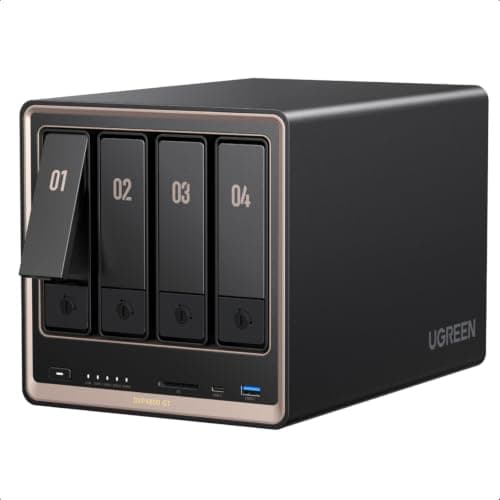
TechRadar and TweakTown both characterize the UGREEN NASync DXP4800 GT as the outstanding value proposition of the 2026 NAS field, because it introduces dual 10GbE networking and U.2 SSD support to a four-bay enclosure that comfortably undercuts Synology and QNAP. AppleInsider described it as the finest price-to-performance NAS of the year, and DongKnows independently corroborated that assessment. The specification sheet substantiates the argument: this is UGREEN's inaugural DXP model built on an AMD Ryzen Embedded R2514 processor, it accommodates 8GB of DDR4 upgradeable to 64GB, and its 4x SATA bays incorporate 2x NVMe positions on bays 1 and 2 that additionally accept high-speed U.2 drives — a performance tier the entry enclosures simply cannot provide. The dual 10GbE networking is the characteristic you experience daily, because it delivers approximately 10x the throughput the gigabit Synology DS223 manages, transforming a lengthy card offload into a live pull. The honest counterweight remains the ecosystem, since UGREEN's UGOS Pro software is younger than Synology DSM, and like every recommendation here it arrives diskless, so four SATA drives constitute a separate expenditure beyond the $589.99 enclosure.
What We Love
- Dual 10GbE ports (up to 20Gbps aggregate) are the fastest networking in this roundup — roughly 10x a gigabit box on a 4K timeline.
- Two NVMe slots plus U.2 SSD support on bays 1 and 2 (PCIe 3.0 x4) is rare below $600 and gives you a genuine fast tier.
- AMD Ryzen Embedded R2514 (4-core/8-thread) with 8GB DDR4 upgradeable to 64GB handles Plex, Docker, and card offload at once.
- A front SD 3.0 card slot and 10Gbps USB-C mean one-touch offload straight from a shoot card with no laptop in the loop.
What Could Be Better
- It ships diskless, so budget for four SATA drives before it stores anything — the real cost is well above the $589.99 sticker.
- Dual 10GbE only pays off with a 10GbE switch, which most home offices don't own yet, so plan that upgrade too.
The Verdict
If you edit photo and video off the NAS and want the fastest box that still undercuts the big names, the UGREEN NASync DXP4800 GT is the pick for that setup. The 9.2 reflects dual 10GbE, 4 bays, 2x NVMe/U.2 SSD support, and an AMD Ryzen chip — all at $589.99 diskless. Buy up to the Pro only if you run heavy transcoding or virtual machines.
Best for heavy transcoding + VMs: UGREEN NASync DXP4800 Pro
UGREEN NASync DXP4800 Pro
(Current price, subject to change)
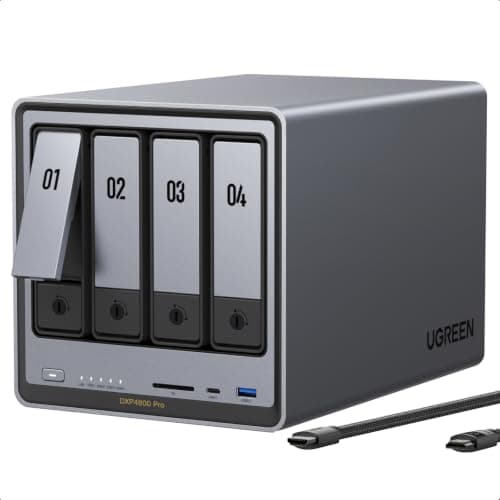
Neowin and NASCompares converge on an identical assessment of the UGREEN NASync DXP4800 Pro: it represents the DXP4800 Plus refined for the most demanding home-office workloads, incorporating a 6-core Intel Core i3-1315U whose Intel QuickSync engine comfortably clears the multi-stream 4K transcoding and virtual-machine duties on which the entry enclosures stall. NASCompares measured the memory ceiling at 96GB — the highest in this comparison — and combined with 8GB of DDR5, 2x M.2 NVMe positions, and a dedicated 128GB system SSD, it isolates the operating system from your data drives across the 4x SATA bays. The networking pairs 10GbE with 2.5GbE, although here resides the honest complication: the more affordable UGREEN NASync DXP4800 GT actually incorporates dual 10GbE, so on raw throughput the flagship trails its own sibling. Where the Pro genuinely justifies its premium is computation rather than the interface, because a QuickSync-equipped Intel processor is the differentiator for anyone simultaneously operating Plex, a Docker stack, and backup. The value factor inside our weighted DeskGear Home Office NAS Score positions its composite marginally beneath the GT, because at $719.99 diskless it demands the largest expenditure before drives.
What We Love
- A 6-core Intel Core i3-1315U with Intel QuickSync handles multi-stream 4K transcoding and virtual machines harder than the AMD GT and the Synology boxes.
- 8GB DDR5 standard with a 96GB ceiling is the highest memory headroom in this roundup — room for many containers at once.
- 10GbE plus 2.5GbE, dual M.2 NVMe slots, and a dedicated 128GB system SSD keep the OS off your data drives.
- It shares the 4-bay chassis and full RAID options of the Plus while adding heavier-workload headroom on top.
What Could Be Better
- At $719.99 diskless it's the highest cost of entry here before you buy a single drive.
- It carries a single 10GbE port rather than the dual 10GbE of the cheaper GT, so peak throughput is actually lower.
The Verdict
If you run multi-stream Plex transcodes or a couple of virtual machines alongside backup, the UGREEN NASync DXP4800 Pro is the sensible pick for that workload. The 9.0 reflects a 6-core Intel Core i3-1315U, a 96GB RAM ceiling, and a 128GB system SSD. On simple file-share duty you'd pay $719.99 for headroom you can't use.
Best backup software: Synology DiskStation DS925+
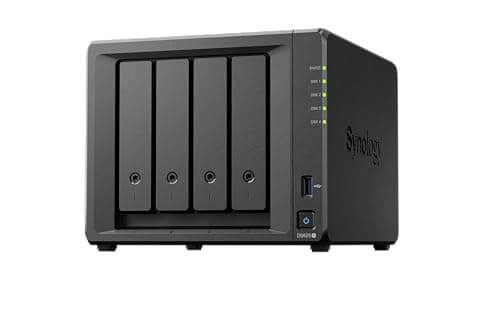
TechRadar invested weeks with the Synology DiskStation DS925+ and characterized it as a solid, dependable four-bay, and NASCompares arrived at the identical measured verdict: the hardware constitutes a modest advancement over the DS923+, yet the DSM software remains the definitive reason to purchase Synology. That software is the genuine moat — Active Backup, Hyper Backup, Snapshot Replication, and native Time Machine consolidate every backup job for a mixed Mac-and-Windows office into one console, which explains why it normalized so favorably on the backup factor inside our weighted DeskGear Home Office NAS Score. The hardware pairs an AMD Ryzen V1500B quad-core with 4GB of DDR4 ECC upgradeable to 32GB, 2x 2.5GbE ports that link-aggregate to 5Gbps, and 2x M.2 NVMe 2280 positions. Two honest limitations deserve visibility: the DS925+ eliminated the PCIe slot the DS923+ provided, foreclosing any 10GbE upgrade, and Tom's Hardware documented Synology's 2025 drive policy, under which M.2 storage pools still mandate compatibility-list drives despite the DSM 7.3 walkback. For a buyer prioritizing software over throughput, versus the faster UGREEN enclosures at $589.99, the DS925+ delivers the calmest daily backup experience available here.
What We Love
- Synology DSM is the most complete backup platform in this roundup — Active Backup for Business, Hyper Backup, Snapshot Replication, and native Time Machine targets.
- Dual 2.5GbE ports support link aggregation for up to 5Gbps of combined throughput to a compatible switch.
- An AMD Ryzen V1500B quad-core plus two M.2 NVMe 2280 slots give you cache or a genuine storage pool.
- It expands to nine bays with an optional DX525 unit, so a 4-bay start isn't a dead end.
What Could Be Better
- There's no PCIe slot, so there's no 10GbE upgrade path — a real regression from the DS923+ it replaces.
- Synology's 2025 drive policy still gates M.2 storage pools to its own compatibility-list drives even after the DSM 7.3 walkback.
The Verdict
If the software you live inside matters more than raw speed, the Synology DiskStation DS925+ fits the brief. DSM is the most mature backup suite here — Active Backup, Hyper Backup, Snapshot, and native Time Machine — in a 4-bay box with dual 2.5GbE and two NVMe slots at $695.74. Just know the dropped PCIe slot closes the 10GbE door.
Best value / simplest: Synology DiskStation DS223
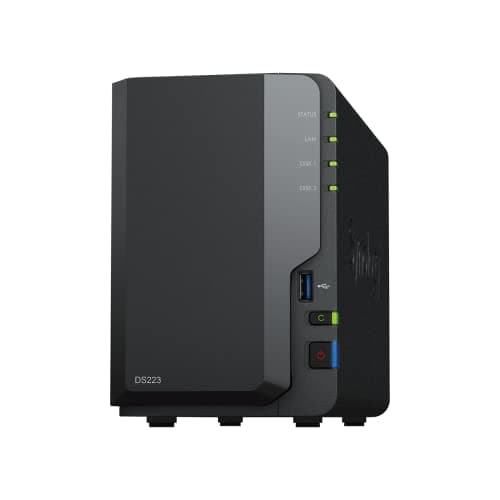
TechRadar and Android Central both characterize the Synology DiskStation DS223 as an unbeatable entry value, and the reasoning is that it refuses to compromise the component that matters most for backup — the software. It runs the identical Synology DSM as the DS925+, so Hyper Backup, Snapshot Replication, and native Time Machine are all present, which means a first NAS here isn't a diminished experience. The hardware is honestly entry-level: a Realtek RTD1619B quad-core operating at 1.7GHz with a hardware encryption engine, 2GB of soldered DDR4, two bays, 3x USB 3.2 Gen 1 ports, and a single gigabit Ethernet port. That gigabit interface is the ceiling to anticipate, because it caps near 110MB/s — adequate for documents and photographs, restrictive for a 4K timeline, and roughly 10x slower than the UGREEN DXP4800 GT's dual 10GbE. What you receive for $284.99 is a resilient mirror and a genuinely quiet enclosure that consumes only about 17.3W. Against the four-bay alternatives, versus paying for capacity and throughput you may never exercise, the DS223 represents the intelligent foundation for a solo creator who primarily needs their work backed up and off their laptop.
What We Love
- It runs the full Synology DSM suite — Hyper Backup, Snapshot, and native Time Machine — the same tools as boxes costing twice as much.
- A Realtek RTD1619B quad-core with a hardware encryption engine keeps AES-NI transfers quick despite the entry price.
- Two bays in an SHR or RAID 1 mirror give simple, resilient photo and document backup for a solo desk.
- It draws just ~17.3W in operation and adds three USB 3.2 Gen 1 ports for external-drive copies.
What Could Be Better
- A single gigabit Ethernet port is the slowest networking here — a real ceiling once you pull large video files.
- The 2GB DDR4 is soldered and non-upgradeable, and there are no NVMe slots, so it won't grow into heavier work.
The Verdict
If you're a solo creator who wants mirrored, resilient backup without overspending, the Synology DiskStation DS223 lines up with what you actually need. At $284.99 it runs the same Synology DSM software as the pricier boxes, sips ~17.3W, and a two-drive mirror is a two-click setup. Step up only if gigabit networking or two bays becomes a real ceiling.
Best budget 4-bay: TerraMaster F4-425
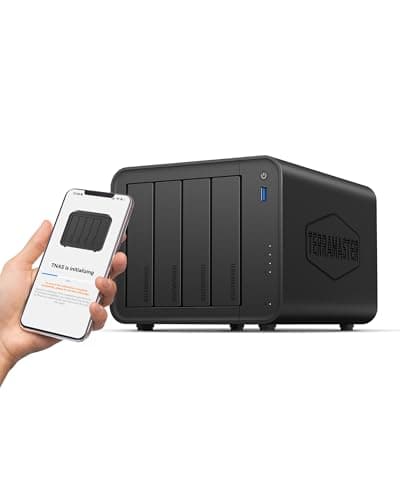
NASCompares frames the TerraMaster F4-425 accurately: it constitutes the lower-cost entry into TerraMaster's Intel lineup, positioned beneath the pricier F4-425 Plus, and it deserves evaluation by what it accomplishes economically rather than by flagship capabilities. What it accomplishes admirably is situating four bays and RAID within reach at $365.48 diskless — the most affordable four-drive enclosure here — courtesy of an Intel Celeron N5095 quad-core that manages single-stream 4K transcoding alongside AES-NI encryption. The tool-free Push-Lock trays expedite the initial installation across all 4x SATA bays, and 4GB of DDR4 upgrades to 16GB as your container workload expands. The honesty must be conspicuous, because NASCompares identifies two genuine deficiencies: networking comprises a solitary 2.5GbE port with neither a second interface nor an upgrade path, which becomes the bottleneck once a four-drive array generates more aggregate read speed than one link can accommodate, and no M.2 NVMe positions exist whatsoever, so unlike the UGREEN enclosures no caching tier is available. TerraMaster's TOS functions capably but trails Synology DSM for backup automation, so compared to spending upward for NVMe, the F4-425 delivers the four-drive foundation and little you will never exploit.
What We Love
- Four bays at the lowest per-bay entry price in this field — the cheapest honest route onto 4-drive RAID for a file hub.
- An Intel Celeron N5095 quad-core handles single-stream 4K transcoding with AES-NI hardware encryption.
- Tool-free Push-Lock trays make first install and later drive swaps genuinely quick.
- 4GB DDR4 is upgradeable to 16GB, so there's headroom as containers and users grow.
What Could Be Better
- A single 2.5GbE port with no second NIC and no upgrade path becomes a bottleneck once a four-drive array is busy.
- There are no M.2 NVMe slots at all, so there's no SSD caching and no fast tier — every transfer rides the SATA drives.
The Verdict
If you want four bays and RAID on the smallest budget, the TerraMaster F4-425 is the pick for that setup. At $365.48 diskless it's the cheapest four-bay here, with tool-free trays, a 2.5GbE port, and single-stream 4K transcoding. Skip it if you need NVMe caching or the polish of Synology DSM.
How We Score: DeskGear Home Office NAS Score
DeskGear Home Office NAS Score
Score Formula
(Backup & Data Protection x 0.25) + (Network Throughput x 0.25) + (Performance Headroom x 0.20) + (Expandability x 0.15) + (Value per Dollar x 0.15)Score Factors
- Backup & Data ProtectionDepth of the backup software: RAID and SHR options, snapshots, Time Machine and Windows targets, and remote-access tooling
- Network ThroughputNIC speed and count — gigabit (~110MB/s) to dual 10GbE (up to 20Gbps aggregate) — the real ceiling on file moves
- Performance HeadroomCPU cores, installed and maximum RAM, and transcoding and virtual-machine capability under mixed load
- ExpandabilityBay count, NVMe or U.2 slots for cache or a fast tier, RAM ceiling, and optional expansion units
- Value per DollarDelivered capability against the diskless Amazon price — rewards boxes that cover the essentials without flagship-only extras
DeskGear Home Office NAS Score — Ranked
UGREEN NASync DXP4800 GT
9.2/10Best overall — dual 10GbE, 4-bay, 2x NVMe/U.2, AMD Ryzen, $589.99 diskless.
UGREEN NASync DXP4800 Pro
9.0/10Best for transcoding and VMs — 6-core Intel Core i3-1315U, 96GB RAM ceiling, 10GbE + 2.5GbE.
Synology DiskStation DS925+
8.7/10Best backup software — mature DSM, dual 2.5GbE, 2x NVMe, no 10GbE path, $695.74.
TerraMaster F4-425
8.1/10Best budget 4-bay — cheapest four-drive RAID, 2.5GbE, no NVMe, $365.48.
Synology DiskStation DS223
8.0/10Best value — full DSM in a 2-bay, gigabit only, ~17.3W, $284.99.
What you actually need to run one
The single fact that reshapes this whole decision: every NAS here ships diskless, so the sticker price is a floor, not the total. A 4-bay box like the UGREEN DXP4800 GT or TerraMaster F4-425 wants four 3.5-inch SATA drives, and a resilient RAID 5 or SHR array of 4x 8TB drives adds a few hundred dollars on top of the enclosure — budget for that before you compare $589.99 against $365.48. Networking is the second gate, because a NIC is only as useful as the switch behind it: the Synology DS925+'s dual 2.5GbE (2.5x gigabit) and the UGREEN GT's dual 10GbE (10x gigabit) need a matching switch to hit full speed, and plugging a 10GbE box into a gigabit router quietly caps it near 110MB/s. On the client side all five run native Time Machine for Macs and standard Windows backup and SMB shares, so a mixed office is covered; the difference is depth, and Synology DSM's Active Backup and Hyper Backup are the most complete here while UGREEN's UGOS Pro and TerraMaster's TOS are younger. One Synology-specific caveat: the 2025 Plus-series drive policy, which Tom's Hardware covered in detail, means the DS925+ prefers Synology's compatibility-list drives, and while DSM 7.3 restored third-party HDD initialization, M.2 storage pools still require validated drives. Remote access is built in everywhere — Synology QuickConnect and UGREEN's and TerraMaster's own relay services all reach the box from outside without manual port forwarding.
Cost vs. capability across the field
The price spread across this field corresponds to genuine capability rather than brand markup, which is precisely why the weighted value factor inside our composite rewards enclosures that cover the essentials without obligating you to purchase capabilities you will never exercise. The Synology DS223 anchors the entry tier at $284.99 as a two-bay enclosure running the complete DSM platform, and for a solo creator who predominantly requires mirrored backup, that represents the sensible foundation. The TerraMaster F4-425 subsequently purchases the transition to four bays and 2.5GbE networking for $365.48, the most economical legitimate route onto four-drive RAID, although it relinquishes NVMe entirely. The UGREEN DXP4800 GT becomes the genuine inflection point at $589.99, because it normalizes to the highest composite in the comparison — incorporating dual 10GbE, U.2 caching, and AMD Ryzen computation — while remaining considerably cheaper than the Synology DS925+. That $695.74 comparison is the decisive consideration: the DS925+ purchases the most mature backup software yet surrenders the 10GbE ceiling the GT clears for less. At the summit, the $719.99 DXP4800 Pro contributes a 6-core Intel Core i3-1315U and a 96GB memory ceiling, genuine headroom for transcoding that nonetheless remains excessive for backup alone.
When NOT to Buy
This guide is home-office-and-creator-first, so the exclusions follow one rule: a box a one-to-five-person office can set up without a rack or an IT team. We left off rackmount and 6-plus-bay Synology and QNAP towers, because they solve a different problem — dozens of users and a wiring closet — and their price and noise don't fit a desk. We skipped pure DAS enclosures too, since they give you capacity but none of the backup software, remote access, or multi-user sharing that make a NAS worth buying. We also held back the newer 5GbE TerraMaster Plus and Pro variants, because the five here already cover the real decision axes — gigabit to dual-10GbE, 2-bay to 4-bay, and the three backup ecosystems you'll actually choose between.
Who Should Buy What
Who Should Buy What
| If you are… | Recommended pick |
|---|---|
4K/8K creator Edits large video off the NAS and wants the fastest networking plus an NVMe cache tier; can add a 10GbE switch. | UGREEN NASync DXP4800 GT |
Plex / VM power user Runs multi-stream transcoding, Docker, or virtual machines alongside backup and needs CPU and RAM headroom for years. | UGREEN NASync DXP4800 Pro |
Mixed Mac + Windows office Wants the deepest backup software — Active Backup, Hyper Backup, native Time Machine — and painless remote access. | Synology DiskStation DS925+ |
Solo creator on a budget One or two people backing up photos, documents, and a Mac; wants mature software at the lowest honest price. | Synology DiskStation DS223 |
Budget four-bay buyer Wants four bays and RAID as cheaply as possible for a file hub; fine with 2.5GbE and no NVMe caching. | TerraMaster F4-425 |
Frequently Asked Questions
Do these NAS come with hard drives, or do I buy them separately?
Every pick in this guide ships diskless — the enclosure only. You buy the drives separately, and a resilient four-drive array can add a few hundred dollars on top of the box. Budget for both: a $589.99 enclosure plus four 8TB drives is a very different number from the sticker alone.
How many bays do I need for creator backup?
Two bays give you a mirror (RAID 1 or Synology SHR), which protects your data if one drive fails and suits a solo creator backing up photos and documents. Four bays let you run RAID 5 or SHR with a parity cushion and more total capacity — the better fit if you archive large video libraries or share files across a small team.
Does the UGREEN DXP4800 GT really have dual 10GbE?
Yes. The DXP4800 GT carries two 10GbE ports that support up to 20Gbps aggregate, confirmed by TechRadar, TweakTown, and AppleInsider in their 2026 reviews. It's the fastest networking in this roundup, but you need a 10GbE switch to use it — plugged into a gigabit router it's capped near 110MB/s like any other box.
Can I use a NAS as a Time Machine backup target for my Mac?
Yes. All five picks support native Time Machine backups over the network, so your Mac backs up to the NAS automatically. Synology DSM's implementation is the most mature, but UGREEN's UGOS Pro and TerraMaster's TOS both handle Time Machine plus standard Windows backup, so a mixed Mac-and-Windows office is covered.
What's the real difference between the UGREEN DXP4800 GT and the Pro?
The GT uses an AMD Ryzen chip with dual 10GbE and U.2 SSD support — the faster networking of the two — while the Pro swaps in a 6-core Intel Core i3-1315U with a 96GB RAM ceiling but only a single 10GbE port. The GT wins on throughput and price; the Pro wins on compute for transcoding and virtual machines.
Why can't the Synology DS925+ be upgraded to 10GbE?
The DS925+ dropped the PCIe expansion slot its predecessor the DS923+ had, and NASCompares flags that as a real regression. Without that slot there's no way to add a 10GbE card, so the box tops out at its dual 2.5GbE ports — up to 5Gbps combined with link aggregation, but no path to true 10GbE.
Does the Synology DS925+ only work with Synology-branded drives?
Not entirely, anymore. Tom's Hardware reported that Synology's 2025 Plus-series policy initially blocked third-party HDDs, but DSM 7.3 walked that back and restored third-party HDD initialization. The remaining catch is M.2 storage pools, which still require drives from Synology's official compatibility list.
Is 2.5GbE fast enough, or do I need 10GbE?
For most home offices 2.5GbE is plenty — it's roughly 2.5x gigabit and handles photo libraries, documents, and single 4K streams comfortably. You only need 10GbE if you edit large 4K or 8K video directly off the NAS, where the extra headroom keeps a timeline responsive. Remember either speed needs a matching switch.
What does the DS223 give up compared to the four-bay picks?
The DS223 runs the same full Synology DSM software, so you don't lose backup features. What you give up is hardware headroom: two bays instead of four, a single gigabit port instead of 2.5GbE or 10GbE, 2GB of non-upgradeable RAM, and no NVMe slots. It's the right floor for a solo creator, not a video team.
Which NAS software is easiest for a first-time owner?
Synology DSM is the most beginner-friendly here — its browser wizard walks you through pool creation, and QuickConnect handles remote access with no port forwarding, which is why the DS223 and DS925+ score highest on setup. UGREEN's UGOS Pro and TerraMaster's TOS are both usable but younger, with thinner app ecosystems today.
Bottom Line
Get the UGREEN NASync DXP4800 GT if You edit 4K or 8K off the NAS and want dual 10GbE plus an NVMe fast tier, and you can pair it with a 10GbE switch — all under $600 diskless..
Get the UGREEN NASync DXP4800 Pro if You run multi-stream transcoding, Docker, or virtual machines alongside backup and want the Intel Core i3-1315U and 96GB RAM ceiling to last years..
Get the Synology DiskStation DS925+ if You want the most mature backup software — Active Backup, Hyper Backup, native Time Machine — and 2.5GbE is fast enough for your work..
Get the Synology DiskStation DS223 if You're a solo creator who needs mirrored, resilient backup with the full DSM software at the lowest honest price, and gigabit is fine..
Get the TerraMaster F4-425 if You want four bays and RAID as cheaply as possible for a file hub, 2.5GbE is enough, and you don't need NVMe caching or DSM polish..
You only back up a laptop or two and don't share files: a single external SSD or a cloud-backup subscription is simpler and cheaper than any NAS here.
Sources & Methodology
Methodology: DeskGear Home Office NAS Score — Formula: (Backup & Data Protection x 0.25) + (Network Throughput x 0.25) + (Performance Headroom x 0.20) + (Expandability x 0.15) + (Value per Dollar x 0.15). Factors: Backup & Data Protection: Depth of the backup software: RAID and SHR options, snapshots, Time Machine and Windows targets, and remote-access tooling | Network Throughput: NIC speed and count — gigabit (~110MB/s) to dual 10GbE (up to 20Gbps aggregate) — the real ceiling on file moves | Performance Headroom: CPU cores, installed and maximum RAM, and transcoding and virtual-machine capability under mixed load | Expandability: Bay count, NVMe or U.2 slots for cache or a fast tier, RAM ceiling, and optional expansion units | Value per Dollar: Delivered capability against the diskless Amazon price — rewards boxes that cover the essentials without flagship-only extras
Expert review sources used in this analysis:
- Picks reflect aggregated editorial review and manufacturer spec sheets: TechRadar on the UGREEN DXP4800 GT, DXP4800 Pro, Synology DS925+, and DS223 reviews; NASCompares on the DS925+ dropped PCIe slot, the DXP4800 Pro 96GB ceiling, and the TerraMaster F4-425 networking limits; TweakTown and AppleInsider on the DXP4800 GT's dual 10GbE and AMD Ryzen value; DongKnows and Club386 on the DXP4800 GT; Neowin on the DXP4800 Pro refresh; Android Central on the DS223 value verdict; and Tom's Hardware on Synology's 2025 drive-compatibility policy and the DSM 7.3 walkback
- Every price is the diskless enclosure, verified via the Amazon Creators API as of August 2026 (2026-08-12); drives are sold separately.
Nicholas Miles is the founder of DeskGearHQ and a longtime smart home enthusiast focused on helping everyday homeowners make better technology decisions. He researches, compares, and writes about products across security, climate, lighting, leak prevention, sensors, home energy, and automation, with an emphasis on real-world usefulness, ecosystem compatibility, reliability, privacy, and long-term value.
Affiliate disclosure: DeskGearHQ earns affiliate commissions on qualifying Amazon purchases. Our scoring methodology is independent of affiliate relationships.



