Best Monitor Calibration Colorimeters 2026: 5 Picks Compared
Before you buy a new monitor for color-critical work, calibrate the one already on your desk. The Datacolor SpyderPro is the overall benchmark; if you edit on an OLED or mini-LED panel, the Calibrite Display Pro HL's 3,000-nit sensor is the one to read first.
This article contains affiliate links. We may earn a commission at no extra cost to you. Learn more
Featured in this Guide
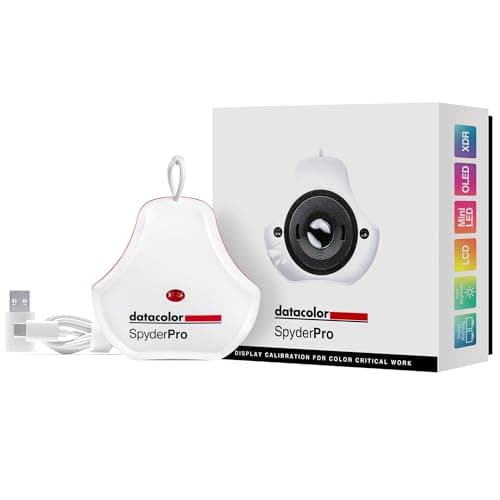
Datacolor
SpyderPro Advanced Colorimeter
- •For the editor who wants one tool for every panel they own — 12,000-nit ceiling
- •90-second calibration
- •3D LUT export
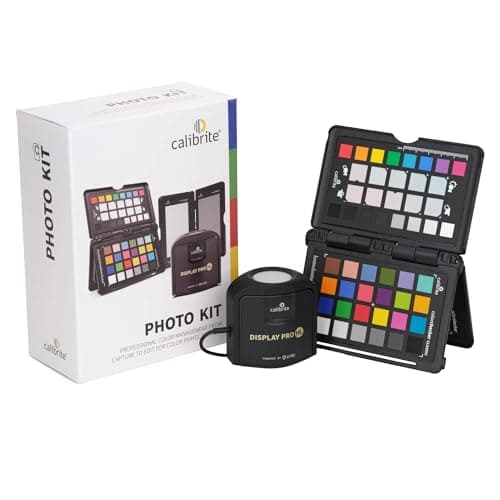
Calibrite
Photo Kit with Display Pro HL Colorimeter
- •For the shooter on a mini-LED or OLED panel who wants camera-to-screen color — a 3,000-nit sensor plus the bundled ColorChecker Passport.
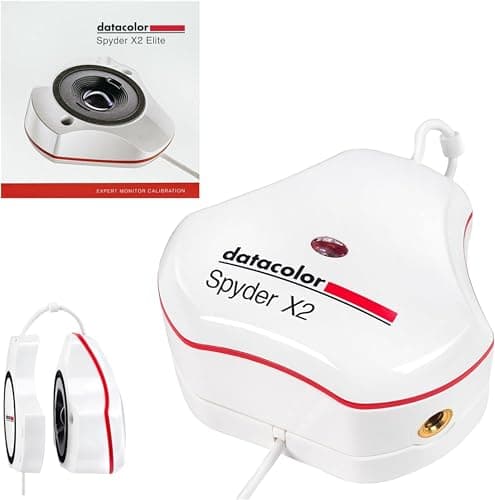
Datacolor
Spyder X2 Elite Colorimeter
- •For the SDR desk that also runs a projector — a 750-nit lens sensor
- •room-light compensation
- •and a software upgrade to the 2,000-nit X2 Ultra.
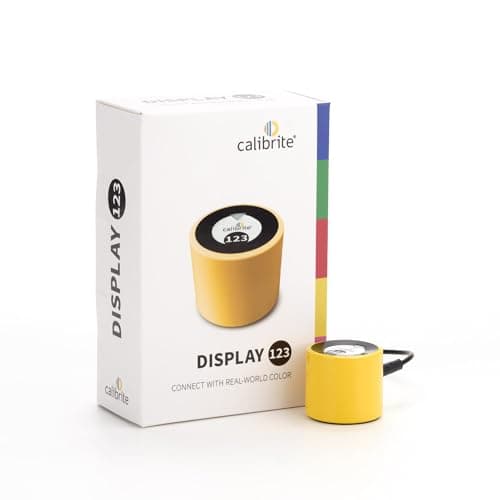
Calibrite
Display 123 Colorimeter
- •For the first-time buyer on an sRGB monitor who wants accurate color for $119 — a three-step 1-2-3 wizard
- •USB-C
- •and a before/after check.
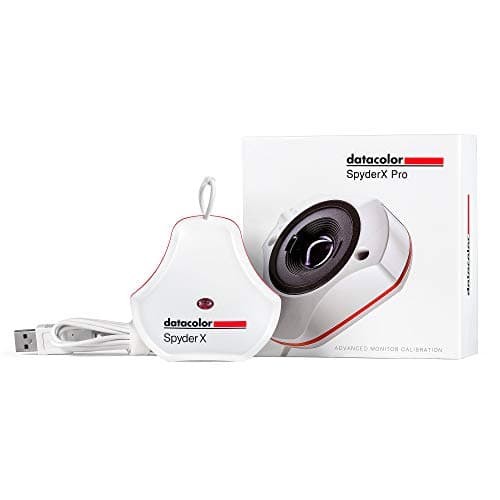
Datacolor
SpyderX Pro Colorimeter
- •For the buyer who wants classic lens-based Datacolor at the lowest list — one-click calibration under 2 min and a 5-setting ambient sensor
- •now superseded.
The Short Answer
For most creators the Datacolor SpyderPro is the pick because its sensor reads up to 12,000 nits — roughly 4x the Calibrite Display Pro HL's 3,000-nit ceiling — and it earns the highest DeskGear Monitor Calibration Score here, though anyone editing purely in sRGB can hit accuracy with the $119 Display 123 instead.
Searching "best monitor calibration colorimeter" tangles three questions together, because you are really asking how bright a panel the sensor can read, whether it profiles your specific technology, and how much of that capability you will ever use. As of July 2026 the listings blur "colorimeter," "calibrator," and "spectrophotometer" while nits ceilings range from about 1,000 to 12,000 across this field. The cleaner question is what you edit on, because a sensor rated for sRGB LCD delivers reference accuracy there yet cannot profile an OLED or Apple XDR panel, whereas a high-luminance sensor covers both and costs roughly 1.7x to 2.5x more. Our weighted DeskGear Monitor Calibration Score normalized every pick across five factors so the composite ranking maps to real capability, and we aggregated coverage from Fstoppers, DigitalCameraWorld, CreativeBloq, Photography Life, and Francesco Gola. Calibrating the display you own fixes color drift before you spend on a new one.
Side-by-side: the five colorimeters ranked
Display & Audio Setup
Chart
 DeskGearHQ.com
Best overall: Datacolor SpyderPro Advanced Colorimeter
Datacolor SpyderPro Advanced Colorimeter
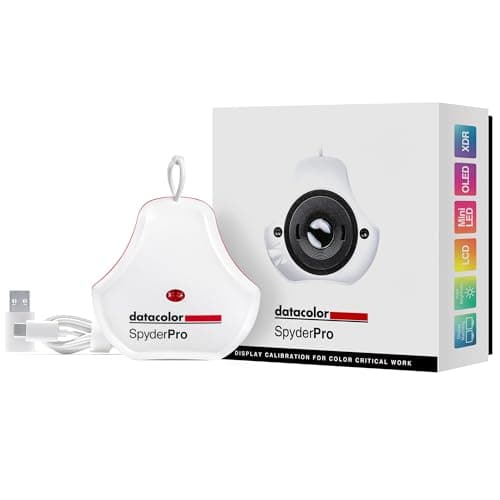
(Current price, subject to change)
Fstoppers and DigitalCameraWorld treat the Datacolor SpyderPro Advanced Colorimeter as Datacolor's current reference, and CreativeBloq's monitor-calibrator roundup covers the same Datacolor Spyder line, while the spec sheet backs it: a lens-based sensor rated to 12,000 nits covers every panel technology this roundup touches, from a standard LCD to Apple's Liquid Retina XDR — roughly 16x the 750-nit ceiling of an SDR-only sensor. The 90-second calibration matters more than it sounds, because a profile you can rerun quickly is a profile you actually keep current as a panel ages. For hybrid creators the 3D LUT export and Device Preview soft-proofing carry the same tool from a stills edit into a color-graded timeline, and StudioMatch aligns a two- or three-monitor desk so your second screen stops lying to you. The honest counterweight is scope: at $199.00 it delivers roughly 12x the luminance headroom of the Calibrite Display 123 Colorimeter, yet an sRGB-only editor never spends that headroom. This is the flagship you buy when you refuse to outgrow the sensor.
What We Love
- Reads up to 12,000 nits — the highest ceiling here, so it profiles mini-LED, OLED, QD-OLED, and Apple XDR panels no lower sensor can touch.
- 90-second guided calibration is fast enough to rerun on schedule instead of skipping it.
- 3D LUT export and Device Preview soft-proofing bridge the same tool across photo and video color workflows.
- StudioMatch and Spyder Tune align brightness and white point across a multi-monitor setup in one pass.
What Could Be Better
- At $199.00 it is still overkill if your editing lives entirely inside sRGB on a single standard LCD.
- The deepest software feature set carries a slightly steeper first-run learning curve than a three-step wizard.
The Verdict
If you want one colorimeter that profiles every panel you are likely to own, the Datacolor SpyderPro Advanced Colorimeter is the pick that never boxes you in. The 9.2 reflects a 12,000-nit ceiling, 90-second calibration, 3D LUT export for video, and StudioMatch to align a multi-monitor desk. If you only edit sRGB stills, it is more sensor than you need.
Best for HDR, OLED & camera work: Calibrite Photo Kit with Display Pro HL Colorimeter
Calibrite Photo Kit with Display Pro HL Colorimeter
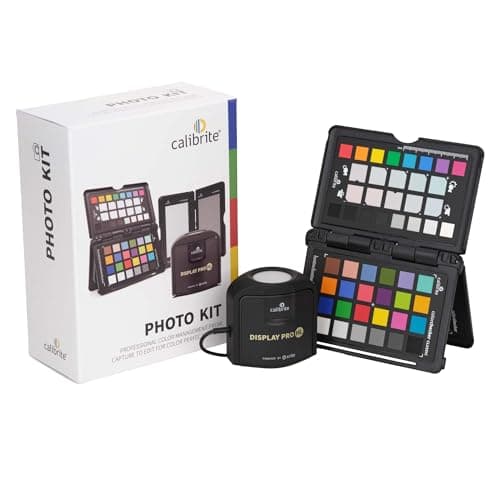
(Current price, subject to change)
Photography Life and Francesco Gola track the Calibrite Photo Kit with Display Pro HL Colorimeter to the same niche, because its high-luminance sensor reads up to 3,000 nits — about 3x the ceiling of a standard colorimeter, enough to profile 100% of the wide-gamut space modern mini-LED and OLED editing panels actually demand. The reason to buy this bundle over a bare sensor is the ColorChecker Passport inside it: it profiles your camera so a RAW file and the calibrated screen speak the same color language, closing the loop most screen-only tools leave open. Calibrite's PROFILER software then adds validation and color-uniformity checks that prove the profile took rather than asking you to trust it. Two limits keep this honest, because the Pro HL sensor cannot calibrate a MacBook Pro's built-in panel — that job needs the costlier Plus HL — and a few reviewers note its low-light patch reading trails older sensors. For a desktop HDR shooter, versus a screen-only calibrator, this is the pick that also fixes the camera.
What We Love
- High-luminance sensor reads up to 3,000 nits, so it profiles LCD, mini-LED, OLED, and Apple XDR desktop panels true HDR editors need.
- The Photo Kit bundles a ColorChecker Passport for custom camera profiles and white balance — camera-to-screen color, not just screen alone.
- Calibrite PROFILER adds validation and color-uniformity tools that confirm the profile actually landed.
- USB-C connection with a USB-A adapter included, plus a built-in tripod thread and travel pouch.
What Could Be Better
- The Pro HL sensor does not calibrate a MacBook Pro's built-in display — only Calibrite's pricier Plus HL is Apple-supported for that.
- Some reviewers flag weaker low-light patch reading than legacy sensors, which matters most for deep-shadow grading.
The Verdict
If you edit on a bright OLED or mini-LED panel and also want your camera and screen to agree, the Calibrite Photo Kit with Display Pro HL Colorimeter answers both in one box. The Display Pro HL reads to 3,000 nits across modern panels, and the bundled ColorChecker Passport builds custom camera profiles. Know that the Pro HL sensor does not calibrate a MacBook Pro's built-in display.
Best for standard monitors + projectors: Datacolor Spyder X2 Elite Colorimeter
Datacolor Spyder X2 Elite Colorimeter
(Current price, subject to change)
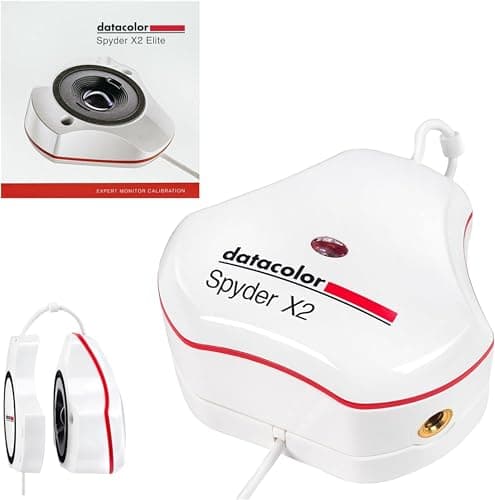
Fstoppers reviewed the Datacolor Spyder X2 Elite Colorimeter as the lens-sensor pick for standard desks, and DigitalCameraWorld covered the same Spyder X2 line, so its case is specific rather than broad: the 750-nit ceiling covers the 100% sRGB SDR monitors most offices actually run, and it is one of the few here that also profiles a projector. The clever part is the upgrade path, because a software-only jump to the 2,000-nit X2 Ultra lifts the luminance ceiling roughly 2.7x without a new purchase, which hedges a future move to a brighter panel. Room-light compensation is the feature you feel daily, since it tunes calibration targets to your ambient conditions so the screen reads right where you sit rather than in a lab. The honest tension is price: at $269.99 it lists close to the Datacolor SpyderPro Advanced Colorimeter, which reads 12,000 nits for similar money. That makes the X2 Elite a deliberate SDR-and-projector choice, not a default — compared to the flagship it yields a saving only if you genuinely never edit HDR.
What We Love
- Lens-based sensor reads to 750 nits and covers standard monitors plus projectors — a combination most rivals skip.
- Software-only upgrade path to the 2,000-nit Spyder X2 Ultra means you can grow capability without buying new hardware.
- Room-light compensation adjusts targets to your ambient conditions so the profile matches how you actually see the screen.
- StudioMatch aligns multiple displays, useful once a second monitor joins the desk.
What Could Be Better
- The 750-nit ceiling cannot profile true HDR, mini-LED, or OLED panels that push well past it.
- At $269.99 it costs about $71 more than the SpyderPro, which reads far brighter panels for less.
The Verdict
If your desk runs standard SDR monitors and maybe a projector, the Datacolor Spyder X2 Elite Colorimeter fits without paying for HDR headroom you lack. Its lens sensor reads to 750 nits, compensates for room light, and upgrades to the 2,000-nit X2 Ultra in software with no new hardware. Step past it only when you edit on a true high-brightness OLED or mini-LED panel.
Best budget: Calibrite Display 123 Colorimeter
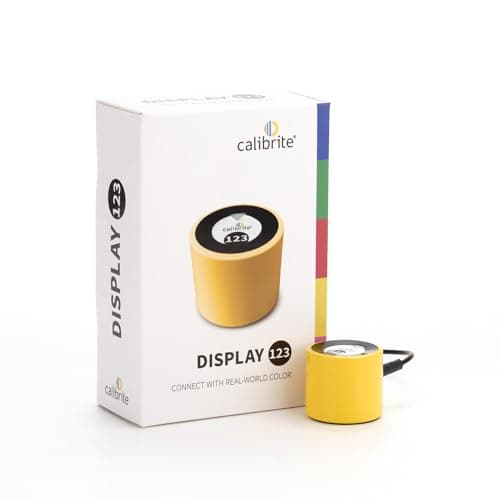
DigitalCameraWorld and Photography News both flag the Calibrite Display 123 Colorimeter as the budget standout — the entry Calibrite model CreativeBloq's calibrator roundup also covers — and the reason reduces to one number and one workflow. The number is $119.00, the lowest entry point to genuine calibration here, and reviewers repeatedly note its 100% sRGB accuracy holds up against sensors costing 2x as much. The workflow is the three-step 1-2-3 wizard, which strips calibration down to a guided sequence that a first-timer finishes without a manual, and the before/after check then shows the correction so you trust the result rather than hope for it. What you give up is ceiling and gamut, because it is not rated past roughly 1,000 nits and is incompatible with Apple's Liquid Retina XDR, and its coverage centers on sRGB rather than wide-gamut DCI-P3. For a standard-monitor editor that trade is easy — versus a flagship it delivers the accuracy that matters on that panel and saves real money doing it.
What We Love
- At $119.00 it is the lowest cost of entry to real calibration, and reviewers rate its sRGB accuracy against tools twice the price.
- The three-step 1-2-3 software wizard is the simplest guided flow in this roundup — genuinely first-timer friendly.
- A built-in before/after check shows the correction it made, so you can see the profile worked.
- USB-C connection with an adjustable counterweight, and it can profile up to two displays.
What Could Be Better
- It is not suited to panels above roughly 1,000 nits and is incompatible with Apple's Liquid Retina XDR displays.
- Coverage is sRGB-focused, so wide-gamut DCI-P3 or Adobe RGB grading wants a higher-tier sensor.
The Verdict
If you are calibrating for the first time on a standard sRGB monitor, the Calibrite Display 123 Colorimeter gets you accurate for $119 without the overwhelm. A three-step 1-2-3 wizard, USB-C, and a built-in before/after check make it the friendliest on-ramp here. Its ceiling is the catch — it is not built for panels past 1,000 nits or for Apple's XDR displays.
Simplest legacy pick: Datacolor SpyderX Pro Colorimeter
Datacolor SpyderX Pro Colorimeter
(Current price, subject to change)
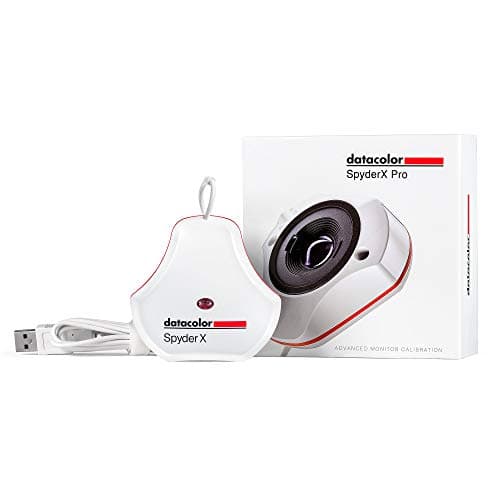
TechRadar and DigitalCameraWorld cover Datacolor's lens-based SpyderX line as the accessible calibrator, and that framing still fits the Datacolor SpyderX Pro Colorimeter in July 2026. It was the first Spyder to move to a lens-based color engine, which sharpened white balance and shadow detail relative to the older honeycomb-grid Spyder5, and its one-click flow plus step-by-step assistant finishes a calibration in under 2 min. The 5-setting ambient light sensor is the daily-use feature, tuning your profile to room brightness so a 100% sRGB screen reads right where you work. The honesty that has to be loud is its place in the lineup: Datacolor's newer Spyder Essential and Datacolor SpyderPro Advanced Colorimeter have superseded it, and its street price often floats above its list on marketplace sellers, so buy at the real list rather than an inflated one. For a standard SDR desk that wants dependable Datacolor calibration cheaply, it holds up — but anyone touching HDR should spend up.
What We Love
- First Datacolor with a lens-based color engine, delivering more precise white balance and shadow detail than the older honeycomb-sensor Spyder5 colorimeter.
- One-click calibration plus a step-by-step assistant completes a full pass in under 2 min.
- A 5-setting ambient light sensor measures room light so the profile matches your working conditions.
- Calibrates multiple laptops and desktop monitors at a lower list than the current Spyder flagship.
What Could Be Better
- Datacolor's newer Spyder Essential and SpyderPro have superseded it, so it is a legacy rather than current model.
- It targets standard SDR displays, so it is not the tool for HDR, OLED, or mini-LED panels.
The Verdict
If you want the classic lens-based Datacolor at its lowest list, the Datacolor SpyderX Pro Colorimeter still calibrates a standard desk cleanly. One-click calibration runs in under 2 min, and a 5-setting ambient light sensor tunes brightness to the room. Be clear-eyed that Datacolor's newer Spyder line has superseded it, so it is a value legacy buy rather than the current sensor.
How We Score: DeskGear Monitor Calibration Score
DeskGear Monitor Calibration Score
Score Formula
(Display Coverage x 0.30) + (Accuracy & Workflow x 0.25) + (Ease of Use x 0.20) + (Versatility x 0.15) + (Value per Dollar x 0.10)Score Factors
- Display CoverageLuminance ceiling and panel technologies profiled — from sRGB LCD at ~1,000 nits to Apple XDR, OLED, and QD-OLED at up to 12,000 nits across this field
- Accuracy & WorkflowCalibration accuracy plus software depth: validation checks, 3D LUT export, StudioMatch multi-monitor matching, and soft-proofing
- Ease of UseGuided-wizard simplicity and calibration speed, from a three-step flow to a 90-second pass
- VersatilityExtras that widen the tool: projector support, camera profiling, multi-display alignment, and ambient-light compensation
- Value per DollarDelivered capability against list price — rewards sensors that hit reference accuracy without paying for headroom you cannot use
DeskGear Monitor Calibration Score — Ranked
Datacolor SpyderPro Advanced Colorimeter
9.2/10Best overall — 12,000-nit ceiling, 90-second calibration, 3D LUT export, StudioMatch multi-monitor alignment.
Calibrite Photo Kit with Display Pro HL Colorimeter
8.9/10Best for HDR/OLED + camera color — 3,000-nit sensor plus a bundled ColorChecker Passport for camera profiles.
Datacolor Spyder X2 Elite Colorimeter
8.6/10Best for SDR + projectors — 750-nit lens sensor, room-light compensation, software upgrade to the 2,000-nit X2 Ultra.
Calibrite Display 123 Colorimeter
8.4/10Best budget — $119, three-step 1-2-3 wizard, reference sRGB accuracy, before/after check.
Datacolor SpyderX Pro Colorimeter
7.8/10Simplest legacy pick — lens-based Datacolor, under-2-minute calibration, 5-setting ambient sensor, now superseded.
Which displays each colorimeter can actually profile
The single compatibility factor that reshapes this decision: a colorimeter can only calibrate a panel whose brightness stays under its sensor's luminance ceiling, which is why our weighted DeskGear Monitor Calibration Score puts display coverage in the top tier. A standard sRGB LCD peaks around 250 to 400 nits and typically covers 100% sRGB but only about 75% DCI-P3, so the $119 Calibrite Display 123 handles it with margin, but a mini-LED or OLED editing panel can push past 1,000 nits and needs a high-luminance sensor — the Display Pro HL to 3,000 nits or the SpyderPro to 12,000, roughly 12x the budget pick. There is one Apple-specific trap worth flagging: the Display Pro HL sensor calibrates external HDR desktop panels but not a MacBook Pro's built-in Liquid Retina XDR display, which requires Calibrite's Plus HL instead, while Datacolor's SpyderPro lists all MacBook and MacBook Pro panels among its supported displays. Wide-gamut editors targeting 98% DCI-P3 or 99% Adobe RGB should treat gamut coverage as a second gate. Projector owners have exactly one native pick here in the Datacolor Spyder X2 Elite. Every colorimeter in this roundup connects over USB and runs its own Mac and Windows software, so cross-platform support is universal — the real gate is luminance and panel type.
Cost vs. capability across the field
The price spread here tracks genuine sensor capability rather than brand tax, which is why the weighted value factor inside our DeskGear Monitor Calibration Score rewards the tools that hit reference accuracy without forcing you to buy luminance headroom you will never use. The Calibrite Display 123 anchors the entry tier at $119, delivering 100% sRGB accuracy that reviewers compare to sensors costing 2x to 2.5x as much, while the Datacolor SpyderX Pro sits just above it as the legacy lens-based option. Each step up the composite ranking buys one specific thing, because the Spyder X2 Elite adds projector support and a software upgrade path, the Display Pro HL Photo Kit adds a 3,000-nit HDR sensor plus camera profiling, and the SpyderPro tops the tier with a 12,000-nit ceiling and 3D LUT export for video. Across the field the luminance ceiling climbs from about 1,000 nits to 12,000 — a 12x span — while list price moves just 2.5x, from $119 to $299, so a step up in class costs far less than a step up in capability. The decisive comparison is Display 123 versus SpyderPro, because that gap buys roughly 12x the luminance ceiling and a full video workflow at only 1.7x the price — so if you cannot name an HDR or OLED panel you edit on, the budget pick produces the smarter outcome while the flagship yields more headroom for anyone who can.
When NOT to Buy
This guide is colorimeter-first, so the exclusions follow one rule: sensors built to calibrate a desk display, not lab spectrophotometers. We left off Datacolor's SpyderX2 Ultra and Calibrite's Display Plus HL because each is a higher-priced sibling of a pick already here — the Ultra is a software tier above the X2 Elite, and the Plus HL reads to 10,000 nits for professional HDR video that outruns most desks. We also skipped print-and-camera spectrophotometers like the Calibrite ColorChecker Studio, since they profile paper and ink rather than the monitor this roundup is built around. And we passed on discontinued sensors listed on marketplaces above their real list, because a legacy tool sold above list is a weaker buy than the current model at the same money.
Who Should Buy What
Who Should Buy What
| If you are… | Recommended pick |
|---|---|
Do-everything creator Edits across HDR, OLED, and mini-LED panels, runs multiple monitors, and wants one sensor that spans photo and video for years. | Datacolor SpyderPro Advanced Colorimeter |
HDR shooter who wants camera match Works on a bright OLED or mini-LED desktop panel and wants camera-to-screen color from one purchase. | Calibrite Photo Kit with Display Pro HL Colorimeter |
Standard-monitor + projector desk Edits SDR work on standard LCDs, wants projector support, and values a software upgrade path over new hardware. | Datacolor Spyder X2 Elite Colorimeter |
First-time budget calibrator New to calibration on an sRGB monitor and wants accurate, repeatable color for the lowest price in the field. | Calibrite Display 123 Colorimeter |
Value legacy buyer Wants proven lens-based Datacolor calibration on a standard display at the lowest list, no HDR needed. | Datacolor SpyderX Pro Colorimeter |
Frequently Asked Questions
What is the difference between a colorimeter and a spectrophotometer?
A colorimeter reads color through filtered sensors and is fast, affordable, and ideal for calibrating a monitor — every pick in this guide is a colorimeter. A spectrophotometer measures the full light spectrum, handles print and paper profiling, and costs far more. For screen calibration, a good colorimeter is the right tool; you only need a spectrophotometer if you also profile printers.
Do I need a high-nits colorimeter for my monitor?
Only if your panel is bright. A standard sRGB LCD peaks around 250 to 400 nits, so the Calibrite Display 123 or Datacolor SpyderX Pro cover it. A mini-LED or OLED editing panel can exceed 1,000 nits and needs a high-luminance sensor like the Display Pro HL (3,000 nits) or SpyderPro (12,000 nits). Match the sensor's ceiling to your panel's peak brightness.
Can I calibrate a MacBook Pro's built-in display with these?
It depends on the tool. Datacolor's SpyderPro lists all MacBook and MacBook Pro panels among its supported displays. Calibrite's Display Pro HL, however, does not calibrate a MacBook Pro's built-in Liquid Retina XDR panel — only the pricier Calibrite Display Plus HL is Apple-supported for that. Check the specific model's Apple support before buying if the internal display is your target.
How often should I recalibrate my monitor?
For color-critical photo or video work, most calibration software recommends recalibrating roughly every two to four weeks, because a panel's backlight and color drift as it ages. Tools like the SpyderPro shorten each pass to about 90 seconds, which makes keeping to that schedule realistic rather than a chore you skip. A monitor that drifts silently is the exact problem calibration solves.
Is the $119 Calibrite Display 123 accurate enough for professional work?
For sRGB work, yes — reviewers repeatedly find its accuracy matches sensors costing twice as much. Its limits are ceiling and gamut, not precision: it is not built for panels above roughly 1,000 nits, is incompatible with Apple's Liquid Retina XDR, and centers on sRGB rather than wide-gamut DCI-P3. If your deliverables live in sRGB on a standard monitor, it is genuinely professional-grade.
What does the ColorChecker Passport in the Display Pro HL Photo Kit do?
The ColorChecker Passport is a physical color target you photograph in your lighting, then use to build a custom camera profile so a RAW file's color matches reality. Paired with the Display Pro HL calibrating your screen, it closes the loop from camera to monitor — your capture and your calibrated display finally speak the same color language, which a screen-only calibrator cannot do alone.
Can these colorimeters calibrate a projector?
Only one native pick here does: the Datacolor Spyder X2 Elite explicitly supports projectors alongside standard monitors. The Calibrite tools and the entry Datacolor sensors in this roundup are built for displays rather than projected light. If projector calibration is on your list, the X2 Elite is the tool that covers both without a second purchase.
Why is a discontinued colorimeter sometimes priced higher than a newer one?
Marketplace sellers can list a superseded model, like the SpyderX Pro, above its original list once a manufacturer stops stocking it. That inflated street price is not the tool's real value — buy a legacy colorimeter only at or below its genuine list. When a newer sensor with a broader ceiling costs the same or less, the current model is the better purchase.
Bottom Line
Get the Datacolor SpyderPro Advanced Colorimeter if You edit across HDR, OLED, or mini-LED panels, run multiple monitors, and want one 12,000-nit sensor spanning photo and video..
Get the Calibrite Photo Kit with Display Pro HL Colorimeter if You work on a bright OLED or mini-LED desktop display and want camera-to-screen color from the bundled ColorChecker Passport..
Get the Datacolor Spyder X2 Elite Colorimeter if You edit SDR work on standard monitors, want projector support, and value a software upgrade path to the 2,000-nit Ultra..
Get the Calibrite Display 123 Colorimeter if You are calibrating for the first time on an sRGB monitor and want reference accuracy at the lowest entry price here, $119..
Get the Datacolor SpyderX Pro Colorimeter if You want classic lens-based Datacolor calibration on a standard display at its lowest list, with no HDR requirement..
You do not edit color-critical work at all — a general-office monitor at its factory profile is fine, and a colorimeter is spend you will not feel.
Sources & Methodology
Methodology: DeskGear Monitor Calibration Score — Formula: (Display Coverage x 0.30) + (Accuracy & Workflow x 0.25) + (Ease of Use x 0.20) + (Versatility x 0.15) + (Value per Dollar x 0.10). Factors: Display Coverage: Luminance ceiling and panel technologies profiled — from sRGB LCD at ~1,000 nits to Apple XDR, OLED, and QD-OLED at up to 12,000 nits across this field | Accuracy & Workflow: Calibration accuracy plus software depth: validation checks, 3D LUT export, StudioMatch multi-monitor matching, and soft-proofing | Ease of Use: Guided-wizard simplicity and calibration speed, from a three-step flow to a 90-second pass | Versatility: Extras that widen the tool: projector support, camera profiling, multi-display alignment, and ambient-light compensation | Value per Dollar: Delivered capability against list price — rewards sensors that hit reference accuracy without paying for headroom you cannot use
Expert review sources used in this analysis:
- Picks reflect aggregated editorial coverage and manufacturer specifications: Fstoppers on the Datacolor Spyder X2 Elite and SpyderPro reviews; DigitalCameraWorld on the Calibrite Display 123 and Spyder line; Photography Life and Francesco Gola on the Calibrite Display Pro HL high-luminance sensor; CreativeBloq, TechRadar, and PCWorld on colorimeter roundups covering the Datacolor Spyder and Calibrite ColorChecker lines; TechAdvisor and PCMag on calibration workflow coverage; Datacolor product specifications for the SpyderPro (up to 12,000 nits), Spyder X2 Elite (up to 750 nits), and SpyderX Pro; and Calibrite product specifications for the Display Pro HL (up to 3,000 nits) and Display 123 (sRGB, up to two displays)
- Prices verified via the Amazon Creators API as of August 2026 (2026-08-12); list prices reflect manufacturer MSRP, and marketplace listings above list were excluded.
Nicholas Miles is the founder of DeskGearHQ and a longtime smart home enthusiast focused on helping everyday homeowners make better technology decisions. He researches, compares, and writes about products across security, climate, lighting, leak prevention, sensors, home energy, and automation, with an emphasis on real-world usefulness, ecosystem compatibility, reliability, privacy, and long-term value.
Affiliate disclosure: DeskGearHQ earns affiliate commissions on qualifying Amazon purchases. Our scoring methodology is independent of affiliate relationships.



