
5K vs Ultrawide vs Dual 4K: Which Monitor Setup Fits Your Work? (2026)
Three ways to spend $700-1,600 on screen real estate. A 5K panel maximizes sharpness for one document at a time, an ultrawide OLED replaces two monitors with one curve, and dual 4K panels give two independent windows. Here's which format fits how you work.
This article contains affiliate links. We may earn a commission at no extra cost to you. Learn more
Featured in this Guide

Apple
Studio Display (Standard Glass, Tilt-Adjustable Stand)
- •For single-document
- •single-window focus — a true 218 PPI panel with no fractional scaling on a Mac.
LG
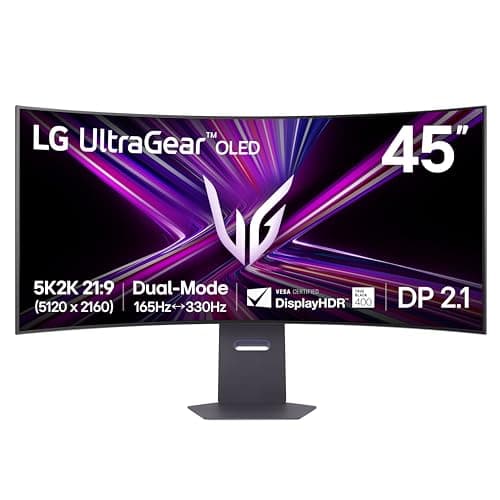
45GX950A-B 45" 5K2K OLED Ultrawide
- •For readers who want one wide curved canvas that also does real HDR gaming and film at night.

LG
27UP850-W 27" 4K
- •Two independent 4K panels for less than one premium ultrawide
- •with a true bezel gap for window snapping.
The Short Answer
The right monitor format depends entirely on whether your work happens in one document or across several applications. A single 5K panel delivers the sharpest text, a curved OLED ultrawide replaces two monitors with one immersive canvas, and a pair of 4K panels delivers the most multitasking room for less money.
The harder question isn't which monitor brand — it's which shape fits how you actually work, and the three formats answer that question differently. A single 5K panel like the Apple Studio Display, covered extensively by 9to5Mac and Macworld, delivers macOS's native 2x pixel-perfect scaling — the sharpest text of the three formats — but at $1,539.00 it runs roughly 4.1x a single 4K panel and 1.1x the ultrawide below. A 45-inch curved OLED ultrawide like the LG 45GX950A, per RTINGS and DisplayNinja, trades some of that density for width and yields genuinely immersive HDR gaming, at approximately 1.8x the price of an equivalent 4K pair. Two 27-inch 4K panels — the LG 27UP850-W, per RTINGS and Wirecutter — cost the least combined and deliver a genuine bezel gap versus either single-panel format, a factor the weighted DeskGear Monitor Format Score below rewards directly.
Three formats, side by side
Display & Audio Setup
Chart
 DeskGearHQ.com
Best for pixel-perfect sharpness: Apple Studio Display (Standard Glass, Tilt-Adjustable Stand)
Apple Studio Display (Standard Glass, Tilt-Adjustable Stand)

(Current price, subject to change)
The Apple Studio Display is the format's reference point because 5K on a 27-inch panel is exactly what macOS was built to render: every UI element and glyph at true double density, with none of the softness a 4K panel shows when it's scaled past 100%. 9to5Mac and Macworld both treat it as the default Mac external display for that reason, and the 96W Thunderbolt charging plus the six-speaker spatial-audio system make it a genuine one-cable desk. The honest limit is that density is the whole pitch — at 27 inches, one panel is still one panel, and even generous split-screen use means two half-width windows rather than two full 4K displays side by side. It's also the most expensive single panel in this comparison, at $1,539.00 against a live Amazon check — roughly 4.1x a single 4K panel and 1.1x the ultrawide below, a gap the weighted DeskGear Monitor Format Score treats as a real factor versus flexibility — and it caps out at 60Hz with no HDR, so it isn't the pick if gaming or HDR video is part of the job. For a Mac desk built around one sharp, focused task, nothing here renders text more precisely.
What We Love
- True 218 PPI 5K (5120x2880) gives macOS pixel-perfect 2x HiDPI scaling with zero fractional-scaling blur.
- One Thunderbolt cable charges a MacBook and drives the display at once — the cleanest single-cable desk of the three formats.
- 600 nits with P3 wide color and True Tone cover office and photo work without a color-management afterthought.
- 12MP Ultra Wide camera with Center Stage replaces a separate webcam for video calls.
What Could Be Better
- It's one panel — even with split-screen, you're managing windows inside a single 27-inch frame, not two independent displays.
- 60Hz with no HDR or local dimming rules out high-refresh gaming or HDR grading.
- At $1,539.00 it costs about four times one 4K panel for a format that doesn't add multitasking room.
The Verdict
If your work is one focused document or timeline at a time and you want macOS to render it at native 2x sharpness, the Apple Studio Display (Standard Glass, Tilt-Adjustable Stand) is the format's clearest answer. At $1,539.00 it's the priciest single panel here, and it earns that price on density alone — not on multitasking room, which is where the other two formats pull ahead.
Best for immersive multitasking: LG 45GX950A-B 45" 5K2K OLED Ultrawide
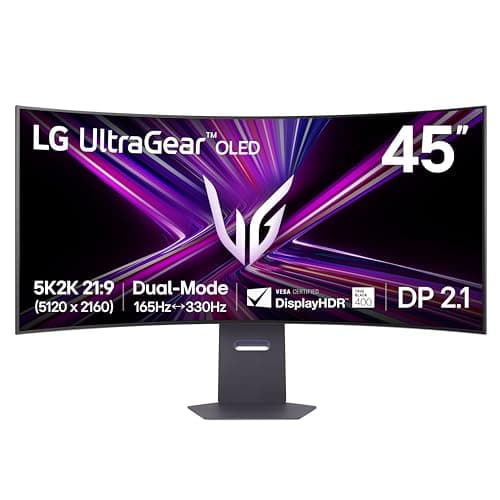
LG 45GX950A-B 45" 5K2K OLED Ultrawide
(Current price, subject to change)
RTINGS and DisplayNinja both single out the 45GX950A for accomplishing two things simultaneously that usually force a trade-off: it renders 5120x2160 natively at 165Hz, delivering resolution and refresh rate on the same panel rather than forcing a choice between them. The 800R curve keeps a 45-inch screen's far edges within comfortable view, making one ultrawide a genuine two-or-three-window replacement for tiling software across separate monitors. USB-C at 90W handles most 14-16 inch laptops on one cable, with DisplayPort 2.1 supplying the bandwidth headroom its full 5K2K signal requires. The honest trade against a real 5K panel is pixel density — 125 PPI is sharp for games and video but visibly softer than the Apple Studio Display for dense spreadsheet work, and LG's 2-year burn-in coverage is shorter than some OLED rivals. At $1,349.99 on a live Amazon check — about 1.8x a 4K pair, versus 1.1x the single 5K panel above — it undercuts the 5K panel while adding real width, a factor the weighted Format Score rewards directly, making it the clearest pick for readers spanning several apps whose evenings involve HDR media.
What We Love
- 5120x2160 (5K2K) across a 45-inch curved WOLED panel runs at a native 165Hz — resolution and refresh in one screen.
- True OLED contrast and a DisplayHDR True Black 400 rating make HDR games and film genuinely immersive after dark.
- USB-C with 90W power delivery plus DisplayPort 2.1 and HDMI 2.1 cover a laptop dock and a desktop GPU on the same panel.
- A dual-mode 330Hz/1080p toggle exists for competitive play without swapping to a second monitor.
What Could Be Better
- At 125 PPI it's noticeably softer than a 5K panel for dense spreadsheet text and small UI elements.
- LG's OLED burn-in warranty runs 2 years — a year short of some rivals' 3-year coverage.
- Full-field brightness (~275 nits) is modest next to an LED panel; OLED trades sustained brightness for contrast.
The Verdict
For the reader who wants one continuous canvas wide enough for three or four windows and genuinely good HDR after hours, the LG 45GX950A-B 45" 5K2K OLED Ultrawide is the format's strongest all-rounder. Its 45-inch curved 5K2K OLED panel runs $1,349.99 at current Amazon pricing — cheaper today than the single 5K panel above, for meaningfully more usable width.
Best value and most flexible: LG 27UP850-W 27" 4K

RTINGS and Wirecutter both put the LG 27UP850-W in the sweet spot of the 4K home-office tier, and buying it as a pair is where the format argument gets interesting: two real 3840x2160 panels, each independently capable of 96W USB-C charging and hardware calibration, cost $748.00 combined — roughly 2.1x cheaper than the 5K panel above and 1.8x cheaper than the ultrawide, the single biggest factor behind why this format tops the weighted DeskGear Monitor Format Score below, versus either premium single panel — while giving you a genuine bezel gap most window managers use as a snap boundary. That gap is the honest advantage a curved ultrawide can't fully replicate: two distinct displays let an OS treat each as its own full-resolution workspace rather than one wide canvas split by software. The trade is setup complexity — two monitors, two stands or a dual-arm mount, and more cabling than one panel — and 163 PPI, sharp as it is, doesn't match the Studio Display's density for the smallest UI text. For a desk built around genuinely parallel work rather than one immersive canvas, this is the format that gives the most room per dollar.
What We Love
- Two fully independent 27-inch 4K panels with a real bezel gap beat one curved canvas for clean window snapping and app separation.
- 3840x2160 at 27 inches (about 163 PPI) is sharp and comfortable at 100% scaling on both Windows and macOS.
- 96W USB-C charging and 95% DCI-P3 color make each panel capable on its own, not just as a matched pair.
- At $374.00 each, two panels together still undercut either single premium display in this comparison.
What Could Be Better
- You're buying and cabling two separate monitors and two stands or one dual-monitor arm — more setup than a single panel.
- 163 PPI is sharp but doesn't match the Apple Studio Display's 218 PPI density for the smallest text.
- 60Hz and HDR10-only color put a ceiling on gaming and top-tier HDR grading versus the OLED ultrawide.
The Verdict
If genuine side-by-side multitasking matters more than any single panel's sharpness or curve, buying two of the LG 27UP850-W 27" 4K gives you the most independent screen real estate here for the least combined money — $748.00 for the pair against a live Amazon check, well under either premium single panel.
How We Score: DeskGear Monitor Format Score
DeskGear Monitor Format Score
Score Formula
(Pixel Density x 0.30) + (Workspace Flexibility x 0.25) + (Color & HDR x 0.25) + (Value per Dollar x 0.20)Score Factors
- Pixel DensityHow sharp text and fine UI elements render at the format's native scaling — a real 2x panel versus a scaled one.
- Workspace FlexibilityHow many independent windows or apps a reader can genuinely see at once without overlap or tiling software.
- Color & HDRWide-gamut accuracy and real HDR contrast for photo, video, and media-heavy work.
- Value per DollarWhat the format costs at the panel count actually needed to use it as a whole setup, not a single list price.
DeskGear Monitor Format Score — Ranked
LG 27UP850-W 27" 4K
8.6/10Tops the format lens on flexibility and value — two independent 4K panels for less combined money than either single premium display.
LG 45GX950A-B 45" 5K2K OLED Ultrawide
8.3/10Best color and HDR of the three, plus genuine multitasking width; density is its only real trade-off against a 5K panel.
Apple Studio Display (Standard Glass, Tilt-Adjustable Stand)
7.8/10Unmatched pixel density for one focused window; the priciest single panel here and the least flexible for parallel work.
What each format needs from your Mac or PC
All three formats need a real check against your machine before you buy, because the port and bandwidth requirements differ more than the marketing suggests. A single 5K panel like the Apple Studio Display needs a Thunderbolt or USB4 host to drive its full 5120x2880 signal — most Apple Silicon Macs handle this natively, but confirm your specific model's external-display limit first, since a base M1, M2, or M3 MacBook drives only one external display regardless of the port. The ultrawide OLED's 5K2K signal at 165Hz needs DisplayPort 2.1 or a capable USB-C alt-mode to hit full resolution and refresh together; stepping down to an older DisplayPort or HDMI port on an aging GPU can cap either the resolution or the refresh rate. Dual 4K is the most forgiving of the three — each LG 27UP850-W drives independently over its own USB-C or DisplayPort input, so a laptop with two video outputs (or a dock, covered in our Thunderbolt 4 docks and Thunderbolt 5 docks guides) handles the pair without needing a single high-bandwidth connection to carry both signals at once. Macworld and 9to5Mac both flag the same ceiling on base Apple Silicon chips, a limit that costs far more in mismatched hardware than the roughly 1.1x price gap between the 5K panel and the ultrawide below.
The comparison chart above scores all three formats on the axes that actually decide the shape question, then rolls them into the DeskGear Monitor Format Score. Rather than crown the sharpest panel, the formula rewards the format that renders text cleanly, opens the most usable independent windows, handles color and HDR competently, and costs the least at the setup size a reader actually needs — which is why the dual-4K pair tops the composite here even though the Apple Studio Display wins pixel density outright and the LG ultrawide wins color and HDR outright. Each pick still carries the individual score it earned on its own merits — those sit on the product cards near the top of this guide — so read the Format Score as a decision aid for the shape you buy, not a verdict on any single monitor's quality.
What full rosters in each format look like
This guide picks one representative anchor per format to make the shape decision clear, not to rank every monitor in each category — that's what the spoke guides are for. If the 5K format fits your work, our best 5K and 6K monitors for Mac guide covers the BenQ MA270S value alternative and the 6K step-up options the Apple Studio Display doesn't replace. If the ultrawide OLED format fits, our best OLED and super-ultrawide monitors guide covers the 49-inch Samsung Odyssey G9 for an even wider canvas and the burn-in-free Dell U4025QW IPS Black alternative. And if dual 4K is your format, our best 4K monitors for home office guide covers the Dell U2723QE's integrated KVM and the 32-inch LG 32UN650-W for buyers who want more screen at a lower PPI. Prices throughout this guide are July 2026 figures verified live against the Amazon Creators API and move constantly — confirm the current number before you buy. Across the three anchors here, the spread runs from 1.1x to 4.1x depending which pair you compare, and that spread — not any single spec — is the biggest factor in which format is worth the money.
When NOT to Buy
This comparison covers the three formats readers most often cross-shop at the $700-1,600 tier, so a few adjacent options sit outside it on purpose. A single plain 4K panel (one, not a pair) is the obvious omission — it's a fine budget entry point, but it doesn't answer the format question this guide is built around, since a lone 4K monitor gives you neither the density of the 5K panel nor the width of an ultrawide nor the true multi-window flexibility a second panel adds. We also left out 49-inch super-ultrawides like the Samsung Odyssey G9; they're a genuine fourth format, effectively two 27-inch panels fused into one 32:9 canvas, and we cover that trade-off in the OLED ultrawide spoke guide rather than duplicating it here. Triple-monitor setups are outside this guide's scope entirely — a different, more involved decision than picking one format. The three anchors here represent their formats well enough to make the shape decision clear, not an exhaustive ranking of every monitor in each category.
Who Should Buy What
Who Should Buy What
| If you are… | Recommended pick |
|---|---|
Mac creative with dense single-window work Works mostly in one document, timeline, or editor at a time on macOS and wants native 2x pixel-perfect scaling above all else. | Apple Studio Display (Standard Glass, Tilt-Adjustable Stand) |
Hybrid gamer and immersive multitasker Wants one wide canvas for three or four windows during the day and real HDR gaming or film in the evening. | LG 45GX950A-B 45" 5K2K OLED Ultrawide |
Coder or analyst running parallel windows Regularly needs two full, independent windows side by side — reference material next to code, or a browser next to a document. | LG 27UP850-W 27" 4K |
Budget-conscious multi-monitor starter Wants to build a two-panel desk over time and start with the lowest combined cost rather than one expensive centerpiece display. | LG 27UP850-W 27" 4K |
Frequently Asked Questions
Is a 5K monitor better than an ultrawide for productivity?
It depends on what kind of productivity. A 5K panel renders text and fine UI elements more sharply than an ultrawide at the same size, which matters most for one focused document, timeline, or code editor. An ultrawide wins when your work spans several apps at once, since its extra width fits more full windows side by side than a single 5K panel's frame. Neither is universally better — the 5K format optimizes for sharpness, the ultrawide for room.
Is dual 4K better than one ultrawide monitor?
For genuine multitasking, two 4K panels usually win — you get a real bezel gap that most operating systems use as a window-snap boundary, plus two fully independent displays rather than one canvas split by software. An ultrawide wins on immersion: no bezel interrupting a wide game or a timeline, and typically a lower total desk footprint than two monitors and stands. If parallel work matters most, choose dual 4K; if one continuous view matters most, choose the ultrawide.
Can I run a 5K or ultrawide monitor at full resolution over any USB-C cable?
No. A 5K panel at full resolution needs a Thunderbolt or USB4 host, and a 5K2K ultrawide at its full 165Hz refresh needs DisplayPort 2.1 or a comparable USB-C alt-mode — an older USB-C port or a basic HDMI cable will cap the resolution, the refresh rate, or both. Check your specific laptop or GPU's video output spec before buying either format, since the port matters as much as the monitor.
Do I need a dual-monitor arm for the dual 4K setup?
Not strictly, but it helps. Two 27-inch panels on their stock stands take up real desk depth and width; a dual-monitor arm frees desk space and makes it easier to angle both screens toward you evenly. It's not required to get the multitasking benefit of two independent panels, but most readers who go this route add one within the first few months.
Which format is cheapest to start with?
Dual 4K, and by a wide margin if you buy one panel first and add the second later — a single LG 27UP850-W runs $374.00 on its own, letting you split the cost across two purchases. Both the 5K panel and the ultrawide OLED are single big-ticket purchases with no smaller entry point, since neither format works as intended with half the display.
Does an OLED ultrawide have burn-in risk for office work?
Some risk exists with static content — a fixed taskbar, a pinned code editor, or an always-visible menu bar left on-screen for years can leave a faint image trace, which is why LG backs the 45GX950A's panel with a 2-year burn-in warranty. Modern OLED panels include pixel-shifting and refresh routines that reduce this risk substantially versus early OLED TVs. If burn-in risk from static office apps worries you specifically, an IPS panel — including the dual-4K format in this guide, or the Dell U4025QW covered in our ultrawide spoke guide — carries zero burn-in risk.
Bottom Line
Get the Apple Studio Display (Standard Glass, Tilt-Adjustable Stand) if You're on macOS, your work is mostly one focused document or timeline at a time, and native 2x pixel sharpness matters most to you..
Get the LG 45GX950A-B 45" 5K2K OLED Ultrawide if You want one wide canvas for several windows during the day and real HDR gaming or film on the same desk after hours..
Get the LG 27UP850-W 27" 4K if You need two genuinely independent full-resolution windows side by side and want the lowest combined price of the three formats..
You only need one monitor and don't need 4K-and-up density — a single mid-range 27-inch 1440p or 4K panel covers most everyday work for far less than any format here.
Sources & Methodology
Methodology: DeskGear Monitor Format Score — Formula: (Pixel Density x 0.30) + (Workspace Flexibility x 0.25) + (Color & HDR x 0.25) + (Value per Dollar x 0.20). Factors: Pixel Density: How sharp text and fine UI elements render at the format's native scaling — a real 2x panel versus a scaled one. | Workspace Flexibility: How many independent windows or apps a reader can genuinely see at once without overlap or tiling software. | Color & HDR: Wide-gamut accuracy and real HDR contrast for photo, video, and media-heavy work. | Value per Dollar: What the format costs at the panel count actually needed to use it as a whole setup, not a single list price.
Expert review sources used in this analysis:
- Picks reflect aggregated editorial coverage and owner data rather than hands-on testing: 9to5Mac and Macworld on the Apple Studio Display's 5K panel and Mac-specific scaling behavior; RTINGS and DisplayNinja on the LG 45GX950A's measured brightness, contrast, and panel performance; RTINGS and Wirecutter on the LG 27UP850-W's color accuracy and home-office positioning
- All three ASINs were re-verified live via the Amazon Creators API on 2026-07-27: Apple Studio Display B0GR1PJYT8 at $1,539.00 (New, sold by Amazon.com); LG 45GX950A-B B0DYG9DKX8 at $1,349.99 (New, sold by Amazon.com); LG 27UP850-W B08YJMMYBX at $374.00 (New, sold by a third-party Amazon merchant, Emma's Market) — no listing showed a Renewed or refurbished condition disguise
- The Apple Studio Display's price runs roughly 4.1x a single LG 27UP850-W panel and 1.1x the LG 45GX950A ultrawide.
Nicholas Miles is the founder of DeskGearHQ and a longtime smart home enthusiast focused on helping everyday homeowners make better technology decisions. He researches, compares, and writes about products across security, climate, lighting, leak prevention, sensors, home energy, and automation, with an emphasis on real-world usefulness, ecosystem compatibility, reliability, privacy, and long-term value.
Affiliate disclosure: DeskGearHQ earns affiliate commissions on qualifying Amazon purchases. Our scoring methodology is independent of affiliate relationships.

