Monitors
Best OLED & Super-Ultrawide Monitors (2026): The $900+ Premium Tier
Premium OLED ultrawides deliver perfect blacks and instant response — at a price and a burn-in cost. We synthesized 8 expert sources to find the best 5K2K OLED, 34-inch QD-OLED, and 49-inch super-ultrawide picks, with honest burn-in warranty comparisons and a zero-risk IPS Black alternative.
By Nick Miles · Updated July 3, 2026 · 14 min read
8 expert sources synthesizedLast verified July 3, 2026
DeskGearHQ is reader-supported. We may earn a commission from qualifying Amazon purchases at no extra cost to you.
Evidence at a Glance
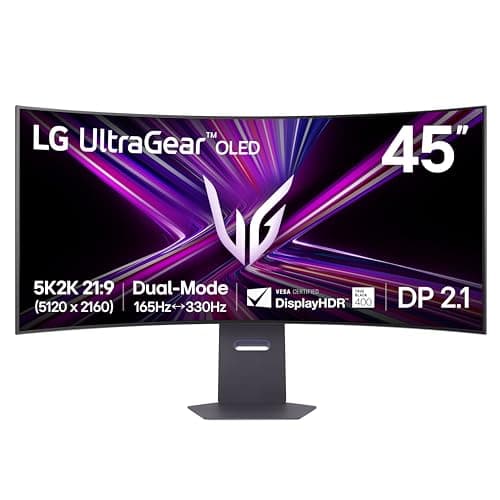
LG 45GX950A-B 45" 5K2K OLED
45-inch WOLED at 5120x2160 (5K2K), dual-mode 165Hz/330Hz, USB-C 90W and DisplayPort 2.1 — the best all-round premium OLED ultrawide for buyers who want resolution and refresh in one panel.
Sources: RTINGS, DisplayNinja, TechSpot
Verified Jul 3, 2026
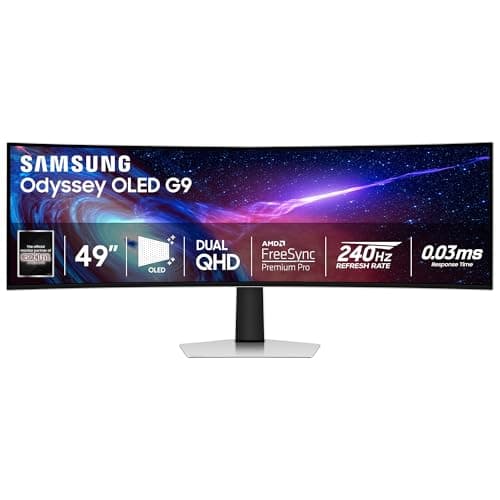
Samsung Odyssey OLED G9 (G93SC) 49" QD-OLED
49-inch 32:9 QD-OLED at 5120x1440, 240Hz — a genuine dual-27-inch replacement, and the roster's widest canvas with a 3-year burn-in warranty.
Sources: RTINGS, DisplayNinja
Verified Jul 3, 2026
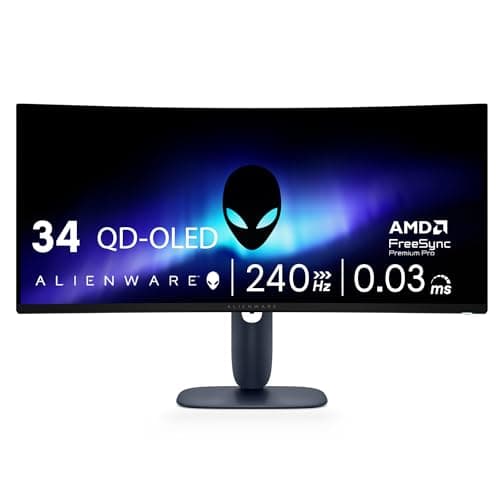
Alienware AW3425DW 34" QD-OLED
34-inch Gen2 QD-OLED at 3440x1440, 240Hz, with a 3-year burn-in warranty and next-business-day panel exchange — the value entry into premium OLED.
Sources: RTINGS, TFTCentral, XDA Developers
Verified Jul 3, 2026
Our Picks
LG
LG 45GX950A-B 45" 5K2K OLED
9.2 / 10
- 45" WOLED (MLA+ RGWB) panel, 5120x2160 (5K2K WUHD), 21:9, 800R curve, 125 PPI
- Dual-Mode: 5K2K at 165Hz or 2560x1080 at 330Hz; 0.03ms GtG
- VESA DisplayHDR True Black 400; ~1300 nits at 1.5% APL, ~275 nits full-field
- USB-C with 90W power delivery, DisplayPort 2.1, HDMI 2.1
$1,999.99
Samsung
Samsung Odyssey OLED G9 (G93SC) 49" QD-OLED
8.9 / 10
- 49" QD-OLED, 5120x1440 (DQHD), 32:9, 1800R curve — a dual-27" replacement
- 240Hz, 0.03ms GtG; VESA DisplayHDR True Black 400
- HDMI 2.1 + DisplayPort; G-Sync Compatible + FreeSync Premium Pro
- No USB-C power delivery and no KVM — a real gap at this price for dock users
$1,799.99
Alienware (Dell)
Alienware AW3425DW 34" QD-OLED
8.8 / 10
- 34.2" Gen2 QD-OLED, 3440x1440 WQHD, 21:9, 1800R curve
- 240Hz, 0.03ms GtG; VESA DisplayHDR True Black 400, 1000-nit HDR peak
- FreeSync Premium Pro + G-Sync Compatible + VESA AdaptiveSync
- 3-year Dell warranty explicitly covering OLED burn-in
$799.99
Dell
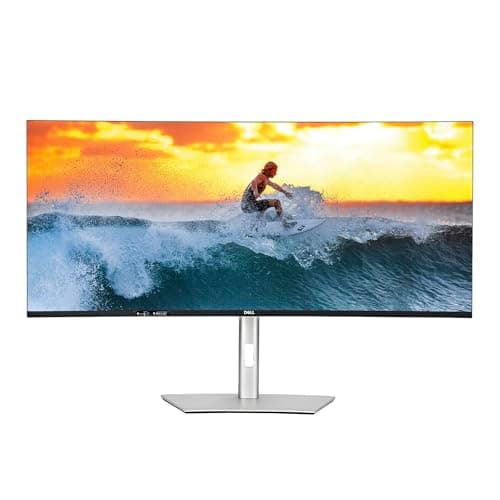
Dell UltraSharp U4025QW 40" 5K2K IPS Black
8.6 / 10
- 40" IPS Black panel — NOT OLED; zero burn-in risk by design
- 5120x2160 (5K2K WUHD), 21:9 curved, 120Hz
- VESA DisplayHDR 600 (edge-lit local dimming); DisplayNinja measured ~450 nits SDR
- Thunderbolt 4 upstream with 140W power delivery — single-cable Mac/laptop docking
$2,399.99
LG
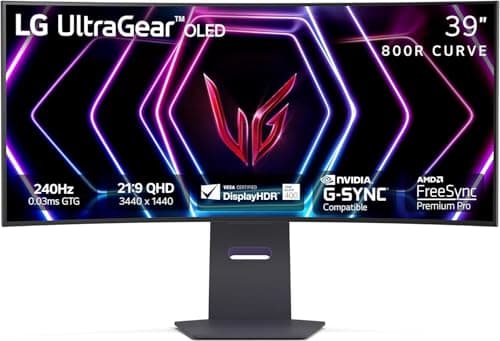
LG 39GS95QE 39" OLED
8.4 / 10
- 39" WOLED, 3440x1440 UWQHD, aggressive 800R curve
- 240Hz, 0.03ms GtG; VESA DisplayHDR True Black 400, DCI-P3 98.5%
- DisplayPort 1.4 + dual HDMI 2.1; no USB-C and no KVM
- G-Sync Compatible + FreeSync Premium Pro
$1,499.00
MSI
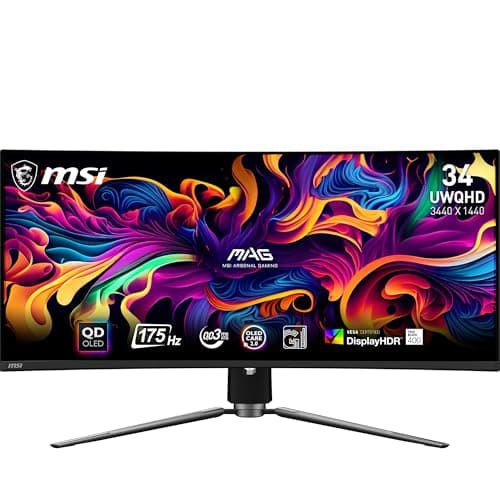
MSI MAG 341CQP 34" QD-OLED
8.3 / 10
- 34" QD-OLED, 3440x1440 UWQHD, 1800R curve
- 175Hz, 0.03ms GtG; VESA DisplayHDR True Black 400, ClearMR 9000
- DisplayPort 1.4 + dual HDMI 2.1 + USB-C (15W PD) + built-in KVM
- The only sub-$1K pick here with both USB-C and a KVM
$899.00
The Short Answer
For most premium buyers, the LG 45GX950A is the best OLED ultrawide of 2026: a 45-inch 5K2K WOLED panel that runs 165Hz at full resolution or 330Hz in a 1080p dual-mode, with USB-C 90W and DisplayPort 2.1, at a $1,999.99 list. If you want a true two-monitor replacement, the 49-inch Samsung Odyssey OLED G9 (32:9, $1,799.99 list, and frequently far cheaper on the street) is the super-ultrawide pick. The 34-inch Alienware AW3425DW ($799.99 list, typically $649.99) is the value entry into 240Hz QD-OLED. Burn-in-averse buyers who run static taskbars and code editors all day should look at the Dell U4025QW — an IPS Black 5K2K panel with zero burn-in risk and Thunderbolt 4 140W docking, the productivity alternative in a roster of OLEDs. On a tighter budget, see our general ultrawide monitors for programmers guide instead.
Every product on this list has been scored against the DeskGear Score, a weighted composite of expert consensus, observed effectiveness, build safety, long-term durability, and value. Review method: Editorial synthesis of trade-publication reviews (RTINGS, DisplayNinja, TechSpot, TFTCentral, XDA Developers, Tom's Guide, PCWorld), specialist panel measurements (DisplayNinja brightness/response data, RTINGS panel database), and owner data from r/ultrawidemasterrace, r/OLED_Gaming, and r/Monitors. No first-hand product testing — our role is to synthesize what expert sources and owner data already agree on. RTINGS measured figures are cited only for the four models RTINGS reviewed directly (LG 45GX950A, Samsung Odyssey OLED G9, Alienware AW3425DW, Dell U4025QW); the LG 39GS95QE and MSI MAG 341CQP have only sibling-model RTINGS reviews, so no RTINGS numbers are claimed for them. All specs cross-referenced against manufacturer documentation and current Amazon listings.. Synthesized from 8+ expert sources.
Head-to-Head Comparison
| Feature | LG 45GX950A-B 45" 5K2K OLED | Samsung Odyssey OLED G9 (G93SC) 49" QD-OLED | Alienware AW3425DW 34" QD-OLED | Dell UltraSharp U4025QW 40" 5K2K IPS Black | LG 39GS95QE 39" OLED | MSI MAG 341CQP 34" QD-OLED |
|---|---|---|---|---|---|---|
| Panel technology | WOLED (MLA+) | QD-OLED | QD-OLED (Gen2) | IPS Black (not OLED) | WOLED | QD-OLED |
| Resolution (PPI) | 5K2K (125 PPI) | DQHD 32:9 (109 PPI) | UWQHD (110 PPI) | 5K2K (140 PPI) | UWQHD (96 PPI) | UWQHD (110 PPI) |
| Max refresh | 165Hz (330Hz dual) | 240Hz | 240Hz | 120Hz | 240Hz | 175Hz |
| Burn-in warranty | 2 years (LG) | 3 years (Samsung) | 3 years (Dell) | N/A — no burn-in | 2 years (LG) | 3 years (MSI) |
| USB-C / TB power | USB-C 90W | None | None | Thunderbolt 4 140W | None | USB-C 15W + KVM |
| Best for | 5K2K all-rounder | Dual-27" replacement | Value 240Hz QD-OLED | Burn-in-averse productivity | Most immersive curve | USB-C + KVM under $1K |
| Watch-out | ~$2K list, 2yr warranty | ~250 nits, no USB-C | Softer text at 34" | Not OLED, slow motion | 96 PPI soft text, no USB-C | 175Hz cap, buggy firmware |
| Check Price | Amazon | Amazon | Amazon | Amazon | Amazon | Amazon |
LG LG 45GX950A-B 45" 5K2K OLED
$1,999.99
- 45" WOLED (MLA+ RGWB) panel, 5120x2160 (5K2K WUHD), 21:9, 800R curve, 125 PPI
- Dual-Mode: 5K2K at 165Hz or 2560x1080 at 330Hz; 0.03ms GtG
- VESA DisplayHDR True Black 400; ~1300 nits at 1.5% APL, ~275 nits full-field
- USB-C with 90W power delivery, DisplayPort 2.1, HDMI 2.1
- DCI-P3 98.5% coverage; 2-year LG warranty covering OLED burn-in
The LG 45GX950A is the premium OLED ultrawide that does the most in a single panel. Across the expert sources we synthesized — DisplayNinja's brightness measurements, TechSpot's review, and RTINGS' measured panel database — the practical advantage is that you don't have to choose between resolution and refresh. The 45-inch WOLED runs its native 5120x2160 at 165Hz, and its dual-mode drops to 2560x1080 at 330Hz for competitive shooters. At 5K2K across 45 inches you get 125 PPI, close to the 27-inch 1440p density most people already work at, so text is sharp enough for real productivity — not just gaming.
DisplayNinja measured roughly 1300 cd/m2 at a 1.5% window and about 275 nits full-field, which is the honest shape of every OLED here: spectacular HDR highlights, modest full-screen brightness. The MLA+ layer and 800R curve make HDR games and film genuinely immersive, and the connectivity is the most complete of the OLED picks — USB-C with 90W power delivery covers most 14-16" laptops on a single cable, and DisplayPort 2.1 future-proofs the bandwidth for the 5K2K/165Hz signal.
The honest trade-offs: the 330Hz dual-mode runs at only about 62 PPI and looks noticeably blurry, so treat it as a niche esports toggle rather than a real second resolution. LG covers the OLED panel — including burn-in — for 2 years, a year short of the 3-year coverage Samsung, Dell, and MSI offer. And at a $1,999.99 list it is the steepest OLED in this roster. If you want the same 5K2K resolution without any burn-in risk, the Dell U4025QW at rank 4 is the IPS Black alternative. On a tighter budget, our general ultrawide monitors for programmers guide covers the sub-$900 tier.
What We Love
- Runs native 5K2K at 165Hz — no choice between resolution and refresh
- 125 PPI at 45" is dense enough for real text and productivity work
- Most complete connectivity of the OLED picks — USB-C 90W and DisplayPort 2.1
- ~1300-nit HDR highlights with the MLA+ WOLED panel
- DCI-P3 98.5% coverage for color-accurate creative work
What Could Be Better
- The 330Hz dual-mode drops to ~62 PPI and looks blurry — limited real use
- Only a 2-year burn-in warranty vs the 3-year coverage from Samsung, Dell, and MSI
- Matte coating adds subtle graininess on solid color fields
- Steepest list price in the roster at ~$2,000
The Verdict
The default premium OLED ultrawide pick. Buy this if you want one panel that handles 5K2K productivity and high-refresh gaming without compromise — and you're comfortable with the 2-year warranty and ~$2K list.
Samsung Samsung Odyssey OLED G9 (G93SC) 49" QD-OLED
$1,799.99
- 49" QD-OLED, 5120x1440 (DQHD), 32:9, 1800R curve — a dual-27" replacement
- 240Hz, 0.03ms GtG; VESA DisplayHDR True Black 400
- HDMI 2.1 + DisplayPort; G-Sync Compatible + FreeSync Premium Pro
- No USB-C power delivery and no KVM — a real gap at this price for dock users
- 3-year Samsung warranty including OLED burn-in coverage (US)
The Samsung Odyssey OLED G9 is the pick when you want the widest possible canvas. At 49 inches and 5120x1440 in a 32:9 aspect ratio, it genuinely replaces two 27-inch 1440p monitors side by side — one continuous QD-OLED surface with no bezel gap down the middle. RTINGS reviewed this exact model (the G95SC panel), and DisplayNinja's measurements confirm the QD-OLED strengths: near-instant response, perfect blacks, and HDR highlights around 1000 cd/m2 in a 3% window. For anyone whose workflow spans a diff view, a terminal, and documentation at once, the horizontal room is the appeal.
The 1800R curve is gentle enough to keep the panel edges usable, and the 240Hz refresh with G-Sync Compatible and FreeSync Premium Pro support makes it a strong gaming display as well as a productivity one. Samsung's 3-year warranty covers OLED burn-in in the US, which matters more here than on most panels: a 32:9 monitor that replaces a dual-monitor setup tends to run the same static taskbars and window layouts for hours.
The honest trade-offs: DisplayNinja measured only about 250 nits full-field, so a bright room washes out SDR content — this panel wants controlled lighting. HDR peaks are capped around 450 nits with AMD GPUs unless you disable FreeSync Premium Pro, a quirk worth knowing before you buy. And the biggest desk-duty gap is connectivity: no USB-C power delivery and no KVM, so laptop users need a separate dock. One note on price — the $1,799.99 figure is Samsung's list; on the street this model routinely sells for far less, so check the current price before assuming you'll pay list.
What We Love
- True dual-27" replacement — one continuous 32:9 surface, no bezel gap
- 240Hz QD-OLED with perfect blacks and near-instant response
- 3-year Samsung warranty that includes burn-in coverage
- Frequently sells well below its $1,799.99 list on the street
- G-Sync Compatible and FreeSync Premium Pro for gaming alongside work
What Could Be Better
- Low full-field brightness (~250 nits measured) — a bright room washes it out
- HDR capped ~450 nits with AMD GPUs unless FreeSync Premium Pro is disabled
- No USB-C power delivery and no KVM — laptop users need a separate dock
- Minor text fringing from the triangular QD-OLED subpixel layout
The Verdict
The super-ultrawide pick for buyers replacing a dual-monitor setup. Get it for the canvas and the 3-year burn-in coverage — just plan for a dock and a room you can keep from being too bright.
Alienware (Dell) Alienware AW3425DW 34" QD-OLED
$799.99
- 34.2" Gen2 QD-OLED, 3440x1440 WQHD, 21:9, 1800R curve
- 240Hz, 0.03ms GtG; VESA DisplayHDR True Black 400, 1000-nit HDR peak
- FreeSync Premium Pro + G-Sync Compatible + VESA AdaptiveSync
- 3-year Dell warranty explicitly covering OLED burn-in
- Next-business-day panel Advanced Exchange included
The Alienware AW3425DW is the value entry into premium QD-OLED, and the pick most buyers should start with if 34 inches is enough screen. It uses a second-generation QD-OLED panel at the classic 3440x1440 ultrawide resolution, runs 240Hz, and carries the same DisplayHDR True Black 400 certification and 1000-nit HDR peak as the pricier picks. RTINGS reviewed this exact model and measured roughly 246 nits full-screen in SDR — again, the OLED pattern of brilliant highlights and modest full-field brightness.
What earns it the value slot is the warranty and the price. Dell's list is $799.99, but its own everyday price — matching the Amazon Buy-Box we checked — is $649.99, which undercuts every other OLED here. The 3-year Dell warranty explicitly covers OLED burn-in and adds next-business-day panel Advanced Exchange, the most reassuring coverage in the roster for a buyer who intends to run static UI all day. TFTCentral's launch coverage and XDA's review both single out the panel quality relative to the asking price.
The honest trade-offs: at 34 inches, 3440x1440 works out to a lower pixel density than the 5K2K picks — great for gaming, softer for dense text and spreadsheets. RTINGS flags real burn-in risk with persistent static content, which the 3-year warranty mitigates but does not eliminate. And the ~246-nit SDR full-screen brightness means it, too, doesn't fight intense glare. For a first premium OLED, though, the combination of price, 240Hz, and 3-year burn-in coverage is hard to beat.
What We Love
- Lowest real-world price of any OLED here (~$649.99 typical)
- 3-year Dell warranty covering burn-in, with next-business-day panel exchange
- 240Hz Gen2 QD-OLED with perfect blacks and 0.03ms response
- DisplayHDR True Black 400 and 1000-nit HDR peak
- FreeSync Premium Pro and G-Sync Compatible for wide GPU support
What Could Be Better
- 1440p at 34" is lower density than the 5K2K picks — softer for text work
- Modest SDR full-screen brightness (~246 nits measured) — doesn't beat glare
- Burn-in risk with persistent static UI (mitigated, not removed, by warranty)
- No USB-C power delivery for single-cable laptop docking
The Verdict
The best-value way into premium QD-OLED. Buy this if 34 inches is enough and you want 240Hz plus the roster's most generous burn-in warranty for the lowest street price.
Dell Dell UltraSharp U4025QW 40" 5K2K IPS Black
$2,399.99
- 40" IPS Black panel — NOT OLED; zero burn-in risk by design
- 5120x2160 (5K2K WUHD), 21:9 curved, 120Hz
- VESA DisplayHDR 600 (edge-lit local dimming); DisplayNinja measured ~450 nits SDR
- Thunderbolt 4 upstream with 140W power delivery — single-cable Mac/laptop docking
- Built-in KVM, 2.5G Ethernet, HDMI 2.1 + DisplayPort 1.4
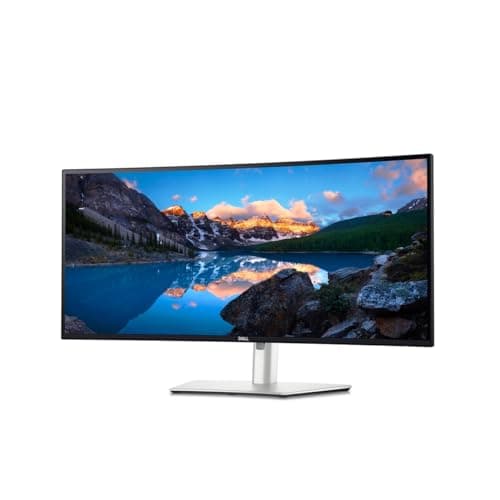
To be clear up front: the Dell U4025QW is not an OLED. It is an IPS Black panel, and it earns its place in this guide precisely because of that. If you run static taskbars, IDE toolbars, and code editors in the same position for eight hours a day, an OLED's burn-in risk is a genuine concern — and the U4025QW is the 5K2K productivity monitor that removes that concern entirely. Zero burn-in risk, no pixel-shift workarounds, no warranty clock ticking on a panel you're wearing in. DisplayNinja confirmed the IPS Black panel and measured about 450 nits in SDR — meaningfully brighter full-screen than any OLED here, so it also handles a bright room the OLEDs can't.
For desk duty it is the most capable connectivity package in the roster: Thunderbolt 4 upstream with 140W power delivery docks a MacBook Pro or a workstation laptop on one cable, a built-in KVM switches a second machine cleanly, and 2.5G Ethernet plus HDMI 2.1 and DisplayPort 1.4 round it out. At 40 inches and 5120x2160 you get the same 5K2K real estate as the LG, with the color consistency IPS is known for.
The honest trade-offs are the flip side of choosing IPS: contrast and motion clarity trail every OLED here. RTINGS reviewed it and flags a slow response time — this is not a monitor for fast motion or gaming. Its HDR is weak for the price, DisplayHDR 600 with edge-lit local dimming only, nowhere near the per-pixel contrast of an OLED. And at a $2,399.99 list it is the steepest price in the roster. You are paying a premium for the docking hub and the zero-burn-in peace of mind, not for image punch. If burn-in doesn't worry you and you want the best picture, the LG 45GX950A at rank 1 is the OLED counterpart at the same 5K2K resolution.
What We Love
- Zero burn-in risk — the reason it's here for all-day static-content work
- Highest full-screen brightness in the roster (~450 nits SDR measured)
- Best docking of any pick — Thunderbolt 4 140W, built-in KVM, 2.5G Ethernet
- Same 5K2K resolution as the LG, with IPS color consistency
- No pixel-shift workarounds or burn-in warranty clock to manage
What Could Be Better
- Not an OLED — contrast and motion clarity trail every other pick here
- Slow response time; a poor choice for fast motion or gaming (RTINGS)
- Weak HDR for the price — DisplayHDR 600 with edge-lit dimming only
- Steepest list price in the roster at ~$2,400
The Verdict
The productivity alternative for burn-in-averse buyers. Buy this if you run static UI all day and want 5K2K real estate plus the best docking hub here — and you'll accept IPS motion and HDR in exchange for zero burn-in risk.
LG LG 39GS95QE 39" OLED
$1,499.00
- 39" WOLED, 3440x1440 UWQHD, aggressive 800R curve
- 240Hz, 0.03ms GtG; VESA DisplayHDR True Black 400, DCI-P3 98.5%
- DisplayPort 1.4 + dual HDMI 2.1; no USB-C and no KVM
- G-Sync Compatible + FreeSync Premium Pro
- 2-year LG UltraGear OLED warranty including burn-in coverage
The LG 39GS95QE is the pick for buyers who want the most enveloping curve on the list. It takes the familiar 3440x1440 ultrawide resolution and stretches it across 39 inches with an aggressive 800R curve — the tightest wrap here — so the panel edges bend toward you and the periphery stays in view. For sim racing, flight sims, and single-player immersion, that curve is the whole appeal. DisplayNinja measured HDR peaks around 1300 cd/m2 under a 3% window and roughly 275 nits full-field, and Tom's Guide's hands-on review echoes the strong HDR-highlight character of the WOLED panel. Note that no dedicated RTINGS review exists for this exact 39-inch model — RTINGS tested the 34-inch 34GS95QE sibling — so we don't cite RTINGS numbers for it.
At 240Hz with G-Sync Compatible and FreeSync Premium Pro, it's a fast-motion panel, and LG's 2-year UltraGear OLED warranty includes burn-in coverage.
The honest trade-offs are why it sits at rank 5 rather than higher. Spreading 3440x1440 across 39 inches drops the density to about 95.62 PPI (DisplayNinja), the lowest here — and combined with the WOLED subpixel layout, text clarity is the weakest of any pick for productivity. Full-field brightness is around 275 nits, so full-screen HDR lacks punch. There's no USB-C and no KVM at this price, a real omission for desk-dock users. And on pricing: LG's launch list is $1,499, but the street has settled around $900 — check the current price, because you shouldn't pay list for this one.
What We Love
- The tightest 800R curve here — the most immersive pick for sim and single-player
- 240Hz with DisplayHDR True Black 400 and ~1300-nit HDR highlights
- DCI-P3 98.5% coverage for color work
- Street price has settled well below the $1,499 launch list (~$900)
- 2-year LG warranty including burn-in coverage
What Could Be Better
- Lowest pixel density here (~95.62 PPI) — the weakest text pick for productivity
- Low full-field brightness (~275 nits) limits full-screen HDR punch
- No USB-C and no KVM at this price
- No dedicated RTINGS review for this exact 39" model (only the 34" sibling)
The Verdict
The immersion pick. Buy this if an aggressive wrap-around curve for gaming and sims matters more than text sharpness — and buy it at the ~$900 street price, not the $1,499 list.
MSI MSI MAG 341CQP 34" QD-OLED
$899.00
- 34" QD-OLED, 3440x1440 UWQHD, 1800R curve
- 175Hz, 0.03ms GtG; VESA DisplayHDR True Black 400, ClearMR 9000
- DisplayPort 1.4 + dual HDMI 2.1 + USB-C (15W PD) + built-in KVM
- The only sub-$1K pick here with both USB-C and a KVM
- MSI 3-year burn-in warranty with OLED Care 2.0 protections
The MSI MAG 341CQP is the value QD-OLED for buyers who need the desk-duty features the other affordable picks skip. It's a 34-inch QD-OLED at 3440x1440 with DisplayHDR True Black 400, and while it caps at 175Hz rather than 240Hz, it's the only sub-$1,000 monitor here to include both USB-C and a built-in KVM — which is what makes it a real productivity contender rather than a pure gaming panel. XDA's review measured about 250 nits in SDR and roughly 450 nits HDR in True Black mode (up to 1000 nits in Peak-1000 mode), confirms the USB-C carries 15W of power delivery, and pegs the list at $899. TFTCentral reviewed it as well. No dedicated RTINGS review exists for this exact model — RTINGS tested the MPG 341CQPX sibling — so we don't cite RTINGS numbers for it.
MSI's 3-year warranty covers burn-in and layers on the OLED Care 2.0 protections, matching Samsung and Dell on coverage length and beating LG's 2 years.
The honest trade-offs: as a first-generation QD-OLED it's capped at 175Hz, a step behind the 240Hz picks. QD-OLED blacks turn elevated and purplish-gray in a lit room, so it wants dim ambient light to look its best. TFTCentral flagged buggy firmware — broken gamut-emulation modes and reds shifting pink in HDR — and the USB-C is only 15W, enough for a tablet or phone but not laptop-charging class, so the KVM is more useful than the USB-C here. One pricing caution: at our last check the Amazon Buy-Box was a third-party listing at $1,049.32, above the $899 MSRP — don't treat an inflated third-party price as a deal; the list price is $899.
What We Love
- Only sub-$1K pick with both USB-C and a built-in KVM
- 3-year MSI burn-in warranty with OLED Care 2.0 — matches Samsung and Dell
- QD-OLED perfect blacks at the lowest list price of the QD-OLED picks
- DisplayHDR True Black 400 with up to 1000-nit Peak-1000 HDR mode
- Dual HDMI 2.1 plus DisplayPort 1.4 for a full input set
What Could Be Better
- First-gen QD-OLED capped at 175Hz vs the 240Hz picks
- Elevated, purplish-gray blacks in lit rooms — needs dim ambient light
- Buggy firmware (broken gamut modes; reds shift pink in HDR, per TFTCentral)
- USB-C is only 15W — not laptop-charging class; third-party Buy-Box can inflate over MSRP
The Verdict
The value QD-OLED with real desk features. Buy this if you want USB-C and a KVM under $1,000 and can live with 175Hz — just confirm you're paying the $899 MSRP, not an inflated third-party Buy-Box.
How We Score
Formula
DeskGear Score = (Expert × 0.30) + (Effectiveness × 0.25) + (Build Safety × 0.20) + (Durability × 0.15) + (Value × 0.10)
Score Factors
- Image Quality · 30%
- Panel technology (QD-OLED vs WOLED vs IPS Black), measured HDR peak and full-field brightness, contrast, and color gamut — synthesized from DisplayNinja measurements, RTINGS panel data (where a direct review exists), and manufacturer specs.
- Burn-in Longevity & Warranty · 20%
- Burn-in risk for static-content desk use and the length of per-brand burn-in warranty coverage (Dell, Samsung, MSI 3 years; LG 2 years). The IPS Black Dell U4025QW scores highest here for carrying zero burn-in risk.
- Connectivity for Desk Duty · 20%
- USB-C / Thunderbolt power-delivery wattage, KVM availability, HDMI 2.1, and DisplayPort version. Weighted for laptop-docking workflows where a single cable and a KVM materially change the desk.
- Motion Performance · 15%
- Max refresh rate and response time. OLED's 0.03ms response tops the IPS Black panel here; refresh separates the 240Hz picks from the 165Hz and 175Hz panels.
- Value & Expert Consensus · 15%
- Per-feature pricing against real street prices (not just list), and agreement across RTINGS, DisplayNinja, TFTCentral, XDA, TechSpot, Tom's Guide, and PCWorld. Higher weight to sources that include measurements.
| Rank | Product | Score |
|---|---|---|
| #1 | LG LG 45GX950A-B 45" 5K2K OLED | 9.2 |
| #2 | Samsung Samsung Odyssey OLED G9 (G93SC) 49" QD-OLED | 8.9 |
| #3 | Alienware (Dell) Alienware AW3425DW 34" QD-OLED | 8.8 |
| #4 | Dell Dell UltraSharp U4025QW 40" 5K2K IPS Black | 8.6 |
| #5 | LG LG 39GS95QE 39" OLED | 8.4 |
| #6 | MSI MSI MAG 341CQP 34" QD-OLED | 8.3 |
Frequently Asked Questions
Is an OLED ultrawide safe for a coding workstation I use eight hours a day?
It can be, with eyes open. Leave pixel-shift and pixel-refresh features enabled, hide the taskbar when you can, and choose a brand with strong burn-in coverage — Dell, Samsung, and MSI all cover burn-in for 3 years; LG for 2. If you'd rather not manage the risk at all, the IPS Black Dell U4025QW in this guide has zero burn-in risk and is the right pick for pure all-day static-content work.
Which pick is the best value?
The Alienware AW3425DW. It's the lowest real-world price of any OLED here (typically ~$649.99), runs 240Hz, and carries the roster's most generous burn-in warranty — 3 years with next-business-day panel exchange. If you need USB-C and a KVM under $1,000, the MSI MAG 341CQP is the value pick with desk-duty features, at its $899 MSRP.
Do I need 5K2K, or is 3440x1440 enough?
For gaming and media, 3440x1440 QD-OLED is more than enough and gives you 240Hz for less. 5K2K is worth the premium if you do text-heavy or multi-window productivity work, where the extra sharpness and desktop space genuinely help. The LG 45GX950A is the OLED 5K2K pick; the Dell U4025QW is the IPS Black 5K2K pick.
Why is the Dell U4025QW in an OLED guide if it isn't an OLED?
On purpose. It's an IPS Black panel with zero burn-in risk, and it's here as the productivity alternative for buyers who want 5K2K real estate and single-cable Thunderbolt docking without the burn-in concern that comes with running static UI on an OLED all day. It trades OLED contrast and motion clarity for much higher full-screen brightness and peace of mind.
How bright are these in a sunlit room?
The OLEDs are dim full-screen — around 250-275 nits — so a bright room washes out SDR content. Their big HDR numbers apply only to small highlights. If your desk faces a window, the IPS Black Dell U4025QW (~450 nits full-screen SDR, measured by DisplayNinja) is the one that fights glare.
I want an ultrawide but this tier is out of budget — where should I look?
The general ultrawide monitors for programmers guide covers the budget and mid-range tier below $900, including strong LCD ultrawides. This guide is deliberately the premium OLED step-up; start there if the prices here are more than you want to spend.
Bottom Line
Get the LG 45GX950A if you want the best all-round premium OLED — native 5K2K at 165Hz, a 330Hz dual-mode, and the most complete connectivity of the OLED picks. Accept the 2-year warranty and ~$2K list.
Get the Samsung Odyssey OLED G9 if you're replacing a dual-monitor setup — a 49-inch 32:9 QD-OLED canvas with a 3-year burn-in warranty, often well below its $1,799.99 list on the street.
Get the Alienware AW3425DW if you want the best value into premium QD-OLED — 240Hz at 34 inches with the roster's most generous burn-in warranty, for a typical ~$649.99.
Get the Dell U4025QW if burn-in worries you — an IPS Black 5K2K panel with zero burn-in risk, Thunderbolt 4 140W docking, and a built-in KVM. It's not an OLED, and that's the point.
Get the LG 39GS95QE for the most immersive curve, or the MSI MAG 341CQP if you need USB-C and a KVM under $1,000 — both at their real street prices, not their launch lists.
Sources & Methodology
Expert review sources
- RTINGS — measured reviews for the LG 45GX950A, Samsung Odyssey OLED G9, Alienware AW3425DW, and Dell U4025QW
- DisplayNinja — brightness and response measurements across the OLED picks
- TechSpot — LG 45GX950A review
- TFTCentral — Alienware AW3425DW launch coverage and MSI MAG 341CQP review
- XDA Developers — Alienware AW3425DW and MSI MAG 341CQP reviews
- Tom's Guide — LG 39GS95QE hands-on review
- PCWorld — Dell U4025QW review
- Samsung, LG, Dell, MSI — manufacturer specification sheets (MSRP and panel specs)
Community sources
- r/ultrawidemasterrace — super-ultrawide ownership and layout threads
- r/OLED_Gaming — burn-in longevity and panel-care discussions
- r/Monitors — long-term ownership and panel quality threads
Prices and specs verified July 3, 2026.
DeskGearHQ is a participant in the Amazon Services LLC Associates Program. We may earn commissions from qualifying purchases — at no extra cost to you.