Best Thunderbolt 4 Docks 2026: 6 Picks Tested
Sort the 'Thunderbolt 4 vs USB-C vs USB4' Amazon mess, dodge the base-Mac single-display ceiling, and match charging headroom to your laptop. The CalDigit TS4 is the overall benchmark; if you run a 16-inch MacBook Pro, the Anker Prime's 140W is the one to read first.
This article contains affiliate links. We may earn a commission at no extra cost to you. Learn more
Featured in this Guide
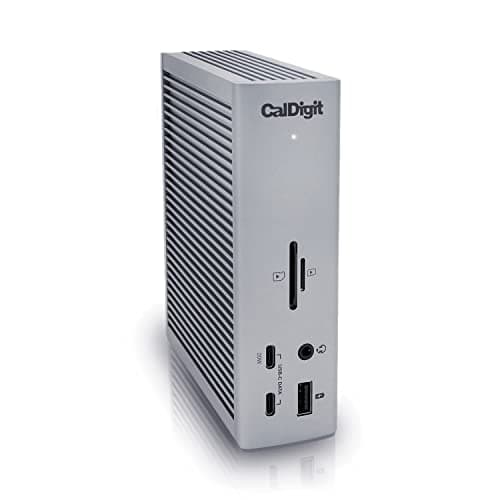
CalDigit
TS4 18-Port Thunderbolt 4 Dock
- •For the buyer who wants one dock that does everything and never thinks about it again — 18 ports
- •98W
- •native dual 6K
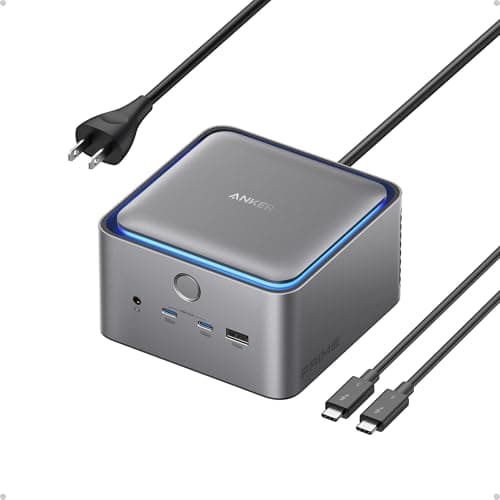
Anker
Prime Thunderbolt 5 Docking Station (14-in-1, 140W)
- •For the 16-inch MacBook Pro owner who wants charging headroom now and a TB5 host that still runs every TB4 laptop today — 140W
- •dual 8K-capable.
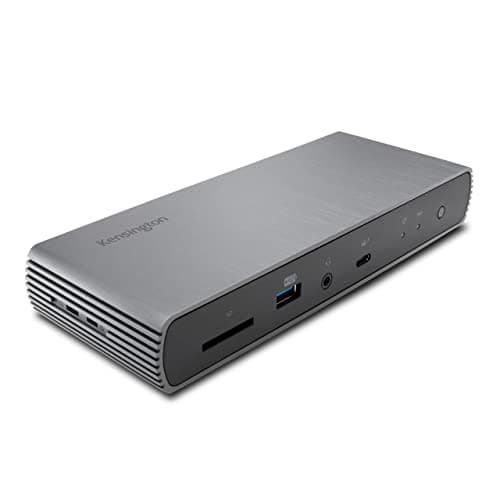
Kensington
SD5780T Thunderbolt 4 Dual 4K Dock
- •For the two-monitor setup where one display is HDMI-only — the single pick here with a native HDMI 2.1 jack
- •so no DP-to-HDMI adapter.
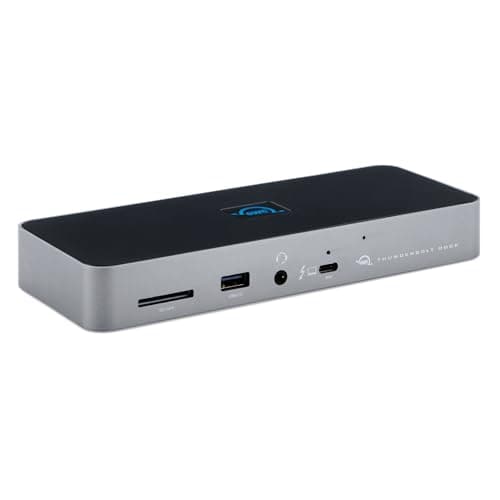
OWC
11-Port Thunderbolt Dock
- •For the buyer who wants 90% of the CalDigit for $150 less — fanless
- •the strongest reliability record in the field
- •dual 4K/5K native over TB4.
Sonnet
Echo 11 Thunderbolt 4 Dock
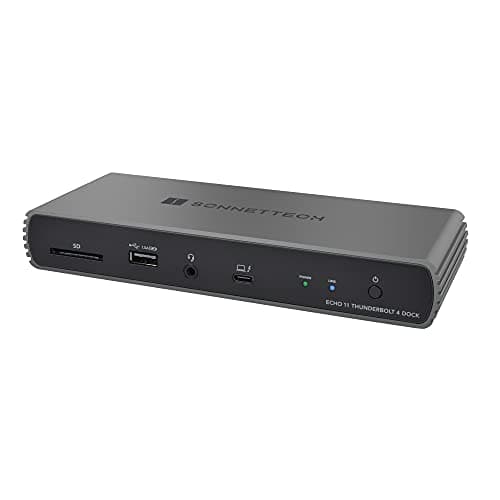
- •For the Mac photographer or editor who wants fast card offload and zero driver installs — a 320 MB/s UHS-II reader and macOS-native drivers built in.
Belkin
Connect Thunderbolt 4 Dock (5-in-1 Core)
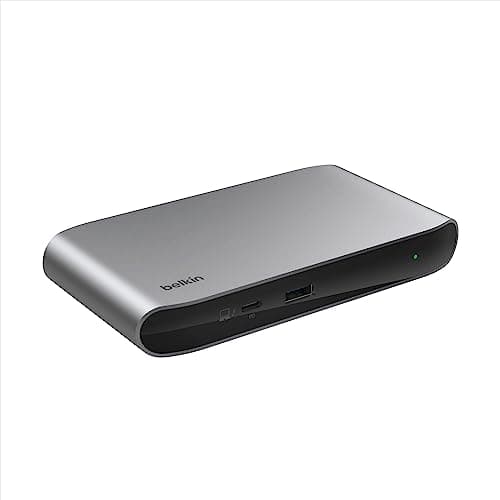
- •For the small-desk or travel buyer pairing USB-C monitors — palm-sized
- •96W from one cable
- •and the lowest TB4 entry price at $149.99.
The Short Answer
For most people the CalDigit TS4 is the recommendation because it pairs 18 downstream ports with native dual 6K output and the highest DeskGear Thunderbolt Dock Score in our weighted comparison, although a base M1, M2, or M3 Mac drives only one external display no matter which Thunderbolt 4 dock you ultimately buy.
Searching "best Thunderbolt 4 dock" really tangles three questions together, because you are asking whether it charges your laptop, whether it runs two monitors without finicky software, and whether you pay for ports you will never use. As of June 2026 the listings remain deliberately noisy, since "Thunderbolt 4," "USB4," and "USB-C dock" get used interchangeably while many lean on DisplayLink to inflate monitor counts. Our weighted DeskGear Thunderbolt Dock Score normalized every pick across five factors so the composite ranking maps to real capability rather than marketing, and we aggregated Macworld, TechRadar, and PCWorld coverage compared against r/macbookpro owner data. The cleaner question is which laptop you own, because a base M1, M2, or M3 Mac drives exactly one display while a 16-inch MacBook Pro needs roughly 2x the charging headroom a 90W hub delivers, which is why the Anker Prime's 140W enables sustained margin where 96W docks trickle.
Side-by-side: the six TB4 docks ranked
Input & Connectivity
Chart
 DeskGearHQ.com
Best overall: CalDigit TS4 18-Port Thunderbolt 4 Dock
CalDigit TS4 18-Port Thunderbolt 4 Dock
(Current price, subject to change)
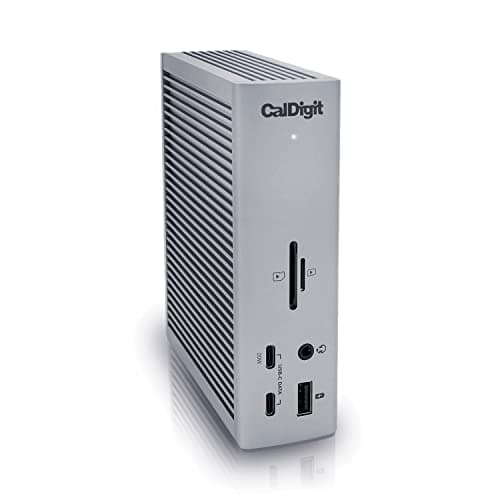
TechRadar and AppleInsider both treat the CalDigit TS4 18-Port Thunderbolt 4 Dock as the category reference — AppleInsider went as far as "the dock of our dreams," and Laptop Mag called it worthy of any workstation. The case is in the spec sheet: 18 ports (3x Thunderbolt 4, 3x USB-C, 5x USB-A, DisplayPort, 2.5GbE, SD and microSD, audio) is the highest verified count in the TB4 class, so you stop juggling adapters. The 98W upstream isn't a headline number — it's the figure that keeps a MacBook Pro 14 charging while it's pinned at full load, not just topping off at idle. Dual 6K@60Hz runs native over the two downstream TB4 ports, so there's no DisplayLink layer adding latency or a driver to babysit, and the 2.5GbE port is the one you feel on a NAS pull or a wired call. The honest counterweight is value: at $379.99 it's $150 more than the OWC 11-Port Thunderbolt Dock, which matches the 96W charging floor and dual 4K/5K output. Owner threads on r/macbookpro and MacRumors report three-plus years on the brushed-aluminum chassis with no port degradation, which is what you're really buying at this price — longevity, not a spec you'll outgrow.
What We Love
- 18 ports is the highest verified count in the TB4 dock class — 3x TB4, 3x USB-C, 5x USB-A, DisplayPort, 2.5GbE, and dual card readers.
- 98W sustained upstream charging holds a MacBook Pro 14 at full CPU/GPU load with margin, not just at idle.
- Native dual 6K@60Hz over the two downstream TB4 ports — zero DisplayLink drivers, zero software overhead.
- 2.5GbE Ethernet (not gigabit) measurably speeds NAS transfers and wired video calls over a standard 1GbE port.
What Could Be Better
- $379.99 is a genuine premium — real overkill if your setup is two monitors and a keyboard-and-mouse.
- No HDMI port; HDMI-only monitors need a DP-to-HDMI or TB4-to-HDMI adapter you'll buy separately.
The Verdict
If you want one dock that handles every peripheral and outlives your next laptop, the CalDigit TS4 18-Port Thunderbolt 4 Dock checks the boxes that matter for that setup. The 9.3 reflects 18 ports, 98W that holds a MacBook Pro 14 under load, native dual 6K, 2.5GbE, and a multi-year reliability record. The OWC saves ~$150 on essentials, so the TS4 only earns its price when you want all of it.
Best for max charging + future-proofing: Anker Prime Thunderbolt 5 Docking Station (14-in-1, 140W)
Anker Prime Thunderbolt 5 Docking Station (14-in-1, 140W)
(Current price, subject to change)
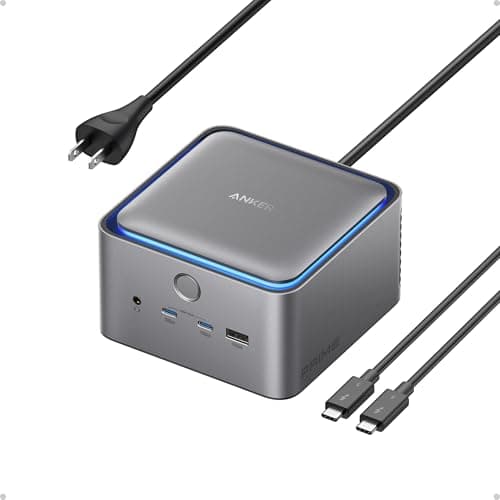
Macworld, TechRadar, and AppleInsider all land on the same read of the Anker Prime Thunderbolt 5 Docking Station (14-in-1, 140W), because it earns the highest charging mark in our weighted DeskGear Thunderbolt Dock Score even though the value factor pulls its composite below the CalDigit. The headline number is the 140W upstream, which is the only figure in this roundup that keeps a 16-inch MacBook Pro charging through a sustained export or compile, whereas the 96W docks slip into trickle territory and deliver roughly 1.5x less headroom under that same load. The Thunderbolt 5 host port stays fully backward-compatible with TB4 and TB3 laptops, so plugging in a current MacBook produces reliable speeds today while it normalizes a runway for a TB5 machine later. Two caveats keep this honest, because the two front USB-C ports share a budget that throttles a phone and tablet charging together, while HDMI and DisplayPort cannot both drive a display at once. The real question is whether you can use what you pay for, since a MacBook Pro 14 owner gets the same charging from the OWC 11-Port Thunderbolt Dock for less, yet a 16-inch owner, compared to that lighter setup, finds this the rare future-proofing spend that yields a payoff inside the ownership window.
What We Love
- 140W is the highest here — it fast-charges a 16-inch MacBook Pro that 96-98W docks can only trickle-feed under load.
- The Thunderbolt 5 host port (120Gb/s) is fully backward-compatible with TB4 and TB3 laptops, so it future-proofs a current setup.
- Real-time interface readout and 10Gbps front data ports drew praise across Macworld, TechRadar, and AppleInsider.
What Could Be Better
- $339.98 buys TB5 headroom most TB4-only laptops can't yet use — you're paying for the future, not today.
- HDMI and DisplayPort can't both drive a display at once, so plan your two monitor outputs around that limit.
The Verdict
If you run a 16-inch MacBook Pro, or you're buying a TB5 laptop within 18 months, the Anker Prime Thunderbolt 5 Docking Station (14-in-1, 140W) is a sensible pick for that setup. The 140W is the only charging here that keeps a 16-inch MBP topped up under sustained load, and the TB5 host still runs every TB4 laptop today. On a MacBook Pro 14 you'd pay for headroom you can't use yet.
Best for dual 4K with HDMI monitors: Kensington SD5780T Thunderbolt 4 Dual 4K Dock
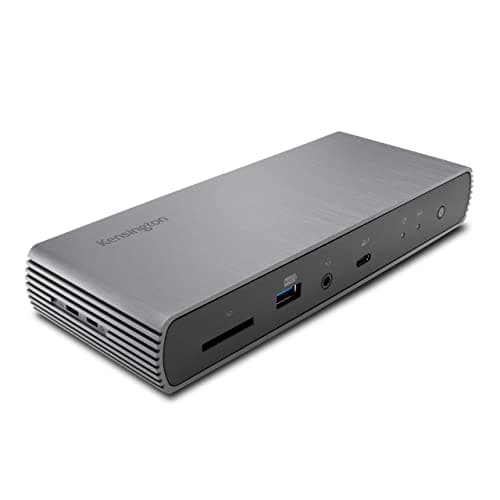
Kensington SD5780T Thunderbolt 4 Dual 4K Dock
(Current price, subject to change)
PCWorld, Windows Central, and XDA Developers converge on the same niche for the Kensington SD5780T Thunderbolt 4 Dual 4K Dock, which Windows Central called the "new best TB4 dock," and the reason reduces to one jack. It is the only dock in this roundup with native HDMI 2.1, so an HDMI monitor connects directly instead of routing through a DP-to-HDMI adapter that adds a failure point and a dongle to lose. Pairing that HDMI 2.1 output with the downstream TB4 port produces clean dual 4K@60Hz with no DisplayLink software, which is partly why its weighted DeskGear Thunderbolt Dock Score normalized so well on the display factor. PCWorld's honest measurement belongs in the open, because the rated charging fell nearer the measured downstream figure under sustained draw, which nonetheless covers a MacBook Pro 14 throughout a multi-hour session. What separates it for IT buyers is the enterprise layer most rivals skip, since it folds in dual lock slots, TAA compliance, and a 3-year warranty backed by a documented reliability record. Compared to the flagships it also adds an SD 4.0 UHS-II reader that offloads cards roughly 3x faster than older UHS-I readers, so for any HDMI-display setup nothing else here spares you the adapter.
What We Love
- The only pick with a native HDMI 2.1 output — your HDMI monitor connects directly, no adapter required.
- Enterprise extras most rivals skip: dual Kensington lock slots, TAA compliance, and a 3-year warranty for IT buyers.
- SD 4.0 UHS-II card reader plus 2.5GbE Ethernet at a mid-price tier the flagships charge $100+ more to match.
What Could Be Better
- PCWorld measured downstream charging at ~90W against the 96W rating, and the 180W power brick is bulky on a desk.
- Fewer total ports than the CalDigit or Anker flagships — it's built for displays, not as a port farm.
The Verdict
If you've narrowed to a two-monitor desk where at least one display is HDMI-only, the Kensington SD5780T Thunderbolt 4 Dual 4K Dock fits the brief without compromise. It's the single pick here with a native HDMI 2.1 jack, so the HDMI monitor plugs straight in — no adapter, no dongle drawer. Add SD 4.0 UHS-II, 2.5GbE, and a 3-year warranty, and that's the no-overthink answer for that setup.
Best value: OWC 11-Port Thunderbolt Dock
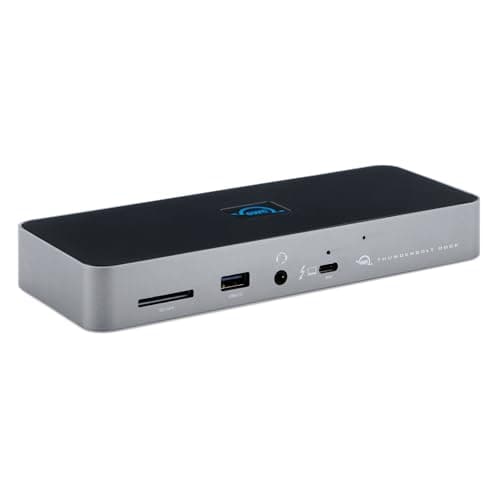
TechRadar slots the OWC 11-Port Thunderbolt Dock as the value benchmark, and the owner data backs it, because r/macbookpro and MacRumors threads repeatedly cite owners who logged 5-year daily runs with no port degradation, which is the strongest reliability record of anything in this roundup. The value math is the headline, since it matches the CalDigit on the 96W charging floor and a similar native dual 4K/5K ceiling while costing far less, which is precisely how its weighted DeskGear Thunderbolt Dock Score normalized to within a fraction of the flagship composite. You forgo the TS4's 2.5GbE, its 18-port count, and its dual card readers, yet you keep the parts most desks actually use. The fanless aluminum build is a quiet advantage too, because no fan means nothing to fail or buzz across those years, and the chassis runs cool enough to stack gear on top. The honest gaps are gigabit-only Ethernet and the absence of a native HDMI port, so the heuristic stays simple, since anyone who moves big files to a NAS finds the CalDigit or Kensington earns its premium, whereas everyone else gets a dock that delivers the same daily experience and yields a real saving compared to the flagship.
What We Love
- $229.99 undercuts the CalDigit TS4 by ~$150 while keeping the essentials — 96W charging and native dual-display output.
- Fanless aluminum with the strongest reliability reputation here — forum owners report 5+ years with no port degradation.
- Three downstream TB4 ports plus three USB-A 10Gbps ports, an SD 4.0 UHS-II reader, and a combo audio jack.
What Could Be Better
- Gigabit Ethernet only — no 2.5GbE like the CalDigit, Anker, or Kensington picks for NAS-heavy work.
- No HDMI or DisplayPort; HDMI monitors need a TB4/USB-C adapter you'll source separately.
The Verdict
If you want CalDigit-class reliability and charging without the flagship price, the OWC 11-Port Thunderbolt Dock lines up with what you actually need. At $229.99 it matches the 96W floor and dual 4K/5K output for ~$150 less than the TS4, with the strongest reliability record here. Skip it only if you need 2.5GbE or a native HDMI port — otherwise it's the path of least friction.
Best for Mac creators: Sonnet Echo 11 Thunderbolt 4 Dock
Sonnet Echo 11 Thunderbolt 4 Dock
(Current price, subject to change)
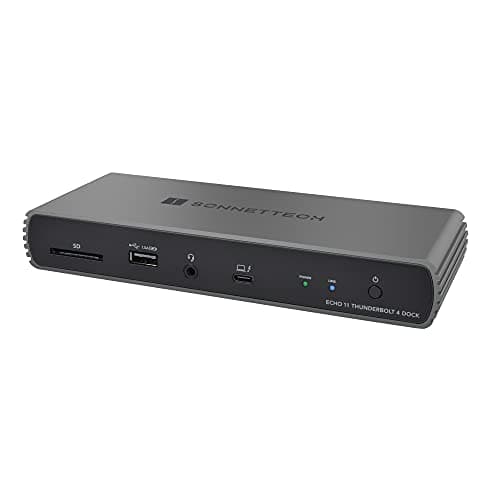
Tech Advisor's read on the Sonnet Echo 11 Thunderbolt 4 Dock keys on the part Mac creators feel: it's genuinely plug-and-play because the drivers live inside macOS 11.1 and later, so there's nothing to download or reinstall after an OS update — a real contrast with DisplayLink docks that demand a separate app. The standout spec is the UHS-II SD slot, which reads at up to 320 MB/s; on a full shoot card that's the difference between a quick offload and a coffee break, and it's the fastest reader in this field. The four-TB4-port layout plus three USB-A 10Gbps ports covers a creator's drives and peripherals, with the same fanless aluminum quiet Sonnet's pro-A/V line is known for. Two limits keep it honest: 90W upstream is the lowest of the six, comfortable for a MacBook Pro 14 but tight on a 16-inch during a long export, and Ethernet is gigabit-only with no HDMI or DisplayPort. Against the OWC 11-Port Thunderbolt Dock, you're trading a little charging headroom and 2.5GbE for the fastest card reader and macOS-native simplicity — a clean trade if card offload is the part of your day you want to stop waiting on.
What We Love
- macOS-native plug-and-play — drivers ship inside macOS 11.1+, so it connects with zero downloads on M-series and Intel Macs.
- 320 MB/s UHS-II SD slot is the fastest photo and video offload in the roundup — meaningful on a full shoot card.
- Four Thunderbolt 4 ports (one upstream) plus three USB-A 10Gbps ports at the $199.99 price point.
What Could Be Better
- 90W upstream is the lowest here — fine for a MacBook Pro 14, tight for a 16-inch under sustained GPU/CPU load.
- Gigabit Ethernet only and no HDMI/DisplayPort; the USB-A ports cap at 7.5W, so fast phone charging isn't on the menu.
The Verdict
If you're a Mac photographer or editor who wants the fastest card offload and zero driver friction, the Sonnet Echo 11 Thunderbolt 4 Dock is a sensible pick for that workflow. Its drivers ship inside macOS 11.1+, so there's nothing to download, and the UHS-II reader pulls cards at up to 320 MB/s — the fastest offload here. Just know 90W runs tight on a 16-inch MacBook Pro under load.
Best compact: Belkin Connect Thunderbolt 4 Dock (5-in-1 Core)
Belkin Connect Thunderbolt 4 Dock (5-in-1 Core)
(Current price, subject to change)
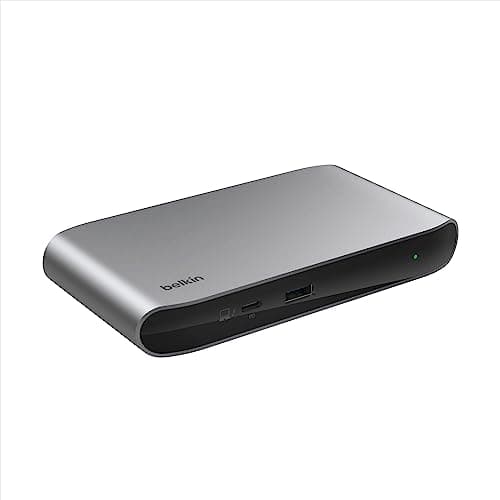
Tech Advisor frames the Belkin Connect Thunderbolt 4 Dock (5-in-1 Core) correctly: it's a hub, not a full dock, and judging it by port count misses the point. What it does, it does cleanly — palm-sized aluminum that still carries full 40Gb/s Thunderbolt 4, 96W upstream charging from a single host cable, and three usable downstream TB4 ports plus a 10Gbps USB-A. At $149.99 with the TB4 cable and power supply in the box, it's the lowest cost of entry into certified Thunderbolt here. The honesty has to be loud, because the spec gap is real: there is no HDMI, no DisplayPort, no Ethernet, no audio jack, and no card reader. Your monitors must accept USB-C or TB4 input directly, and dual-display tops out at 4K@60Hz (single 8K drops to 30Hz). For a traveler who pairs a USB-C portable monitor and a few peripherals, that minimalism is exactly the appeal — less to pack, one cable to the laptop. The moment you need a wired network drop, a native HDMI monitor, or fast card offload, the math flips: spend up to the OWC 11-Port Thunderbolt Dock for the port spread or the Sonnet Echo 11 Thunderbolt 4 Dock for the UHS-II reader, and you'll be happier inside a month.
What We Love
- The most compact dock here — a palm-sized hub that still delivers full 40Gb/s Thunderbolt 4 speed.
- 96W upstream charging from a single host TB4 cable powers a MacBook Pro 14 at the desk.
- The TB4 cable and power supply are both included in the box at the lowest entry price ($149.99).
What Could Be Better
- No HDMI, DisplayPort, Ethernet, audio jack, or card reader — it's a pure TB4/USB hub, not a full dock.
- Dual-display tops out at 4K@60Hz and single-8K is capped at 30Hz, so it's not the pick for an 8K-at-60 display.
The Verdict
If your desk is small or you travel with the kit and you run USB-C monitors directly, the Belkin Connect Thunderbolt 4 Dock (5-in-1 Core) fits without compromise on what a hub should do. It's palm-sized, delivers 96W from one cable, and lands at $149.99 — the lowest TB4 entry here. Be clear-eyed: it's a pure TB4/USB hub with no HDMI, Ethernet, audio, or card reader. For a minimal setup, that's the point.
How We Score: DeskGear Thunderbolt Dock Score
DeskGear Thunderbolt Dock Score
Score Formula
(Charging Headroom x 0.25) + (Display Capability x 0.25) + (Port Density & Mix x 0.20) + (Build & Reliability x 0.20) + (Value per Dollar x 0.10)Score Factors
- Charging HeadroomUpstream power delivery vs. host laptop draw — 90W floor to 140W ceiling across this field
- Display CapabilityNative non-DisplayLink monitor support: count, resolution/refresh (dual 4K@60Hz to dual 8K@60Hz), and HDMI 2.1 presence
- Port Density & MixTotal downstream ports and balance of TB4, USB-C, USB-A, Ethernet (gigabit vs 2.5GbE), and card readers
- Build & ReliabilityChassis material, thermal design (fanless vs active cooling), and documented multi-year owner reliability from r/macbookpro and MacRumors
- Value per DollarDelivered capability against current Amazon price — rewards docks covering essentials without flagship-premium ports
DeskGear Thunderbolt Dock Score — Ranked
CalDigit TS4 18-Port Thunderbolt 4 Dock
9.3/10Best overall — 18 ports, 98W, native dual 6K@60Hz, 2.5GbE, 3+ year reliability track record across r/macbookpro and MacRumors.
Anker Prime Thunderbolt 5 Docking Station (14-in-1, 140W)
8.9/10Best charging headroom — 140W TB5 dock, fully TB4-compatible, dual 8K display ceiling.
Kensington SD5780T Thunderbolt 4 Dual 4K Dock
8.9/10Best dual 4K — only pick with native HDMI 2.1, enterprise warranty, 96W rated.
OWC 11-Port Thunderbolt Dock
8.9/10Best value — fanless, 5+ year forum reliability, 96W, dual 4K/5K native, $229.99.
Sonnet Echo 11 Thunderbolt 4 Dock
8.5/10Best for Mac creators — macOS-native plug-and-play, 320 MB/s UHS-II SD, 4x TB4 ports.
Belkin Connect Thunderbolt 4 Dock (5-in-1 Core)
8.3/10Best compact — palm-sized 96W TB4 hub, cheapest entry at $149.99, travels well.
Which laptops work best with these docks
The single compatibility fact that reshapes this whole decision: a base Apple-Silicon Mac — the non-Pro/Max M1, M2, or M3 chips in the MacBook Air and entry MacBook Pro 13 — drives exactly one external display over native Thunderbolt. That's a chip-level limit, not a dock limit, so no certified TB4 dock here changes it (Macworld's multi-monitor guide and Plugable's Apple-Silicon explainer both confirm it). The only way around it is a DisplayLink dock, which trades native output for a software layer — and those live in our sibling USB-C guide, not this one. Pro and Max Apple-Silicon Macs, Intel Macs, and Windows or USB4 PCs have no such ceiling, so they run the full dual-display output each dock advertises, which on a Pro chip can mean 2x the external monitors a base chip allows. All six picks require a Thunderbolt 4 (or TB3) host to hit native video and 40Gb/s, and they stay backward-compatible with TB3 machines that have shipped over the past 5-year window. A USB-C-only laptop without Thunderbolt will get data and charging but may not get video, depending on whether its USB-C port carries DisplayPort Alt Mode — check that spec before you buy.
Cost vs. capability across the field
The price spread across this field tracks genuine capability rather than brand tax, which is exactly why the weighted value factor inside our composite calculation rewards the docks that cover the essentials without forcing you to buy flagship ports you will never plug in. The Belkin Connect anchors the entry tier as a charging-and-ports hub that omits Ethernet and HDMI, while the Sonnet Echo 11 adds the fastest card reader in the field for Mac creators, and the OWC then lands the inflection point because it normalizes to nearly the CalDigit composite while costing meaningfully less. Each step upward buys one specific thing, since the Kensington adds native HDMI 2.1 and an enterprise 3-year warranty, the Anker adds roughly 1.5x the charging headroom plus Thunderbolt 5 future-proofing, and the CalDigit adds the full 18-port flagship layout with 2.5GbE. The decisive comparison is OWC versus CalDigit, because that gap buys 2.5GbE, seven more ports, and dual 6K, so if you cannot name a daily use for those three the OWC produces the smarter outcome while the CalDigit yields more headroom for anyone who can.
When NOT to Buy
This guide is TB4-certified-first, so the exclusions follow one rule: native Thunderbolt 4, no DisplayLink. DisplayLink-driven docks — the ones that hit higher monitor counts through a compression-and-software layer — belong in our sibling USB-C docking stations guide, not here; they're the right answer for a base Mac that needs two displays, but they aren't TB4-native. We also skipped the Plugable TBT3-UDZ, which is a capable dock that has shipped for several years yet remains Thunderbolt 3 rather than TB4-certified, so it falls outside the 40Gb/s certified floor this list is built around and delivers roughly 2x less host bandwidth headroom than a true TB4 host over a 3-year ownership horizon. And we left out the generic USB-C hubs that advertise "Thunderbolt 4 speeds" without the certification — certification is the difference between a guaranteed spec floor and a marketing claim a vendor can legally undershoot by as much as 2x on bandwidth, display support, or charging. When the logo is real, the floor is real.
Who Should Buy What
Who Should Buy What
| If you are… | Recommended pick |
|---|---|
Everything-in-one buyer Wants one dock that never needs upgrading: 18 ports, 98W, native dual 6K, 2.5GbE, and a multi-year reliability record. | CalDigit TS4 18-Port Thunderbolt 4 Dock |
16-inch MacBook Pro owner Needs 140W charging headroom for a 16-inch under load, plus a TB5 host that still runs every TB4 laptop today. | Anker Prime Thunderbolt 5 Docking Station (14-in-1, 140W) |
Dual-monitor HDMI setup Runs two monitors with one HDMI-only display; wants native HDMI 2.1 plus a downstream TB4 port and an enterprise warranty. | Kensington SD5780T Thunderbolt 4 Dual 4K Dock |
Value-first reliability buyer Wants 90% of the CalDigit at $150 less: fanless build, 96W charging, dual 4K/5K native, 5+ year owner track record. | OWC 11-Port Thunderbolt Dock |
Mac creator / photographer Offloads cards constantly and hates driver installs; wants the 320 MB/s UHS-II reader and macOS-native plug-and-play. | Sonnet Echo 11 Thunderbolt 4 Dock |
Compact / travel desk buyer Smallest footprint or frequent travel; pairs USB-C/TB4 monitors directly; palm-sized, 96W, at the $149.99 floor. | Belkin Connect Thunderbolt 4 Dock (5-in-1 Core) |
Frequently Asked Questions
What's the difference between a Thunderbolt 4 dock and a USB-C dock?
Thunderbolt 4 certification guarantees a spec floor: 40Gb/s bandwidth, native dual-4K (or single-8K) video, 32Gb/s of PCIe data, and certified power delivery. 'USB-C' is just a connector shape — a generic USB-C dock can legally fall below all of those, often hitting its monitor count through DisplayLink software rather than native output.
Will a Thunderbolt 4 dock let my base M1/M2/M3 MacBook Air run two external monitors?
No. A base (non-Pro/Max) M1/M2/M3 chip drives exactly one external display over native Thunderbolt, and no TB4 dock changes that — it's a chip limit, not a dock limit. The only workaround is a DisplayLink dock, which adds a software layer at lower refresh rates; those are covered in our USB-C docking stations guide, not this one.
How many watts do I need to charge a MacBook Pro 16 through a dock?
At a desk with light use, 96W keeps a 16-inch MacBook Pro topped up. Under sustained CPU/GPU load — a long export or compile — it can draw past 100W, and 96-98W docks slip into trickle-charging. Only the Anker Prime's 140W clears a 16-inch with real margin under that kind of load.
Do Thunderbolt 4 docks work with Windows laptops and USB4 PCs?
Yes. Thunderbolt 4 is fully backward-compatible with USB4 and TB3 hosts, and all six picks work on Windows laptops as well as Macs. Your actual speed and display output depend on the host port's capability — a true TB4 or USB4 port gets the full spec, while a plain USB-C port may limit video or bandwidth.
Is the CalDigit TS4 worth the extra money over the OWC dock?
It depends on three things: whether you need 2.5GbE Ethernet, whether you need more than 11 ports, and your display setup. The OWC wins on value if you only need the essentials — it matches the 96W charging and dual 4K/5K output for ~$150 less. The CalDigit wins if you genuinely use 2.5GbE, all 18 ports, or dual 6K.
Can I plug an HDMI monitor into a Thunderbolt 4 dock?
Most of these picks need a DP-to-HDMI or TB4-to-HDMI adapter, since they output over DisplayPort or Thunderbolt rather than HDMI. The Kensington SD5780T is the only dock here with a native HDMI 2.1 output jack, so an HDMI monitor plugs straight in with no adapter.
Are Thunderbolt 5 docks backward-compatible with Thunderbolt 4 laptops?
Yes. The Anker Prime is a TB5 dock that's fully backward-compatible with TB4 and TB3 hosts — plug in a TB4 laptop and it works at reliable TB4 speeds. You won't get TB5's 120Gb/s ceiling until you have a TB5 laptop, but the dock future-proofs the setup in the meantime.
Do I need to install drivers for a Thunderbolt 4 dock on a Mac?
Not for macOS-native docks like the Sonnet Echo 11 and CalDigit TS4 — their drivers ship inside macOS 11.1 and later, so they connect with zero downloads. DisplayLink docks are the exception: they require a separate app and a driver update path, which is one reason native TB4 docks are simpler to live with.
What's the difference between dual 4K@60Hz and single 8K@30Hz dock output?
Dual 4K@60Hz drives two standard monitors at a smooth 60 frames per second — what most desks actually want. Single 8K@30Hz drives one premium display at half that refresh, and 30fps looks choppy for scrolling and video. Unless you specifically own an 8K monitor, dual 4K@60Hz is the more useful capability.
Why does my dock charge slower than its rated wattage?
Rated wattage and measured delivery often differ — PCWorld measured the Kensington at ~90W against its 96W rating. Charging also drops when peripherals draw power at the same time, since the dock shares its budget. The fix is headroom: pick a dock rated 10-20W above your laptop's draw so real-world delivery still covers you.
Bottom Line
Get the CalDigit TS4 18-Port Thunderbolt 4 Dock if You want everything — 18 ports, 2.5GbE, native dual 6K — plus a proven multi-year reliability record, and you can justify the $380..
Get the Anker Prime Thunderbolt 5 Docking Station (14-in-1, 140W) if You own or are buying a 16-inch MacBook Pro and want 140W charging headroom now, with TB5 future-proofing for your next laptop..
Get the Kensington SD5780T Thunderbolt 4 Dual 4K Dock if You run two monitors with at least one HDMI-only display, and you value the native HDMI 2.1 jack plus an enterprise 3-year warranty..
Get the OWC 11-Port Thunderbolt Dock if You want CalDigit-class reliability and 96W charging for $150 less, and you don't need 2.5GbE or a native HDMI port..
Get the Sonnet Echo 11 Thunderbolt 4 Dock if You're a Mac photographer or editor who prioritizes zero driver installs and the fastest card offload — 320 MB/s UHS-II..
Get the Belkin Connect Thunderbolt 4 Dock (5-in-1 Core) if You need the smallest footprint or travel often, you run USB-C/TB4 monitors directly, and you don't need Ethernet, HDMI, or a card reader..
You don't need a dock at all: a fixed-desk clamshell user already on a single monitor, a USB-A-only peripheral setup, or a laptop that charges fine on its own adapter.
Sources & Methodology
Methodology: DeskGear Thunderbolt Dock Score — Formula: (Charging Headroom x 0.25) + (Display Capability x 0.25) + (Port Density & Mix x 0.20) + (Build & Reliability x 0.20) + (Value per Dollar x 0.10). Factors: Charging Headroom: Upstream power delivery vs. host laptop draw — 90W floor to 140W ceiling across this field | Display Capability: Native non-DisplayLink monitor support: count, resolution/refresh (dual 4K@60Hz to dual 8K@60Hz), and HDMI 2.1 presence | Port Density & Mix: Total downstream ports and balance of TB4, USB-C, USB-A, Ethernet (gigabit vs 2.5GbE), and card readers | Build & Reliability: Chassis material, thermal design (fanless vs active cooling), and documented multi-year owner reliability from r/macbookpro and MacRumors | Value per Dollar: Delivered capability against current Amazon price — rewards docks covering essentials without flagship-premium ports
Expert review sources used in this analysis:
- Picks reflect aggregated editorial review and owner data: PCWorld on the Kensington SD5780T charging measurement; TechRadar on the CalDigit TS4 and Anker Prime TB5 reviews; Macworld on the Anker Prime 14-in-1 and its Apple-Silicon multi-monitor guide; AppleInsider on the CalDigit 'dock of our dreams' and the Anker Prime; Laptop Mag on the CalDigit TS4 workstation review; Tech Advisor on the Belkin Connect, Sonnet Echo 11, and the best-TB4-docks roundup; XDA Developers on the Kensington HDMI 2.1 and 96W coverage; Windows Central on the Kensington 'new best TB4 dock' verdict; Plugable Technologies on the Apple-Silicon display-limit explainer; and r/mac, r/macbookpro, and MacRumors forum threads on CalDigit and OWC multi-year reliability
- Prices verified via the Amazon Creators API on 2026-06-08.
Nicholas Miles is the founder of DeskGearHQ and a longtime smart home enthusiast focused on helping everyday homeowners make better technology decisions. He researches, compares, and writes about products across security, climate, lighting, leak prevention, sensors, home energy, and automation, with an emphasis on real-world usefulness, ecosystem compatibility, reliability, privacy, and long-term value.
Affiliate disclosure: DeskGearHQ earns affiliate commissions on qualifying Amazon purchases. Our scoring methodology is independent of affiliate relationships.