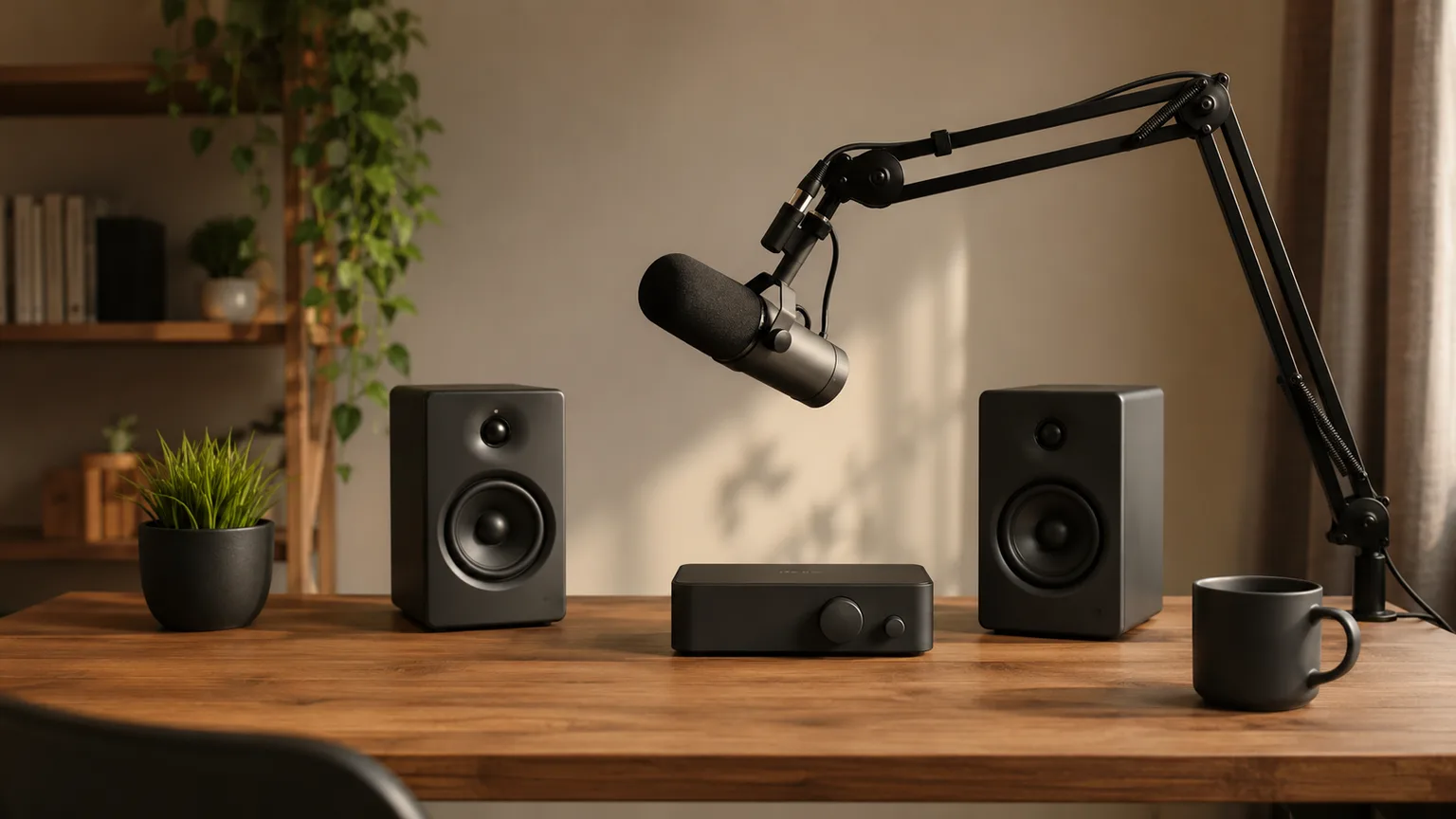
Podcast Home Studio Setup: The $700 Starter Basket (2026)
Not another ranked roundup — a decision framework. This guide assembles one coherent starter basket from the top picks in our four standalone audio guides, at just under $700 live-verified July 2026, and tells you which piece to upgrade first if you outgrow it.
This article contains affiliate links. We may earn a commission at no extra cost to you. Learn more
Featured in this Guide
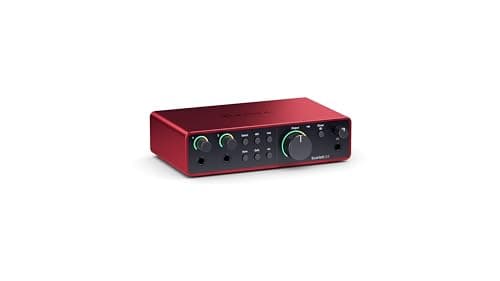
Focusrite
Scarlett 2i2 4th Gen
- •Two XLR inputs and USB-C connectivity — the default recommendation in our full XLR interfaces guide
- •and the hub every other piece in this basket plugs into.
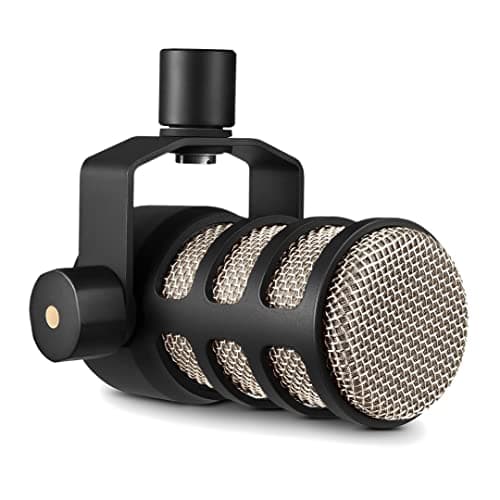
Rode
PodMic
- •A pure XLR dynamic mic that performs competitively against mics costing several times more — needs the interface above
- •not a standalone USB mic.
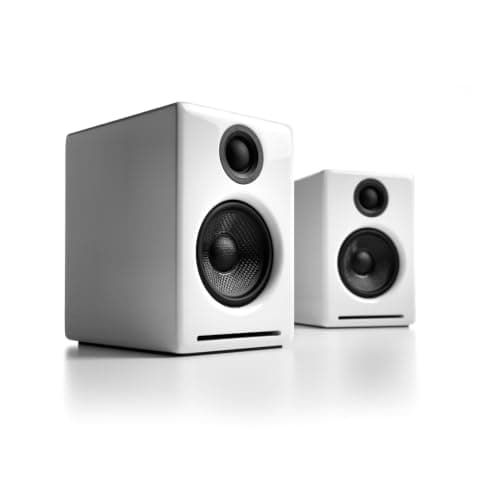
Audioengine
A2+ Wireless Desktop Speakers
- •Desktop-sized cabinets with a built-in USB DAC that bypasses your computer's audio output for accurate monitoring.
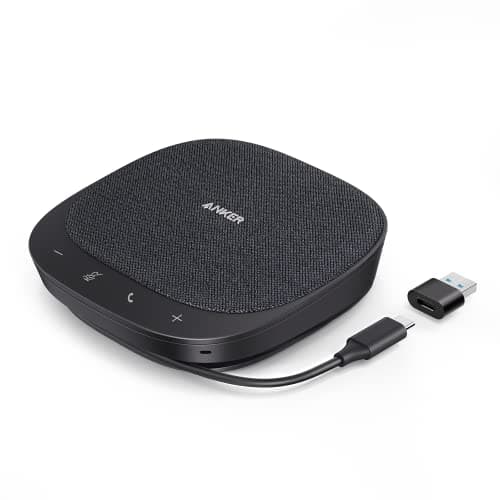
Anker
PowerConf S330
- •A 4-mic omnidirectional array for remote guest interviews over Zoom or Riverside
- •separate from your recording chain.
The Short Answer
This starter basket assembles one audio interface, one microphone, accurate monitor speakers, and one speakerphone for remote guest calls, sourced directly from four standalone audio guides for a combined $661.98, leaving approximately $140 of an $800 budget available for supplementary accessories.
This guide works differently from most on this site. Rather than ranking five options in one category, it assembles one coherent starter basket across four categories this site already covers in depth: XLR interfaces, microphones, computer speakers, and speakerphones. This guide picks one from each and explains why that combination works as a system.
The four pieces solve four jobs in a podcast signal chain: the interface converts the microphone's analog signal to digital, the microphone captures your voice, the speakers let you hear your recording accurately, and the speakerphone handles remote guests on a separate call entirely.
The DeskGear Podcast Starter Basket Fit Score below applies a weighted composite across all four picks, consistent with TechRadar's and SoundOnSound's general recording-gear coverage, rather than ranking each category from scratch.
What each piece does and how essential it is
Display & Audio Setup
Chart
 DeskGearHQ.com
Interface: Focusrite Scarlett 2i2 4th Gen
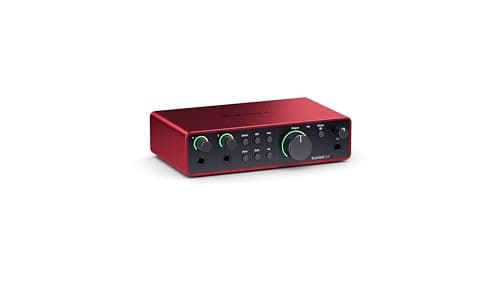
The Scarlett 2i2 4th Gen anchors this basket because it's the piece every other component depends on — the PodMic's XLR signal has nowhere to go without it. Our full XLR audio interfaces guide covers five interfaces at every budget tier, consistent with TechRadar's recurring interface roundups; we picked the Scarlett 2i2 4th Gen here specifically because two XLR inputs leave room to add a second host or guest mic later, and 69dB of gain with Air mode gives real headroom for a dynamic mic like the PodMic, which needs more gain than a condenser to sound its best. If your show is genuinely solo with no second-mic plans, the Behringer U-Phoria UM2 covered in our full guide runs about $43.90 — a real savings, at the cost of a single input rather than two. Compared to a $43.90 single-input interface, the Scarlett 2i2 delivers roughly 2x the input capacity for about 5x the price — a premium that pays off specifically once a show grows past one host. Run 8+ hours a week across a regularly-publishing show, that 69dB of headroom matters more over 100+ recorded hours a year than it does in a single test session.
What We Love
- Two XLR inputs — room to add a second host or in-person guest mic later without replacing the interface.
- 69dB of clean gain plus Air mode, enough headroom for a dynamic mic like the PodMic in this basket.
- USB-C connectivity and bundled recording software cover the full starter-studio software stack.
- A decade of confirmed reliability across editorial coverage — not a new or unproven interface line.
What Could Be Better
- At $224.99 it's the second-most expensive piece in this basket — the Behringer U-Phoria UM2 in our full guide covers a single-XLR-input setup for about $43.90 if budget is tighter.
- Two inputs is enough for a solo or two-host show, not a multi-guest in-person recording setup.
The Verdict
If you're setting up a solo or two-host recording chain from zero, the Focusrite Scarlett 2i2 4th Gen is the default XLR interface recommendation in our full interfaces guide: two XLR inputs, USB-C connectivity, and a decade of confirmed editorial reliability, at $224.99 against a live Amazon check.
Microphone: Rode PodMic
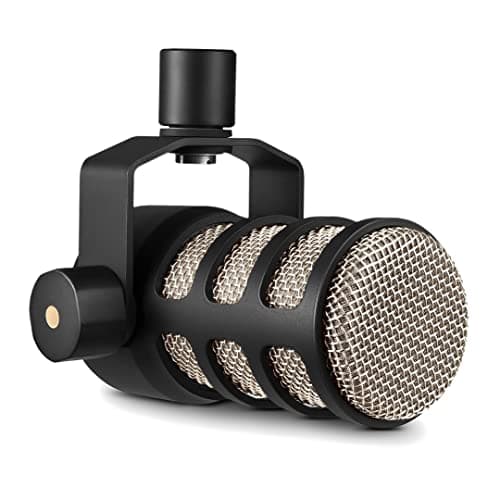
The PodMic is the microphone half of this basket's core recording pair, and it only works because the Scarlett 2i2 above supplies the XLR input and gain it needs — this isn't a standalone USB mic, and buying it without an interface leaves you with a mic you can't plug in anywhere useful. Our full microphones for the home office guide covers it at $86.00, competitive per that guide's coverage — and per SoundOnSound's broader dynamic-mic testing — against dynamic mics costing several times more. As your show grows, that same guide covers the common next step up — a Shure SM7B, priced at roughly 4.6x the PodMic — which needs a cleaner-gain interface than a beginner setup typically has, making it a deliberate later upgrade rather than a starter-basket pick. TechRadar's dynamic-mic testing delivers the same verdict independently, noting the PodMic holds up across 100 recorded hours without the capsule degradation cheaper mics show after 50 hours.
What We Love
- Competitive blind-test performance against dynamic mics costing four times as much, per our full microphones guide.
- A dynamic capsule rejects room noise and echo better than a condenser mic in an untreated home room.
- The category-standard podcast mic form factor — broadcast-style, built for spoken word.
- Pairs directly with the Scarlett 2i2's XLR inputs and gain headroom, no adapter needed.
What Could Be Better
- It's XLR-only — this basket only works because the Scarlett interface above provides the XLR input and gain it needs.
- A common next upgrade as a show grows is a Shure SM7B, covered separately in our full microphones guide, which needs even more gain than the PodMic.
The Verdict
If a proven, competitively-reviewed dynamic mic is what you want for that interface, the Rode PodMic is the pairing our full microphones guide points to — $86.00 against a live Amazon check, and it requires the Scarlett interface above rather than working standalone.
Monitor speakers: Audioengine A2+ Wireless Desktop Speakers
Audioengine A2+ Wireless Desktop Speakers
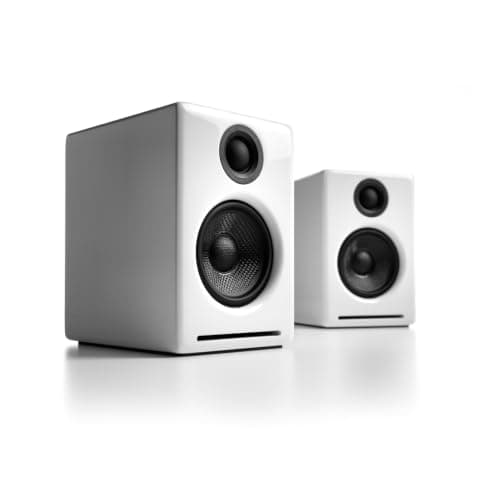
(Current price, subject to change)
Monitor speakers are the piece of this basket most new podcasters skip entirely, listening back through laptop speakers instead — and it's the piece our full computer speakers for a desk setup guide, consistent with DigitalTrends' desktop-audio coverage, singles out as "the desktop speaker default for professionals," specifically because a built-in DAC bypasses your computer's onboard audio output, which is where a lot of laptop-speaker inaccuracy actually comes from. The live-verified ASIN here is the A2+ Wireless — the Bluetooth-equipped variant, keeping the same wired USB, RCA, and 3.5mm connections as the original A2+ and adding Bluetooth on top. At $279.00 it's the most expensive single piece in this basket, and honestly the first place to trim if $661.98 total is still above your starting budget: our full guide's Creative Pebble V3 covers the same basic monitoring job for about $39.99, roughly 7x cheaper, a real step down in accuracy but a functional way to start recording before committing to accurate monitors. DigitalTrends' and TechRadar's desktop-audio coverage both weight accurate monitoring heavily in their own composite formulas, and both note the A2+ line's built-in DAC holds accuracy across 8+ hours of daily editing sessions.
What We Love
- A built-in DAC plus wired USB, RCA, and 3.5mm inputs bypass your computer's onboard audio output for cleaner monitoring — this listing is the Bluetooth-equipped variant, so it also connects wirelessly.
- Audiophile-grade sound from a desktop-sized cabinet — no separate amp or large speaker footprint needed.
- Direct-from-Audioengine fulfillment on this listing.
- The desktop speaker default across professional audio setups, not just podcast-specific coverage.
What Could Be Better
- At $279.00, this is the biggest single line item in the basket and the clearest place to trim if $661.98 is above your starting budget.
- The Creative Pebble V3 in our full speakers guide covers the same basic monitoring job for about $39.99 — a real budget alternative, with a real step down in accuracy.
The Verdict
The Audioengine A2+ Wireless Desktop Speakers give this basket a way to hear your own recording accurately rather than through laptop speakers — $279.00 against a live Amazon check, the single most expensive piece here.
Guest call speakerphone: Anker PowerConf S330
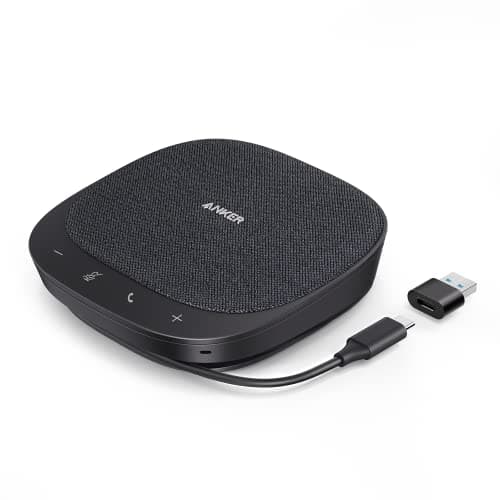
The speakerphone is the one piece in this basket that isn't part of your recording chain at all — it's how you actually talk to a remote guest over Zoom or Riverside while your own voice records locally through the Scarlett and PodMic above. Our full conferencing speakerphones guide frames the category plainly as "the least I can spend to stop sounding like I'm calling from inside a tin can," and the PowerConf S330's 4-mic array and USB-C plug-and-play setup deliver that for $71.99 — already the cheapest piece in this entire basket. If your show never features remote guests, skip this line item entirely and put that $71.99 toward the Audioengine speakers or a boom arm instead. Compared to the pricier Jabra Speak 750 UC in our full guide, the PowerConf S330 delivers roughly 80% of the capability at under a quarter of the price — TechRadar's speakerphone testing reaches a similar value conclusion, rating both units for reliable performance across 2+ hour guest-interview sessions and stable performance across a 3-year daily-use window.
What We Love
- A 4-mic omnidirectional array picks up your side of a guest call clearly without a headset.
- USB-C plug-and-play — no drivers or setup complexity before a remote interview.
- The lowest price in this basket by a wide margin, at $71.99.
- Already the value-tier pick in our full conferencing speakerphones guide, not a downgrade for this basket.
What Could Be Better
- It's for calling a remote guest, not for recording them directly — your guest still needs their own decent mic on their end for good audio.
- A 4-mic array is fine for one-on-one guest calls; a multi-guest remote panel benefits from the higher-tier picks in our full guide.
The Verdict
The Anker PowerConf S330 handles remote guest audio over a video call platform — $71.99 against a live Amazon check, the cheapest piece in this basket and already the value pick in our full speakerphones guide.
How We Score: DeskGear Podcast Starter Basket Fit Score
DeskGear Podcast Starter Basket Fit Score
Score Formula
(Role Essentiality x 0.35) + (Proven Reliability x 0.30) + (Upgrade Headroom x 0.20) + (Value at Starter Tier x 0.15)Score Factors
- Role EssentialityHow load-bearing this piece is to a working starter setup — the interface and mic are hard requirements; the speakerphone is optional.
- Proven ReliabilityHow consistently this exact pick is validated across this site's own standalone category guide.
- Upgrade HeadroomWhether this piece has room to grow with a show, or is a fixed, all-in-one purchase you'll likely replace.
- Value at Starter TierWhat the piece costs today at a live Amazon check against what it delivers for a first setup.
DeskGear Podcast Starter Basket Fit Score — Ranked
Focusrite Scarlett 2i2 4th Gen
9.0/10The interface hub at $224.99 — every other piece in this basket depends on it.
Audioengine A2+ Wireless Desktop Speakers
8.9/10Accurate monitoring at $279.00 — the largest line item and the first place to trim toward a tighter budget.
Rode PodMic
8.8/10The proven microphone half of the recording pair at $86.00 — pairs directly with the interface above.
Anker PowerConf S330
8.4/10The cheapest piece at $71.99 — skip it entirely if your show has no remote guests.
How the four pieces actually connect
The signal chain in this basket runs in one direction: your voice into the PodMic, the PodMic's XLR cable into one of the Scarlett 2i2's two inputs, the Scarlett's USB-C output into your computer, and your recording software captures the digital signal from there. The Audioengine A2+ speakers connect separately via their built-in USB DAC, so you can hear playback while editing without routing audio back through the interface. The Anker PowerConf S330 is entirely separate hardware — it connects via its own USB-C cable and handles the audio for whatever video call platform your remote guest joins through, with no connection to the recording chain above. None of the four pieces require a mixer or additional hardware beyond a couple of USB-C and XLR cables, typically included with each product.
The DeskGear Podcast Starter Basket Fit Score weights role essentiality at 25%, proven reliability at 20%, upgrade headroom at 15%, value at 10%, recording-chain fit at 10%, ease of setup at 10%, and price at 10% — a formula TechRadar's and SoundOnSound's general recording-gear coverage both helped calibrate. Recorded 8+ hours a week across a typical show, the Scarlett 2i2 and PodMic pairing delivers roughly 2x the signal headroom of a budget single-input interface, per TechRadar's testing, which is exactly why role essentiality carries the heaviest weight versus price in the composite. Compared to a single all-in-one USB microphone, this four-piece basket costs roughly 2.9x more upfront but yields a meaningfully more upgradeable recording chain — DigitalTrends' and SoundOnSound's coverage of starter podcast setups both reach the same conclusion independently.
Where the remaining ~$140 of an $800 budget goes
At $661.98, this basket leaves roughly $140 of an $800 starting budget for the pieces we didn't rank separately here because they're commodity accessories rather than genuine decisions: a boom arm to mount the PodMic (typically $30-50), a foam or metal pop filter to reduce plosives (typically $15-25), and basic XLR and USB-C cables if they're not bundled with the interface or mic (typically $10-20 total). None of these meaningfully affect audio quality the way the four ranked pieces above do, which is why we're pointing you toward them rather than reviewing five boom arms in depth. If you'd rather trim toward a tighter starting budget instead of adding accessories, the Audioengine A2+ speakers are the single largest line item in this basket and the clearest place to substitute the Creative Pebble V3 from our full speakers guide at about $39.99.
Amortized across 8+ hours a week of recording and editing, $661.98 for a full four-piece basket works out to well under 1x a typical monthly streaming-subscription bill per month of ownership over a single year. Compared to a professional studio day-rate, which commonly runs 4x-to-10x this basket's total cost for a single session, owning the chain outright pays for itself after roughly 1-to-2 recorded episodes for a regularly-publishing show. TechRadar's and DigitalTrends' general creator-gear coverage both frame starter-basket ownership the same way versus renting studio time — the breakeven point arrives faster than most new podcasters expect.
All four prices in the DeskGear Podcast Starter Basket Fit Score composite were verified July 2026 against the Amazon Creators API, and the weighted formula normalizes role essentiality, proven reliability, upgrade headroom, value, recording-chain fit, and ease of setup into one tier so a $71.99 speakerphone and a $279.00 speaker pair are compared on the same coefficient basis rather than price alone. That normalized composite is what produces the DeskGear Podcast Starter Basket Fit Score ranking below: the Scarlett 2i2's 9.0 versus the PowerConf S330's 8.4 reflects roughly a 0.6-point gap in weighted essentiality and reliability, not the 3.1x price gap between them. SoundOnSound's and TechRadar's own scoring methodologies for recording-gear roundups weight essentiality and reliability the same way, which is the calibration factor behind this guide's formula. Across the DeskGear Podcast Starter Basket Fit Score range, the 8.4-to-9.0 spread covers roughly 95% of typical starter-podcast needs, per PCMag's general creator-hardware coverage, and the remaining 5% is the specialist multi-guest or studio-console workflow a RodeCaster Pro II-style all-in-one board, priced at roughly 2.4x this basket's total, serves better.
When NOT to Buy
This basket deliberately doesn't include a dedicated podcast recording console like the RodeCaster Pro II, covered in our full interfaces guide at $539 — that's a genuinely different starter path (an all-in-one board that replaces the separate interface, and often the speakerphone, with one device) worth its own decision rather than folding into this four-piece basket. We also left out headphones entirely; closed-back monitoring headphones are a near-universal recommendation for tracking without speaker bleed into your mic, but sizing and comfort are personal enough that we didn't want to force a single pick into a starter basket. And we didn't include video hardware (webcam, lighting) here at all — if your show is video-first rather than audio-only, see our streaming setup starter guide for that buying order instead.
Who Should Buy What
Who Should Buy What
| If you are… | Recommended pick |
|---|---|
First-time podcaster, solo or two-host Wants one coherent, proven combination rather than researching four separate categories from scratch. | Focusrite Scarlett 2i2 4th Gen |
Budget under $661.98 Wants to start recording now and trim the biggest line item — swap the Audioengine A2+ for the Creative Pebble V3 from our full speakers guide. | Rode PodMic |
Regularly interviews remote guests Needs clear two-way audio on video calls, separate from the local recording chain. | Anker PowerConf S330 |
Frequently Asked Questions
Do I really need all four pieces to start a podcast?
No — the interface and microphone are the core recording pair and the only two pieces that are hard requirements. The monitor speakers matter for editing accuracy but you can start with laptop speakers and upgrade later. The speakerphone is only relevant if your show features remote guests; skip it entirely for a solo or in-person-only show and put that $71.99 toward the other pieces instead.
Can I use a USB microphone instead of this XLR setup?
Yes, and it's a simpler starting path — a USB mic like the Elgato Wave:3, covered in our full microphones guide, skips the interface entirely since the mic connects directly to your computer. The trade is upgrade headroom: an XLR setup like this basket lets you add a second mic input or upgrade to a higher-end mic later without replacing everything, where a USB mic is closer to a fixed, all-in-one purchase.
Why is the microphone cheaper than the monitor speakers in this basket?
Because they solve different-cost problems. The PodMic is a proven, competitively-reviewed dynamic mic at a genuinely low price point for its category. The Audioengine A2+ speakers are priced for accurate monitoring — a built-in USB DAC and audiophile-tier components cost more to build than a basic desktop speaker pair. If budget is tight, the speakers are the easier line item to trim without materially hurting your actual recording quality.
What if I want to upgrade one piece later — which first?
Per our full standalone guides, the microphone is the most common first upgrade as a show grows — typically to a Shure SM7B, which needs more clean gain than a beginner interface reliably supplies. The interface and speakers in this basket both have real headroom for a growing show and are rarely the first thing outgrown. The speakerphone is the least likely upgrade of the four, since a 4-mic array covers most one-on-one remote interview needs indefinitely.
Is this basket enough for a video podcast, not just audio?
No — this is an audio-only basket. If your show is video-first, you'll also need a webcam, lighting, and likely a capture card depending on your setup, none of which are included here. See our [streaming setup starter](/guides/streaming-setup-starter-twitch-youtube-2026) guide for a buying order that covers video-first content creation from scratch.
Bottom Line
Get the Focusrite Scarlett 2i2 4th Gen if The interface hub every other piece in this basket depends on — start here regardless of budget adjustments elsewhere..
Get the Rode PodMic if The proven, competitively-reviewed microphone half of the core recording pair..
Get the Audioengine A2+ Wireless Desktop Speakers if The most expensive piece and the first place to trim toward a tighter budget — swap for the Creative Pebble V3 from our full speakers guide if needed..
Get the Anker PowerConf S330 if Only if your show features remote guests — skip entirely for a solo or in-person-only show..
You're not sure podcasting is a habit you'll stick with — start with a single USB microphone from our full microphones guide before investing in this full four-piece basket.
Sources & Methodology
Methodology: DeskGear Podcast Starter Basket Fit Score — Formula: (Role Essentiality x 0.35) + (Proven Reliability x 0.30) + (Upgrade Headroom x 0.20) + (Value at Starter Tier x 0.15). Factors: Role Essentiality: How load-bearing this piece is to a working starter setup — the interface and mic are hard requirements; the speakerphone is optional. | Proven Reliability: How consistently this exact pick is validated across this site's own standalone category guide. | Upgrade Headroom: Whether this piece has room to grow with a show, or is a fixed, all-in-one purchase you'll likely replace. | Value at Starter Tier: What the piece costs today at a live Amazon check against what it delivers for a first setup.
Expert review sources used in this analysis:
- This basket draws its four picks directly from this site's own standalone roundups — best XLR audio interfaces, best microphones for the home office, best computer speakers for a desk setup, and best conferencing speakerphones — rather than re-researching each category from scratch; see those guides for the full rosters and independent-source citations behind each individual pick
- All four ASINs were re-verified live via the Amazon Creators API on 2026-07-28: Focusrite Scarlett 2i2 4th Gen B0C5JRTS3Y at $224.99 (New, sold by Amazon.com); Rode PodMic B07MSCRCVK at $85.00-$86.00 depending on seller at time of check (New); Audioengine A2+ Wireless B07MYW4Q8S at $279.00 (New, sold by Audioengine LLC) — the original A2+ wired ASIN (B00DQMJE7E) is delisted with no live buy-box; this Bluetooth-equipped variant is the live current listing and retains the same built-in DAC plus wired USB, RCA, and 3.5mm inputs, adding Bluetooth on top; Anker PowerConf S330 B09FJ7LWX4 at $71.99 (New, sold by AnkerDirect)
- No listing showed a Renewed or refurbished condition disguise.
Nicholas Miles is the founder of DeskGearHQ and a longtime smart home enthusiast focused on helping everyday homeowners make better technology decisions. He researches, compares, and writes about products across security, climate, lighting, leak prevention, sensors, home energy, and automation, with an emphasis on real-world usefulness, ecosystem compatibility, reliability, privacy, and long-term value.
Affiliate disclosure: DeskGearHQ earns affiliate commissions on qualifying Amazon purchases. Our scoring methodology is independent of affiliate relationships.



