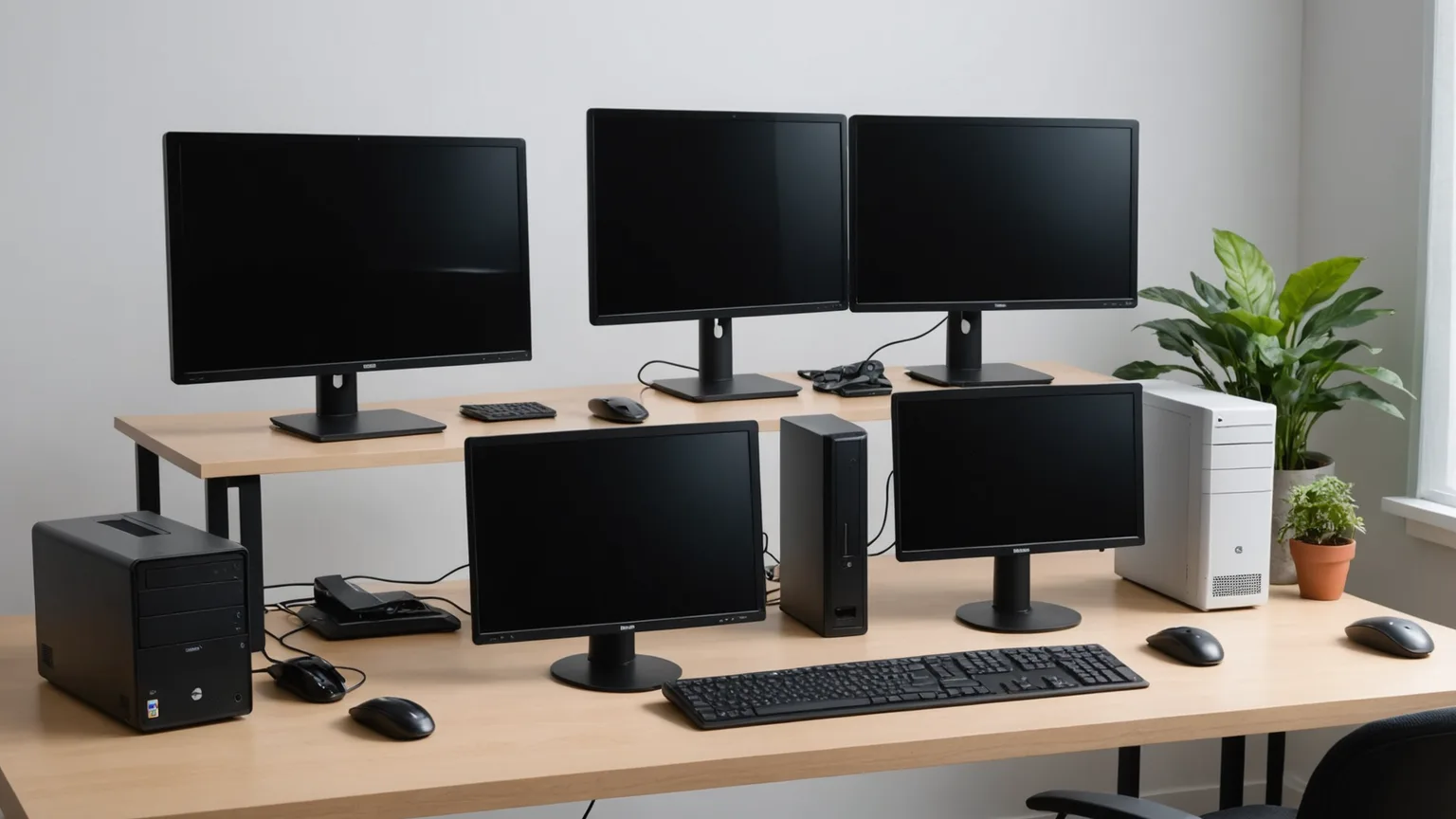
Mini PC vs All-in-One vs Laptop + Dock: Which Desktop for WFH? (2026)
Three form factors, one real question: where should the compute live, and how often does it move? A mini-PC maximizes speed per dollar under the desk, an all-in-one trades upgrades for one cable, and a laptop plus a dock buys portability at a price. Here's which fits whom.
This article contains affiliate links. We may earn a commission at no extra cost to you. Learn more
Featured in this Guide
Apple
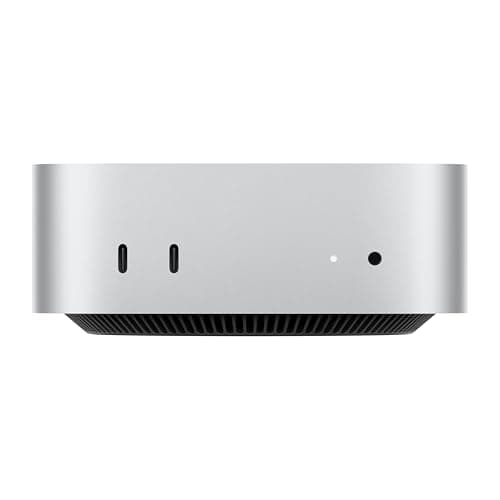
Mac mini M4 (Base)
- •Reference only: the silent M4 desktop is now the previous generation
- •so buy Apple's $899 M6 Mac mini new instead.
Beelink
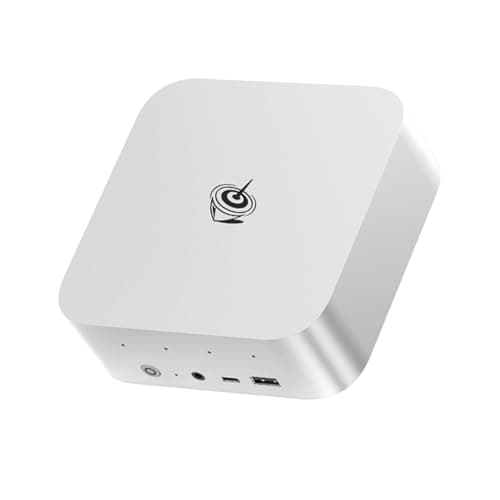
SER9 Pro Ryzen AI 9 HX 370 Mini PC
- •For the Windows power user who wants the biggest on-device AI engine and CPU headroom here — Ryzen AI 9 HX 370
- •80 platform TOPS
- •32GB.
Apple
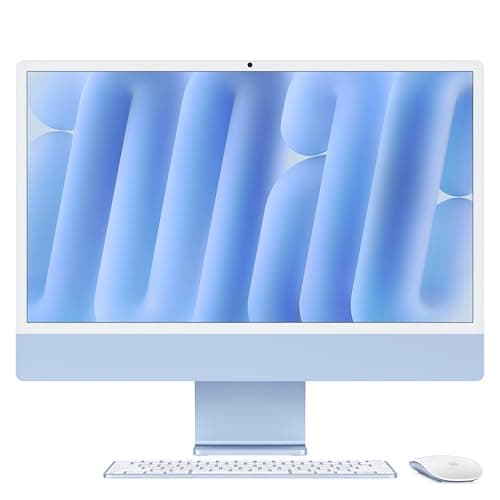
iMac 24-inch (M4)
- •For the buyer who wants a finished
- •one-cable desk and a color-accurate screen — 24-inch 4.5K P3
- •Center Stage camera
HP
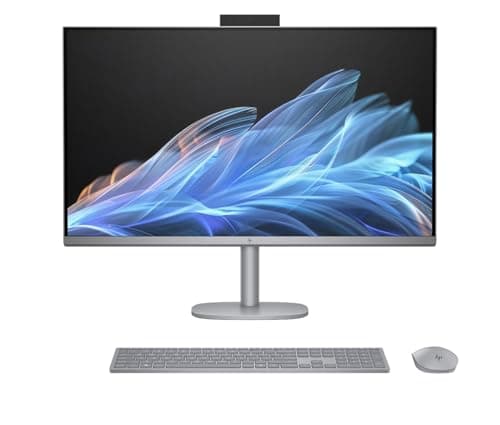
OmniStudio X 32 All-in-One
- •For the Windows buyer who wants the AIO idea on a 31.5-inch 4K HDR canvas — 550 nits
- •Core Ultra 7
- •one cord to the wall.
CalDigit
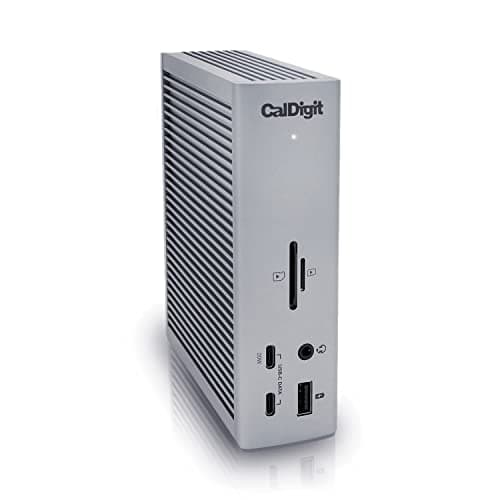
Thunderbolt Station 4 (TS4)
- •For the person who refuses to own two computers — one Thunderbolt cable turns the laptop you already carry into an 18-port
- •dual-6K desktop.
The Short Answer
There's no single winner here — the right desktop depends on whether the machine ever leaves the room. A mini-PC gives the most speed per dollar under the desk, an all-in-one buys one clean cable at the cost of upgrades, and a laptop plus a CalDigit dock is the only setup that also travels.
You've already priced the parts and read the spec sheets, so what remains is a shape decision: the mini PC versus all-in-one versus laptop-plus-dock question is fundamentally about where the compute lives and how frequently it relocates. A Mac mini anchors desktop-class performance beneath a monitor for $899 now that Apple's M6 model has replaced the M4, the Beelink runs near 1.5x that figure, an iMac 24 M4 lands near 1.4x while surrendering every upgrade path for a single cable, the HP OmniStudio stretches to 2.1x, and a laptop paired with a CalDigit TS4 dock purchases portability you pay for twice — in dollars and in thermal ceiling. PCWorld, The Verge, and TechRadar converge on the weighted conclusion the DeskGear Desktop Form-Factor Score formalizes: match the form factor to your working week rather than a benchmark chart, converting "which is best" into "which is best for how you actually work."
The five form factors, side by side
AI & Smart Office
Chart
 DeskGearHQ.com
Previous-generation Mac mini: Apple Mac mini M4 (Base)
Apple Mac mini M4 (Base)
(Current price, subject to change)
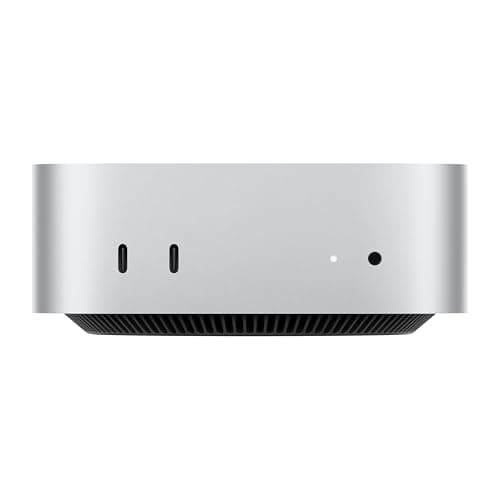
PCWorld and Tom's Hardware treat the Mac mini M4 as the price-to-performance benchmark, and the reason is simple: an M4 with a 10-core CPU and a 38-TOPS Neural Engine, in a square box that stays silent, at a launch price no Windows desktop here matched. It slides under a monitor or behind it, draws almost no power, and runs a full browser-plus-editor load without a fan you can hear. The honest limits are Apple's — the 256GB base SSD fills quickly, and both memory and storage are sealed the day you buy, so you size it right up front or pay Apple's upgrade prices. For a macOS desk where you already own the screen and peripherals, judged at its launch price, nothing here delivers more finished capability per dollar. Apple has since replaced it with the M6 Mac mini from $899, which is the one to buy new.
What We Love
- Apple M4 (10-core CPU, 10-core GPU) delivers desktop-class speed in a silent 12.7cm chassis.
- A 38-TOPS Neural Engine runs on-device Apple Intelligence with no fan spin-up.
- Three Thunderbolt 4 ports plus HDMI drive three external displays natively.
What Could Be Better
- The 256GB base SSD fills fast and Apple's storage upgrades are pricey.
- Memory and storage are sealed — there is no later upgrade path.
- macOS only, so Windows-specific software is off the table.
The Verdict
If you already own a monitor and keyboard and work in macOS, the Apple Mac mini M4 (Base) was the easy pick at launch. An M4 desktop in a 12.7cm box was the value benchmark then, and its 9.1 is that launch-era consensus. Apple's $899 M6 Mac mini replaced it in August 2026, so buy the M6 new instead.
Max-performance mini-PC: Beelink SER9 Pro Ryzen AI 9 HX 370 Mini PC
Beelink SER9 Pro Ryzen AI 9 HX 370 Mini PC
(Current price, subject to change)
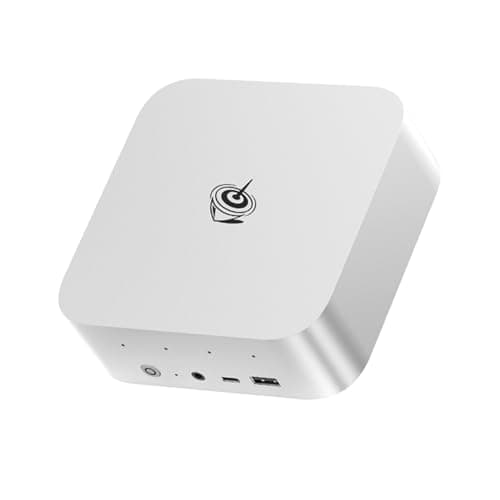
Notebookcheck rates the SER9 Pro the performance leader among small Windows boxes, and the spec sheet substantiates that verdict: a Ryzen AI 9 HX 370 with 12 cores, a Radeon 890M, and an XDNA 2 NPU that reaches 80 platform TOPS — the biggest on-device AI engine in this comparison. It pushes triple 4K displays over USB4, HDMI 2.1, and DisplayPort 1.4, stays near 32dB under load, and ships with 32GB alongside a 1TB SSD you can expand to 8TB across dual M.2 slots. The complications are cost and ceiling: at roughly 1.5x the $899 M6 Mac mini it becomes the priciest mini PC here, and the soldered memory permanently locks you to 32GB. When your workload genuinely exploits that silicon — local AI, heavy multitasking, or light editing — the machine delivers headroom that earns its premium, whereas an ordinary browser-and-email day leaves that capability entirely untouched.
What We Love
- Ryzen AI 9 HX 370 (12C/24T up to 5.1GHz) is the strongest Windows performer in this group.
- An 80-platform-TOPS AI engine is the biggest on-device AI engine of any pick here.
- 32GB LPDDR5X and a 1TB PCIe 4.0 SSD, with dual M.2 slots taking up to 8TB.
- USB4, HDMI 2.1, and DisplayPort 1.4 drive triple 4K displays from a near-silent box.
What Could Be Better
- At around $1,349 it costs more than the 24-inch iMac, and only the 32-inch all-in-one runs higher.
- The LPDDR5X memory is soldered — locked to 32GB.
- It is overkill for browser, email, and document work.
The Verdict
For the Windows household that wants maximum on-device AI and CPU headroom, the Beelink SER9 Pro Ryzen AI 9 HX 370 Mini PC lines up with what you actually need. Its Ryzen AI 9 HX 370 and 80 platform TOPS lead every pick here. You trade that power for the price — around $1,349 makes it the costliest mini PC here, above even the 24-inch iMac, and the LPDDR5X is soldered at 32GB.
Best all-in-one: Apple iMac 24-inch (M4)
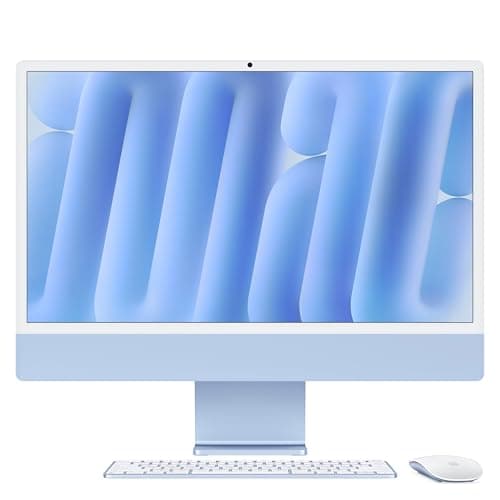
The Verge and TechRadar keep returning to the same word for the 24-inch iMac M4: clean. A single power cable runs the entire desk, the 4.5K P3 display is the sharpest small screen in this group, and the 12MP Center Stage camera is the best webcam of any pick here — a genuine advantage when your day revolves around video calls. Fanless M4 silicon stays silent through browsing, calls, and light photo work, yet everything behind the glass is exactly what you surrender: the chip, the memory, and the display ship as one sealed unit, so when any single component ages you replace all three at once. At roughly 1.4x the $899 M6 Mac mini, that finished desk carries a real premium, and for the buyer who values a done desk over a serviceable one it remains a defensible trade.
What We Love
- A 24-inch 4.5K Retina display (4480x2520) with P3 color at 500 nits — the sharpest small-format screen here.
- M4 silicon runs fanless and silent through calls, browsing, and light photo work.
- A 12MP Center Stage camera with Desk View — the best built-in webcam of any pick here.
- One power cable, plus a wireless Magic Keyboard and Mouse in the box.
What Could Be Better
- macOS only — it cannot run a Windows-only application.
- The base config ships with two Thunderbolt ports; four ports need the pricier 10-core model.
- When the screen or chip ages, you replace the whole unit — display included.
The Verdict
If you'd rather have one cable and a finished desk than an upgrade path, the Apple iMac 24-inch (M4) is a sensible pick for that setup. Its 24-inch 4.5K P3 panel and 12MP Center Stage camera are the best built-in combo here. It's for the buyer who values a clean, done desk over ever swapping a part — the M4, the memory, and the screen ship as one sealed unit, and that is exactly the point.
Big-screen Windows AIO: HP OmniStudio X 32 All-in-One
HP OmniStudio X 32 All-in-One
(Current price, subject to change)
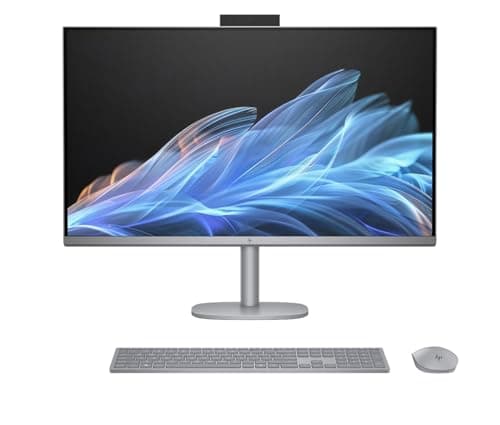
PCWorld frames the OmniStudio X 32 as the big-canvas Windows answer to the iMac, and the screen is the pitch: a 31.5-inch 4K panel at 550 nits with HDR 600 and 95% DCI-P3, the brightest and largest display in this roundup. Behind it sits an Intel Core Ultra 7 258V with 32GB of memory and a 1TB SSD, enough for heavy multitasking, plus a 5MP camera with Windows Studio Effects. The limits are graphics and price: integrated Intel Arc handles everyday work but stumbles on demanding 3D or long renders, and at roughly 2.1x the M6 Mac mini and about 1.4x the iMac, it commands a real premium for the same integrated-graphics tier as the smaller Apple box. It becomes the pick when the screen itself is the point — a workstation and a 32-inch monitor consolidated into one cord — and the wrong one whenever genuine GPU muscle is the priority.
What We Love
- A 31.5-inch 4K UHD IPS panel at 550 nits with HDR 600 and 95% DCI-P3 — the brightest screen here.
- Intel Core Ultra 7 258V with 32GB memory and a 1TB NVMe SSD handles heavy multitasking.
- A three-sided micro-edge anti-glare screen plus a 5MP camera with Windows Studio Effects.
- EPEAT Gold and ENERGY STAR certified; the large canvas replaces a separate monitor.
What Could Be Better
- Integrated Intel Arc graphics only — no discrete GPU for demanding 3D or long renders.
- At around $1,859.99 it costs more than the iMac's base build for the same integrated-graphics tier.
- The 32-inch footprint needs real desk depth.
The Verdict
For anyone who wants the all-in-one idea on a bigger, brighter canvas, the HP OmniStudio X 32 All-in-One checks the boxes that matter for a Windows desk. Its 31.5-inch 4K panel hits 550 nits with HDR 600. Against the Apple iMac 24-inch (M4) you gain nearly eight inches of screen and Windows software, but give up the M4's efficiency and pay more for integrated Arc graphics.
Laptop + dock path: CalDigit Thunderbolt Station 4 (TS4)
CalDigit Thunderbolt Station 4 (TS4)
(Current price, subject to change)
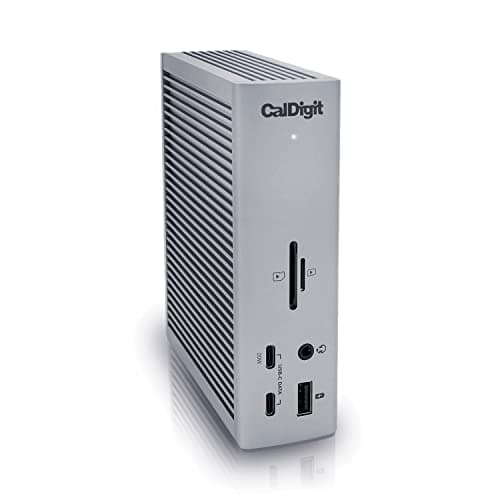
TechRadar and Laptop Mag both make the same case for the laptop-plus-dock path, with the CalDigit TS4 as its clearest example: one Thunderbolt cable converts a laptop into an 18-port desktop — 3x TB4, 3x USB-C, 5x USB-A — that delivers native 2x 6K output and 98W of charging, then releases it in seconds when you leave. That mobility is precisely the maneuver a fixed box cannot perform, because the compute travels with you rather than staying chained to the desk. The honesty lives in the arithmetic and the thermals: the dock is an added cost on top of the laptop, around $379.99, not a replacement for one, and a thin chassis throttles sustained work below a same-price mini-PC on a lengthy export or compile. One further limitation deserves naming — a base M1, M2, or M3 MacBook drives a single external display regardless of the dock, whereas a Pro or Max chip, or a Windows laptop, removes that ceiling entirely. For anyone unwilling to own two computers, this remains the arrangement that satisfies both halves of the day.
What We Love
- 18 ports from one cable — 3x TB4, 3x USB-C, 5x USB-A, 2.5GbE, SD and microSD, audio.
- 98W sustained charging holds a MacBook Pro 14 at full load while it drives the desk.
- Native dual 6K@60Hz with zero DisplayLink drivers.
- Turns a laptop you already own into a full desktop — and back into a travel machine in seconds.
What Could Be Better
- At around $379.99 it's a cost on top of the laptop, not instead of one.
- A thin laptop's thermals cap sustained performance below a same-price mini-PC.
- A base M1/M2/M3 MacBook still drives only one external display, dock or not.
The Verdict
You've already got a laptop you like, and the CalDigit Thunderbolt Station 4 (TS4) turns it into a desktop by day and a travel machine by night — for anyone who won't own two computers, we'd point you here first. One cable carries 18 ports, dual 6K, and 98W. The trade is real: around $379.99 on top of the laptop, and a thin chassis caps sustained work below a same-price mini-PC.
How We Score: DeskGear Desktop Form-Factor Score
DeskGear Desktop Form-Factor Score
Score Formula
(Performance per Dollar x 0.30) + (Desk Footprint x 0.25) + (Upgrade Flexibility x 0.25) + (Portability x 0.20)Score Factors
- Performance per DollarReal compute and capability of the whole setup against its list price — a mini-PC's strength and a big all-in-one's tax.
- Desk FootprintHow little space the machine claims and how cleanly it cables — from a 12.7cm mini-PC to a 31.5-inch all-in-one.
- Upgrade FlexibilityWhether you can add storage or memory or swap the compute later — sealed Apple units score low, a laptop-plus-dock high.
- PortabilityHow easily the machine leaves the room — the axis a laptop-plus-dock wins outright and an all-in-one loses.
DeskGear Desktop Form-Factor Score — Ranked
CalDigit Thunderbolt Station 4 (TS4)
8.0/10Tops the form-factor lens on portability and upgrade room — the laptop swaps out and leaves the room; you add the dock's price to a laptop.
Apple Mac mini M4 (Base)
7.6/10Scored July 2026 at its launch price, before the M6 replaced it: best perf-per-dollar and footprint of the fixed boxes; sealed SSD and memory hold it back.
Beelink SER9 Pro Ryzen AI 9 HX 370 Mini PC
7.5/10Mini-PC size with the strongest silicon; the higher price trims its perf-per-dollar and the soldered RAM caps upgrades.
Apple iMac 24-inch (M4)
5.6/10Easiest setup and best screen, but a sealed, immovable 24-inch box scores low on a lens that rewards upgrade room and portability.
HP OmniStudio X 32 All-in-One
4.8/10The brightest, biggest canvas; size, price, and a sealed build put it last on perf-per-dollar, footprint, and portability.
Using each with a monitor you already own
All three form factors can drive a monitor you already have, but the fine print differs. A mini-PC is the most flexible: the Mac mini and the Beelink both output over HDMI and USB-C or DisplayPort, so almost any current display works — check that your monitor's port matches the box before you buy. An all-in-one is the opposite bargain: the screen is built in, which is the whole appeal, but it also means you're buying a panel you can't reuse when the computer ages. The laptop-plus-dock path leans hardest on connection details — a CalDigit TS4 needs a Thunderbolt or USB4 host to hit its full dual-6K, 40Gb/s spec, and a base M-series MacBook caps how many external displays it drives natively. If you're weighing a dock against a second machine, our USB-C docking stations guide and Thunderbolt 5 docks guide cover the connection side in depth.
The comparison chart near the top scores all five machines, including the previous-generation Mac mini, on the axes that actually decide a form factor, then rolls them into one weighted number: the DeskGear Desktop Form-Factor Score. Rather than crown the most powerful machine, the formula rewards the setup that delivers the most performance per dollar, claims the least desk, leaves the most room to upgrade, and travels when the day demands it. Because those four factors are normalized onto a shared scale before they combine, a sealed big-screen all-in-one can be an excellent computer and still land low on the DeskGear Desktop Form-Factor Score, while a smaller mini-PC or a laptop-plus-dock rises relative to it — which is precisely why the laptop-plus-dock path tops the composite column and the big all-in-one settles at the bottom, not because the OmniStudio is weak compared to the rest — it runs roughly 1.4x the iMac's price on its own — but because a fixed, sealed 32-inch unit surrenders the four things this weighted lens rewards. PCWorld, TechRadar, The Verge, and Notebookcheck coverage feeds every rating, so the composite reflects broad editorial consensus rather than a single outlet's verdict. Each pick still carries the category score it earned in its own roundup — those sit on the product cards above — so read the DeskGear Desktop Form-Factor Score as a decision aid for the shape you buy, and the two numbers as answers to two different questions.
What each really costs over three years
The sticker price hides the real math, because each form factor ages differently across a 3-year horizon. A mini-PC is the cheapest way in — Apple's current M6 Mac mini lists from $899, and when it feels slow in a few years you replace a small box and keep your screen, keyboard, and mouse. An all-in-one asks more up front and more later: an iMac lists around $1,299 and an OmniStudio X around $1,859.99, and when either ages you retire a perfectly good display along with the compute. The laptop-plus-dock path front-loads the most — a laptop plus a CalDigit dock near $379.99 — yet the dock outlives several laptops, so its running cost over a 3-year window steadily falls. Prices here are list figures checked between July and September 2026 and move constantly, especially on a holiday tail, so confirm the current number before you buy. If you've settled on a category, our best mini-PCs and best all-in-one PCs roundups go deeper on value within each.
When NOT to Buy
This comparison is about the three form factors most home offices actually cross-shop, so a few things sit outside it on purpose. Full desktop towers are the obvious omission: they win on raw power and upgradeability, but they're big and off the table for anyone who wants a clean or small desk — a different buyer than the one this guide serves. We also left out DisplayLink docks, which get a base MacBook to two monitors through a software layer rather than native output; they're a real fix for that one limit, and they live in our USB-C docking stations guide, not here. Chromeboxes and sub-$300 mini-PCs are capable for light web work but can't stand in for a primary desktop, so they'd muddy a comparison built around machines that replace one. The five picks here are representatives of their form factors, chosen to make the shape decision clear — not a ranking of every box in each category.
Who Should Buy What
Who Should Buy What
| If you are… | Recommended pick |
|---|---|
Value-first macOS buyer Owns a monitor and peripherals and works in macOS: skip the previous-generation M4 shown here and buy Apple's $899 M6 Mac mini new. | Apple Mac mini M4 (Base) |
Windows power user Runs local AI, heavy multitasking, or light editing and wants the strongest silicon and biggest NPU in a small box. | Beelink SER9 Pro Ryzen AI 9 HX 370 Mini PC |
Clean-desk minimalist Wants one cable, a color-accurate screen, and the best built-in camera, and prefers a finished desk over a serviceable one. | Apple iMac 24-inch (M4) |
Big-screen Windows buyer Wants a 31.5-inch 4K HDR all-in-one that doubles as a monitor and values screen size over discrete-GPU power. | HP OmniStudio X 32 All-in-One |
One-machine hybrid worker Already owns a laptop, needs a full desk by day and portability by night, and refuses to maintain two computers. | CalDigit Thunderbolt Station 4 (TS4) |
Frequently Asked Questions
Mini PC, all-in-one, or laptop with a dock — which is best for working from home?
There's no universal winner; it depends on whether the machine ever leaves the room and how much you value upgrades. Fixed at a desk on a tight budget, a mini-PC wins. Want a finished, one-cable desk, an all-in-one. Need one machine for the office and the road, a laptop plus a dock. Cost, footprint, and portability are the three levers — rank them for your week and the answer falls out.
Is a mini PC powerful enough to replace a desktop tower?
For most home-office work, yes — a Mac mini or a Ryzen AI 9 box handles browsing, calls, office apps, and light photo or video editing without strain. Where a tower still wins is sustained heavy load and a discrete GPU: long 3D renders, big video timelines, or gaming. The tower's other edge is upgradeability — you can add a graphics card or drives that a sealed mini-PC won't take.
What are the downsides of an all-in-one PC?
The core one is that the screen and the computer are a single unit: when the chip becomes slow or the panel ages, you replace the whole thing — display included — rather than swapping one part. You also can't reuse a monitor you already own, and internal upgrades are usually limited or impossible. You pay for the clean, one-cable look with flexibility, which is the exact trade an all-in-one asks you to accept.
Is a laptop plus a dock as good as a dedicated desktop?
For I/O and daily desk use, effectively yes — a Thunderbolt dock gives you the same monitors, ports, and charging from one cable. The gap is sustained performance: a thin laptop throttles under long, heavy loads where a mini-PC or tower with better cooling holds its speed. You're also paying for the dock on top of the laptop. The upside a desktop can't match is that the whole computer travels.
Which option is cheapest over three years?
A mini-PC, in most cases — it has the lowest entry price and you keep your screen and peripherals when you upgrade the box. An all-in-one costs more and retires its built-in display when the compute ages, raising the long-run cost. A laptop-plus-dock front-loads spending, but the dock outlives several laptops, so it can pull even if you'd have bought a laptop anyway.
Can I use a mini PC or dock with an existing monitor?
A mini-PC, almost always — the Mac mini and Beelink both output over HDMI and USB-C or DisplayPort, so match your monitor's input and you're set. A dock is the same idea for a laptop, with one caveat: a base M1/M2/M3 MacBook drives only one external display regardless of the dock, while Pro and Max Apple chips and Windows laptops don't hit that wall. Always check the port types on both ends before buying.
Bottom Line
Get the Apple Mac mini M4 (Base) if You already own a screen and peripherals and work in macOS: skip the previous-generation M4 and buy Apple's $899 M6 Mac mini new..
Get the Beelink SER9 Pro Ryzen AI 9 HX 370 Mini PC if You want the fastest Windows mini-PC here and the biggest on-device AI engine, and your work actually uses that silicon..
Get the Apple iMac 24-inch (M4) if You want a finished, one-cable desk with a color-accurate screen and the best built-in camera, and you're happy on macOS..
Get the HP OmniStudio X 32 All-in-One if You want a big, bright 31.5-inch Windows all-in-one that doubles as your monitor, and you value screen size over discrete-GPU power..
Get the CalDigit Thunderbolt Station 4 (TS4) if You already own a laptop you like and need it to run a full multi-monitor desk by day and travel by night..
You need a discrete GPU and maximum sustained power for 3D, long renders, or gaming — that's a desktop tower's job, and none of these form factors replace it.
Sources & Methodology
Methodology: DeskGear Desktop Form-Factor Score — Formula: (Performance per Dollar x 0.30) + (Desk Footprint x 0.25) + (Upgrade Flexibility x 0.25) + (Portability x 0.20). Factors: Performance per Dollar: Real compute and capability of the whole setup against its list price — a mini-PC's strength and a big all-in-one's tax. | Desk Footprint: How little space the machine claims and how cleanly it cables — from a 12.7cm mini-PC to a 31.5-inch all-in-one. | Upgrade Flexibility: Whether you can add storage or memory or swap the compute later — sealed Apple units score low, a laptop-plus-dock high. | Portability: How easily the machine leaves the room — the axis a laptop-plus-dock wins outright and an all-in-one loses.
Expert review sources used in this analysis:
- Picks reflect aggregated editorial coverage and owner data rather than hands-on testing: PCWorld and Tom's Hardware on the Mac mini M4 as a value benchmark; Notebookcheck on the Beelink SER9 Pro's Ryzen AI 9 HX 370 performance; The Verge and TechRadar on the 24-inch iMac M4's single-box design and display; PCWorld on the HP OmniStudio X 32's HDR panel and Intel Core Ultra 7 silicon; TechRadar and Laptop Mag on the CalDigit TS4 as the laptop-plus-dock path; Macworld on Apple-Silicon external-display limits; and XDA on mini-PC and docking coverage
- Prices are July 2026 list figures verified against the Amazon Creators API
- The Mac mini M4 was re-checked on 2026-09-29, when a third-party seller held the base 16GB/256GB buy box
- Mac mini M6 pricing follows MacRumors and Macworld coverage of Apple's August 25, 2026 announcement.
Nicholas Miles is the founder of DeskGearHQ and a longtime smart home enthusiast focused on helping everyday homeowners make better technology decisions. He researches, compares, and writes about products across security, climate, lighting, leak prevention, sensors, home energy, and automation, with an emphasis on real-world usefulness, ecosystem compatibility, reliability, privacy, and long-term value.
Affiliate disclosure: DeskGearHQ earns affiliate commissions on qualifying Amazon purchases. Our scoring methodology is independent of affiliate relationships.



