Best Wireless Gaming Headsets for a Gaming and Work Desk 2026
Gaming and working at one desk is a two-machine problem: a call on the laptop, a game on the PC, a phone within reach. Logitech's PRO X3 just launched, but it can't play both lanes at once. Pick by the machines on your desk.
This article contains affiliate links. We may earn a commission at no extra cost to you. Learn more
Featured in this Guide
SteelSeries
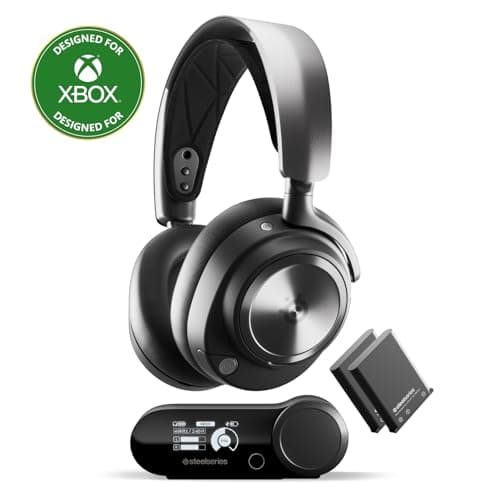
Arctis Nova Pro Wireless
- •Two USB-C inputs on the base keep the laptop and the PC both connected
- •and Bluetooth carries your phone alongside.
SteelSeries
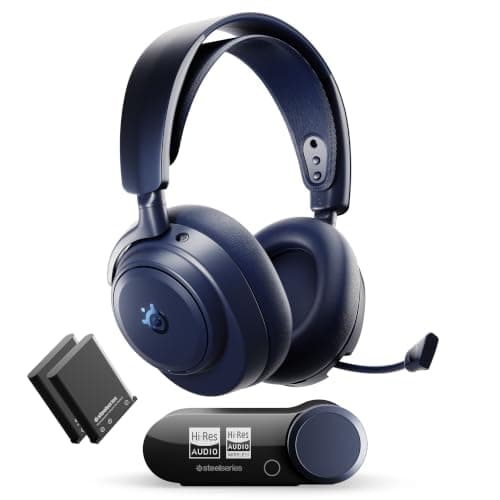
Arctis Nova Pro Omni
- •Three USB inputs plus line-in
- •and it mixes a team call over the game instead of making you pick one.
Turtle
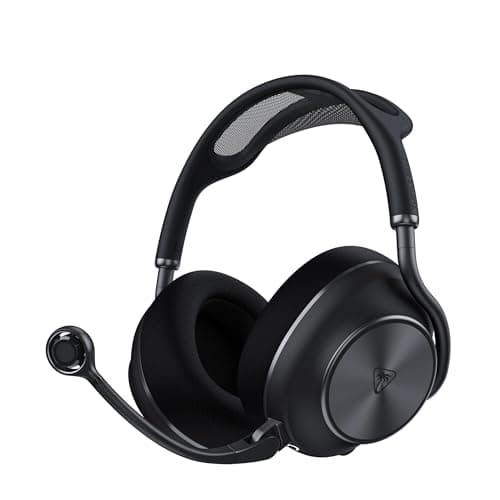
Beach Stealth Pro II
- •Reviewers compare its boom mic to podcast and XLR rigs; the charging dock works as the second transmitter.
Razer
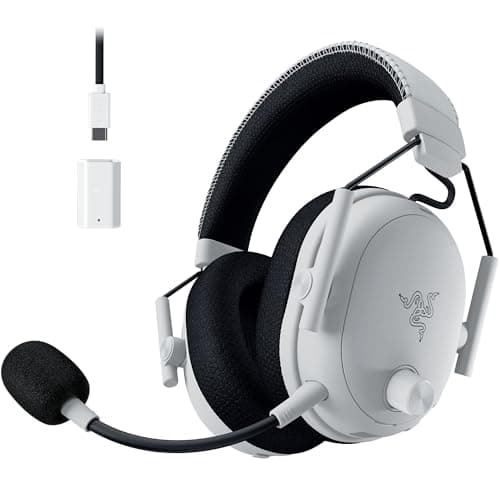
BlackShark V3 Pro
- •A single dongle suits one machine
- •and the ANC plus a very long charge cover the rest of the brief.
Sony
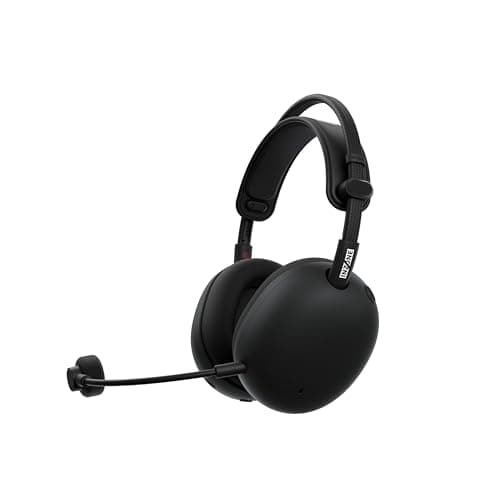
INZONE H9 II
- •The lightest frame in this roundup
- •with a mic TechRadar rates highly for calls.
Logitech
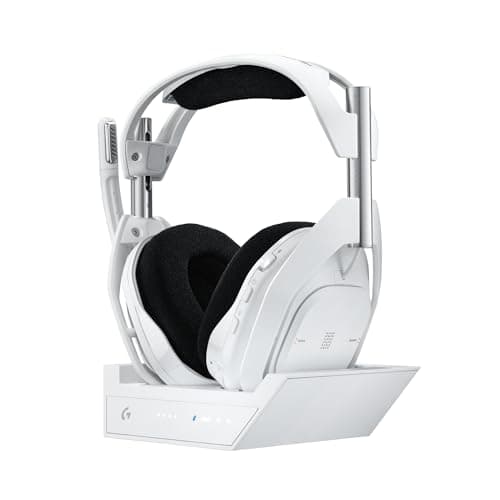
G Astro A50 X
- •One base station takes a PC
- •a PS5 and an Xbox at once
- •with HDMI 2.1 passthrough to the shared screen.
HyperX
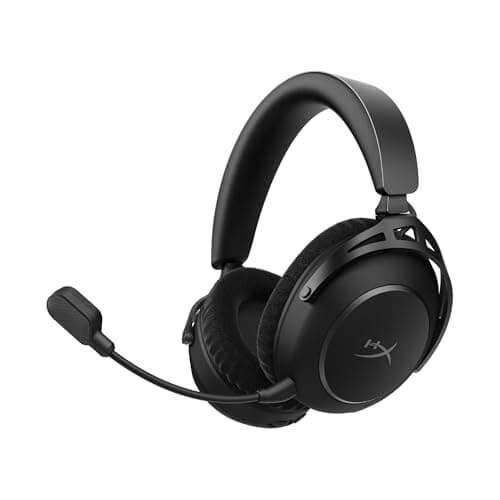
Cloud Alpha 2 Wireless
- •Battery life nothing else here matches; PC Gamer took Teams calls on macOS while gaming on Windows.
The Short Answer
For a desk shared by a company laptop and a gaming computer, the SteelSeries Arctis Nova Pro Wireless earns the top DeskGear Composite Score. PCMag confirms both machines connect over USB-C while your phone stays on Bluetooth; console households should weigh the Nova Pro Omni, which TechRadar calls brilliant for calls.
Gaming and working at one desk usually creates a juggling problem rather than a sound-quality problem. One Hacker News commenter keeps “a BT headset and a USB-wireless headset on my desk at the same time,” switching depending on the caller.
Every recommendation below runs two radios simultaneously: a wireless dongle carrying your computer's audio, and Bluetooth as a separate lane for your phone.
Logitech G launched the PRO X3 LIGHTSPEED on 2026-09-23 as the successor to the PRO X 2. According to Logitech G, Engadget and The FPS Review, it introduces a 48 kHz full-bandwidth microphone, graphene drivers and up to 70 hours of battery.
The Shortcut, the only rated review among outlets we track as of October 2026, found the microphone “natural and clear” but reported no active noise cancellation. It also listed “no simultaneous Bluetooth audio support,” so the PRO X3 remains Not scored and unranked.
The hybrid-desk comparison, factor by factor
Display & Audio Setup
Chart
 DeskGearHQ.com
My work laptop and gaming PC sit on the same desk, and my phone rings too: SteelSeries Arctis Nova Pro Wireless
SteelSeries Arctis Nova Pro Wireless
(Current price, subject to change)
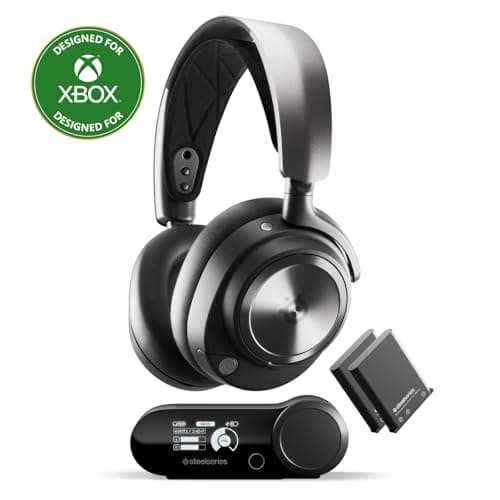
For the classic hybrid desk, with a company laptop beside a gaming tower, this headset comes closest to retiring the second headset entirely. PCMag confirms two USB-C inputs on the base station, so both computers remain connected while Bluetooth simultaneously carries your phone, which PC Gamer calls the champion feature. Battery anxiety mostly disappears, because SteelSeries rates each swappable pack at up to 36 hours on the dongle and 18 to 22 hours with Bluetooth active, according to PCMag. One Hacker News owner relies on that combination to pace around the house during meetings and still answer phone calls without removing the headset. Microphone opinions divide: PCMag rates it very good with Sonar processing enabled but rough on the default equalizer, and PC Gamer heard noticeable fuzziness in default mode. A different Hacker News owner was blunter, writing that “Microphone quality is just worse than it should be,” so budget configuration time before important calls. The trade-off is recency: five of the six outlet ratings behind its DeskGear Composite Score date from 2022, with only PCMag's review from 2024. SteelSeries has since released a follow-up, the Nova Pro Omni (our #2), though the Nova Pro Wireless remains on sale.
What We Love
- Two USB-C inputs on the base station keep a work laptop and a gaming PC both connected (PCMag).
- Bluetooth runs alongside the dongle, the feature PC Gamer singles out as its champion.
- Two hot-swap batteries, so a long call never ends on a dead headset.
What Could Be Better
- On the default flat EQ, PCMag found the mic “rough and slightly sibilant” until tuned in Sonar.
- Five of its six outlet ratings date from 2022 (PCMag's is from 2024), so the score leans on older reviews.
The Verdict
If your work laptop and gaming PC share one desk and your phone rings too, the SteelSeries Arctis Nova Pro Wireless fits the brief: both computers on USB-C and the phone on Bluetooth, all at once. The trade is a mic that needs a session in Sonar before calls sound their best.
PC, PlayStation and Xbox, plus calls, and I want to mix a call over game audio: SteelSeries Arctis Nova Pro Omni
SteelSeries Arctis Nova Pro Omni
(Current price, subject to change)
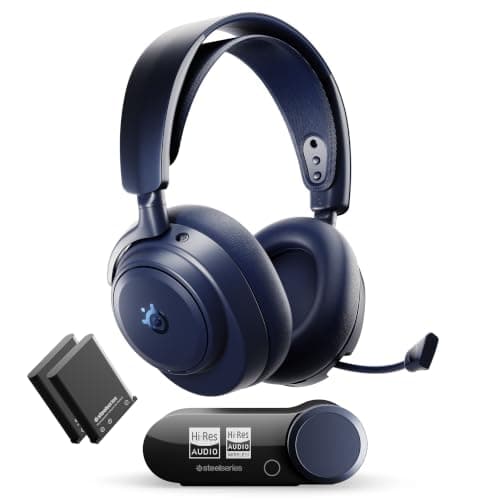
The Nova Pro Omni extends the Nova Pro Wireless formula with a third USB input plus a line-in, according to PCMag, which enables a genuine three-system arrangement. SteelSeries rates each hot-swappable battery at up to 30 hours, while PC Gamer recorded 15 to 20 hours with noise cancelling and both radios operating. PC Gamer and GamesRadar+ both describe mixing up to four sources, so a team call or background music continues over the game instead of replacing it. Its expert consensus, the most heavily weighted factor, is the strongest in this roundup, with perfect ratings from Windows Central, GamesRadar+ and T3. TechRadar also calls the microphone brilliant for work calls. The important caveat concerns the room, because Tom's Guide found the omnidirectional microphone captured a colleague's voice and judged the noise cancellation weaker than advertised. Picture a dedicated spare-room office, a console beneath the monitor and a door that closes, since that is precisely the environment this headset suits.
What We Love
- Three USB inputs plus a line-in, so a PC, a PlayStation and an Xbox all stay connected (PCMag).
- Mixes up to four sources, so a team call can sit over game audio (PC Gamer, GamesRadar+).
- TechRadar calls it brilliant for work calls.
What Could Be Better
- Its omnidirectional mic picked up a colleague's voice in Tom's Guide's review.
- Tom's Guide found the ANC isn't as good as SteelSeries says.
The Verdict
For a desk where a PC, a PlayStation and an Xbox share space with your work calls, the SteelSeries Arctis Nova Pro Omni lines up with what you actually need, backed by the strongest expert consensus here. It suits a home office with a door, where no one else's voice is in mic range.
The mic matters most, and I want two wireless transmitters without a hub: Turtle Beach Stealth Pro II
Turtle Beach Stealth Pro II
(Current price, subject to change)
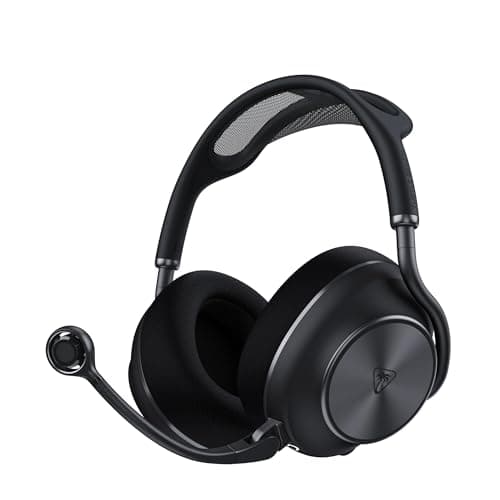
Most gaming headsets treat the microphone as an afterthought, and in our reading of the reviews this boom microphone draws the strongest praise of the seven. PC Gamer would record a podcast on it, TechRadar compares its clarity to dedicated XLR setups, and Tom's Guide calls it a super clear microphone. For two-machine desks, Turtle Beach eliminated the base-station hub entirely, since Tom's Hardware notes you don't need one and the charging dock operates as a second wireless transmitter. Bluetooth works simultaneously, although Tom's Guide found game audio doesn't automatically duck during calls, so you'll adjust the volume manually whenever your phone rings. Each of the two swappable batteries is rated at 40 hours, which delivers 80 hours of combined capacity before both packs need the dock. Comfort is the genuine compromise, because GamesRadar+ ended up sore and T3 reported an ache after a few hours, compared to lighter alternatives such as the Sony. Short of buying a standalone microphone, this is the best-sounding voice on the list.
What We Love
- A boom mic PC Gamer would record a podcast on and TechRadar compares to XLR setups.
- The charging dock doubles as a second wireless transmitter, so there's no hub to place (PC Gamer).
- Two swappable battery packs, each rated for a long stretch of calls.
What Could Be Better
- Heaviest pick at 393 g with mic; GamesRadar+ felt sore and T3 reported an ache after hours.
- Game audio doesn't duck when a Bluetooth call comes in, per Tom's Guide.
The Verdict
If the mic is what colleagues judge you by, the Turtle Beach Stealth Pro II checks the boxes that matter: reviewer-grade voice pickup and two transmitters without a base station. Plan on breaks during long days. This is the one if your voice matters more than your neck.
One gaming PC, my phone on Bluetooth, and I want ANC and a battery I forget about: Razer BlackShark V3 Pro
Razer BlackShark V3 Pro
(Current price, subject to change)
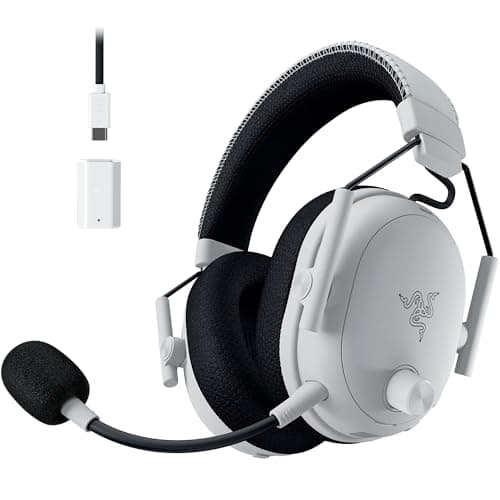
If one gaming computer handles your games and your phone handles your calls, you don't need a base station overflowing with inputs, and this headset reflects that thinking. TechRadar describes a single HyperSpeed dongle on a USB cable with Bluetooth operating simultaneously, and GamesRadar+ says you can pick up the phone without losing game audio. Expert consensus is unusually strong, since PCMag awarded an Editors' Choice while TechRadar, Tom's Guide, Windows Central and GamesRadar+ each gave perfect ratings. The microphone divides opinion, because Tom's Hardware found it lackluster, GamesRadar+ called it one of the best available, and PCMag's equalizer made Discord audio clear. Windows Central says the noise cancellation works subtly, while PC Gamer says it doesn't sing, so expect modest isolation rather than silence. Tom's Hardware rates the battery at up to 70 hours on the dongle, so charging becomes an occasional chore rather than a nightly ritual. Its DeskGear Composite Score ties the Stealth Pro II, because strong expert ratings offset the divided microphone verdict. Versus the Nova Pro Wireless, it trades a second USB host for a much longer single charge and simpler cabling.
What We Love
- Tom's Hardware rates the battery at up to 70 hours; by our count, only the Cloud Alpha 2 here goes longer on one charge.
- Tom's Guide's reviewer called it the most comfortable headset they'd worn so far.
- GamesRadar+ says you can pick up the phone without losing game audio.
What Could Be Better
- The mic splits reviewers: lackluster to Tom's Hardware, one of the best to GamesRadar+.
- One dongle means one computer; a second machine needs re-plugging.
The Verdict
If you game on one PC and your work calls come through your phone, the Razer BlackShark V3 Pro is a sensible pick for that setup: ANC, a battery you rarely think about, and Bluetooth alongside the dongle. Against the Cloud Alpha 2, it adds ANC and stronger reviews for a shorter charge.
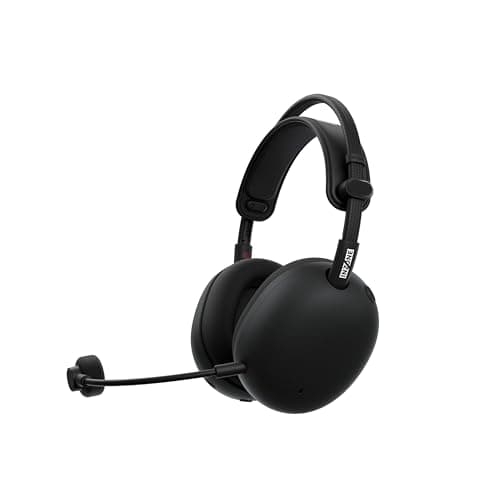
I wear it all day and weight is my problem: Sony INZONE H9 II
Sony INZONE H9 II
(Current price, subject to change)
Headset weight is a complaint that accumulates gradually, because by the evening match the headband has been pressing on your head since the morning standup. Compared to every rival in this group, Sony's frame is the lightest, and PC Gamer specifically credits that low weight for its comfort. For many hybrid workers, weight becomes the deciding factor. The calling side holds up impressively, since TechRadar reports phenomenal microphone performance and T3 captured a voice cleanly without adjusting any settings. GamesRadar+ and T3 confirm Bluetooth and the dongle operate simultaneously, so your phone remains connected while the computer carries the game. PC Gamer calls the noise cancellation genuinely excellent, the strongest assessment any recommendation here receives for that particular feature. The single-dongle design suits one computer or a PlayStation 5, and Xbox compatibility is wired only, according to TechRadar. What you sacrifice is stamina, because the battery is rated at 30 hours without a swappable pack, and three separate outlets identify it as the weakest attribute.
What We Love
- About 260 g without the mic, the lightest pick here (PC Gamer, TechRadar).
- TechRadar reports phenomenal mic performance, and T3 got a clean voice with no tweaks.
- PC Gamer calls the ANC genuinely excellent, the best noise-cancelling rating in this group.
What Could Be Better
- The battery doesn't swap, and T3, GamesRadar+ and TechRadar all flag it as a weak point.
- Xbox works wired only, per TechRadar.
The Verdict
If you wear a headset from the first standup to the last match, the Sony INZONE H9 II fits without compromise on weight, and its mic and ANC both draw strong reviews. The trade is a fixed battery you'll be charging often.
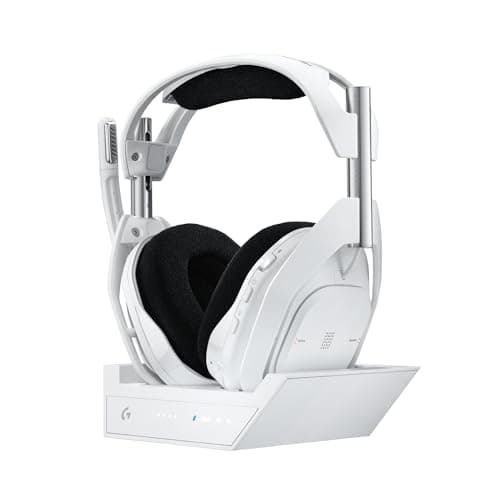
Two consoles and a PC share my monitor: Logitech G Astro A50 X
Logitech G Astro A50 X
(Current price, subject to change)
Picture a monitor with three inputs occupied by a gaming computer, a PlayStation 5 and an Xbox, which is exactly the arrangement this base station anticipates. Tom's Hardware and PCMag confirm it connects all three simultaneously, and Windows Central highlights the HDMI passthrough that lets both consoles share a single display. The microphone earns genuine praise, with PCMag calling it strong and Windows Central ranking it among the best of any gaming headset. Bluetooth works alongside, but Tom's Hardware found it routes through the base station, so you must remain within range of the dock during calls. There's no active noise cancellation, and Tom's Hardware considers the battery below average, citing 24 hours, while Windows Central lists up to 28 hours. The older Astro A50 (Gen 5) base station also connects a PC, PlayStation and Xbox, and both TechRadar and Windows Central rated it favorably. An owner of an earlier Astro A50 on Hacker News wore theirs all day, “from video chats over coding and gaming to laundry,” which describes this console-heavy household precisely.
What We Love
- One base station holds a PC, a PS5 and an Xbox at the same time (Tom's Hardware, PCMag).
- Windows Central ranks its mic among the best of any gaming headset.
- HDMI 2.1 passthrough lets the consoles share one monitor through the base (Windows Central).
What Could Be Better
- No active noise cancelling, per Windows Central.
- Tom's Hardware calls the rated battery below average, and Bluetooth only works near the base.
The Verdict
For a desk where a gaming PC, a PS5 and an Xbox all feed one monitor, the Logitech G Astro A50 X is the path of least friction: one base, three hosts, and a mic Windows Central ranks among the best. It's for the person who switches consoles more often than they leave the room.
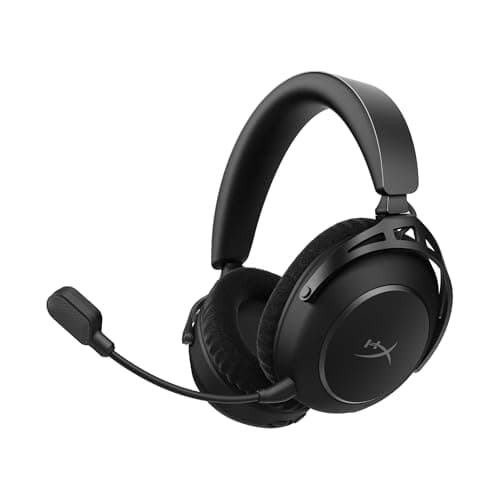
I never want to charge it, and calls go to my Mac over Bluetooth: HyperX Cloud Alpha 2 Wireless
HyperX Cloud Alpha 2 Wireless
(Current price, subject to change)
Some buyers would sacrifice almost anything to stop thinking about charging, and HyperX designed this headset specifically for that temperament. Tom's Hardware lists up to 250 hours on the dongle and roughly 125 hours with Bluetooth active, which still yields the longest battery life in this comparison. The base station connects to one computer, so this functions as a single-host headset with Bluetooth serving as the secondary lane for everything else. PC Gamer demonstrated what that arrangement enables, holding Microsoft Teams calls on macOS while simultaneously gaming on a separate Windows machine. The microphone is the weakness, because PC Gamer says it lags behind key rivals and Tom's Hardware reports nobody was particularly impressed, although Windows Central called it crisp. There's no active noise cancellation, and Tom's Guide found the cloth earcups overheat, which matters in warmer offices. Its DeskGear Composite Score is the lowest in the field, a tenth behind the A50 X, held back by middling expert consensus and that microphone. If never charging matters more to you than sounding polished on calls, this is the one.
What We Love
- The longest-rated battery in this roundup by a wide margin, per Tom's Hardware.
- PC Gamer took Teams calls on macOS while gaming on Windows.
- Windows Central heard the mic come through crisply.
What Could Be Better
- PC Gamer says the mic lags behind key rivals, and Tom's Hardware found nobody was impressed.
- No ANC, and Tom's Guide found the cloth earcups overheat.
The Verdict
If charging is the chore you always forget and your calls go to a Mac over Bluetooth, the HyperX Cloud Alpha 2 Wireless fits the brief. This is the one for a single gaming PC on the base and a laptop that only ever needs Bluetooth.
How We Score: DeskGear Score
DeskGear Score
Score Formula
DeskGear Score = (Expert Consensus × 0.30) + (Effectiveness × 0.25) + (Build Safety × 0.20) + (Durability × 0.15) + (Value × 0.10)Score Factors
- Expert Consensus (30%)How strongly the trade-review, ergonomics-research, and specialist sources we cite endorse the product or its category. The single largest weight, because it is the only factor that doesn't depend on a single editor's judgment.
- Effectiveness (25%)Whether the product actually does what its category requires, judged against the functional standards described in the source stack (e.g., monitor color accuracy adequate for design work; chair adjustment range covering the body sizes the spec sheet advertises).
- Build Safety (20%)Electrical, material, and structural soundness for daily desk use: UL/ETL certification, off-gassing disclosures, BIFMA testing, wattage-handling claims, and known failure modes. A safety shortcoming caps the score regardless of effectiveness.
- Durability (15%)Build quality and longevity, triangulated from manufacturer documentation, brand warranty terms, and practitioner-community failure reports across multiple years of 8h/day use.
- Value (10%)Price relative to the field, on the dated lastProductCheck shown in every guide. Re-checked monthly; we update the score if the price-to-field relationship moves.
DeskGear Score — Ranked
SteelSeries Arctis Nova Pro Wireless
9.0/10Two USB-C hosts plus Bluetooth; five of its six reviews date from 2022.
SteelSeries Arctis Nova Pro Omni
8.9/10Strongest expert consensus and three hosts, but the mic hears the whole room.
Turtle Beach Stealth Pro II
8.8/10The best call mic and two transmitters, on the heaviest frame.
Razer BlackShark V3 Pro
8.8/10One PC with ANC and a long charge; reviewers split on the mic.
Sony INZONE H9 II
8.5/10Lightest frame with excellent ANC, held back by a fixed battery.
Logitech G Astro A50 X
8.4/10A PC and two consoles on one base, with no ANC.
HyperX Cloud Alpha 2 Wireless
8.3/10Unmatched battery life; the mic draws the coolest reviews.
Two machines, one headset
Two scoring caveats deserve attention. Every product here was newly added for this guide, so each build-safety pillar remains a provisional 9.0 until certification evidence is reviewed. Our CPSC recall search found nothing, but we have not yet verified UL/ETL or equivalent certification, and every individual review page discloses that limitation. Because five of the six reviews behind the Nova Pro Wireless lead date from 2022, treat a one-tenth difference as effectively a tie. The comparison rows, not the score differences, should determine which desk each headset suits.
The comparison chart accommodates six columns, so the seventh recommendation, the HyperX Cloud Alpha 2 Wireless, appears separately here. Comparably summarized, it dedicates one base station to a single computer, operates Bluetooth simultaneously and omits active noise cancellation. Tom's Hardware lists 345 g and up to 250 hours of battery, and PC Gamer says its microphone lags behind key rivals.
Four recommendations accept more than one wired host, which solves the two-machine desk without a USB switch and eliminates the daily cable shuffle entirely. The Nova Pro Wireless base offers two USB-C inputs for a company laptop and a gaming computer. PCMag confirms the Nova Pro Omni adds a third input plus a line-in. The A50 X base station connects a computer, a PlayStation 5 and an Xbox together. The Stealth Pro II reaches a similar result differently, using its charging dock as a second wireless transmitter alongside the included receiver. One Level1Techs member running Arch Linux reported their SteelSeries Nova Pro had “been plug and play” for over a year.
The BlackShark V3 Pro, INZONE H9 II and Cloud Alpha 2 each dedicate one dongle or base station to a single computer, with Bluetooth as the secondary lane. Connect that dongle to whichever computer carries your work calls, since one Level1Techs owner reports better audio through the dongle relative to Bluetooth, and give Bluetooth to your phone. KVM switches are the unreliable factor, because one Level1Techs member found “the computers pick up the mic activity, but don’t detect the headset as an output device for audio.” If you already own a KVM, try the dongle in a direct USB port, and our Best KVM Switches for Multi-Mac/PC Setups (2026) guide covers two-machine desks in greater depth.
When NOT to Buy
If calls fill 6 hours of your day and games fill 1 hour, a call-first headset suits you better. Our Best Headphones & Headsets for Work From Home 2026: Complete Guide recommendations cover exactly that situation. One Level1Techs skeptic refuses to buy audio from “companies that also make light-up keyboards,” which is too absolute for this list but points sensibly toward call-first equipment. If you want your voice to sound better than any headset boom microphone can manage, a dedicated desk microphone is the upgrade; see Best Microphones for the Home Office (2026).
Who Should Buy What
Who Should Buy What
| If you are… | Recommended pick |
|---|---|
Work laptop plus gaming PC Two computers on one desk, both on USB-C, with a phone on Bluetooth and calls most days. | SteelSeries Arctis Nova Pro Wireless |
PC plus two consoles, mixing calls A PC plus PlayStation and Xbox, with calls or music mixed over the game and a room to yourself. | SteelSeries Arctis Nova Pro Omni |
Mic-first, two transmitters Daily calls where your voice gets judged, and a PC plus a console linked through two transmitters. | Turtle Beach Stealth Pro II |
One PC with ANC and long battery A single gaming machine, calls through your phone, and noise cancelling for a busy house. | Razer BlackShark V3 Pro |
All-day wear, weight first Long days of wear where headset weight, not sound, is what wears you down. | Sony INZONE H9 II |
Two consoles and a PC on one monitor A console-heavy setup feeding one screen, with calls taken from the chair. | Logitech G Astro A50 X |
Never-charge battery, Mac calls over Bluetooth One gaming PC on the base, Bluetooth calls to a Mac, and zero patience for charging. | HyperX Cloud Alpha 2 Wireless |
Frequently Asked Questions
Are gaming headsets good for work calls on Zoom or Teams?
Some are, and the mic decides it. Reviewers rate the mics on the Turtle Beach Stealth Pro II, Sony INZONE H9 II and Logitech G Astro A50 X highly, while the HyperX Cloud Alpha 2 draws weaker mic reviews. Tune the mic EQ in the companion app before your first call: PCMag found the SteelSeries Arctis Nova Pro Wireless mic rough on its default flat EQ.
Can a wireless gaming headset connect to my work laptop and my gaming PC at the same time?
Only if its base takes more than one wired host. The SteelSeries Arctis Nova Pro Wireless has two USB-C inputs, and the Nova Pro Omni and Logitech G Astro A50 X bases take three. The Turtle Beach Stealth Pro II uses its dock as a second transmitter. With a single-dongle model, connect the laptop over Bluetooth instead.
What does "simultaneous 2.4 GHz and Bluetooth" actually let me do?
The headset holds two links at once: the dongle for a computer and Bluetooth for a phone or second device, and you hear both. Two details vary by model. Tom's Guide found the Turtle Beach Stealth Pro II doesn't lower game audio for calls, and Tom's Hardware found the Logitech G Astro A50 X routes Bluetooth through its base, so you have to stay near it.
Should my work calls go over the USB dongle or over Bluetooth?
Use the dongle for work calls when you can. One Level1Techs owner reports better audio over the dongle, and one Hacker News commenter complained that motherboard Bluetooth doesn't cut it for a gaming headset if you want high quality audio. Keep Bluetooth for the phone.
Does the new Logitech PRO X3 LIGHTSPEED support Bluetooth and wireless at the same time?
No, according to The Shortcut, the only outlet among those we track with a rated review so far. It lists no simultaneous Bluetooth audio support and no active noise cancellation, though it found the mic natural and clear. Logitech G's launch specs highlight a 48 kHz full-bandwidth mic. DeskGear hasn't scored it yet.
Will a wireless gaming headset work through a KVM switch?
Not reliably. One Level1Techs owner found the mic registered through a KVM while the headset never showed up as an audio output. Plugging the dongle straight into the computer avoids that. A multi-input base like the SteelSeries Arctis Nova Pro Wireless, Nova Pro Omni or Logitech G Astro A50 X skips the KVM for audio entirely.
Which of these is lightest for wearing all day?
The Sony INZONE H9 II, at about 260 g without the mic per PC Gamer and TechRadar. The SteelSeries Arctis Nova Pro Wireless comes next at 338 g. The heaviest is the Turtle Beach Stealth Pro II at 393 g with its mic, and both GamesRadar+ and T3 reported discomfort after a few hours.
Which wireless gaming headset has the longest battery life?
The HyperX Cloud Alpha 2 Wireless, rated up to 250 hours on the dongle and about 125 in simultaneous mode, per Tom's Hardware. If you'd rather never wait on a charge at all, the hot-swap packs on both SteelSeries Nova Pro models and the Turtle Beach Stealth Pro II let you drop in a fresh battery mid-session.
Is the Arctis Nova Pro Omni worth it over the Nova Pro Wireless?
Only if you need the third USB input or the four-source mixing. The Nova Pro Omni has the stronger expert consensus, but its omnidirectional mic caught a colleague's voice in Tom's Guide's review. In a shared office, the Nova Pro Wireless is the safer choice.
Bottom Line
Get the SteelSeries Arctis Nova Pro Wireless if Get it if a work laptop and a gaming PC share your desk and your phone needs to ring through too..
Get the SteelSeries Arctis Nova Pro Omni if Choose it when consoles join the PC and you want calls mixed over game audio in a private room..
Get the Turtle Beach Stealth Pro II if Pick it if your mic is what people notice and you can live with a heavier frame..
Get the Razer BlackShark V3 Pro if Right for one gaming PC, calls on your phone, and a preference for ANC over a second host..
Get the Sony INZONE H9 II if The best fit when weight ends your day and frequent charging doesn't bother you..
Get the Logitech G Astro A50 X if The one for a PC, PS5 and Xbox feeding one monitor, with calls taken at the desk..
Get the HyperX Cloud Alpha 2 Wireless if Go here if you never want to charge and your calls run to a Mac or phone over Bluetooth..
Sources & Methodology
Methodology: DeskGear Score — Formula: DeskGear Score = (Expert Consensus × 0.30) + (Effectiveness × 0.25) + (Build Safety × 0.20) + (Durability × 0.15) + (Value × 0.10). Factors: Expert Consensus (30%): How strongly the trade-review, ergonomics-research, and specialist sources we cite endorse the product or its category. The single largest weight, because it is the only factor that doesn't depend on a single editor's judgment. | Effectiveness (25%): Whether the product actually does what its category requires, judged against the functional standards described in the source stack (e.g., monitor color accuracy adequate for design work; chair adjustment range covering the body sizes the spec sheet advertises). | Build Safety (20%): Electrical, material, and structural soundness for daily desk use: UL/ETL certification, off-gassing disclosures, BIFMA testing, wattage-handling claims, and known failure modes. A safety shortcoming caps the score regardless of effectiveness. | Durability (15%): Build quality and longevity, triangulated from manufacturer documentation, brand warranty terms, and practitioner-community failure reports across multiple years of 8h/day use. | Value (10%): Price relative to the field, on the dated lastProductCheck shown in every guide. Re-checked monthly; we update the score if the price-to-field relationship moves.
Expert review sources used in this analysis:
- Scores aggregate published reviews from PCMag, PC Gamer, Tom's Hardware, Tom's Guide, TechRadar, Windows Central, GamesRadar+ and T3
- PRO X3 LIGHTSPEED details come from Logitech G, Engadget, The FPS Review and The Shortcut
- Owner quotes come from Hacker News and Level1Techs threads, all posted before the PRO X3 launch.
Nicholas Miles is the founder of DeskGearHQ and a longtime smart home enthusiast focused on helping everyday homeowners make better technology decisions. He researches, compares, and writes about products across security, climate, lighting, leak prevention, sensors, home energy, and automation, with an emphasis on real-world usefulness, ecosystem compatibility, reliability, privacy, and long-term value.
Affiliate disclosure: DeskGearHQ earns affiliate commissions on qualifying Amazon purchases. Our scoring methodology is independent of affiliate relationships.



