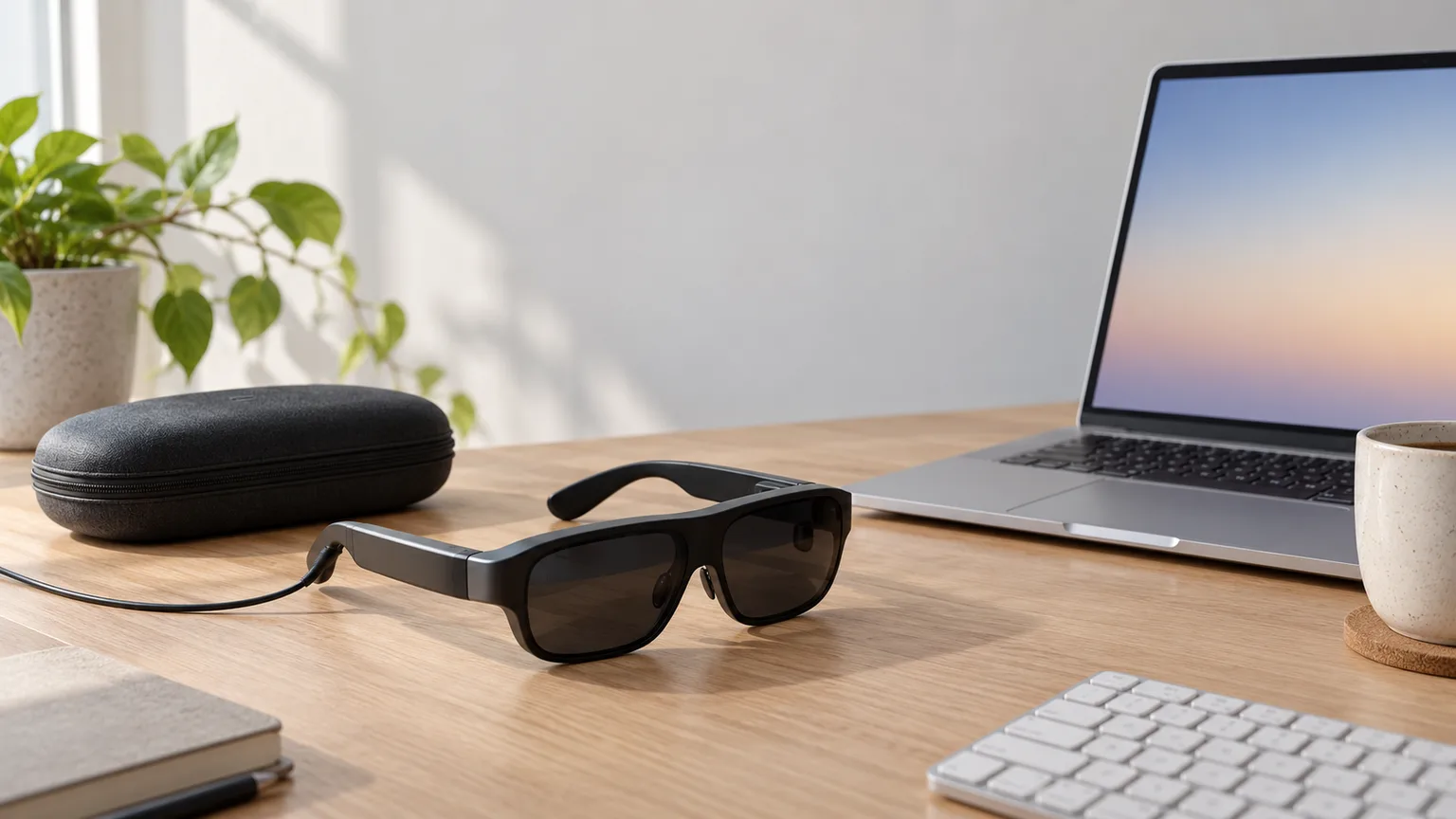
Best AR Display Glasses as a Virtual Monitor (2026)
Owners care less about screen inches than whether text stays sharp out to the corners. For a private laptop screen on planes and in cafés, start with the XREAL 1S, and don't expect it to replace your desk monitor.
This article contains affiliate links. We may earn a commission at no extra cost to you. Learn more
Featured in this Guide
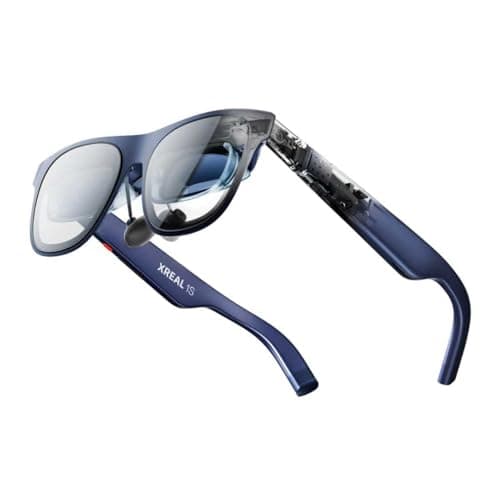
XREAL
1S AR Glasses
- •Taller 16:10 panel plus an X1 ultrawide that runs on any DP Alt laptop
- •with no app for IT to approve.
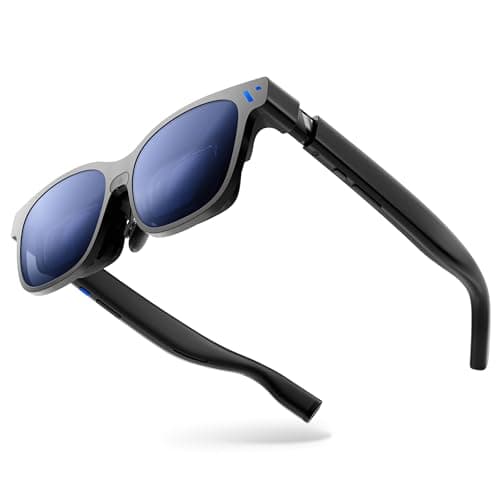
VITURE
Beast XR Glasses
- •The widest view in this group
- •pinned in place by the glasses themselves. Glasses wearers will need prescription inserts.
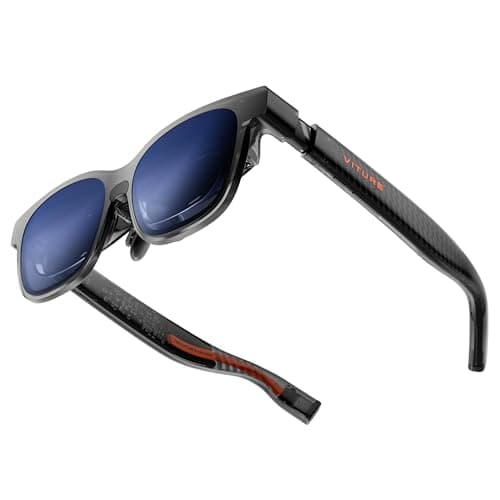
VITURE
Luma XR Glasses
- •Focus dials reach -6.0D
- •so most nearsighted eyes can skip the insert order entirely.
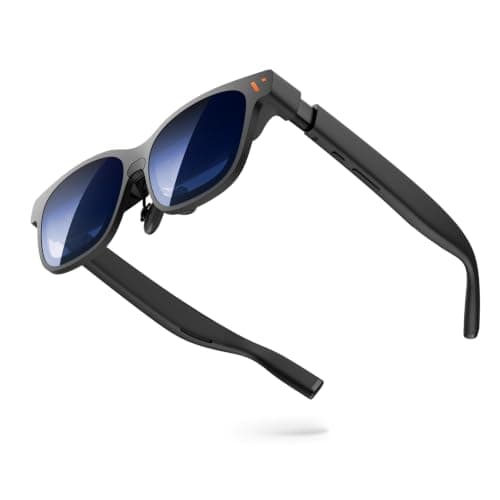
VITURE
Pro 2 XR Glasses
- •Light frame with dials to -5.0D. Reviewers split on whether its corners are sharp enough for spreadsheets.
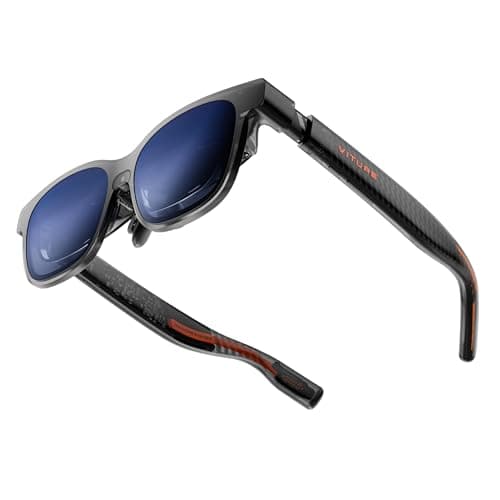
VITURE
Luma Pro XR Glasses
- •PCMag says SpaceWalker on Windows supports up to three virtual screens. Drop the laptop to 1080p if edges clip.
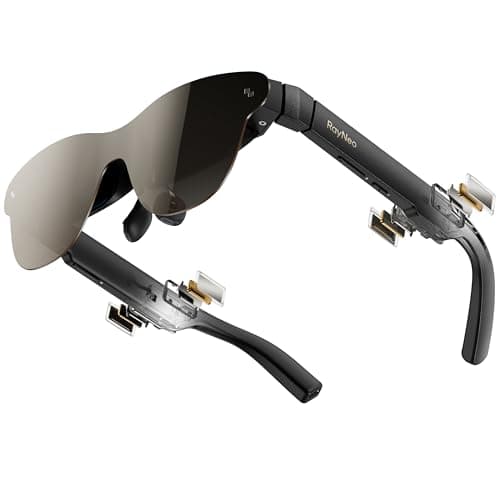
RayNeo
Air 3s Pro AR Glasses
- •Once PCMag raised Windows scaling to 150%
- •small text was workable. Owners rate it highest of the pairs here.
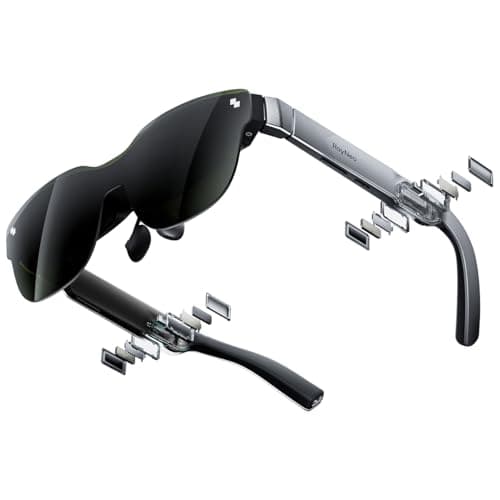
RayNeo
Air 3s AR Glasses
- •A movies-and-email screen for the seat-back tray. The fixed sunshade hides your keyboard in a dim cabin.
XREAL
One Pro AR Glasses
- •Plug in and the 32:9 ultrawide runs on the glasses
- •so a managed work laptop needs nothing installed.
The Short Answer
For most laptop work, the XREAL 1S delivers the best balance of a taller 16:10 panel and an on-glasses ultrawide mode that needs no software installation. Choose the VITURE Beast for the largest anchored screen, or the VITURE Pro 2 or Luma for nearsighted eyes, and treat every pair as a private travel display.
Product listings advertise virtual screens of 150 to 500 inches, yet the owners posting on Hacker News mostly discuss whether text remains legible out at the corners. One XREAL One Pro owner described "blurry areas of the screen, very visible as you move your head around." Another compared the usable view to a 27-inch monitor. A VITURE Beast owner regretted the purchase entirely, calling the glasses fine for short stints but unsuitable for 8 hours of serious productivity.
A VITURE Pro owner on Hacker News calls them "awesome for airplane/hotel use" and a monitor "in a pinch on a plane when you need privacy." That traveling role is exactly what this comparison evaluates for hybrid workers. Our DeskGear Composite Score is therefore weighted toward text sharpness, session comfort and laptop compatibility rather than advertised screen size, so movies and gaming appear only in passing.
How the pairs compare for laptop work
Display & Audio Setup
Chart
 DeskGearHQ.com
Best overall for laptop work: XREAL 1S AR Glasses
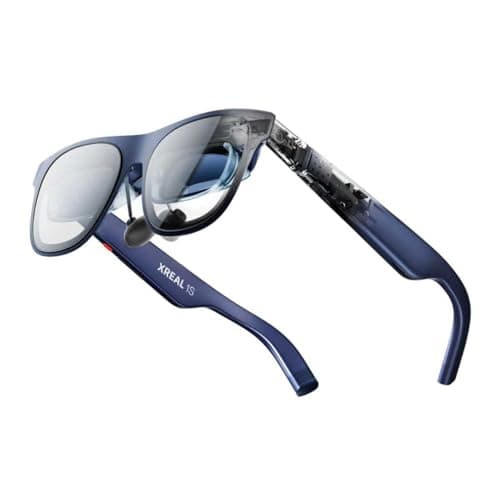
Tom's Guide names the 1S its best XREAL pair, calling it "a great extended display for entertainment and work on the go," and the panel shape explains why. Its 16:10 panel provides "much better verticality for productivity on planes," so documents and code files display more lines without forcing you to shrink the text. The X1 chip handles anchoring and a 32:9 ultrawide directly on the glasses, which means the laptop recognizes an ordinary external monitor and IT has nothing to approve. Be clear about what this DeskGear Composite Score rests on: a single rated trade review, Tom's Guide's four and a half out of five, normalized to nine. No second publication has examined its edges, so the absence of an edge-blur finding means nobody has reported one, not that the problem is ruled out. Tom's Guide also found the glasses heat up "quite considerably" in Real 3D mode. You trade a longer review history for the most complete set of work features in this price tier.
What We Love
- 16:10 panel adds vertical room, which Tom's Guide says suits productivity on planes.
- The X1 chip runs 3DoF anchoring and a 32:9 ultrawide on the glasses, with no laptop app.
- Plugs into any USB-C port with DisplayPort output, per XREAL's listing.
What Could Be Better
- The top score rests on one rated review; no second outlet has checked its edges yet.
- No focus dials, and Tom's Guide found it heats up noticeably in Real 3D mode.
The Verdict
If you've narrowed it to an XREAL for travel work and don't want One Pro money, the XREAL 1S AR Glasses lines up with what you actually need: room for more lines of text and an ultrawide that works on any laptop. The cost is a thinner review record and an insert order if you wear glasses.
Biggest anchored screen: VITURE Beast XR Glasses
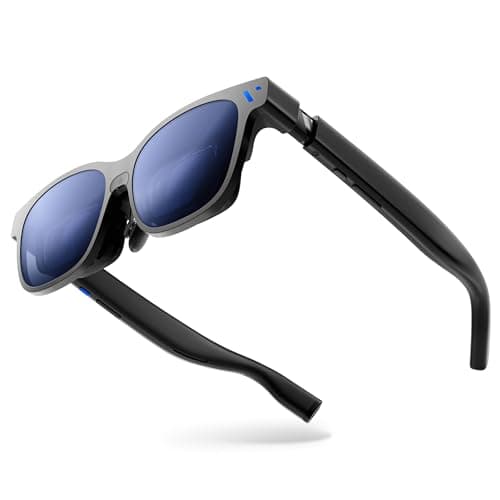
The Beast carries the deepest review record in this roundup, roughly 5x the number of rated reviews behind the 1S. Tom's Guide and PCMag both award four and a half out of five, CGMagazine rates it even higher, and CNET and Android Authority score it somewhat lower. VITURE's listing specifies a 58-degree field of view and 1,250 nits, nearly 2x the brightness PCMag lists for the RayNeo Air 3s. CNET, working from a MacBook Air, called the laptop widescreen mode "great," and PCMag notes that firmware updates fixed an early edge artifact and reduced anchor drift. Text legibility is the weakness, because Android Authority found that "chromatic aberration does impact the readability of text." Tom's Guide similarly concludes that "if productivity is your sole purpose, Xreal's the way to go." One Hacker News owner even regrets buying it for workdays longer than 8 hours. It performs best as an expansive, luminous, stable display for long-haul flights or hotel rooms, with occasional email and browsing in between.
What We Love
- Five rated reviews back it, the deepest record here: Tom's Guide and PCMag both give 4.5/5.
- VisionPair 3DoF anchor and 32:9 ultrawide run on the glasses; CNET calls laptop widescreen great.
- Comes in Regular and Large sizes (up to 70 and 74 mm IPD) for wider faces.
What Could Be Better
- Android Authority says chromatic aberration hurts text readability at the edges.
- No focus dials, so nearsighted buyers need prescription inserts.
The Verdict
For a traveler who wants the most screen pinned in place and mostly reads, browses and watches, the VITURE Beast XR Glasses checks the boxes that matter. It suits a long-haul seat or a hotel desk better than an eight-hour sprint of fine print.
Stronger nearsighted prescriptions: VITURE Luma XR Glasses
VITURE Luma XR Glasses
(Current price, subject to change)
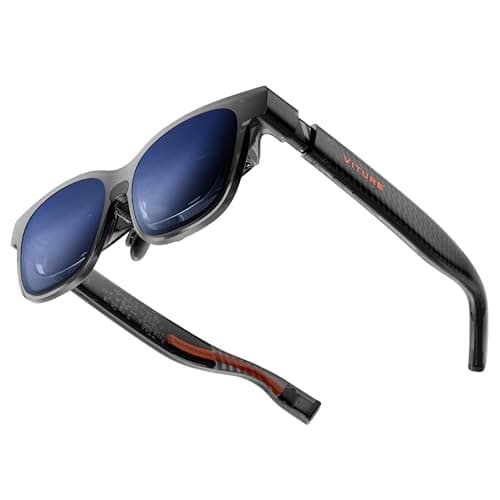
PCMag describes the Luma as "like a wearable USB-C monitor or a private big screen," which is precisely the role this comparison evaluates for traveling laptop workers. Its focus dials correct myopia to -6.0D in each eye, roughly 1.5x the correction range of the Luma Pro, which saves most nearsighted buyers a separate prescription-insert order. VITURE's listing pairs that correction with a 1200p panel and compatibility with macOS and Windows laptops that output DisplayPort over USB-C. Only PCMag has rated it so far, at 4 out of 5, so its DeskGear Composite Score leans on a single publication. The Effectiveness factor loses half a point because PCMag found no built-in head tracking, meaning anchoring and ultrawide layouts depend on VITURE's SpaceWalker application. The Amazon listing now advertises 3DoF, which VITURE's own page did not confirm when we checked on 2026-10-03; if it holds up, that deduction goes away. Durability, calculated as 2x the Amazon owner rating of 3.7 stars, is the lowest in this group. For nearsighted prescriptions within that range and without astigmatism, this is the pair to buy.
What We Love
- Focus dials correct myopia to -6.0D in each eye, the widest range in VITURE's lineup.
- Taller 1200p panel shows more lines of a document than a 1080p pair.
- PCMag calls it a private big screen that keeps prying eyes off your work.
What Could Be Better
- PCMag found no built-in head tracking, so anchoring and ultrawide need the SpaceWalker app. Amazon's listing now says 3DoF; VITURE's page did not confirm that on 2026-10-03.
- Owners rate it 3.7 stars on Amazon, the lowest Durability input in this group.
The Verdict
If you're nearsighted past -5 and tired of paying for inserts, the VITURE Luma XR Glasses fits the brief: dial in your focus, plug into the laptop, and read a taller page. This is the one for stronger myopia on a mid budget.
Budget pair with focus dials: VITURE Pro 2 XR Glasses
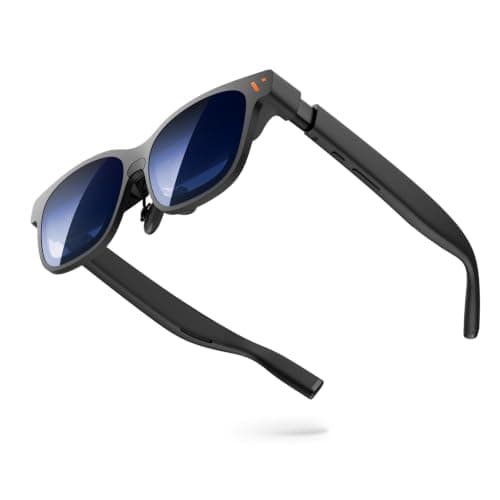
VITURE Pro 2 XR Glasses
(Current price, subject to change)
Two publications rate the Pro 2 at four and a half out of five, yet they disagree sharply about whether it works for productivity. PCMag found that "the diopter adjustments worked perfectly," with text "razor-sharp," although that evaluation used a phone and a Switch 2 rather than a laptop. Tom's Guide reached the opposite conclusion: "I didn't find these great for work or reading." Its reviewer added that increased display scaling "helped a bit, but I still found the corners annoying." That reviewer also mentioned a weaker left eye, which can make peripheral softness considerably more noticeable. VITURE lists a 1080p panel with 1,600 nits peak brightness, roughly 2.5x the figure PCMag gives the RayNeo Air 3s. Like the Luma, it lacks on-board head tracking, so ultrawide-style layouts depend entirely on VITURE's SpaceWalker application. Compared to the Luma one rank higher, you sacrifice measurable text sharpness and correction range in exchange for meaningful savings. Versus the RayNeo Air 3s Pro, you gain dials but lose PCMag's clear verdict on Windows text.
What We Love
- Per-eye dials correct myopia from 0 to -5.0D, so mild prescriptions skip inserts.
- At 63 g per VITURE's listing, it's among the lightest dial-focus pairs.
- PCMag found text razor-sharp on a phone and a Switch 2 once the dials were set.
What Could Be Better
- Tom's Guide found corners annoying for work even after raising the UI scale.
- Tom's Guide says the sound remains poor.
The Verdict
If you're nearsighted, budget-minded and mostly need a private screen for email, video and the odd document, the VITURE Pro 2 XR Glasses is a sensible pick for that setup. For long reading sessions, the VITURE Luma's 1200p panel and wider dial range are the safer step up.
Windows multi-screen software: VITURE Luma Pro XR Glasses
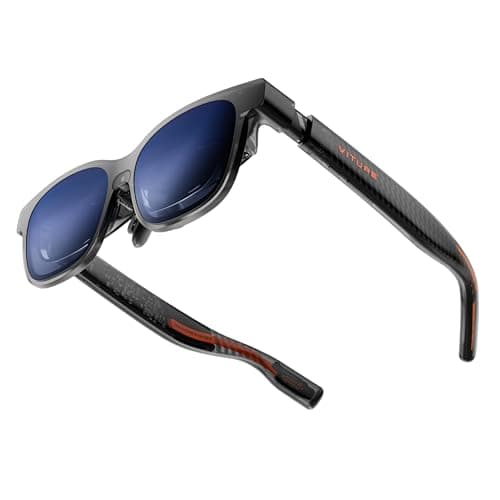
VITURE Luma Pro XR Glasses
(Current price, subject to change)
The Luma Pro is the most software-oriented pair in this roundup, because PCMag says VITURE's SpaceWalker application on Windows supports up to three virtual screens around the laptop. PCMag also judged XREAL's head tracking superior, and the two main reviewers disagree considerably about edge sharpness. Tom's Guide saw "impressively razor sharp details — even at the far edges without any fringing whatsoever," and considered it comfortable for an entire workday. PCMag, however, found that "the top and bottom edges of the picture became blurry or disappeared at 1,920 by 1,200 when connected to my laptop." Switching the laptop to 1080p resolved the problem, at the cost of some vertical resolution. VITURE's listing specifies a 52-degree view, while the dials reach -4.0D, a narrower correction range relative to the Luma. The trade-off is clear: you get the richest Windows workspace in the VITURE line, but you may run below native resolution to keep the full picture.
What We Love
- PCMag says SpaceWalker on Windows supports up to three virtual screens.
- Tom's Guide saw razor-sharp detail even at the far edges, without fringing.
- Dials correct myopia to -4.0D, with Regular and Large frame sizes.
What Could Be Better
- PCMag lost the top and bottom edges at full resolution on a laptop until it dropped to 1080p.
- Head tracking works only through apps; the glasses alone show a fixed screen.
The Verdict
If you're on Windows and want several screens floating around your laptop, the VITURE Luma Pro XR Glasses is a sensible pick for that setup. Know the trade going in: you may need to run it at 1080p to keep the edges, which gives back part of the panel's extra height.
Budget Windows text at 150%: RayNeo Air 3s Pro AR Glasses
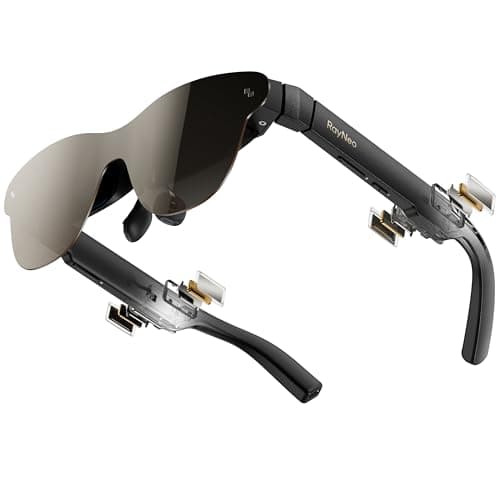
RayNeo Air 3s Pro AR Glasses
(Current price, subject to change)
PCMag's review provides the most practical productivity finding for any budget pair in this roundup. On a Windows PC, PCMag "could read small text with only a little effort," and raising UI scaling to 150% made it clear enough for real work. That is the essential trade-off, since the modest 1080p panel and 46-degree view become a usable workspace once scaling increases, although there is no anchoring or ultrawide mode. RayNeo lists 1,200 nits, nearly 2x the RayNeo Air 3s, along with TÜV SÜD eye-comfort certification. Owners award it the highest Amazon rating in this group, a useful signal of everyday owner satisfaction. No outlet besides PCMag has published a rating, which means this DeskGear Composite Score rests on a single 4-out-of-5 review. Boiling Steam described the travel configuration it suits: with these glasses, a phone and a foldable keyboard, "I can ditch the 13-inches laptop I usually bring to travels." That describes the ideal buyer, someone packing deliberately light for short business trips.
What We Love
- PCMag found small text workable on Windows after raising UI scaling.
- Owners rate it 4.2 stars, the highest Amazon rating in this roundup.
- RayNeo lists TÜV SÜD low blue light and flicker-free certification.
What Could Be Better
- No anchoring or ultrawide mode; PCMag says the advanced functions aren't available.
- 1080p panel with the narrowest view here, and prescriptions need an insert.
The Verdict
For a budget traveler who works in Windows and is happy to bump the scaling, the RayNeo Air 3s Pro AR Glasses is the path of least friction. Picture a phone, a folding keyboard and this pair in a carry-on in place of a small laptop.
Budget private screen for flights: RayNeo Air 3s AR Glasses
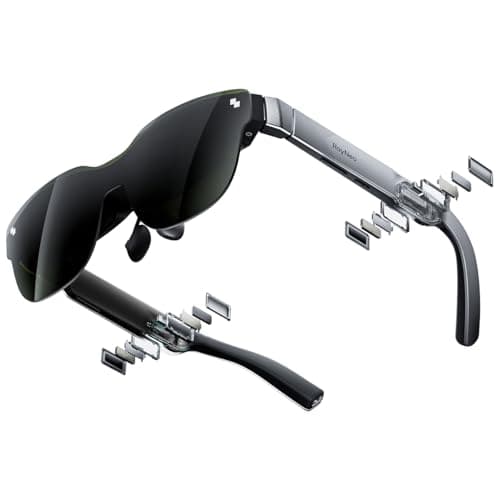
RayNeo Air 3s AR Glasses
(Current price, subject to change)
The Air 3s is the simplest pair in this roundup, and PCMag's review is candid about its limitations for nearsighted buyers and for anyone working indoors. "We find them to fit comfortably, but they lack adjustable diopters for those who are nearsighted," PCMag wrote. Its reviewer added that the permanent sunshade "ensures that the picture you see is bright." The same reviewer warned that the shade means "you can't see through them effectively to view your surroundings, especially if you're indoors." For laptop productivity that limitation matters considerably more than it sounds, because glancing down at the keyboard reveals only darkened glass. PCMag lists 650 nits and a 46-degree view on a 1080p panel, without anchoring or an ultrawide mode. That review, at 4 out of 5, is the sole rating behind its DeskGear Composite Score. Expert Consensus counts 3x as much as Value in the formula, yet the strong Value factor still carries much of this composite. If you want a private screen for occasional movies or email on flights, this pair delivers it; for productivity, look higher on the list.
What We Love
- Highest Value pillar in the field when we compared prices on 2026-10-03.
- PCMag found the fit comfortable, and the fixed shade keeps the picture bright.
- Plugs into DisplayPort-over-USB-C devices with no setup, per PCMag.
What Could Be Better
- The permanent sunshade blocks your view of the keyboard and room, especially indoors.
- No diopter dials and no anchoring; PCMag lists 650 nits, dim beside the field.
The Verdict
If you need a private screen for flights more than a workstation, the RayNeo Air 3s AR Glasses fits without overspending. It's the pair for occasional use on a plane.
Locked-down work laptops: XREAL One Pro AR Glasses
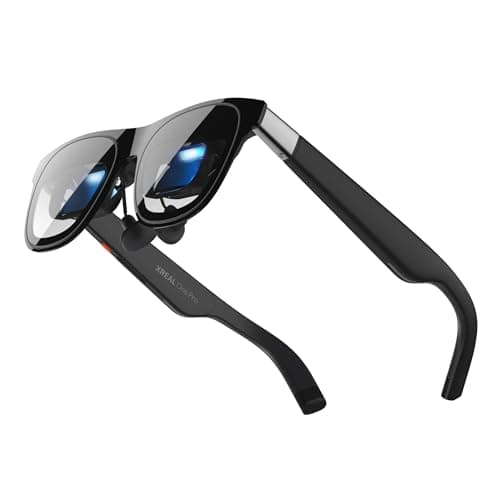
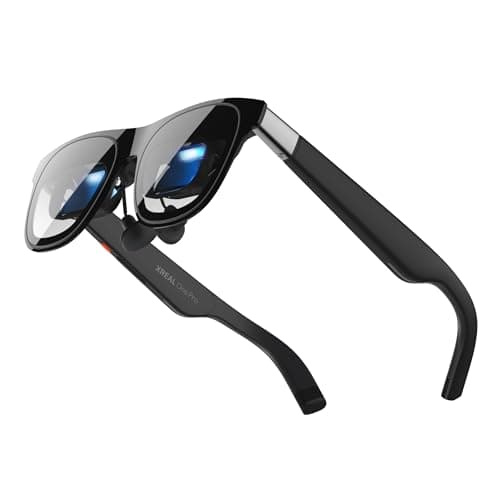
The One Pro's on-glasses ultrawide is what makes it a strong pick for managed work laptops. A Hacker News owner of the XREAL One, its sibling, explained the appeal. "My Xreal Ones present themselves as a monitor via DP Alt mode when I plug them into my work laptop, switch to ultrwide mode." Because the X1 chip handles anchoring and the 32:9 view, with 3ms motion-to-photon latency per XREAL's listing, the laptop sees an ordinary display and IT has nothing to approve. Tom's Guide called "seeing so much more of that simulated 32:9 ultrawide display with the expanded 57-degree field of view" an incredible experience on a long-haul flight. Edge blur is the caveat, since Tom's Guide's own verdict changed between reviews and a Hacker News owner reported "blurry areas of the screen." Tom's Guide and PCMag both rate it 4 out of 5, and its Value factor is the lowest in the field. Versus the XREAL 1S, it offers a wider view on a shorter 1080p panel, so it suits wide timelines better than long documents.
What We Love
- The 32:9 ultrawide runs on the X1 chip, so a managed laptop sees a plain monitor.
- Tom's Guide calls its 57-degree ultrawide an incredible experience on a long-haul flight.
- Two frame sizes, M and L, cover IPDs from 57 to 75 mm, per XREAL.
What Could Be Better
- Tom's Guide's 2026 Beast review says it still has slight edge blurriness.
- No diopter dials; PCMag notes nearsighted users must buy prescription inserts.
The Verdict
For a corporate laptop you can't install anything on, the XREAL One Pro AR Glasses is a sensible pick for that setup: plug in, switch to ultrawide, work. Against the 1S, you get a wider view but give up vertical resolution, and it scores lower on value.
How We Score: DeskGear Score
DeskGear Score
Score Formula
DeskGear Score = (Expert Consensus × 0.30) + (Effectiveness × 0.25) + (Build Safety × 0.20) + (Durability × 0.15) + (Value × 0.10)Score Factors
- Expert Consensus (30%)How strongly the trade-review, ergonomics-research, and specialist sources we cite endorse the product or its category. The single largest weight, because it is the only factor that doesn't depend on a single editor's judgment.
- Effectiveness (25%)Whether the product actually does what its category requires, judged against the functional standards described in the source stack (e.g., monitor color accuracy adequate for design work; chair adjustment range covering the body sizes the spec sheet advertises).
- Build Safety (20%)Electrical, material, and structural soundness for daily desk use: UL/ETL certification, off-gassing disclosures, BIFMA testing, wattage-handling claims, and known failure modes. A safety shortcoming caps the score regardless of effectiveness.
- Durability (15%)Build quality and longevity, triangulated from manufacturer documentation, brand warranty terms, and practitioner-community failure reports across multiple years of 8h/day use.
- Value (10%)Price relative to the field, on the dated lastProductCheck shown in every guide. Re-checked monthly; we update the score if the price-to-field relationship moves.
DeskGear Score — Ranked
XREAL 1S AR Glasses
8.9/10No Effectiveness deductions and a 4.5/5 from Tom's Guide, its only rated review so far.
VITURE Beast XR Glasses
8.6/10Five rated reviews average 8.8; loses a point for edge fringing on text.
VITURE Luma XR Glasses
8.5/10Taller panel with strong dials; docked half a point because anchoring needs software.
VITURE Pro 2 XR Glasses
8.4/10Strong reviews and value offset Tom's Guide's not-great-for-work finding.
VITURE Luma Pro XR Glasses
8.4/10Two good reviews, minus PCMag's edge loss at full resolution and software-only anchoring.
RayNeo Air 3s Pro AR Glasses
8.2/10Best owner rating here; no workspace mode and the need for 150% scaling cost it.
RayNeo Air 3s AR Glasses
8.2/10Top Value pillar carries it; the fixed sunshade and missing workspace mode pull it down.
XREAL One Pro AR Glasses
8.1/10On-glasses ultrawide scores well; edge blur, 1080p and the lowest Value pillar hold it back.
Will text be sharp enough to work on?
Text is usually sharp in the center of the view, but reviewers repeatedly report softer corners. Karl Guttag's KGOnTech analysis of the XREAL One Pro's flat-prism optics notes that designs which widen the view tend to distort at the periphery. Guttag had not yet seriously studied the One Pro's image quality, and professional reviewers disagree considerably about the severity across models. Tom's Guide said in 2025 that One Pro edge blur was "completely gone," then reported "slight edge blurriness" in its 2026 Beast review. We rely on the newer finding. On the VITURE Pro 2, Tom's Guide found the corners annoying for work, whereas PCMag reported razor-sharp text on a phone and a Switch 2. On the Luma Pro, Tom's Guide saw sharp detail at the far edges. PCMag, however, lost the top and bottom of the picture at full resolution on a laptop until it switched to 1080p. Two habits consistently improve legibility: increase operating-system scaling, and keep the virtual screen at a medium size, as Tom's Guide recommends. For documents, a 1200p panel yields additional rows, displaying more lines without shrinking the text.
Every pair here connects through a single USB-C cable using DisplayPort Alt mode, so your laptop must output video from that port. Look for a DisplayPort symbol or "DP Alt mode" in the laptop's specifications before purchasing any of these glasses. When it works, the glasses appear as an ordinary external monitor, which matters on a managed work laptop because nothing gets installed and IT has nothing to approve. The XREAL 1S, XREAL One Pro and VITURE Beast run anchoring and a 32:9 ultrawide on the glasses themselves, so those modes function on any compatible laptop. The VITURE Pro 2, Luma and Luma Pro instead rely on VITURE's SpaceWalker application, which PCMag describes on Windows. That approach enables richer layouts on a personal computer but becomes problematic on a locked-down corporate machine. Listings for the XREAL One Pro, VITURE Pro 2 and RayNeo Air 4 Pro specifically mention MacBooks, and CNET reviewed the Beast on a MacBook Air. The Luma's listing instead advertises general macOS compatibility without naming particular MacBook models. Linux is less predictable, because one Hacker News owner "can't get them to work with linux" on a RayNeo Air 4 Pro, although those identical glasses performed reliably on Windows. Our USB-C docking station guide explains what a USB-C port can carry.
Focus dials on the VITURE Pro 2, Luma and Luma Pro correct nearsightedness only. One Hacker News XREAL owner explained that dials "wouldn't work for me as I have astigmatism." If your prescription includes a cylinder value, plan on corrective inserts regardless of brand, and the XREAL pairs and VITURE Beast require inserts for any prescription at all. Fit is the other common surprise, because interpupillary distance determines whether both eyes land in the sharp center of the optics. The Beast and Luma Pro come in Regular and Large sizes, and XREAL offers M and L frames for the One Pro. Tom's Guide notes the RayNeo Air 4 Pro provides no IPD adjustment whatsoever. A Slickdeals owner of the original VITURE Pro warned that "if you have a larger face they won't be comfortable," adding that the edges tend to blur. Measure your IPD, or find it on a recent eye-examination record, before choosing a frame size.
Owners genuinely disagree about comfort, and both perspectives deserve consideration before purchasing. One RayNeo owner found an unexpected benefit: "The focal distance (~4 meters) is really nice since my eyes often get strained when working on my laptop screen." Because the virtual screen appears roughly 13 ft away, your eyes are not locked on something at arm's length. The same owner, however, found the view too large to see the system clock. Another owner said XR glasses "cause a bit more eye strain, which forces the short periodic breaks that I should be taking anyway." The VITURE Beast owner who regretted the purchase drew the line well short of 8 hours. Plan on working in deliberate stretches with breaks rather than a full shift. Our guide to reducing eye strain at your computer describes the 20-20-20 habit: every 20 minutes, look about 20 ft away for 20 seconds.
Announced but not shipping, plus pairs we didn't score
Meta announced its Meta VR Glasses on 2026-09-23, and Tom's Guide's first look indicates they should ship in spring 2027. The design uses a tethered compute puck and a frame weighing roughly 100 grams. We will evaluate them once trade reviews of shipping units exist, and Meta's current Ray-Ban models are different products altogether. The Meta Ray-Ban has no display, while the Meta Ray-Ban Display shows a small heads-up panel, so neither functions as a virtual monitor. The RayNeo GT Max deserves attention, because Tom's Guide found its 78-gram prism design comfortable and not front-heavy. It is still too new for a rated review. Two current pairs remain unscored because no rated trade review could be found, namely the VITURE Luma Ultra and the gaming-focused Lenovo Legion Glasses Gen 2.
When NOT to Buy
If you want to replace a desk monitor for 8 hours a day, AR glasses are not the answer. Even a satisfied owner admitted "it's just not going to ever replace a real monitor for you." When you need a second screen at a hotel desk or coworking table and can spare the bag space, a portable monitor avoids the edge-blur question entirely. If your real concern is strangers reading your screen in a café or on a train, a privacy screen solves that problem for considerably less money.
Who Should Buy What
Who Should Buy What
| If you are… | Recommended pick |
|---|---|
Best overall for laptop work You travel with a laptop, read documents or code, and want an anchored ultrawide with no software install. | XREAL 1S AR Glasses |
Biggest anchored screen You want the widest, brightest pinned screen for flights and hotels and will order prescription inserts if needed. | VITURE Beast XR Glasses |
Stronger nearsighted prescriptions Your prescription is nearsighted up to -6.0D with no astigmatism, and you want a taller panel without inserts. | VITURE Luma XR Glasses |
Budget pair with focus dials You're mildly nearsighted, on a tighter budget, and mostly need short work stretches plus video. | VITURE Pro 2 XR Glasses |
Budget private screen for flights You want a private screen for the occasional flight and don't need to see your keyboard through the lenses. | RayNeo Air 3s AR Glasses |
Locked-down work laptops Your employer controls software installs and you want a 32:9 ultrawide that the laptop treats as a plain monitor. | XREAL One Pro AR Glasses |
Frequently Asked Questions
Are AR glasses good enough to replace a laptop monitor for work?
Not as your only screen for a full day. They work best as a second, private display while traveling. One VITURE Beast owner on Hacker News said they suit short stints but not 8+ hours of productivity. A practical setup keeps the laptop's own screen for chat and email while the glasses hold the main document or code window.
Will text look sharp enough to read and code on AR glasses?
In the center, yes, on 1200p pairs such as the XREAL 1S and VITURE Luma. Corners are softer on every pair. One coding owner on Hacker News finds it good enough with ultrawide mode, while another gave up on an older VITURE Pro because text was too shaky. Try a dense file in your own editor during the return window.
Do XREAL or VITURE glasses work with a locked-down work laptop without installing software?
Yes for the basic screen, since every pair here is a DisplayPort Alt mode monitor. The difference is extras. XREAL's X1-chip models and the VITURE Beast keep anchoring and ultrawide on the glasses, so they still work. The VITURE Pro 2, Luma and Luma Pro need the SpaceWalker app for those modes, so on a locked laptop you get a single fixed screen.
XREAL vs VITURE: which is better for productivity?
Tom's Guide's Beast review put it plainly: if productivity is your sole purpose, XREAL is the way to go. Its roundup also rates the Beast less color-accurate for work, and PCMag's Luma Pro review found XREAL's head tracking better. VITURE's advantage is built-in focus dials on its Pro 2, Luma and Luma Pro, which XREAL doesn't offer.
AR glasses vs a portable monitor: which should a hybrid worker buy?
If you work at desks, a portable monitor is sharper edge to edge and easier on long days. Glasses win where a monitor won't fit or isn't private: an economy seat, a cramped train table, a café counter. Count how many of your work hours happen in transit before you choose.
Can I wear AR display glasses if I'm nearsighted or have astigmatism?
Nearsighted, yes. VITURE's dials reach -6.0D on the Luma, -5.0D on the Pro 2 and -4.0D on the Luma Pro. Astigmatism needs prescription inserts, which are a separate order. Order them with the glasses, or expect a wait before the pair is usable for you.
Do AR glasses work with a MacBook, and with Linux?
Yes for MacBooks with USB-C video output: the XREAL One Pro, VITURE Pro 2 and RayNeo Air 4 Pro listings name them, the VITURE Luma's names Mac, and CNET reviewed the VITURE Beast on a MacBook Air. Linux is less predictable. The basic display is standard DisplayPort, but one owner couldn't get a RayNeo Air 4 Pro running, so keep the return window open.
Are AR glasses comfortable for a full workday, or do they cause eye strain?
Owner reports are mixed, and the negative ones center on full workdays. Weight and fit matter as much as optics. The cards here run from about 63 to 88 g, and heavier frames press more on the nose over a long session. One owner noted the distant focal plane eased laptop strain; another felt more strain but welcomed the forced breaks.
Bottom Line
Get the XREAL 1S AR Glasses if You travel with a laptop and want an anchored ultrawide and more lines of text, with nothing to install..
Get the VITURE Beast XR Glasses if You want the widest, brightest pinned screen for flights and hotels, and inserts are fine..
Get the VITURE Luma XR Glasses if You're nearsighted up to -6.0D and want focus dials on a taller panel..
Get the VITURE Pro 2 XR Glasses if You're mildly nearsighted, budget-minded, and work in short stretches..
Get the RayNeo Air 3s AR Glasses if You just want a private screen for the occasional flight at the lowest outlay..
You want to replace a desk monitor for full workdays; a portable monitor serves that better.
Sources & Methodology
Methodology: DeskGear Score — Formula: DeskGear Score = (Expert Consensus × 0.30) + (Effectiveness × 0.25) + (Build Safety × 0.20) + (Durability × 0.15) + (Value × 0.10). Factors: Expert Consensus (30%): How strongly the trade-review, ergonomics-research, and specialist sources we cite endorse the product or its category. The single largest weight, because it is the only factor that doesn't depend on a single editor's judgment. | Effectiveness (25%): Whether the product actually does what its category requires, judged against the functional standards described in the source stack (e.g., monitor color accuracy adequate for design work; chair adjustment range covering the body sizes the spec sheet advertises). | Build Safety (20%): Electrical, material, and structural soundness for daily desk use: UL/ETL certification, off-gassing disclosures, BIFMA testing, wattage-handling claims, and known failure modes. A safety shortcoming caps the score regardless of effectiveness. | Durability (15%): Build quality and longevity, triangulated from manufacturer documentation, brand warranty terms, and practitioner-community failure reports across multiple years of 8h/day use. | Value (10%): Price relative to the field, on the dated lastProductCheck shown in every guide. Re-checked monthly; we update the score if the price-to-field relationship moves.
Expert review sources used in this analysis:
- Rated trade reviews from Tom's Guide, PCMag, CNET, Android Authority and CGMagazine, including the Tom's Guide and PCMag smart-glasses roundups updated in September 2026
- Karl Guttag's KGOnTech analysis of the XREAL One Pro's flat-prism optics covers the optical design, not measured image quality
- Boiling Steam's RayNeo Air 3s Pro review covers travel use
- Owner comments from Hacker News, Slickdeals and the Level1Techs forums are community signal only, never spec authority
- Specs not credited to a reviewer come from the brands' Amazon listings, checked 2026-10-03.
Nicholas Miles is the founder of DeskGearHQ and a longtime smart home enthusiast focused on helping everyday homeowners make better technology decisions. He researches, compares, and writes about products across security, climate, lighting, leak prevention, sensors, home energy, and automation, with an emphasis on real-world usefulness, ecosystem compatibility, reliability, privacy, and long-term value.
Affiliate disclosure: DeskGearHQ earns affiliate commissions on qualifying Amazon purchases. Our scoring methodology is independent of affiliate relationships.



