How to Reduce Eye Strain at Your Computer (2026)
Dry, tired eyes often trace to a dark room lit only by your screen, not the panel. Fix the glare and lift the light around the monitor first — start with the BenQ ScreenBar Halo, then upgrade to a flicker-free eye-care display. Blue-light glasses come last; the evidence is thin.
This article contains affiliate links. We may earn a commission at no extra cost to you. Learn more
Featured in this Guide
Dell
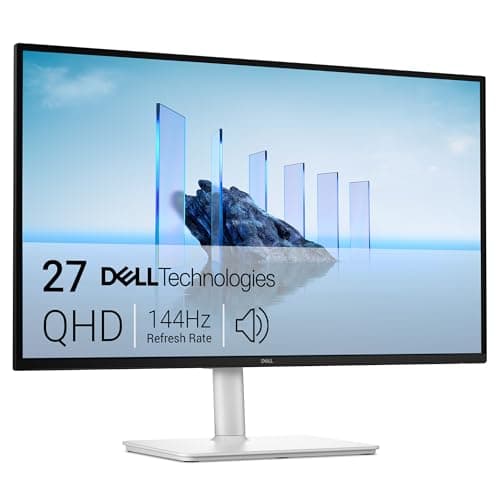
27 Plus QHD Monitor S2725DSM 144Hz Eye Comfort
- •A flicker-free QHD panel with TÜV 4-Star Eye Comfort and hardware blue-light reduction — the screen-side fix once the lighting is handled.
BenQ
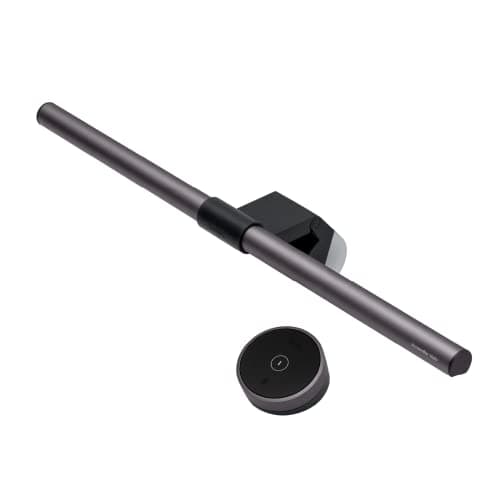
ScreenBar Halo
- •Asymmetric optics light the desk without a photon hitting the screen
- •and auto-dimming matches the room as the sun drops — the highest-yield single change.
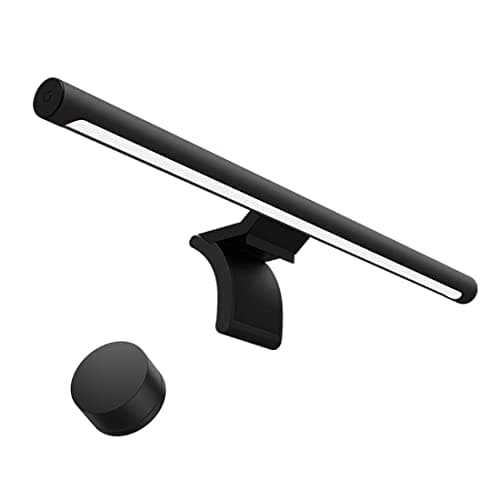
Xiaomi
Mi Monitor Light Bar
- •Ra95 color and no screen glare for around $68
- •if you can skip the auto-dimming sensor the BenQ adds and dial brightness by remote instead.
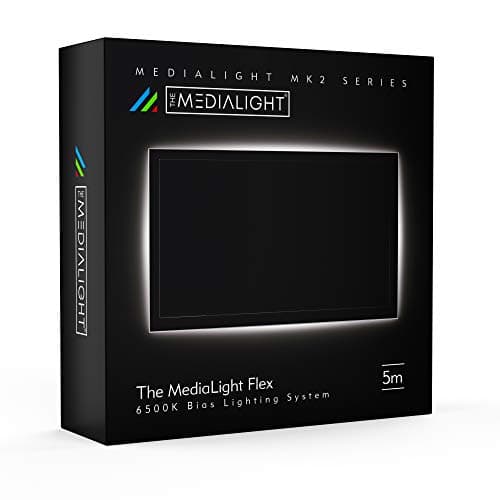
MediaLight
Mk2 Bias Lighting Kit (5m)
- •A D65 6500K
- •CRI 98 glow behind the monitor cuts the contrast between a bright screen and a dark wall — the second lighting layer.
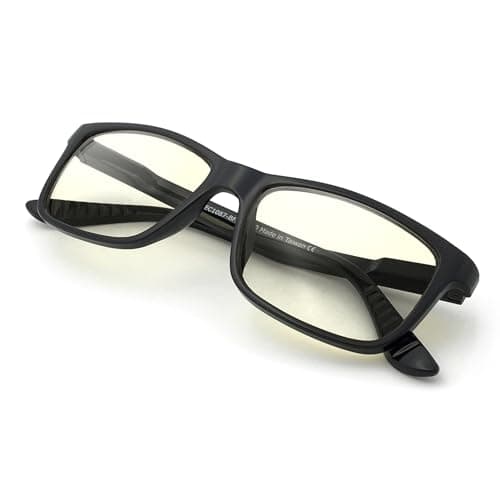
J+S
Vision Blue Light Shield Glasses
- •A $25 way to trial blue-light lenses with eyes open: Cochrane found the strain-relief evidence is thin
- •so treat them as optional.
The Short Answer
The fastest way to cut computer eye strain is to fix the light, not the screen: add a glare-free bar like the BenQ ScreenBar Halo, put a D65 bias light behind the monitor, then upgrade to a flicker-free eye-care panel such as the Dell S2725DSM. Blue-light glasses are the last, least-proven layer.
By late afternoon your eyes feel dry, tired, and slow to refocus, and the instinct is to blame the monitor, when the room is usually the culprit. Digital eye strain is a lighting problem more than a screen problem: the highest-yield fixes kill glare and raise the light around the monitor before you swap the panel, because even a flicker-free eye-care screen fatigues your eyes across 8 hours in a dark room lit only by that screen. A bright display against a dark wall forces your pupils to keep adjusting, and glare bouncing off the panel compounds the fatigue. So RTINGS, TechRadar, Wirecutter, and PCMag prioritize ambient light before pixel specifications. Our DeskGear Eye-Strain Relief Score runs a weighted formula ranking glare and flicker control as the heaviest factor, so the order below stays lighting first, panel second, glasses last. Prices track July 2026 list figures and shift often.
The five fixes, side by side
Workspace Wellness
Chart
 DeskGearHQ.com
Best eye-care monitor: Dell 27 Plus QHD Monitor S2725DSM 144Hz Eye Comfort
Dell 27 Plus QHD Monitor S2725DSM 144Hz Eye Comfort
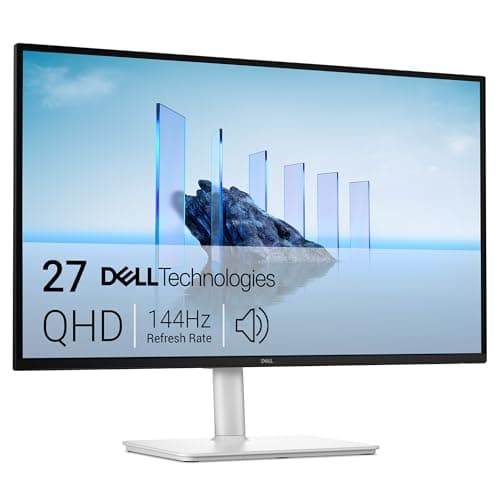
(Current price, subject to change)
PCMag and TechRadar both treat TÜV 4-Star Eye Comfort as the mark worth paying for, and the Dell S2725DSM is the value entry that carries it — the second-highest certification tier available. The certification means the flicker-free backlight and blue-light reduction are built into the hardware, so you are not squinting through a warm-tinted software filter across 8 hours at the desk. Compared to a cheaper screen using pulse-width dimming, a stable, flicker-free panel is far easier on the eyes, which is exactly what RTINGS-style testing rewards. The 144Hz QHD panel keeps scrolling and cursor motion crisp, and the full ergonomic stand lets you drop the screen to a neutral downward gaze that reduces neck and eye load together. It lists at roughly 1.7x the BenQ bar and about 2.8x the Xiaomi, so buy it after the lighting, not before, because a certified panel in a dark room still fatigues you. The honest gap is charging: there is no USB-C power delivery, so a laptop needs its own adapter. For a work-and-game desk this is the panel that earns its place, and the full eye-care monitor roundup ranks the 60Hz and USB-C alternatives.
What We Love
- TÜV Rheinland 4-Star Eye Comfort — the second-highest certification tier available
- ComfortView Plus reduces blue light in hardware, so there is no color-shifting software overlay
- 144Hz QHD keeps text and motion smooth across an eight-hour day
- Full height, tilt, swivel, and pivot stand lets you set a fatigue-free viewing angle
What Could Be Better
- No USB-C power delivery, so a laptop still needs its own charger
- A 60Hz eye-comfort panel earns the same certification for less if you never game
The Verdict
If you've handled the lighting and the panel is the next upgrade, the Dell 27 Plus QHD Monitor S2725DSM 144Hz Eye Comfort fits the brief without compromise. TÜV 4-Star Eye Comfort and hardware blue-light reduction do the screen-side work, and 144Hz is a real bonus if you also game. You trade USB-C charging to hit this price — a fair swap near $190.
Best light bar: BenQ ScreenBar Halo
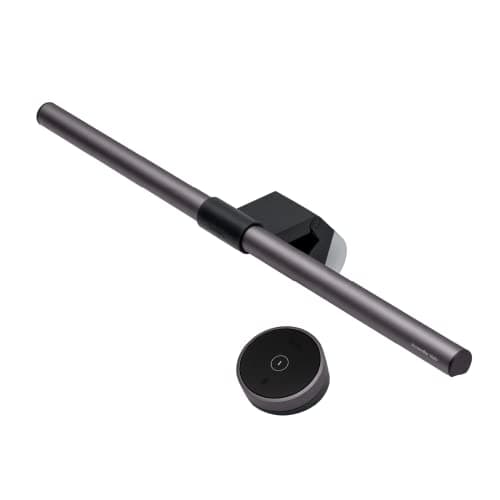
RTINGS and TechRadar keep the ScreenBar Halo near the top of the monitor-light category, and the reason is the optics. Compared to a normal desk lamp, the asymmetric lens throws light down onto your desk and keeps it off the screen, so you raise the ambient light your eyes need without adding reflections. The auto-dimming sensor is the part you notice by evening: as the room darkens, it trims the desk light so the gap between screen and surroundings never gets jarring, which is the contrast that tires pupils and the heaviest-weighted factor in our scoring. The rear backlight doubles as a small bias light against the wall. It clamps on the bezel with no tools and clears the desk entirely, working on curved and flat monitors alike. It runs about 1.6x the Xiaomi's price, yet Wirecutter-style consensus lands on the same note we do: for a room lit mainly by the display, a bar like this is the highest-yield thing you can add. If you want the full field, the monitor light bar guide compares the alternatives, but for most desks this is where the strain drops the most.
What We Love
- Asymmetric design puts zero light on the screen, so there is no added glare
- Auto-dimming reads the room and keeps desk and screen brightness balanced
- Rear backlight lifts the wall behind the monitor to soften harsh contrast
- Clips to the monitor and takes up no desk space, on curved or flat panels up to 1500R
What Could Be Better
- Premium price for a single light source
- The wireless puck is small and easy to misplace
The Verdict
If your desk faces a wall and the screen is the brightest thing in the room, the BenQ ScreenBar Halo is a sensible pick for that setup. Asymmetric optics light your keyboard and papers without washing out the screen, and the auto-dimming puck matches the room as daylight fades. No need to overthink it — this is the change most people feel first.
Best value light bar: Xiaomi Mi Monitor Light Bar
Xiaomi Mi Monitor Light Bar
(Current price, subject to change)
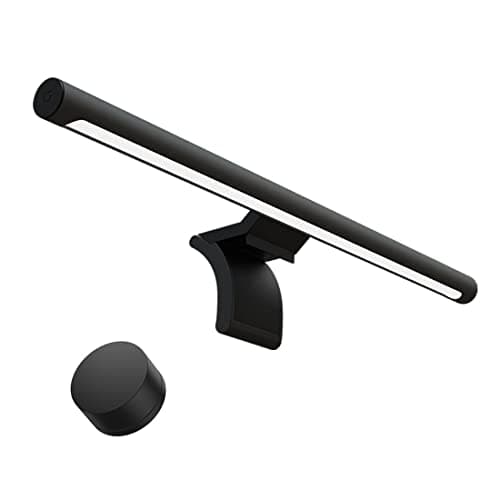
TechRadar and PCMag rate the Mi Monitor Light Bar as the value pick in this category, because it delivers the part that genuinely matters for eye strain: an asymmetric throw that illuminates the desk without bouncing glare off the screen. The Ra95 CRI renders colors naturally, so photographs and documents look accurate, while the 2.4GHz remote means you are not leaning across the monitor to adjust settings. Where it steps back from the ScreenBar Halo is the auto-dimming sensor, an absence that leaves you nudging the brightness manually through a long afternoon as the room gradually darkens, and the remote can become unresponsive past about 3 ft. Because build quality tracks the lower price rather than exceeding it, the value factor carries this pick rather than the finish, though none of that undermines the underlying strain fix. Compared to the BenQ, you are trading convenience and finish for roughly $40, and against the certified panel the Dell costs about 2.8x this bar, which makes the Xiaomi easy to justify as a first change if you would rather direct the savings toward the monitor later.
What We Love
- Asymmetric light direction keeps glare off the screen, the core light-bar benefit
- Ra95 CRI renders color accurately enough for everyday desk work
- 2.4GHz wireless remote adjusts brightness and color without reaching over the monitor
- Slim aluminum bar looks more expensive than it is and clips on tool-free
What Could Be Better
- No auto-dimming ambient sensor, so you adjust it by hand as the room changes
- Remote range gets finicky beyond about three feet, and US stock can be inconsistent
The Verdict
If you want most of the glare-free light-bar benefit for less, the Xiaomi Mi Monitor Light Bar lines up with what you actually need. Ra95 color and the same asymmetric throw land close to the BenQ for around $40 less; you give up the auto-dimming sensor and dial brightness by remote instead. For a budget-led first fix, that's the path of least friction.
Best bias lighting: MediaLight Mk2 Bias Lighting Kit (5m)
MediaLight Mk2 Bias Lighting Kit (5m)
(Current price, subject to change)
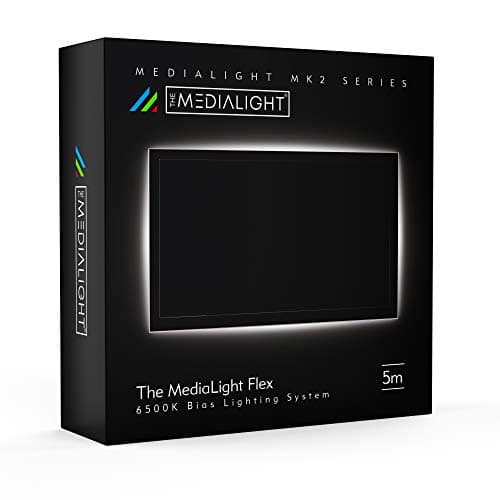
The Verge and RTINGS both note that a calibrated bias light does something a desk lamp cannot: it raises the brightness of the wall behind the screen, so the jump from a bright panel to a dark background shrinks. Compared to an ordinary lamp, that lift is a quiet driver against the ache you feel after hours of reading, and it maps to the ambient-light factor. MediaLight's kit uses D65 6500K, the ITU-R BT.1886 reference white, with CRI 98, which is why AVSForum calibration threads treat it as the standard the cheaper strips are measured against. The flicker-free dimmer matters as much as the color, because it skips the pulse-width dimming that makes budget strips subtly stressful. Setup is a peel-and-stick strip — the 5-meter length, about a 16 ft run — around the panel back plus one USB cable, with nothing to configure. At roughly 1.2x the Xiaomi bar, the trade is deliberate simplicity: there is no RGB and no app, and the neutral D65 tone looks cool rather than cozy on camera. For colorful ambient options on calls, the bias lighting picks cover them; for pure eye comfort behind the screen, this is the accurate one.
What We Love
- D65 6500K is the calibration reference standard, so the glow reads as neutral, not tinted
- CRI 98 avoids the spectral mismatch that makes budget strips tiring over hours
- Flicker-free dimmer eliminates the PWM artifacts cheaper LED strips introduce
- No app, Wi-Fi, or account — USB power and it works with any display
What Could Be Better
- Single D65 color temperature only, with no color or smart-home features
- D65 reads cool on camera, so it is less flattering than a warm strip on video calls
The Verdict
If your monitor backs onto a dark wall, the MediaLight Mk2 Bias Lighting Kit (5m) is the one to add second, right after the light bar. Its D65 6500K, CRI 98 strip lifts the wall so your pupils stop fighting the contrast, and the flicker-free dimmer avoids the buzz cheaper strips add. You'll be well-served here for long, color-honest sessions.
Best value glasses: J+S Vision Blue Light Shield Glasses
J+S Vision Blue Light Shield Glasses
(Current price, subject to change)
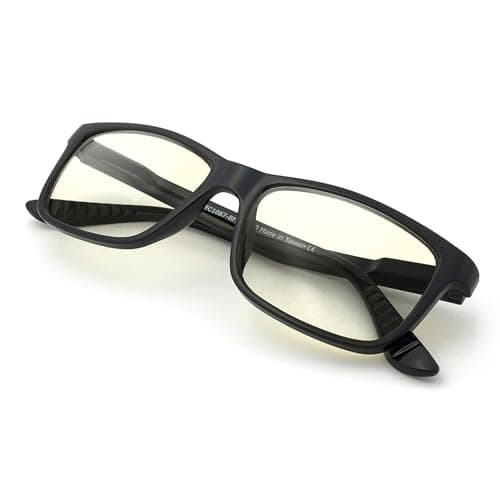
Here the honest read matters more than the spec sheet. Cochrane's 2023 systematic review found little to no evidence that blue-light-filtering glasses reduce digital eye strain, and Wirecutter and PCMag have reported the same caution. Most of what people call screen strain comes from glare, high contrast, a reduced blink rate that dries the eyes, and holding focus at one distance for hours — none of which a lens filter addresses. That is why the glasses sit at the end of this guide, not the front, and lowest on the composite score. What the J+S Vision pair gets right is the risk math: at $25, the TR90 frame is light and durable, and if you want to test whether tinted lenses feel better for you, this is the cheapest way to find out without the ceiling of a $95 pair — about 3.8x the price — being any higher. Some owners report lens distortion after several months, so temper expectations. If you still want to compare options, the blue-light glasses guide lays them out — just fix the light and your blink habits first.
What We Love
- $25 is the lowest-risk way to try a contested product category
- TR90 frame is flexible and impact-resistant, a durability edge at this price
- Lightweight enough for extended wear without pressure points
- Neutral styling avoids the gaming-coded look of many rivals
What Could Be Better
- No third-party filter verification — the '400 UV' spec is a UV number, not a blue-light metric
- Cochrane 2023 found little to no digital eye-strain relief; the evidence ceiling matches a $95 pair
The Verdict
If you're curious about blue-light glasses but wary of the hype, the J+S Vision Blue Light Shield Glasses is the low-risk way to test the idea at $25. Be clear-eyed about what you're buying: Cochrane's 2023 review found little to no evidence they ease digital eye strain, so treat them as an optional last layer, not the fix. For a cheap trial, this checks that box.
How We Score: DeskGear Eye-Strain Relief Score
DeskGear Eye-Strain Relief Score
Score Formula
(Glare & Flicker Control x 0.35) + (Ambient Light Quality x 0.25) + (Comfort Features x 0.20) + (Value per Dollar x 0.20)Score Factors
- Glare & Flicker ControlWhether the pick removes screen glare and panel flicker — the top driver of tired eyes
- Ambient Light QualityAccuracy and evenness of the light it adds around the screen, measured by CRI and D65 reference white
- Comfort FeaturesAuto-dimming, adjustability, certifications, and flicker-free dimming that reduce fatigue over a full day
- Value per DollarEye-strain relief delivered against current list price
DeskGear Eye-Strain Relief Score — Ranked
BenQ ScreenBar Halo
9.4/10Best light bar — asymmetric zero-glare optics, auto-dimming, rear backlight; the highest-yield single change.
Dell 27 Plus QHD Monitor S2725DSM 144Hz Eye Comfort
9.1/10Best eye-care monitor — TÜV 4-Star Eye Comfort, flicker-free 144Hz QHD, hardware blue-light reduction.
MediaLight Mk2 Bias Lighting Kit (5m)
8.8/10Best bias lighting — D65 6500K CRI 98 glow behind the panel, flicker-free dimmer, no app needed.
Xiaomi Mi Monitor Light Bar
8.4/10Best value light bar — Ra95 no-glare light for around $68, minus the auto-dimming sensor.
J+S Vision Blue Light Shield Glasses
6.5/10Best value glasses — $25 trial of a contested category; Cochrane found strain relief unproven.
Will these fit your monitor and room
Most of these fixes are display-agnostic, yet a few physical checks will save you a return. A monitor light bar rests on the top bezel, so it requires a flat-enough edge to balance on: the ScreenBar Halo accommodates curved and flat panels up to 1500R, whereas ultrawide or very thin-topped displays are the configurations to measure first. Bias lighting is the opposite proposition, because it only helps when a wall sits close behind the screen for the D65 glow to reflect off, which means the roughly 16 ft MediaLight strip does little for a monitor floating in the middle of a room. Both light types draw USB power, requiring a free port on the monitor, a dock, or a small adapter rather than a wall socket. The Dell S2725DSM connects over HDMI or DisplayPort 1.4 and includes a full height, tilt, swivel, and pivot stand, though it has no USB-C power delivery, so a laptop keeps its own charger. Because the DeskGear Eye-Strain Relief Score treats glare and flicker control as the heaviest-weighted factor, glasses fit anyone yet do the least here. Match the fix to the room, and the same picks work across a Mac or PC desk.
What real relief actually costs
Compared to the price of a new panel, you can eliminate most of your eye strain for substantially less, because the highest-yield remedy is simultaneously one of the most inexpensive. A light bar runs from approximately $68 for the Xiaomi to about $109 for the BenQ — roughly 1.6x apart — and a calibrated bias strip contributes another $80, so the entire lighting layer approaches $150 whenever you begin with the budget bar rather than the pricier BenQ. That sequencing matters because a $190 eye-care display, approximately 1.3x that whole lighting layer and roughly 1.7x the BenQ individually, positioned in a darkened room still leaves the underlying contrast unresolved, whereas $109 of light bar within the identical room eliminates it. Blue-light glasses remain outside that calculation at $25 — inexpensive, yet the least likely to noticeably change how your eyes feel; even the premium alternative costs approximately 3.8x as much and encounters the same evidence ceiling. Whenever budget compels a single purchase, the light bar returns the most comfort per dollar, which explains why the DeskGear Eye-Strain Relief Score maintains its value-per-dollar factor while continuing to treat glare control as the most heavily weighted determinant, and the panel eventually becomes the upgrade you undertake once the surrounding room is properly corrected.
When NOT to Buy
We skipped the colorful smart RGB strips sold as bias lighting; they photograph well for calls but drift from the D65 accuracy that actually reduces contrast fatigue, and the premium $95 glasses, because Cochrane's evidence ceiling is the same as the $25 pair. If your workspace already has soft, even daylight and no dark wall behind the monitor, you may not need any of this. One honest boundary: these are ergonomic and lighting fixes, not medical advice. Persistent strain, headaches, or any change in your vision is a reason to see an optometrist, not to buy more gear.
Who Should Buy What
Who Should Buy What
| If you are… | Recommended pick |
|---|---|
Dim-room evening worker Works into the evening in a room lit mostly by the screen and wants the biggest single drop in strain. | BenQ ScreenBar Halo |
Ready to replace the panel Has fixed the lighting and wants a flicker-free, TÜV-certified monitor that also games at 144Hz. | Dell 27 Plus QHD Monitor S2725DSM 144Hz Eye Comfort |
Budget-first fixer Wants the glare-free light-bar benefit for around $68 and will set brightness by hand. | Xiaomi Mi Monitor Light Bar |
Dark-wall desk Has a monitor against a wall and wants an accurate D65 glow behind it to soften contrast. | MediaLight Mk2 Bias Lighting Kit (5m) |
Curious skeptic Wants to trial blue-light glasses cheaply while knowing the strain-relief evidence is thin. | J+S Vision Blue Light Shield Glasses |
Frequently Asked Questions
What actually causes computer eye strain?
It is rarely one thing and rarely the pixels themselves. The main drivers are glare bouncing off the screen, high contrast between a bright panel and dark surroundings, a reduced blink rate that dries your eyes when you stare, and holding focus at one fixed distance for hours. Fixing the light and taking focus breaks addresses most of it directly.
Do monitor light bars really reduce eye strain?
Yes, when the room is dim. A bar with asymmetric optics raises the ambient light your eyes need and keeps glare off the screen, which shrinks the contrast your pupils fight. The edge case worth knowing: if your room is already brightly and evenly lit with no glare, a light bar adds little, since the strain it targets is not present.
Is bias lighting worth it, or is it just for movies?
At a desk it earns its place, but only if a wall sits close behind the monitor. The glow lifts that wall so the jump from bright screen to dark background is smaller, which eases the contrast fatigue you feel late in the day. A calibrated D65 strip also keeps color honest for editing. Skip it if your monitor has no wall behind it or you sit in bright daylight.
Do blue-light glasses work for screen eye strain?
The clinical evidence is mixed and, for digital eye strain specifically, weak. Cochrane's 2023 review found little to no evidence they reduce it, because most strain comes from glare, contrast, dryness, and posture rather than blue light. They may help some people sleep if worn in the evening. Treat them as an optional last layer, and if strain persists or your vision changes, see an optometrist.
What monitor settings help tired eyes the most?
Lower the brightness until the screen roughly matches the room instead of glowing against it, warm the color temperature in the evening, and turn on any flicker-free or DC-dimming mode. Bump text size up a notch so you stop leaning in, and enable a hardware low-blue-light mode if your panel has one. These cost nothing and pair well with better lighting.
How often should I look away from my screen?
The common ophthalmology guidance is the 20-20-20 rule: every 20 minutes, look at something about 20 feet away for 20 seconds to let your focusing muscles relax. It costs nothing and breaks the fixed-distance staring that tires eyes. Pair it with a conscious blink or two, since people blink far less when concentrating on a screen.
Bottom Line
Get the BenQ ScreenBar Halo if Your desk faces a wall and the screen is the brightest thing in the room — start here for the biggest single drop in strain..
Get the MediaLight Mk2 Bias Lighting Kit (5m) if A wall sits close behind your monitor and you want an accurate D65 glow to soften the contrast, with no app..
Get the Xiaomi Mi Monitor Light Bar if You want the glare-free light-bar benefit for around $68 and don't mind adjusting brightness by hand..
Get the Dell 27 Plus QHD Monitor S2725DSM 144Hz Eye Comfort if You're ready to replace the panel and want flicker-free QHD with TÜV 4-Star Eye Comfort, plus 144Hz for gaming..
Get the J+S Vision Blue Light Shield Glasses if You want to trial blue-light glasses at low cost, knowing the strain-relief evidence is thin..
Your workspace already has soft, even daylight and no dark wall behind the monitor — you may not need any of these, and persistent strain is a reason to see an optometrist, not to buy gear.
Sources & Methodology
Methodology: DeskGear Eye-Strain Relief Score — Formula: (Glare & Flicker Control x 0.35) + (Ambient Light Quality x 0.25) + (Comfort Features x 0.20) + (Value per Dollar x 0.20). Factors: Glare & Flicker Control: Whether the pick removes screen glare and panel flicker — the top driver of tired eyes | Ambient Light Quality: Accuracy and evenness of the light it adds around the screen, measured by CRI and D65 reference white | Comfort Features: Auto-dimming, adjustability, certifications, and flicker-free dimming that reduce fatigue over a full day | Value per Dollar: Eye-strain relief delivered against current list price
Expert review sources used in this analysis:
- Picks reflect aggregated editorial coverage and calibration-community consensus: RTINGS and TechRadar on monitor light bars and eye-care displays; Wirecutter and PCMag on the eye-strain and blue-light-glasses evidence; The Verge on ambient and bias lighting; AVSForum calibration threads on D65 bias-lighting standards; and Cochrane's 2023 systematic review on blue-light-filtering lenses
- TÜV Rheinland certification data is drawn from the manufacturer listing
- The DeskGear Eye-Strain Relief Score is a composite of glare and flicker control, ambient light quality, comfort features, and value per dollar, shown alongside each pick's existing category-consensus number
- No individual ratings or quotes are attributed
- Prices verified via the Amazon Creators API on 2026-07-09.
Nicholas Miles is the founder of DeskGearHQ and a longtime smart home enthusiast focused on helping everyday homeowners make better technology decisions. He researches, compares, and writes about products across security, climate, lighting, leak prevention, sensors, home energy, and automation, with an emphasis on real-world usefulness, ecosystem compatibility, reliability, privacy, and long-term value.
Affiliate disclosure: DeskGearHQ earns affiliate commissions on qualifying Amazon purchases. Our scoring methodology is independent of affiliate relationships.