Ergonomic Foundations
Father's Day Gift Guide 2026: Best Work-From-Home Upgrades for Dad
Seven vetted Father's Day gifts for the work-from-home dad — from a $10 USB hub to a $430 solid-wood standing desk, all curated for fit-tolerance and the gift that actually gets used.
By Nick Miles · Updated May 9, 2026 · 9 min read
8 expert sources synthesizedLast verified May 9, 2026
DeskGearHQ is reader-supported. We may earn a commission from qualifying Amazon purchases at no extra cost to you.
Evidence at a Glance
Anker 4-Port USB 3.0 Hub
Four extra USB-A ports for $10 — the no-fuss gift that fixes the 'I'm out of ports' problem without a setup conversation.
Sources: Wirecutter, r/wfh, Amazon owner reviews
Verified May 9, 2026
BenQ ScreenBar Halo
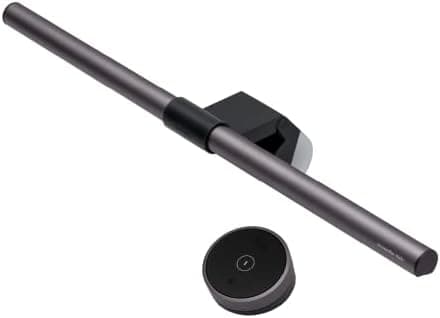
Asymmetric-optic monitor light bar with rear backlight and wireless puck — the visible upgrade for Zoom-call-heavy days.
Sources: Wirecutter, The Verge, BenQ documentation
Verified May 9, 2026
Logitech MX Master 3S
Quiet-click MagSpeed scroll mouse with 70-day battery — the daily-touch upgrade he'll feel within an hour.
Sources: Wirecutter, RTINGS, r/wfh
Verified May 9, 2026
Sony WH-1000XM5
Class-leading active noise cancellation plus 8-mic call quality — the gift that buys him a quieter workday.
Sources: RTINGS, Wirecutter, The Verge
Verified May 9, 2026
KRK Rokit RP5 G4 Studio Monitors
Entry-pro studio monitor pair with DSP room correction — the dad-coded audio upgrade that turns a WFH desk into a real listening space.
Sources: Sound On Sound, Wirecutter, r/homeaudio
Verified May 9, 2026
Our Picks
Anker
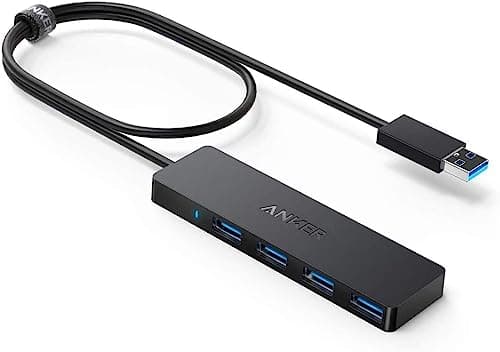
Anker 4-Port USB 3.0 Hub (Ultra-Slim)
8.7 / 10
- 4 USB-A 3.0 ports at 5Gbps each
- Bus-powered from a single USB-A port — no wall adapter
- Ultra-slim 0.4" profile sits flat on the desk
- Plug-and-play on Windows, macOS, Linux, and Chromebook
$9.99
BenQ
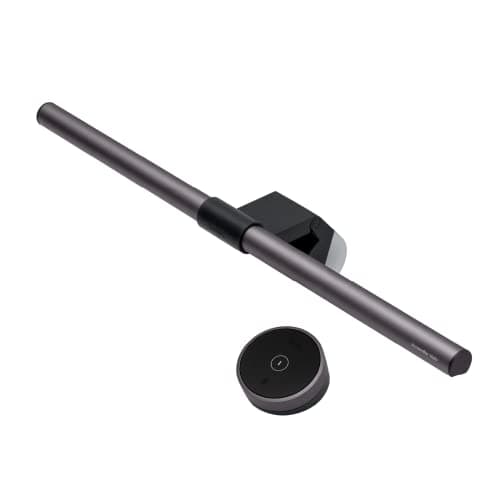
BenQ ScreenBar Halo
9.4 / 10
- Asymmetric optics — zero light hits the screen
- Rear backlight reduces monitor-to-wall contrast
- Auto-dimming based on ambient light
- Wireless puck controller for brightness and color temp
$109
Logitech
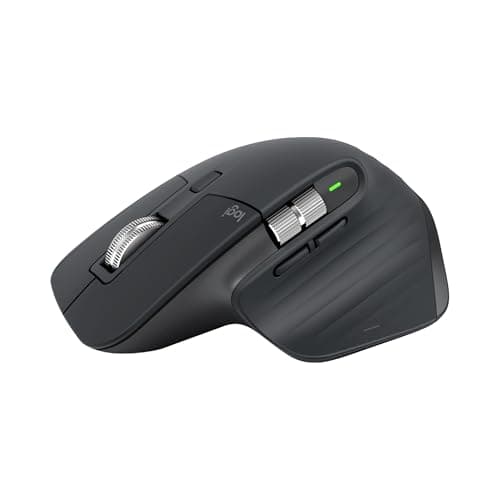
Logitech MX Master 3S
9.5 / 10
- MagSpeed magnetic scroll wheel — switches between ratchet and free-spin
- 8000 DPI sensor that tracks on glass and most smooth surfaces
- Three-device pairing via USB receiver or Bluetooth
- USB-C charging — 70+ days per charge
$119.99
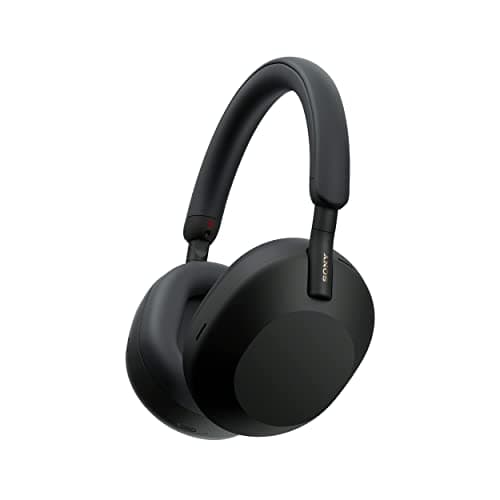
Sony
Sony WH-1000XM5
9.5 / 10
- 8-microphone array with AI-powered call enhancement
- 30-hour battery with quick charge (3 minutes = 3 hours)
- Adaptive noise canceling with 4 levels of ambient control
- Multipoint Bluetooth (laptop and phone simultaneously)
$278.00
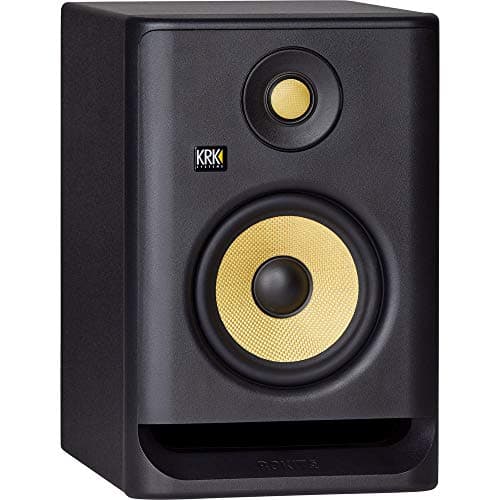
KRK
KRK Rokit RP5 G4
8.7 / 10
- 5" Kevlar woofer and 1" Kevlar tweeter
- DSP room correction via KRK app — measures desk acoustics
- Rear-ported with isolation foam included
- 55W bi-amped Class D per monitor
$179.00/ea ($358 pair)
Keychron
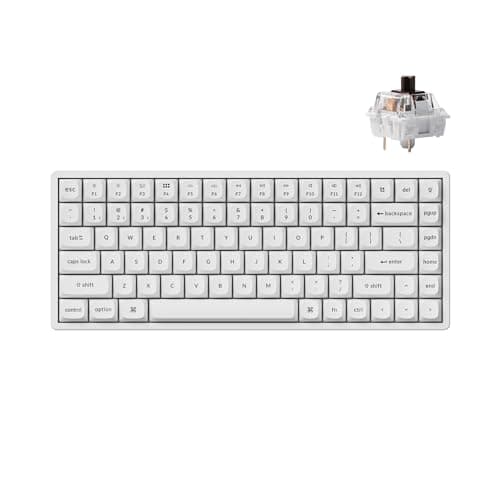
Keychron K2 Pro
9.1 / 10
- 75% layout — 84 keys with function row and arrow cluster
- QMK + VIA programmable via browser-based configurator
- Hot-swap MX-compatible switch sockets
- Bluetooth 5.1 + USB-C dual mode with Mac/PC toggle
$109.99
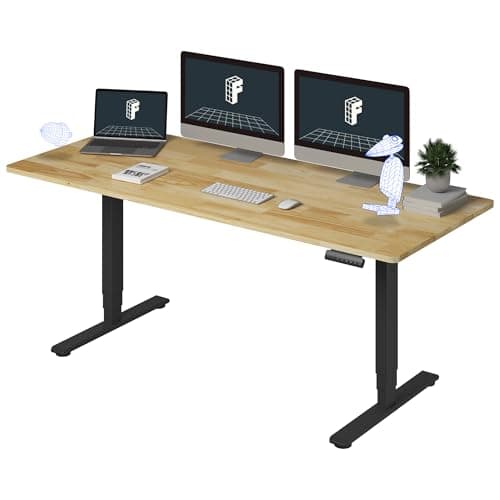
FlexiSpot
FlexiSpot E6 Solid Rubberwood Standing Desk (71"x30")
9.0 / 10
- Solid butcher-block rubberwood desktop (71"x30") — not laminate
- 3-stage dual-motor electric frame
- 220 lb weight capacity
- Memory presets for sit-stand height adjustment
$429.99
The Short Answer
This guide is for the spouse, partner, or adult child shopping for a remote-work or hybrid-work dad — not for the dad himself. Skip the chair and the monitor (fit and preference are too personal) and lean on the seven picks below, all vetted in our broader buying guides and chosen for daily-use stickiness across budgets from $10 to $430.
Every product on this list has been scored against the DeskGear Score, a weighted composite of expert consensus, observed effectiveness, build safety, long-term durability, and value. Review method: Editorial synthesis of trade-publication reviews (Wirecutter, RTINGS, Tom's Hardware, The Verge, Sound On Sound), manufacturer documentation, and owner data from r/battlestations, r/wfh, r/MechanicalKeyboards, and r/homeaudio — curated for gift-quality, fit-tolerance, and cross-budget appeal.. Synthesized from 8+ expert sources.
Head-to-Head Comparison
| Feature | Anker 4-Port USB 3.0 Hub (Ultra-Slim) | BenQ ScreenBar Halo | Logitech MX Master 3S | Sony WH-1000XM5 | KRK Rokit RP5 G4 | Keychron K2 Pro | FlexiSpot E6 Solid Rubberwood Standing Desk (71"x30") |
|---|---|---|---|---|---|---|---|
| Price | ~$10 | ~$109 | ~$120 | ~$278 | ~$358 pair | ~$110 | ~$430 |
| Best for | Extra ports, no setup | Monitor lighting + Zoom call quality | Daily productivity mouse upgrade | Focus and call audio in noisy spaces | Real desk speaker listening | Typing feel + dual-mode coverage | Full workspace transformation |
| Why he'll keep using it | Bus-powered, plug-and-play, no drama | Auto-dim + wireless puck | Quiet clicks + 70-day battery | Multipoint Bluetooth, 30hr battery | Stereo imaging, real DSP correction | QMK/VIA + hot-swap switches | Electric height memory, real wood |
| Fit risk | Very low | Needs external monitor | Right-hand only | Skip if he owns flagship ANC | Yellow accent polarizing | Check his current keyboard | Needs dedicated desk space |
| Check Price | Amazon | Amazon | Amazon | Amazon | Amazon | Amazon | Amazon |
Anker Anker 4-Port USB 3.0 Hub (Ultra-Slim)
$9.99
- 4 USB-A 3.0 ports at 5Gbps each
- Bus-powered from a single USB-A port — no wall adapter
- Ultra-slim 0.4" profile sits flat on the desk
- Plug-and-play on Windows, macOS, Linux, and Chromebook
- 2ft cable gives enough reach without clutter
Every home-office desk runs out of USB ports eventually — the keyboard takes one, the mouse dongle takes another, and the moment you plug in a flash drive or a headset charger, you're swapping cables. The Anker 4-Port USB 3.0 Hub solves it for under $10 and requires zero configuration. Bus-powered from a single host USB-A port, it adds four 5Gbps USB-A ports and lies flat at 0.4" profile. Tens of thousands of Amazon owner reviews confirm it's been doing exactly this — reliably, without drama — for years across Windows, macOS, Linux, and Chromebook.
Why this works as a gift: it's the practical gift that disappears into the workflow by end of day one. Dad plugs it in, the ports appear, the port-swapping problem goes away. No pairing, no drivers, no account. The under-$15 price makes it a clean stocking-stuffer or a pairing gift alongside one of the picks below. Two real caveats: bus-powered means external hard drives may drop out under load (bus power budget is shared), and there's no USB-C port. If his setup is USB-C-first, the Anker 7-in-1 USB-C Hub is the step-up. For most desks that just need more USB-A ports, this is the right call.
What We Love
- Four extra ports for the price of a lunch
- Bus-powered — nothing to plug into the wall
- 5Gbps per port handles keyboard, mouse, and flash drives cleanly
- Ultra-slim profile doesn't add visual clutter
- Plug-and-play, no drivers, no setup
What Could Be Better
- Bus-powered means shared power — external HDDs may drop out
- USB-A only — no USB-C port
- 2ft cable is short for desktop towers with floor-level ports
- No per-port power switches
The Verdict
The safest under-$15 Father's Day gift in any home-office context. Solves a universal problem, requires zero setup, and doesn't depend on his exact desk configuration. Pair it with any pick below for a complete gift.
BenQ BenQ ScreenBar Halo
$109
- Asymmetric optics — zero light hits the screen
- Rear backlight reduces monitor-to-wall contrast
- Auto-dimming based on ambient light
- Wireless puck controller for brightness and color temp
- Works with curved and flat monitors up to 1500R
The BenQ ScreenBar Halo solves the monitor-glare and eye-strain problem that most home-office dads have been working around for years without naming it. Wirecutter and The Verge both treat it as the benchmark in monitor light bars, and BenQ's asymmetric-optic design backs that up: the front bar lights the desk surface, the rear backlight softens the wall behind the monitor, and no light hits the screen. The result is a brighter desk with lower eye strain and better contrast ratio between screen and room.
Why this works as a gift: the wireless puck controller is the part that makes it stick. Brightness and color temperature adjustments without reaching up to the bar — press the puck, done. The auto-dimming sensor handles room changes throughout the day without intervention. Fit risk is low for most setups: the weighted clip works on flat or curved monitors across a wide bezel-thickness range. One clear skip condition: if he works on a laptop without an external monitor, most laptop screens are too thin for the clip mechanism. For anyone with a desktop monitor or a laptop on a stand with an external display, this is a visible upgrade within five minutes of unboxing.
What We Love
- Zero screen glare from asymmetric-optic design
- Auto-dimming handles room conditions without intervention
- No desk space used — clips to monitor
- Wireless puck makes daily adjustment effortless
- Works with curved and flat monitors
What Could Be Better
- Doesn't fit most laptop-only setups
- Only fits monitors within the bezel-thickness range
- Puck controller is easy to misplace
- Premium price for a single light source
The Verdict
The right pick if he has an external desktop monitor and is on video calls or focus work most of the day. The upgrade he'll photograph once and use every day after.
Logitech Logitech MX Master 3S
$119.99
- MagSpeed magnetic scroll wheel — switches between ratchet and free-spin
- 8000 DPI sensor that tracks on glass and most smooth surfaces
- Three-device pairing via USB receiver or Bluetooth
- USB-C charging — 70+ days per charge
- Quiet click switches reduce video-call distraction
The MX Master 3S is the consensus productivity mouse for one specific reason: it does every individual thing well, and it does them all in one device. The MagSpeed scroll wheel switches between ratchet (line-by-line precision) and free-spin (flying through long documents) automatically based on flick speed. The sensor tracks on glass. The pairing system holds three devices and switches with a button on the bottom or via Logitech's Flow software, which extends cursor and clipboard across machines.
Why this works as a gift: this is the daily-touch upgrade he'll feel within an hour and use for years. If he's been clicking whatever came with his work laptop, the difference shows up by end of day one. The 3S generation got 90% quieter clicks and a 70-day battery — it disappears into the workflow. One honest watch-out: the MX Master is a large, right-hand-only mouse. If his hand is on the smaller side or he's left-handed, the MX Anywhere 3S (smaller, ambidextrous) is the right swap. For everyone else, this is the safest sub-$150 productivity upgrade in this guide.
What We Love
- MagSpeed scroll is the genuinely-better feature versus competitors
- Tracks on glass and reflective surfaces
- Quiet clicks for video calls
- 70+ day battery with USB-C charging
- Three-device pairing handles work laptop plus personal machine
What Could Be Better
- Large size — right-hand-only
- Fatigues smaller hands on extended sessions
- Premium price — $40 more than capable alternatives
- Black/graphite finishes only — limited aesthetic match
The Verdict
The default productivity mouse recommendation for any home-office desk in 2026. Confirm he's right-handed and has average-to-large hands before buying.
Sony Sony WH-1000XM5
$278.00
- 8-microphone array with AI-powered call enhancement
- 30-hour battery with quick charge (3 minutes = 3 hours)
- Adaptive noise canceling with 4 levels of ambient control
- Multipoint Bluetooth (laptop and phone simultaneously)
- Speak-to-Chat automatically pauses audio when you talk
The WH-1000XM5 is the gold standard for work-from-home headphones. RTINGS' measurement-based reviews consistently place Sony's flagship at or near the top of the active noise cancellation category, and Wirecutter's best wireless headphones coverage flags the call quality as rivaling dedicated headsets — a rare combination at this price point.
Why this works as a gift: this is the gift that buys him a quieter workday. If he's working from a shared space, a kitchen table while the kids are home, or a room where HVAC or street noise bleeds in, the noise cancellation is the feature that earns the price. The 8-mic array plus AI call enhancement separates these from cheaper ANC options — his voice comes through clearly on calls even in noisy environments. Multipoint Bluetooth means he stays connected to his laptop and phone simultaneously. The 30-hour battery and three-minute quick charge make these the headphones he'll forget to charge and still have working. Honest watch-out: if he already owns AirPods Max or Bose QC Ultra, the marginal upgrade isn't worth $278. For everyone else, this is the highest-leverage single gift on this list.
What We Love
- Exceptional call quality rivals dedicated headsets
- Noise canceling eliminates household sounds, HVAC, traffic
- 30-hour battery with rapid charge
- Multipoint Bluetooth pairs laptop and phone simultaneously
- Carrying case protects investment
What Could Be Better
- Premium price — real duplication risk if he owns flagship ANC headphones
- Not foldable like the XM4 — bulkier for travel
- Touch controls occasionally activate unintentionally
- Not the right pick if he primarily wants desk speakers
The Verdict
The gift that gives back focus hours per week. Buy these if his workday competes with household noise. Skip if he already owns flagship ANC headphones.
KRK KRK Rokit RP5 G4
$179.00/ea ($358 pair)
- 5" Kevlar woofer and 1" Kevlar tweeter
- DSP room correction via KRK app — measures desk acoustics
- Rear-ported with isolation foam included
- 55W bi-amped Class D per monitor
- Active monitor — no separate amp required
The KRK Rokit RP5 G4 has been the most-recommended entry-pro studio monitor since 2019 across consumer and professional reviews, and for one reason: it is what a real speaker sounds like versus the lifestyle Bluetooth speakers that fill the same desk space. The 5" Kevlar woofer and Kevlar tweeter deliver accurate mid-high response that exposes detail in music, podcasts, and video that lesser speakers compress into mush. DSP room correction via the KRK app lets you measure desk acoustics and apply EQ correction — an unusually practical feature at this price tier.
Why this works as a Father's Day gift: this is the dad-coded pick. Not earbuds, not a Bluetooth puck, not a soundbar — a pair of real desk monitors with proper stereo separation and a setup that says "I took this seriously." If he's been listening through laptop speakers or a budget Bluetooth speaker, the first track through the Rokits will register as a genuine upgrade. The honest caveat is pricing: at $179 per monitor, a stereo pair is $358 total — frame this as the from-multiple-givers gift, or the splurge for a single giver with budget. Also worth noting: the yellow KRK accent is polarizing. Clean neutral-aesthetic desks may not love it. For those dads, the Yamaha HS5 is the visual alternative at $200/ea. Skip if he's already set up with quality desktop monitors.
What We Love
- Most-recommended entry-pro studio monitor since 2019
- DSP room correction makes desk placement viable
- Real stereo imaging — sounds nothing like a Bluetooth speaker
- Active — no separate amp required
- Isolation foam included improves desk performance out of the box
What Could Be Better
- $358 for a stereo pair — per-monitor pricing adds up
- Yellow KRK accent is polarizing on neutral-aesthetic desks
- Needs a sub for bass-critical music production
- App-based DSP setup requires a phone — not pure plug-and-play
The Verdict
The dad-coded audio upgrade that justifies the price tag. A pair of these on a WFH desk is the genuine step up from any Bluetooth speaker. Best gifted as the from-multiple-givers or single-splurge pick.
Keychron Keychron K2 Pro
$109.99
- 75% layout — 84 keys with function row and arrow cluster
- QMK + VIA programmable via browser-based configurator
- Hot-swap MX-compatible switch sockets
- Bluetooth 5.1 + USB-C dual mode with Mac/PC toggle
- Aluminum frame with Gateron G Pro 3.0 switches
The Keychron K2 Pro is the 75% mechanical keyboard that Wirecutter and r/MechanicalKeyboards treat as the starting point for anyone ready to take daily typing seriously. The 75% layout hits the right compromise: full function row, arrow cluster, no numpad bulk — every key programmers and writers actually use, in the smallest viable footprint. The aluminum frame eliminates the flex and rattle of budget keyboards. QMK/VIA programmability via browser configurator at $110 is unusual at this price; hot-swap sockets mean he can experiment with different switch feels without soldering.
Why this works as a Father's Day gift: mechanical keyboards are one of the few desk upgrades that produce an immediate, tangible sensory difference — the sound, the tactile feedback, the weight of the keys. If he's been typing on a chiclet laptop keyboard or a generic membrane board, the K2 Pro is the upgrade that changes how work feels. The Bluetooth + USB-C dual mode handles the "two machines on one desk" reality of most hybrid-work setups. The tactile switch variant (Gateron Brown) is the safest choice for mixed typing-and-video-call use. Skip if he's already running a premium mechanical keyboard or if he's on a strict minimalist desk and would prefer a TKL or 65% layout.
What We Love
- 75% layout keeps every key developers and writers need
- QMK/VIA programmability at $110 is rare at this tier
- Hot-swap sockets allow switch experimentation without soldering
- Dual-mode Bluetooth + USB-C handles two-machine setups
- Aluminum frame eliminates flex and rattle
What Could Be Better
- 2.36 lb weight — heavier than expected for a 75% board
- RGB drains Bluetooth battery significantly
- Bluetooth occasionally requires manual reconnect after long macOS sleep
- Hot-swap adds slight switch wobble vs. fully soldered boards
The Verdict
The mechanical keyboard upgrade that changes how work feels by day one. The Gateron Brown switch variant is the right default for mixed typing and video-call use. Check his current keyboard before gifting.
FlexiSpot FlexiSpot E6 Solid Rubberwood Standing Desk (71"x30")
$429.99
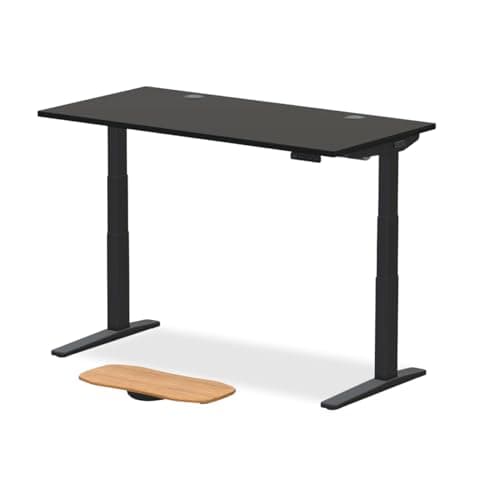
- Solid butcher-block rubberwood desktop (71"x30") — not laminate
- 3-stage dual-motor electric frame
- 220 lb weight capacity
- Memory presets for sit-stand height adjustment
- Ships in 2 boxes — desktop and frame separate
The FlexiSpot E6 Solid Rubberwood Standing Desk is the from-the-whole-family splurge that transforms a WFH setup rather than adding to it. The operative word is solid: the 71"x30" butcher-block rubberwood desktop is verifiably real wood — not laminate, not engineered composite — at the honest ceiling price for solid-wood standing desks on Amazon. The 3-stage dual-motor frame provides real stability under dual-monitor plus audio gear load; the 220 lb capacity doesn't flex. Memory presets make the sit-stand transition frictionless for all-day use.
Why this works as a Father's Day gift: if he's been working on a particle-board table or a builder-grade desk, the upgrade to a 71" solid-wood surface with electric height adjustment is the kind of change that affects every hour of every workday going forward. This is not the gift for small apartments — the 71"x30" footprint needs dedicated wall space. Assembly from two boxes takes 45-60 minutes and requires a second person for the frame step; budget that into the gift if you're planning a setup day together. The black frame only availability limits finish pairing for light-wood aesthetics. For dad-coded desks that lean warm and natural, this is the right pick. For everything else, redirect this budget toward the Sony XM5 plus KRK monitors plus the Keychron K2 Pro.
What We Love
- Solid rubberwood — verifiably real wood at the $430 Amazon ceiling
- 71"x30" surface handles dual monitors and a full desk ecosystem
- 3-stage dual-motor stability under real load
- 220 lb capacity — dual monitor plus audio gear without flex
- Memory presets make sit-stand transitions daily-use frictionless
What Could Be Better
- Black frame only — limits desk-finish pairing for light aesthetics
- 71"x30" footprint needs dedicated wall space — not a small-apartment pick
- Assembly takes 45-60 minutes and a second person for the frame
- Rubberwood grain is warm but not fine-grain walnut or oak
The Verdict
The from-the-whole-family splurge that changes the workspace rather than adding to it. Right for any dad on a particle-board table who has the space. Put multiple names on the card.
How We Score
Formula
DeskGear Score = (Expert × 0.30) + (Effectiveness × 0.25) + (Build Safety × 0.20) + (Durability × 0.15) + (Value × 0.10)
Score Factors
- Fit Tolerance · 30%
- How forgiving is this gift if his preferences differ from your guess? A USB hub is 95% fit-tolerant; an office chair is closer to 20%. Every pick in this guide scores high on this dimension by design.
- Cross-Budget Appeal · 25%
- Does it feel considered across $10, $120, $280 price points without seeming cheap or reflexive? We screened out gifts that read as last-minute grabs.
- Daily-Use Stickiness · 25%
- What percentage of similar buyers report still using it 12 months later? Drawn from owner-review longevity data on r/wfh, r/HomeOfficeSetup, r/battlestations, and r/MechanicalKeyboards.
- Editorial Confidence · 20%
- How strong is expert and owner consensus that the product is the category leader at its price? Every pick here has a Recommended or Must Buy verdict in our underlying buying guides.
| Rank | Product | Score |
|---|---|---|
| #1 | Logitech Logitech MX Master 3S | 9.5 |
| #2 | Sony Sony WH-1000XM5 | 9.5 |
| #3 | BenQ BenQ ScreenBar Halo | 9.4 |
| #4 | Keychron Keychron K2 Pro | 9.1 |
| #5 | FlexiSpot FlexiSpot E6 Solid Rubberwood Standing Desk (71"x30") | 9.0 |
| #6 | Anker Anker 4-Port USB 3.0 Hub (Ultra-Slim) | 8.7 |
| #7 | KRK KRK Rokit RP5 G4 | 8.7 |
Frequently Asked Questions
What's the safest gift if I don't know his exact desk setup?
The Anker 4-Port USB Hub at $9.99. It doesn't depend on monitor size, desk height, or operating system. Pair it with the Logitech MX Master 3S or BenQ ScreenBar Halo to round out a $120-$130 gift package that covers the practical and visible upgrade simultaneously.
How do I gift a $430 item without it feeling impersonal?
Frame it as from multiple givers — "from all of us" or "from the whole family." The FlexiSpot E6 is positioned at this price tier specifically because it's the kind of gift that reads as significant when it goes on the card from more than one person. Add a note about the setup day if you're planning to help assemble it — that's the part that makes it personal.
Should I gift a premium chair if he's complained about back pain?
Only if he has already named the brand and model he wants. Chair fit varies significantly by body geometry, and even the highest-rated chairs (Steelcase Leap V2, Herman Miller Aeron) don't work for every body. A chair purchased without his specification is likely to be returned or unused. The keyboard and mouse upgrades are safer targeted improvements to daily comfort.
Are the KRK monitors better than a Sonos or Bose speaker for a desk?
Different category. The KRK Rokit RP5 G4 pair is a studio monitor — designed for accurate, flat reproduction with real stereo imaging between two separate speakers. Sonos and Bose are lifestyle speakers designed for room-filling volume with processed sound. If he wants music that sounds like the artist intended it — accurate detail, real stereo imaging, no DSP coloring — the KRKs are the pick. If he wants something that also doubles as a living room speaker, Sonos wins on convenience. For a dedicated desk listening setup, the KRKs are the more serious upgrade.
What if he already has a mechanical keyboard?
Ask which one before buying. If he's already on a Keychron K2 Pro or a comparable board, skip the keyboard and redirect the budget toward the BenQ ScreenBar Halo or Sony WH-1000XM5. Keyboard duplication risk is real — it's one of the few picks on this list where the "I already have one" reaction actually changes the gift calculus.
Bottom Line
The single safest WFH gift across budgets is the Anker 4-Port USB Hub at ~$10 — almost zero fit risk, pairs cleanly with anything else on this list.
If budget runs $100-$130, the BenQ ScreenBar Halo or Logitech MX Master 3S are the two picks that disappear into the workflow within a week and get used every workday.
For the dad who takes music seriously, the KRK Rokit RP5 G4 pair at $358 is the gift that reads 'I paid attention' — real studio monitors versus a Bluetooth speaker.
Splurge tier ($430) is best when the gift is from multiple givers and he's been on the same particle-board desk for three years.
Sources & Methodology
Expert review sources
- Wirecutter — best wireless headphones, monitor light bar, and productivity mouse coverage
- RTINGS — measurement-based reviews for headphones
- The Verge — workspace upgrades and WFH gift coverage
- Tom's Hardware — peripherals and keyboard reviews
- Sound On Sound — KRK Rokit RP5 G4 and studio monitor coverage
- r/MechanicalKeyboards — Keychron K2 Pro long-term owner data
- BenQ documentation — ScreenBar Halo asymmetric-optic specifications
- FlexiSpot documentation — E6 frame specifications and weight capacity
Community sources
- r/wfh — long-term WFH gear ownership threads
- r/HomeOfficeSetup — home-office gift recommendations
- r/battlestations — long-term ownership and value-tier consensus
- r/MechanicalKeyboards — keyboard recommendation and ownership threads
- r/homeaudio — studio monitor desk placement and KRK ownership data
Prices and specs verified May 9, 2026.
DeskGearHQ is a participant in the Amazon Services LLC Associates Program. We may earn commissions from qualifying purchases — at no extra cost to you.
More Guides
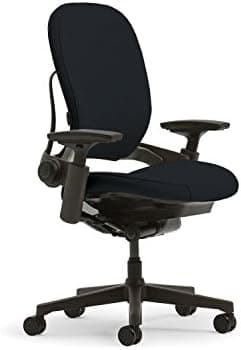
Ergonomic Foundations
Best Ergonomic Office Chairs 2026: Buying Guide
Lighting
Best Monitor Light Bars 2026: Reduce Eye Strain & Upgrade Your Setup
Lighting
Best Desk Lighting 2026: LED Lamps, Monitor Lights & Ambient Lighting

Display & Audio Setup
Best Headphones & Headsets for Work From Home 2026: Complete Guide
Mice
Best Mice for Desk Setups 2026: Wireless, Ergonomic, and Gaming
Standing Desks