Display & Audio Setup
Best Ultrawide Monitors for Programmers (2026)
The ultrawide is the multi-monitor alternative for programmers and knowledge workers. One curved display vs two flat ones — IDE, browser, and terminal side-by-side without head movement, and a single cable to dock the laptop. We surveyed 10 expert sources across 34", 40", and 49" options.
By Nick Miles · Updated July 19, 2026 · 12 min read
10 expert sources synthesizedLast verified July 18, 2026
DeskGearHQ is reader-supported. We may earn a commission from qualifying Amazon purchases at no extra cost to you.
Evidence at a Glance
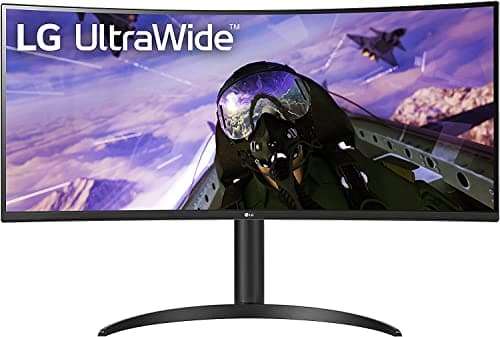
LG 34WP65C-B 34" 160Hz Ultrawide
3440x1440 VA at 160Hz — the best-overall curved ultrawide at $449 for programmer productivity, with the highest refresh rate in the mainstream 34" tier.
Sources: RTINGS, DisplayNinja, Tom's Hardware, r/Monitors
Verified Jul 18, 2026
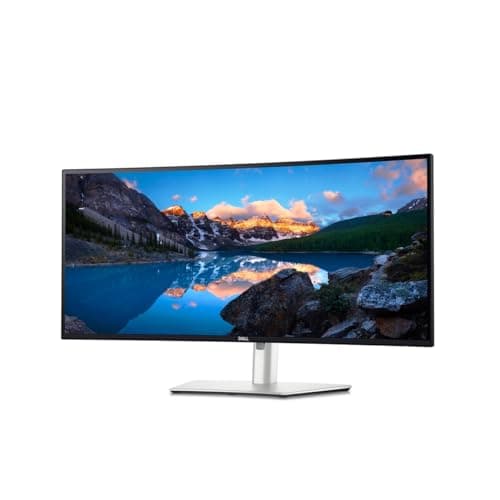
Dell UltraSharp U3425WE 34" Thunderbolt Hub
3440x1440 IPS Black at 120Hz with a Thunderbolt 4 hub, built-in KVM, and 2.5G Ethernet — the single-cable docking pick for knowledge workers.
Sources: PCMag, DisplayNinja, The Verge
Verified Jul 18, 2026
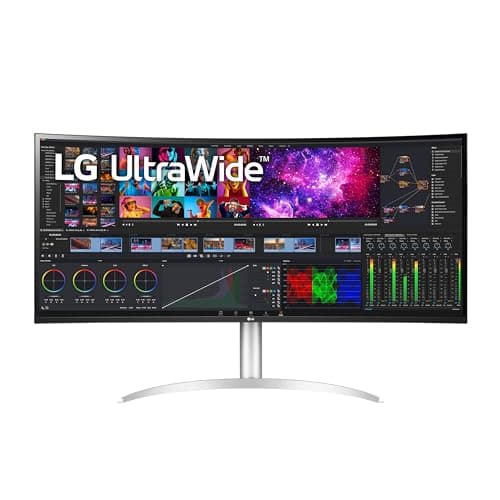
LG 40WP95C-W 40" 5K2K Nano IPS
5120x2160 (5K2K) Nano IPS at 98% DCI-P3 with Thunderbolt 4 96W PD — the premium creator-grade ultrawide with the sharpest text in the category.
Sources: RTINGS, DisplayNinja, Tom's Guide
Verified Jul 18, 2026
Our Picks
LG
LG 34WP65C-B 34" 160Hz Ultrawide
9.2 / 10
- 34" curved VA panel, 3440x1440 QHD (21:9)
- 160Hz refresh rate — highest in the mainstream 34" tier
- 99% sRGB color coverage — above VA-panel average
- HDR10 support and AMD FreeSync Premium
$449
Dell
Dell UltraSharp U3425WE 34" Thunderbolt Hub
9.0 / 10
- 34" curved IPS Black panel, 3440x1440 (21:9)
- 120Hz refresh rate with wide viewing angles
- Thunderbolt 4 hub — single-cable video, data, and power delivery
- Built-in KVM to switch between two connected machines
$728
LG
LG 40WP95C-W 40" 5K2K Nano IPS Ultrawide
8.9 / 10
- 40" curved Nano IPS panel, 5120x2160 (5K2K) WUHD
- 72Hz native refresh rate — the trade-off for driving a 5K2K panel
- 98% DCI-P3 color coverage with HDR10
- Thunderbolt 4 with 96W power delivery — single-cable laptop docking
$1499.99
Samsung
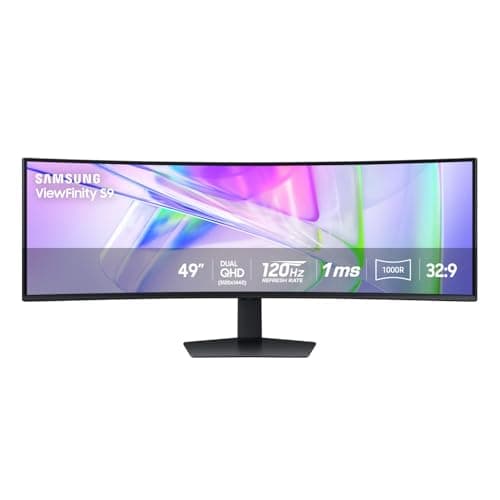
Samsung 49" LS49C954U Dual QHD Ultrawide
8.7 / 10
- 49" curved VA panel, 5120x1440 Dual QHD (32:9)
- 120Hz refresh rate for smooth window management
- USB-C connectivity alongside DisplayPort and HDMI
- VESA DisplayHDR 400 certification
$951.95
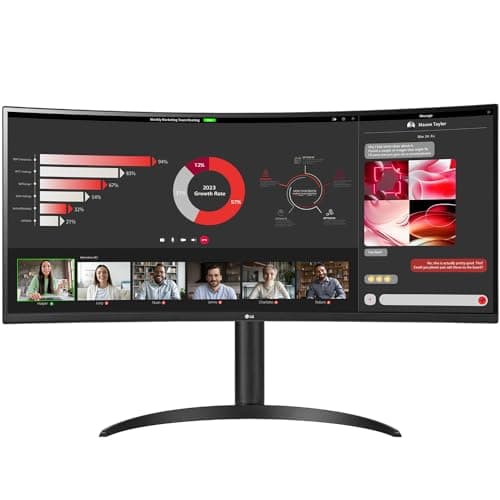
LG
LG 34WR55QC-B 34" Curved Ultrawide
8.5 / 10
- 34" curved VA panel, 3440x1440 WQHD (21:9)
- 100Hz refresh rate with AMD FreeSync
- HDR10 support, borderless three-side design
- USB Type-C connectivity for laptop hookup
$329.99
The Short Answer
For most programmers, the LG 34WP65C-B 34" is the best overall ultrawide at $449 — 3440x1440 VA at 160Hz covers IDE+browser+terminal stacking cleanly at the best balance of speed, size, and price in the category. For knowledge workers who dock a laptop, the Dell UltraSharp U3425WE at $728 is the standout — a Thunderbolt 4 hub with a built-in KVM and 2.5G Ethernet over one cable. The LG 40WP95C-W 5K2K Nano IPS at ~$1,500 is the premium creator-grade pick, the Samsung 49" LS49C954U at ~$952 is the 32:9 no-head-movement endgame, and the LG 34WR55QC-B at ~$330 is the budget entry with USB-C. For an OLED ultrawide with its burn-in trade-off, see our dedicated OLED ultrawide guide.
Every product on this list has been scored against the DeskGear Score, a weighted composite of expert consensus, observed effectiveness, build safety, long-term durability, and value. Review method: Editorial synthesis of trade-publication reviews (DisplayNinja, RTINGS, Tom's Guide, Tom's Hardware, PCMag, The Verge, TechRadar), manufacturer specification sheets (LG, Dell, Samsung), and owner data from r/Monitors, r/ultrawidemasterrace, and r/battlestations. No first-hand product testing — our role is to surface the expert consensus so you can buy with confidence. Every pick has a verified Amazon ASIN, and each was re-checked live against the Amazon Creators API for condition (New) and buy-box merchant on 2026-07-18.. Synthesized from 10+ expert sources.
Head-to-Head Comparison
| Feature | LG 34WP65C-B 34" 160Hz Ultrawide | Dell UltraSharp U3425WE 34" Thunderbolt Hub | LG 40WP95C-W 40" 5K2K Nano IPS Ultrawide | Samsung 49" LS49C954U Dual QHD Ultrawide | LG 34WR55QC-B 34" Curved Ultrawide |
|---|---|---|---|---|---|
| Screen size | 34" | 34" | 40" | 49" | 34" |
| Resolution | 3440x1440 | 3440x1440 | 5120x2160 | 5120x1440 | 3440x1440 |
| Refresh rate | 160Hz | 120Hz | 72Hz | 120Hz | 100Hz |
| Panel type | VA | IPS Black | Nano IPS | VA | VA |
| USB-C / Thunderbolt | None | Thunderbolt 4 | Thunderbolt 4 | USB-C | USB-C |
| Price | ~$449 | ~$728 | ~$1,500 | ~$952 | ~$330 |
| Check Price | Amazon | Amazon | Amazon | Amazon | Amazon |
LG LG 34WP65C-B 34" 160Hz Ultrawide
$449
- 34" curved VA panel, 3440x1440 QHD (21:9)
- 160Hz refresh rate — highest in the mainstream 34" tier
- 99% sRGB color coverage — above VA-panel average
- HDR10 support and AMD FreeSync Premium
- HDMI and DisplayPort inputs, tilt/height stand
The LG 34WP65C-B is our best-overall recommendation for programmers: a curved 34" 3440x1440 VA panel at 160Hz for $449. It hits the sweet spot of the category — enough horizontal room for IDE+browser+terminal stacking, the highest refresh rate in the value tier, and a price that most developers can justify as a productivity tool. It's the pick most buyers should reach for first.
For programmers, 160Hz is a genuine daily-use upgrade over 60 or 100Hz — not for gaming frames, but because scrolling through long codebases, switching focus between the IDE and browser, and dragging windows across 3440 pixels all feel measurably smoother. The 99% sRGB coverage is above what most VA panels deliver, which extends the monitor's usefulness to frontend developers who care about how a browser preview renders. The VA contrast keeps dark-theme editors looking sharp.
One thing to know before you buy: this model connects over HDMI and DisplayPort, not USB-C. There's no single-cable laptop charging here — a MacBook or Windows laptop needs its own power adapter plus a video cable, or a separate dock. If one-cable docking is a hard requirement, step up to the Dell U3425WE below. For a desktop tower or a laptop you're happy to plug in separately, the 34WP65C-B is the value benchmark. If you switch between a work and a personal machine, our KVM switches guide has compatible pairings.
What We Love
- 160Hz is the highest refresh in the mainstream 34" ultrawide tier
- 3440x1440 handles IDE + browser + terminal side-by-side cleanly
- 99% sRGB is above-average for the price — extends to frontend color work
- VA contrast makes dark-theme editors look genuinely dark
- Strong value at $449 for a high-refresh curved 34" panel
What Could Be Better
- No USB-C — HDMI and DisplayPort only, so no single-cable laptop charging
- VA response time is slower than IPS — ghosting in fast gaming
- Stand offers tilt and height but not pivot to portrait
- Not a color-calibrated panel for critical creative work
The Verdict
The best-overall ultrawide for programmers who want 160Hz at 3440x1440 for $449 and don't need USB-C docking — the best balance of speed, size, and price in the category.
Dell Dell UltraSharp U3425WE 34" Thunderbolt Hub
$728
- 34" curved IPS Black panel, 3440x1440 (21:9)
- 120Hz refresh rate with wide viewing angles
- Thunderbolt 4 hub — single-cable video, data, and power delivery
- Built-in KVM to switch between two connected machines
- 2.5G RJ45 Ethernet and USB hub built into the display
The Dell UltraSharp U3425WE is the pick for the knowledge worker who docks a laptop. Where the mainstream LG above is a display you plug a video cable into, the U3425WE is a full Thunderbolt 4 hub built into a monitor: one cable carries video, data, high-wattage power delivery, and 2.5-gigabit Ethernet between the display and a laptop. Close the lid, undock with a single unplug, and the desk stays clean.
For programmers specifically, two features earn the premium over the LG pick. The IPS Black panel widens the viewing angles and lifts contrast over a standard IPS — meaningful on a 34" panel where the edges sit off-axis from your eye. And the built-in KVM lets you drive the monitor, keyboard, and mouse from two machines — a work laptop and a personal desktop, say — switching between them without a separate KVM box. That combination of single-cable docking, KVM, and wired networking is exactly the setup a hybrid knowledge worker wants at a home desk.
The 120Hz refresh is lower than the LG 34WP65C-B's 160Hz, but for a docking-first workflow the trade is worth it: you're buying this for the hub, the KVM, and the IPS Black image, not for the highest frame rate. If you run two machines, our KVM switches guide covers when a standalone KVM still makes sense alongside a panel like this.
What We Love
- Thunderbolt 4 hub docks a laptop over a single cable — video, data, power, Ethernet
- Built-in KVM switches keyboard, mouse, and screen between two machines
- IPS Black panel widens viewing angles and lifts contrast on a 34" ultrawide
- 2.5G RJ45 Ethernet built in — wired networking without a separate adapter
- The cleanest single-cable desk of any pick in this guide
What Could Be Better
- 120Hz is lower than the LG 34WP65C-B's 160Hz
- $728 is a significant step up from the mainstream pick
- Thunderbolt docking is most valuable to laptop users — desktop-only buyers pay for features they may not use
- IPS Black contrast is strong for an IPS panel but still trails VA and OLED in very dark rooms
The Verdict
The knowledge-worker ultrawide: buy this when single-cable Thunderbolt docking, a built-in KVM, and wired Ethernet matter more than the last 40Hz of refresh rate.
LG LG 40WP95C-W 40" 5K2K Nano IPS Ultrawide
$1499.99
- 40" curved Nano IPS panel, 5120x2160 (5K2K) WUHD
- 72Hz native refresh rate — the trade-off for driving a 5K2K panel
- 98% DCI-P3 color coverage with HDR10
- Thunderbolt 4 with 96W power delivery — single-cable laptop docking
- Three-side virtually borderless design, tilt/height/swivel stand
The LG 40WP95C-W is the premium end of the category: a 40" curved 5K2K ultrawide at 5120x2160 on a Nano IPS panel. The extra vertical resolution over the 34" picks is the point — 2160 pixels of height means more code on screen and noticeably sharper text, because the pixel density is high enough that individual pixels stop being visible at normal viewing distance. For a developer who also does frontend or design work, that sharpness plus 98% DCI-P3 color coverage makes it a genuine creator-grade display, not just a productivity panel.
The Thunderbolt 4 connection with 96W power delivery docks a laptop over a single cable — enough wattage to charge most workstation laptops during use, not just slow the drain. That makes the 40WP95C-W both the sharpest and the most convenient panel in this guide for a laptop-based setup: one cable for video, data, and charging, plus the color accuracy for design review alongside the code editor.
The trade-off is refresh rate: at 72Hz native, this is a text-and-color panel, not a high-motion one — fine for code and design, but below the 100-160Hz of the other picks. At $1,499.99 it's the most expensive pick here, and the premium is real capability rather than padding: 5K2K resolution, Nano IPS wide-gamut color, and Thunderbolt 4 docking together. Buy this if text sharpness and color accuracy are the priority. For an OLED ultrawide's infinite contrast instead — with the burn-in trade-off for persistent IDE sidebars — see our dedicated OLED ultrawide guide.
What We Love
- 5120x2160 (5K2K) delivers the sharpest text and most vertical code space here
- Nano IPS with 98% DCI-P3 covers frontend and design work alongside coding
- Thunderbolt 4 with 96W PD docks and charges a laptop over one cable
- Three-side borderless design suits a clean single-display setup
- Full tilt, height, and swivel stand adjustment
What Could Be Better
- 72Hz native refresh — fine for code and design, but below all four other picks (which run 100Hz to 160Hz) and not for gaming or high-motion work
- $1,499.99 is the most expensive pick in this guide
- IPS contrast can't match OLED or VA for very dark rooms
- Overkill for a programmer who only needs IDE+browser+terminal stacking
The Verdict
The premium creator-coder ultrawide — buy this if 5K2K text sharpness, wide-gamut color, and single-cable Thunderbolt 4 docking justify the flagship price and the 72Hz refresh trade-off.
Samsung Samsung 49" LS49C954U Dual QHD Ultrawide
$951.95
- 49" curved VA panel, 5120x1440 Dual QHD (32:9)
- 120Hz refresh rate for smooth window management
- USB-C connectivity alongside DisplayPort and HDMI
- VESA DisplayHDR 400 certification
- Height-adjustable stand and built-in speakers
The Samsung 49" LS49C954U is a different category from the 34" and 40" picks. At 5120x1440, it equals two 27" 1440p monitors placed side-by-side — but without the bezel gap, without two separate cable runs, and as a single unified desktop you can arrange windows across freely. For the programmer or analyst running several simultaneous contexts — an IDE, a documentation browser, a terminal, Slack, and a second window for a different repo — the 49" puts them all on screen at once without head movement.
This is a business-class 32:9 panel rather than a gaming model: 120Hz, DisplayHDR 400, and USB-C connectivity alongside DisplayPort and HDMI. The USB-C input lets you drive the display from a laptop over one cable, and the height-adjustable stand covers the ergonomics that a panel this wide demands. The VA panel gives the strong contrast that a super-ultrawide benefits from in a normally lit office.
The honest caveat is desk space: a 49" 32:9 panel needs roughly 70-80 inches of desk width to sit at a comfortable viewing distance, and content at the far edges is noticeable in peripheral vision even when you're focused on the center. It also scores lower on value than the tighter picks — it's a specialist tool. Buy this when multi-context simultaneity is the specific requirement that a 34" panel doesn't solve — and pair it with a heavy-duty arm, since it exceeds the weight ceiling of most standard mounts (see our monitor arms guide).
What We Love
- 5120x1440 32:9 equals two 27" 1440p monitors without the bezel gap
- All contexts visible at once — IDE, browser, terminal, Slack — no head movement
- USB-C input allows single-cable video from a laptop
- VA contrast and DisplayHDR 400 suit a normally lit office
- Height-adjustable stand handles the ergonomics of a very wide panel
What Could Be Better
- 49" footprint needs a 70-80" wide desk for comfortable viewing
- $951.95 is a major investment for a single specialist display
- Some applications and games handle 32:9 aspect ratios poorly
- Heavy panel — needs a mount rated well above standard arm ceilings
The Verdict
The right pick when multi-context simultaneity is the core requirement — 5120x1440 puts everything on screen at once for programmers running multiple repos, browsers, and terminals without head movement.
LG LG 34WR55QC-B 34" Curved Ultrawide
$329.99
- 34" curved VA panel, 3440x1440 WQHD (21:9)
- 100Hz refresh rate with AMD FreeSync
- HDR10 support, borderless three-side design
- USB Type-C connectivity for laptop hookup
- The value entry point into 34" curved ultrawide
The LG 34WR55QC-B is the affordable way into a 34" curved ultrawide at $329.99. For a programmer or knowledge worker who wants the horizontal real estate — a full-width editor, a browser for documentation, and a terminal pane side-by-side without any window overlap — this is the lowest-cost panel that does the core job properly at 3440x1440.
The compromise for the price is refresh rate: 100Hz rather than the 120-160Hz of the pricier 34" picks above. For coding, scrolling, and window management, 100Hz is still a clear step up from a 60Hz office monitor and is perfectly comfortable for full-time text work — you feel the difference against 60Hz immediately, and the jump from 100Hz to 160Hz is real but incremental. The VA panel gives you the deep blacks that make dark-theme editors look genuinely dark rather than the charcoal gray of a backlit IPS.
The USB-C port handles a single-cable video connection from a laptop, which keeps the desk tidy. If you're pairing this with a monitor arm to reclaim desk space, it's a standard VESA panel — our monitor arms guide covers the right arm for a 34" ultrawide.
What We Love
- 3440x1440 gives full-width IDE + browser + terminal without overlap
- Lowest entry price for a 34" curved ultrawide at $329.99
- VA panel delivers deep blacks for dark-theme code editors
- USB-C allows a single-cable video connection from a laptop
- 100Hz is a clear, visible upgrade over a 60Hz office display
What Could Be Better
- 100Hz trails the 120-160Hz refresh of the pricier picks
- VA response time shows ghosting in fast-motion gaming
- Stand adjustability is more limited than premium ultrawides
- USB-C is for video and data — confirm power draw before relying on it to charge a laptop
The Verdict
The right pick for a budget-conscious buyer who wants a real 34" curved ultrawide at 3440x1440 without paying for high-refresh or hub features — the value floor of the category at $329.99.
How We Score
Formula
DeskGear Score = (Expert × 0.30) + (Effectiveness × 0.25) + (Build Safety × 0.20) + (Durability × 0.15) + (Value × 0.10)
Score Factors
- Panel Quality · 30%
- Panel type (VA, IPS Black, Nano IPS), color accuracy, contrast ratio, viewing angles, and HDR performance — synthesized from RTINGS measurements, DisplayNinja panel reviews, and manufacturer specification sheets.
- Resolution & Refresh · 20%
- Resolution and refresh rate scored jointly for the programmer and knowledge-work use case: vertical code space and text sharpness from higher resolution, plus smoother scrolling and window management from higher refresh. Higher refresh (up to 160Hz) earns credit for motion, while a top-resolution 5K2K panel earns full marks on resolution that offset its lower native refresh for text-first work.
- Docking & Connectivity · 20%
- USB-C and Thunderbolt 4 single-cable capability: power-delivery wattage, built-in KVM, and wired Ethernet. Thunderbolt 4 hubs with high-wattage PD earn full weight; USB-C video-only scores partial; HDMI/DP-only scores zero on this factor.
- Ergonomics & Build · 15%
- Stand adjustability (tilt, height, swivel), curve suitability at desk distance, and build quality relative to panel size — cross-referenced against manufacturer specs and reviewer confirmation.
- Value · 15%
- Per-feature pricing at the spec tier. The LG 34WP65C-B and 34WR55QC-B lead on this factor. The Dell hub, 5K2K LG, and 49" Samsung score lower here by design — their premium is justified by genuine capability, not padding.
| Rank | Product | Score |
|---|---|---|
| #1 | LG LG 34WP65C-B 34" 160Hz Ultrawide | 9.2 |
| #2 | Dell Dell UltraSharp U3425WE 34" Thunderbolt Hub | 9.0 |
| #3 | LG LG 40WP95C-W 40" 5K2K Nano IPS Ultrawide | 8.9 |
| #4 | Samsung Samsung 49" LS49C954U Dual QHD Ultrawide | 8.7 |
| #5 | LG LG 34WR55QC-B 34" Curved Ultrawide | 8.5 |
Frequently Asked Questions
Ultrawide vs. dual monitors — which is better for coding and general work?
An ultrawide gives you a single continuous desktop with no bezel gap, which means you can drag a window across the full width instead of snapping it to one of two physical screens. That's the practical advantage for IDE+browser+terminal layouts described above. Dual monitors have their own advantage: you can angle one screen independently of the other (useful for a secondary display you turn toward for video calls), and adding a second monitor later is usually cheaper than replacing an ultrawide. If your workflow is mostly one continuous task spread across windows, go ultrawide. If you regularly need one screen at a different angle or orientation than the other, dual monitors — or an ultrawide paired with a vertical secondary, as covered in our vertical monitors for coding guide — is the more flexible setup.
What ultrawide size and resolution should I get for programming — 34", 40", or 49"?
The picks in this guide span three sizes: 34" at 3440x1440, 40" at 5120x2160 (5K2K), and 49" at 5120x1440. 34" is the right default — it fits standard desks (60"+ wide), handles IDE+browser+terminal cleanly, and doesn't require head movement to see the panel edges. 40" 5K2K adds vertical resolution and noticeably sharper text, which is the pick when text quality matters most. 49" is a genuine step up in simultaneous context, but it needs a much deeper desk commitment (70-80" wide) and is worth it specifically when you need multiple full-size windows visible at once — two IDE instances, a browser, and a terminal, for example. If you're comparing against a standard 4K monitor instead of an ultrawide, our best 4K monitors for home office guide covers that alternative path to more screen real estate.
Do I need Thunderbolt or USB-C on an ultrawide if I'm connecting a laptop?
Only if you want single-cable video plus charging. Thunderbolt 4 panels — the Dell UltraSharp U3425WE and the LG 40WP95C-W in this guide — carry video, data, and charging over one cable (the Dell adds a built-in KVM and 2.5G Ethernet; the LG adds 96W power delivery and 5K2K resolution). The LG 34WR55QC-B and the Samsung 49" LS49C954U have USB-C for single-cable video from a laptop, though you should confirm their power-delivery wattage against your laptop's draw before relying on either to charge it. The LG 34WP65C-B has no USB-C — it connects over HDMI or DisplayPort, so a laptop needs a separate charger alongside a video cable. If OLED image quality is the priority and you're willing to manage a separate charging cable, see our best OLED ultrawide monitors guide for OLED-specific options.
Bottom Line
Get the LG 34WP65C-B if you want the best all-round pick — 160Hz at 3440x1440 for $449, the best-overall ultrawide for most programmers who don't need USB-C docking.
Get the Dell UltraSharp U3425WE if you dock a laptop — a Thunderbolt 4 hub with a built-in KVM and 2.5G Ethernet is the knowledge-worker single-cable setup at $728.
Get the LG 40WP95C-W if text sharpness and color are the priority — 5K2K Nano IPS with Thunderbolt 4 96W docking is the premium creator-coder flagship at $1,499.99.
Get the Samsung 49" LS49C954U if multi-context simultaneity is non-negotiable — 5120x1440 puts every window on screen at once, if you have the 70-80" of desk width.
Get the LG 34WR55QC-B if you want the lowest-cost real 34" curved ultrawide at 3440x1440 — $329.99 for IDE+browser+terminal room without high-refresh or hub extras.
Sources & Methodology
Expert review sources
- RTINGS — ultrawide monitor measurements and panel database
- DisplayNinja — model-specific ultrawide reviews and buying guides
- Tom's Guide — ultrawide and productivity monitor reviews
- Tom's Hardware — ultrawide monitor coverage and panel analysis
- PCMag — Dell UltraSharp and business monitor reviews
- The Verge — ultrawide productivity monitor coverage
- TechRadar — ultrawide and super-ultrawide monitor reviews
- LG — manufacturer specification sheets (34WR55QC-B, 34WP65C-B, 40WP95C-W)
- Dell — manufacturer specification sheets (UltraSharp U3425WE)
- Samsung — manufacturer specification sheets (LS49C954U)
Community sources
- r/Monitors — ultrawide ownership and panel-lottery threads
- r/ultrawidemasterrace — real programmer and knowledge-worker ultrawide setups
- r/battlestations — developer desk setups at 34", 40", and 49"
Prices and specs verified July 18, 2026.
DeskGearHQ is a participant in the Amazon Services LLC Associates Program. We may earn commissions from qualifying purchases — at no extra cost to you.