Best OLED Monitors for Work in 2026: Text-First Picks
Forum owners don't doubt OLED looks better. They doubt they can read on it for eight hours. Pixel density settles it, and the 27-inch ASUS ROG Swift OLED PG27UCDM has the sharpest text here.
This article contains affiliate links. We may earn a commission at no extra cost to you. Learn more
Featured in this Guide
ASUS
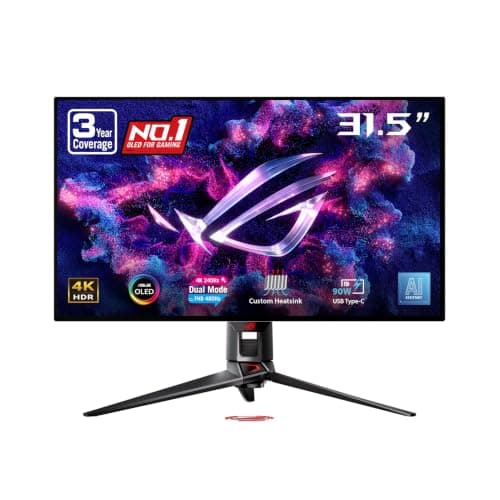
ROG Swift OLED PG32UCDP
- •You want 32 inches without the usual fringing trade. RTINGS calls its text clarity fantastic
- •and uniform-brightness mode keeps white pages even.
ASUS
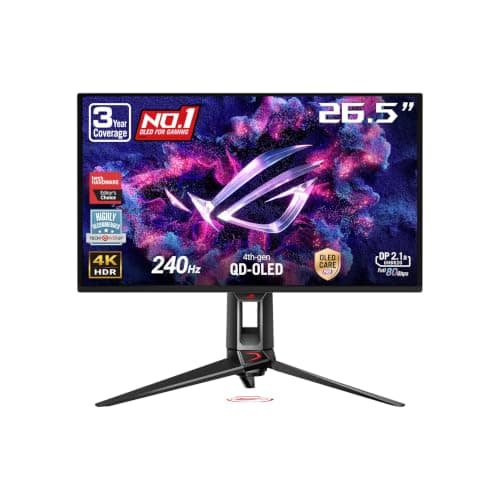
ROG Swift OLED PG27UCDM
- •Coders and writers who read all day. RTINGS found minimal fringing
- •and a single USB-C cable powers and connects a work laptop.
MSI
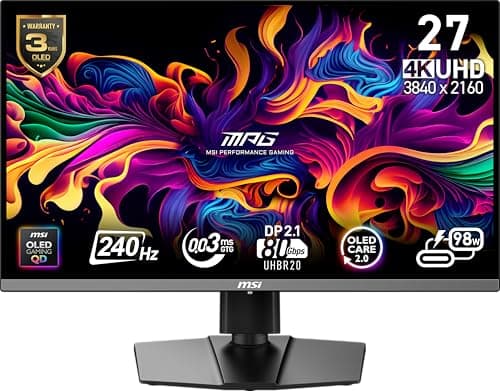
MPG 272URX QD-OLED
- •The same dense 27-inch grid for less
- •with a built-in KVM and laptop-class USB-C for a laptop-plus-desktop desk.
ASUS
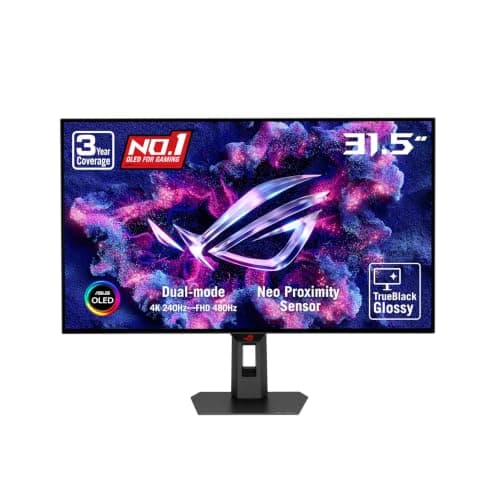
ROG Strix OLED XG32UCWMG
- •When a big glossy canvas matters more than perfect letters
- •and your PC connects over DisplayPort or HDMI rather than USB-C.
ASUS
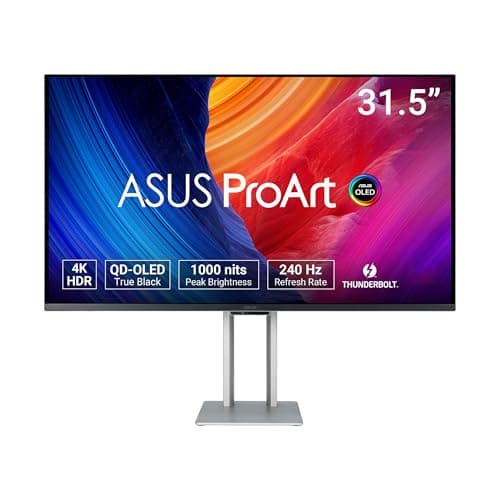
ProArt OLED PA32UCDM
- •Mac users and photo editors: dual Thunderbolt 4
- •hardware calibration and the longest warranty here once registered.
ASUS
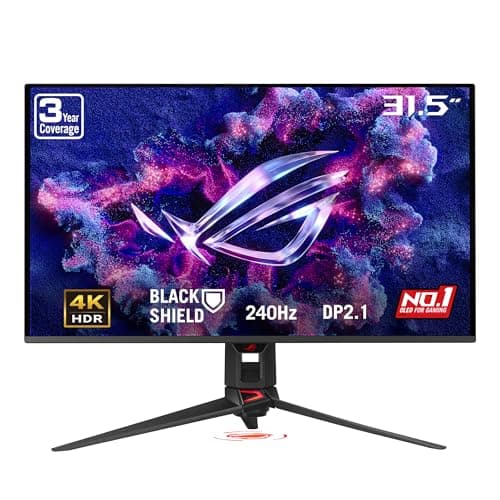
ROG Swift OLED PG32UCDM3
- •Split days between spreadsheets and games. RTINGS names it its best OLED overall
- •though it found fringing around letters.
Samsung
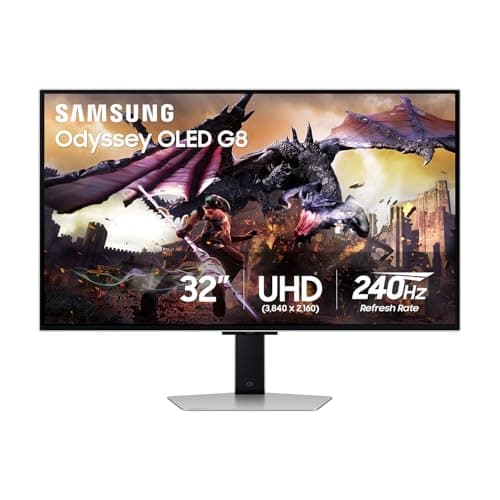
32" Odyssey OLED G8 (G80SD)
- •A desktop PC in a bright room. The matte coating cuts glare and taskbar detection dims static UI
- •but RTINGS found letter fringing and there's no USB-C video.
The Short Answer
The ASUS ROG Swift OLED PG27UCDM delivers the sharpest text available here: its 27-inch 4K panel offers the densest pixel grid, and RTINGS identified minimal fringing. For 32 inches, consider the ASUS ROG Swift OLED PG32UCDP; for value, the MSI MPG 272URX QD-OLED. Static, all-day office layouts generally favor IPS.
Owners on Hacker News and HardForum rarely dispute that OLED looks better; the recurring question is whether they can comfortably read on one for 8 hours. Pixel density usually decides it. TFTCentral's OLED FAQ ranks each density tier: 27-inch 4K is sharpest, 32-inch 4K follows, and 27-inch 1440p displays the most color fringing. One Hacker News owner deliberately chose 27 inches "to get the extra pixel density." A HardForum owner returned to IPS after three months because OLED text looked "just slightly off" compared to the IPS screen at work. Both experiences are legitimate, so this roundup ranks monitors on text clarity, burn-in management and laptop connectivity, drawing on RTINGS, PCMag and TechRadar findings, and treats refresh rate as secondary.
Side by side for text work
Display & Audio Setup
Chart
 DeskGearHQ.com
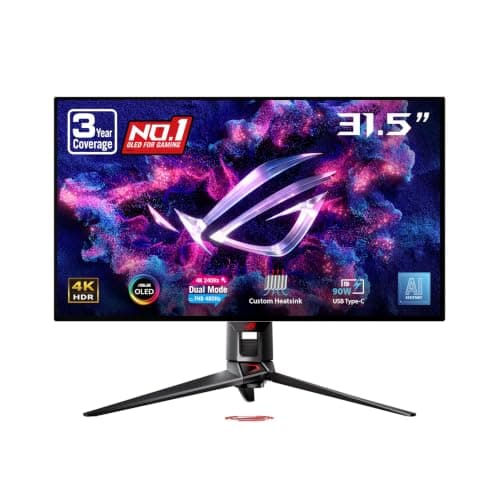
Best 32-inch for text: ASUS ROG Swift OLED PG32UCDP
ASUS ROG Swift OLED PG32UCDP
(Current price, subject to change)
Most 32-inch OLEDs require accepting some letter fringing; this one largely avoids that compromise. RTINGS found fantastic text clarity, and TFTCentral wrote that text looks "sharp and crisp now" because of the updated WOLED subpixel arrangement. TFTCentral also highlights the optional uniform-brightness mode, which matters for office work: a white spreadsheet stays evenly illuminated instead of dimming as more of the screen brightens. ASUS lists 90W USB-C power delivery, which enables a work laptop to charge and display over one cable, and the 3-year ROG warranty includes burn-in coverage. Interpret the 9.3 DeskGear Composite Score carefully, though. Its Expert Consensus factor reflects a single review, Tom's Hardware's 5/5, so its lead over the 27-inch recommendation is thinner in evidence than the number suggests. Compared to a 27-inch 4K panel, you also sacrifice some density in exchange for the additional workspace.
What We Love
- RTINGS calls its text clarity 'fantastic', rare praise for a 32-inch OLED
- Uniform-brightness mode keeps white documents from dimming as windows change
- USB-C power delivery charges and connects a work laptop on one cable
What Could Be Better
- Its top score rests on a single rated review, Tom's Hardware's 5/5
- The 32-inch grid is less dense than the 27-inch picks, so small text is a touch softer
The Verdict
If you've settled on 32 inches and want text that holds up all day, the ASUS ROG Swift OLED PG32UCDP fits the brief. RTINGS and TFTCentral both rate its text highly. The trade-off: its lead rests on one rated review, not a cross-outlet consensus.
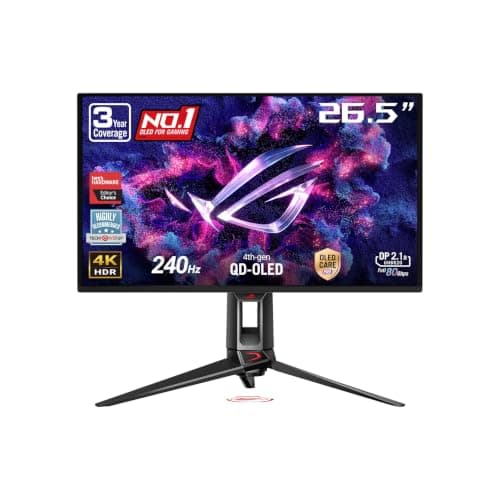
Sharpest text (27-inch): ASUS ROG Swift OLED PG27UCDM
ASUS ROG Swift OLED PG27UCDM
(Current price, subject to change)
This is the monitor forum owners describe when they say density decides everything. The panel fits 4K resolution into 26.5 viewable inches, and RTINGS found fantastic text clarity with minimal fringing, while still noting some fringing around windows. TFTCentral selected it as its 27-inch recommendation, writing that the higher density helps "eliminate any lingering concerns with text clarity for the vast majority of users." Three outlets rated it: PCMag 4.5/5, Tom's Hardware 5/5 and TechRadar 4/5, tied with the ASUS ProArt OLED PA32UCDM for the broadest evaluation base here. For desk workers, practical features matter more than the 240Hz refresh rate. ASUS lists a Neo Proximity Sensor that blanks the screen when you leave, USB-C power delivery for laptops and burn-in coverage within the 3-year warranty. Its 9.1 DeskGear Composite Score reflects perfect Effectiveness. Imagine a two-pane workday, a terminal on the left and pull requests on the right: that is precisely the situation this monitor suits best.
What We Love
- Densest grid here, with what RTINGS calls 'minimal fringing' around letters
- Neo Proximity Sensor blacks out the screen when you step away from the desk
- USB-C power plus a KVM lets a laptop and a desktop share one keyboard
What Could Be Better
- RTINGS still notes some fringing around windows, even with clean letters
- 26.5 inches viewable, slightly smaller than the 27-inch label suggests
The Verdict
If you're a coder or writer who reads small text for most of the day, the ASUS ROG Swift OLED PG27UCDM lines up with what you actually need: the densest grid here and minimal fringing per RTINGS. It suits an IDE on one half and docs on the other.
Best value 27-inch 4K: MSI MPG 272URX QD-OLED
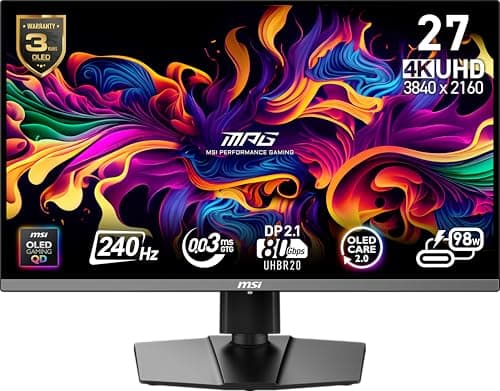
The MSI MPG 272URX QD-OLED delivers the same pixel density as the ASUS ROG Swift OLED PG27UCDM and redirects the savings toward practical desk features. MSI lists USB-C with 98W power delivery and an integrated KVM, so a laptop and a desktop computer can share one keyboard and mouse. RTINGS calls it very good for productivity and says its resolution delivers sharp text. It makes no fringing determination either way, so don't interpret that silence as confirmation of fringe-free performance, although RTINGS does mention a 3-year burn-in warranty. RTINGS is also candid about burn-in, warning it's "a problem if you only use the monitor for work." Tom's Guide awarded 4.5/5 and PCMag 4/5, the lowest Expert Consensus in this roundup, yet its category-leading Value factor lifts the composite into the Must Buy band. MSI's listing also cites 99% DCI-P3 coverage, a genuinely useful extra for evening entertainment. For a laptop-plus-desktop professional who wants dense OLED text without flagship pricing, this is the one.
What We Love
- The same dense 27-inch grid as the pricier ASUS pick, for noticeably less
- High-wattage USB-C plus a KVM for a laptop and a desktop on one desk
- Fanless graphene heatsink, per MSI, so there's no fan noise in a quiet office
What Could Be Better
- No fringing finding either way from RTINGS, so its text is less documented
- 58 Amazon ratings, fewer than the PG32UCDP, PG27UCDM or XG32UCWMG have
The Verdict
If you want 27-inch 4K text and a laptop dock without paying flagship money, the MSI MPG 272URX QD-OLED is a sensible pick for that setup. RTINGS calls it very good for productivity. This is the one if value and a built-in KVM top your list.
Big glossy 32-inch: ASUS ROG Strix OLED XG32UCWMG
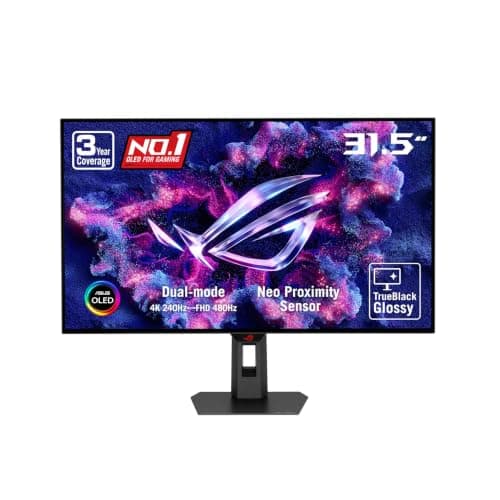
RTINGS summarizes the compromise precisely: text "looks sharp thanks to its high pixel density and glossy screen coating, but there's more fringing around letters than on LCD monitors." That fringing costs a full point on Effectiveness, lowering its DeskGear Composite Score under the weighted formula. RTINGS also found its USB-C power delivery too limited for single-cable laptop charging, so laptop users need a Thunderbolt 4 dock or a separate charger. Owners appreciate it nonetheless: 4.6 stars across 115 Amazon ratings is the strongest owner record here. ASUS lists the Neo Proximity Sensor and burn-in coverage within its 3-year warranty, and Tom's Hardware's 4.5/5 is its only rated review. Consider it an excellent desktop monitor that also handles office work, rather than an office monitor first. If you code in small fonts all day, the clearer text on the ASUS ROG Swift OLED PG32UCDP justifies the additional expense.
What We Love
- Big 32-inch glossy WOLED that RTINGS says keeps text looking sharp
- Strong owner record: 4.6 stars across 115 Amazon ratings
- Neo Proximity Sensor and three-year burn-in coverage, per the ASUS listing
What Could Be Better
- RTINGS found more fringing around letters than on LCD monitors
- USB-C is limited to 15W, so a laptop needs its own charger or a dock
The Verdict
If you're on a desktop PC and want a glossy 32-inch canvas below flagship pricing, the ASUS ROG Strix OLED XG32UCWMG is a sensible pick for that setup. You give up some letter sharpness and one-cable laptop charging to get it.
Mac and color work: ASUS ProArt OLED PA32UCDM
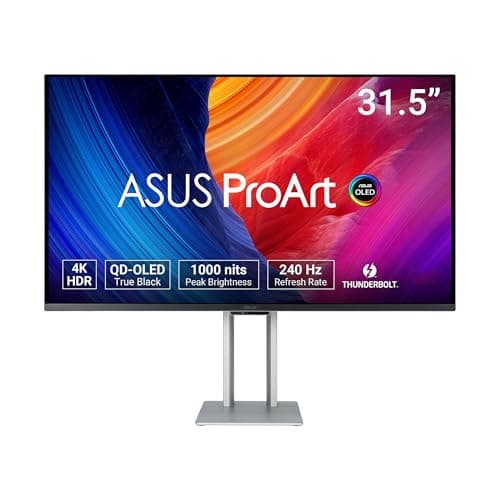
This is the only work-class display on the list; every alternative carries gaming branding. ASUS lists Delta E under 1, ProArt hardware calibration and Calman Ready certification. PCMag confirms dual Thunderbolt 4, with the upstream port supplying up to 96W for a laptop over one cable. PCMag also notes there's no DisplayPort input, so a Windows desktop connects through HDMI or Thunderbolt. The 5-year warranty, combining three standard years with a two-year extension after online registration, directly addresses burn-in anxiety. Tom's Hardware and TechRadar each awarded 4.5/5, while PCMag's more conservative 4/5 pulls the average slightly lower; the remaining weaknesses are evidentiary. RTINGS hasn't reviewed it, so there's no fringing determination either way, Amazon owners average 3.8 stars, and its price produces the lowest Value factor here. If your workday combines documents with color-critical editing on a Mac, this is where we'd point you first.
What We Love
- Dual Thunderbolt 4, and PCMag says the upstream port supplies up to 96W
- Delta E under 1 and ASUS hardware calibration for color-critical work
- Five-year warranty once you register it, the longest in this roundup
What Could Be Better
- No DisplayPort input, per PCMag; a desktop PC needs Thunderbolt or HDMI
- Not tested for fringing, and only 3.8 stars across 31 Amazon ratings
The Verdict
For Mac users and photo or video editors who need calibration and Thunderbolt, the ASUS ProArt OLED PA32UCDM fits without compromise on color. It's the monitor for a MacBook desk that doubles as an editing station.
Work-and-play flagship: ASUS ROG Swift OLED PG32UCDM3
ASUS ROG Swift OLED PG32UCDM3
(Current price, subject to change)
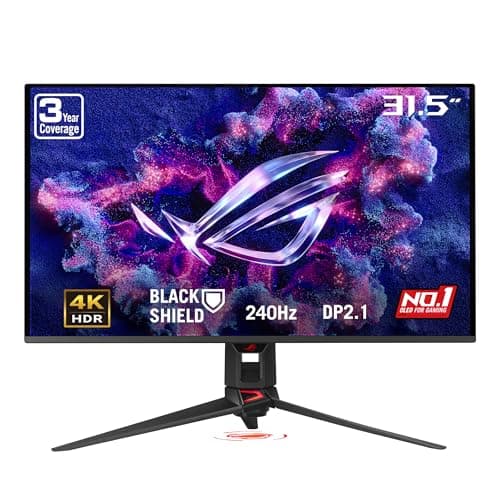
RTINGS names the Gen 3 model its best OLED monitor overall, and as an all-purpose display it deserves that recognition. It combines a 32-inch 4th-gen QD-OLED panel with a 240Hz refresh rate, and RTINGS confirms USB-C with DisplayPort Alt Mode and laptop-class power delivery. ASUS lists BlackShield film, the Neo Proximity Sensor, 99.5% DCI-P3 coverage and 3-year burn-in coverage. For office work, RTINGS adds an important caveat: "despite its high resolution, it has fringing around letters due to its subpixel layout." That deduction costs a full point on Effectiveness, which holds its DeskGear Composite Score level with the ProArt and below the three text-first recommendations. Tom's Hardware's 4.5/5 remains its only rated review, so its Expert Consensus currently depends entirely on one publication's assessment. Verify the model designation carefully: this is the Gen 3 model, not the original ROG Swift PG32UCDM. It's the appropriate monitor for a desk functioning as a combined professional workstation and entertainment system.
What We Love
- RTINGS names it its best OLED monitor overall for 2026
- USB-C with DisplayPort Alt Mode and 90W, per RTINGS, for laptop docking
- BlackShield film and a Neo Proximity Sensor, per the ASUS listing
What Could Be Better
- RTINGS found fringing around letters due to its subpixel layout
- One rated review so far (Tom's Hardware, 4.5/5) and 31 Amazon ratings
The Verdict
If your evenings belong to games and your days to spreadsheets, the ASUS ROG Swift OLED PG32UCDM3 is a sensible pick for that setup. This is the one if you play as much as you work; text-first buyers are better served by the ASUS ROG Swift OLED PG32UCDP.
Matte screen, desktop PC: Samsung 32" Odyssey OLED G8 (G80SD)
Samsung 32" Odyssey OLED G8 (G80SD)
(Current price, subject to change)
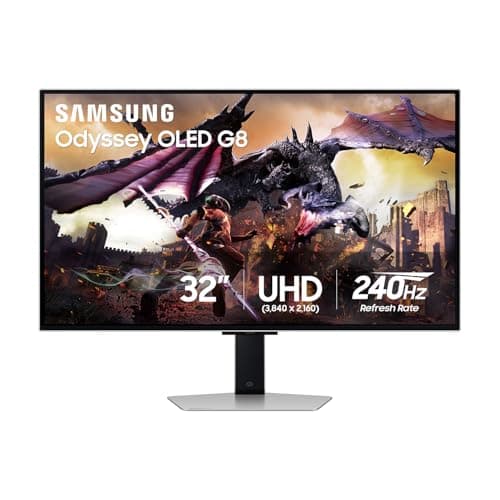
Samsung designed this monitor for the bright rooms where most OLEDs struggle. Its matte Glare Free coating reduces reflections. Samsung's listing describes logo and taskbar detection that automatically lowers brightness on static elements, plus a pulsating heat pipe intended to limit burn-in. RTINGS calls it great for office use with limitations, warning about permanent burn-in risk "if you're only using it for office work." RTINGS reports sharp text at this resolution, but it also lists fringing around letters as a drawback for office and editing work. That finding costs a full point on Effectiveness and places it last in this ranking. Samsung additionally lists a 3-year warranty and 0.03ms response time, but connectivity represents the significant limitation. PCMag lists two HDMI 2.1 ports, one DisplayPort, two USB-A ports and a USB-B upstream port, but no USB-C connection. TechRadar's specification box lists USB-C, but PCMag matches Amazon's listing, so we follow PCMag. Relative to the ASUS ROG Swift OLED PG32UCDP, you exchange single-cable laptop connectivity for a matte screen and automatic taskbar dimming.
What We Love
- Matte Glare Free coating handles a bright office better than glossy panels
- Logo and taskbar detection dims static UI, per Samsung's listing
- TechRadar gave it 5/5, and RTINGS calls it great for office use
What Could Be Better
- No USB-C video per PCMag, so a laptop needs HDMI, DisplayPort or a dock
- RTINGS lists fringing around letters as a drawback for office work
- Samsung lists a three-year warranty but doesn't spell out burn-in coverage
The Verdict
If you work on a desktop PC in a sunny room and keep a taskbar on screen all day, the Samsung 32" Odyssey OLED G8 (G80SD) checks the boxes that matter for that setup. Laptop users will find the ASUS ROG Swift OLED PG32UCDP easier, since it charges over USB-C.
How We Score: DeskGear Score
DeskGear Score
Score Formula
DeskGear Score = (Expert Consensus × 0.30) + (Effectiveness × 0.25) + (Build Safety × 0.20) + (Durability × 0.15) + (Value × 0.10)Score Factors
- Expert Consensus (30%)The mean of every rated trade review of the exact model, scaled to 10: PCMag, Tom's Hardware, Tom's Guide and TechRadar. RTINGS and TFTCentral publish no public number, so they feed Effectiveness instead. Three picks rest on one review.
- Effectiveness (25%)Starts at 10 for sharp all-day text plus one-cable laptop hookup. Deductions: 0.5 for 32-inch 4K density, 1.0 for reviewer-found fringing around letters, 0.5 for USB-C under 65W and 1.0 for no USB-C video.
- Build Safety (20%)Provisional 9.0 for every pick. A CPSC recall search on 2026-10-03 found no ASUS, MSI or Samsung monitor recalls, but UL/ETL certification is not yet verified.
- Durability (15%)Twice the Amazon owner star rating on the check date, so a 4.5-star monitor scores 9.0.
- Value (10%)Linear across the scored field's Amazon prices on the check date: the lowest-priced pick scores 9.0 and the highest 6.0. Prices move, so we don't print them.
DeskGear Score — Ranked
ASUS ROG Swift OLED PG32UCDP
9.3/10Perfect Expert Consensus from one Tom's Hardware 5/5 and fantastic text per RTINGS; loses half a point for 32-inch density.
ASUS ROG Swift OLED PG27UCDM
9.1/10Full marks on Effectiveness for the densest grid, minimal fringing and USB-C power; three outlets average 9.0.
MSI MPG 272URX QD-OLED
9.0/10The same perfect Effectiveness and the best Value score; a 4.5/5 and a 4/5 put Expert Consensus at 8.5, the lowest here.
ASUS ROG Strix OLED XG32UCWMG
8.7/10Tom's Hardware's 4.5/5 and the best owner rating here, but letter fringing and weak USB-C cut Effectiveness to 8.0.
ASUS ProArt OLED PA32UCDM
8.5/10Thunderbolt and calibration keep Effectiveness at 9.5; the highest price and a 3.8-star owner rating pull it down.
ASUS ROG Swift OLED PG32UCDM3
8.5/10Tom's Hardware's 4.5/5 is its only rated review, and letter fringing per RTINGS cuts Effectiveness to 8.5.
Samsung 32" Odyssey OLED G8 (G80SD)
8.4/10Reviews average 9.0, but letter fringing per RTINGS and no USB-C video cut Effectiveness to 7.5, last for text work.
Why OLED text fringes and how 4K helps
Fringing originates in subpixel geometry rather than resolution. QD-OLED panels arrange subpixels in a triangular pattern, and WOLED panels add a white subpixel, so neither replicates the conventional RGB stripe of an LCD. Higher density conceals most of the resulting color edges. TFTCentral reports that text on 27-inch 4K panels already looks excellent despite the triangular layout, which explains why every recommendation here is 4K and no 1440p OLED qualified. In September 2026, a HardForum owner described text on an inexpensive 27-inch OLED as "abysmal." The 27-inch versus 32-inch decision is really about workspace. A Hacker News owner running a 32-inch 4K screen at 100% scaling in Windows says smaller scaling would make some interfaces too small. RGB-stripe OLEDs represent the eventual solution. TFTCentral has covered the Lenovo ThinkVision P27UL-40, MSI PRO MAX and Alienware AW3226Q, but none is currently available on Amazon, so buying on density remains the practical decision.
In August 2026, RTINGS reported that newer OLEDs didn't burn in consistently less than a 2017 OLED at maximum brightness. Its recommendation for static-heavy desktop use is reduced brightness, and experienced owners already operate that way. One HardForum owner cautioned that running above 200 nits is "inviting burn-in." Sensible habits include automatically hiding the taskbar, choosing a dark editor theme and enabling display sleep during breaks. No OLED in this roundup is immune, so consider those routines part of the purchase rather than an optional afterthought.
Panel-care features and warranty terms determine how much residual risk you personally absorb. ASUS lists a Neo Proximity Sensor on three picks: the ASUS ROG Swift OLED PG27UCDM, ASUS ROG Strix OLED XG32UCWMG and ASUS ROG Swift OLED PG32UCDM3. It switches the screen to black whenever you leave the desk. Samsung's listing for the Samsung 32" Odyssey OLED G8 (G80SD) describes logo and taskbar detection that automatically dims static elements. ASUS ROG models list a 3-year warranty including burn-in coverage, while the ProArt lists a 5-year warranty after online registration. Samsung's listing states a 3-year warranty without specifying burn-in, so review Samsung's terms before purchasing. As one productivity-focused Hacker News owner explained, "it definitely needs to last more than 3 years."
For laptop-centric desks, connectivity matters almost as much as panel quality. The ASUS ROG Swift OLED PG32UCDP, ASUS ROG Swift OLED PG27UCDM and ASUS ROG Swift OLED PG32UCDM3 list USB-C with laptop-class power delivery. The MSI MPG 272URX QD-OLED lists 98W. One connection simultaneously charges the laptop and delivers video. The ASUS ProArt OLED PA32UCDM provides dual Thunderbolt 4 instead, although PCMag notes it lacks a DisplayPort input. An integrated KVM, available on the MSI and the 27-inch ASUS, enables one keyboard and mouse to follow you between a work laptop and a personal desktop.
Two recommendations cannot manage the single-cable arrangement. RTINGS reports that the USB-C port on the ASUS ROG Strix OLED XG32UCWMG is limited to 15W of power delivery. That is insufficient for charging a typical work laptop. The Samsung 32" Odyssey OLED G8 (G80SD) offers no USB-C video whatsoever, according to PCMag's port inventory. Amazon's listing agrees, while TechRadar's specification box disagrees, so we followed PCMag. Both monitors operate perfectly well with a desktop computer over DisplayPort or HDMI. Laptop owners who prefer either one can add a USB-C or Thunderbolt dock, accepting one additional device on the desk.
Also considered, not scored
The MSI MPG 322URX earns what RTINGS calls "excellent text clarity," but no rated review of that exact model was available, so it remains unscored. RTINGS considers the Samsung Odyssey OLED G7 (G73SH) 32-inch great for office use, although it notes the monitor lacks USB ports. According to TFTCentral's launch coverage, the ASUS ROG Strix OLED XG27UCDMG shares much of the ASUS ROG Swift OLED PG27UCDM's feature set at a lower price. It remains untested, and it is distinct from the 1440p XG27AQDMG. RTINGS and PCMag both reviewed the Dell 32 Plus 4K QD-OLED S3225QC, but we couldn't verify a new, Amazon-sold listing, so it isn't linked.
When NOT to Buy
If your display shows identical toolbars, taskbars and sidebars for 8 hours daily, OLED is the more demanding choice. A HardForum owner summarized the alternative directly in September 2026: "If you're doing everyday work, I would get an IPS mini-LED over OLED." Many experienced owners compromise instead, pairing an OLED primary display with an LCD secondary screen, and one Hacker News owner has considered a dedicated "coding only" monitor. Another HardForum owner stayed with IPS because they spend "8-10 hours looking at text." Whatever you decide, purchase from a retailer with uncomplicated returns. A third HardForum owner recommended ensuring "returns are relatively simple in case it doesn't work out."
Who Should Buy What
Who Should Buy What
| If you are… | Recommended pick |
|---|---|
Coders with one laptop You read code all day, dock one laptop over USB-C, and want the sharpest OLED text available. | ASUS ROG Swift OLED PG27UCDM |
Writers who want 32-inch You keep two documents side by side and want a 32-inch canvas whose text RTINGS rates highly. | ASUS ROG Swift OLED PG32UCDP |
Value-first 27-inch buyers You want 27-inch 4K density and a KVM for a laptop-plus-desktop desk without flagship pricing. | MSI MPG 272URX QD-OLED |
Mac and color-work users You run a Mac or Thunderbolt laptop and need calibration and the longest warranty here. | ASUS ProArt OLED PA32UCDM |
Frequently Asked Questions
Are OLED monitors good for office work and coding?
Yes, at 4K and with sensible habits. RTINGS rates the ASUS ROG Swift OLED PG27UCDM great for work and the MSI MPG 272URX QD-OLED very good for productivity, but it flags burn-in risk with static content on both. They suit mixed days best: documents and code, plus video or games after hours.
Will an OLED monitor get burn-in from a taskbar or IDE?
It can. RTINGS's August 2026 longevity test found newer OLEDs didn't show consistently less burn-in than a 2017 OLED at maximum brightness. Auto-hide the taskbar, keep brightness moderate, and pick a model whose warranty covers burn-in, as the three-year ASUS ROG terms do.
Is OLED text blurry or fringed compared with IPS?
Fringing is real but model-specific. RTINGS found fringing around letters on the ASUS ROG Swift OLED PG32UCDM3, the ASUS ROG Strix OLED XG32UCWMG and the Samsung 32" Odyssey OLED G8 (G80SD), and minimal fringing on the ASUS ROG Swift OLED PG27UCDM. People who switch daily between IPS and OLED notice it most; one HardForum owner switched back to IPS after three months.
27-inch or 32-inch 4K OLED for text work?
Pick 27-inch if text sharpness comes first, and 32-inch if you want more room at 100% scaling. One Hacker News owner runs a 32-inch 4K at 100% in Windows and finds smaller scaling makes some interfaces too small. Another called 32-inch 4K density horrendous for anything beyond media and gaming.
Why not a 1440p OLED for work?
TFTCentral's OLED FAQ notes that 27-inch 1440p panels show more fringing than 32-inch 4K, and 27-inch 4K is better still. For eight-hour text days, treat 4K as the floor.
OLED vs IPS (or mini-LED) for an all-day work monitor: which should I buy?
Buy IPS or mini-LED if your work is a static layout all day and you rarely game or watch video. Buy OLED if you want deep contrast for mixed use and accept the burn-in habits. A hybrid also works: OLED as the main screen, with an LCD on the side for fixed panels like chat and email.
Can I charge my laptop over one USB-C cable with these OLED monitors?
With five of the seven picks, yes. The ASUS ROG Swift OLED PG32UCDP, ASUS ROG Swift OLED PG27UCDM, ASUS ROG Swift OLED PG32UCDM3 and MSI MPG 272URX QD-OLED list 90W or more, and the ASUS ProArt OLED PA32UCDM uses Thunderbolt 4. The Samsung 32" Odyssey OLED G8 (G80SD) has no USB-C video, and the ASUS ROG Strix OLED XG32UCWMG port is too weak to charge.
Should I wait for RGB-stripe OLED monitors?
Only if you have no deadline. TFTCentral has covered RGB-stripe OLEDs such as the Lenovo ThinkVision P27UL-40 and the Alienware AW3226Q, but neither is on Amazon yet. A HardForum owner noted the new panels should fix text but still carry the other OLED brightness and burn-in issues.
Bottom Line
Get the ASUS ROG Swift OLED PG27UCDM if Get it if you read code or documents all day and want the sharpest OLED text with one-cable laptop charging..
Get the ASUS ROG Swift OLED PG32UCDP if Get it if you want a 32-inch screen whose text RTINGS and TFTCentral both rate highly..
Get the MSI MPG 272URX QD-OLED if Get it if you want 27-inch 4K density and a KVM for a laptop-plus-desktop desk at a lower price..
Get the ASUS ProArt OLED PA32UCDM if Get it if you work on a Mac and need Thunderbolt, calibration and a five-year warranty..
Your screen shows the same fixed layout for eight hours a day and you rarely game or watch video; an IPS or mini-LED monitor will serve you better.
Sources & Methodology
Methodology: DeskGear Score — Formula: DeskGear Score = (Expert Consensus × 0.30) + (Effectiveness × 0.25) + (Build Safety × 0.20) + (Durability × 0.15) + (Value × 0.10). Factors: Expert Consensus (30%): The mean of every rated trade review of the exact model, scaled to 10: PCMag, Tom's Hardware, Tom's Guide and TechRadar. RTINGS and TFTCentral publish no public number, so they feed Effectiveness instead. Three picks rest on one review. | Effectiveness (25%): Starts at 10 for sharp all-day text plus one-cable laptop hookup. Deductions: 0.5 for 32-inch 4K density, 1.0 for reviewer-found fringing around letters, 0.5 for USB-C under 65W and 1.0 for no USB-C video. | Build Safety (20%): Provisional 9.0 for every pick. A CPSC recall search on 2026-10-03 found no ASUS, MSI or Samsung monitor recalls, but UL/ETL certification is not yet verified. | Durability (15%): Twice the Amazon owner star rating on the check date, so a 4.5-star monitor scores 9.0. | Value (10%): Linear across the scored field's Amazon prices on the check date: the lowest-priced pick scores 9.0 and the highest 6.0. Prices move, so we don't print them.
Expert review sources used in this analysis:
- This guide aggregates published reviews and findings from RTINGS, TFTCentral, PCMag, Tom's Hardware, Tom's Guide and TechRadar, plus the ASUS, MSI and Samsung listings on Amazon
- Owner quotes come from public Hacker News and HardForum threads and are community signal only, never a spec source
- DeskGearHQ did not test these monitors
- Every DeskGear Composite Score calculation follows the published formula at /methodology, with prices and ratings checked on 2026-10-03.
Nicholas Miles is the founder of DeskGearHQ and a longtime smart home enthusiast focused on helping everyday homeowners make better technology decisions. He researches, compares, and writes about products across security, climate, lighting, leak prevention, sensors, home energy, and automation, with an emphasis on real-world usefulness, ecosystem compatibility, reliability, privacy, and long-term value.
Affiliate disclosure: DeskGearHQ earns affiliate commissions on qualifying Amazon purchases. Our scoring methodology is independent of affiliate relationships.



