Networking
Best Mesh WiFi Systems for Home Offices (2026)
A WiFi 7 mesh system is only worth it if your home office needs it. We synthesized 6 expert sources to rank six kits by measured throughput, wired backhaul, and honest price-to-performance — TP-Link Deco BE85 on top, the eero Max 7 last, and a clear-eyed take on who should skip WiFi 7 entirely.
By Nick Miles · Updated July 3, 2026 · 15 min read
6 expert sources synthesizedLast verified July 3, 2026
DeskGearHQ is reader-supported. We may earn a commission from qualifying Amazon purchases at no extra cost to you.
Evidence at a Glance
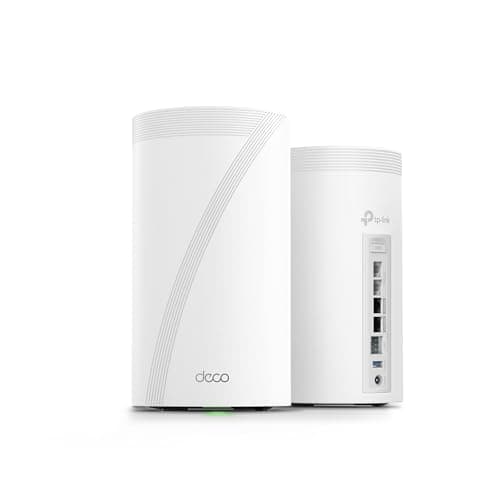
TP-Link Deco BE85 (Deco 7 Elite) 2-Pack
Tri-band WiFi 7 BE22000 with two 10G ports per node and measured 6.5–9.5 Gbps sustained wired throughput — the best bang-per-buck for wired-backhaul multi-floor home offices.
Sources: Dong Knows Tech, The InspectaSpect, TP-Link spec sheet
Verified Jul 3, 2026
TP-Link Deco BE63 (Deco 7 Pro) 3-Pack
Tri-band WiFi 7 BE10000 with four 2.5G ports per node and a measured 1.821 Gbps at 15 feet — the value WiFi 7 mesh for 1–2.5 Gbps homes.
Sources: Tom's Hardware, Tom's Guide, PCMag
Verified Jul 3, 2026
ASUS ZenWiFi BQ16 Pro 2-Pack
The only quad-band kit here — dual 6 GHz radios enable a true dedicated wireless backhaul, with two 10G ports per node and subscription-free security.
Sources: Dong Knows Tech, Tom's Hardware, SNBForums
Verified Jul 3, 2026
Our Picks
TP-Link
TP-Link Deco BE85 (Deco 7 Elite) 2-Pack
9.2 / 10
- WiFi 7 (802.11be), tri-band 2.4 / 5 / 6 GHz, BE22000 rating (12-stream)
- Two 10G ports per unit (1x RJ45 + 1x RJ45/SFP+ combo) plus two 2.5G ports and USB 3.0
- Combined wired + wireless backhaul per TP-Link's spec sheet
- 8 high-gain antennas per node
$999.99 (2-pack)
TP-Link
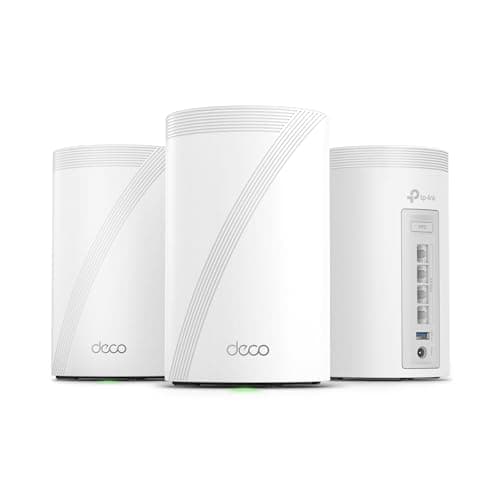
TP-Link Deco BE63 (Deco 7 Pro) 3-Pack
8.7 / 10
- WiFi 7 (802.11be), tri-band 2.4 / 5 / 6 GHz, BE10000 rating (6-stream)
- Four 2.5G WAN/LAN ports per unit plus USB 3.0 — no 10G port
- Wired 2.5G or wireless backhaul
- Coverage up to 7,600 sq ft with the 3-pack (manufacturer claim)
$449.99 (3-pack)
ASUS
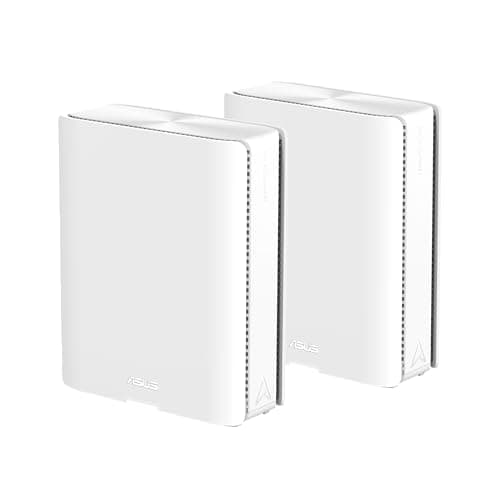
ASUS ZenWiFi BQ16 Pro 2-Pack
8.9 / 10
- WiFi 7 (802.11be), BE30000 rating, quad-band with two separate 6 GHz radios (11,529 Mbps each)
- The only quad-band kit here — the second 6 GHz radio enables a true dedicated wireless backhaul
- Two 10G ports per unit (1x 10G WAN/LAN + 1x 10G LAN), 12 internal antennas
- Coverage up to 8,000 sq ft with the 2-pack (manufacturer claim)
$1,099.99 (2-pack)
NETGEAR
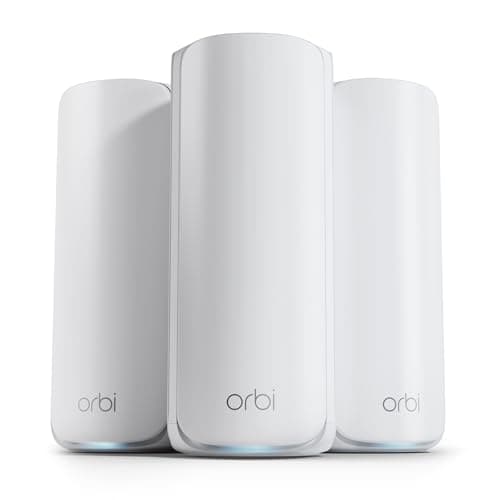
NETGEAR Orbi 870 Series (RBE873) 3-Pack
8.4 / 10
- WiFi 7 (802.11be), tri-band 2.4 / 5 / 6 GHz, BE21000 rating (up to 21 Gbps aggregate, manufacturer rating)
- 3-pack: router + 2 satellites
- One 10 Gig WAN port on the router; four 2.5G LAN per unit — no 10G LAN
- NETGEAR bills wired 2.5G backhaul; no dedicated wireless backhaul band on this series
$1,299.99 (3-pack)
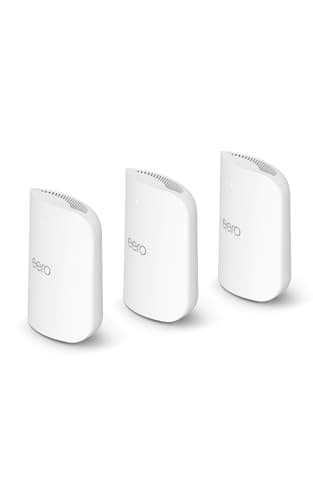
Amazon eero
Amazon eero Pro 7 3-Pack
8.2 / 10
- WiFi 7 (802.11be), tri-band 2.4 / 5 / 6 GHz; eero TrueMesh with MLO, no dedicated backhaul band
- Supports internet plans up to 5 Gbps; wireless up to 3.9 Gbps (manufacturer ratings)
- Two auto-sensing 5 GbE ports per unit — no 10G port
- Coverage up to 6,000 sq ft and 600+ devices with the 3-pack (manufacturer claims)
$699.99 (3-pack)
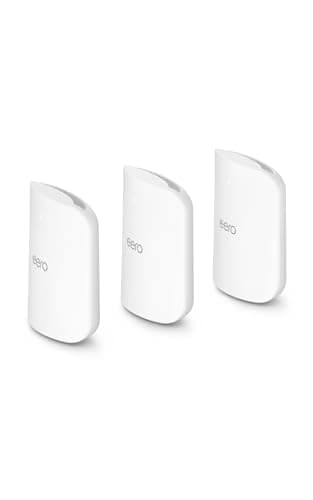
Amazon eero
Amazon eero Max 7 3-Pack
7.6 / 10
- WiFi 7 (802.11be), tri-band 2.4 / 5 / 6 GHz
- Two 10 GbE + two 2.5 GbE ports per unit; wired up to 9.4 Gbps, wireless up to 4.3 Gbps (manufacturer ratings)
- Coverage up to 7,500 sq ft and 750+ devices with the 3-pack (manufacturer claims)
- Same zero-touch eero app and built-in smart-home hub as the Pro 7
$1,699.99 (3-pack)
The Short Answer
For most home offices, the TP-Link Deco BE85 (Deco 7 Elite) 2-pack at $999.99 is the WiFi 7 mesh to buy: Dong Knows Tech measured sustained 6.5–9.5 Gbps on its multi-gig wired links, and each node carries two 10G ports for real wired backhaul. The Deco BE63 (Deco 7 Pro) 3-pack at $449.99 is the value pick for 1–2.5 Gbps homes. The quad-band ASUS ZenWiFi BQ16 Pro 2-pack ($1,099.99) is the performance flagship when nodes must link wirelessly. The NETGEAR Orbi 870 3-pack ($1,299.99) buys the biggest manufacturer coverage claim, and the eero Pro 7 3-pack ($699.99) is the easiest setup. The eero Max 7 3-pack ($1,699.99) lands last — the category's toughest reviewer called it "The Worst Wi-Fi 7 Mesh System" on price-to-performance, so buy it only if you're committed to the eero/Alexa ecosystem and need 10G.
Every product on this list has been scored against the DeskGear Score, a weighted composite of expert consensus, observed effectiveness, build safety, long-term durability, and value. Review method: Editorial synthesis of trade-publication reviews (Dong Knows Tech, Tom's Hardware, Tom's Guide, PCMag), measured throughput data where reviewers published iPerf3 or sustained wired numbers, and owner sentiment from r/HomeNetworking and SNBForums. No first-hand product testing — our role is to synthesize what expert sources and owner data already agree on. Coverage square-footage figures are manufacturer claims, labeled as such throughout. All prices are official MSRP per the exact pack size sold at each ASIN, captured apart from the July-4 deal window; verify the current price on Amazon before buying.. Synthesized from 6+ expert sources.
Head-to-Head Comparison
| Feature | TP-Link Deco BE85 (Deco 7 Elite) 2-Pack | TP-Link Deco BE63 (Deco 7 Pro) 3-Pack | ASUS ZenWiFi BQ16 Pro 2-Pack | NETGEAR Orbi 870 Series (RBE873) 3-Pack | Amazon eero Pro 7 3-Pack | Amazon eero Max 7 3-Pack |
|---|---|---|---|---|---|---|
| Band configuration | Tri-band | Tri-band | Quad-band (2x 6 GHz) | Tri-band | Tri-band | Tri-band |
| WiFi rating | BE22000 | BE10000 | BE30000 | BE21000 | Not published (up to 3.9 Gbps) | Not published (up to 4.3 Gbps) |
| Fastest wired port per node | 10G (2x) | 2.5G | 10G (2x) | 2.5G LAN (10G is WAN only) | 5G | 10G (2x) |
| Coverage claim per pack | None published | 7,600 sq ft (mfr) | 8,000 sq ft (mfr) | 9,000 sq ft (mfr) | 6,000 sq ft (mfr) | 7,500 sq ft (mfr) |
| MSRP (pack size) | $999.99 (2-pack) | $449.99 (3-pack) | $1,099.99 (2-pack) | $1,299.99 (3-pack) | $699.99 (3-pack) | $1,699.99 (3-pack) |
| Best for | Wired-backhaul multi-floor offices | 1–2.5 Gbps value homes | Wireless-backhaul performance | Big-home Orbi coverage | Easiest setup + Alexa hub | Committed eero/Alexa + 10G |
| Watch-out | 2-pack only, no coverage figure | No 10G port | Wait for a price drop | No 10G LAN, feature regression | Minimal configuration | "Worst Wi-Fi 7" on price-to-performance |
| Check Price | Amazon | Amazon | Amazon | Amazon | Amazon | Amazon |
TP-Link TP-Link Deco BE85 (Deco 7 Elite) 2-Pack
$999.99 (2-pack)
- WiFi 7 (802.11be), tri-band 2.4 / 5 / 6 GHz, BE22000 rating (12-stream)
- Two 10G ports per unit (1x RJ45 + 1x RJ45/SFP+ combo) plus two 2.5G ports and USB 3.0
- Combined wired + wireless backhaul per TP-Link's spec sheet
- 8 high-gain antennas per node
- TP-Link publishes no coverage sq-ft figure for this 2-pack — set expectations by node count
The TP-Link Deco BE85 is the WiFi 7 mesh we'd point most home offices to first, and the reason is measured performance rather than a spec sheet. Dong Knows Tech — the throughput authority we lean on hardest for this category — recorded sustained 6.5–9.5 Gbps across the BE85's multi-gig wired links and rated the kit "An Excellent Wi-Fi 7 Experience." For a home office, that wired headroom is the point: it means a node in your office wired back to the router will not be the bottleneck between you and a multi-gig internet plan or a NAS.
The port layout is what separates it from the pricier picks here. Each unit gives you two 10G ports (one of them an RJ45/SFP+ combo) plus two 2.5G ports, so you can run a genuine 10G wired backhaul and still hang wired devices off every node. Comparison roundups credit the BE85 with more high-speed ports per node than the eero Max 7 while costing far less. The honest trade-offs: this ASIN is a 2-pack, so a very large multi-floor home may want a third node, and TP-Link does not publish a coverage figure for the kit — plan by rooms and node placement, not a headline square-footage number. HomeShield's advanced security features also push a subscription for full functionality.
What We Love
- Measured 6.5–9.5 Gbps sustained on multi-gig wired links (Dong Knows Tech)
- Two 10G ports per node for real wired backhaul plus wired clients
- More high-speed ports per node than the eero Max 7 at a lower price
- Tri-band BE22000 with 12 streams gives strong headroom for many clients
- Costs roughly $700 less than the eero Max 7 3-pack
What Could Be Better
- 2-pack only at this ASIN — a very large multi-floor home may need a third node
- TP-Link publishes no coverage sq-ft claim, so you size it by node count
- HomeShield's full security feature set is subscription-gated
- The SFP+ combo port is overkill without fiber or multi-gig LAN gear
The Verdict
The default WiFi 7 mesh recommendation for a home office. Buy this if you want the best measured wired throughput and port count per dollar, and you can run — or already have — Ethernet backhaul between floors.
TP-Link TP-Link Deco BE63 (Deco 7 Pro) 3-Pack
$449.99 (3-pack)
- WiFi 7 (802.11be), tri-band 2.4 / 5 / 6 GHz, BE10000 rating (6-stream)
- Four 2.5G WAN/LAN ports per unit plus USB 3.0 — no 10G port
- Wired 2.5G or wireless backhaul
- Coverage up to 7,600 sq ft with the 3-pack (manufacturer claim)
- Rated for 200+ devices (manufacturer claim)
The Deco BE63 is the value WiFi 7 mesh for the far more common home office: one with a 1 Gbps or 2.5 Gbps internet plan and no multi-gig LAN. Tom's Hardware measured 1.821 Gbps of wireless throughput at 15 feet in iPerf3 testing and called it an affordable tri-band WiFi 7 kit — that is more than enough to saturate a gigabit plan and leave room for video calls, backups, and a partner's traffic at the same time. Tom's Guide and PCMag both position the BE63 line as a top value WiFi 7 mesh for 1–2.5 Gbps homes.
What you give up versus the BE85 is headroom, not everyday capability. There is no 10G port anywhere — the four 2.5G ports per unit are the ceiling — so this is not the pick if you have or plan a multi-gig LAN or internet faster than 2.5 Gbps. The 6-stream BE10000 rating also means less simultaneous headroom than the BE85 when a dozen heavy clients hit at once. The 7,600 sq ft coverage number is a manufacturer claim, not an independent measurement, and HomeShield's full feature set is subscription-gated just like the BE85. For most home offices that will never see a 10G device, none of that is a real loss.
What We Love
- Measured 1.821 Gbps wireless at 15 feet in Tom's Hardware iPerf3 testing
- 3-pack at $449.99 undercuts every other kit here on price per node
- Four 2.5G ports per unit cover 1–2.5 Gbps internet cleanly
- Value-tier recognition from Tom's Guide and PCMag
- Same TP-Link app and mesh stack as the BE85, one tier down
What Could Be Better
- No 10G ports — wrong pick for a multi-gig LAN or >2.5 Gbps internet
- 6-stream BE10000 has less headroom for many heavy clients than the BE85
- The 7,600 sq ft coverage figure is a manufacturer claim, not a measurement
- HomeShield's full security feature set is subscription-gated
The Verdict
The value pick, and the right call for most home offices. Get it if your internet is 2.5 Gbps or slower and you don't run multi-gig wired gear — step up to the BE85 only if you need 10G.
ASUS ASUS ZenWiFi BQ16 Pro 2-Pack
$1,099.99 (2-pack)
- WiFi 7 (802.11be), BE30000 rating, quad-band with two separate 6 GHz radios (11,529 Mbps each)
- The only quad-band kit here — the second 6 GHz radio enables a true dedicated wireless backhaul
- Two 10G ports per unit (1x 10G WAN/LAN + 1x 10G LAN), 12 internal antennas
- Coverage up to 8,000 sq ft with the 2-pack (manufacturer claim)
- AiMesh, multi-SSID, VPN, and parental controls with subscription-free security
The ASUS ZenWiFi BQ16 Pro is the performance flagship of this roster, and the reason is its second 6 GHz radio. It is the only quad-band system here, which lets it dedicate an entire 6 GHz band to wireless backhaul between nodes instead of sharing airtime with your clients. Dong Knows Tech called it "the first mesh hardware to show the awesome power of Wi-Fi 7 to its fullest" and rated it "Solid Wi-Fi 7 Mesh Power"; Tom's Hardware labeled it the "Quad-Band Wi-Fi 7 Performance Champion," crediting the dual 6 GHz radios and dual 10G ports. ASUS also bundles genuinely deep networking features — AiMesh, VPN, multi-SSID — without a security subscription, which the eero and Netgear picks can't say.
The honest catch comes from the same reviewer who praised it: Dong Knows Tech's explicit recommendation was to wait for a price drop, because at full list the BQ16 Pro is a hard sell against the cheaper BE85. The quad-band advantage only materializes when your nodes must link wirelessly — if you run Ethernet backhaul in a home office, that second 6 GHz radio sits idle and you've paid for a benefit you can't use. The nodes are large and heavy, ASUS's firmware has a steeper learning curve than the eero or Deco apps, and this ASIN is a 2-pack.
What We Love
- Only quad-band kit here — dedicated 6 GHz wireless backhaul
- Named "Quad-Band Wi-Fi 7 Performance Champion" by Tom's Hardware
- Two 10G ports per node plus subscription-free security features
- Deep configurability (AiMesh, VPN, multi-SSID) for power users
- Covers the quad-band use case for roughly half the price of an Orbi 970
What Could Be Better
- Dong Knows Tech advised waiting for a price drop — a hard sell at full list
- The second 6 GHz radio is wasted on a wired-backhaul home office
- Steeper firmware learning curve than eero or Deco
- 2-pack only at this ASIN; large, heavy nodes
The Verdict
The pick when your nodes must link wirelessly and you want the most WiFi 7 performance available. If you can run Ethernet backhaul, the BE85 gets you most of the real-world speed for less.
NETGEAR NETGEAR Orbi 870 Series (RBE873) 3-Pack
$1,299.99 (3-pack)
- WiFi 7 (802.11be), tri-band 2.4 / 5 / 6 GHz, BE21000 rating (up to 21 Gbps aggregate, manufacturer rating)
- 3-pack: router + 2 satellites
- One 10 Gig WAN port on the router; four 2.5G LAN per unit — no 10G LAN
- NETGEAR bills wired 2.5G backhaul; no dedicated wireless backhaul band on this series
- Coverage up to 9,000 sq ft and 150 devices (manufacturer claims)
The Orbi 870 is here for one job: covering a big house. Its 9,000 sq ft manufacturer coverage claim is the largest in this guide, and Tom's Guide praised its long-range coverage across that footprint. Dong Knows Tech rated the RBE873 "Almost Excellent," calling it a good buy for Netgear fans with 2.5 Gbps needs at $1,299.99 for the 3-pack. If you're already in the Orbi ecosystem and your priority is blanketing a large multi-story home, this is the coverage story.
The caveats are real and worth stating plainly. There is no 10G LAN anywhere — the single 10 Gig port is WAN-side, so a multi-gig office LAN caps at 2.5G no matter how fast your internet is. Unlike prior Orbi flagships, this series drops the dedicated wireless backhaul band, and Tom's Hardware was blunt about it: "solid performance can't mask high price and feature regression." Netgear Armor security is subscription- gated. One more thing to watch: the Buy-Box currently sits at the full $1,299.99 MSRP even though Best Buy has sold this kit for $999.99, so shop the price before you commit — this is not a discount right now.
What We Love
- Largest coverage claim in the guide at 9,000 sq ft (manufacturer figure)
- Long-range coverage praised by Tom's Guide
- Rated "Almost Excellent" by Dong Knows Tech for 2.5 Gbps Orbi households
- 3-pack (router + 2 satellites) suits large multi-story homes out of the box
- Familiar Orbi app and ecosystem for existing Netgear owners
What Could Be Better
- No 10G LAN anywhere — multi-gig office LAN caps at 2.5G
- No dedicated wireless backhaul band; Tom's Hardware flagged feature regression
- Netgear Armor security is subscription-gated
- Sits at full $1,299.99 MSRP now while Best Buy has run it at $999.99 — shop the price
The Verdict
The big-home coverage pick for existing Orbi owners with 2.5 Gbps needs. If you want quad-band performance instead of raw coverage, the BQ16 Pro does it for less; if you want 10G LAN, the BE85 or Max 7 do.
Amazon eero Amazon eero Pro 7 3-Pack
$699.99 (3-pack)
- WiFi 7 (802.11be), tri-band 2.4 / 5 / 6 GHz; eero TrueMesh with MLO, no dedicated backhaul band
- Supports internet plans up to 5 Gbps; wireless up to 3.9 Gbps (manufacturer ratings)
- Two auto-sensing 5 GbE ports per unit — no 10G port
- Coverage up to 6,000 sq ft and 600+ devices with the 3-pack (manufacturer claims)
- Works as a smart-home hub (Matter / Thread / Zigbee via the Alexa ecosystem)
The eero Pro 7 is the pick when you want the mesh to disappear. Setup is almost entirely automatic through the eero app, and r/HomeNetworking owners consistently describe easy setup and reliable wide coverage. Tom's Hardware iPerf3-tested it at 1,607 Mbps on 6 GHz and 992 Mbps on 5 GHz at 6 feet — plenty for a gigabit home office — and the built-in smart-home hub is a genuine bonus if you already run Alexa, Matter, or Thread devices at the desk. For a household that wants working WiFi without ever opening a settings menu, this is the low-friction choice.
That same simplicity is the trade-off. There is almost no manual configuration — no per-band SSID control and minimal advanced settings — so power users will chafe, and r/HomeNetworking threads note weaker roaming and recommend wired backhaul for a home office. The two 5 GbE ports (not 10G) cap wired backhaul and LAN below the premium tier, and eero Plus pushes a subscription for security features. Worth an honest flag: Dong Knows Tech considered the Pro 7 too entry-level to bench, characterizing its spec sheet as "similar to the Netgear Orbi 770" — so the "Pro" name oversells its tier. At $699.99 for the 3-pack, buy it for the ease, not the ceiling.
What We Love
- Nearly automatic setup — the easiest of any kit here
- Measured 1,607 Mbps on 6 GHz at 6 feet (Tom's Hardware)
- Built-in Matter / Thread / Zigbee smart-home hub via Alexa
- Reliable wide coverage per r/HomeNetworking owners
- 3-pack at $699.99 supports internet plans up to 5 Gbps
What Could Be Better
- Almost no manual configuration — power users will chafe
- 5 GbE ports (not 10G) cap wired backhaul and LAN below the premium tier
- eero Plus subscription push for security features
- Dong Knows Tech considered it too entry-level to bench — the "Pro" name oversells the tier
The Verdict
The easiest-setup pick, best for a household that wants WiFi that just works and an Alexa smart-home hub in the bargain. If you want deep control or 10G, look at the BQ16 Pro or the Max 7 instead.
Amazon eero Amazon eero Max 7 3-Pack
$1,699.99 (3-pack)
- WiFi 7 (802.11be), tri-band 2.4 / 5 / 6 GHz
- Two 10 GbE + two 2.5 GbE ports per unit; wired up to 9.4 Gbps, wireless up to 4.3 Gbps (manufacturer ratings)
- Coverage up to 7,500 sq ft and 750+ devices with the 3-pack (manufacturer claims)
- Same zero-touch eero app and built-in smart-home hub as the Pro 7
The eero Max 7 earns its place only with its caveats attached, which is exactly how we're presenting it. On paper it is the most capable eero: two 10 GbE ports per unit that support a real 10 Gbps wired-backhaul network, and Dong Knows Tech measured 1,918/1,650 Mbps on the 6 GHz band and roughly 7,010/5,037 Mbps on wired multi-gig. If you are committed to the eero and Alexa ecosystem and you genuinely need 10G wired backhaul in a large home, it is the only eero that delivers it.
Here is why it ranks last. Dong Knows Tech — the toughest reviewer in this category — titled his review "The Worst Wi-Fi 7 Mesh System," citing an overpriced kit, mediocre WiFi for the money, and a limiting app. At $1,699.99 the 3-pack costs about $700 more than the Deco BE85 2-pack while benching lower on 6 GHz in his testing, and it carries the same locked-down eero app with no advanced controls. It also currently sits at full MSRP with no deal cushion to soften the price-to-performance problem. This is a defensible buy for one specific reader — a committed eero/Alexa household that needs 10G — and an easy pass for everyone else.
What We Love
- Two 10 GbE ports per unit support a genuine 10 Gbps wired backhaul
- Measured ~7,010 Mbps wired and 1,918 Mbps on 6 GHz (Dong Knows Tech)
- Same zero-touch eero app and built-in smart-home hub as the Pro 7
- The only eero here with true 10G wired networking
What Could Be Better
- Dong Knows Tech named it "The Worst Wi-Fi 7 Mesh System" on price-to-performance
- Costs ~$700 more than the BE85 2-pack while benching lower on 6 GHz
- Same locked-down eero app — no advanced controls without workarounds
- Sits at full $1,699.99 MSRP with no deal cushion right now
The Verdict
Buy it only if you're committed to the eero/Alexa ecosystem and need 10G wired backhaul. For the same money or less, the BE85 benches higher and the BQ16 Pro gives you quad-band — either is the better value.
How We Score
Formula
DeskGear Score = (Expert × 0.30) + (Effectiveness × 0.25) + (Build Safety × 0.20) + (Durability × 0.15) + (Value × 0.10)
Score Factors
- Measured Throughput · 30%
- Real iPerf3 and sustained wired numbers where reviewers published them — Dong Knows Tech's multi-gig wired figures and Tom's Hardware's iPerf3 results carry the most weight. Manufacturer "up to" ratings are noted but not scored as measurements.
- Wired Backhaul & Ports · 25%
- Fastest wired port per node, number of multi-gig ports, and wired backhaul support. Weighted heavily because Ethernet backhaul improves real home-office performance more than a pricier kit does.
- Value per Node · 20%
- MSRP relative to the spec tier and pack size. The Deco BE63 scores highest here; the eero Max 7 lowest, because its price outruns its measured performance.
- Coverage & Capacity · 15%
- Manufacturer coverage square-footage and device-count claims, labeled as claims rather than measurements. Node count and placement matter more than a single headline number.
- Expert Consensus · 10%
- Agreement across Dong Knows Tech, Tom's Hardware, Tom's Guide, and PCMag. Higher weight to sources that published measured throughput rather than only subjective assessments.
| Rank | Product | Score |
|---|---|---|
| #1 | TP-Link TP-Link Deco BE85 (Deco 7 Elite) 2-Pack | 9.2 |
| #2 | ASUS ASUS ZenWiFi BQ16 Pro 2-Pack | 8.9 |
| #3 | TP-Link TP-Link Deco BE63 (Deco 7 Pro) 3-Pack | 8.7 |
| #4 | NETGEAR NETGEAR Orbi 870 Series (RBE873) 3-Pack | 8.4 |
| #5 | Amazon eero Amazon eero Pro 7 3-Pack | 8.2 |
| #6 | Amazon eero Amazon eero Max 7 3-Pack | 7.6 |
Frequently Asked Questions
Do I need WiFi 7 for a home office, or is WiFi 6E enough?
For most home offices, WiFi 6E is enough. Experts agree the usual bottleneck is your client devices or your internet plan, not the router. WiFi 7 pays off only with multi-gig internet, 320 MHz-capable 6 GHz clients, and MLO-capable devices all together. If you don't have all three, buy a WiFi 7 mesh for the coverage and longevity — like the Deco BE63 — not for a speed you can't yet reach.
Is wired Ethernet backhaul worth running for a mesh system?
Yes, and it helps more than buying a pricier kit. Wiring the link between nodes frees the radios for your clients and stabilizes latency — which is what video calls actually depend on. If you can run one cable to your office node, do it. MoCA over existing coax is a good alternative when you can't pull Ethernet.
Will a WiFi 7 mesh work with my ISP and current modem?
Yes. Any of these systems connects to a standard modem or ISP gateway. The 10G ports on the Max 7, BE85, and BQ16 Pro only matter if you have multi-gig internet or a multi-gig LAN device — and even then, consumer 10G ports sustain roughly 6.5–9.5 Gbps after overhead, not a true 10.
How many mesh nodes does a home office really need?
For most homes, two to three. TP-Link doesn't publish a coverage figure for the BE85 2-pack, so plan by node placement rather than a headline number: one node near the modem, one in or near the office. Add a third for large or multi-story homes. Manufacturer coverage claims (6,000–9,000 sq ft here) assume open-plan ideal conditions and should be treated as ceilings, not guarantees.
What is MLO (Multi-Link Operation), and does it help video calls?
MLO lets a WiFi 7 device use more than one band at once for a single connection, which can improve reliability and reduce latency spikes — helpful for video calls — but only when both the mesh and your client device support it. On a wired-backhaul setup, stable latency comes mostly from freeing the radios, not from MLO alone.
Should the router or a satellite node go in the home office?
Put a wired node in the office when you can. If you're running Ethernet backhaul, the office node becomes a strong wired access point with LAN ports for a desktop, NAS, or dock — which is where the multi-gig ports on the BE85 and Max 7 finally earn their keep.
Are the eero Max 7, Orbi 870, and eero Pro 7 on sale right now?
No. As of the July 2026 check, all three sit at their regular MSRP — $1,699.99, $1,299.99, and $699.99 respectively — with no live discount. Only the BE85, BQ16 Pro, and BE63 were below list this window. Best Buy has sold the Orbi 870 for $999.99 in the past, so it's worth comparing retailers before buying that one.
Bottom Line
Get the TP-Link Deco BE85 2-pack ($999.99) if you want the best measured wired throughput and port count per dollar and can run Ethernet backhaul — the default home-office pick.
Get the TP-Link Deco BE63 3-pack ($449.99) if your internet is 2.5 Gbps or slower and you don't run multi-gig wired gear. It's the value pick for most home offices.
Get the ASUS ZenWiFi BQ16 Pro 2-pack ($1,099.99) if your nodes must link wirelessly and you want the most WiFi 7 performance — ideally after a price drop, as Dong Knows Tech advised.
Get the NETGEAR Orbi 870 3-pack ($1,299.99) if you're an existing Orbi owner blanketing a large home at 2.5 Gbps, and shop the price — it has sold for $999.99.
Get the Amazon eero Pro 7 3-pack ($699.99) if you want the easiest setup and an Alexa smart-home hub, and you don't need 10G or manual control.
Get the Amazon eero Max 7 3-pack ($1,699.99) only if you're committed to the eero/Alexa ecosystem and need 10G wired backhaul — otherwise the BE85 is the better buy.
Sources & Methodology
Expert review sources
- Dong Knows Tech — measured throughput authority (eero Max 7, Deco BE85, ZenWiFi BQ16 Pro, Orbi 870)
- Tom's Hardware — iPerf3 throughput (eero Pro 7, Deco BE63, BQ16 Pro, Orbi 870)
- Tom's Guide — coverage and value coverage across the roster
- PCMag — value and best-of recognition
- eero, TP-Link, ASUS, NETGEAR — manufacturer specification sheets
Community sources
- r/HomeNetworking — eero Pro 7 and mesh setup/roaming sentiment
- SNBForums — ASUS ZenWiFi BQ16 Pro owner threads
Prices and specs verified July 3, 2026.
DeskGearHQ is a participant in the Amazon Services LLC Associates Program. We may earn commissions from qualifying purchases — at no extra cost to you.