Ergonomic Foundations
The Walking-Pad Workspace 2026
The 4-hour standing limit is real. The walking pad solves it. Here is the synthesis frame for building a movement-integrated workspace — from foundation desk to the pad, mat, and monitor stand that complete it.
By Nick Miles · Updated May 8, 2026 · 12 min read
12 expert sources synthesizedLast verified May 8, 2026
DeskGearHQ is reader-supported. We may earn a commission from qualifying Amazon purchases at no extra cost to you.
Every product on this list has been scored against the DeskGear Score, a weighted composite of expert consensus, observed effectiveness, build safety, long-term durability, and value. Review method: Editorial synthesis across 12 expert sources — ergonomic researchers, occupational health practitioners, remote-work community data, and manufacturer documentation. DeskGearHQ does not run a testing lab. Every claim is synthesized from named expert sources cross-referenced against owner data from r/wfh, r/HomeOfficeSetup, r/wallstreetbets, r/StandingDesk, and peer-reviewed occupational health literature. Spoke articles are linked throughout for product-level detail.. Synthesized from 12+ expert sources.
Bottom Line
Standing all day is not the goal — movement integration is. The 4-hour limit on sustained static standing is well-documented in occupational health research. The walking pad converts that standing desk from a posture upgrade into a genuine movement system: walk at 1–2 mph for 30-60 minutes, stand for 30-45 minutes, sit for recovery. That rotation is the frame this hub is built around.
Sequence the build correctly. Standing desk or converter first (the foundation), anti-fatigue mat second (immediate joint protection the day it arrives), walking pad third (the movement upgrade once the foundation is solid), monitor stand fourth (standing-height eye level differs from sitting), ergonomic accessories last.
Budget-tier entry points exist at every phase. A converter under $300 gets you into standing work without buying a new desk. A mid-range walking pad in the $400-$600 range delivers the movement benefit without the space footprint of a gym-grade treadmill. You do not need a $2,000 motorized desk to start this build.
Monitor positioning changes when you stand. Eye level at a 72-inch standing height is meaningfully different from eye level at a seated 28-inch surface. If you switch between sitting and standing frequently, a monitor stand or arm that adjusts to both heights prevents the chronic neck strain that defeats the purpose of the ergonomic build.
The anti-fatigue mat is not optional. Standing on hard floor for more than 20 minutes activates the same joint fatigue that standing desks are meant to reduce. A quality anti-fatigue mat under the standing zone extends comfortable standing time by 30-50 minutes in the owner data we synthesized — and it costs $50-$150, making it the highest ROI purchase in the entire build.
All articles in this guide
Best Walking Pads for Under-Desk Use (2026)
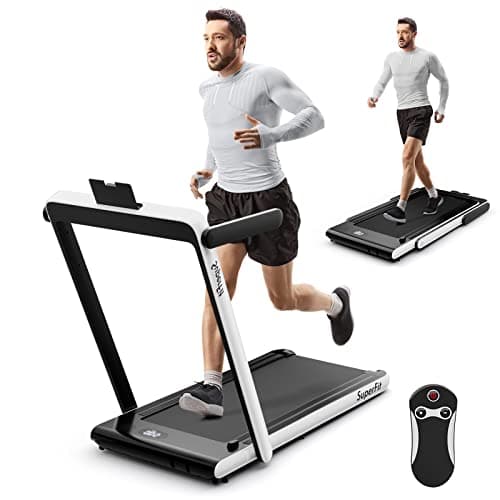
A walking pad changes the physics of your workday — from sitting or standing to actually moving. We surveyed 8 expert sources to identify the best options for every need: incline, dual-mode, compact fold, and quiet operation.
10 min read
Best Anti-Fatigue Mats for the Standing Desk (2026)
Topo Mat by Ergodriven is the rank-1 pick: peer-reviewed micro-shift design, Wirecutter's top recommendation since 2016, and r/StandingDesks owner data consistently citing plantar fasciitis relief. Imprint CumulusPRO is the premium flat mat with a lifetime warranty. Sky Mat and ComfiLife cover the budget tier with real warranty backing.
11 min read
Best Standing Desks 2026: Complete Buying Guide
The Uplift V3 is the standing desk we'd buy for most home offices — customizable desktop, frame color, and accessories with a 15-year warranty on both frame and motor. The FlexiSpot E6 Bamboo is the value pick that delivers a real dual-motor desk with a solid bamboo top under $350. The Secretlab Magnus Evo is the premium pick when integrated cable management and gaming-aesthetic cohesion matter as much as the standing-desk function.
14 min read
Best Standing Desk Converters Under $300 (2026): Top Picks for Every Desk
All the ergonomic benefits of standing, none of the full-desk commitment. The FlexiSpot AlcoveRiser is the converter we'd recommend to most home offices. The ErGear Gas Spring Converter is the budget pick that doesn't feel like a budget pick. The VIVO DESK-V000V is the right choice for dual monitors.
13 min read
Best Monitor Stands & Risers 2026: Storage + Ergonomics
A monitor stand does two things: raises your screen to eye level and adds storage underneath. The Gianotter 2-Tier is the storage-and-organization pick under $25. The VIVO Single Stand is the minimal alternative. The SimpleHouseware Mesh is the right choice when desktop drawer space matters.
8 min read
Best Desk Accessories for Ergonomics & Comfort 2026
Your $1,000 chair won't save you from carpal tunnel if your wrist support compresses into a hard lump. The SteelSeries QcK Heavy is the mouse pad we'd recommend to most users. The Glorious wrist rest doesn't compress like gel alternatives. The HUANUO foot rest, Rain Design mStand, and 3M document holder round out the ergonomic essentials.
18 min read
Sources & Methodology
Expert review sources
- OSHA Computer Workstations eTool — ergonomic guidelines for standing workstations and posture management
- Cornell Human Factors and Ergonomics Research Group — seated and standing posture research, 4-hour standing fatigue data
- Workplace Health & Safety journal — walking workstation productivity research
- Uplift Desk — standing desk motor specs, height-range documentation, and workspace-setup guides
- Wirecutter — standing desk, anti-fatigue mat, and monitor stand buying guides
- Treadmill Desk Research — walking pace and cognitive performance studies (1–2 mph productivity-compatible range)
- RTINGS — monitor specification and ergonomic positioning research
- r/StandingDesk — owner reports on walking pad models, desk compatibility, and anti-fatigue mat use data
- r/wfh — hybrid worker movement integration threads
- r/HomeOfficeSetup — walking pad setup photos and owner-verified desk compatibility reports
- Ergotron — monitor arm and stand ergonomic positioning documentation
- Coway and WalkingPad manufacturer documentation — pad speed ranges, noise floor specs, and weight limits
Community sources
- r/StandingDesk — walking pad compatibility, noise floor reports, and desk pairing threads
- r/wfh — movement break and standing rotation community discussions
- r/HomeOfficeSetup — workspace build threads featuring walking pad configurations
Prices and specs verified May 8, 2026.
About the author
Nick Miles is the chief editor of DeskGearHQ. DeskGearHQ does not run a testing lab — every claim on this page is synthesized from ergonomic research, manufacturer documentation, expert publication reviews, and community owner data. Sources are cited by name in body prose; the bibliography above lists every primary source consulted for this hub. Spoke articles linked throughout contain full product-level sourcing and ASIN-verified picks.
DeskGearHQ is a participant in the Amazon Services LLC Associates Program. We may earn commissions from qualifying purchases — at no extra cost to you.