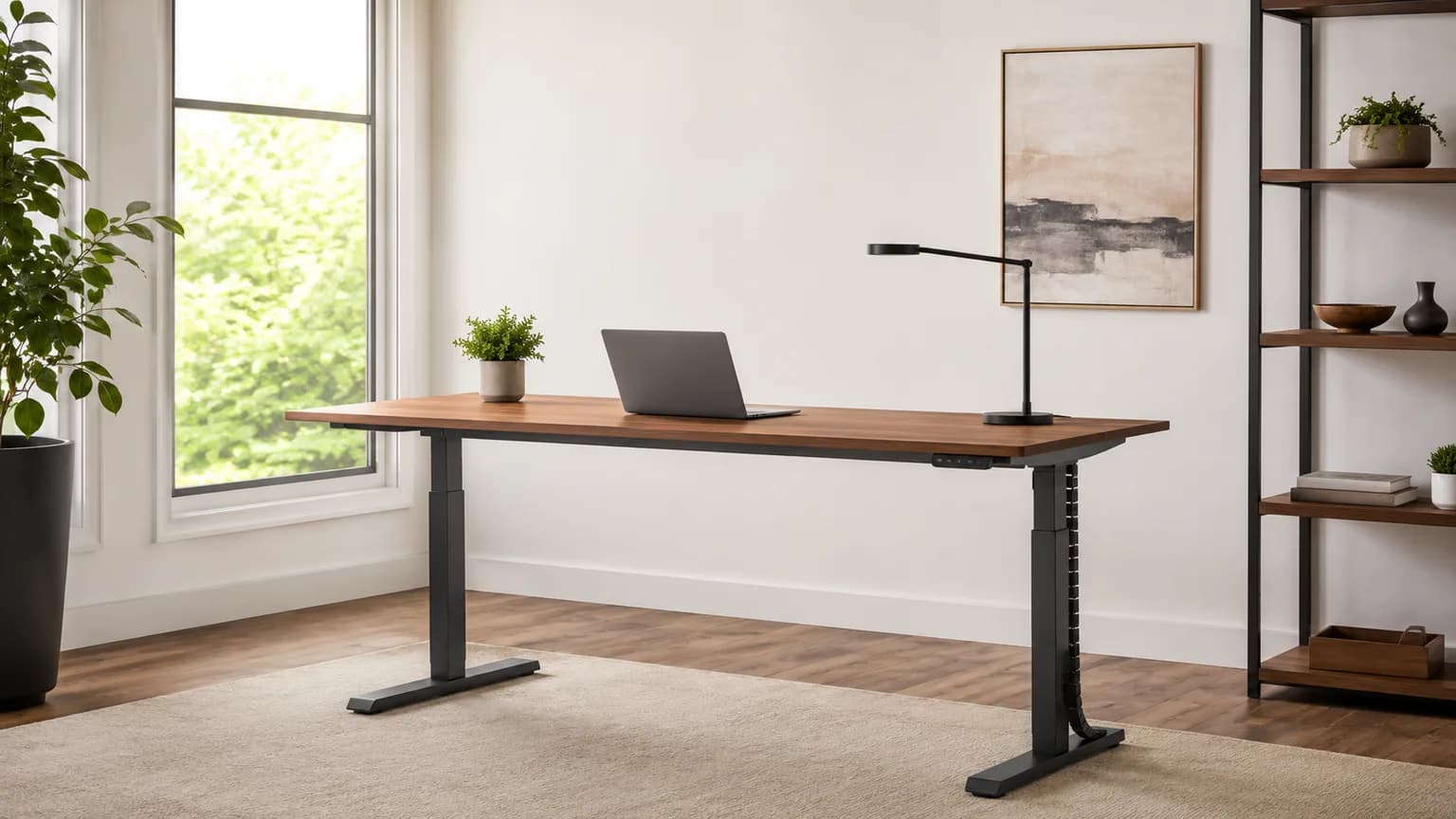
Standing Desk Frame vs Complete Desk: 2026 Build Guide
Frame-only looks like the cheap path. It rarely works out that way. On 2026-08-16 the UPLIFT V2-Commercial C-frame listed at $588.00, and the complete desk at $988.00 with a bamboo top. Buy a frame for a reason, not to save money.
This article contains affiliate links. We may earn a commission at no extra cost to you. Learn more
Featured in this Guide
FLEXISPOT
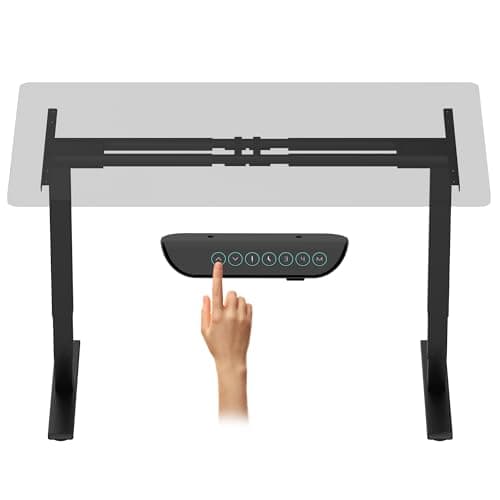
E6 Max Dual Motor 3 Stages Standing Desk Frame Only (Black)
- •A 330 lb dual-motor
- •three-stage base with a 24.4-50 in lift and four presets — the most capability per dollar in this roster.
UPLIFT
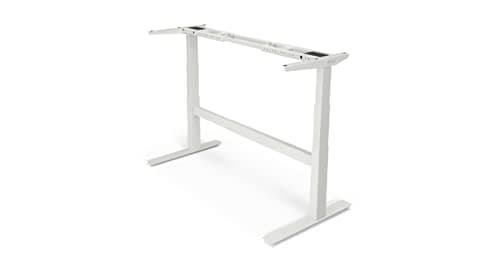
DESK 2-Leg V2-Commercial C-Frame Height Adjustable Standing Desk Frame (White), No Desktop
- •A 355 lb three-stage C-frame with a stability crossbar
- •a 41.3-72.2 in width range
- •and a 15-year warranty.
VIVO
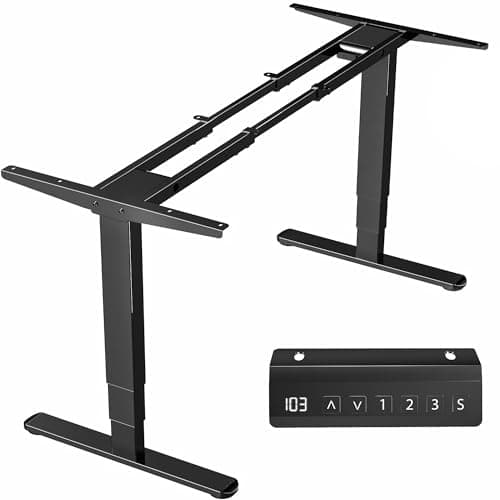
Electric Dual Motor Stand Up Desk Frame, Frame Only, DESK-V103E (Black)
- •VIVO publishes the exact window: tops 40-85 in long
- •23-43 in wide
- •at least 3/4 in thick. No guesswork before you buy wood.
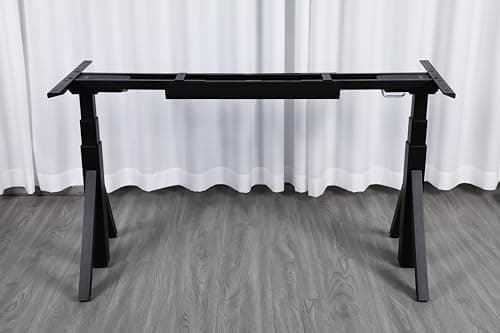
ApexDesk
Quattro Dual Motor Electric Adjustable Standing Desk Frame Only (Black)
- •A 265 lb three-stage frame with a touch-haptic four-preset keypad and a 45-68.5 in span
- •at the lowest price here.
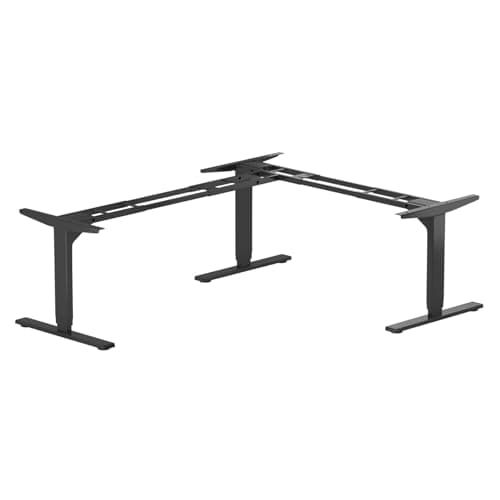
Progressive
Automations Standing Desk Corner Frame FLT-05 Triple Motor (Grey)
- •A three-leg
- •triple-motor 90-degree frame rated to 330 lb
- •with collision detection and an eight-year warranty.
The Short Answer
Most people should buy a complete desk, because a frame-only build rarely delivers a saving once you have priced a genuine desktop honestly. Buy a frame only when you own a slab, need an unusual size, or want solid wood; the DeskGear Frame Build Score ranks the 330lb FlexiSpot E6 Max first.
Here is the arithmetic that settles this guide's central question, and the comparison between the two listings is unusually clean. On 2026-08-16 the UPLIFT V2-Commercial C-frame listed at $588.00 without a desktop, while the identical frame beneath a finished sixty-by-thirty bamboo top listed at $988.00 as a complete desk. That four-hundred-dollar difference is what a manufacturer charges to cut, sand, seal, grommet and drill a one-inch slab, and the finished desk carries the same 15-year warranty. Before assuming that a frame-only build produces a saving, work out the price of the desktop you would actually construct. A hardwood slab, its finish, its hardware and a weekend of your own labour together tend to land near that same figure. Frame-only is therefore not the budget path but the customisation path, which is what the weighted DeskGear Frame Build Score rewards across the five frames reviewed below.
Five frames, compared as frames
Ergonomic Foundations
Chart
 DeskGearHQ.com
Best frame for most DIY builds: FLEXISPOT E6 Max Dual Motor 3 Stages Standing Desk Frame Only (Black)
FLEXISPOT E6 Max Dual Motor 3 Stages Standing Desk Frame Only (Black)
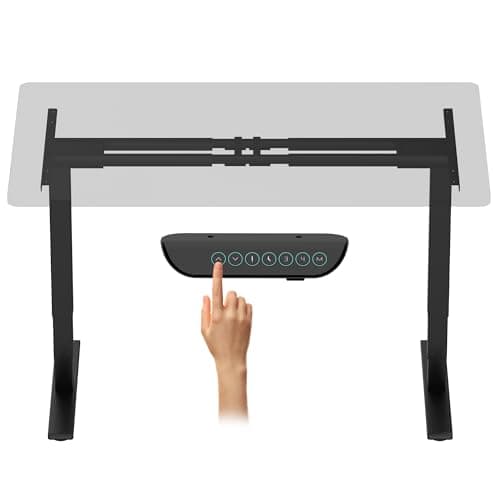
(Current price, subject to change)
FlexiSpot rates the E6 Max base at 330lb on three-stage dual-motor legs. Only the UPLIFT frame rates higher, at 355lb, and it costs a great deal more. That is why the weighted composite places the FlexiSpot first. Three stages matter more than most listings explain. The additional telescoping section extends travel at both ends of the range, and therefore accommodates a shorter user seated and a taller one standing without compromising rigidity. The four-preset keypad arrives pre-wired to the control box, a convenience once reserved for desks costing twice as much. The manufacturer rates the motors below 45dB, so the adjustment stays unobtrusive in a shared room. The honest gap is documentation rather than hardware. FlexiSpot publishes desktop dimensions for its complete E6 Max desks, yet states no compatible size window for the frame sold on its own. That omission leaves you measuring the assembled crossbar before committing to timber. Compared to the VIVO frame, it costs real ground on the Top Compatibility factor and explains where the composite stops. If you want that window published before you buy wood, the VIVO Electric Dual Motor Stand Up Desk Frame, Frame Only, DESK-V103E (Black) delivers it plainly and costs less.
What We Love
- A 330 lb rating trails only the UPLIFT frame's 355 lb here, and that headroom matters because the number has to carry your desktop as well as your gear.
- Three-stage legs deliver a 24.4-50 in range, which reaches lower and higher than most two-stage bases at this money.
- Four memory presets on the keypad, so sit and stand heights are one tap apart instead of a held button.
- FlexiSpot rates the motors below 45 dB, which is the difference between a lift you notice and one you don't.
What Could Be Better
- FlexiSpot publishes no desktop size window for the frame-only listing, so measure before cutting timber.
- No desktop and no pre-drilled holes, so every mounting hole is yours to drill.
- Warranty terms for the frame-only version could not be confirmed, so treat coverage as unknown.
The Verdict
If you have decided on a frame, the FLEXISPOT E6 Max Dual Motor 3 Stages Standing Desk Frame Only (Black) is the one to start with. The 8.7 reflects a 330 lb rating, three-stage dual-motor legs, a 24.4-50 in lift and four presets. It gives up almost nothing to the UPLIFT frame, at a fraction of the outlay. The catch is documentation. FlexiSpot publishes no desktop size window for the frame alone.
Best capacity and warranty: UPLIFT DESK 2-Leg V2-Commercial C-Frame Height Adjustable Standing Desk Frame (White), No Desktop
UPLIFT DESK 2-Leg V2-Commercial C-Frame Height Adjustable Standing Desk Frame (White), No Desktop
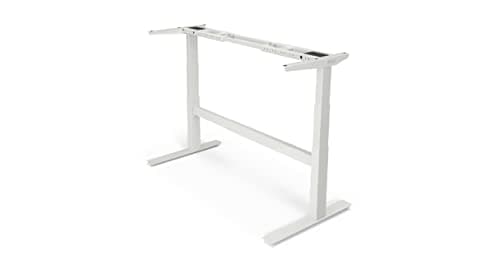
(Current price, subject to change)
TechRadar has reviewed both the UPLIFT V2 and the V2-Commercial two-leg desk, and WorkWhileWalking has reviewed the V2 line, which makes this the best-evidenced base here. WorkWhileWalking traces the standard V2's tendency to shift and shake at height to its lightweight aluminium feet. On the Commercial it credits the crossbar with better lateral stability at lower heights, but found longitudinal stability similar or slightly worse, and rated it middle-of-the-road overall. The heavier construction therefore does not buy a rigidity advantage, so the case for this frame rests on published specification instead. UPLIFT's specification sheet rates it at 355lb, the highest capacity here, across a width adjustment running from roughly forty-one to seventy-two inches. The 15-year warranty is the longest term in this guide, and the keypad ships wired to the control box. The assembly manual is unusually candid about mounting a third-party top: you mark the crossbar positions in pencil and drill eighth-inch pilot holes. Stopping at half an inch of depth keeps anything from breaking the surface, and that is the entire fabrication job. The open question is whether it yields enough to justify the four hundred dollars a finished desk would have spent for you.
What We Love
- Capacity leads this roster. A 355 lb rating, with a 15-year warranty on the frame.
- The width adjusts from 41.3 to 72.2 in, so one frame covers everything from a compact 48 in top to a 72 in slab.
- UPLIFT meets the ANSI/BIFMA G1-2013 height standard with the Commercial frame, using a stability crossbar rather than corner braces.
- The assembly manual is specific about third-party tops: 1/8 in pilot holes, drilled no deeper than 1/2 in, with pencil-marked keypad positions.
- The box includes the control box, keypad, power and leg cables, anchor plates and a wire management tray.
What Could Be Better
- At $588.00 it is the second most expensive frame here, and the complete UPLIFT desk lists at $988.00.
- The Commercial ceiling of 47.7 in sits below the standard V2's 49.9 in, tuned to the BIFMA band.
- The extra mass makes this the heaviest assembly here, and WorkWhileWalking found no overall stability gain from it.
The Verdict
If you are designing a custom top around published numbers, the UPLIFT DESK 2-Leg V2-Commercial C-Frame Height Adjustable Standing Desk Frame (White), No Desktop is the best-documented frame here. It is rated at 355 lb, carries a 15-year warranty, and publishes a 41.3-72.2 in width range. It is also the frame that proves the math: its price gap against the finished desk shows why most people should not build at all.
Best documented desktop fit: VIVO Electric Dual Motor Stand Up Desk Frame, Frame Only, DESK-V103E (Black)
VIVO Electric Dual Motor Stand Up Desk Frame, Frame Only, DESK-V103E (Black)
(Current price, subject to change)
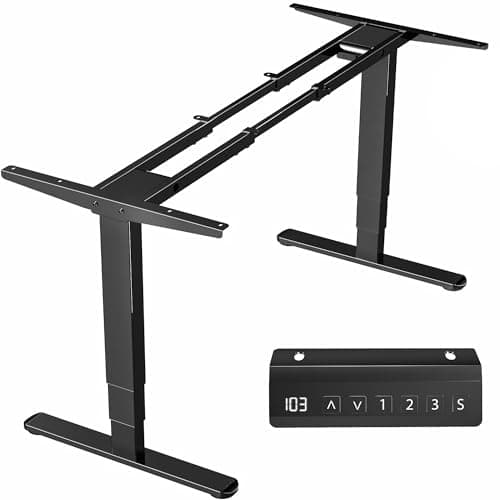
Most frame listings leave desktop compatibility vague, which is the information a builder needs before anything else; of the five frames reviewed here, VIVO is the exception. Its own product page for the DESK-V103E states a recommended tabletop length of forty to eighty-five inches and a width of twenty-three to forty-three inches. The stated minimum thickness is three quarters of an inch, and the frame itself telescopes across roughly twenty-six inches of adjustment. A 3-year warranty is stated alongside those measurements. That published window is the entire reason this frame earns its place, because it converts a guessing game into a measurement. The weighted composite rewards it accordingly on the Top Compatibility factor. The counterweight is capacity; at 220lb this is the lightest-rated frame here, and that rating is not a monitor budget but a total, from which your desktop spends first. A solid hardwood slab is heavy before a single monitor sits on it. Pair this frame with a laminate or bamboo top and the numbers work comfortably. Ask it to lift a butcher block plus a loaded arm, though, and you sit far closer to the ceiling than the FLEXISPOT E6 Max Dual Motor 3 Stages Standing Desk Frame Only (Black) would put you.
What We Love
- VIVO publishes the compatible range in plain numbers. Tops 40-85 in long, 23-43 in wide, at least 3/4 in thick.
- The frame itself telescopes from 39.3 to 65.3 in, so it adapts to a slab you already own rather than the other way round.
- Three-stage dual-motor legs give a 23.5-49.3 in range, which is competitive with frames costing twice as much.
- A three-year warranty is stated on VIVO's own product page, which is more than some rivals put in writing.
What Could Be Better
- The 220 lb rating is the lowest here, and it carries your desktop first.
- Three memory presets rather than four, one fewer than the FlexiSpot and ApexDesk keypads.
- A heavy solid-wood slab consumes much of that capacity before any monitor arrives.
The Verdict
If your build starts with a slab rather than a frame, the VIVO Electric Dual Motor Stand Up Desk Frame, Frame Only, DESK-V103E (Black) tells you upfront whether it fits. VIVO publishes the whole window: tops 40-85 in long, 23-43 in wide, at least 3/4 in thick, on a frame that spans 39.3-65.3 in. The 8.4 reflects that clarity. The 220 lb rating is the lowest here, which is the trade.
Best low-cost entry: ApexDesk Quattro Dual Motor Electric Adjustable Standing Desk Frame Only (Black)
ApexDesk Quattro Dual Motor Electric Adjustable Standing Desk Frame Only (Black)
(Current price, subject to change)
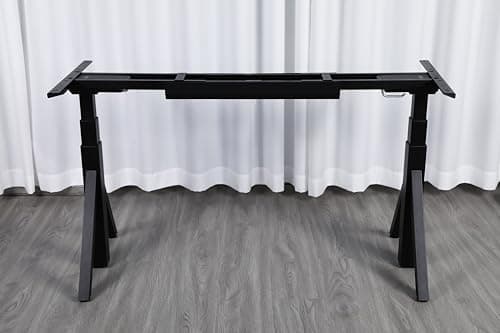
Price is the clearest argument for this frame, and among the bases reviewed here it is a fair one. ApexDesk lists the Quattro Series base with two motors, triple-stage legs, an adjustment range of twenty-five to fifty-one inches and a 265lb load capacity. That amounts to a complete specification at the bottom of this roster's price band. The touch-haptic controller carries four presets, matching frames that cost far more; the limits, though, deserve stating plainly. ApexDesk's warranty page lists electric standing desks at 2-year cover, which is short relative to VIVO's 3-year term and much shorter than UPLIFT's 15-year one. That gap is what the weighted composite penalises most heavily. The supported top range is also the tightest here, so the frame suits a mainstream slab rather than an unusual one, and ApexDesk publishes no minimum desktop thickness at all. That last omission matters more than it sounds, because a top that is too thin remains the fastest way to undo an otherwise stable base. If your build is a standard laminate or bamboo top and budget is the binding constraint, this frame delivers the essentials and very little else.
What We Love
- Height range leads here. A 25-51 in span gives the tallest standing ceiling in this roster.
- Three-stage legs and dual motors at the lowest price here, rather than the two-stage bases common at this tier.
- A touch-haptic keypad with four presets, so you get the same one-tap convenience as frames costing far more.
- The frame spans 45-68.5 in and ApexDesk states it suits tops from 48 to 72 in wide, which covers most mainstream slabs.
What Could Be Better
- ApexDesk states two years on electric standing desks, the shortest of the four stated terms.
- The 48-72 in supported top range is the narrowest window here.
- At 265 lb the rating sits mid-pack, and your desktop's weight comes out first.
- ApexDesk publishes no minimum desktop thickness at all.
The Verdict
If budget is the binding constraint on your build, the ApexDesk Quattro Dual Motor Electric Adjustable Standing Desk Frame Only (Black) is the cheapest genuine three-stage dual-motor frame here, rated to 265 lb across a 25-51 in range. The 8.1 reflects real capability at the lowest price in the roster. Two things hold it back: a supported top window stopping at 45-68.5 in, and a two-year warranty, the shortest of the four stated terms.
Best for a corner build: Progressive Automations Standing Desk Corner Frame FLT-05 Triple Motor (Grey)
Progressive Automations Standing Desk Corner Frame FLT-05 Triple Motor (Grey)
(Current price, subject to change)
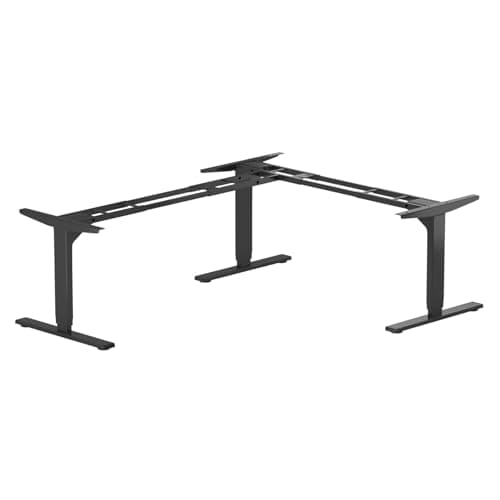
This is the specialist among the frames reviewed in this guide, and it should be treated as one. Progressive Automations rates the FLT-05 Corner Ryzer at 330lb on three legs driven by triple motors. The adjustment range runs from roughly twenty-four to forty-nine inches, with operation stated below 45dB. Collision detection is adjustable across three sensitivity thresholds, the wired remote stores four presets, and the 8-year warranty is second only to UPLIFT's in this roster. Those are strong numbers, and the composite rewards them on the Lift Stability and Capacity Headroom factors. The reason it still ranks last is the fabrication. Progressive Automations lists matched primary tops from forty-eight by thirty up to seventy-two by thirty, with smaller secondary returns; buying those is by far the sane route. Building your own two-arm corner is a materially harder project than cutting a single rectangle. The published width figure describes the frame's overall span rather than either arm, so measure the intended geometry against your room before ordering timber. If a rectangular desk would serve, the UPLIFT DESK 2-Leg V2-Commercial C-Frame Height Adjustable Standing Desk Frame (White), No Desktop produces a better result for less money.
What We Love
- Three legs, triple motors, one synchronised corner. Rated to 330 lb across a 23.6-49.1 in range.
- Collision detection with three sensitivity settings — 11, 22 and 33 lb — so the lift stops when it meets an obstruction.
- An eight-year warranty on the frame, second only to UPLIFT's fifteen and far beyond the budget frames here.
- Progressive Automations lists matched tops for both arms, so you can buy a corner surface rather than fabricate one.
- The frame is orientation-friendly, so it installs as a left-hand or right-hand corner to suit your room.
What Could Be Better
- The most expensive frame here, and a corner top costs more to source than a rectangle.
- An L-shaped top is the hardest to get right: two arms, a joint, three leg positions.
- The 42.7-72.6 in span describes the frame, not either arm, so confirm your geometry first.
- A corner frame commits your room layout as a rectangular frame does not.
The Verdict
If you need a corner desk in a shape nobody sells complete, the Progressive Automations Standing Desk Corner Frame FLT-05 Triple Motor (Grey) is the only frame here that can build one — three legs and triple motors rated to 330 lb, with collision detection and an eight-year warranty. The 8.0 is the lowest score here, and that reflects price and build effort rather than hardware.
How We Score: DeskGear Frame Build Score
DeskGear Frame Build Score
Score Formula
(Lift Stability x 0.30) + (Build Effort x 0.25) + (Capacity Headroom x 0.20) + (Top Compatibility x 0.15) + (Value x 0.10)Score Factors
- Lift StabilityMotor count, leg stage count and travel range, weighed against how steady a loaded top stays at full standing height — three-stage legs reach further at both ends than two-stage ones
- Build EffortHow much work sits between the box and a working desk: whether the crossbar telescopes to your top, whether the maker documents pilot-hole size and depth, and how heavy the assembly is
- Capacity HeadroomRated lifting capacity measured against a realistic load, remembering that the rating has to carry the desktop itself before a single monitor counts against it
- Top CompatibilityThe published window of desktop sizes and thicknesses the frame accepts — a frame that states its range in writing saves you from cutting timber that will not fit
- ValueDelivered capability per dollar across the frame roster, which is where a $269.99 base that matches a $588.00 one on lift and capacity earns its ranking
DeskGear Frame Build Score — Ranked
FLEXISPOT E6 Max Dual Motor 3 Stages Standing Desk Frame Only (Black)
8.7/10Best value build — 330 lb, three-stage 24.4-50 in lift, four presets, no published desktop window.
UPLIFT DESK 2-Leg V2-Commercial C-Frame Height Adjustable Standing Desk Frame (White), No Desktop
8.6/10Best documented — 355 lb, 41.3-72.2 in width range, 15-year warranty, highest frame price bar one.
VIVO Electric Dual Motor Stand Up Desk Frame, Frame Only, DESK-V103E (Black)
8.4/10Clearest desktop window — tops 40-85 x 23-43 in from 3/4 in thick, but the lowest 220 lb rating.
ApexDesk Quattro Dual Motor Electric Adjustable Standing Desk Frame Only (Black)
8.1/10Lowest price and tallest 25-51 in range, held back by a two-year warranty and a 48-72 in top window.
Progressive Automations Standing Desk Corner Frame FLT-05 Triple Motor (Grey)
8.0/10Corner specialist — three legs, triple motors, 330 lb, eight-year warranty, hardest and priciest build.
Will your top actually fit — and hold?
Three measurements decide whether a frame and a slab are genuinely compatible, and you should collect all three before buying either one.
The first is width span, because every frame reviewed here telescopes but none of them does so infinitely. UPLIFT's Commercial C-frame adjusts across roughly forty-one to seventy-two inches, ApexDesk's across forty-five to sixty-nine, and VIVO's across thirty-nine to sixty-five; exact figures sit in the comparison chart above. FlexiSpot publishes no equivalent window for the E6 Max frame sold on its own, which is the omission that costs it on the Top Compatibility factor. A top narrower than the frame's minimum simply has nowhere to bolt.
The second is thickness, and it is the measurement builders most often underestimate. VIVO states a floor of three quarters of an inch, while the bamboo tops shipped on complete desks are typically a full inch. Treat an inch as the working target rather than the bare minimum; no 355lb rating compensates for a desktop that bends. A thin or flexible slab quietly hands back the stability you paid the frame for, because the surface deflects between the legs even when the base itself never moves.
The third is depth, together with the weight of the desktop itself. Most of these frames were designed around tops of twenty-four to thirty inches deep, and UPLIFT sells shorter feet specifically for the shallower ones. Remember too that a rating carries the slab before it carries anything else, which is why a 220lb frame and a heavy butcher block make a poor pairing. It is also why Capacity Headroom is weighted at a fifth of the DeskGear Frame Build Score.
Where the money actually goes
The frames reviewed in this guide run from just under two hundred dollars to just over seven hundred. That spread tracks genuine differences in capacity, warranty and construction rather than brand tax, and what it does not track is the total cost of your project.
A frame is roughly half a desk: the other half is a slab, a finish, cable grommets, screws of the correct length and hours you will never get back. That second half is the part buyers forget when they set a frame's price against a finished desk and call the difference a saving.
Run the UPLIFT comparison instead, because it isolates the variable cleanly: the same V2-Commercial frame, with and without a finished bamboo top, differs by about four hundred dollars. That figure is the market price of somebody else cutting, sanding, sealing, grommeting and drilling your desktop, then delivering it with a 15-year warranty attached rather than none at all. Every frame reviewed here carries a version of the same trade-off, which is why Value is weighted at only a tenth of the DeskGear Frame Build Score. A cheap base that forces an expensive top is not a cheap base at all.
If you can honestly build a better top than that for less, build it; if you cannot, the complete standing desk produces the cheaper and easier outcome.
When NOT to Buy
This roster is frames only, because every pick ships without a desktop and that is the decision this guide exists to settle. Complete desks are the alternative being argued against rather than a competing entry, and they are reviewed separately in our best standing desks guide. Converters sit on the desk you already own, and therefore live in our standing desk versus converter comparison. Manual and crank-adjust bases are excluded as a different product class entirely. The largest exclusion is the unbranded frame advertising a large capacity figure with no stated warranty and no published desktop window. On a base whose entire job is holding monitors steady for years, an unverifiable rating is marketing rather than a specification.
Who Should Buy What
Who Should Buy What
| If you are… | Recommended pick |
|---|---|
You already own a top you like Has a slab, door, or old desktop worth keeping and wants a base that adapts to it — VIVO publishes the exact size window before you buy. | VIVO Electric Dual Motor Stand Up Desk Frame, Frame Only, DESK-V103E (Black) |
You want a solid-wood or butcher-block slab Wants a heavy hardwood surface no complete desk sells, so needs capacity headroom above the slab's own considerable weight. | UPLIFT DESK 2-Leg V2-Commercial C-Frame Height Adjustable Standing Desk Frame (White), No Desktop |
You want a non-standard size or finish Needs a width, depth, or material that no complete desk offers, and wants the most lift and capacity per dollar under it. | FLEXISPOT E6 Max Dual Motor 3 Stages Standing Desk Frame Only (Black) |
You need a corner or odd geometry Wants an L-shaped desk in a size nobody sells complete, and accepts the harder two-arm fabrication that comes with it. | Progressive Automations Standing Desk Corner Frame FLT-05 Triple Motor (Grey) |
You are matching existing furniture Needs the desktop to match a room's existing wood or finish exactly, on the lowest-cost three-stage base that will take it. | ApexDesk Quattro Dual Motor Electric Adjustable Standing Desk Frame Only (Black) |
You just want a standing desk Has no specific top in mind and no size constraint — this buyer should read our complete standing desk guide instead of building. | FLEXISPOT E6 Max Dual Motor 3 Stages Standing Desk Frame Only (Black) |
Frequently Asked Questions
Is buying a standing desk frame only cheaper than a complete desk?
Usually not, once you price the top honestly. On 2026-08-16 the UPLIFT V2-Commercial C-frame listed at $588.00 with no desktop, while the same frame under a finished 60 x 30 in dark bamboo top listed at $988.00. That puts the branded top at roughly $400, already cut, sealed, grommeted and drilled. A comparable slab you finish yourself, plus hardware and your own labour, frequently costs about the same. Buy a frame for customisation, not for savings.
How thick does a DIY standing desk top need to be?
Aim for 1 in. VIVO states a minimum of 3/4 in for its DESK-V103E frame, and that is a floor rather than a recommendation. The bamboo tops that ship on complete desks are typically 1 in thick, which tells you what the makers themselves consider adequate. A top that is too thin or too flexible will bow between the legs under a monitor load, and that undoes the stability you paid the frame for.
Do I have to drill the desktop myself?
Yes, unless you buy a top from the frame's own maker. UPLIFT's assembly manual is specific about it. For a desktop without pre-drilled holes, you position the frame, mark each hole in pencil, and drill 1/8 in pilot holes no deeper than 1/2 in so nothing breaks the surface. Keypad mounting holes get marked the same way. It is a manageable job with a drill and a depth stop, but it is a job.
How do I know a frame will fit the desktop I want?
Check the frame's published width span against your slab, and check depth against the feet. UPLIFT's Commercial C-frame adjusts from 41.3 to 72.2 in, VIVO's runs 39.3 to 65.3 in, and ApexDesk's spans 45 to 68.5 in. VIVO goes further and states the compatible tabletop range outright: 40 to 85 in long, 23 to 43 in wide, at least 3/4 in thick. FlexiSpot does not publish a window for the E6 Max frame sold alone, so measure the assembled crossbar before cutting anything.
Does the rated capacity include the weight of the desktop?
Yes, and this catches people out. A frame rated to 220 lb is not offering you 220 lb of monitors. It has to lift the desktop first. A 60 x 30 in solid hardwood slab is heavy before anything sits on it, so on the 220 lb VIVO frame that alone can claim a meaningful share of the budget. If you are set on a butcher block or thick hardwood top, favour the 330 lb FlexiSpot or the 355 lb UPLIFT frame instead.
What about cable grommets?
A frame-only build gives you no grommets, because grommets are cut into the desktop rather than the base. Complete desks usually arrive with them already bored. If you want cable pass-throughs on a DIY top you cut them yourself with a hole saw, and you should plan their positions before you drill the mounting holes so nothing collides with a leg or the crossbar.
Can I build an L-shaped standing desk from a frame?
You can, but it is the hardest version of this project. The Progressive Automations FLT-05 is a three-leg, 90-degree frame with triple motors, rated to 330 lb across a 23.6 to 49.1 in range, and it installs in a left-hand or right-hand orientation. The complication is the top. You need two arms and a joint, aligned across three leg positions. Progressive Automations lists matched primary tops from 48 x 30 up to 72 x 30 with secondary returns, which is the sane route if you want a corner build.
How long are these frame warranties?
They vary a lot, and it is one of the clearest differences between the picks. UPLIFT states 15 years on its products, with an optional extension to 25 years if bought within 90 days. Progressive Automations states 96 months, which is eight years. VIVO states three years on the DESK-V103E. ApexDesk's warranty page lists electric standing desks at two years. We could not confirm warranty terms for the frame-only FlexiSpot E6 Max, so treat that one as unknown.
When is buying a frame only actually the right call?
When you want something a complete desk cannot give you. That means you already own a top worth keeping, you need a size or depth nobody sells, you want a solid-wood or butcher-block slab, you are matching existing furniture, or you need a corner geometry that is not on the market. Those are all good reasons. Wanting to spend less money is not one, because the arithmetic rarely works out that way.
Bottom Line
Get the FLEXISPOT E6 Max Dual Motor 3 Stages Standing Desk Frame Only (Black) if You have committed to building and want the most lift and capacity per dollar — 330 lb, three-stage, 24.4-50 in, four presets..
Get the UPLIFT DESK 2-Leg V2-Commercial C-Frame Height Adjustable Standing Desk Frame (White), No Desktop if You want the best-documented base here, the highest 355 lb rating, a 41.3-72.2 in width range, and a 15-year warranty behind it..
Get the VIVO Electric Dual Motor Stand Up Desk Frame, Frame Only, DESK-V103E (Black) if You are starting from a slab you already own and want the compatible size window published before you spend anything..
Get the ApexDesk Quattro Dual Motor Electric Adjustable Standing Desk Frame Only (Black) if Budget is the binding constraint, your top falls between 48 and 72 in wide, and a two-year warranty is acceptable..
Get the Progressive Automations Standing Desk Corner Frame FLT-05 Triple Motor (Grey) if You need a corner desk in a shape nobody sells complete and will source or fabricate a two-arm L-shaped top..
You have no specific top in mind and no size constraint. Buy a complete standing desk — it is cheaper than a frame plus a good slab, and somebody else does the drilling.
Sources & Methodology
Methodology: DeskGear Frame Build Score — Formula: (Lift Stability x 0.30) + (Build Effort x 0.25) + (Capacity Headroom x 0.20) + (Top Compatibility x 0.15) + (Value x 0.10). Factors: Lift Stability: Motor count, leg stage count and travel range, weighed against how steady a loaded top stays at full standing height — three-stage legs reach further at both ends than two-stage ones | Build Effort: How much work sits between the box and a working desk: whether the crossbar telescopes to your top, whether the maker documents pilot-hole size and depth, and how heavy the assembly is | Capacity Headroom: Rated lifting capacity measured against a realistic load, remembering that the rating has to carry the desktop itself before a single monitor counts against it | Top Compatibility: The published window of desktop sizes and thicknesses the frame accepts — a frame that states its range in writing saves you from cutting timber that will not fit | Value: Delivered capability per dollar across the frame roster, which is where a $269.99 base that matches a $588.00 one on lift and capacity earns its ranking
Expert review sources used in this analysis:
- Specifications come from each maker's own published material
- UPLIFT Desk supplied the V2-Commercial C-frame specification sheet, the frame comparison chart, the assembly manual and the warranty page
- Together those confirm the 355lb capacity, the published width adjustment, the 15-year term and the eighth-inch pilot-hole instruction
- Progressive Automations supplied the FLT-05 Corner Ryzer specifications, VIVO supplied the DESK-V103E product page, and ApexDesk supplied the Quattro Series frame page and its warranty page
- FlexiSpot supplied the E6 Max frame figures
- Editorial coverage is limited to what we could verify directly
- TechRadar has reviewed the UPLIFT V2 and the V2-Commercial two-leg desk, while WorkWhileWalking has reviewed the V2 line
- WorkWhileWalking attributes the standard V2's instability to its lightweight aluminium feet, and found the heavier V2-Commercial no more stable overall
- We found no confirmable coverage of the FlexiSpot E6 Max, VIVO DESK-V103E, ApexDesk Quattro or Progressive Automations FLT-05 from the outlets we checked, so none is cited
- Warranty terms for the frame-only FlexiSpot E6 Max could not be confirmed and are therefore omitted
- This site conducts no product testing of its own, and every DeskGear Frame Build Score is a weighted composite of published specifications rather than a measured result
- Prices are list prices verified as of August 2026, and they change frequently, so check the current price before buying.
Nicholas Miles is the founder of DeskGearHQ and a longtime smart home enthusiast focused on helping everyday homeowners make better technology decisions. He researches, compares, and writes about products across security, climate, lighting, leak prevention, sensors, home energy, and automation, with an emphasis on real-world usefulness, ecosystem compatibility, reliability, privacy, and long-term value.
Affiliate disclosure: DeskGearHQ earns affiliate commissions on qualifying Amazon purchases. Our scoring methodology is independent of affiliate relationships.



