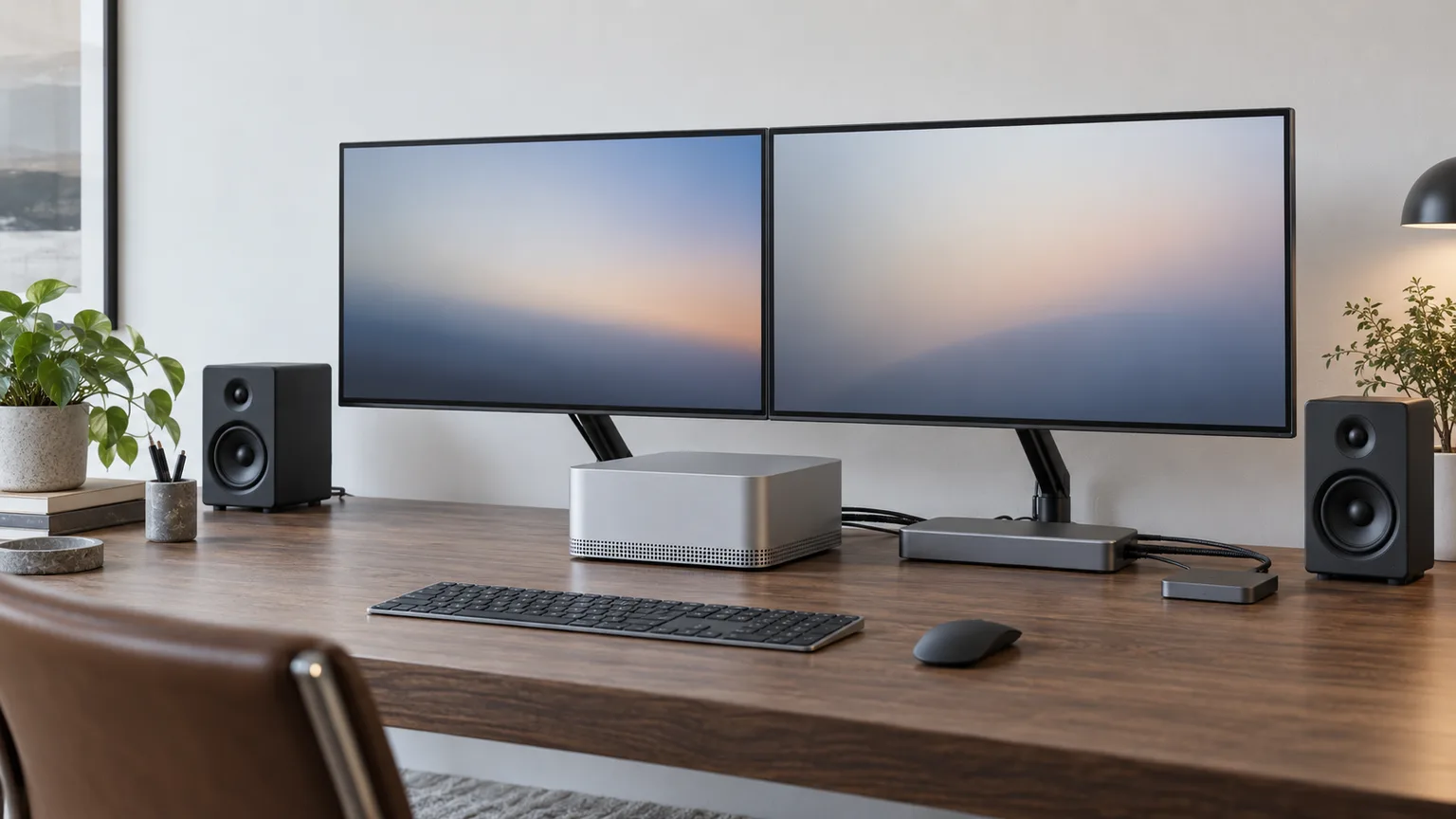
Mac Studio M5 Desk Setup 2026: Displays, Dock, Storage
Your Mac Studio is quiet and its back panel is fast. Pick a display, hub and drive by the port each takes, and by whether it brings a fan to the desk.
This article contains affiliate links. We may earn a commission at no extra cost to you. Learn more
Featured in this Guide
Apple
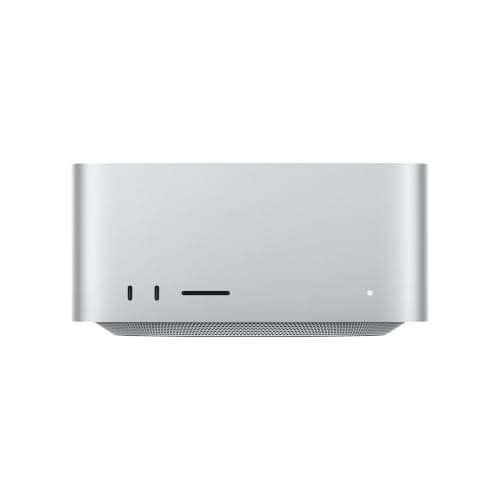
Mac Studio (M5 Max, 2026)
- •Four rear Thunderbolt 5 ports and room for five displays; the small base SSD is why the rest of this list exists.
Apple
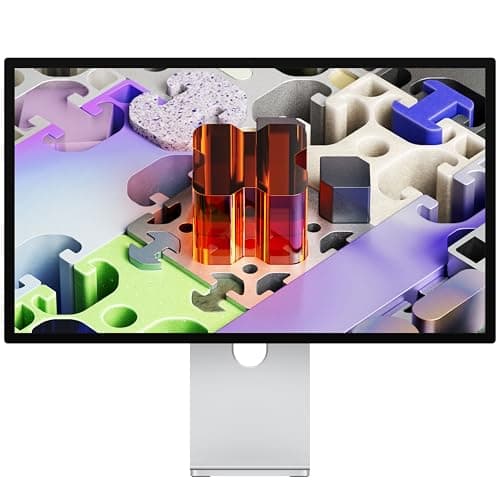
Studio Display XDR (Standard Glass, Tilt- and Height-Adjustable Stand)
- •If you judge color or HDR on screen: 5K at 218 ppi
- •2,304 dimming zones
- •and camera
CalDigit
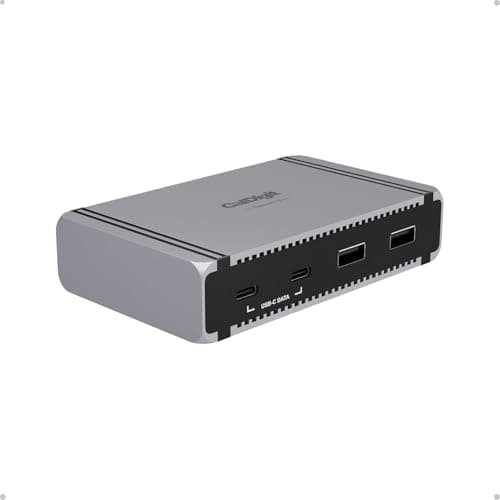
Element 5 Hub (Thunderbolt 5)
- •Three extra USB-A and four more Thunderbolt 5 ports in a compact box
- •without paying for Ethernet the Studio already has.
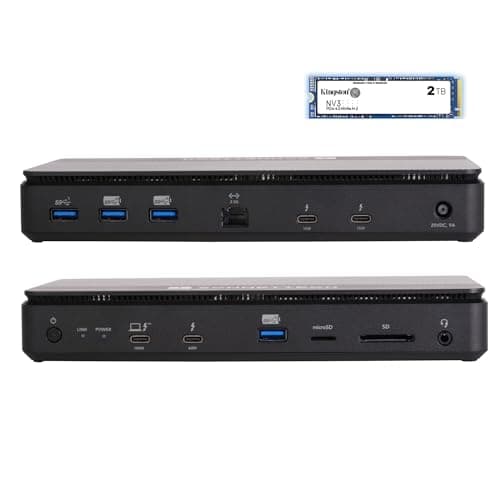
Sonnet
Echo 13 Thunderbolt 5 SSD Dock (2TB)
- •A 2TB NVMe SSD
- •four Thunderbolt 5 ports and SD/microSD slots together; the trade is a fan you can hear.
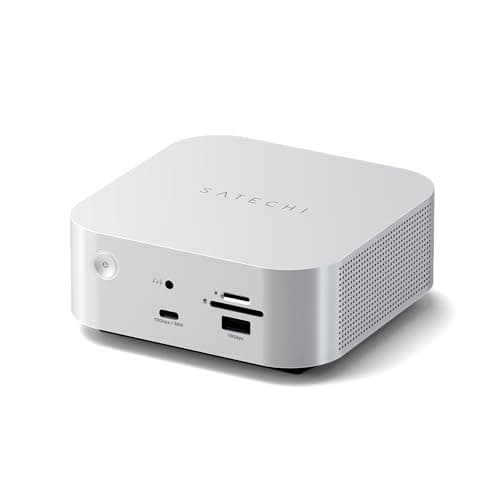
Satechi
Thunderbolt 5 CubeDock with NVMe SSD Enclosure
- •Already own an NVMe SSD? Its internal bay takes up to 8TB
- •and Macworld didn't find the fan noisy.
The Short Answer
As of October 2026, an M5 Max Mac Studio pairs best with accessories that use its four rear Thunderbolt 5 ports. Choose the CalDigit Element 5 Hub for extra ports, the Sonnet Echo 13 for built-in 2TB storage, or the Studio Display XDR for Apple's 120Hz mini-LED screen.
Before buying accessories, study the back panel: every M5 Mac Studio carries 4x Thunderbolt 5 ports rated up to 120Gb/s, two USB-A ports, HDMI and 10Gb Ethernet. On the M5 Max, the front USB-C ports top out 12x below that peak, so a Thunderbolt 5 drive belongs at the rear. One Hacker News buyer admitted, "512GB SSD scares me but would I even notice plugging in TB5 external drive?" The computer itself stays quiet, so every accessory either preserves that silence and those fast ports or sacrifices one.
Each recommendation carries a DeskGear Composite Score, which here is the normalized average of published ratings from Macworld, TechRadar, AppleInsider and other independent publications. A 9 means reviewers awarded roughly nine-tenths of their maximum rating, signalling how confidently professional editors endorse a product rather than any laboratory measurement. Apple lists the M5 Max from $2,499, so this desk is planned around it.
How the four gear picks compare
Input & Connectivity
Chart
 DeskGearHQ.com
The machine itself: Apple Mac Studio (M5 Max, 2026)
Apple Mac Studio (M5 Max, 2026)
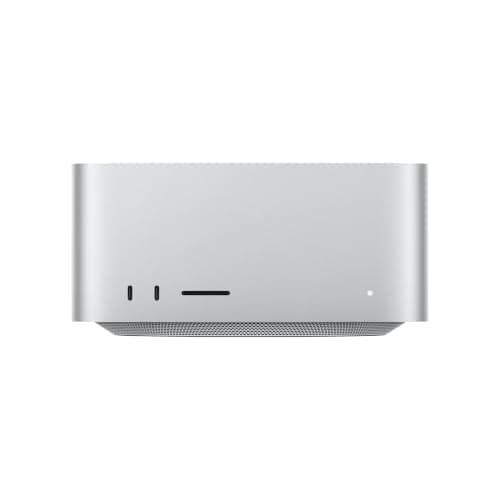
(Current price, subject to change)
This guide treats the Studio as the fixed centerpiece, so this assessment focuses on how it shapes every accessory decision rather than on benchmark results. Macworld awarded the M5 Max four and a half out of five and wrote that if you want "the best Mac ever made, accept no substitute." Macworld also described the internal SSD speed improvement as dramatic enough that M4 Max and M3 Ultra Studio owners should consider upgrading. tbreak awarded it nine out of ten and added an important qualification. In its words, "The Studio starts earning its price when you can actually feed its additional CPU cores, 40-core GPU and memory subsystem." Its DeskGear Composite Score of 9 simply averages those two normalized ratings, nothing more. Because tbreak found the machine inaudible from a normal seating position, any noise on your desk will come from the accessories you choose. Storage is the expensive compromise: Apple allows configurations reaching 16x the base capacity, but only at purchase, which is why many owners add external storage.
What We Love
- Four rear Thunderbolt 5 ports, so a display, a hub and a fast drive each get full speed
- Up to five external displays on the M5 Max, and four can share one Thunderbolt port
- tbreak found it inaudible from a normal seat after its heaviest runs
What Could Be Better
- The M5 Max's front USB-C ports aren't Thunderbolt 5; only the M5 Ultra gets that
- Storage and memory are fixed at purchase, and the base SSD is small
The Verdict
If you've already decided the Studio is your next Mac, the Apple Mac Studio (M5 Max, 2026) fits the brief for most creative and development work, and Macworld rates it 4.5/5. What you give up against the Ultra is front Thunderbolt 5 and a roomy base SSD, which is why the rest of this desk exists.
Apple's own 5K/120Hz screen: Apple Studio Display XDR (Standard Glass, Tilt- and Height-Adjustable Stand)
Apple Studio Display XDR (Standard Glass, Tilt- and Height-Adjustable Stand)
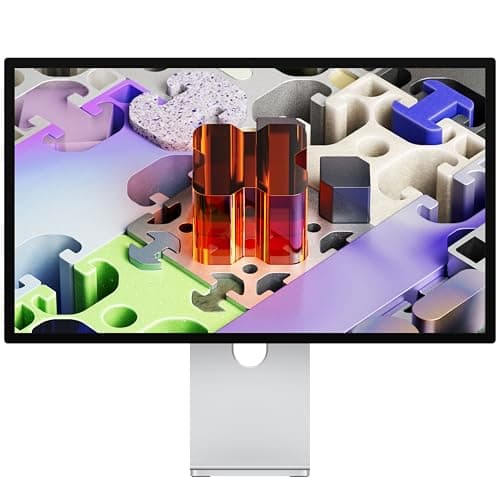
(Current price, subject to change)
Apple designed this display for precisely this desk, pairing a 27-inch panel at 218 ppi with 2,304 local-dimming zones. Apple rates its peak HDR brightness at 2,000 nits, 2x its SDR rating. Macworld calls the color gamut and accuracy top-notch and the webcam really good, while AppleInsider goes further: "It's better than the Pro Display XDR in almost every way." Its upstream Thunderbolt 5 port also supplies 140W (9to5Mac), which only matters when a laptop shares the cable. The criticisms are consistent across publications. Macworld argues it should cost considerably less, and Tom's Guide considers the premium compared to the standard Studio Display massive. Tom's Guide also criticizes the single upstream input for multi-computer setups, and there's no HDMI connection whatsoever. One owner write-up on Tymscar describes the cooling fans as effectively silent most of the time. They do become audible in a hot room with the screen running very bright. The ideal owner is specific: a Mac-only creative professional whose color and HDR work is ultimately judged on this screen.
What We Love
- 27-inch 5K panel with a 2,304-zone mini-LED backlight (Apple specs)
- 120Hz Adaptive Sync; Apple says the M5 Max runs two at 5K/120Hz and the M5 Ultra four
- Camera, mics, speakers and a height-adjustable stand, all on one cable to the Studio
What Could Be Better
- A single upstream input, which Tom's Guide calls a hurdle for multi-Mac desks
- No HDMI and no 32-inch size (AppleInsider); Macworld rates the speakers mediocre
The Verdict
For Studio owners who grade color or HDR and want the screen to feel like part of the Mac, the Apple Studio Display XDR (Standard Glass, Tilt- and Height-Adjustable Stand) lines up with what you actually need. Macworld framed the buyer well: it's for “well-heeled Mac (and only Mac) users.” If a PC or a second Mac shares the screen, the single input will wear on you.
More ports, no full dock (USB-A back): CalDigit Element 5 Hub (Thunderbolt 5)
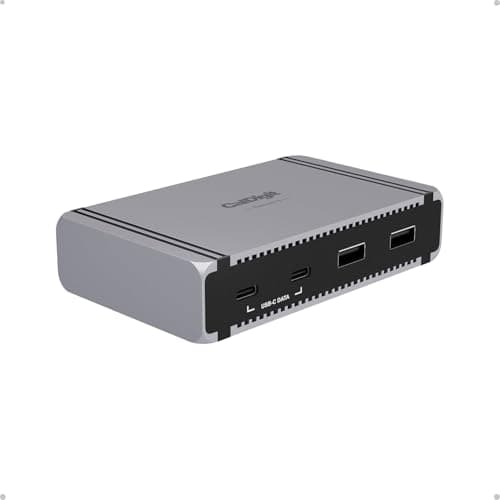
CalDigit Element 5 Hub (Thunderbolt 5)
(Current price, subject to change)
Macworld's verdict set the tone: "More of a mini dock than a hub, the CalDigit Element 5 packs nine fast ports including four of the latest 80/120Gbps Thunderbolt 5." In listing shorthand, the hub provides 4x Thunderbolt 5, 3x USB-A and 2x USB-C connections. Macworld awarded it full marks, while TechRadar and AppleInsider were slightly more reserved, and AppleInsider described it as a hub with only the essentials. On a Studio, those essentials are precisely the right ones, because the computer already provides Ethernet, an SD slot and HDMI. Relative to the Studio's own ports, the Element 5 delivers three additional USB-A ports beyond the built-in two, plus spare Thunderbolt 5 connections for external drives. There's no HDMI or DisplayPort output. CalDigit's documentation limits M1 to M4 Macs to two displays per Thunderbolt connection. On the M5 Max it lists three or four monitors, with four supported only at 4K/144Hz, 5K/75Hz, 6K/60Hz or lower. One Hacker News owner reported, "I've had 3 CalDigit docks (USB-C Dock, TS4 and Element 5) and they've all been bulletproof." Every review used a Mac mini or MacBook, so Studio compatibility is a specification match rather than a tested result.
What We Love
- Four Thunderbolt 5 ports plus three USB-A and two USB-C in one compact box
- Macworld rated it 5/5, and both Macworld and TechRadar single out the small size
- Ships with a 180W power supply and a 0.8m Thunderbolt 5 cable
What Could Be Better
- No HDMI or DisplayPort, so displays may need adapters (Macworld)
- No Ethernet, card reader or DisplayLink; AppleInsider calls it a hub with only the essentials
The Verdict
If the Studio's own ports are almost enough and you just want more of them, no need to overthink it. The CalDigit Element 5 Hub (Thunderbolt 5) adds the USB-A and Thunderbolt 5 ports owners run short of, without charging you for Ethernet or a card reader the Studio already has. This is the one if ports are the whole problem.
Dock and fast storage in one box: Sonnet Echo 13 Thunderbolt 5 SSD Dock (2TB)
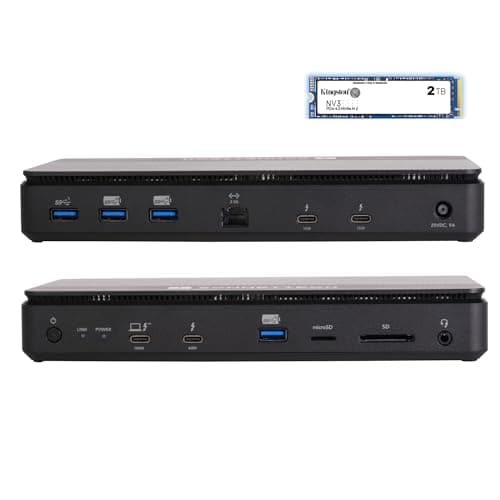
Sonnet Echo 13 Thunderbolt 5 SSD Dock (2TB)
(Current price, subject to change)
This dock addresses the storage anxiety directly, because the configuration listed here includes a 2TB PCIe Gen 4 NVMe SSD inside the enclosure. 9to5Mac calls the Echo 13 the first Thunderbolt 5 dock with an integrated NVMe SSD. Macworld counts twelve ports, including 4x Thunderbolt 5, and listed the premium price as its only significant criticism. AppleInsider, which counts 4x USB-A among them, matched Macworld's rating of four and a half out of five, writing, "I recommend it whole-heartedly." Two specifications change meaning on a Studio. Laptop charging is irrelevant to a desktop with its own power supply, and the Studio's built-in Ethernet is 4x faster than the dock's port. The genuine cost is acoustic, because 9to5Mac asked whether the cooling fan is audible and answered, "the answer is yes." Beside a Studio that tbreak couldn't hear from a normal seat, that fan will become the loudest component on the desk. Compared to the Satechi CubeDock, the Echo 13 arrives with its drive already installed, whereas the CubeDock requires you to purchase and install one separately.
What We Love
- A 2TB PCIe 4.0 NVMe SSD inside, so fast storage needs no extra box or cable
- 12 ports, including four Thunderbolt 5, plus SD and microSD readers (Macworld)
- AppleInsider rated it 4.5/5 and recommends it whole-heartedly
What Could Be Better
- Its cooling fan is audible (9to5Mac), and a silent Studio will expose it
- 2.5Gb Ethernet trails the Studio's own port, and the price is Macworld's only con
The Verdict
If you want one box on the desk to hold your working drive and your extra ports, the Sonnet Echo 13 Thunderbolt 5 SSD Dock (2TB) checks the boxes that matter for that setup. Next to the Satechi CubeDock, it skips the SSD purchase and install; next to the Element 5, it adds storage and a fan you can hear.
Bring your own NVMe SSD, Mac-like box: Satechi Thunderbolt 5 CubeDock with NVMe SSD Enclosure
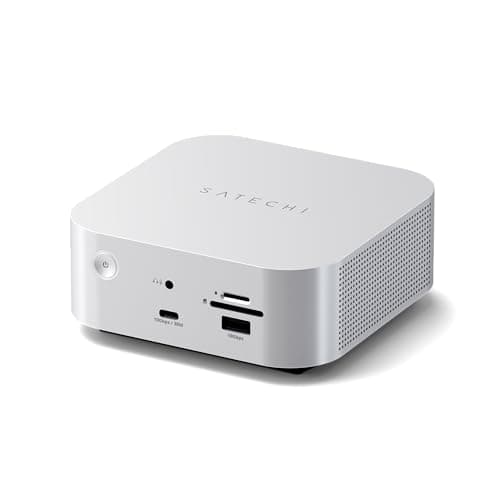
Satechi Thunderbolt 5 CubeDock with NVMe SSD Enclosure
(Current price, subject to change)
The CubeDock enables a spare NVMe SSD to become permanent dock storage, accepting drives up to 8TB inside an enclosure that 9to5Mac notes adds nothing to the footprint. Macworld awarded it four and a half out of five, describing its 4x Thunderbolt 5 ports as the maximum a single-chip dock can offer. Macworld also expects compatibility with any modern Mac. TechRadar gave it four out of five and considered it expensive once you include an SSD. Noise is where the two publications disagree. TechRadar says the active fan "adds a little noise under load." Macworld disagreed: "This isn’t at all noisy but if you require absolute silence you might look for a different enclosure that is noiseless." The product listing rates the fan between 20 and 40 dB(A), and the Studio's own Ethernet remains 4x faster than the dock's. Installation also demands considerable patience, since Macworld found physically fitting the drive a little fiddly. Choosing your own drive costs an additional purchase and introduces a fan beside an otherwise silent Studio.
What We Love
- An internal M.2 NVMe bay that adds nothing to the footprint (9to5Mac)
- Four Thunderbolt 5 ports, as many as a single-chip dock can offer (Macworld)
- UHS-II SD and microSD readers, faster USB-C and USB-A, and 2.5Gb Ethernet
What Could Be Better
- The SSD is sold separately, and Macworld found fitting it a little fiddly
- An active fan that TechRadar says adds a little noise under load
The Verdict
If you already own a fast NVMe SSD, or want to choose your own capacity, the Satechi Thunderbolt 5 CubeDock with NVMe SSD Enclosure is a sensible pick for that setup, and Macworld rated it 4.5/5. The cost is a second purchase, a fiddly install and a fan TechRadar could hear under load.
How We Score: DeskGear Score
DeskGear Score
Score Formula
DeskGear Score = (Expert Consensus × 0.30) + (Effectiveness × 0.25) + (Build Safety × 0.20) + (Durability × 0.15) + (Value × 0.10)Score Factors
- Expert Consensus (30%)How strongly the trade-review, ergonomics-research, and specialist sources we cite endorse the product or its category.
- Effectiveness (25%)Whether the product actually does what its category requires, judged against the functional standards described in the source stack.
- Build Safety (20%)Electrical, material, and structural soundness for daily desk use. Not a certified rating (no UL/ETL verification) for these five.
- Durability (15%)Build quality and longevity, triangulated from manufacturer documentation, warranty terms, and practitioner-community failure reports.
- Value (10%)Price relative to the field, on the dated lastProductCheck shown in every guide.
DeskGear Score — Ranked
Apple Mac Studio (M5 Max, 2026)
9.0/10Macworld 4.5/5 and tbreak 9/10, both 9.0 on a 10-point scale; mean 9.0.
CalDigit Element 5 Hub (Thunderbolt 5)
9.0/10Macworld 5/5 (10.0), TechRadar 4.5/5 (9.0) and AppleInsider 4/5 (8.0); mean 9.0.
Sonnet Echo 13 Thunderbolt 5 SSD Dock (2TB)
9.0/10Macworld 4.5/5 and AppleInsider 4.5/5, both 9.0; mean 9.0.
Satechi Thunderbolt 5 CubeDock with NVMe SSD Enclosure
8.5/10Macworld 4.5/5 (9.0) and TechRadar 4/5 (8.0); mean 8.5.
Apple Studio Display XDR (Standard Glass, Tilt- and Height-Adjustable Stand)
8.0/10Macworld, Tom's Guide and AppleInsider at 4/5 each (8.0); AppleInsider's printed 4/5 was used over its 4.5 widget.
Displays: how many, how sharp
Display allowance is where the two Studio configurations differ most significantly. According to Apple, the M5 Max drives up to five external displays, including a fifth limited to 5K/60Hz over HDMI, while the M5 Ultra supports eight, or 1.6x as many. Up to four displays can share a single Thunderbolt port on either configuration. Refresh rate is the important qualification for high-performance panels, because Apple's specifications list only two displays at 5K/120Hz on the M5 Max, plus a third at 5K/60Hz over HDMI. Operating four Studio Display XDRs at full resolution and 120Hz therefore requires the M5 Ultra, which yields 2x the Max's high-refresh allowance. Through a hub, CalDigit's documentation lists three or four monitors for the Element 5 on the M5 Max, with four supported only at 4K/144Hz, 5K/75Hz, 6K/60Hz or lower. The Sonnet Echo 13 and Satechi CubeDock specifications list two high-resolution displays each, so a third monitor should connect through another rear port.
Sharpness depends on pixel density, and Mac Power Users members repeat a dependable rule of thumb. One member listed the "correct PPI for Macs" as 27-inch 5K or 32-inch 6K, alongside a smaller 24-inch option. Those combinations land near the 218 ppi of Apple's own panels, which produces crisp macOS interface text at a 2x scale and explains this guide's display recommendation. Sharing the Studio Display XDR with an older computer introduces a meaningful limitation. Apple's specifications say Macs with M1, M2 or M3 processors can't run it at its full refresh rate. The same member later concluded about the third-party alternatives: "It seemed like every third-party monitor has some set of trade offs to make."
Where your external drive should live
A Hacker News owner with an M4 Max Studio stated the principle plainly: "You'll just have to be careful to match the enclosure to the ports on the system." On the M5 Max, that means a Thunderbolt 5 drive belongs on a rear port, because the slower front connections would bottleneck it. Owners also describe a recurring problem with bus-powered drives connected to those rear ports. A TidBITS Talk member running two on an M4 Studio wrote that "periodically after waking from sleep macOS says one of the drives unexpectedly disconnected." Another owner attempted a remedy: "I have moved the drive to a powered dock (which I know provides more power) and see if that helps." That post never confirms whether it worked, so treat a powered dock as a reasonable experiment rather than a guaranteed solution. Another owner, using a non-Studio Mac, compared a directly connected drive versus one behind a Thunderbolt 5 hub. The direct connection measured roughly 1.2x faster, so keep active projects on the Studio's own ports.
Whether you need external storage depends on the configuration you chose at checkout, because the internal SSD can only be enlarged at purchase. A modest internal drive combined with fast external storage is therefore the common approach, and the Sonnet Echo 13 and Satechi CubeDock both integrate that storage inside a dock. If you would prefer to avoid fans entirely, research surfaced two OWC alternatives: the fanless OWC Envoy Ultra SSD and the OWC Thunderbolt 5 Hub. The Envoy Ultra is bus-powered, the same category of drive owners report disconnecting after sleep. Each has only one published rating we could locate, both from Macworld, so neither receives a DeskGear Composite Score or a product card here. One Mac Power Users member rejected an enclosure that "has a fan which makes me wary of adding noise to my currently silent Mac Studio." If that describes you, prioritize the Fan row in the comparison chart over the port counts.
When NOT to Buy
Stub WNTB (Block 3B fallback).
Who Should Buy What
Who Should Buy What
| If you are… | Recommended pick |
|---|---|
Apple's own 5K/120Hz screen Your desk is Mac-only, you work in color or HDR, and you want camera, mics and speakers on one cable. | Apple Studio Display XDR (Standard Glass, Tilt- and Height-Adjustable Stand) |
More ports, no full dock Running out of USB-A or Thunderbolt ports is your only problem, and you don't need a second Ethernet port or card reader. | CalDigit Element 5 Hub (Thunderbolt 5) |
Dock and fast storage in one box You want a working drive and extra ports in a single box, and a fan you can hear is an acceptable trade. | Sonnet Echo 13 Thunderbolt 5 SSD Dock (2TB) |
Bring your own NVMe SSD You own an NVMe SSD or want to choose its size, and installing it yourself doesn't put you off. | Satechi Thunderbolt 5 CubeDock with NVMe SSD Enclosure |
Frequently Asked Questions
Do I need a Thunderbolt 5 dock for the M5 Mac Studio, or is a hub enough?
Neither is required. The Studio already has four rear Thunderbolt 5 ports, Ethernet, HDMI and an SD slot. A hub such as the CalDigit Element 5 is enough if you only need more USB-A or Thunderbolt ports. A full dock earns its place when you want storage or card readers in the same box, or when a laptop shares the desk and needs charging over the same cable.
Are the front USB-C ports on the M5 Max Mac Studio Thunderbolt 5?
Not on the M5 Max. Its two front USB-C ports run at 10Gb/s according to Apple's specs, and tbreak confirmed it in its review. The M5 Ultra is different: its two front ports are Thunderbolt 5. Both models also have an SDXC card slot on the front, so a card reader in a dock is optional.
How many external displays can the M5 Max and M5 Ultra Mac Studio drive?
Apple lists up to five external displays for the M5 Max and up to eight for the M5 Ultra. On the Max, the fifth display has to use HDMI. A hub or dock can lower the practical count. On the M5 Max, CalDigit's FAQ lists three or four monitors through the Element 5, with four only at 4K/144Hz, 5K/75Hz, 6K/60Hz or lower. For two 5K/120Hz screens such as the Studio Display XDR, Apple's specs are the limit on the M5 Max; four at 5K/120Hz needs the M5 Ultra.
Does the Studio Display XDR run at 120Hz on older Macs?
Apple's specs say Macs with M1, M1 Pro, M1 Max, M1 Ultra, M2 and M3 chips run the Studio Display XDR at up to 60Hz. Apple doesn't print a broader rule than that list, so check your Mac's chip against it before sharing the display with an older machine. An M5 Mac Studio isn't affected by that limit.
Why does my external SSD disconnect after the Mac Studio wakes from sleep?
Owners on TidBITS Talk have described bus-powered drives on Mac Studio rear ports dropping off after sleep, on M4-era machines. Those threads contain no confirmed fix. One owner moved the drive to a powered dock to see whether it helped, without reporting the result. If you see the warning, a powered dock or hub is a reasonable first test, and it costs nothing to try with one you already own.
Should I upgrade the internal SSD or buy external Thunderbolt 5 storage?
It depends on how often the data moves. Internal storage can only be chosen at purchase, and the M5 Max starts at 512GB. Macworld found the M5 Max's internal SSD a large speed step over earlier Studios, so it stays the fastest place for active projects. Archives and media libraries can live on an external Thunderbolt 5 drive on a rear port.
Will a dock with a fan make my Mac Studio setup noisy?
It can. 9to5Mac confirmed the Sonnet Echo 13's fan is audible. TechRadar heard the Satechi CubeDock's fan under load, though Macworld didn't find it noisy. We found no published noise figure for the CalDigit Element 5, so we can't call it silent. Placement helps: a dock behind the monitor or under the desk is less noticeable than one beside your keyboard.
What monitor resolution looks sharpest on macOS at 27 and 32 inches?
5K at 27 inches and 6K at 32 inches, because both land close to the pixel density of Apple's own displays, so macOS renders text at a clean 2x. A 27-inch 4K panel usually needs a scaled mode for comfortable text. Ultrawides can be awkward too: one Hacker News owner with a 5K2K model said scaling left “either super small or super large fonts without anything in-between.”
Bottom Line
Get the Apple Studio Display XDR (Standard Glass, Tilt- and Height-Adjustable Stand) if Choose it if your Studio desk is Mac-only and the screen is where your color or HDR work gets judged..
Get the CalDigit Element 5 Hub (Thunderbolt 5) if Pick it if you've simply run out of ports and the Studio's own Ethernet and SD slot cover the rest..
Get the Sonnet Echo 13 Thunderbolt 5 SSD Dock (2TB) if Want a 2TB working drive and extra ports in one box, and can live with an audible fan? This is it..
Get the Satechi Thunderbolt 5 CubeDock with NVMe SSD Enclosure if Go here if you already own an NVMe SSD, or want to pick its size, and don't mind a fiddly install..
Skip new gear if the Studio's rear ports already cover your display and drives; add accessories only when a port actually runs out.
Sources & Methodology
Methodology: DeskGear Score — Formula: DeskGear Score = (Expert Consensus × 0.30) + (Effectiveness × 0.25) + (Build Safety × 0.20) + (Durability × 0.15) + (Value × 0.10). Factors: Expert Consensus (30%): How strongly the trade-review, ergonomics-research, and specialist sources we cite endorse the product or its category. | Effectiveness (25%): Whether the product actually does what its category requires, judged against the functional standards described in the source stack. | Build Safety (20%): Electrical, material, and structural soundness for daily desk use. Not a certified rating (no UL/ETL verification) for these five. | Durability (15%): Build quality and longevity, triangulated from manufacturer documentation, warranty terms, and practitioner-community failure reports. | Value (10%): Price relative to the field, on the dated lastProductCheck shown in every guide.
Expert review sources used in this analysis:
- This guide draws on Apple's Mac Studio and Studio Display XDR specifications, Apple Newsroom and Apple Support
- Reviews came from Macworld, Tom's Guide, AppleInsider, TechRadar, tbreak, 9to5Mac, Tom's Hardware, MacStories and Ars Technica
- We also used CalDigit's Element 5 FAQ, OWC product pages, and owner discussions on Hacker News, Mac Power Users and TidBITS Talk
- The DeskGear Composite Score formula is weighted 30% expert consensus, 25% effectiveness, 20% build safety, 15% durability and 10% value
- For these five products, every factor carries the normalized mean of outlet ratings, so the composite calculation equals that mean
- Product data was checked on 2026-10-03.
Nicholas Miles is the founder of DeskGearHQ and a longtime smart home enthusiast focused on helping everyday homeowners make better technology decisions. He researches, compares, and writes about products across security, climate, lighting, leak prevention, sensors, home energy, and automation, with an emphasis on real-world usefulness, ecosystem compatibility, reliability, privacy, and long-term value.
Affiliate disclosure: DeskGearHQ earns affiliate commissions on qualifying Amazon purchases. Our scoring methodology is independent of affiliate relationships.



