Best Desktops for Running Local AI at Your Desk (2026)
Which Apple M5, NVIDIA GB10 or AMD Strix Halo desktop fits your desk, judged on what owners end up caring about: whether the model fits, how fast it answers, and how easy the box is to live with and sell.
This article contains affiliate links. We may earn a commission at no extra cost to you. Learn more
Featured in this Guide
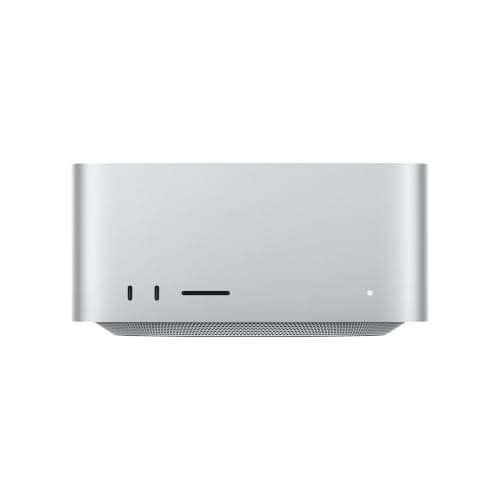
Apple
Mac Studio (M5 Max, 2026)
- •The most memory bandwidth you can order here (460GB/s)
- •but only 36GB
- •in a Mac that still sells well if local AI turns out to be a phase.
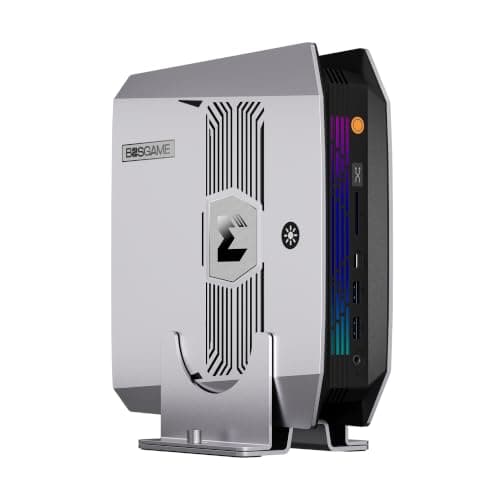
BOSGAME
M5 AI Mini PC (Ryzen AI Max+ 395, 128GB, 2TB)
- •128GB of unified memory and the only TechRadar 5/5 in this group
- •for the least outlay of the 128GB boxes we checked.
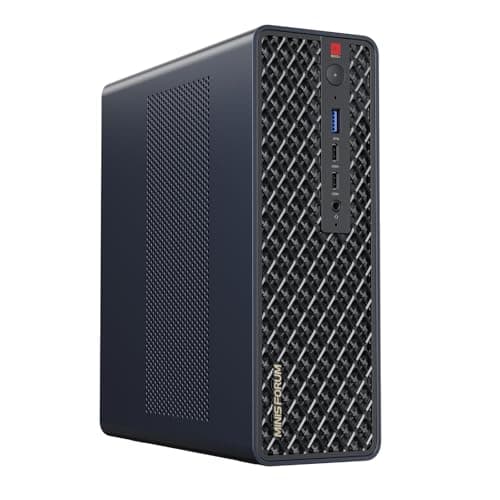
Minisforum
MS-S1 Max (Ryzen AI Max+ 395, 128GB, 2TB)
- •Two 10GbE ports and USB4 v2 make it the Strix Halo box built for linking a second unit or feeding five outputs.
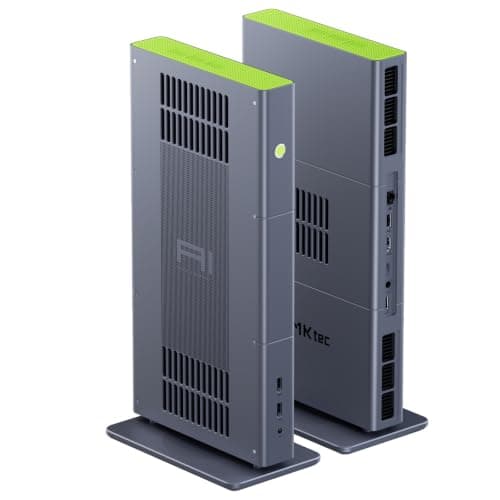
GMKtec
EVO-X3 (Ryzen AI Max+ 395, 128GB, 2TB)
- •Its OCuLink port feeds an external graphics dock
- •so a card added later isn't limited by the size of a small case.
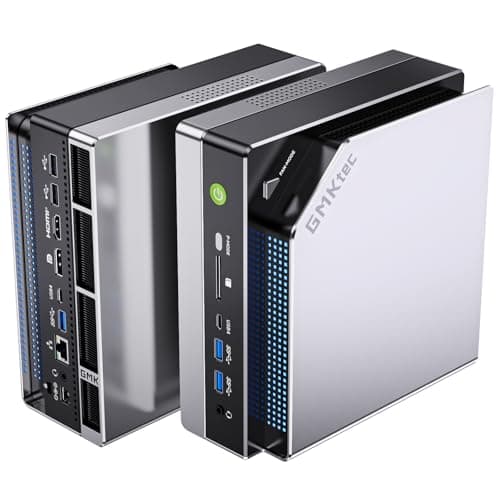
GMKtec
EVO-X2 (Ryzen AI Max+ 395, 128GB, 2TB)
- •One of the earliest Strix Halo boxes
- •with a large body of owner threads
- •so many quirks have been met before.
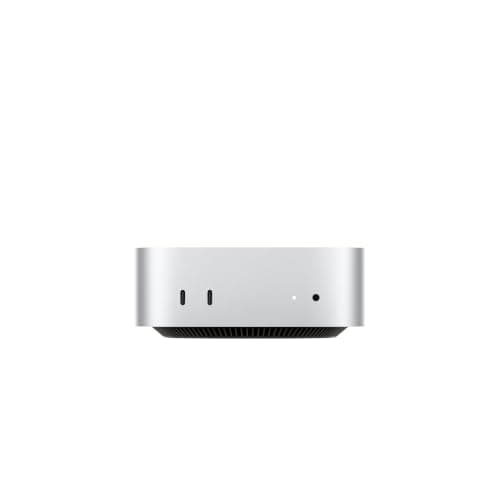
Apple
Mac mini (M5 Pro)
- •A smaller bet for learning which model sizes you actually use before committing a Studio-class budget.
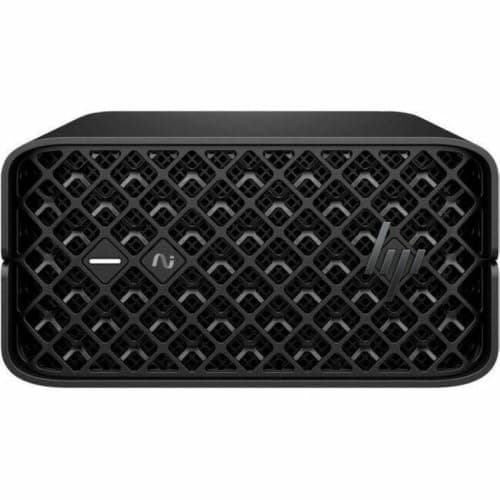
HP
Z2 Mini G1a Workstation (Ryzen AI Max+ PRO 395, 64GB, 1TB)
- •Windows 11 Pro
- •HP Wolf Pro Security and a three-year onsite warranty: the version an IT department can sign off on.
AMD
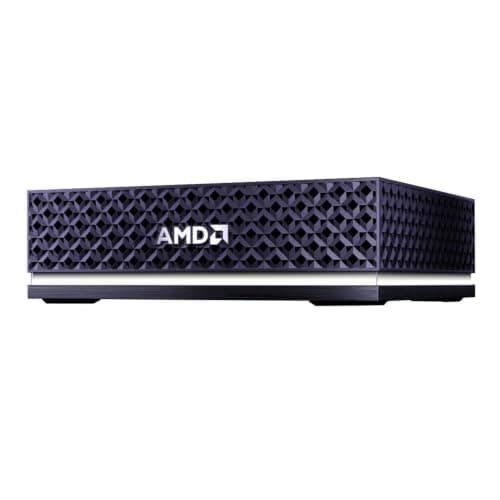
Ryzen AI Halo Developer Platform (Linux, 128GB)
- •Ships with Linux
- •ROCm and preloaded tools
- •so keeping the software stack working is AMD's job rather than yours.
The Short Answer
The 36GB M5 Max Studio, with nearly 2x Strix Halo's bandwidth, answers fastest on models up to 30B; 70B-class work needs a 128GB build-to-order configuration. TechRadar's 5/5 BOSGAME M5 is the cheapest 128GB pool we checked. CUDA development requires an NVIDIA GB10 system, covered separately below the picks.
Owner discussions about local AI computers keep returning to memory bandwidth, resale and software. One Hacker News buyer returned a GB10 system because "the memory bandwidth was very disappointing," despite buying it for 128GB.
Apple's specifications show bandwidth climbing by tier: 307GB/s for the M5 Pro, 460GB/s for the M5 Max, and 1.2TB/s for the Ultra, nearly 4x the Pro and over 4x GB10's. NVIDIA's GB10 architecture reaches 273GB/s with CUDA compatibility, while AMD's Strix Halo delivers 256GB/s alongside comparatively affordable 128GB configurations.
Recommendations follow buyer type, not score order. Our DeskGear Score is a catalog-wide quality composite rather than a local-AI performance ranking, so the BOSGAME M5 outranks the Mac Studio through one TechRadar 5/5. Five of six entries newly scored here rest on one publication's rating, each carries a provisional 9.0 Build Safety, and the Mac Studio's 128GB-unit reviews receive no memory deduction.
Six of the picks, side by side
AI & Smart Office
Chart
 DeskGearHQ.com
Mac desk, fastest replies on mid-size models: Apple Mac Studio (M5 Max, 2026)
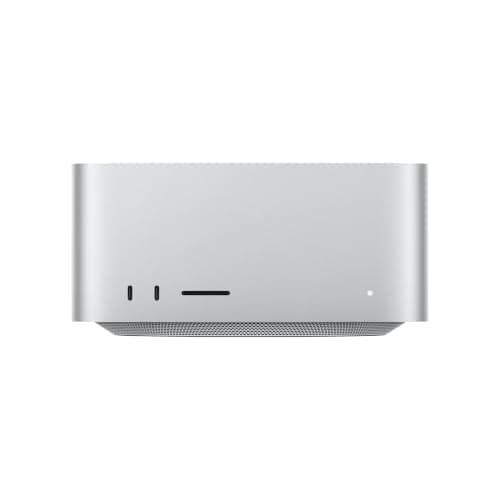
Apple Mac Studio (M5 Max, 2026)
(Current price, subject to change)
Memory bandwidth is where this machine separates itself from everything else here you can order today. Apple rates this 32-core M5 Max configuration at 460GB/s, about 80% more than the Strix Halo figure and nearly 70% more than GB10's. In single-user conversation, that bandwidth determines how quickly tokens arrive. Macworld and tbreak both evaluated the M5 Max Studio favorably, and those two ratings establish its DeskGear Composite Score. However, both publications tested a 40-core, 128GB configuration, so their large-model results describe the upgraded machine rather than this listing.
Capacity is the complication. This Amazon listing is the 36GB, 512GB base tier, and Macworld notes the 32-core chip is "essentially fixed at 36GB of RAM." At 4-bit quantization, 30B-class models (roughly 17GB of weights) fit with contextual headroom. A 70B model (roughly 40GB) or the 65GB GPT-OSS 120B build tbreak demonstrated will not load. Apple offers 48GB to 128GB exclusively with the 40-core GPU as a build-to-order option, and we found no 128GB Mac Studio sold by Amazon at our 2026-10-03 check. The understated advantage is resale: one Level1Techs owner wrote that they "should have gone Apple," because Macs are easier to resell than DGX Sparks.
What We Love
- 460GB/s on this 32-core M5 Max, about 1.8x Strix Halo and 1.7x GB10 (Apple)
- tbreak found its review unit inaudible from a normal seat after heavy runs
- Drives up to five external displays and has 10Gb Ethernet built in (Apple)
What Could Be Better
- This listing is 36GB, and Macworld says the 32-core chip is “essentially fixed at 36GB of RAM”
- 128GB requires Apple's 40-core build-to-order configuration, not this listing (Apple)
The Verdict
If you work on a Mac and want quick replies from small and mid-size local models, the Apple Mac Studio (M5 Max, 2026) linked here fits the brief: an M5 Max with a 32-core GPU, 36GB of memory and 460GB/s of bandwidth, in a quiet machine that resells easily. The trade is that 36GB is fixed for life, which rules out 70B-class models.
Biggest memory pool, least money: BOSGAME M5 AI Mini PC (Ryzen AI Max+ 395, 128GB, 2TB)
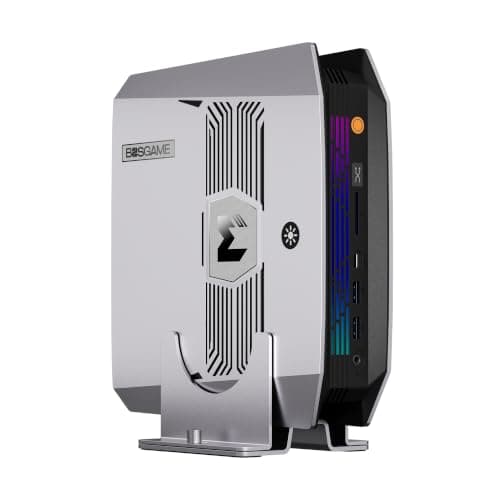
BOSGAME M5 AI Mini PC (Ryzen AI Max+ 395, 128GB, 2TB)
(Current price, subject to change)
This is the machine for buyers asking how much model capacity each dollar purchases. The listing pairs AMD's Ryzen AI Max+ 395 with 128GB of LPDDR5X-8000. Hardware Corner's pre-launch article identifies it as the "Bosman M5 AI" but links to BOSGAME's official product page. It says users can dedicate up to 96GB to the integrated GPU under Windows and 110GB under Linux. That allocation enables 70B-class models to load with comfortable context headroom. TechRadar awarded it 5/5 in August 2025, the only perfect rating here, though that verdict reflects launch-era pricing. It is the single rating behind its weighted DeskGear Composite Score.
What you sacrifice is expandability. There's no OCuLink port, so adding a desktop graphics card later is harder than on the EVO-X3 or the MS-S1 Max. Networking stops at 2.5GbE, 4x slower than the MS-S1 Max's 10GbE, which disqualifies it as a node in a fast cluster. Its generation speed matches every other Strix Halo system, because the platform's memory bus determines throughput rather than the manufacturer's enclosure. For an individual developer or writer who wants one desktop running large models privately, it accomplishes that assignment for less money than the other 128GB machines here.
What We Love
- 128GB of LPDDR5X-8000 in this exact listing (Amazon listing)
- TechRadar's 5/5 verdict calls it “the mini system to get” for demanding tasks
- A second M.2 2280 slot next to the 2TB SSD, so model storage can grow
What Could Be Better
- No OCuLink port, which TechRadar calls a maybe-miss rather than a necessity
- 2.5GbE only and no VESA mount, which limits clustering and under-desk mounting
The Verdict
For buyers who want the largest memory pool for the money, the BOSGAME M5 AI Mini PC (Ryzen AI Max+ 395, 128GB, 2TB) lines up with what you actually need: 128GB of unified memory, TechRadar's 5/5 and a spare M.2 slot. It suits one person running 70B-class models on Linux or Windows who won't miss 10GbE or an eGPU port.
Network or cluster boxes, many displays: Minisforum MS-S1 Max (Ryzen AI Max+ 395, 128GB, 2TB)
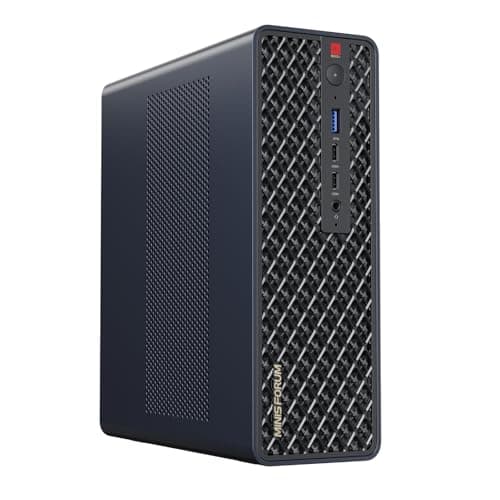
Minisforum MS-S1 Max (Ryzen AI Max+ 395, 128GB, 2TB)
(Current price, subject to change)
Most early Strix Halo computers shipped with 2.5GbE networking, and Level1Techs buyers comparing them repeatedly identified the missing 10GbE as a limitation. Minisforum responded with two 10GbE ports, about 4x the per-port bandwidth, plus two USB4 v2 ports running at 2x standard USB4 speed. That combination delivers the connectivity you need to split a model across two machines or transfer large model files from a NAS. TechRadar rated it 4.75/5, and TechRadar describes it as a mini workstation equally comfortable on a desk or in a 2U rack.
Two practical cautions deserve consideration. Its fans are audible under sustained load. One Level1Techs owner saw the rear USB4 ports misbehave on Linux on BIOS 1.09 in September 2026, and a kernel parameter fixed it. That is one owner's report, not a failure rate, but it matters if USB4 v2 is why you're buying. It also includes an internal full-size PCIe 4.0 expansion slot, electrically wired at x4, and TechRadar says it can accommodate a discrete graphics card, provided the card is relatively compact. Otherwise it carries the same processor and 128GB memory configuration as its competitors, so the networking is what justifies the premium, and no alternative here matches it.
What We Love
- Two 10GbE ports, the most wired networking of any Strix Halo pick here
- Five video outputs, including two USB4 v2 ports at 80Gbps (Amazon listing)
- TechRadar says it fits equally well on a desk or in a 2U rack
What Could Be Better
- Fans are audible under load (TechRadar), which you'll notice in a quiet office
- One Level1Techs owner saw rear USB4 instability on Linux on BIOS 1.09; a kernel parameter fixed it
The Verdict
If you're building a small home lab or expect to link a second box later, the Minisforum MS-S1 Max (Ryzen AI Max+ 395, 128GB, 2TB) checks the boxes that matter: dual 10GbE, USB4 v2 and TechRadar's 4.75/5. For networking, this is the Strix Halo box to own.
May add a real GPU later: GMKtec EVO-X3 (Ryzen AI Max+ 395, 128GB, 2TB)
GMKtec EVO-X3 (Ryzen AI Max+ 395, 128GB, 2TB)
(Current price, subject to change)
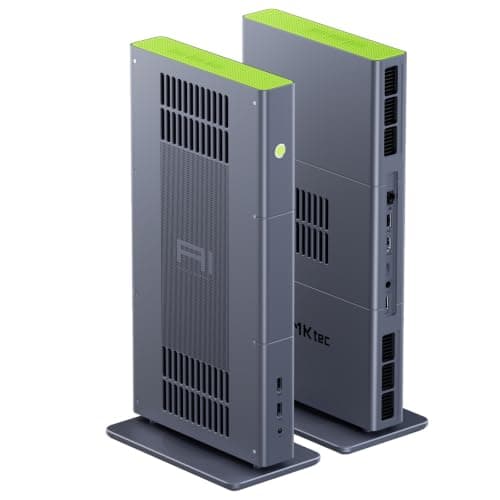
OCuLink is the reason this computer earns its position in the lineup. It exposes a PCIe Gen4 x4 connection for an external GPU enclosure, which enables you to add a discrete graphics card later instead of replacing the entire machine. The MS-S1 Max offers the other graphics route here, but its internal slot accepts only relatively small cards, according to TechRadar. An OCuLink dock sits outside the case, so the enclosure's dimensions don't restrict the card. TechRadar rated it 4.5/5, wrote that it "shows the full potential of local AI," and specifically praised its quiet cooling.
The disadvantages are legitimate. TechRadar describes the software installation as complex, with GMKtec's bundled utilities still maturing, and also identifies limited ports and an extremely high price. Memory is soldered, so 128GB remains the ceiling for the machine's entire lifespan. Versus the BOSGAME M5, you're paying more and performing additional configuration work for a single capability. Compared to the Minisforum MS-S1 Max, you're exchanging dual 10GbE for a dock that isn't limited by the case, while the MS-S1 Max fits only a small card inside. The right choice depends on which upgrade you're more likely to make.
What We Love
- OCuLink PCIe Gen4 x4 port for an external GPU dock (Amazon listing)
- TechRadar praised its quiet cooling from a triple-fan design rated to 140W peak
- 128GB of LPDDR5X-8000 alongside AMD's Radeon 8060S graphics
What Could Be Better
- TechRadar calls the software setup complex, with bundled tools still developing
- Limited port selection and soldered memory, per TechRadar
The Verdict
If a desktop graphics card is on your someday list, the GMKtec EVO-X3 (Ryzen AI Max+ 395, 128GB, 2TB) is a sensible pick for that setup: OCuLink, 128GB and quiet cooling in a box TechRadar rated 4.5/5. Next to the BOSGAME M5 it asks more of you at setup, in exchange for that upgrade path.
Long owner track record: GMKtec EVO-X2 (Ryzen AI Max+ 395, 128GB, 2TB)
GMKtec EVO-X2 (Ryzen AI Max+ 395, 128GB, 2TB)
(Current price, subject to change)
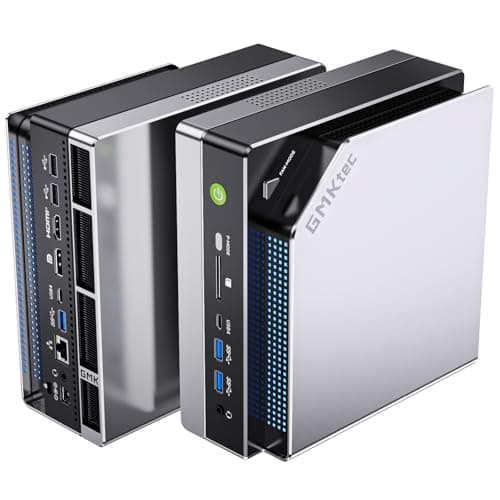
The EVO-X2 was one of the earliest Ryzen AI Max+ 395 mini computers available. That head start shows in a large body of owner threads, shared configurations and documented fixes. This listing is the 128GB, 2TB configuration, and its Performance mode draws 140W, roughly 2.6x the 54W Quiet mode. Tom's Hardware rated the EVO-X2 4/5 using a 64GB unit, so its evaluation describes the chassis, connectivity and cooling more than 70B-class performance. The publication called it a decent option for space-constrained creators, praised the port selection, and identified a cheap-feeling enclosure, difficult interior access and noticeable fan noise.
The warranty is a 1-year limited policy according to the Amazon listing, and a Level1Techs buyer comparing it with the Framework Desktop worried about support and repairs from budget manufacturers. That represents one buyer's concern, not a measured failure rate. Its DeskGear Composite Score of 7.8 reflects those durability deductions. You get a well-documented Strix Halo computer, and you give up the build quality and support terms of the more expensive recommendations.
What We Love
- Three switchable power modes: Quiet 54W, Balanced 85W and Performance 140W
- Tom's Hardware praised its compact design and excellent port selection
- A large body of owner threads, so most quirks have been met before
What Could Be Better
- Tom's Hardware notes a cheap-feeling case, tricky interior access and fan noise
- One-year warranty; a Level1Techs buyer worried about budget-brand support
The Verdict
If you'd rather buy one of the earliest Strix Halo boxes, with a long owner track record, the GMKtec EVO-X2 (Ryzen AI Max+ 395, 128GB, 2TB) is the path of least friction: 128GB, three power modes and plenty of shared troubleshooting. What you trade is a cheaper-feeling case, audible fans and a one-year warranty.
Try local models before spending thousands: Apple Mac mini (M5 Pro)
Apple Mac mini (M5 Pro)
(Current price, subject to change)
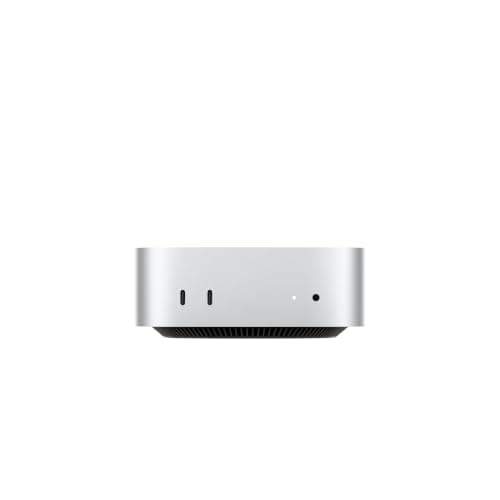
Consider this the lowest-risk introduction to local AI on a Mac. The M5 Pro's memory operates at 307GB/s according to Apple, about two-thirds of the linked Mac Studio's 460GB/s, so it generates more slowly on identical models. It still exceeds every Strix Halo and GB10 system here on raw bandwidth, at roughly 1.2x Strix Halo's 256GB/s. MLX and llama.cpp behave identically on it and on the Studio, so everything you learn transfers directly if you upgrade later.
Capacity is the complication. This Amazon listing is the M5 Pro with a 15-core CPU, 24GB of unified memory and a 512GB SSD, and that memory allocation is permanent. At 4-bit quantization, 24GB accommodates models around 14B with context; 30B-class builds (roughly 17GB) are a squeeze once the operating system takes its share, and 70B-class models won't load. Its DeskGear Composite Score of 8.6 carries over unchanged from its existing catalog entry, which evaluated general creative and desk work rather than local-AI speed. For office work alone, the considerably cheaper M6 Mac mini is the more sensible purchase. It suits the developer who wants a quiet Mac today and, several months from now, a definitive answer about whether a Studio justifies its price.
What We Love
- Three rear Thunderbolt 5 ports for fast docks, drives and displays (Apple)
- Fstoppers logged no thermal warnings across 12 consecutive all-core encodes
- The same small enclosure as the M6 Mac mini, so it fits a tight desk
What Could Be Better
- This listing is the 24GB M5 Pro (15-core CPU, 512GB), and its memory is fixed at purchase
- Costs far more than the M6 Mac mini, which is the better buy for non-AI work
The Verdict
For readers who want to try local models before committing thousands, the Apple Mac mini (M5 Pro) is a sensible pick for that setup: two-thirds of the linked Mac Studio's bandwidth, Thunderbolt 5 and a tiny footprint. This listing is the 24GB model, so it's for learning which model sizes you really use, not for 70B-class models.
IT must support it, Windows 11 Pro: HP Z2 Mini G1a Workstation (Ryzen AI Max+ PRO 395, 64GB, 1TB)
HP Z2 Mini G1a Workstation (Ryzen AI Max+ PRO 395, 64GB, 1TB)
(Current price, subject to change)
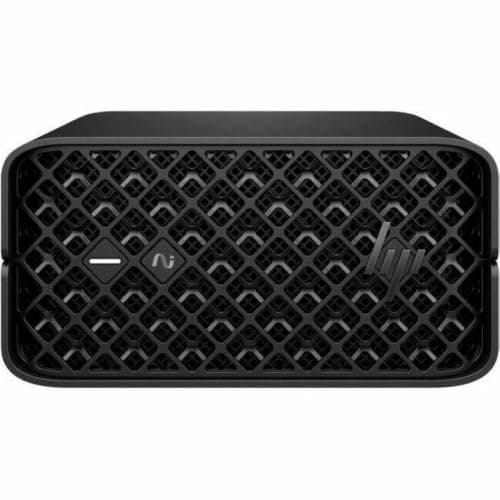
The Z2 Mini G1a uses the same AMD platform as the mini computers above, packaged the way corporate IT departments prefer to purchase. That means a PRO-series processor, Windows 11 Pro, HP Wolf Pro Security and a 3-year warranty with onsite service. PCMag rated it 4/5, and Creative Bloq called it "a potent rival to the Mac Studio." The Register benchmarked a Z2 Mini G1a against the DGX Spark and found the AMD processor competitive on single-batch token generation, while the Spark reached the first token 2-3x sooner.
The complication lives in the listing. Both rated reviews used 128GB units, but this Amazon configuration contains 64GB, and no 128GB version appeared on Amazon when we checked. That explains why its DeskGear Composite Score docks the Effectiveness factor a full point. For a team that wants vendor-supported hardware running mid-size models, PCMag's endorsement and the onsite coverage make it the right choice. For a personal 70B installation, the 64GB tier is the wrong memory size.
What We Love
- Three-year warranty with onsite service, per PCMag
- PCMag rated it 4/5, and Creative Bloq gave it 8/10
- Compact and mountable, with plenty of connectivity for its size (PCMag)
What Could Be Better
- This listing is 64GB; both rated reviews tested 128GB units
- Fans get loud under load (PCMag, Creative Bloq), and memory isn't upgradable
The Verdict
If IT has to approve and support whatever lands on your desk, the HP Z2 Mini G1a Workstation (Ryzen AI Max+ PRO 395, 64GB, 1TB) fits the brief: Windows 11 Pro, Wolf Pro Security, a three-year onsite warranty and PCMag's 4/5. This 64GB listing suits mid-size models. It is the managed-office pick, plainly.
AMD's own supported Linux + ROCm: AMD Ryzen AI Halo Developer Platform (Linux, 128GB)
AMD Ryzen AI Halo Developer Platform (Linux, 128GB)
(Current price, subject to change)
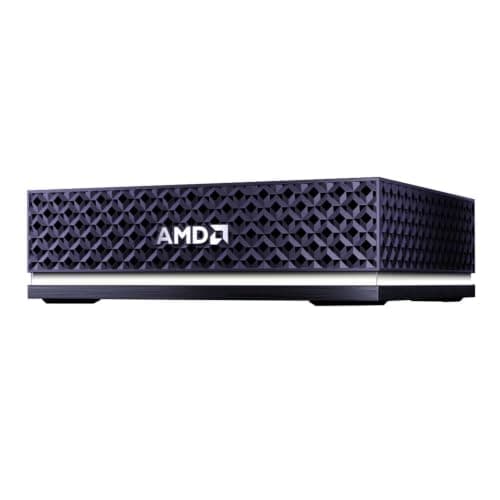
AMD designed this as the reference Strix Halo machine for developers. It pairs the Ryzen AI Max+ 395 and 128GB with 10GbE at 4x the speed of most rivals' 2.5GbE, plus Linux with ROCm and preloaded tools from the first boot. Tom's Hardware appreciated that it removes the guesswork from getting a Strix Halo system running local AI, and valued the direct connection to AMD's software updates. The publication still assigned it 3/5, the lowest rating behind any recommendation here. AI performance and software compatibility trail NVIDIA's GB10 platform, and the bundled playbooks and documentation need refinement.
Versus the BOSGAME M5, you're paying for AMD's software foundation, not faster silicon. Compared to a GB10 system, Tom's Hardware is direct: its performance trails the DGX Spark and GB10 alternatives, and it isn't substantially cheaper than them.
What We Love
- Ships with Linux, ROCm support and preloaded tools (Amazon listing)
- Tom's Hardware says it takes the guesswork out of a Strix Halo AI setup
- 10GbE plus a direct line to AMD's own software updates
What Could Be Better
- Tom's Hardware found its AI performance and software trail NVIDIA's GB10
- Tom's Hardware says its playbooks and preinstalled setup need refinement
The Verdict
For developers who want AMD itself to own the Linux and ROCm stack, the AMD Ryzen AI Halo Developer Platform (Linux, 128GB) is the most direct route: preloaded tools, 10GbE and AMD updates. Tom's Hardware rated it 3/5, though, and found it isn't much cheaper than the faster GB10 boxes.
How We Score: DeskGear Score
DeskGear Score
Score Formula
DeskGear Score = (Expert Consensus × 0.30) + (Effectiveness × 0.25) + (Build Safety × 0.20) + (Durability × 0.15) + (Value × 0.10)Score Factors
- Expert Consensus (30%)How strongly the trade-review, ergonomics-research, and specialist sources we cite endorse the product or its category. The single largest weight, because it is the only factor that doesn't depend on a single editor's judgment.
- Effectiveness (25%)Whether the product actually does what its category requires, judged against the functional standards described in the source stack (e.g., monitor color accuracy adequate for design work; chair adjustment range covering the body sizes the spec sheet advertises).
- Build Safety (20%)Electrical, material, and structural soundness for daily desk use: UL/ETL certification, off-gassing disclosures, BIFMA testing, wattage-handling claims, and known failure modes. A safety shortcoming caps the score regardless of effectiveness.
- Durability (15%)Build quality and longevity, triangulated from manufacturer documentation, brand warranty terms, and practitioner-community failure reports across multiple years of 8h/day use.
- Value (10%)Price relative to the field, on the dated lastProductCheck shown in every guide. Re-checked monthly; we update the score if the price-to-field relationship moves.
DeskGear Score — Ranked
BOSGAME M5 AI Mini PC (Ryzen AI Max+ 395, 128GB, 2TB)
9.6/10TechRadar 5/5, a single outlet rating; Must Buy.
Minisforum MS-S1 Max (Ryzen AI Max+ 395, 128GB, 2TB)
9.2/10TechRadar 4.75/5, a single outlet rating; Must Buy.
Apple Mac Studio (M5 Max, 2026)
9.0/10Mean of Macworld 4.5/5 and tbreak 9/10 (both 128GB units), shared-entry rule; Must Buy.
GMKtec EVO-X3 (Ryzen AI Max+ 395, 128GB, 2TB)
8.7/10TechRadar 4.5/5, a single outlet rating; Recommended.
Apple Mac mini (M5 Pro)
8.6/10Existing entry from the #107 guide, score unchanged; Recommended.
GMKtec EVO-X2 (Ryzen AI Max+ 395, 128GB, 2TB)
7.8/10Tom's Hardware 4/5 on a 64GB unit; Good Value.
HP Z2 Mini G1a Workstation (Ryzen AI Max+ PRO 395, 64GB, 1TB)
7.6/10Mean of PCMag 4/5 and Creative Bloq 8/10; Good Value.
AMD Ryzen AI Halo Developer Platform (Linux, 128GB)
6.2/10Tom's Hardware 3/5, a single outlet rating; Mixed.
Power bricks, fan noise, stacking and screens
These computers are compact, but most draw power from an external brick, and that brick deserves a planned location under or behind the desk. Jeff Geerling notes that Dell's GB10 version ships a 280W supply, about 17% larger than the 240W unit on NVIDIA's own Spark. One NVIDIA Developer Forums owner waited about a month for a replacement adapter that isn't sold separately. Noise is the other daily factor: TechRadar identifies audible fans on the MS-S1 Max under load, and Tom's Hardware says EVO-X2 fan noise can be noticeable. The Mac Studio is the quiet exception. tbreak logged about 106W sustained during a local-AI run on its 40-core, 128GB review unit. After heavy multicore and gaming sessions, it found the machine inaudible from a normal seating position.
If you might eventually add a second computer, the networking you purchase today determines the practical ceiling. NVIDIA's GB10 platform includes ConnectX-7 at 200Gb/s, roughly 20x a 10GbE connection. The EXO Labs DGX Spark Handbook on the Hugging Face blog documents two-, three- and four-Spark cluster configurations. Among AMD alternatives, the MS-S1 Max's dual 10GbE and USB4 v2 represent the closest equivalent. The BOSGAME M5, EVO-X3 and EVO-X2 stop at 2.5GbE, adequate for an individual computer but restrictive for a networked pair. For displays, Apple specifies the Mac Studio for five external monitors and the Mac mini M5 Pro for three. Among the AMD systems, the BOSGAME M5 supports four displays and the MS-S1 Max provides five independent video outputs.
M5 Ultra and DGX Spark: strong, harder to get
The M5 Ultra Mac Studio is the fastest Apple computer for local language models, and professional reviewers generally concur. Tom's Hardware rated it 4/5 and found its prompt processing faster than the DGX Spark's, while PCMag and Tom's Guide each awarded 4.5/5. Apple's announced starting price is $5,499 (Apple Newsroom, August 2026), and its memory bandwidth reaches 1.2TB/s, about 2.6x the linked M5 Max's 460GB/s. In MacStories' review, Federico Viticci measured roughly 1.7x faster generation and about 2.5x faster prompt processing compared to the M3 Ultra, averaged across his workloads. Availability is the genuine obstacle: we found no purchasable M5 Ultra listing on Amazon during our 2026-10-03 verification. Confirm current availability directly with Apple before committing to a purchase. If you can tolerate an indeterminate wait, it remains the most capable individual desktop in this guide for large-model inference.
NVIDIA's GB10 platform is the other headline contender. The DGX Spark Founders Edition shares its processor with partner versions, including the ASUS Ascent GX10, MSI EdgeXpert, HP ZGX G1n and Dell Pro Max GB10. All of them offer 273GB/s of memory bandwidth and CUDA compatibility. Tom's Hardware rated the Spark 4/5 in its evaluation. LMSYS measured strong prefill performance but bandwidth-limited decoding, with Llama 3.1 70B generating 2.7 tokens per second at FP8 precision. The Register found GB10 about 2.5x faster than Strix Halo at QLoRA fine-tuning and considerably ahead on image generation. During our 2026-10-03 verification, Amazon offers for the Founders Edition were priced considerably above its original launch MSRP, so verify the seller's identity and the final price before ordering.
Pricing has changed considerably since launch. In December 2025, The Register reported a $3,999 launch MSRP for the Founders Edition. NVIDIA's October 2, 2026 blog then announced a 64GB configuration from $4,999 through partners, arriving October 23. If you'd prefer to avoid both, the Framework Desktop is the AMD alternative sold directly. Framework offers it in a 192GB Ryzen AI Max+ PRO 495 configuration (checked 2026-10-04). The Beelink GTR9 Pro and GEEKOM A9 Mega are also sold on Amazon but remain unscored, because we have not verified a numeric trade rating for either.
When NOT to Buy
If you use AI several times daily for drafting, programming assistance or research, a ChatGPT or Claude subscription is probably the better financial decision. These computers cost thousands upfront, and that money becomes a sunk cost the day the box arrives, whereas a subscription remains a monthly expense you can cancel. Local hardware justifies itself when you run models for hours daily, require data to remain on your own machine, or want unrestricted experimentation with open-weight models. The other common mistake is purchasing 64GB for 70B-class language models. At typical 4-bit quantization, a 70B model's weights alone occupy roughly 40GB before any context, over 60% of a 64GB machine, and the operating system needs memory too. That limitation affects two recommendations directly. The HP Z2 Mini G1a listing here contains 64GB, and Tom's Hardware evaluated the EVO-X2 using a 64GB unit. Those results don't demonstrate how the 128GB version, with 2x the headroom, handles large models.
Who Should Buy What
Who Should Buy What
| If you are… | Recommended pick |
|---|---|
Mac desk, fast mid-size models You work in macOS, run models in the 30B class or smaller, and want quick replies with resale value as a safety net. | Apple Mac Studio (M5 Max, 2026) |
Biggest memory pool, least money You want 128GB for 70B-class models and care more about memory per dollar than ports or polish. | BOSGAME M5 AI Mini PC (Ryzen AI Max+ 395, 128GB, 2TB) |
Network or cluster boxes You'll link a second box, pull models from a NAS over 10GbE, or run a multi-monitor desk. | Minisforum MS-S1 Max (Ryzen AI Max+ 395, 128GB, 2TB) |
May add a real GPU later You want 128GB today and room to add a full-size graphics card later in an external OCuLink dock. | GMKtec EVO-X3 (Ryzen AI Max+ 395, 128GB, 2TB) |
Long owner track record You want an early Strix Halo box with a large body of owner troubleshooting, and can live with a one-year warranty. | GMKtec EVO-X2 (Ryzen AI Max+ 395, 128GB, 2TB) |
Try local models first You're on a Mac, curious about local models, and want to learn before spending Studio money. | Apple Mac mini (M5 Pro) |
IT-supported Windows 11 Pro Your IT team needs Windows 11 Pro, vendor security tools and onsite warranty support. | HP Z2 Mini G1a Workstation (Ryzen AI Max+ PRO 395, 64GB, 1TB) |
AMD-supported Linux + ROCm You want AMD's own Linux and ROCm baseline and value AMD's playbooks over raw speed. | AMD Ryzen AI Halo Developer Platform (Linux, 128GB) |
Frequently Asked Questions
How much RAM do I need to run a 70B model locally?
Plan on 128GB of unified memory if 70B-class models are the goal. A 64GB machine can load some 4-bit 70B builds, but leaves little room for long context or a second model. The operating system also changes how much memory a model can use: on 128GB Strix Halo boxes, Hardware Corner says users can expect to dedicate up to 96GB to the GPU under Windows and 110GB under Linux, so Linux buys you meaningful extra headroom on the same hardware.
Is the NVIDIA DGX Spark worth it compared with a Mac Studio?
It depends on whether you need CUDA. The DGX Spark runs NVIDIA's software stack, which most training, fine-tuning and image-generation tools support first, and The Register found GB10 about 2.5x faster than Strix Halo at QLoRA fine-tuning. A Mac Studio has more memory bandwidth (460GB/s on the base M5 Max, 614GB/s on the 40-core upgrade, versus 273GB/s), so it should generate tokens faster on a model that fits in its memory, and it doubles as a general-purpose Mac. One NVIDIA Developer Forums owner felt a single Spark was underwhelming while two to four clustered together were excellent, so if the Spark appeals, budget for more than one.
Mac Studio M5 Ultra vs DGX Spark: which is faster for local LLMs?
The M5 Ultra, on the published numbers. Apple rates its memory bandwidth at more than four times GB10's, and token generation scales with bandwidth. Tom's Hardware also found its prompt processing faster than the DGX Spark's, which is the one area where GB10 usually beats AMD's Strix Halo. Speed isn't the only axis, though: the Spark runs CUDA, which matters for fine-tuning and image generation, and the M5 Ultra's launch list price was higher than the Spark's.
Is a Strix Halo (Ryzen AI Max+ 395) mini PC good enough for local AI?
For single-user chat and coding assistants on models up to the 70B class, yes, with 128GB. Where it falls behind is the wait before the first word on long prompts, image and video generation, and fine-tuning, where The Register measured NVIDIA's GB10 well ahead. In exchange, it's an ordinary x86 PC that runs Windows and everyday desktop apps, which an Arm-based GB10 box running NVIDIA's Linux-based DGX OS does not.
Why does memory bandwidth matter more than TOPS for running LLMs?
Generating each token means reading the model's active weights from memory, so in single-user chat the chip spends most of its time waiting on memory rather than doing math. TOPS measure math throughput, which helps most with prompt processing and batch work. That's why LMSYS measured the DGX Spark at only 2.7 tokens per second on Llama 3.1 70B in FP8 despite NVIDIA's petaflop-class AI rating, and why a high-bandwidth Mac can out-generate boxes with bigger TOPS figures.
Should I get 64GB or 128GB for local AI?
Get 128GB unless you're sure you'll stay with models of roughly 30B parameters or smaller. Memory is soldered or fixed at purchase on every machine in this guide, so the choice you make now is permanent. 64GB makes sense mainly for a managed work machine with defined tasks, like the HP Z2 Mini G1a listing here. The two Apple listings linked here are smaller still (36GB for the Mac Studio, 24GB for the Mac mini), so treat them as machines for mid-size models.
Can I cluster two of these boxes to run bigger models?
Yes, with caveats. NVIDIA's GB10 boxes have ConnectX-7 ports built for this: NVIDIA says two clustered 64GB units ran Qwen 3.8 27B up to 1.7x faster, and the EXO Labs handbook describes four Sparks pooling about 512GB in total (roughly 480GB usable). Strix Halo boxes can cluster over 10GbE or USB4, which is why the Minisforum MS-S1 Max's ports matter, but those links are far slower than ConnectX-7, so expect clustering there to help you fit larger models more than to speed them up.
Will a local AI desktop pay for itself compared with a ChatGPT or Claude subscription?
For a light user, rarely on cost alone. A box in this guide costs thousands, while a subscription is a fixed monthly fee, so payback takes years of steady use, and newer hardware may arrive before then. The math improves if you would otherwise pay for API usage at volume, if several people share one box, or if your data can't leave the building for compliance reasons.
Do Strix Halo mini PCs work with ROCm, vLLM and Ollama yet?
Mostly, with setup work. llama.cpp and Ollama are the common starting points, AMD's own Ryzen AI Halo ships with ROCm preinstalled, and TechRadar still describes the GMKtec EVO-X3's software setup as complex. One Strix Halo owner summed up their first week: “The hardware is fine, but the software stack is far from there yet.” If vLLM is central to your workflow, check its current ROCm support for this chip before you buy.
Bottom Line
Get the Apple Mac Studio (M5 Max, 2026) if You work on a Mac, run models in the 30B class or smaller, and want fast replies with resale as a fallback..
Get the BOSGAME M5 AI Mini PC (Ryzen AI Max+ 395, 128GB, 2TB) if You want 128GB for 70B-class models at the lowest outlay and will handle the setup yourself..
Get the Minisforum MS-S1 Max (Ryzen AI Max+ 395, 128GB, 2TB) if You'll cluster boxes or need 10GbE and plenty of display outputs..
Get the GMKtec EVO-X3 (Ryzen AI Max+ 395, 128GB, 2TB) if You want to add a full-size graphics card later through an OCuLink dock and accept a more involved setup..
Get the GMKtec EVO-X2 (Ryzen AI Max+ 395, 128GB, 2TB) if You prefer a well-documented early Strix Halo box and can accept budget build quality and a one-year warranty..
Get the Apple Mac mini (M5 Pro) if You're on a Mac and want to learn what local AI does for you before spending Studio money..
Get the HP Z2 Mini G1a Workstation (Ryzen AI Max+ PRO 395, 64GB, 1TB) if IT has to support it on Windows 11 Pro, and 64GB covers the models you run..
Get the AMD Ryzen AI Halo Developer Platform (Linux, 128GB) if You want AMD's supported Linux and ROCm image and value that over raw speed..
You use AI a few times a day for drafting or coding help; a ChatGPT or Claude subscription costs less and needs no setup.
Sources & Methodology
Methodology: DeskGear Score — Formula: DeskGear Score = (Expert Consensus × 0.30) + (Effectiveness × 0.25) + (Build Safety × 0.20) + (Durability × 0.15) + (Value × 0.10). Factors: Expert Consensus (30%): How strongly the trade-review, ergonomics-research, and specialist sources we cite endorse the product or its category. The single largest weight, because it is the only factor that doesn't depend on a single editor's judgment. | Effectiveness (25%): Whether the product actually does what its category requires, judged against the functional standards described in the source stack (e.g., monitor color accuracy adequate for design work; chair adjustment range covering the body sizes the spec sheet advertises). | Build Safety (20%): Electrical, material, and structural soundness for daily desk use: UL/ETL certification, off-gassing disclosures, BIFMA testing, wattage-handling claims, and known failure modes. A safety shortcoming caps the score regardless of effectiveness. | Durability (15%): Build quality and longevity, triangulated from manufacturer documentation, brand warranty terms, and practitioner-community failure reports across multiple years of 8h/day use. | Value (10%): Price relative to the field, on the dated lastProductCheck shown in every guide. Re-checked monthly; we update the score if the price-to-field relationship moves.
Expert review sources used in this analysis:
- We compared trade reviews from Tom's Hardware, PCMag, Tom's Guide, TechRadar, Creative Bloq, Macworld, tbreak and Fstoppers
- We also drew on MacStories (Federico Viticci), The Register (Tobias Mann), LMSYS, ServeTheHome, Hardware Corner, Jeff Geerling and the EXO Labs DGX Spark Handbook on the Hugging Face blog
- Specifications come from Apple, NVIDIA, AMD and Framework, and GPU support details from Ollama's documentation
- Owner voice comes from Hacker News, Level1Techs and the NVIDIA Developer Forums, quoted verbatim and treated as individual anecdotes, not failure rates.
Nicholas Miles is the founder of DeskGearHQ and a longtime smart home enthusiast focused on helping everyday homeowners make better technology decisions. He researches, compares, and writes about products across security, climate, lighting, leak prevention, sensors, home energy, and automation, with an emphasis on real-world usefulness, ecosystem compatibility, reliability, privacy, and long-term value.
Affiliate disclosure: DeskGearHQ earns affiliate commissions on qualifying Amazon purchases. Our scoring methodology is independent of affiliate relationships.



