Printers
Best Home Office Laser Printers 2026: Color and Mono AIOs That Earn Their Desk Space
A laser earns its desk space when you print enough that per-page cost matters. We synthesized Consumer Reports and Digital Trends measurements with r/printers owner data to rank six home-office laser printers — from a $570 Brother color all-in-one to a mono workhorse and a print-only budget option.
By Nick Miles · Updated July 3, 2026 · 14 min read
7 expert sources synthesizedLast verified July 3, 2026
DeskGearHQ is reader-supported. We may earn a commission from qualifying Amazon purchases at no extra cost to you.
Evidence at a Glance
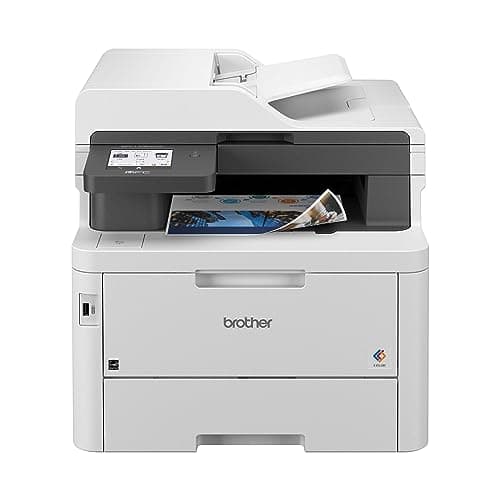
Brother MFC-L3780CDW Color All-in-One
31 ppm color and mono, single-pass duplex scanning on the ADF, and Consumer Reports-measured 5.5 cents per black page — the all-round home-office color laser.
Sources: Consumer Reports, Digital Trends, Brother
Verified Jul 3, 2026
HP LaserJet Pro MFP 4101fdw Mono All-in-One
42 ppm rated mono speed and the cheapest measured text printing in this roster at ~3.7 cents per page per Consumer Reports — the text workhorse.
Sources: Consumer Reports, ybtoner
Verified Jul 3, 2026
Canon Color imageCLASS MF751Cdw II Color All-in-One
35 ppm color and mono with individual CMYK cartridges, so you replace only the color that runs out — the value color pick.
Sources: Consumer Reports, Canon
Verified Jul 3, 2026
Our Picks
Brother
Brother MFC-L3780CDW Color All-in-One
9.0 / 10
- Up to 31 ppm in both black and color
- Automatic 2-sided printing; 50-sheet ADF does single-pass 2-sided scan and copy
- 250-sheet main paper tray; up to 50,000-page monthly duty cycle (4,000 recommended)
- Standard toner yields 2,300 pages black / 1,200 per color
$569.99
Brother
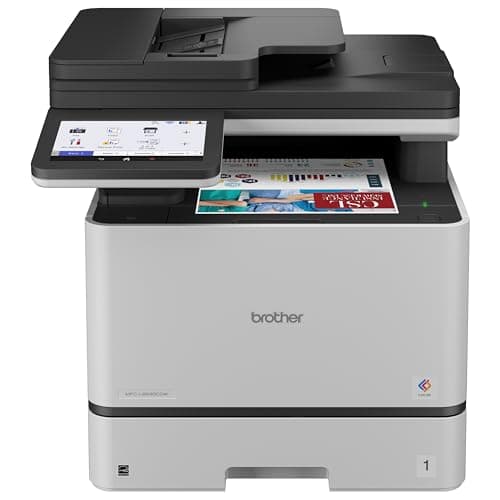
Brother MFC-L8930CDW Business Color All-in-One
8.7 / 10
- Up to 33 ppm in both black and color with automatic duplex
- 80-page ADF with single-pass duplex scanning up to 104 ipm
- Up to 70,000-page monthly duty cycle; 6,500 recommended — highest here
- Standard toner 3,000 black / 1,800 color; high-yield 7,500 black / 6,500 color
$699.99
HP
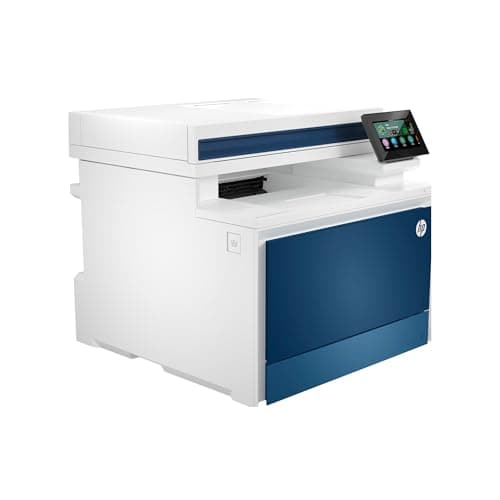
HP Color LaserJet Pro MFP 4301fdw Color All-in-One
8.3 / 10
- Up to 35 ppm rated in black and color; first page out ~9-10s
- Automatic 2-sided printing plus a 50-sheet ADF
- Up to 50,000-page monthly duty cycle (750-4,000 recommended)
- Toner 210A: 2,000 black / 1,800 per color; high-yield 210X: 7,500 black / 5,500 color
$659.00
HP
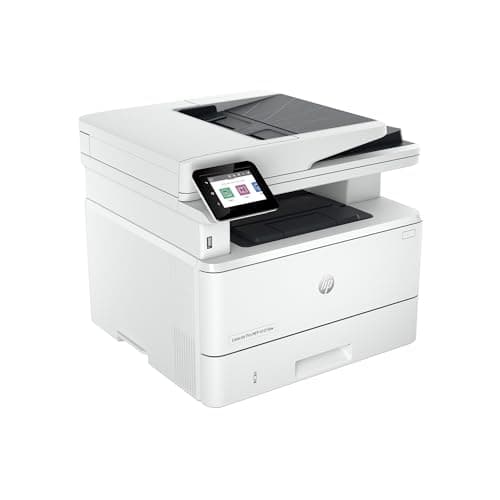
HP LaserJet Pro MFP 4101fdw Mono All-in-One
8.5 / 10
- Up to 42 ppm rated mono speed — fastest here; first page out ~6.1s
- Automatic 2-sided printing plus a 50-sheet ADF
- Up to 80,000-page monthly duty cycle (750-4,000 recommended)
- Toner 148A: 2,900 pages; high-yield 148X: 9,500 pages
$659.00
Canon
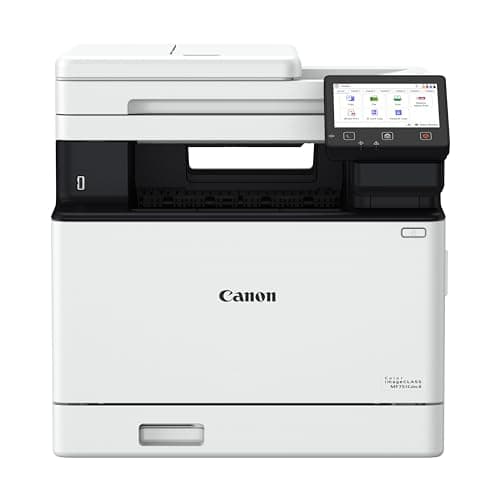
Canon Color imageCLASS MF751Cdw II Color All-in-One
8.4 / 10
- Up to 35 ppm in color and mono (Letter)
- Automatic 2-sided printing; 50-sheet ADF (simplex scan)
- 250-sheet drawer plus 50-sheet multipurpose tray; 750-4,000 recommended monthly volume
- Individual CMYK toner: 069 standard 2,100 black / 1,900 color; 069H 7,600 black / 5,500 color
$648.99
Xerox
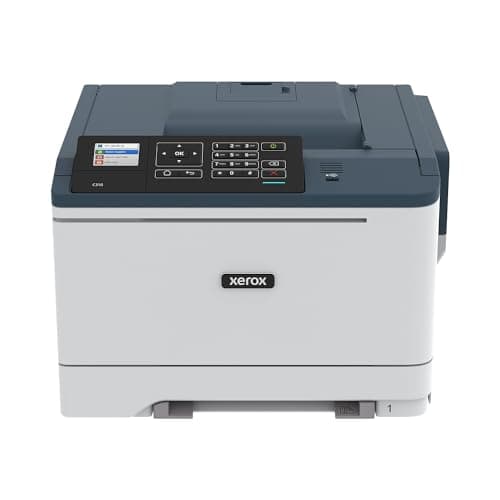
Xerox C310DNI Color Laser Printer (Print-Only)
7.8 / 10
- PRINT-ONLY — no scanner, copier, ADF, or fax
- Up to 35 ppm color and mono (Letter) at 1200x1200 dpi
- Automatic 2-sided printing standard
- Up to 80,000-page monthly duty cycle (6,000 recommended)
$399.99
The Short Answer
For most home offices, the Brother MFC-L3780CDW is the color all-in-one to buy: 31 ppm color and mono, single-pass duplex scanning, and Consumer Reports-measured 5.5 cents per black page at around $570. If you print mostly text and no color, the HP LaserJet Pro MFP 4101fdw is the mono workhorse — 42 ppm rated and the cheapest measured text printing here at ~3.7 cents per page. The Canon Color imageCLASS MF751Cdw II is the value color AIO, and the Xerox C310DNI is the budget color pick if — and only if — you never need to scan or copy, because it is print-only.
Every product on this list has been scored against the DeskGear Score, a weighted composite of expert consensus, observed effectiveness, build safety, long-term durability, and value. Review method: Editorial synthesis of trade-publication reviews (Consumer Reports measured cost-per-page and speed, Digital Trends, HP Tech Takes, STP Texas, ybtoner) and owner data from r/printers and r/homeoffice. No first-hand product testing — our role is to synthesize what expert sources and owners already agree on. All specs cross-referenced against Brother, HP, Canon, and Xerox manufacturer documentation and current Amazon listings. Cost-per-page figures are Consumer Reports or Digital Trends measurements as attributed, not our own calculations.. Synthesized from 7+ expert sources.
Head-to-Head Comparison
| Feature | Brother MFC-L3780CDW Color All-in-One | Brother MFC-L8930CDW Business Color All-in-One | HP Color LaserJet Pro MFP 4301fdw Color All-in-One | HP LaserJet Pro MFP 4101fdw Mono All-in-One | Canon Color imageCLASS MF751Cdw II Color All-in-One | Xerox C310DNI Color Laser Printer (Print-Only) |
|---|---|---|---|---|---|---|
| Type | Color AIO | Color AIO | Color AIO | Mono AIO | Color AIO | Color print-only |
| Rated speed | 31 ppm | 33 ppm | 35 ppm | 42 ppm | 35 ppm | 35 ppm |
| Measured black cost/page | 5.5¢ (CR) | Not yet tested | 5.7¢ (CR) | 3.7¢ (CR) | 4.6¢ (CR) | 3.6¢ (CR) |
| Scan / copy | Yes — single-pass duplex | Yes — single-pass duplex | Yes — 50-sheet ADF | Yes — mono | Yes — simplex scan | No — print-only |
| Recommended volume | Up to 4,000/mo | Up to 6,500/mo | 750-4,000/mo | 750-4,000/mo | 750-4,000/mo | Up to 6,000/mo |
| Best for | Most home offices | Higher-volume offices | Fast color printing | High-volume text | Value color + cartridge economy | Print-only color budget |
| Watch-out | Weak photos, heavy | No measured cost yet, price | Highest color cost, Dynamic Security | Mono only, price may be elevated | Simplex scan, stock winding down | No scanner at all |
| Check Price | Amazon | Amazon | Amazon | Amazon | Amazon | Amazon |
Brother Brother MFC-L3780CDW Color All-in-One
$569.99
- Up to 31 ppm in both black and color
- Automatic 2-sided printing; 50-sheet ADF does single-pass 2-sided scan and copy
- 250-sheet main paper tray; up to 50,000-page monthly duty cycle (4,000 recommended)
- Standard toner yields 2,300 pages black / 1,200 per color
- Dual-band Wi-Fi, Gigabit Ethernet, USB, NFC card reader, AirPrint/Mopria
The Brother MFC-L3780CDW is the color all-in-one we would put on most home-office desks. Across the reviews we surveyed, the consensus lands on the same practical case: it prints color and mono at the same 31 ppm, it scans and copies two-sided documents in a single pass through the 50-sheet ADF, and it runs cheaply enough to justify a laser in the first place. Digital Trends verified the 31 ppm color and mono ratings with a roughly 13-second first page out and called it well-suited to small-business color volume; Consumer Reports measured black text at 5.5 cents per page.
That single-pass duplex ADF is the feature that separates this Brother from cheaper color AIOs. Most printers at this price scan one side, flip the page, and scan again — slower and more prone to misfeeds. The L3780CDW captures both sides in one pass, which matters the moment you have a stack of two-sided contracts, tax forms, or school packets to digitize. Running cost is the other reason it wins: Digital Trends put real-world cost at roughly 2-4 cents per black page and 10-17 cents per color page depending on cartridge size, so high-yield toner is the move if you print regularly.
The honest trade-offs are real. Photo output disappoints even by laser standards — Digital Trends found muted, grainy color with reds shifting toward orange, so this is a documents-and-graphics machine, not a photo printer. At 47.8 pounds it needs a real desk or credenza, not a floating shelf. And the standard toners ship modest (2,300 black / 1,200 color), so plan on the high-yield cartridges to keep per-page cost down. Pair it with a solid dock and network and it anchors a two-site setup nicely — see the hybrid worker's dual-site stack.
What We Love
- Same 31 ppm speed in color and mono — no color speed penalty
- Single-pass duplex scanning on the ADF, uncommon at this price
- Consumer Reports-measured 5.5 cents per black page keeps text cheap
- Full connectivity — dual-band Wi-Fi, Gigabit Ethernet, NFC, mobile print
- 50,000-page monthly duty cycle handles real home-office volume
What Could Be Better
- Photo output is muted and grainy, with reds shifting orange (Digital Trends)
- Large and heavy at 47.8 lb — needs dedicated desk or credenza space
- Digital Trends flagged the iPhone/iPad mobile app as sluggish
- Standard toner yields are modest, so high-yield cartridges are effectively required
The Verdict
The default home-office color laser. Buy this if you want fast color and mono, genuine single-pass duplex scanning, and measured low text cost — and you do not need it to print photos.
Brother Brother MFC-L8930CDW Business Color All-in-One
$699.99
- Up to 33 ppm in both black and color with automatic duplex
- 80-page ADF with single-pass duplex scanning up to 104 ipm
- Up to 70,000-page monthly duty cycle; 6,500 recommended — highest here
- Standard toner 3,000 black / 1,800 color; high-yield 7,500 black / 6,500 color
- 7-inch color touchscreen; dual-band Wi-Fi, Gigabit Ethernet, NFC, triple-layer security
The Brother MFC-L8930CDW is the pick when the L3780CDW is not quite enough printer. It steps up on every volume metric that matters: 33 ppm color and mono, an 80-page ADF that captures single-pass duplex scans at up to 104 images per minute, and a 6,500-page recommended monthly volume — the highest in this roster and genuinely small-business territory. Its high-yield toner options reach 7,500 pages black and 6,500 per color, the deepest consumable yields of any color pick here, which is how a busier office keeps per-page cost sane.
One caveat shapes how we can talk about running cost. This is the newest model in the roster, and at research time the independent labs — Consumer Reports among them — had not published a measured cost-per-page for it. So unlike the L3780CDW, we can only point to Brother's own yield specs, not a third-party measured cent-per-page number. The specs are strong, but treat any running-cost math as an estimate from yields until a lab measures it. It also slots into the successor position for the long-running MFC-L8900CDW, which Brother now lists as discontinued.
The trade-offs are size, price, and toner economics. At $699.99 it is a meaningful step up from the L3780CDW for the same broad class of home office, and its business-class footprint is bigger and heavier than a typical home AIO. The included standard color toners (1,800 pages) will push you toward the pricier high-yield set fairly quickly. If your monthly volume is genuinely in the thousands of pages, that is money well spent; if it is not, rank 1 is the smarter buy.
What We Love
- 33 ppm color and mono with an 80-page single-pass duplex ADF
- 6,500-page recommended monthly volume — highest in this guide
- Deepest high-yield toner options here (7,500 black / 6,500 color)
- 7-inch touchscreen and triple-layer security for shared offices
- Automatic duplex printing standard
What Could Be Better
- No third-party measured cost-per-page published yet — running cost leans on Brother yield specs only
- At $699.99, a real step up in price over the L3780CDW for a similar home-office class
- Business-class footprint — bigger and heavier than typical home AIOs
- Standard included color toners (1,800 pages) push buyers to the pricier high-yield set quickly
The Verdict
The upgrade for a home office that genuinely prints in the thousands of pages a month. You gain volume headroom and toner depth; you pay for it in price and desk space, and running-cost claims rest on yield specs rather than a measured number for now.
HP HP Color LaserJet Pro MFP 4301fdw Color All-in-One
$659.00
- Up to 35 ppm rated in black and color; first page out ~9-10s
- Automatic 2-sided printing plus a 50-sheet ADF
- Up to 50,000-page monthly duty cycle (750-4,000 recommended)
- Toner 210A: 2,000 black / 1,800 per color; high-yield 210X: 7,500 black / 5,500 color
- Wi-Fi, Gigabit Ethernet, USB, fax, and mobile printing (fdw trim)
The HP Color LaserJet Pro MFP 4301fdw is the speed pick among the color all-in-ones. It carries the highest rated print speed of the color AIOs here at up to 35 ppm, and HP's own Tech Takes review — which we flag as HP editorial, not independent — reports it hits near that rating in both simplex and duplex, with first pages out in roughly 9-10 seconds. If your bottleneck is a long print queue rather than per-page cost, it moves paper faster than the Brother picks.
Cost is where the honesty comes in. Consumer Reports measured its black text at about 5.7 cents per page and, more tellingly, color graphics at roughly 45.3 cents per page — the highest measured color cost in this roster. Standard color toners are small at 1,800 pages, so economical use effectively requires the high-yield 210X set. Digital Trends' verdict on the broader Color LaserJet Pro line was blunt: it "works great but costs too much," and that running-cost complaint applies here. A note on price: the $659 figure is the current Amazon Buy-Box, not a confirmed HP list price — HP's own pages would not load for us to verify an MSRP, so treat the number as a live street price that can move.
There is one more ownership risk worth naming plainly: HP Dynamic Security. HP firmware updates have blocked third-party toner chips with a "Non-HP Chip Detected" error, and HP settled a class action over cartridge-blocking updates. If the freedom to shop for cheaper toner matters to you, that is a documented reason to look hard at the Brother or Canon picks instead. We cover the third-party-toner question in the FAQ below.
What We Love
- Highest rated color speed here at up to 35 ppm, confirmed near-rate by HP Tech Takes
- Automatic duplex printing plus a 50-sheet ADF
- High-yield 210X toner reaches 7,500 black / 5,500 color for lower per-page cost
- Full fdw connectivity — Wi-Fi, Gigabit Ethernet, fax, mobile printing
What Could Be Better
- Highest measured color cost in the roster at ~45.3 cents per color page (Consumer Reports)
- HP Dynamic Security firmware can block third-party toner — a documented, class-action-settled practice
- $659 is the current Buy-Box, not a verified HP list price — treat as a movable street price
- Small standard toners (2,000 black / 1,800 color) make the high-yield 210X set close to mandatory
The Verdict
Buy it for speed if you print color in a hurry and will commit to high-yield HP toner. Skip it if per-color-page cost or the freedom to use third-party toner is a priority — the measured color cost is the highest here and Dynamic Security is a real constraint.
HP HP LaserJet Pro MFP 4101fdw Mono All-in-One
$659.00
- Up to 42 ppm rated mono speed — fastest here; first page out ~6.1s
- Automatic 2-sided printing plus a 50-sheet ADF
- Up to 80,000-page monthly duty cycle (750-4,000 recommended)
- Toner 148A: 2,900 pages; high-yield 148X: 9,500 pages
- Wi-Fi, Gigabit Ethernet, USB, fax, and mobile printing (fdw trim)
If your home office prints text and nothing but text, the HP LaserJet Pro MFP 4101fdw is the workhorse. It carries the fastest rated speed in this guide at up to 42 ppm with a roughly 6.1-second first page out, and Consumer Reports rated its text quality "excellent" while measuring the cheapest text printing in the roster at about 3.7 cents per page. For a household or solo office that pushes forms, contracts, invoices, and homework, that combination of speed and low text cost is exactly the point of a mono laser.
Be clear-eyed about what "42 ppm" means, though. Consumer Reports measured real-world text throughput closer to 25 ppm, and graphics throughput drops to roughly 7.5 ppm at about 7.8 cents per black-and-white graphics page. So this is a strong text machine, not a graphics machine — the headline speed is a best case for plain documents, not mixed pages. Scanning was rated Very Good, and the high-yield 148X toner reaches 9,500 pages, which is how the per-page cost stays low over time.
The trade-offs: it is monochrome only, at a price where color competitors exist, so you are paying for speed and text economy rather than versatility. The same HP Dynamic Security caveat applies — firmware can block third-party toner chips. And a price note: reviews describe a typical street price over $500, so the current $659 Buy-Box may be elevated; HP's list price could not be verified, so re-check the price before you treat it as fixed. For a color companion when you occasionally need it, the strategy in the FAQ — mono laser plus a cheap inkjet — often beats buying one color laser.
What We Love
- Fastest rated speed here at up to 42 ppm, ~6.1s first page out
- Cheapest measured text printing in the roster at ~3.7 cents per page (Consumer Reports)
- Excellent-rated text quality and Very Good scanning per Consumer Reports
- High-yield 148X toner reaches 9,500 pages for low long-term cost
What Could Be Better
- Monochrome only — no color at a price where color AIOs compete
- HP Dynamic Security firmware can block third-party toner ("Non-HP Chip Detected")
- Real-world and graphics throughput fall well below the 42 ppm headline (~25 ppm text, ~7.5 ppm graphics)
- $659 Buy-Box may be elevated versus a typical sub-$550 street price — verify before buying
The Verdict
The text workhorse. Buy it if you print high volumes of documents and never color, and you want the cheapest measured per-page text cost here. Just price it at purchase — the current listing may sit above its usual street price.
Canon Canon Color imageCLASS MF751Cdw II Color All-in-One
$648.99
- Up to 35 ppm in color and mono (Letter)
- Automatic 2-sided printing; 50-sheet ADF (simplex scan)
- 250-sheet drawer plus 50-sheet multipurpose tray; 750-4,000 recommended monthly volume
- Individual CMYK toner: 069 standard 2,100 black / 1,900 color; 069H 7,600 black / 5,500 color
- Wi-Fi, Gigabit Ethernet, USB
The Canon Color imageCLASS MF751Cdw II is the value play in color, and its best trick is cartridge economics. It uses individual CMYK toner cartridges, so when one color runs out you replace only that color rather than a combined unit — Consumer Reports confirmed the individual 069 cartridges (black around $105, each color around $126) and verified auto-duplex printing in testing. Consumer Reports measured about 4.6 cents per black text page and roughly 36 cents per color graphics page, with an estimated two-year total cost of ownership around $619 at typical use. That color cost undercuts the HP 4301fdw's measured 45.3 cents while still delivering 35 ppm color and mono.
RTINGS has bench-tested this Canon color-laser platform as well; we do not transcribe their measured figures here, so treat anything you read claiming specific RTINGS numbers with care and pull them from the source directly. What we can stand behind are the Consumer Reports measurements above and Canon's own specifications.
Two trade-offs to weigh. First, the ADF is simplex-scan only — it scans one side at a time, unlike the single-pass duplex ADF on the Brother picks, so digitizing two-sided stacks is slower. Second, availability: Canon's own store flagged this "II" revision as no longer available direct at the time we checked, even though the Amazon listing was live, so confirm stock before you commit. A pricing note as well — Canon lists $648.99 as the regular price, but was showing a promotional price closer to $429 at check time; the $648.99 figure is the list price we quote, and a sale, if live, is a bonus rather than the baseline.
What We Love
- Individual CMYK cartridges — replace only the color that runs out
- Lower measured color cost than the HP 4301fdw at ~36 cents per color graphics page (Consumer Reports)
- 35 ppm color and mono with automatic duplex printing
- No hard-blocking of third-party toner the way HP Dynamic Security does
What Could Be Better
- ADF is simplex-scan only — no single-pass duplex scanning like the Brother picks
- Consumer Reports estimated ~$619 two-year cost of ownership; a full 069 set runs ~$483
- 750-4,000 pages/month is home-office class, not workgroup class
- Canon's own store flagged the "II" revision as no-longer-available direct — verify stock before buying
The Verdict
The value color AIO. Buy it for the individual-cartridge economics and lower color cost than the HP, as long as simplex-only scanning is fine and you confirm it is still in stock at purchase.
Xerox Xerox C310DNI Color Laser Printer (Print-Only)
$399.99
- PRINT-ONLY — no scanner, copier, ADF, or fax
- Up to 35 ppm color and mono (Letter) at 1200x1200 dpi
- Automatic 2-sided printing standard
- Up to 80,000-page monthly duty cycle (6,000 recommended)
- Toner standard 3,000 black / 2,000 per color; high-capacity 8,000 black / 5,500 color
The Xerox C310DNI is the budget color pick with one enormous asterisk: it is print-only. There is no scanner, no copier, no ADF, and no fax on this machine. If you ever need to scan a signed page or copy a document, this is not your printer — look at the color all-in-ones above, or Xerox's own C315 MFP, instead. We put it in the roster because as a pure color printer it is genuinely inexpensive to run and to buy, but that single limitation disqualifies it for a lot of home offices, and we would rather say so up front than bury it.
For the narrow buyer it fits — someone who prints color regularly and scans on a phone or a separate device — the numbers are good. Consumer Reports measured about 3.6 cents per black text page with an estimated running cost around $50 a year, low for a color laser. It prints color and mono at up to 35 ppm with automatic duplex standard, and high-capacity toner reaches 8,000 black and 5,500 per color. STP Texas confirms the print-only design and positions it for small workgroups printing up to roughly 6,000 pages a month.
Beyond the missing scanner, the trade-offs are modest. The 250-sheet input tray plus single-sheet bypass limits long unattended runs, you have four separate color cartridges to stock, and Xerox's home-office presence — drivers, support, consumer familiarity — is thinner than Brother's or HP's. At $399.99 it is the cheapest entry here, but remember you may need to budget for a separate scanner to match what the all-in-ones do in one box.
What We Love
- Cheapest measured black text cost here at ~3.6 cents per page (Consumer Reports)
- Estimated ~$50/year running cost — low for a color laser
- 35 ppm color and mono with automatic duplex standard
- High-capacity toner reaches 8,000 black / 5,500 color
What Could Be Better
- No scanning, copying, ADF, or fax — print-only, so any scan/copy need rules it out
- Small 250-sheet input plus single-sheet bypass limits unattended runs
- Four separate toner cartridges to stock, with modest 2,000-page standard color yield
- Thinner home-office brand presence (drivers, support) than Brother or HP
The Verdict
The budget color pick for print-only households. Buy it only if you are certain you never need to scan or copy — its low run cost is real, but a missing scanner is a hard limit, not a minor one.
How We Score
Formula
DeskGear Score = (Expert × 0.30) + (Effectiveness × 0.25) + (Build Safety × 0.20) + (Durability × 0.15) + (Value × 0.10)
Score Factors
- Running Cost · 30%
- Measured cost-per-page from Consumer Reports and Digital Trends where available (black text and color graphics), plus toner yields and high-yield cartridge economics. Weighted heaviest because per-page cost is the whole reason to choose a laser over an inkjet.
- Print Speed & Throughput · 20%
- Rated ppm and first-page-out, contextualized against measured real-world throughput where a lab reported it — because rated speed is a best case for plain text, not mixed pages.
- Scan, Copy & Paper Handling · 20%
- ADF capacity, single-pass duplex versus simplex scanning, tray capacity, and whether the machine scans and copies at all. The Xerox C310DNI scores lowest here — it is print-only.
- Duty Cycle & Volume · 15%
- Maximum monthly duty cycle and, more importantly, the manufacturer's recommended monthly volume — the number that reflects sustainable use rather than an absolute ceiling.
- Expert & Owner Consensus · 15%
- Agreement across Consumer Reports, Digital Trends, HP Tech Takes, STP Texas, and ybtoner, weighted toward sources with measured figures, plus r/printers and r/homeoffice owner sentiment on reliability and toner.
| Rank | Product | Score |
|---|---|---|
| #1 | Brother Brother MFC-L3780CDW Color All-in-One | 9.0 |
| #2 | Brother Brother MFC-L8930CDW Business Color All-in-One | 8.7 |
| #3 | HP HP LaserJet Pro MFP 4101fdw Mono All-in-One | 8.5 |
| #4 | Canon Canon Color imageCLASS MF751Cdw II Color All-in-One | 8.4 |
| #5 | HP HP Color LaserJet Pro MFP 4301fdw Color All-in-One | 8.3 |
| #6 | Xerox Xerox C310DNI Color Laser Printer (Print-Only) | 7.8 |
Frequently Asked Questions
Laser vs inkjet for a home office — when does a laser actually save money?
A laser saves money once your volume is high enough that per-page cost outweighs the inkjet's cheaper purchase price. Lasers win on plain-text cost per page, speed, and reliability after idle periods (no dried-out nozzles). Inkjets win on upfront price and photo quality. If you print steadily — packets, forms, invoices — a laser's toner economics pull ahead. If you print occasionally and want photos, keep the inkjet.
Is a color laser worth it, or should I buy a mono laser and keep an inkjet for occasional color?
For many home offices, the mono-laser-plus-cheap-inkjet combo beats a single color laser. Color lasers cost more to buy and run per color page — Consumer Reports measured roughly 36 cents per color page on the Canon and about 45 cents on the HP 4301fdw. If you print color rarely, a fast mono laser like the HP 4101fdw for daily text (~3.7 cents/page) plus a budget inkjet for the occasional color job often costs less overall. If you print color regularly, a color AIO like the Brother L3780CDW is the cleaner single-box answer.
Can I use generic or third-party toner?
It depends heavily on the brand, and this is where honesty matters. HP's Dynamic Security firmware has blocked non-HP toner chips with a "Non-HP Chip Detected" error, and HP settled a class action over cartridge-blocking updates — a documented, real ownership risk on the HP picks here. Brother and Canon do not currently hard-block third-party toner the same way, but every manufacturer's yield specs assume genuine toner, and third-party yields and reliability vary. If the freedom to shop for cheaper toner is important to you, that is a genuine reason to favor the Brother or Canon models over the HPs.
What does "monthly duty cycle" mean, and why does recommended volume matter more?
Duty cycle is the maximum pages a printer can handle in a month without damage — a stress ceiling, not a goal. Recommended monthly volume is the sustainable figure the manufacturer expects for a long service life. A printer with a 50,000-page duty cycle and a 4,000-page recommended volume is telling you to plan around 4,000. Buying to the max number is how people wear printers out early.
Why do measured cost-per-page numbers differ from the manufacturer's yield math?
Manufacturer yields assume a standard 5% page coverage that real documents rarely match, so dividing cartridge price by rated yield gives an idealized number. Labs like Consumer Reports print real test pages and measure the toner actually consumed, which is why their measured cents-per-page are the figures we quote. When a model has no measured number yet — like the newest Brother L8930CDW — we flag it rather than pass off a yield calculation as a measurement.
With back-to-school season in August, which of these makes sense for a household printing school packets, forms, and homework?
For a household hammering out worksheets, permission slips, and homework in the fall, a fast mono laser is the cheap-per-page workhorse — the HP 4101fdw prints text at about 3.7 cents a page and moves quickly, which adds up over a semester of packets. If those packets sometimes include color projects or you also need to scan and copy signed forms, the Brother L3780CDW is the better all-in-one, trading a little text cost for color and single-pass duplex scanning. Skip the print-only Xerox for a busy household — you will want the scanner when a signed form has to go back to school.
Do I need an ADF with duplex scanning if I only scan a few pages a week?
Probably not. Single-pass duplex scanning — the standout feature on the Brother picks — earns its keep when you routinely digitize stacks of two-sided documents. If you scan a handful of single pages a week, a simplex-scan ADF like the Canon's, or even a flatbed, is perfectly fine, and you can put that budget toward lower running cost instead. Match the scanner to how much you actually scan, not to the spec sheet.
Bottom Line
Get the Brother MFC-L3780CDW if you want the best all-round home-office color laser — 31 ppm color and mono, single-pass duplex scanning, and a measured 5.5 cents per black page at around $570.
Step up to the Brother MFC-L8930CDW only if you genuinely print thousands of pages a month and need the 6,500-page recommended volume and deeper toner yields — running-cost claims rest on yield specs, not a measured number yet.
Get the HP Color LaserJet Pro MFP 4301fdw for speed if you print color in a hurry and will commit to high-yield HP toner — but its measured color cost is the highest here, and Dynamic Security limits third-party toner.
Get the HP LaserJet Pro MFP 4101fdw if you print high volumes of text and never color — it is the fastest here and the cheapest measured text at ~3.7 cents per page. Verify the price; the current listing may be elevated.
Get the Canon Color imageCLASS MF751Cdw II for value color — individual CMYK cartridges and lower color cost than the HP, if simplex-only scanning is fine and it is still in stock.
Get the Xerox C310DNI only if you never scan or copy — it is the cheapest color laser to buy and run here, but it is print-only, full stop.
Sources & Methodology
Expert review sources
- Consumer Reports — measured cost-per-page and speed on five of six picks
- Digital Trends — Brother MFC-L3780CDW review and HP Color LaserJet Pro line review
- HP Tech Takes — HP's own editorial review of the 4301fdw (affiliation disclosed)
- STP Texas — Xerox C310 review
- ybtoner — HP LaserJet Pro 4101fdw review
- Brother, HP, Canon, Xerox — manufacturer specification pages
Community sources
- r/printers — Brother-vs-HP sentiment and third-party toner experiences
- r/homeoffice — real-world home-office printer ownership threads
- consumerrights.wiki and TechSpot — coverage of HP Dynamic Security cartridge blocking
Prices and specs verified July 3, 2026.
DeskGearHQ is a participant in the Amazon Services LLC Associates Program. We may earn commissions from qualifying purchases — at no extra cost to you.