Best Gaming Keyboards 2026: Hall-Effect vs Mechanical
Hall-effect or mechanical, 8 kHz or 1 kHz, Snap Tap or banned — the Razer Huntsman V3 Pro is the safest competitive pick, but most players don't need a $200 analog board to clear the bar.
This article contains affiliate links. We may earn a commission at no extra cost to you. Learn more
Featured in this Guide
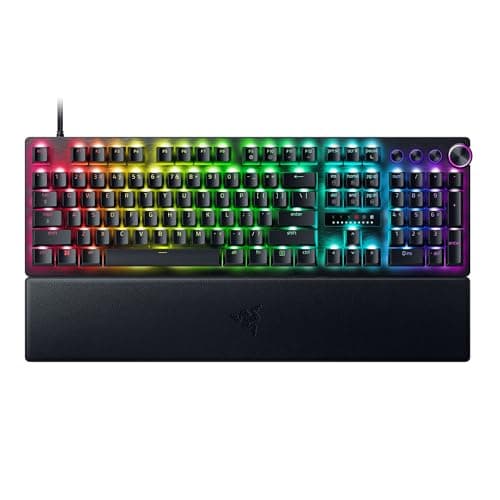
Razer
Huntsman V3 Pro Analog Optical Gaming Keyboard
- •Lowest measured latency: 0.58 ms
- •8 kHz polling
- •per-key Rapid Trigger. Keep Snap Tap OFF in ranked.
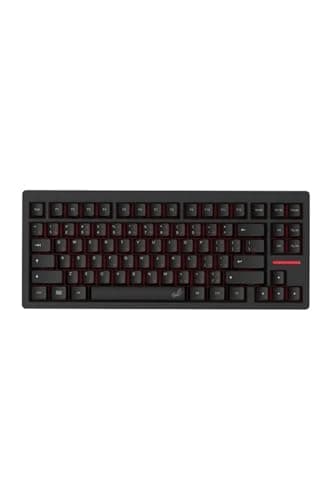
Wooting
TenZ Takeover 75% Keyboard
- •Lekker Hall-effect
- •0.1 mm adjustable actuation
- •TenZ 75% layout — the board the meta was built on.
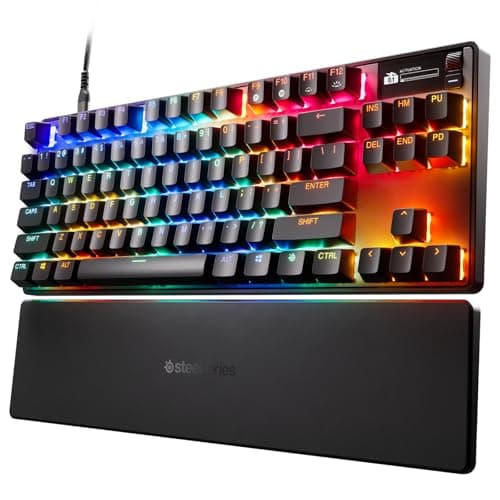
SteelSeries
Apex Pro TKL Gen 3 HyperMagnetic Gaming Keyboard
- •Adjustable HyperMagnetic actuation
- •OLED per-game presets
- •sub-1 kg TKL that frees mouse space.
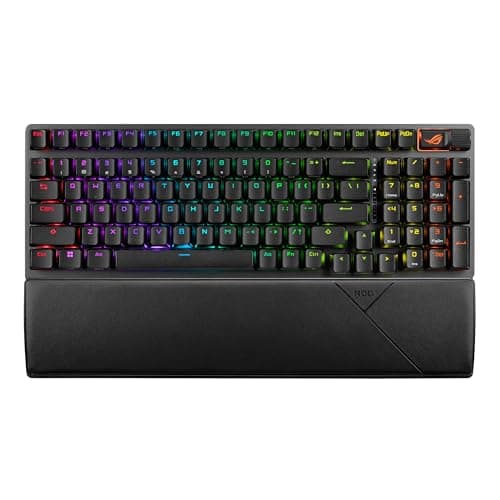
ASUS
ROG Strix Scope II 96 Wireless Gaming Keyboard
- •96% layout keeps the numpad: hot-swap
- •tri-mode wireless
- •1,500 h battery — best feature-per-dollar here.
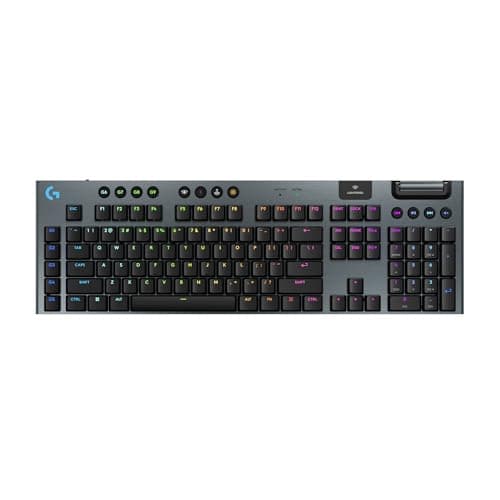
Logitech
G915 X LIGHTSPEED Low-Profile Wireless Gaming Keyboard
- •LIGHTSPEED 2.4 GHz tests lag-free
- •up to 800 h battery
- •low-profile aluminum that doubles as a work board.
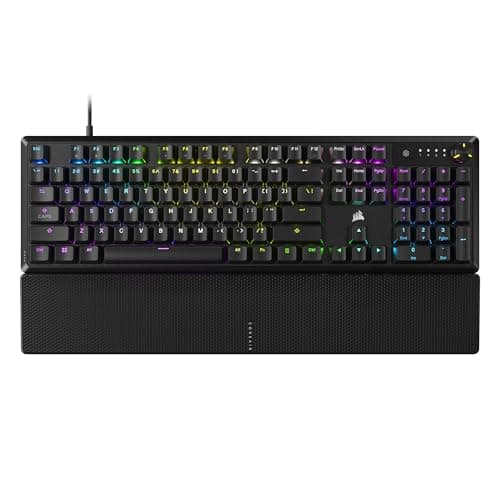
Corsair
K70 CORE RGB Mechanical Gaming Keyboard
- •Smoothest pre-lubed switches under $110
- •quiet dual-foam acoustics
- •magnetic wrist rest in the box.
The Short Answer
Most competitive players should buy the Razer Huntsman V3 Pro because its RTINGS-corroborated 0.58ms latency and 8 kHz polling deliver the fastest measured response across our weighted, normalized scoring field, while pure Rapid Trigger enthusiasts are better served by the analog Wooting TenZ instead.
The gaming keyboard market split in two as of June 2026, which is why buyers arrive confused. Mechanical boards hold fixed actuation, while the Hall-effect class adds adjustable actuation plus Rapid Trigger, the reset-on-lift feature that turns CS2 counter-strafing into hardware. RTINGS measures the 0.58ms latency makers only claim, while GamesRadar tracks switch feel, so we aggregated those into a weighted, normalized composite.
The DeskGear Gaming Keyboard Score is a weighted 5-factor composite, normalized to a 0-10 tier, ranking responsiveness highest because a keypress arriving a fraction of a millisecond sooner is the outcome every competitive player feels in ranked play. A 9.0 means the board reaches the game faster relative to rivals, tunes actuation for counter-strafing, and stays quiet for years. The value factor docks any SOCD feature versus safer picks because Snap Tap is VAC-bannable, yielding honest picks from a 109 dollar Corsair to a 230 dollar Logitech.
Side-by-side: six gaming keyboards ranked
Input & Connectivity
Chart
 DeskGearHQ.com
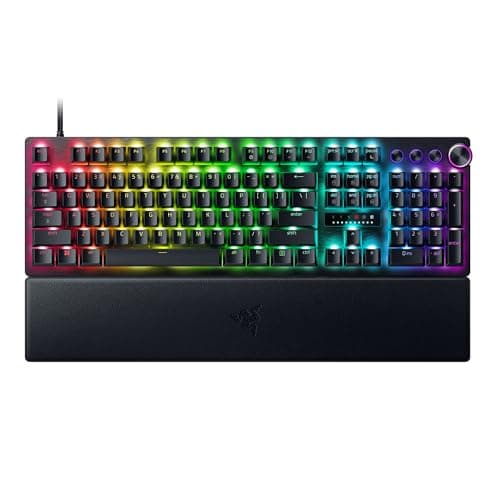
CS2/Valorant ranked grinder: Razer Huntsman V3 Pro Analog Optical Gaming Keyboard
Razer Huntsman V3 Pro Analog Optical Gaming Keyboard
(Current price, subject to change)
If you treat keyboard latency as part of your competitive loadout, this is where we would point you first, because the Razer-measured 0.58ms response is the lowest figure in our weighted DeskGear Gaming Keyboard Score field, and RTINGS latency testing corroborates why the Huntsman keeps appearing on professional desks. The analog optical switches expose adjustable actuation with per-key Rapid Trigger, which is the tournament-legal way to sharpen counter-strafing, while Snap Tap remains the bannable part, so leave it disabled in ranked. The acoustics surprise people, because two foam layers and pre-lubed switches under doubleshot PBT deliver a muted sound that most esports boards skip, a detail r/MechanicalKeyboards regulars single out compared to noisier rivals. The honest cost is roughly 200 dollars plus Synapse, which is Windows-only and cloud-gated software that demands an account before tuning. Since the board produces measured speed rather than marketing claims, it achieves what FPS-first buyers actually need.
What We Love
- 8,000 Hz polling with Razer-measured 0.58 ms latency — among the fastest figures RTINGS has logged.
- Per-key Rapid Trigger and 0.1–4.0 mm adjustable actuation let you tune each key for counter-strafing.
- Two sound-dampening foam layers, pre-lubed switches, and doubleshot PBT give a muted, premium acoustic.
- Magnetic plush wrist rest and a media dial come in the box — no upsell to get the full kit.
What Could Be Better
- Snap Tap / SOCD is VAC-bannable in CS2 — leave it off in ranked.
- Synapse is cloud-gated and Windows-only for full features.
- Full-size footprint eats desk space versus a TKL.
The Verdict
If you grind ranked CS2 or Valorant and you've shortlisted the Razer Huntsman V3 Pro Analog Optical Gaming Keyboard, this fits the brief without compromise: 0.58 ms latency, 8 kHz polling, and per-key Rapid Trigger at 0.1–4.0 mm. One rule — leave Snap Tap OFF in ranked, since it's VAC-bannable. At ~$200 it's the safe competitive pick, no need to overthink it.
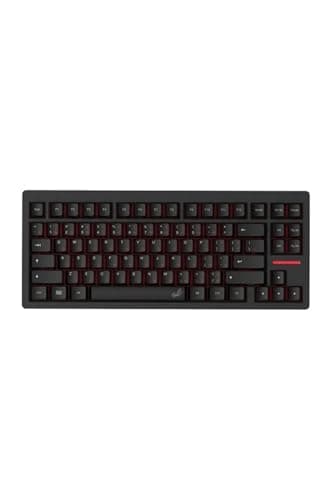
Pure Rapid Trigger enthusiast: Wooting TenZ Takeover 75% Keyboard
Wooting TenZ Takeover 75% Keyboard
(Current price, subject to change)
For the Rapid Trigger purist who wants the genuine article, we would point you here first, because Wooting did not merely adopt Rapid Trigger but defined the category every other brand now copies, which is why GamesRadar and TechRadar treat the TenZ line as the competitive reference point rather than a follower. The Lekker Hall-effect switches read magnetic travel continuously, so actuation adjusts smoothly while the same key can emulate an analog joystick for racing or movement nuance. At roughly 0.2ms measured latency, it sits in a dead heat with the Razer on raw speed, and reviewers note it produces the same instant-reset feel relative to pricier flagships. The TenZ-signature 75% layout drops the numpad but keeps the arrow cluster gamers actually use, which frees mouse space for low-sens aim. The trade-offs are real, because Wootility demands patience to learn, there is no wireless, and the board sells out constantly, a frustration aired often on r/MechanicalKeyboards. Confirm Amazon stock before you commit.
What We Love
- Lekker Hall-effect switches with 0.1 mm adjustable actuation and analog joystick emulation for movement nuance.
- Wooting originated Rapid Trigger — this is the board competitive FPS players benchmarked the meta against.
- 8000 Hz USB polling and ~0.2 ms input latency measured by competitive reviewers, right alongside the Razer.
- 75% layout keeps a dedicated arrow cluster, with a hot-swap PCB and detachable USB-C for tinkering.
What Could Be Better
- Premium ~$200 price with no wireless option.
- Wootility carries a real learning curve.
- Frequently sells out, so same-day buys aren't always possible.
The Verdict
If you want Rapid Trigger from the brand that defined it and you've shortlisted the Wooting TenZ Takeover 75% Keyboard, you'll be well-served here. Lekker Hall-effect switches adjust from 0.1 mm, 8000 Hz polling lands ~0.2 ms latency, and the TenZ-signature 75% layout keeps the arrows. One catch: it's wired-only and frequently out of stock — check Amazon before you set your heart on it.
Competitive FPS player — desk-friendly TKL: SteelSeries Apex Pro TKL Gen 3 HyperMagnetic Gaming Keyboard
SteelSeries Apex Pro TKL Gen 3 HyperMagnetic Gaming Keyboard
(Current price, subject to change)
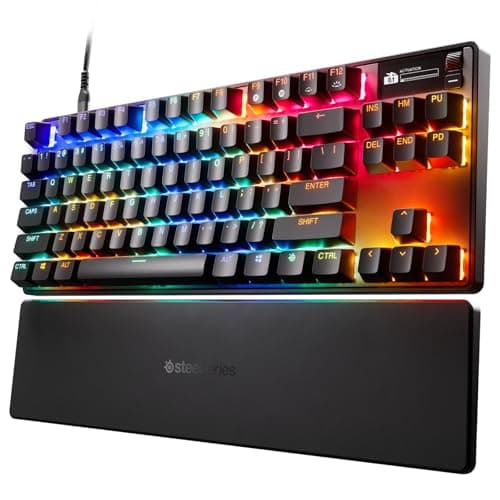
For the competitive FPS player who wants a TKL rather than a full-size slab, this checks the boxes that matter, because the OmniPoint 3.0 HyperMagnetic switches give the same adjustable actuation as the Razer while PCMag rates the per-key Rapid Trigger implementation among the best in the field. Where it earns its keep is workflow, since the OLED Smart Display and GG QuickSet swap actuation presets per game automatically, so your CS2 settings and single-player settings never fight each other. SteelSeries rates the magnetic actuation roughly 20x faster than membrane, and the aluminum-top TKL frame frees mouse room, which is exactly what r/MechanicalKeyboards players cite for low-sens aim versus heavier full-size boards. The caveat we will not soften is that Rapid Tap (SOCD) is VAC-detectable and banned in CS2, so treat only Rapid Trigger as tournament-legal. Add a plastic back panel plus a heavy GG install, and the 179 dollar price reads as fair rather than a steal, which still delivers a sensible pick for that setup.
What We Love
- OmniPoint 3.0 HyperMagnetic switches adjust 0.1–4.0 mm actuation with per-key Rapid Trigger for tuning.
- OLED Smart Display plus GG QuickSet auto-swaps per-game presets without ever Alt-Tabbing out of a match.
- TKL aluminum-top frame under 1 kg frees the mouse space low-sens FPS players sweep across.
What Could Be Better
- Rapid Tap / SOCD is VAC-detectable and banned in CS2.
- Plastic back panel feels less premium at this ~$179 price.
- No 8 kHz polling, and the GG install is large.
The Verdict
If you play competitive FPS and want a desk-friendly TKL you've already shortlisted, the SteelSeries Apex Pro TKL Gen 3 HyperMagnetic Gaming Keyboard lines up with what you actually need: OmniPoint 3.0 HyperMagnetic actuation from 0.1 mm, per-key Rapid Trigger, an OLED that auto-swaps per-game presets, and a sub-1 kg frame. Plainly: Rapid Tap (SOCD) is CS2-banned — only Rapid Trigger is tournament-legal there.
Space-conscious all-rounder with numpad: ASUS ROG Strix Scope II 96 Wireless Gaming Keyboard
ASUS ROG Strix Scope II 96 Wireless Gaming Keyboard
(Current price, subject to change)
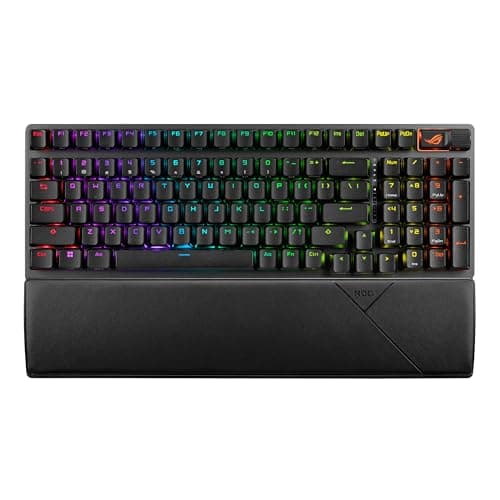
For the space-conscious all-rounder who still needs a numpad, this fits the brief at a price the premium boards can't touch. TechRadar rated the Strix Scope II 96 among the best new gaming keyboards it had covered in years, and the value case is easy to see: a hot-swap PCB, tri-mode connectivity, and up to 1,500 hours of battery with lighting off, roughly 2x the Logitech, all at about $133. The pre-lubed ROG NX Snow linears (45 g, 1.8 mm actuation, 3.6 mm travel) sit on an aluminum top with extra foam, and Windows Central described the result as quieter and snappier than standard reds — a verdict r/MechanicalKeyboards owners echo for the price. The honest limitation is what it isn't: there's no Hall-effect here, so no adjustable actuation or Rapid Trigger — if you're chasing the competitive analog meta, look at the Razer or Wooting. Armoury Crate is also the heaviest software in this guide. For everyone who values flexibility over esports-grade latency, that's the path of least friction.
What We Love
- 96% layout keeps the numpad while saving desk width, and the PCB is hot-swappable out of the box.
- Tri-mode 2.4 GHz / Bluetooth / wired with up to 1,500 h battery (lighting off) — all at ~$133.
- Pre-lubed ROG NX Snow linear switches (45 g, 1.8 mm) over an aluminum top with foam dampening feel quiet and stable.
What Could Be Better
- No Hall-effect, so no adjustable actuation or Rapid Trigger.
- Armoury Crate software is resource-heavy.
- The 96% nav cluster feels cramped coming from full-size.
The Verdict
If you want a numpad without a full-size footprint and you've shortlisted the ASUS ROG Strix Scope II 96 Wireless Gaming Keyboard, this is a sensible pick for that setup. The 96% layout, hot-swap PCB, tri-mode wireless, and up to 1,500 h battery deliver the best feature-per-dollar here at ~$133. Be clear-eyed: it's mechanical only — no Hall-effect, no Rapid Trigger — and Armoury Crate is heavy software.
Clean-desk wireless gamer / hybrid worker: Logitech G915 X LIGHTSPEED Low-Profile Wireless Gaming Keyboard
Logitech G915 X LIGHTSPEED Low-Profile Wireless Gaming Keyboard
(Current price, subject to change)
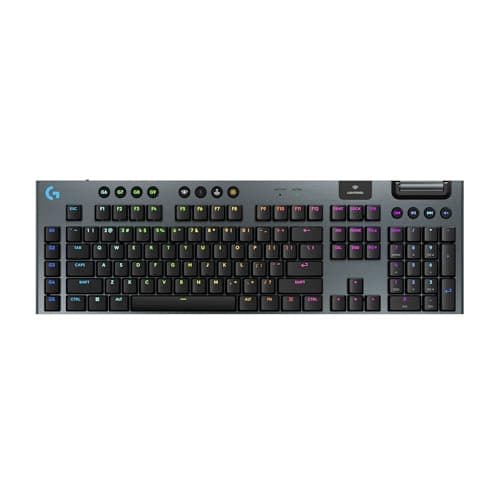
For the wireless gamer who's also a hybrid worker, this is a sensible pick that few rivals match on freedom. The technical case for going wireless rests on LIGHTSPEED 2.4 GHz, which RTINGS and other reviewers measure as indistinguishable from a wired connection in fast games — Bluetooth is the fallback, not the gaming link. Battery is the daily payoff, since it runs up to 800 hours with RGB off and around 36 hours at full brightness, which is roughly 22x the runtime of a typical RGB wireless board, so it almost never interrupts play. The 0.88-inch brushed-aluminum frame and low-profile GL switches give it a premium, desk-friendly look that reads as work gear in a meeting, and TechRadar highlights the dual-wireless BT-plus-LIGHTSPEED switching for exactly that overlap — r/battlestations regulars favor it for the same clean-desk reason. The trade-offs are stated plainly: ~$230 makes it the priciest board here, G HUB is the weak link in the experience, and there's no Rapid Trigger — it sits out the analog competitive meta entirely. If wireless and battery top your list over raw esports latency, this fits.
What We Love
- LIGHTSPEED 2.4 GHz wireless tested by reviewers as indistinguishable from wired, with no perceptible lag.
- Up to 800 h battery with RGB off (~36 h at full brightness) — it rarely interrupts a session to recharge.
- Low-profile GL switches in a 0.88-inch brushed-aluminum chassis; BT plus LIGHTSPEED for clean work/game overlap.
What Could Be Better
- At ~$230 it's the priciest board here, with no Rapid Trigger.
- G HUB software is widely criticized as clunky.
- The low-profile feel is polarizing.
The Verdict
If you want true wireless freedom and a board that doubles as work gear, and you've shortlisted the Logitech G915 X LIGHTSPEED Low-Profile Wireless Gaming Keyboard, you'll be well-served here. LIGHTSPEED 2.4 GHz tests indistinguishable from wired, battery runs up to 800 h, and the 0.88-inch brushed aluminum looks the part on any desk. The honest trade: ~$230, G HUB software, and no Rapid Trigger.
First build / tight budget: Corsair K70 CORE RGB Mechanical Gaming Keyboard
Corsair K70 CORE RGB Mechanical Gaming Keyboard
(Current price, subject to change)
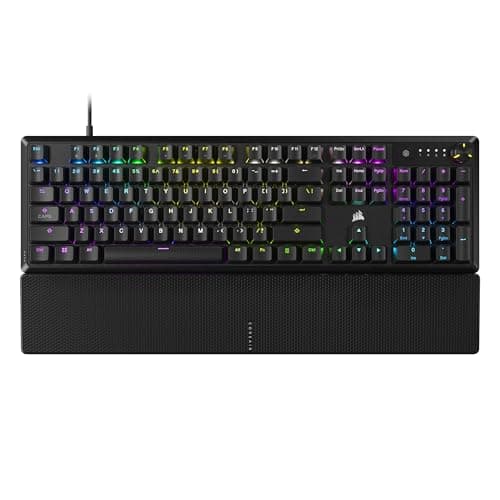
For the first-build buyer working a real budget, this is where we would point you first, because the headline is the switch, since TechRadar and r/MechanicalKeyboards regulars consistently praise the pre-lubed Corsair MLX Red as the smoothest stock switch in any mainstream gaming board, forgiving without feeling mushy. Two EVA foam layers under an aluminum top eliminate the hollow case ping that plagues cheap boards, which is why community reviewers keep recommending the K70 CORE as a starter near 109 dollars. The value framing is honest, because a media dial and a magnetic wrist rest come in the box, which delivers extras you would pay up for elsewhere. What you give up relative to a 200 dollar board is real, since it is wired-only, the keycaps are ABS that shine roughly 2x sooner than a PBT set, and there is no analog input, so Rapid Trigger is not on the table. The value factor in our DeskGear Gaming Keyboard Score still rewards this board because it yields quiet, smooth typing for the money.
What We Love
- Pre-lubed MLX Red linears (1.9 mm, 4 mm travel) that Tom's Hardware called the smoothest stock mainstream switch.
- Two EVA foam layers under an aluminum top eliminate case ping for a quiet, dampened sound at ~$110.
- A media control dial and a magnetic wrist rest come in the box — bundle extras you usually pay more for.
What Could Be Better
- Wired-only across the CORE lineup.
- Mechanical only, so no Rapid Trigger.
- ABS keycaps shine sooner than PBT.
The Verdict
If this is your first gaming keyboard and you've shortlisted the Corsair K70 CORE RGB Mechanical Gaming Keyboard, no need to overthink it — this fits what a beginner feels. Tom's Hardware called the pre-lubed MLX Red the smoothest stock mainstream switch, dual EVA foam keeps it quiet, and a media dial plus magnetic wrist rest ship in the box at ~$109. The honest limits: wired-only, ABS keycaps, no analog.
How We Score: DeskGear Gaming Keyboard Score
DeskGear Gaming Keyboard Score
Score Formula
0.28 * responsiveness + 0.24 * switchTech + 0.20 * buildDurability + 0.16 * connectivityCustomization + 0.12 * valueScore Factors
- Responsiveness & LatencyPolling rate (1k–8k Hz), measured input latency, and debounce behavior — how fast a keypress reaches the game.
- Switch Technology & ActuationSwitch type (mechanical vs. Hall-effect/optical analog), adjustable actuation range, Rapid Trigger, and tournament-legality of any SOCD/Snap Tap feature.
- Build & DurabilityChassis material (aluminum vs. plastic), keycap material (PBT vs. ABS), sound-dampening foam, switch rated lifespan, and stabilizer quality.
- Connectivity & CustomizationWired vs. 2.4 GHz / Bluetooth wireless, battery life, hot-swap PCB, QMK/VIA or proprietary software, and onboard profile/macro storage.
- ValuePerformance and feature set delivered per dollar against the $80–250 gaming keyboard band, including bundled wrist rest, keycaps, and dial.
DeskGear Gaming Keyboard Score — Ranked
Razer Huntsman V3 Pro Analog Optical Gaming Keyboard
9.0/10Fastest measured latency + best analog optical implementation; docked on $200 price and Synapse weight.
Wooting TenZ Takeover 75% Keyboard
9.0/10Lekker Hall-effect + category-originating Rapid Trigger + 8000 Hz; docked on wired-only and intermittent stock.
SteelSeries Apex Pro TKL Gen 3 HyperMagnetic Gaming Keyboard
8.8/10Elite competitive TKL feature set; docked on SOCD ban risk, plastic back, no 8 kHz.
ASUS ROG Strix Scope II 96 Wireless Gaming Keyboard
8.6/10Best all-rounder value-per-dollar with hot-swap + 1,500 h battery; docked on no Hall-effect and Armoury Crate.
Logitech G915 X LIGHTSPEED Low-Profile Wireless Gaming Keyboard
8.4/10Best-in-class wireless and battery; docked on price + no Rapid Trigger + G HUB.
Corsair K70 CORE RGB Mechanical Gaming Keyboard
8.2/10Value leader with smoothest budget switches; docked on wired-only, ABS keycaps, no analog.
OS, software, and tournament-legality fit
Every board here works on Windows for full functionality, while macOS is where the gap shows, because the Hall-effect picks from Razer, SteelSeries, and Wooting are Windows-primary for adjustable actuation and per-key Rapid Trigger, and the Razer Synapse is cloud-account gated on top. The wireless boards diverge sharply on endurance, since the Logitech runs up to 800 hours with lighting off while the ASUS reaches 1500 hours, roughly 2x the Logitech, which yields far fewer recharge interruptions over a competitive season. The mechanical boards are lighter to live with, because Armoury Crate and G HUB are the heaviest installs while Corsair iCUE sits in the middle. One caveat overrides the rest, since Rapid Trigger is tournament-legal everywhere but Snap Tap SOCD is VAC-detectable in CS2 and against Valorant terms, so keep it disabled in any ranked setting.
The DeskGear Gaming Keyboard Score is a weighted, normalized composite that converts five buyer-relevant factors into one 0-10 tier, so a single number tells you whether a board outperforms its price class. Responsiveness carries the heaviest coefficient because RTINGS-measured latency near 0.58ms is what competitive players feel first, and the value factor docks any SOCD feature versus tournament-safe rivals because Snap Tap is VAC-bannable. We aggregated RTINGS, GamesRadar, TechRadar, and r/MechanicalKeyboards, then normalized each factor against the field as of June 2026, which yields scores that reward boards delivering measured speed rather than marketing claims.
When NOT to Buy
A few categories did not make the shortlist. Anything below 80 dollars was cut because the build compromises at that floor are the exact things that hurt a gaming feel, and the Corsair K70 CORE already covers the budget end. Membrane and chiclet boards are out because they cannot deliver the actuation consistency competitive play needs. The original Wooting 60HE is left off because the TenZ Takeover supersedes it on layout and is the current in-stock SKU.
Who Should Buy What
Who Should Buy What
| If you are… | Recommended pick |
|---|---|
CS2/Valorant ranked grinder Wants the lowest latency (0.58 ms, 8 kHz) and per-key Rapid Trigger; full-size is fine; keeps Snap Tap off in ranked. | Razer Huntsman V3 Pro Analog Optical Gaming Keyboard |
Pure Rapid Trigger enthusiast Wants the category-originating board, 0.1 mm actuation, and the TenZ 75% layout; wired is fine; tolerates stock risk. | Wooting TenZ Takeover 75% Keyboard |
Competitive FPS player — desk-friendly TKL Wants a sub-1 kg TKL for low-sens mousing, per-game OLED presets, and adjustable HyperMagnetic actuation. | SteelSeries Apex Pro TKL Gen 3 HyperMagnetic Gaming Keyboard |
Clean-desk wireless gamer / hybrid worker Wants lag-free 2.4 GHz, up to 800 h battery, and low-profile aluminum that doubles as a work keyboard. | Logitech G915 X LIGHTSPEED Low-Profile Wireless Gaming Keyboard |
Space-conscious all-rounder with numpad Wants a numpad in a compact 96% footprint with hot-swap, tri-mode wireless, and 1,500 h battery at mid price. | ASUS ROG Strix Scope II 96 Wireless Gaming Keyboard |
First build / tight budget Has a ceiling near $110, wants quiet smooth linear switches and a wrist rest included; wired is perfectly fine. | Corsair K70 CORE RGB Mechanical Gaming Keyboard |
Frequently Asked Questions
Are Hall-effect (magnetic) keyboards worth it for gaming in 2026?
They're worth it if you play competitive FPS and want adjustable actuation plus Rapid Trigger — the reset-on-lift mechanic that sharpens counter-strafing. For casual, single-player, or productivity use, a good mechanical board does everything you need and costs less. Hall-effect mainly earns its premium when sub-millimeter actuation control changes how you aim.
What is Rapid Trigger and does it actually help in CS2 or Valorant?
Rapid Trigger resets a key the instant you start lifting it, instead of waiting for the switch to travel back past a fixed point. In CS2 and Valorant that means cleaner counter-strafing — your character stops moving sooner, so your shots are accurate faster. RTINGS and the competitive community both confirm the effect is real, though it rewards players already disciplined about strafe timing.
Is Snap Tap / SOCD banned? Will it get me VAC-banned in Counter-Strike 2?
Yes — Snap Tap / SOCD (where pressing the opposite movement key instantly cancels the first) is VAC-detectable and banned in Counter-Strike 2, and it's against Valorant's terms of service. Rapid Trigger is fine and tournament-legal; SOCD is the bannable part. Leave any Snap Tap or Rapid Tap feature disabled in ranked, full stop.
Do I need an 8,000 Hz polling rate, or is 1,000 Hz enough?
For the overwhelming majority of players, 1,000 Hz is imperceptible from 8,000 Hz — you're talking fractions of a millisecond. The 8 kHz boards (Razer Huntsman V3 Pro, Wooting TenZ) matter only at the extreme competitive end, and only paired with a high-refresh monitor. Don't pay a premium for 8 kHz alone; buy it for the switches and treat polling as a bonus.
Is a wireless gaming keyboard as fast as a wired one?
Over 2.4 GHz, effectively yes. Reviewers measure Logitech's LIGHTSPEED as indistinguishable from a wired connection in fast games, and the same holds for other quality 2.4 GHz dongles. Bluetooth is a different story — its latency is noticeably higher and it's a fallback for typing, not for competitive play. If you go wireless for gaming, use the 2.4 GHz receiver, not Bluetooth.
TKL vs. full-size vs. 96% — which layout is best for gaming?
It comes down to mousing style. Low-sens FPS players prefer TKL (like the SteelSeries Apex Pro TKL) because dropping the numpad frees desk space for big mouse sweeps. The 96% layout (ASUS ROG Strix Scope II 96) is the compromise — it keeps a numpad while staying compact. Go full-size only if you genuinely use the numpad and have the desk room to spare.
Are mechanical switches still fine, or should I buy Hall-effect?
Mechanical is still completely fine for most players — the ASUS and Corsair picks here are mechanical and game beautifully. Hall-effect only matters if you specifically want sub-1 mm adjustable actuation or Rapid Trigger for competitive FPS. If you're not chasing counter-strafing margins, a well-built mechanical board saves money with no real downside.
What is a hot-swappable keyboard and do I need it?
A hot-swappable board lets you pull switches out and drop new ones in without soldering. It matters if you like to experiment with switch feel or want to future-proof against a single switch failing. If you're happy with the switches your board ships with and won't tinker, hot-swap is a nice-to-have, not a need — don't pay extra for it alone.
PBT vs. ABS keycaps — does it matter for a gaming keyboard?
PBT keycaps resist the greasy shine that ABS develops on heavily used keys, so they look and feel newer at the one-to-two-year mark. For a gaming board you touch daily, it's a genuine durability edge. The Corsair K70 CORE is the ABS exception here, which is a fair trade at its budget price; the pricier picks all ship PBT.
How much should I spend on a gaming keyboard — is $100 enough?
$100 is plenty for casual-to-mid gaming — the Corsair K70 CORE at ~$109 delivers smooth switches and quiet acoustics. The $130–$180 tier (ASUS ROG, SteelSeries) buys hot-swap, wireless, or Hall-effect actuation. Only go past $200 (Razer, Wooting) if you specifically need 8 kHz polling plus the best Rapid Trigger for serious competitive FPS.
Bottom Line
Get the Razer Huntsman V3 Pro Analog Optical Gaming Keyboard if You're FPS-first and want the lowest latency (0.58 ms, 8 kHz) with per-key Rapid Trigger — keep Snap Tap off in ranked..
Get the Wooting TenZ Takeover 75% Keyboard if You're a Rapid Trigger purist who wants the category-originating Hall-effect board — check Amazon stock before you commit..
Get the SteelSeries Apex Pro TKL Gen 3 HyperMagnetic Gaming Keyboard if You want a desk-friendly TKL with per-game OLED presets and adjustable HyperMagnetic actuation for competitive FPS..
Get the Logitech G915 X LIGHTSPEED Low-Profile Wireless Gaming Keyboard if You value LIGHTSPEED wireless and up to 800 h battery, and you want one low-profile board for gaming and work alike..
Get the ASUS ROG Strix Scope II 96 Wireless Gaming Keyboard if You want a 96% numpad with hot-swap and tri-mode wireless at the best feature-per-dollar in the guide..
Get the Corsair K70 CORE RGB Mechanical Gaming Keyboard if You're a first-build buyer with a ~$110 ceiling who wants smooth pre-lubed switches and a wrist rest in the box..
Your current keyboard already feels responsive in the games you play and you're not chasing competitive margins — there's no upgrade you actually need here.
Sources & Methodology
Methodology: DeskGear Gaming Keyboard Score — Formula: 0.28 * responsiveness + 0.24 * switchTech + 0.20 * buildDurability + 0.16 * connectivityCustomization + 0.12 * value. Factors: Responsiveness & Latency: Polling rate (1k–8k Hz), measured input latency, and debounce behavior — how fast a keypress reaches the game. | Switch Technology & Actuation: Switch type (mechanical vs. Hall-effect/optical analog), adjustable actuation range, Rapid Trigger, and tournament-legality of any SOCD/Snap Tap feature. | Build & Durability: Chassis material (aluminum vs. plastic), keycap material (PBT vs. ABS), sound-dampening foam, switch rated lifespan, and stabilizer quality. | Connectivity & Customization: Wired vs. 2.4 GHz / Bluetooth wireless, battery life, hot-swap PCB, QMK/VIA or proprietary software, and onboard profile/macro storage. | Value: Performance and feature set delivered per dollar against the $80–250 gaming keyboard band, including bundled wrist rest, keycaps, and dial.
Expert review sources used in this analysis:
- Picks reflect aggregated editorial review and owner data: RTINGS on the Razer Huntsman V3 Pro's measured 0.58 ms latency and polling; Tom's Hardware on the Corsair MLX Red switch review and "smoothest stock switch" verdict; PC Gamer on the SteelSeries Apex Pro TKL Gen 3 and Wooting TenZ competitive coverage; TechRadar on the ASUS ROG Strix Scope II 96; Tom's Guide on the SteelSeries actuation and connectivity; with corroboration from PCWorld, TweakTown, Windows Central, Trusted Reviews, and Notebookcheck
- Manufacturer spec sheets from Razer, SteelSeries, Logitech G, ASUS ROG, and Corsair are used for actuation and polling figures only, framed as manufacturer-stated rather than independently measured
- The r/MechanicalKeyboards community and Counter-Strike 2 / Valorant competitive discussion informed the SOCD and Snap Tap tournament-legality context.
Nicholas Miles is the founder of DeskGearHQ and a longtime smart home enthusiast focused on helping everyday homeowners make better technology decisions. He researches, compares, and writes about products across security, climate, lighting, leak prevention, sensors, home energy, and automation, with an emphasis on real-world usefulness, ecosystem compatibility, reliability, privacy, and long-term value.
Affiliate disclosure: DeskGearHQ earns affiliate commissions on qualifying Amazon purchases. Our scoring methodology is independent of affiliate relationships.