
Best E-Ink Writing Tablets for the Paperless Office (2026)
Cut through the 'is it a reader or a notebook' Amazon muddle and match the tablet to the notes ecosystem you actually want to live in. The reMarkable Paper Pro is the overall writing benchmark; if you already read on a Kindle, start with the Scribe instead.
This article contains affiliate links. We may earn a commission at no extra cost to you. Learn more
Featured in this Guide
reMarkable
Paper Pro Bundle (Premium Leather)
- •For the buyer who wants the flagship writing experience and a color panel with a front light
- •and treats the notebook — not the bookstore — as the point.
Amazon
Kindle Scribe (16GB, Premium Pen)
- •For the Amazon reader who wants a capable notebook that lives next to an existing Kindle library
- •at the lowest entry price here.
BOOX
Note Air 5 C (Color e-ink)
- •For the tinkerer who refuses a walled garden — open Android and Google Play mean Kindle
- •Kobo
- •Notion
reMarkable
2 Essentials Bundle (Gray)
- •For the writer who wants the thinnest
- •most notebook-like slab and zero distractions — mono
- •no light
Kobo
Elipsa 2E
- •For the library reader who takes the occasional note — Kobo store plus OverDrive library loans
- •with a warm adjustable front light for evenings.
The Short Answer
For most people building a paperless note habit, the reMarkable Paper Pro is the pick: the most paper-like writing, a color panel, a front light, and the top DeskGear E-Ink Writing Tablet Score — but if you already read on a Kindle, the Scribe puts notes next to your library for far less.
Searching "best e-ink writing tablet" tangles two products together: half the listings are readers that take a note, half are notebooks that open a book, and Amazon blurs that line until the spec sheet tells you nothing. So set it aside. The real fork is which notes ecosystem you agree to live inside — Amazon's Kindle world, Kobo's library, open Android on a BOOX, or reMarkable's closed OS — because that choice outlasts the hardware. A panel and pen matter, but the store, sync, and export path are what you'll use in three years. Our weighted DeskGear E-Ink Writing Tablet Score normalized all five picks across writing feel, display, software, portability, and value, delivering one composite ranking from aggregated coverage by The Verge, Tom's Guide, TechRadar, PCMag, and Engadget rather than in-house testing. The question isn't which screen is best — it's whose notebook you'll hold a year from now.
Side-by-side: the five e-ink writing tablets ranked
AI & Smart Office
Chart
 DeskGearHQ.com
Best overall: reMarkable Paper Pro Bundle (Premium Leather)
reMarkable Paper Pro Bundle (Premium Leather)
(Current price, subject to change)
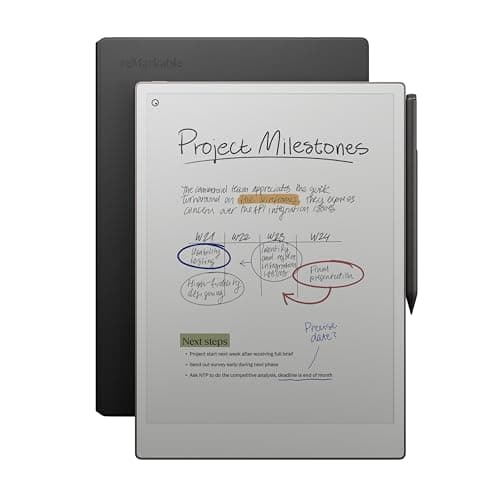
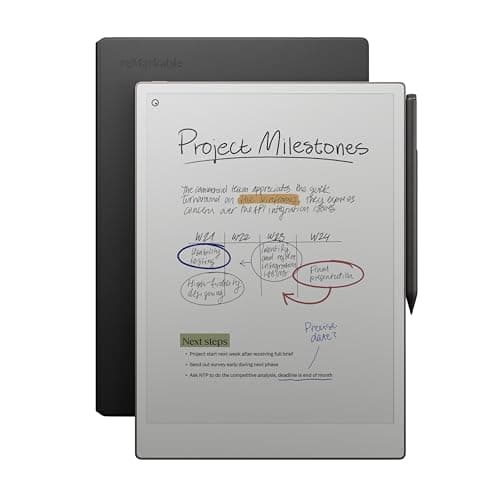
The Verge and Tom's Guide both track the reMarkable Paper Pro Bundle (Premium Leather) as the premium writing pick, and the reasoning is consistent: reMarkable spent years tuning pen-on-panel friction, and the Paper Pro is where that work meets color and a front light. The writing surface is the whole argument — it earns the top writing-feel mark in our weighted DeskGear E-Ink Writing Tablet Score because the textured 11.8-inch Canvas panel feels closer to graphite on paper than anything else here. Color e-ink is the visible upgrade over the mono reMarkable, though it stays muted by design; think highlighter and diagram legibility, not photos. The bundle earns its keep too, folding in the Marker Plus pen and the Book Folio cover rather than charging for them later. The honest counterweight is the ecosystem trade: the closed OS that keeps you focused also locks out the Kindle store, any third-party app, and a browser. Compared to every cheaper pick here it delivers the best notebook rather than the most versatile tablet, and priced at roughly 2x the Kindle Scribe, it earns that gap only for the buyer who actually writes every day — for whom the trade lands right side up.
What We Love
- The most paper-like writing feel in this roundup — the textured 11.8-inch surface and Marker Plus pen are the reason to pay up here.
- Color Canvas e-ink with a built-in front light — the only pick that adds both color and light to reMarkable's writing engine.
- The Marker Plus (with a built-in eraser) and the Book Folio leather cover are included in this bundle, not upsells.
- The closed, distraction-free OS is a feature, not a bug — no email, no browser, no notifications interrupting a page.
- Full-page documents and PDFs render at near-paper scale, so marking up a contract feels like marking up the real thing.
What Could Be Better
- It's the most expensive pick here by a wide margin — you're paying the device-plus-pen-plus-folio premium.
- The closed OS means no Kindle or Kobo store, no third-party apps, and a Connect subscription gates some cloud features.
The Verdict
If you want the closest thing to writing on paper and the notebook is the point, the reMarkable Paper Pro Bundle (Premium Leather) checks the boxes that matter. The 9.2 reflects the most paper-like pen friction here, a color panel, and a front light the mono reMarkable never had. Go in clear-eyed: a flagship price for a device that deliberately won't open a bookstore or browser.
Best value / for Kindle readers: Amazon Kindle Scribe (16GB, Premium Pen)
Amazon Kindle Scribe (16GB, Premium Pen)
(Current price, subject to change)
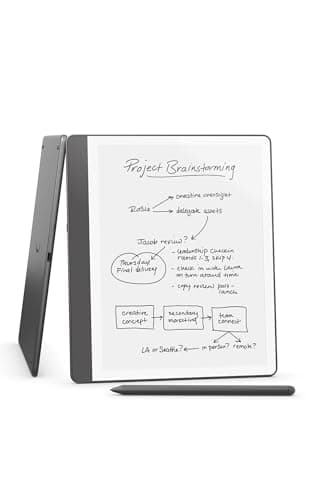
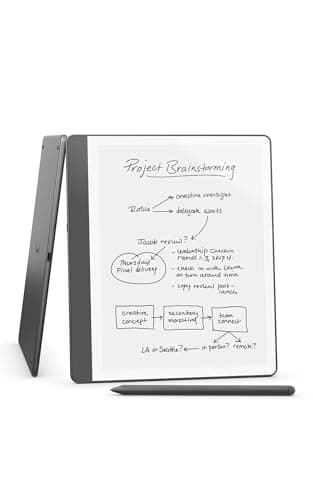
At $399.99 lists, the Amazon Kindle Scribe (16GB, Premium Pen) is the easy on-ramp for anyone already reading on Amazon, and PCMag and TechRadar both cover it as the reader-first writer rather than a pure notebook. The pitch is integration: your Kindle library is already here, Send-to-Kindle drops any PDF onto the device, and the 300ppi glare-free panel with a front light reads cleanly in a bright office or a dim room. The Premium Pen ships in the box, and the built-in AI summarization is the sleeper feature — it condenses a wall of handwriting into a few lines, which enables a notebook you actually revisit. Where it gives ground is the part reMarkable obsesses over: the glass writes smoothly but less like paper, and versus the serious-notebook picks its export and folder tools are lighter. None of that is a dealbreaker for the person it's built for. If your day is mostly reading with notes threaded through it, the Scribe puts all of it in one place your library already lives, and it does so for the lowest outlay in this guide.
What We Love
- The full Amazon Kindle store and Send-to-Kindle workflow are built in — your existing library and any document land here in a tap.
- Lowest cost of entry in this roundup, with the Premium Pen (shortcut button plus eraser) already in the box.
- Built-in AI notebook summarization turns a page of handwriting into a short recap — genuinely useful after a long meeting.
- A 300ppi glare-free panel with an adjustable front light reads crisply in a bright office or a dim room.
- 16GB of storage holds a deep library of books and notebooks without thinning out.
What Could Be Better
- The writing surface is good but smoother and less paper-like than a reMarkable or a BOOX — glass, not texture.
- Notes export and organization are thinner than reMarkable's or BOOX's tooling, and it's locked to Amazon's store.
The Verdict
If you already read on a Kindle and want notes living next to your library, the Amazon Kindle Scribe (16GB, Premium Pen) lines up with what you actually need. It's the lowest entry price here, the Premium Pen is included, and the built-in AI can summarize a notebook. The glass writes a touch smoother — less paper-like — than a reMarkable, but for a reader who takes notes that's a fair swap.
Best for power users (any app): BOOX Note Air 5 C (Color e-ink)
BOOX Note Air 5 C (Color e-ink)
(Current price, subject to change)
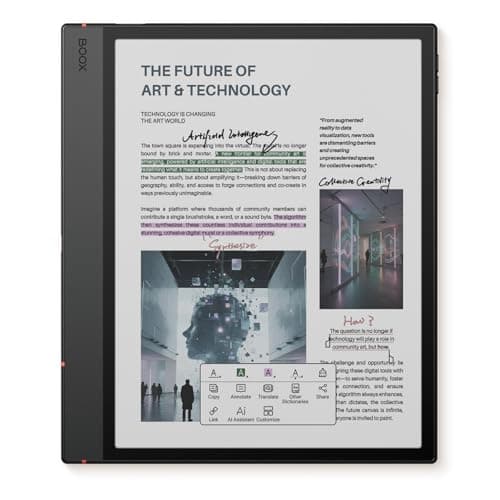
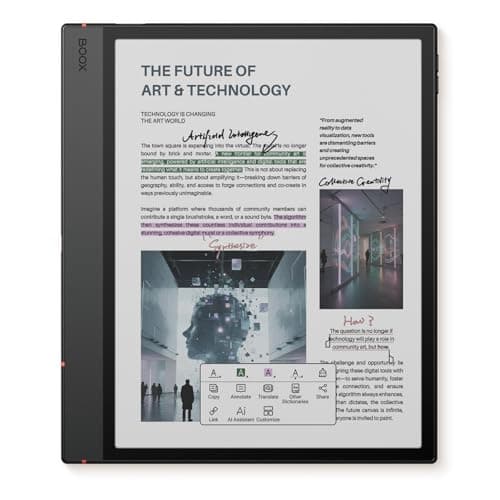
What separates the BOOX Note Air 5 C (Color e-ink) is a single decision the other four make for you: it runs open Android with Google Play, so you install the apps instead of accepting a store. Android Central and Notebookcheck both center their coverage on that openness, and it's why this slate earns the top software mark in our weighted composite — Kindle, Kobo, Notion, and OneNote can all live on one screen, which no closed pick here enables. The color Kaleido panel is the second draw, and it produces highlights, diagrams, and color-coded notebooks the monochrome tablets can't render, even if its base looks grainier than clean mono e-ink. Under the hood there's genuine headroom — 6GB of RAM to run apps rather than just page through a notebook. Two things keep this grounded: an open device wants more setup, and the same openness that installs anything also lets a notification pull you off the page. Compared to the locked-down picks, the BOOX is the one you buy when you'd rather own the freedom than be protected from it.
What We Love
- Runs full open Android with Google Play — install Kindle, Kobo, Notion, OneNote, or any reading and notes app you already use.
- The only tablet here that lets you mix ecosystems on one screen instead of committing to a single store.
- Color Kaleido e-ink handles highlights, diagrams, and color-coded notes that the mono picks can't show.
- 6GB of RAM and 64GB of storage give it real headroom to run apps, not just display a notebook.
- The included stylus plus BOOX's own note software cover handwriting well before you add a third-party app.
What Could Be Better
- Open Android means more setup and far more ways to get distracted than a locked-down reMarkable or Kindle.
- Color Kaleido e-ink has a grainier, darker base than clean mono, and first-party polish is less consistent.
The Verdict
If you refuse to be boxed into one company's store, the BOOX Note Air 5 C (Color e-ink) fits without compromise on flexibility. It runs open Android with Google Play, so Kindle, Kobo, Notion, and OneNote all install on one color slate. The catch is honest: an open device asks for more setup and gives you more ways to get pulled off-task than a closed notebook.
Best pure writing feel: reMarkable 2 Essentials Bundle (Gray)
reMarkable 2 Essentials Bundle (Gray)
(Current price, subject to change)
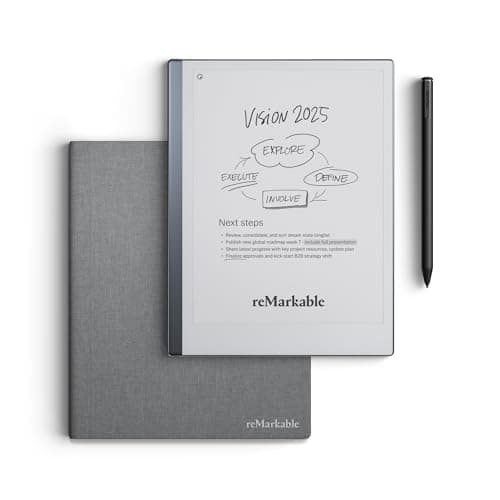
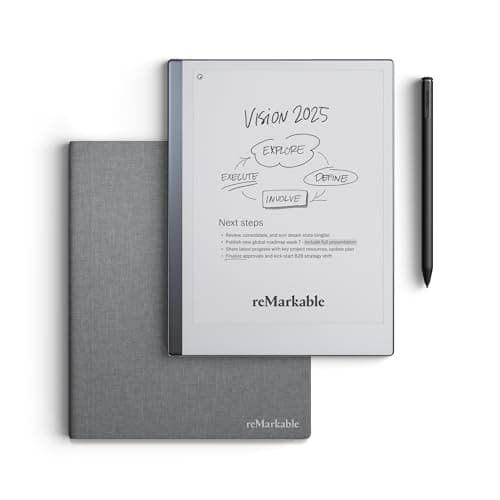
Strip the color and the front light off the Paper Pro and you get the reMarkable 2 Essentials Bundle (Gray), which is why Engadget and Wired keep framing it as the distraction-free writing benchmark rather than a compromise. The writing engine is the same one that tops this field, so the pen feel lands almost identically to the flagship — the reason its composite trails at all is the missing light and the thinner value case, not the page itself. Physically it's the standout: at 4.7mm it's the most notebook-like object here, the one you slide under an arm on the way to a meeting. The Essentials bundle keeps it honest on price too, folding in the Marker Plus pen and the Book Folio cover. The concessions are predictable from a device this pared-down: no front light means you need a lit room, it's monochrome, and it inherits the closed-OS trade of every reMarkable. Versus the Paper Pro the decision is clean — you're choosing whether a front light and color are worth the step up, and if you write in daylight and think in ink, this thinner, cheaper slab delivers the part of reMarkable that actually matters.
What We Love
- The purest writing feel in the field — the same textured reMarkable engine, stripped to just the page.
- The thinnest, most notebook-like slab here at 4.7mm — it disappears into a bag or under an arm.
- The Marker Plus pen (with eraser) and the Book Folio cover are both included in this Essentials bundle.
- The closed, distraction-free reMarkable OS means nothing on the screen competes with what you're writing.
- It undercuts the color Paper Pro while keeping the writing engine that makes reMarkable worth buying.
What Could Be Better
- No front light at all — it needs ambient light to write or read, which the Paper Pro solves outright.
- Monochrome only, with the same closed-OS and optional-Connect trade as the Paper Pro.
The Verdict
If the writing itself is what you're buying and you want nothing else on the device, the reMarkable 2 Essentials Bundle (Gray) is a sensible pick. At 4.7mm it's the thinnest slab here, the OS stays as quiet as a paper notebook, and the pen and folio come bundled. The one concession: no front light, so you'll need ambient light — the Paper Pro fixes that.
Best for readers who write: Kobo Elipsa 2E
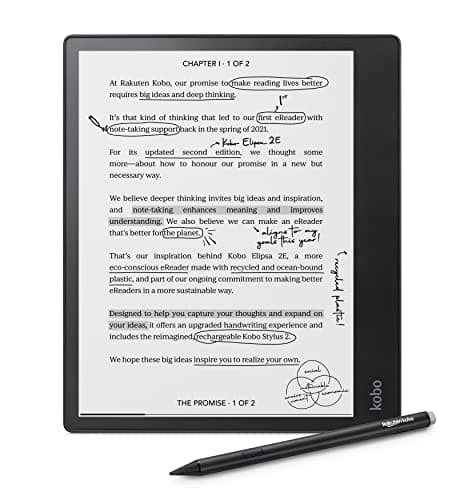
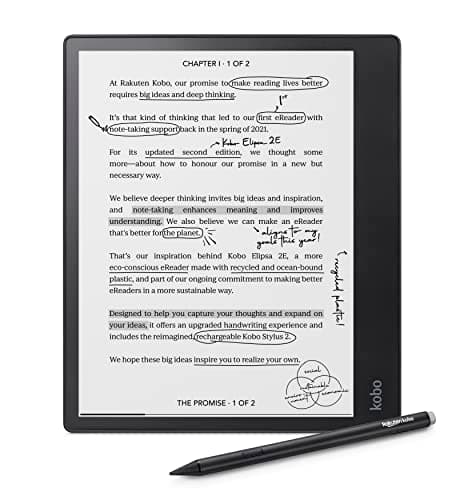
Readers who mostly read and occasionally write are the Kobo Elipsa 2E's exact audience, and CNET and TechRadar both cover it as the library-first pick rather than a serious notebook. It's the only tablet in this guide that treats borrowing as a first-class feature: OverDrive library-loan integration sits alongside the Kobo store, so a library card feeds the device the way an Amazon account feeds the Scribe — the difference being you're borrowing rather than buying. The ComfortLight PRO front light is the quiet standout, since its adjustable warmth yields the most comfortable evening reading of these five, and the Kobo Stylus 2 comes included. Where it steps back is where you'd expect a reader-first device to: compared to reMarkable and BOOX, its notebook tools are lighter, and Kobo's catalog trails Amazon's on new releases. But that's the point rather than a flaw. This is a reader who writes, not a writer who reads, and for the person who spends most of their screen time turning pages, the Elipsa 2E delivers the reading comfort and library access the note-first picks never prioritized.
What We Love
- OverDrive library-loan integration plus the Kobo store — the only pick here built to borrow books, not just buy them.
- ComfortLight PRO adds adjustable warmth, making it the easiest of these on the eyes for evening reading.
- The Kobo Stylus 2 is included, so handwriting works out of the box with no separate pen purchase.
- 32GB of storage is generous for a deep mix of borrowed books, bought titles, and notebooks.
- Built from recycled materials, a genuine differentiator if that factors into the buy.
What Could Be Better
- The notebook and handwriting tools are lighter than reMarkable's or BOOX's more serious note features.
- Kobo's catalog trails Amazon's for brand-new releases, and it's monochrome only.
The Verdict
If you mostly read and occasionally write, and you'd rather borrow from the library than buy every title, the Kobo Elipsa 2E fits the brief. It pairs the Kobo store with OverDrive library loans and a warm ComfortLight, the most comfortable here for evening reading. Its handwriting tools are lighter than reMarkable's — right balance for a reader who writes.
How We Score: DeskGear E-Ink Writing Tablet Score
DeskGear E-Ink Writing Tablet Score
Score Formula
(Writing Feel x 0.30) + (Display Quality x 0.25) + (Software Ecosystem x 0.20) + (Portability & Build x 0.15) + (Value per Dollar x 0.10)Score Factors
- Writing FeelPen-on-panel friction and latency — how close it lands to graphite on paper, the thing you feel on every note
- Display QualityPanel type and size, color vs monochrome, front-light presence, and how documents and PDFs actually read
- Software EcosystemWhich store and apps you're locked into — Kindle, Kobo, open Android, or a closed reMarkable OS — plus note export and sync
- Portability & BuildThickness, weight, footprint, and how the slab travels to a meeting, alongside bundle contents and materials
- Value per DollarDelivered capability against current list price — rewards picks that match your actual use without paying for a tier you won't touch
DeskGear E-Ink Writing Tablet Score — Ranked
reMarkable Paper Pro Bundle (Premium Leather)
9.2/10Best overall — the most paper-like writing, now with color and a front light, in reMarkable's distraction-free OS.
reMarkable 2 Essentials Bundle (Gray)
8.8/10Best pure writing feel — the same engine at 4.7mm, mono and light-free, for less than the Paper Pro.
BOOX Note Air 5 C (Color e-ink)
8.7/10Best for power users — open Android and Google Play run any ecosystem's apps on one color slate.
Amazon Kindle Scribe (16GB, Premium Pen)
8.6/10Best value — the full Kindle library plus AI note summaries at the lowest entry price here.
Kobo Elipsa 2E
8.4/10Best for readers who write — Kobo store, OverDrive library loans, and a warm adjustable front light.
Which ecosystem — and which workflow — fits you
The single choice that reshapes this whole decision isn't the panel, it's the world the tablet plugs you into, so pick the workflow first and let it name the device. If your reading life already runs on Amazon, the Kindle Scribe drops your library and any Send-to-Kindle document onto a notebook with no migration, and its AI summaries turn meeting scrawl into a recap. If you borrow more than you buy, the Kobo Elipsa 2E's OverDrive library-loan integration is the feature Amazon won't give you — a library card feeds the device. If you refuse to let any one company pick your apps, the BOOX Note Air 5 C runs open Android so Kindle, Kobo, Notion, and OneNote coexist, at the cost of doing your own setup. And if you want the notebook to be the whole point — nothing to check, nothing to notify you — the reMarkable pair runs a closed OS by design, trading a store for silence. One honest boundary worth naming: none of these is a great meeting-audio device, so if what you really need is spoken notes captured and transcribed, a voice recorder from our best AI note-taking devices guide is the better tool, and if your paperless goal is digitizing stacks of existing paper, a document camera or scanner does that job these writing tablets don't. Match the ecosystem to how you already read and work — the factor our weighted score leans on hardest — and the hardware question mostly answers itself.
Cost vs. capability across the five
The price ladder here tracks genuine capability rather than a flat brand tax, which is why the weighted value factor inside the DeskGear E-Ink Writing Tablet Score rewards the picks that cover your actual use without charging for a tier you'll never touch. The two lowest-entry picks anchor different buyers: the Kindle Scribe and the Kobo Elipsa 2E share the entry price, but one buys the deepest bookstore plus AI notes and the other buys library loans and a warm light — and the Kobo's storage runs 2x the Scribe's — so the "cheapest" question really asks which reading life is yours. Step up and the BOOX adds open Android and color for a mid-tier price, buying flexibility rather than a better page. The reMarkable 2 sits higher still, and what its bundle buys is singular — the best writing feel in a thinner slab — while giving up the store and the light. The Paper Pro tops the ladder because it stacks everything reMarkable does best onto color and a front light, and the leap from the reMarkable 2 to the Paper Pro is precisely that: you're paying for the light and the color, nothing more and nothing less. So the smart move is to name the one capability you can't live without — library access, app freedom, pure writing feel, or color-plus-light — and buy the cheapest pick that clears it, because every rung above that is headroom you chose, not headroom you needed. Prices and terms shift: as of July 2026 the Paper Pro lists at roughly 2x the entry picks, so verify the current number before you buy.
When NOT to Buy
This guide is writing-tablet-first, so the exclusions follow one rule: it has to be a serious note-taking e-ink device, not a reader or a toy. We left out the standard reading-only Kindles and Kobos, since a device with no pen and no notebook mode isn't in this conversation no matter how good it is at books. We skipped the cheap LCD "writing pads" — the pressure-sensitive boards you erase with a button — because they don't save, sync, or export a real note, so they solve a grocery-list problem, not a paperless-office one. And we set aside general LCD tablets like the iPad; they're brilliant, but a backlit glossy screen is a different product with a different battery life and a different reason to exist. If your real need is a scanner or a voice recorder rather than a pen, the linked sibling guides cover those directly.
Who Should Buy What
Who Should Buy What
| If you are… | Recommended pick |
|---|---|
Serious daily note-taker Writes every day and treats the notebook as the point — wants the most paper-like feel plus color and a front light, and will pay a flagship price for it. | reMarkable Paper Pro Bundle (Premium Leather) |
Amazon reader who takes notes Already lives in the Kindle library, wants notes threaded next to books, and values the lowest entry price plus built-in AI summaries. | Amazon Kindle Scribe (16GB, Premium Pen) |
Ecosystem-agnostic power user Refuses a walled garden and wants one device that runs Kindle, Kobo, Notion, and OneNote via open Android on a color panel. | BOOX Note Air 5 C (Color e-ink) |
Writing-feel purist Buys the writing itself, wants the thinnest distraction-free slab, and will trade color and a front light for a lower price. | reMarkable 2 Essentials Bundle (Gray) |
Library reader who writes Reads constantly, leans on library loans, and wants a warm-lit e-ink slate that takes the occasional note without a subscription. | Kobo Elipsa 2E |
Frequently Asked Questions
Are e-ink writing tablets worth it over an iPad or paper?
It depends on what you value. Against paper, an e-ink tablet wins on search, backup, and never running out of pages, while losing the zero-cost, zero-battery simplicity of a notebook. Against an iPad, the trade is the opposite of what people expect: you give up apps and a color video screen, but you gain multi-week battery, no glare in sunlight, and — crucially — a screen that doesn't tempt you to check anything. Buy one if focus and eye comfort are the goal; skip it if you need one device to also stream, browse, and edit photos.
Can you read Kindle books on a reMarkable or Kobo?
Not natively. The reMarkable pair runs a closed OS with no Kindle app, and Kobo is a competing store, so neither opens your Amazon library directly. The one real exception in this guide is the BOOX Note Air 5 C — because it runs open Android with Google Play, you can install the actual Kindle app on it and read your Amazon books alongside Kobo and everything else. If cross-store reading matters, that's the tablet built for it.
Which e-ink tablet has the most paper-like writing feel?
The reMarkable devices, and it's not especially close — the two reMarkable picks here top our writing-feel factor because of the textured panel and the tuned pen latency. One nuance worth knowing: the mono reMarkable 2 and the color Paper Pro feel nearly identical to write on, so if writing feel is your only priority, the cheaper reMarkable 2 gets you most of the way there. You pay the Paper Pro premium for color and the front light, not for a better page.
Do e-ink writing tablets need a subscription?
Mostly no, with one asterisk. The Kindle Scribe, BOOX, and Kobo all work fully without any subscription — you buy the device and you're done. The reMarkable pair works without one too, but reMarkable's Connect subscription unlocks some cloud sync and handwriting features, so budget for it only if you want those specific extras. No tablet here forces a recurring fee just to write and save notes locally.
Can you export handwritten notes as searchable text or PDF?
Yes on all of them, but the quality and ease vary more than the marketing admits. PDF export is universal and reliable. Handwriting-to-searchable-text conversion is where they split: the reMarkable and BOOX note tools handle it most seriously, the Kindle Scribe leans on its AI summarization for a recap rather than a full transcript, and Kobo's conversion is the lightest of the group. If turning ink into editable, searchable text is central to your workflow, weight that difference heavily — it's the one spec the spec sheet buries.
Color vs monochrome e-ink — does color matter for note-taking?
For most note-takers, less than you'd think. Color e-ink (on the Paper Pro and BOOX) is genuinely useful for highlights, diagrams, and color-coded notebooks, but it's muted next to any LCD and it typically adds cost and a slightly grainier base. Monochrome panels are often crisper and cheaper. The honest rule: pay for color only if you actively color-code or sketch — if your notes are mostly words, a sharp mono panel like the reMarkable 2's serves you better for less.
Bottom Line
Get the reMarkable Paper Pro Bundle (Premium Leather) if You want the best writing feel plus color and a front light, treat the notebook as the point, and can justify the flagship price..
Get the Amazon Kindle Scribe (16GB, Premium Pen) if You already read on a Kindle and want notes next to your library at the lowest entry price, with AI summaries built in..
Get the BOOX Note Air 5 C (Color e-ink) if You refuse a walled garden and want one color slate that runs Kindle, Kobo, Notion, and OneNote via open Android..
Get the reMarkable 2 Essentials Bundle (Gray) if You're buying the writing feel itself, want the thinnest distraction-free slab, and will trade color and a front light for a lower price..
Get the Kobo Elipsa 2E if You read constantly, lean on library loans via OverDrive, and want a warm-lit slate that takes the occasional note without a subscription..
You don't need a dedicated writing device at all: a reading-only Kindle or Kobo covers pure book reading, a cheap LCD pad covers a disposable to-do list, and an iPad covers the app-and-media case these focused tablets deliberately don't.
Sources & Methodology
Methodology: DeskGear E-Ink Writing Tablet Score — Formula: (Writing Feel x 0.30) + (Display Quality x 0.25) + (Software Ecosystem x 0.20) + (Portability & Build x 0.15) + (Value per Dollar x 0.10). Factors: Writing Feel: Pen-on-panel friction and latency — how close it lands to graphite on paper, the thing you feel on every note | Display Quality: Panel type and size, color vs monochrome, front-light presence, and how documents and PDFs actually read | Software Ecosystem: Which store and apps you're locked into — Kindle, Kobo, open Android, or a closed reMarkable OS — plus note export and sync | Portability & Build: Thickness, weight, footprint, and how the slab travels to a meeting, alongside bundle contents and materials | Value per Dollar: Delivered capability against current list price — rewards picks that match your actual use without paying for a tier you won't touch
Expert review sources used in this analysis:
- Picks reflect aggregated editorial coverage rather than in-house testing: The Verge and Tom's Guide on the reMarkable Paper Pro as the premium writing pick; PCMag and TechRadar on the Kindle Scribe's library integration and AI notebook summarization; Android Central and Notebookcheck on the BOOX Note Air 5 C's open-Android app access; Engadget and Wired on the reMarkable 2 as the distraction-free writing benchmark; and category coverage of the Kobo Elipsa 2E's OverDrive and ComfortLight features
- Prices and specifications verified via the Amazon Creators API on 2026-07-08; list prices shift, so confirm the current number before buying.
Nicholas Miles is the founder of DeskGearHQ and a longtime smart home enthusiast focused on helping everyday homeowners make better technology decisions. He researches, compares, and writes about products across security, climate, lighting, leak prevention, sensors, home energy, and automation, with an emphasis on real-world usefulness, ecosystem compatibility, reliability, privacy, and long-term value.
Affiliate disclosure: DeskGearHQ earns affiliate commissions on qualifying Amazon purchases. Our scoring methodology is independent of affiliate relationships.



