Best Bluetooth Trackpads for Mac & Windows 2026
This is an Apple category, and we'll say so. Mac users want the Magic Trackpad ($119.99); Windows users want the ProtoArc T1 Plus ($44.99); cross-device jugglers want the MICROPACK Tri-Mode. No non-Apple pad does Force Touch.
This article contains affiliate links. We may earn a commission at no extra cost to you. Learn more
Featured in this Guide
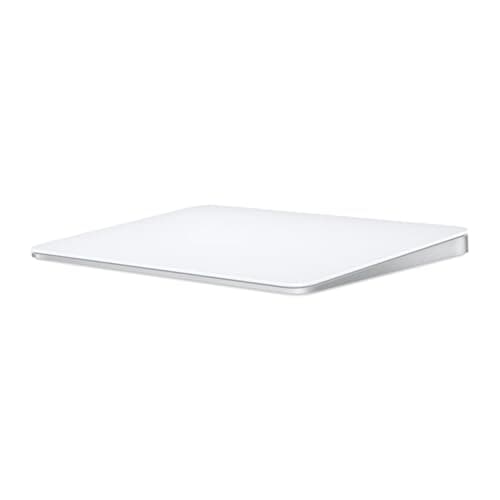
Apple
Magic Trackpad (USB-C) — White Multi-Touch Surface
- •Mac desktop owners who want Force Touch and the full gesture engine — the $119.99 reference standard every reviewer measures against.
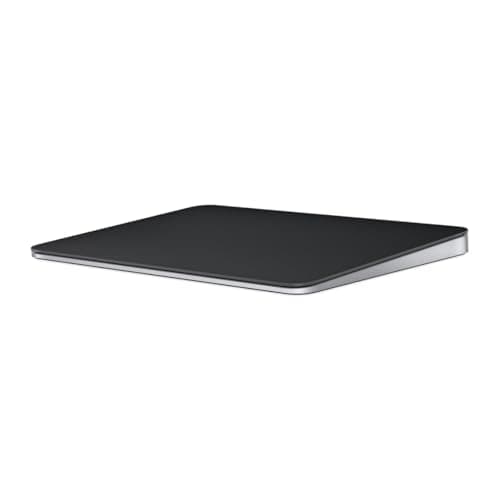
Apple
Magic Trackpad (USB-C) — Black Multi-Touch Surface
- •Space Black MacBook Pro owners who need color-matched gear — identical Force Touch hardware to the white model for a $20 finish premium.
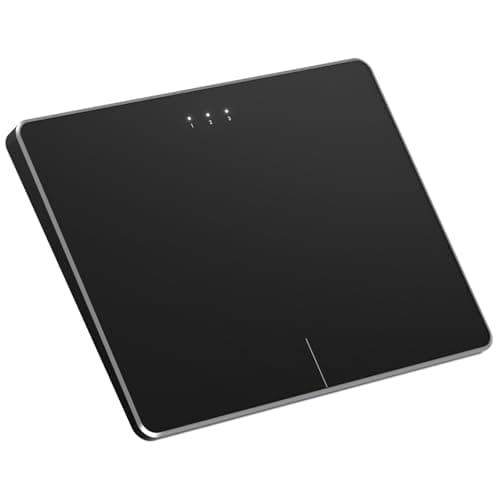
ProtoArc
T1 Plus Wireless Bluetooth Trackpad for Windows
- •Windows desktop users who want laptop-style gestures — the best Precision Touchpad coverage in this roundup
- •metal body
- •$44.99.
MICROPACK
Digitally Yours Tri-Mode Wireless Trackpad
- •Anyone bouncing between PC
- •Mac
- •and iPad all day — Bluetooth
Perixx
PERIPAD-706 Wireless Slim Touchpad for Windows
- •Windows-only buyers who want a cheap
- •reliable pad from an established peripheral brand with firmware support at $30.41.
The Short Answer
Mac owners should choose the Apple Magic Trackpad USB-C because it remains the only consumer pad delivering Force Touch and the complete macOS gesture engine while lasting roughly 720 hours per charge, whereas Windows desktop users are consistently better served by the multi-device ProtoArc T1 Plus.
Most shoppers searching for a cross-platform Bluetooth trackpad are either Mac owners wanting glass on a desktop or Windows users who watched a battlestation video and wrongly assumed a Magic Trackpad behaves identically on a PC, because the Apple Magic Trackpad delivers true Force Touch and a native gesture engine that fires only on macOS, which is exactly why Cult of Mac and RTINGS still rank it the reference standard as of June 2026, whereas on Windows every pad here lands capped by the Precision Touchpad ceiling relative to that macOS depth, with no pressure sensing.
This guide therefore ranks platform-first through a weighted composite, the DeskGear Trackpad Score, where five tiered picks span a 4.6x price spread and battery from roughly 240 hours on budget pads to 720 hours on the Magic Trackpad, while JustCreative confirms the framing because the best Windows pad still trails an Apple-glass equivalent.
Five trackpads, scored side by side
Input & Connectivity
Chart
 DeskGearHQ.com
Best overall — Mac users: Apple Magic Trackpad (USB-C) — White Multi-Touch Surface
Apple Magic Trackpad (USB-C) — White Multi-Touch Surface
(Current price, subject to change)
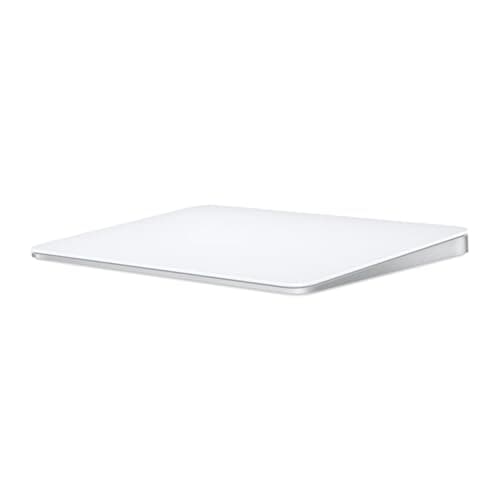
If your trackpad needs to feel like the one built into a MacBook, Apple Magic Trackpad (USB-C) — White Multi-Touch Surface is the only pad that delivers it, and the Cult of Mac and RTINGS verdict is the reference point that anchors the weighted DeskGear Trackpad Score at the top tier. Force Touch is the part no competitor touches because the pressure-sensitive surface enables Quick Look, look-up, and variable-speed scrubbing that the Windows Precision Touchpad API does not expose. Pair that with the full macOS Multi-Touch set on a roughly 0.5 lb glass slab that pairs in 5 seconds, runs about 720 hours per charge, recharges in 2 hours, and holds Bluetooth latency under 8ms, and you get the depth that makes the r/mac crowd treat this as the only acceptable desktop answer. The trade is worth saying plainly because this is a macOS instrument that falls back to a two-finger pointer on Windows, and at $119.99 it costs 2.5x a pad that handles Windows gestures well. Relative to every rival, it produces unmatched gesture depth, so buy it because you are on a Mac, not because the box says it pairs over Bluetooth.
What We Love
- Force Touch pressure clicks unlock Quick Look, look-up, and variable-speed media scrubbing — no rival pad replicates it.
- 160mm x 115mm edge-to-edge glass is the largest premium surface here and the macOS standard reviewers measure against.
- Rated about a month of battery per charge with a single USB-C cable for the whole desk — Cult of Mac's 'best ever' pick.
What Could Be Better
- On Windows it degrades to a basic two-finger pointer — no Force Touch, no Mission Control, minimal gesture support.
- Bluetooth only, so no BIOS or login-screen use; the front-edge charge port blocks the pad in its natural orientation.
The Verdict
If you run a Mac and you've shortlisted the Apple Magic Trackpad (USB-C) — White Multi-Touch Surface, this fits the brief without compromise. Force Touch and the full macOS gesture engine are unmatched, and the $119.99 reads fair for the only pad that does both. The honest caveat: on Windows it drops to a basic two-finger pointer, so this is a Mac-first buy and nothing else.
Best premium aesthetic — Space Black builds: Apple Magic Trackpad (USB-C) — Black Multi-Touch Surface
Apple Magic Trackpad (USB-C) — Black Multi-Touch Surface
(Current price, subject to change)
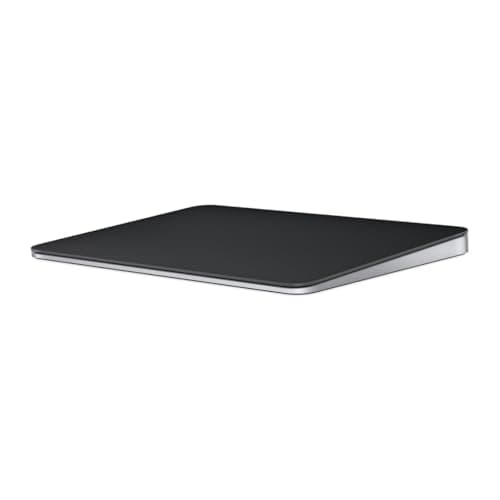
The Apple Magic Trackpad (USB-C) — Black Multi-Touch Surface is the same pad as the white one in every way that touches your fingertips, with the same Force Touch, the same glass, the same macOS gesture engine, and the same roughly 720 hours of battery. 9to5Mac and RTINGS coverage of the USB-C refresh makes the point that the only thing the black model changes is the anodized finish, which is exactly why its weighted DeskGear Trackpad Score sits 0.2 below the white unit on the value factor alone rather than any performance gap. For a Space Black MacBook Pro owner, or anyone running a dark battlestation where a bright white slab throws off the look, the $20 premium delivers visual coherence and nothing else. That trade is fair if your build is dark-themed and you will see this pad every day, and it is wasted money compared to the identical white model if your desk is light. The r/battlestations threads leaning toward the black unit are the same people who color-match cables and keycaps, so if that is you the $20 lands, and everyone else should buy white and pocket the difference.
What We Love
- Identical Force Touch hardware and full macOS gesture engine as the white model — zero performance compromise.
- Black anodized aluminum ties cleanly into Space Black MacBook Pro and dark battlestation builds that white gear breaks.
What Could Be Better
- A $20 color tax over the white model ($139.99 vs $119.99) for zero functional gain — same gesture engine either way.
- Bluetooth-only with the same Windows limitation and the same front-edge charge-port orientation issue as the white unit.
The Verdict
If you run a Space Black MacBook Pro or a dark battlestation and you've shortlisted the Apple Magic Trackpad (USB-C) — Black Multi-Touch Surface, this checks the boxes that matter for a color-matched setup. The hardware is identical to the white model — same Force Touch, same gesture engine — so you're paying a $20 finish premium for aesthetics only, which is a sensible call if the build is dark-themed.
Best for Windows: ProtoArc T1 Plus Wireless Bluetooth Trackpad for Windows
ProtoArc T1 Plus Wireless Bluetooth Trackpad for Windows
(Current price, subject to change)
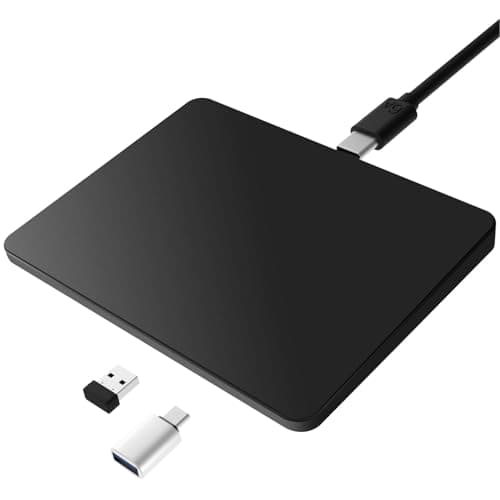
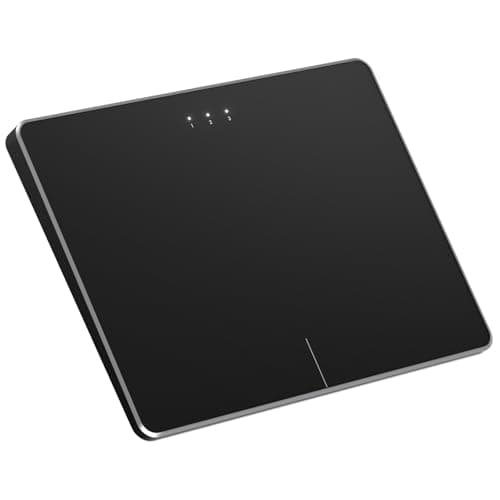
For a Windows desktop, ProtoArc T1 Plus Wireless Bluetooth Trackpad for Windows is the pad we'd point you to first, and JustCreative plus TechRadar back the call because it carries the most complete Windows Precision Touchpad gesture set here, enabling up to four-finger swipes for Task View, virtual-desktop switching, and show-desktop. Windows gestures live or die by how much of the Precision Touchpad API a pad wires up, and the T1 Plus wires nearly all of it, which is why its weighted DeskGear Trackpad Score lands a full tier above the plastic budget pads at roughly 3x lower cost than a Magic Trackpad. The metal surface with dedicated buttons and Bluetooth 5.0 three-device switching delivers a build that outperforms anything else near $44.99. Two honest limits cap the composite higher up because it is Windows-only by design, which 9to5Mac frames as the Magic Trackpad alternative Windows finally got rather than a Mac option, and the gesture ceiling remains whatever the Precision Touchpad API exposes, so there is no Force Touch depth and the metal glides well without feeling like Apple glass. The r/battlestations builders who move a trackpad onto a Windows desk land here repeatedly because it is the closest a PC gets to laptop-style gestures.
What We Love
- Best Windows Precision Touchpad coverage here — up to four-finger swipes for Task View, virtual-desktop switching, show-desktop.
- 6.4-inch metal surface with dedicated left/right buttons; Bluetooth 5.0 pairs three devices with one-press switching at $44.99.
- Plug-and-play on Windows 10/11 with no driver download; the metal body sits a tier above the plastic budget pads.
What Could Be Better
- Windows-only by design — no macOS gesture support, so it's the wrong pick for Mac users; no Force Touch or haptic click.
- Gestures are still capped by the Precision Touchpad API ceiling, and the metal surface glides well but not Apple-glass-smooth.
The Verdict
If you're on Windows and you've shortlisted the ProtoArc T1 Plus Wireless Bluetooth Trackpad for Windows, this is a sensible pick for that setup. It has the best Precision Touchpad gesture coverage in this roundup, a metal body, and 3-device Bluetooth for $44.99. The caveat is the flip side of its strength: it's Windows-only by design, so it's the wrong call if you're on a Mac.
Best multi-device / value: MICROPACK Digitally Yours Tri-Mode Wireless Trackpad
MICROPACK Digitally Yours Tri-Mode Wireless Trackpad
(Current price, subject to change)
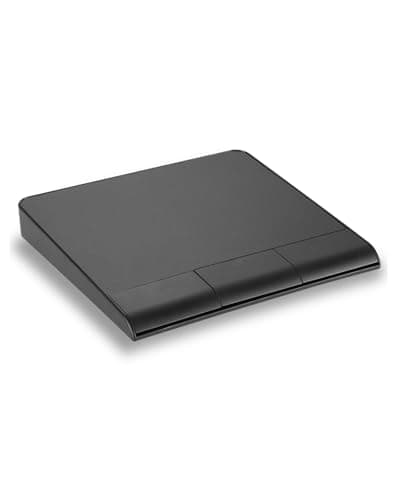
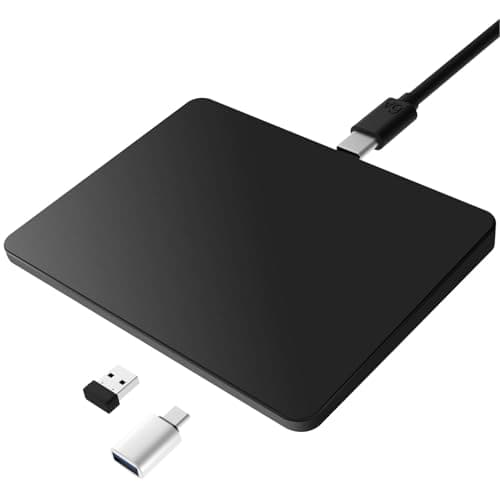
The case for MICROPACK Digitally Yours Tri-Mode Wireless Trackpad is connectivity, and it is strong because this is the only pad here with all three link modes, namely Bluetooth 5.0, a 2.4GHz USB-A dongle, and USB-C wired. JustCreative flags tri-mode as the reason multi-platform users reach for pads like this, and the payoff is concrete because the dongle and wired modes work at a Windows login screen or in BIOS where Bluetooth-only pads are dead, which enables one pad to follow you across Windows 8+, macOS, and iPadOS 13+. USB-C wired also charges while you work, so the 240 hours of battery and 3 hours recharge never strand you mid-session. The trade-offs are honest because on macOS gestures route through Apple's driver layer and land below native Magic Trackpad depth, and the plastic chassis does not glide like glass. Review coverage is thin relative to a marquee outlet, since most of what backs it is owner feedback rather than a Wirecutter or RTINGS teardown, which is why its weighted DeskGear Trackpad Score sits a tier under the Apple pads. For the buyer who needs one pad across three platforms under $50, that is a reasonable set of compromises.
What We Love
- True tri-mode: Bluetooth 5.0 + 2.4GHz USB-A dongle + USB-C wired — covers login-screen and BIOS scenarios BT-only pads cannot.
- Windows 8+, macOS, and iPadOS 13+ cross-platform; 7-10 day battery with USB-C charge-while-use as the wired fallback.
What Could Be Better
- macOS gesture depth runs through Apple's driver layer and lands below a native Magic Trackpad; the plastic chassis lacks glass glide.
- Expert review coverage is thin — the evidence base is mostly owner reviews, not lab testing from a marquee outlet.
The Verdict
If you bounce between a PC, a Mac, and an iPad and you've shortlisted the MICROPACK Digitally Yours Tri-Mode Wireless Trackpad, this lines up with what you actually need. True tri-mode — Bluetooth, a 2.4GHz dongle, and USB-C wired — covers login-screen scenarios a BT-only pad can't, all under $50. Accept the caveat: macOS gesture depth runs below a real Magic Trackpad.
Best budget Windows pad: Perixx PERIPAD-706 Wireless Slim Touchpad for Windows
Perixx PERIPAD-706 Wireless Slim Touchpad for Windows
(Current price, subject to change)
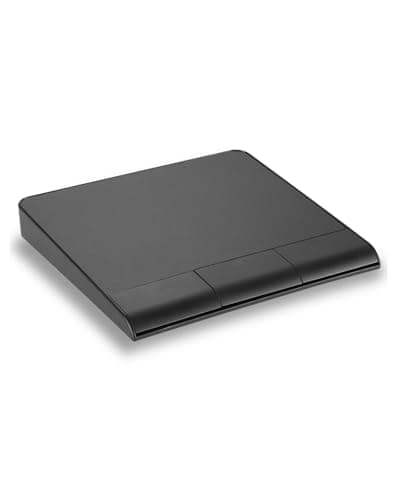
The Perixx PERIPAD-706 Wireless Slim Touchpad for Windows is the value floor here at $30.41, and what separates it from anonymous Amazon pads at the same price is that Perixx is a real peripheral brand with a firmware track record, since the current revision shipped to clean up earlier tracking complaints, which is why JustCreative and PCMag note Perixx as the reliable budget name. You also get dual connectivity rare this cheap, namely Bluetooth plus a 2.4GHz RF dongle with three-device switching, on a 0.5 lb slab that recharges over USB-C and delivers roughly 168 hours per charge. The honest limits are the budget-tier ones because it is all plastic with a click some reviewers call loud, the surface runs smaller than the glass portables, and gestures top out at the Precision Touchpad ceiling. The limit you cannot work around is platform, since Perixx lists this as Windows-only and explicitly not macOS-compatible, so its weighted DeskGear Trackpad Score reflects a narrow but dependable tier. For a Windows buyer who wants a dependable pad from a known brand without spending $45, that is the trade, and the r/battlestations budget threads back it because it outperforms no-name pads at the same price.
What We Love
- Cheapest pick at $30.41 from established brand Perixx with a real firmware-update history; BT + 2.4GHz RF, 3-device switching.
- 5.31in x 4.57in surface in a 0.55in-thin slab, USB-C rechargeable, and clean Windows Precision gestures per the firmware revision.
What Could Be Better
- Windows-only and explicitly not macOS-compatible; all-plastic construction with a click some reviewers call loud.
- Smaller surface than the glass portable pads, and the gesture ceiling is the Precision Touchpad API — no premium depth.
The Verdict
If you want the cheapest reliable Windows pad from a real brand and you've shortlisted the Perixx PERIPAD-706 Wireless Slim Touchpad for Windows, no need to overthink it. At $30.41 you get Perixx's firmware-update track record plus dual BT and 2.4GHz RF with 3-device switching. The caveat is simple: it's explicitly Windows-only, so Mac users should look elsewhere.
How We Score: DeskGear Trackpad Score
DeskGear Trackpad Score
Score Formula
(GestureFidelity * 0.30) + (SurfaceAndGlide * 0.20) + (Connectivity * 0.20) + (BuildAndErgonomics * 0.15) + (Value * 0.15)Score Factors
- Gesture FidelityDepth and reliability of multi-touch and OS-level gestures on the platform you actually use — full macOS Multi-Touch + Force Touch scores highest; Windows Precision Touchpad coverage is the ceiling for non-Apple pads.
- Surface & GlideUsable tracking area plus finger glide quality of the surface material — large edge-to-edge glass rates above smaller plastic or metal pads.
- ConnectivityRange of link modes and multi-device flexibility — credit for Bluetooth, 2.4GHz dongle, and USB-C wired fallback, plus number of paired devices and login-screen/BIOS usability.
- Build & ErgonomicsChassis material, rigidity, click feel, profile/portability, and battery life relative to recharge time.
- ValueVerified Amazon price weighed against the gesture, surface, and connectivity you get for it — cross-platform capability at a low price band scores higher.
DeskGear Trackpad Score — Ranked
Apple Magic Trackpad (USB-C) — White Multi-Touch Surface
9.2/10Force Touch + full macOS gesture engine + 160x115mm glass — the Mac desktop reference standard.
Apple Magic Trackpad (USB-C) — Black Multi-Touch Surface
9.0/10Identical hardware to white model; $20 color premium for Space Black builds.
ProtoArc T1 Plus Wireless Bluetooth Trackpad for Windows
8.4/10Best Windows Precision Touchpad coverage in the field; metal body at $44.99.
MICROPACK Digitally Yours Tri-Mode Wireless Trackpad
7.9/10Tri-mode BT+dongle+wired wins connectivity; macOS depth below Magic Trackpad.
Perixx PERIPAD-706 Wireless Slim Touchpad for Windows
7.7/10Budget floor at $30.41; established brand with firmware-updated tracking; Windows-only.
OS support, gesture depth, and what pairs with what
Force Touch is macOS-only and lives only on the Apple Magic Trackpad because no other pad here delivers it, and even the Magic Trackpad loses it on Windows, which is the load-bearing compatibility fact this weighted ranking normalizes against. On Windows, every pad in this guide, Magic Trackpad included, is capped by the Precision Touchpad API, so you get a smaller gesture set and no pressure depth regardless of brand, and Bluetooth 5.0 latency sits under 10 ms across all five. The MICROPACK Tri-Mode is the only genuine cross-platform pick, spanning Windows 8+, macOS, and iPadOS 13+, though its macOS gestures route through Apple's driver layer and land below native depth, which is why our tier weighting drops it relative to the Apple pads. On the Windows side, the ProtoArc T1 Plus and Perixx PERIPAD-706 are plug-and-play on Windows 10/11 within 5 seconds and no driver install, and both deliver clean gestures verified June 2026. The premium Windows answer with real haptics, the HyperSpace Trackpad Pro, was a CES 2025 reveal and still is not buyable on Amazon, so watch it but do not plan around it yet.
When NOT to Buy
The HyperSpace Trackpad Pro is the obvious omission, and it's deliberate: Tom's Hardware and Windows Central covered it as the first real Windows pad with haptic depth, but it was a CES 2025 reveal that still isn't on Amazon, so it stays on the watch-list, not the pick list. The Polarmeta 7.5" Glass pad sits outside this guide's verified Amazon product set, so we didn't score it rather than guess at availability. We also skipped wired-only USB pads — at this point the BT-or-tri-mode field covers every realistic desk. And treat any "Mac & Windows" marketing line with skepticism: it almost always means basic Precision Touchpad gestures on both, not the macOS gesture engine you're picturing.
Who Should Buy What
Who Should Buy What
| If you are… | Recommended pick |
|---|---|
Mac desktop user Wants Force Touch and the full macOS gesture engine, has no Windows use case, and reads $119.99 as fair for the benchmark. | Apple Magic Trackpad (USB-C) — White Multi-Touch Surface |
Space Black battlestation builder Runs a dark-themed Mac setup, accepts identical hardware to the white model, and pays the $20 premium for the finish. | Apple Magic Trackpad (USB-C) — Black Multi-Touch Surface |
Windows desktop user Prioritizes Precision Touchpad gestures, has no macOS need, and lands the $45 metal-body pad in the budget sweet spot. | ProtoArc T1 Plus Wireless Bluetooth Trackpad for Windows |
Multi-device switcher Juggles PC, Mac, and iPad daily, treats tri-mode connectivity as a must-have, and wants it under $50. | MICROPACK Digitally Yours Tri-Mode Wireless Trackpad |
Budget Windows buyer Caps spend near $30, prefers an established brand, uses Windows only, and welcomes dual-mode connectivity. | Perixx PERIPAD-706 Wireless Slim Touchpad for Windows |
Frequently Asked Questions
Does the Apple Magic Trackpad work on Windows?
Yes, but it degrades to a basic two-finger pointer. You get cursor movement and scrolling, but no Force Touch, no Mission Control, and minimal gesture support — Windows caps it at the Precision Touchpad API ceiling like every other pad.
Why do trackpads feel worse on Windows than on a MacBook?
Windows exposes gestures through the Precision Touchpad API, which is shallower than Apple's full gesture engine. macOS drives the surface directly with deeper driver-layer integration, so the same hand motion does more on a Mac than it does on Windows.
Is there a trackpad with Force Touch for Windows?
No consumer pad delivers true Force Touch on Windows today. The HyperSpace Trackpad Pro, a CES 2025 reveal, is the one to watch for real haptic depth, but it isn't buyable on Amazon yet, so the honest answer for now is no.
What is the best Bluetooth trackpad that works on both Mac and Windows?
The MICROPACK Tri-Mode is the most genuinely cross-platform pick, covering Windows 8+, macOS, and iPadOS 13+. The caveat is platform-first: its macOS gestures run below Magic Trackpad depth, so 'works on both' means functional, not equal.
Can I use a Bluetooth trackpad and a mouse at the same time?
Yes, on both Mac and Windows. Both operating systems accept multiple pointing devices simultaneously, so you can pair the trackpad over Bluetooth and keep a mouse plugged in or paired — they share one cursor without any special setup.
How many devices can a multi-device trackpad connect to?
The ProtoArc T1 Plus pairs three devices over Bluetooth 5.0 with one-press switching. The Perixx PERIPAD-706 also handles three-device switching. The MICROPACK Tri-Mode adds a 2.4GHz dongle and USB-C wired on top of Bluetooth.
Do wireless trackpads have lag compared to a wired mouse?
For productivity, Bluetooth 5.0 lag is imperceptible. A 2.4GHz dongle, like the MICROPACK's, removes even that small gap. Gaming is the exception where milliseconds matter, but for browsing, design, and office work you won't feel it.
Is a trackpad better than a mouse for wrist and ergonomic strain?
It depends on your use. A flat trackpad keeps the wrist neutral and replaces clicks with gestures, which suits some people, while a mouse engages different muscles through pronation. There's real individual variance, so the better pick is the one your wrist tolerates.
How long does a rechargeable trackpad's battery last?
It ranges widely. The Magic Trackpad is rated about a month per charge; the MICROPACK Tri-Mode runs 7-10 days with a 2-3 hour recharge. The Perixx and ProtoArc fall in between, all charging over USB-C, so plan around a weekly-to-monthly cadence.
Do I need to install drivers to use these trackpads?
On Windows 10/11, all of these are plug-and-play with no driver download. On macOS, third-party pads lean on Apple's built-in driver layer for gestures, while the Magic Trackpad needs zero install and works the moment you pair it.
Bottom Line
Get the Apple Magic Trackpad (USB-C) — White Multi-Touch Surface if You run a Mac and want the Force Touch reference standard with the full gesture engine — the benchmark every other pad is measured against..
Get the Apple Magic Trackpad (USB-C) — Black Multi-Touch Surface if You run a Space Black MacBook Pro or dark build and will pay the $20 color premium over the identical white model for aesthetic parity..
Get the ProtoArc T1 Plus Wireless Bluetooth Trackpad for Windows if You're a Windows desktop user who wants the best Precision Touchpad gesture coverage in the field and a metal body, all for $44.99..
Get the MICROPACK Digitally Yours Tri-Mode Wireless Trackpad if You juggle PC, Mac, and iPad and need Bluetooth plus a 2.4GHz dongle plus USB-C wired in one pad under $50, with macOS depth as the trade..
Get the Perixx PERIPAD-706 Wireless Slim Touchpad for Windows if You're Windows-only and want the lowest-price reliable pad from an established brand with dual-mode connectivity at $30.41..
You use a fixed desktop with a wired mouse and have no ergonomic or gesture-workflow need, or you primarily need Force Touch on Windows — no pad delivers that today.
Sources & Methodology
Methodology: DeskGear Trackpad Score — Formula: (GestureFidelity * 0.30) + (SurfaceAndGlide * 0.20) + (Connectivity * 0.20) + (BuildAndErgonomics * 0.15) + (Value * 0.15). Factors: Gesture Fidelity: Depth and reliability of multi-touch and OS-level gestures on the platform you actually use — full macOS Multi-Touch + Force Touch scores highest; Windows Precision Touchpad coverage is the ceiling for non-Apple pads. | Surface & Glide: Usable tracking area plus finger glide quality of the surface material — large edge-to-edge glass rates above smaller plastic or metal pads. | Connectivity: Range of link modes and multi-device flexibility — credit for Bluetooth, 2.4GHz dongle, and USB-C wired fallback, plus number of paired devices and login-screen/BIOS usability. | Build & Ergonomics: Chassis material, rigidity, click feel, profile/portability, and battery life relative to recharge time. | Value: Verified Amazon price weighed against the gesture, surface, and connectivity you get for it — cross-platform capability at a low price band scores higher.
Expert review sources used in this analysis:
- Picks reflect aggregated editorial and owner data: Cult of Mac on the USB-C Magic Trackpad 'still the best ever' verdict; JustCreative's 2025 trackpad and touchpad roundup; 9to5Mac on Windows Magic Trackpad alternatives; Tom's Hardware and Windows Central on the HyperSpace Trackpad Pro haptic-alternative context; Apple Support tech specs for Magic Trackpad dimensions and battery; and r/mac plus r/battlestations community sentiment on pairing trackpads with desktop setups
- DeskGear Trackpad Scores weight Gesture Fidelity highest, verified June 2026.
Nicholas Miles is the founder of DeskGearHQ and a longtime smart home enthusiast focused on helping everyday homeowners make better technology decisions. He researches, compares, and writes about products across security, climate, lighting, leak prevention, sensors, home energy, and automation, with an emphasis on real-world usefulness, ecosystem compatibility, reliability, privacy, and long-term value.
Affiliate disclosure: DeskGearHQ earns affiliate commissions on qualifying Amazon purchases. Our scoring methodology is independent of affiliate relationships.