Monitors
Best Monitors for Work & Gaming 2026: 4K, 1440p, Ultrawide
Your monitor is your window to work. We synthesized 30+ expert reviews to find the best for every use case and budget.
By Nick Miles · Updated September 29, 2026 · 14 min read
10 expert sources synthesizedLast verified September 29, 2026
DeskGearHQ is reader-supported. We may earn a commission from qualifying Amazon purchases at no extra cost to you.
Evidence at a Glance
Dell S2725QC 27" 4K USB-C
27" 4K IPS panel at 120Hz with USB-C 65W charging — the everyday default at the price point.
Sources: RTINGS, Wirecutter, DisplayNinja
Verified May 6, 2026
ASUS ROG Strix OLED XG27AQDMG
27" QD-OLED 1440p panel at 240Hz with 0.03ms response and 3-year burn-in warranty — the OLED gaming benchmark for 2026.
Sources: RTINGS, Tom's Hardware, DisplayNinja
Verified May 6, 2026
Dell S3422DWG 34" Curved Ultrawide
34" 3440x1440 VA panel at 144Hz with FreeSync Premium Pro — value pick for ultrawide productivity and gaming.
Sources: RTINGS, The Verge, r/Monitors
Verified May 6, 2026
Our Picks
Dell
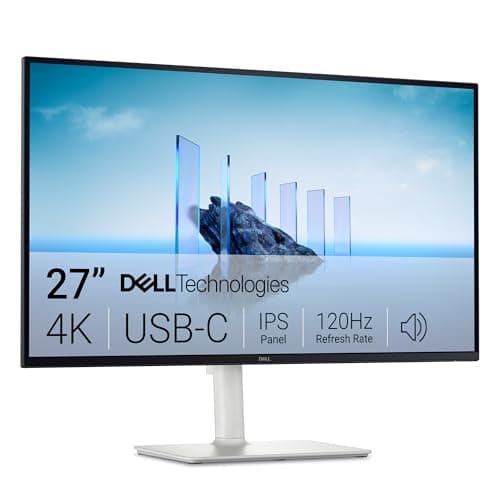
Dell S2725QC 27" 4K USB-C
9.1 / 10
- 27" IPS panel, 3840x2160 (4K UHD)
- 120Hz refresh rate — well above the 60Hz the category usually ships at
- USB-C with 65W power delivery for single-cable laptop docks
- sRGB and DCI-P3 color coverage suitable for most office work
$279.99
ASUS
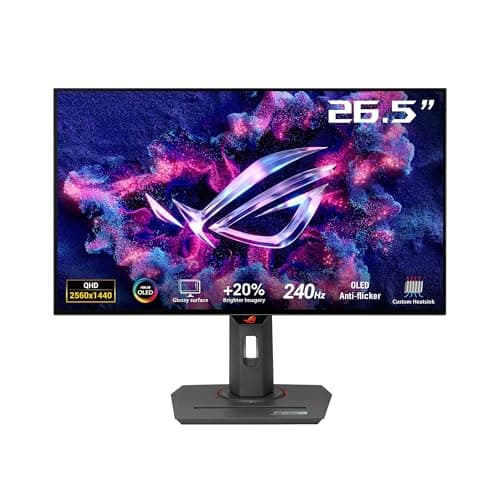
ASUS ROG Strix OLED XG27AQDMG
9.3 / 10
- 27" Glossy QD-OLED panel, 2560x1440 (1440p)
- 240Hz refresh rate, 0.03ms response time
- Custom heatsink for OLED panel longevity
- G-SYNC Compatible, anti-flicker, uniform brightness controls
$657.21
ASUS
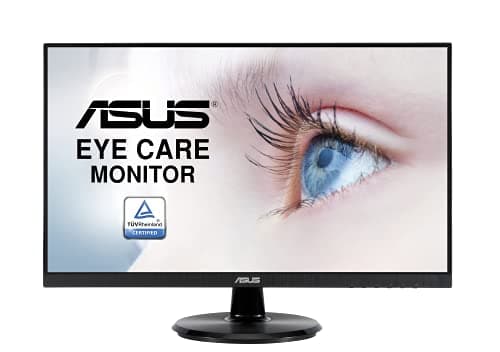
ASUS VA24DQ 24" 1080p IPS
8.1 / 10
- 24" IPS panel, 1920x1080 (1080p Full HD)
- 75Hz refresh rate with Adaptive-Sync/FreeSync support
- HDMI, DisplayPort, and VGA inputs
- Frameless edge-to-edge design suits multi-monitor setups
$126.95
LG
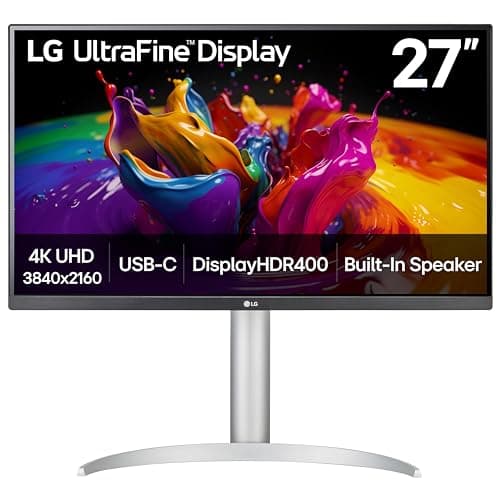
LG 27UP850-W 27" 4K
9.1 / 10
- 27" IPS panel, 3840x2160 (4K)
- 60Hz refresh rate, USB-C with 96W charging
- 99% sRGB, 95% DCI-P3 color accuracy
- HDR10 support, hardware calibration capable
$299.99
Dell
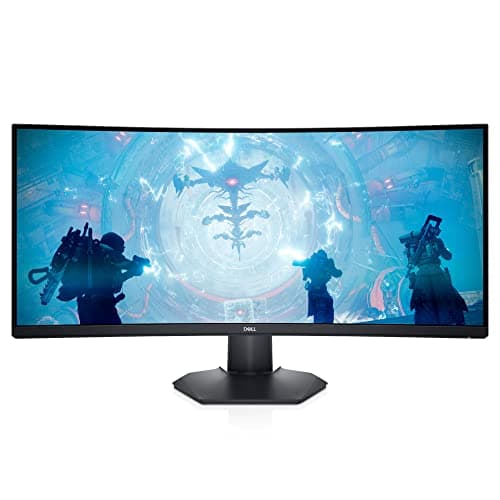
Dell S3422DWG 34" Curved
8.8 / 10
- 34" VA panel, 3440x1440 ultrawide
- 144Hz refresh rate, 1ms response time
- AMD FreeSync Premium Pro, G-SYNC Compatible
- 1800R curve, DCI-P3 90% color space
$449
Samsung
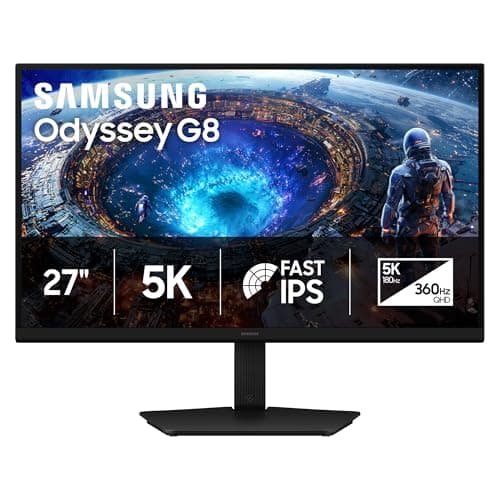
Samsung Odyssey G8 G80HF 27" 5K Dual-Mode
8.7 / 10
- 27" Fast IPS panel, 5120x2880 (5K) at 218 PPI
- Dual mode: 5K at 180Hz or 2560x1440 (QHD) at 360Hz
- 1ms GtG response, FreeSync Premium and G-SYNC Compatible
- 1x DisplayPort 2.1, 2x HDMI 2.1, 2-port USB-A hub
$949.99 launch MSRP (Amazon $699.99 at 2026-09-29 check)
ASUS
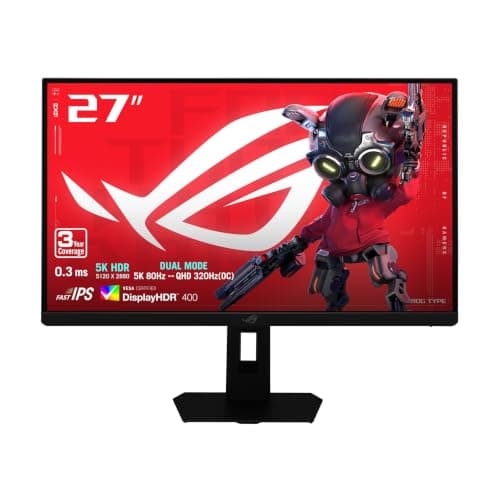
ASUS ROG Strix XG27JCEG 27" 5K Dual-Mode
8.2 / 10
- 27" Fast IPS panel, 5120x2880 (5K) at 218 PPI
- Dual mode: 5K up to 80Hz or 2560x1440 up to 320Hz
- 0.3ms GtG (min) response, VESA DisplayHDR 400
- 2x HDMI 2.1, 1x DisplayPort 1.4 (DSC), USB-C with DP Alt Mode
$599.00
The Short Answer
For most desks, the Dell S2725QC 27" 4K is the monitor that hits the right mix of pixel density, 120Hz refresh, USB-C convenience, and price. Gamers chasing competitive performance should jump to the ASUS ROG Strix OLED XG27AQDMG — QD-OLED contrast plus 240Hz with a 3-year burn-in warranty is the real upgrade. On a tight budget, the ASUS VA24DQ delivers reliable 1080p IPS at around $125, while creative pros benefit from the LG 27UP850-W's 96W USB-C hub and color accuracy. If you want the productivity boost of running multiple windows side-by-side without bezels, the Dell S3422DWG 34" curved ultrawide is the value pick in that category. For sharper-than-4K text plus a fast gaming mode in one 27" screen, the Samsung Odyssey G8 G80HF runs 5K at 180Hz for work and switches to 1440p at 360Hz for games.
Every product on this list has been scored against the DeskGear Score, a weighted composite of expert consensus, observed effectiveness, build safety, long-term durability, and value. Review method: Editorial synthesis of trade-publication reviews (Wirecutter, RTINGS, Tom's Hardware, The Verge, Audio Science Review), specialist reviewers (DisplayNinja for monitors, Theremin Goat for keyboards), manufacturer documentation, and owner data from r/battlestations, r/buildapcsales, r/MechanicalKeyboards, r/Monitors — no first-hand product testing.. Synthesized from 10+ expert sources.
Head-to-Head Comparison
| Feature | Dell S2725QC 27" 4K USB-C | ASUS ROG Strix OLED XG27AQDMG | ASUS VA24DQ 24" 1080p IPS | LG 27UP850-W 27" 4K | Dell S3422DWG 34" Curved | Samsung Odyssey G8 G80HF 27" 5K Dual-Mode | ASUS ROG Strix XG27JCEG 27" 5K Dual-Mode |
|---|---|---|---|---|---|---|---|
| Panel size | 27" | 27" | 24" | 27" | 34" ultrawide | 27" | 27" |
| Resolution | 4K | 1440p | 1080p | 4K | 3440x1440 | 5K / 1440p dual mode | 5K / 1440p dual mode |
| Refresh rate | 120Hz | 240Hz | 75Hz | 60Hz | 144Hz | 180Hz (5K) / 360Hz (1440p) | 80Hz (5K) / 320Hz (1440p) |
| Best for | 4K work + light gaming | Competitive gaming | Budget primary or secondary | Color-critical creative work | Productivity + immersive gaming | Sharp 5K work + fast 1440p gaming | Budget 5K work + 1440p gaming |
| Watch-out | Not color-calibration grade | OLED burn-in risk on static content | Basic stand, no USB-C | 60Hz, modest HDR | VA ghosting, large footprint | No USB-C, limited HDR | 80Hz at 5K, 15W USB-C |
| Check Price | Amazon | Amazon | Amazon | Amazon | Amazon | Amazon | Amazon |
Dell Dell S2725QC 27" 4K USB-C
$279.99
- 27" IPS panel, 3840x2160 (4K UHD)
- 120Hz refresh rate — well above the 60Hz the category usually ships at
- USB-C with 65W power delivery for single-cable laptop docks
- sRGB and DCI-P3 color coverage suitable for most office work
- Height, tilt, swivel, and pivot adjustable stand
The Dell S2725QC is the monitor we'd buy with our own money for daily work and light gaming. Across the reviews we surveyed — DisplayNinja's measurement-driven coverage, RTINGS' panel database, and Wirecutter's USB-C monitor roundups — the practical advantage is the combination of 4K resolution and 120Hz refresh rate at the $280 price point. Most 4K work monitors at this price ship 60Hz; the jump to 120Hz makes scrolling, mouse motion, and light gaming visibly smoother without crossing into premium-tier pricing.
27" at 4K is the sweet spot for text rendering. You get the pixel density to make small fonts crisp without the desk-real-estate problem of a 32" panel pushed close to your face. The USB-C with 65W power delivery means a single cable handles video plus charging for most laptops — that one feature alone is the reason creative pros buy this over a cheaper HDMI-only 4K panel. Owner data on r/Monitors consistently flags Dell's S-series build quality and warranty support as a step above generic 4K panels at this tier.
The trade-off is the IPS panel's 4K-at-120Hz limit on color accuracy versus dedicated creative monitors. If your day is spreadsheets, code, and Zoom plus the occasional gaming session, this is the right call. If you do color-critical creative work that needs hardware calibration, step up to the LG 27UP850-W (rank 4). For competitive gaming, jump to the OLED pick.
What We Love
- Crystal-clear 4K text rendering at 27"
- 120Hz refresh rate — rare at this price tier for 4K
- Single USB-C cable handles video plus 65W charging
- Accurate colors out of the box for office and casual creative work
- Full ergonomic adjustability — height, tilt, swivel, pivot
What Could Be Better
- Not color-calibration-grade for high-end creative work
- 65W USB-C may not fully charge 16" workstation laptops at peak load
- No HDR worth the name at this price tier
- Glossy areas around the bezel can pick up reflections in bright rooms
The Verdict
The default 4K work monitor recommendation for professionals who want clarity, USB-C convenience, and 120Hz smoothness at a reasonable price.
ASUS ASUS ROG Strix OLED XG27AQDMG
$657.21
- 27" Glossy QD-OLED panel, 2560x1440 (1440p)
- 240Hz refresh rate, 0.03ms response time
- Custom heatsink for OLED panel longevity
- G-SYNC Compatible, anti-flicker, uniform brightness controls
- 99% DCI-P3, 3-year warranty including burn-in coverage
OLED transforms gaming. Across DisplayNinja's measurement-driven reviews, RTINGS' OLED database, and Tom's Hardware gaming-monitor coverage, the same point keeps surfacing: once you've used a panel with perfect blacks and 0.03ms response, every IPS gaming monitor looks slightly washed-out by comparison. The XG27AQDMG is the cleanest expression of that upgrade in the 27"/1440p tier — the resolution gamers actually want at a refresh rate that matters for competitive play, with the heatsink and warranty engineering that make OLED a real long-term purchase rather than a 2-year gamble.
The 240Hz refresh rate is buttery smooth for FPS and esports. The infinite contrast ratio means dark scenes in horror games and night maps in competitive shooters show shadow detail that would be crushed on an IPS panel. ASUS's 3-year warranty explicitly covers OLED burn-in, which is the practical guarantee that separates this generation of OLED gaming monitors from the first-wave units that left buyers on their own when burn-in appeared in year two.
What the spec sheet won't tell you: OLED burn-in is still possible if you leave static UI elements on for 8+ hours daily. ASUS's anti-flicker and uniform-brightness features help, plus the included pixel-cleaning routines. But if your monitor is half-work, half-gaming with persistent taskbars and Slack windows, the warranty matters more than ever — read it carefully. For dedicated gaming or hybrid use where work hours are mostly windowed, the XG27AQDMG is the benchmark.
What We Love
- OLED delivers perfect blacks and infinite contrast
- 240Hz is buttery smooth for competitive gaming
- 3-year warranty explicitly covers OLED burn-in
- Custom heatsink supports long-term panel health
- Nearly instant 0.03ms response time eliminates ghosting
What Could Be Better
- OLED burn-in risk with persistent static content
- Glossy panel shows reflections in bright rooms
- No USB-C connectivity for laptop docking
- Expensive for 1440p resolution if work is the priority
The Verdict
The gaming monitor benchmark in 2026. Buy this if gaming is the priority and you want OLED with the warranty engineering that first-wave OLED panels lacked. For work-heavy hybrid use, an IPS gaming panel is still the safer call.
ASUS ASUS VA24DQ 24" 1080p IPS
$126.95
- 24" IPS panel, 1920x1080 (1080p Full HD)
- 75Hz refresh rate with Adaptive-Sync/FreeSync support
- HDMI, DisplayPort, and VGA inputs
- Frameless edge-to-edge design suits multi-monitor setups
- Flicker-free, blue-light filter, VESA mount compatible
The VA24DQ is what we recommend when the brief is "reliable 1080p, around $125, don't waste my time." ASUS's VA-series budget IPS line has been a consistent recommendation across budget monitor coverage for years, and this model is the current-shipping incarnation. IPS at this price point used to mean washed-out colors and obvious backlight bleed — the VA24DQ pushes past that bar.
75Hz is a real upgrade over 60Hz for general computing. Mouse motion looks smoother, scrolling is cleaner, and light gaming benefits even though you're not in 144Hz territory. Adaptive-Sync/FreeSync support eliminates tearing in casual gaming. Multiple input options (HDMI, DisplayPort, VGA) mean this monitor slots into any setup, including older PCs and KVM environments. The frameless design is the small detail that matters in multi-monitor setups — bezel gaps shrink, and a side-by-side pair reads as one continuous workspace.
The trade-off is what you don't get: no USB-C, no 4K, no full ergonomic stand. The basic stand only tilts. For anyone who needs height adjustment, plan to mount this on a VESA arm — every dollar saved on the monitor goes toward an arm if ergonomics matter. As a secondary monitor, dorm-room display, or budget primary, the VA24DQ is the obvious pick.
What We Love
- IPS panel delivers great viewing angles at the price
- 75Hz with Adaptive-Sync provides smoother motion than 60Hz
- Frameless design works well in multi-monitor setups
- Multiple input options for flexibility
- VESA mount compatible for monitor arms
What Could Be Better
- 1080p resolution limits pixel density at 24"
- Basic stand with only tilt adjustment
- Not ideal for color-critical work
- No USB-C — wired-only video for laptops
The Verdict
The default budget recommendation. Pair it with a VESA arm if you need height adjustment, and use it as a primary for general computing or as a secondary on any setup.
LG LG 27UP850-W 27" 4K
$299.99
- 27" IPS panel, 3840x2160 (4K)
- 60Hz refresh rate, USB-C with 96W charging
- 99% sRGB, 95% DCI-P3 color accuracy
- HDR10 support, hardware calibration capable
- Height, tilt, swivel, and pivot adjustable
Color-critical work demands accurate displays. The 27UP850-W is what gets recommended when the brief is "creative work, USB-C, full ergonomics, under $500." DisplayNinja's coverage and RTINGS' color-accuracy measurements both place it at the top of the value tier for content creation.
The 96W USB-C is the differentiator versus the Dell S2722DC. If you have a 16" MacBook Pro or a workstation laptop with a hungrier power profile, the Dell's 65W will throttle charging during heavy loads. The LG's 96W keeps up with most professional laptops at full draw, which means single-cable workflow stays single-cable.
Hardware calibration capability matters for video editors and photographers who need consistent color across projects. The 27UP850-W supports it directly through LG's calibration software, which puts it a step above most consumer 4K monitors. The trade-off is the 60Hz refresh rate and modest HDR — this is a work monitor first, with light gaming as a bonus, not a hybrid.
What We Love
- Exceptional color accuracy for creative work
- USB-C hub with 96W charging capacity
- HDR10 support enhances compatible content
- Hardware calibration capable for color-critical work
- Full ergonomic adjustability
What Could Be Better
- 60Hz refresh rate limits gaming
- More expensive than basic 4K monitors
- HDR performance is modest
The Verdict
The right pick for creative pros who need accurate colors, full USB-C charging, and 4K detail in a single monitor. If gaming matters more than color work, choose differently.
Dell Dell S3422DWG 34" Curved
$449
- 34" VA panel, 3440x1440 ultrawide
- 144Hz refresh rate, 1ms response time
- AMD FreeSync Premium Pro, G-SYNC Compatible
- 1800R curve, DCI-P3 90% color space
- Height, tilt, and swivel adjustable
Ultrawide changes how you work. RTINGS and r/Monitors threads agree: once you've run two full-size windows side-by-side without bezels in the middle, you can't go back. The S3422DWG is the value pick in the 34" curved 1440p tier — Dell's pricing is consistently below comparable LG and Samsung ultrawides at this spec.
144Hz on a curved VA panel is the productivity-plus-gaming combination. Code editors, multi-document workflows, and Slack-plus-browser splits all benefit from the horizontal real estate. When you're done working, AMD FreeSync Premium Pro and G-SYNC Compatible support keep games tear-free at high refresh rates.
What the spec sheet won't tell you: VA response time is slower than IPS, so fast-motion scenes show more ghosting than a comparable IPS gaming monitor. Some games don't support 21:9 properly — modern AAA titles handle it, but older or indie games sometimes letterbox. And the 34" footprint demands a desk at least 60 inches wide. If those trade-offs are acceptable, the S3422DWG is the ultrawide pick at this price.
What We Love
- Curved design creates immersive work and gaming experience
- 144Hz excellent for hybrid work and gaming
- Side-by-side apps without bezels
- Good color accuracy for VA panel
- Competitive pricing for size and features
What Could Be Better
- VA panel has slower response than IPS gaming monitors
- Takes significant desk space
- Some games don't support 21:9 properly
The Verdict
The right ultrawide pick if you want maximum screen real estate for productivity and immersive gaming, and you have a desk wide enough to accommodate it.
Samsung Samsung Odyssey G8 G80HF 27" 5K Dual-Mode
$949.99 launch MSRP (Amazon $699.99 at 2026-09-29 check)
- 27" Fast IPS panel, 5120x2880 (5K) at 218 PPI
- Dual mode: 5K at 180Hz or 2560x1440 (QHD) at 360Hz
- 1ms GtG response, FreeSync Premium and G-SYNC Compatible
- 1x DisplayPort 2.1, 2x HDMI 2.1, 2-port USB-A hub
- Height, tilt, swivel, and pivot adjustable stand
The G80HF is the most complete 5K dual-mode pick we could verify on Amazon US. Samsung's spec sheet lists a 27" Fast IPS panel at 5120x2880 and 180Hz, with a dual mode that drops to 2560x1440 and doubles the refresh rate to 360Hz. TFTCentral's launch coverage describes the same configuration and notes the 218 PPI pixel density that puts it in "Retina class" territory.
For work, 5K at 200% scaling gives you the workspace of a 27" 1440p monitor with far crisper text. The full-featured stand (height, tilt, swivel, and pivot per Samsung) matters on a monitor you will sit in front of all day. Samsung lists one DisplayPort 2.1 (UHBR20) input and two HDMI 2.1 inputs; check that your graphics card's outputs can drive 5K at high refresh before counting on the full 180Hz.
The trade-offs are real. There is no USB-C input, so laptop users need DisplayPort or HDMI plus a separate charger. TFTCentral points out there is no Mini LED backlight, so HDR10+ support is a checkbox rather than a real HDR experience, and 1000:1 IPS contrast is well behind OLED in dark scenes. We did not find a full lab review of the G80HF at our check date, so the panel-performance picture leans on manufacturer specs and class reviews such as PCWorld's review of the similar ASUS XG27JCG.
What We Love
- 5K at 218 PPI gives much sharper text than 27" 4K
- 180Hz at 5K keeps desktop motion smooth
- 360Hz 1440p mode covers competitive shooters
- Fully adjustable stand including pivot
- DisplayPort 2.1 plus two HDMI 2.1 inputs
What Could Be Better
- No USB-C input or laptop charging
- No Mini LED backlight, so HDR is limited
- IPS contrast trails OLED for dark-room gaming
- Native 5K gaming needs a top-tier GPU
The Verdict
The pick if you want one 27" monitor that is a razor-sharp 5K work display by day and a 360Hz 1440p gaming display at night, and you do not need USB-C.
ASUS ASUS ROG Strix XG27JCEG 27" 5K Dual-Mode
$599.00
- 27" Fast IPS panel, 5120x2880 (5K) at 218 PPI
- Dual mode: 5K up to 80Hz or 2560x1440 up to 320Hz
- 0.3ms GtG (min) response, VESA DisplayHDR 400
- 2x HDMI 2.1, 1x DisplayPort 1.4 (DSC), USB-C with DP Alt Mode
- FreeSync Premium and G-SYNC Compatible
The XG27JCEG is the lower-cost route into 5K dual-mode, and the cut is mostly in 5K refresh rate. ASUS lists 80Hz at 5K and up to 320Hz at 1440p with its Frame Rate Boost feature. TFTCentral's launch coverage adds that the native figures are 75Hz and 300Hz, with the higher numbers reached through a small overclock, and describes it as having a "reduced spec sheet" compared with the XG27JCG.
For a work-first buyer, 80Hz at 5K is a reasonable compromise. Text is just as sharp as on the Samsung, because the panel size and resolution are the same, and 80Hz is a step up from the 60Hz many office monitors ship with. Gaming then happens in the 1440p mode, where 320Hz is plenty for competitive titles. The USB-C port carries video, which is handy for a laptop, but ASUS lists only 15W of power delivery, so it will not keep a laptop charged.
The other trade-offs follow from the price. ASUS's US and global spec pages list different stand adjustments (the global page adds height and pivot), so confirm the stand on the listing if height adjustment matters to you. DisplayHDR 400 is an entry-level certification, not meaningful HDR. If you want high refresh at native 5K for gaming, step up to the Samsung G80HF.
What We Love
- Same 5K sharpness as pricier dual-mode models
- 320Hz 1440p mode for competitive gaming
- USB-C video input for single-cable laptop display
- Lower price than the Samsung G80HF at our check date
What Could Be Better
- 5K mode tops out at 80Hz, and only with overclock
- USB-C power delivery is only 15W
- DisplayHDR 400 is entry-level HDR
The Verdict
A sensible 5K work monitor with a fast 1440p gaming mode on the side. Choose it if work is the priority and gaming happens mostly in the 1440p mode.
How We Score
Formula
DeskGear Score = (Expert × 0.30) + (Effectiveness × 0.25) + (Build Safety × 0.20) + (Durability × 0.15) + (Value × 0.10)
Score Factors
- Image Quality · 30%
- Panel type (IPS, VA, OLED), color accuracy, contrast, viewing angles, and HDR performance — synthesized from RTINGS measurements, DisplayNinja reviews, and Wirecutter's monitor coverage.
- Refresh Rate / Response · 20%
- Refresh rate, response time, and adaptive sync support. Rated for the use case — 60Hz is fine for productivity-only, 144Hz+ matters for gaming.
- Connectivity · 15%
- USB-C with power delivery, KVM features, hardware calibration support, and the input mix (DisplayPort, HDMI, USB-C). USB-C charging weight is higher for work monitors.
- Build / Ergonomics · 15%
- Height, tilt, swivel, pivot adjustability; VESA mount compatibility; long-term build reputation in r/Monitors and r/battlestations threads.
- Value · 20%
- Per-feature pricing relative to the spec tier. The Dell S2722DC and Dell S3422DWG both score higher here than premium alternatives at the same spec.
| Rank | Product | Score |
|---|---|---|
| #1 | ASUS ASUS ROG Strix OLED XG27AQDMG | 9.3 |
| #2 | Dell Dell S2725QC 27" 4K USB-C | 9.1 |
| #3 | LG LG 27UP850-W 27" 4K | 9.1 |
| #4 | Dell Dell S3422DWG 34" Curved | 8.8 |
| #5 | Samsung Samsung Odyssey G8 G80HF 27" 5K Dual-Mode | 8.7 |
| #6 | ASUS ASUS ROG Strix XG27JCEG 27" 5K Dual-Mode | 8.2 |
| #7 | ASUS ASUS VA24DQ 24" 1080p IPS | 8.1 |
Frequently Asked Questions
How big should my monitor be?
24-27" works for most desk setups. 32"+ requires deeper desks and arm's-length viewing distance. Ultrawides need at least a 60" desk to sit comfortably.
Is 4K worth it?
For text work and detailed content, absolutely — text clarity at 27" 4K is a real, daily quality-of-life upgrade. For gaming, 1440p at higher refresh rates often delivers a better experience than 4K at 60Hz.
Do I need more than 60Hz?
For gaming, yes — 120Hz+ makes movement noticeably smoother and helps competitively. For office work, 60Hz is fine. 75Hz is a free upgrade if the panel offers it.
What about monitor arms?
Highly recommended for ergonomics and desk space. Most monitors have VESA mounting holes (the ASUS VA24DQ included). A monitor arm is often the best $80 you'll spend on your setup.
Why not OLED for everything?
OLED is genuinely the best gaming experience available, but burn-in on static content (taskbars, Slack windows, persistent UI) is a real risk for work-primary use. ASUS's anti-burn-in features help, but IPS is the safer default for work-heavy workflows.
Is a 5K dual-mode monitor better than a 4K monitor for work and gaming?
For text-heavy work, 5K at 27" (218 PPI) is sharper than 4K (about 163 PPI), and dual mode adds a high-refresh 1440p setting for fast games. The trade-offs are price, the GPU needed to game at native 5K (about 14.7 million pixels, roughly 1.8x the pixel count of 4K), and weak USB-C charging on most current models. PCWorld's review of the ASUS XG27JCG found the 5K resolution "noticeably improves the readability of small fonts," but concluded that "most gamers will be better served by a 4K OLED monitor." Treat 5K dual-mode as a work-first monitor with a strong gaming fallback.
Which other 5K dual-mode monitors are there?
LG's UltraGear evo 27GM950B (5K at 165Hz, 1440p at 330Hz, Mini LED, DisplayHDR 1000, 90W USB-C per LG) is the premium option, but at our 2026-09-29 check the only Amazon US offer was a used Amazon Resale listing. The ASUS ROG Strix XG27JCG (5K up to 180Hz overclocked, 1440p at 330Hz, per PCWorld's review) and the MSI MAG 271KPD7 (5K at 75Hz, 1440p at 300Hz, 15W USB-C per MSI's datasheet) had no Amazon US listing we could verify on that date, so neither is a pick here.
Bottom Line
Get the Dell S2725QC 27" 4K as the everyday default for 4K work plus light gaming with USB-C convenience and 120Hz smoothness.
Get the ASUS ROG Strix OLED XG27AQDMG if competitive gaming is the priority and you want OLED with the 3-year burn-in warranty.
Get the ASUS VA24DQ 24" 1080p when the budget is around $125 — pair with a VESA arm if you need height adjustment.
Get the LG 27UP850-W if you need 96W USB-C charging and color accuracy for creative work.
Get the Dell S3422DWG 34" Curved if you have desk space for ultrawide and want productivity plus 144Hz gaming.
Get the Samsung Odyssey G8 G80HF if you want 5K text sharpness for work and a 360Hz 1440p mode for gaming in one 27" monitor.
Get the ASUS ROG Strix XG27JCEG if you want 5K for work at a lower price and can live with 80Hz at 5K and 15W USB-C.
Sources & Methodology
Expert review sources
- RTINGS — monitor reviews and panel measurement database
- Wirecutter — best 4K monitors and best USB-C monitors coverage
- DisplayNinja — model-specific monitor reviews and panel comparisons
- Tom's Hardware — gaming monitor and OLED display reviews
- The Verge — ultrawide and creative monitor coverage
- Dell, LG, ASUS — manufacturer specification sheets
- TFTCentral: 5K dual-mode launch coverage (Samsung G80HF, ASUS XG27JCEG)
- PCWorld: ASUS ROG Strix 5K XG27JCG review
- Samsung, ASUS, LG, MSI: 5K dual-mode specification sheets
Community sources
- r/Monitors — long-term ownership and panel-lottery threads
- r/battlestations — real-world monitor configurations and use cases
- r/buildapcsales — pricing trends and value-tier consensus
Prices and specs verified September 29, 2026.
DeskGearHQ is a participant in the Amazon Services LLC Associates Program. We may earn commissions from qualifying purchases — at no extra cost to you.