Input & Connectivity
ProtoArc T1 Plus Wireless Bluetooth Trackpad for Windows
By Nick Miles · Updated 2026-06-08 · 7 expert sources
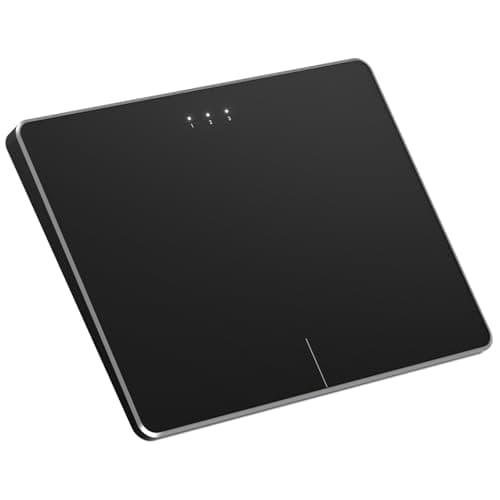
Pros
- +Best Windows-native gesture coverage in the field — up to four-finger swipes for Task View, virtual-desktop switching, and show-desktop via Windows Precision Touchpad
- +6.4-inch metal surface with dedicated built-in left/right mouse buttons for reliable click-drag and text selection
- +Bluetooth 5.0 pairs to up to three devices with one-press mode switching — strong multi-PC desk value at $44.99
- +Metal-bodied build feels a tier above the plastic budget pads while costing a third of the Magic Trackpad
- +Plug-and-play on Windows 10/11 with no driver download required
Cons
- −Windows-only by design — macOS gesture support is not provided, so it is the wrong pick for Mac users
- −No Force Touch or haptic click; relies on a physical hinge click that some reviewers find slightly loud
- −Gesture set, while the best here for Windows, is still capped by what the Precision Touchpad API exposes — no Force Touch depth
- −Tracking surface is metal, not glass, so glide is good but not Apple-smooth
Score breakdown
- Expert consensus8.2
- Effectiveness8.4
- Build safety8.5
- Durability8.0
- Value9.2