Input & Connectivity
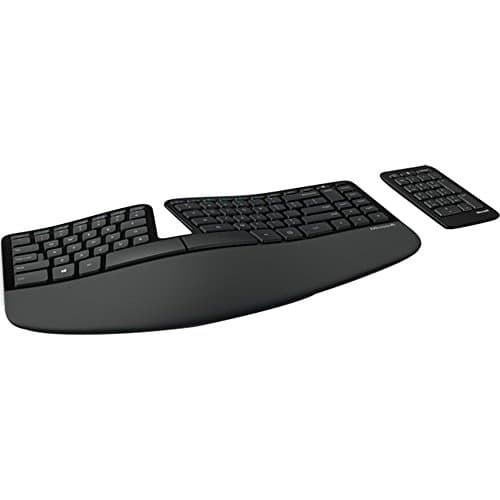
Microsoft Sculpt Ergonomic Keyboard
By Nick Miles · Updated 2026-05-09 · 7 expert sources
Pros
- +Detached wireless numpad is a structural ergonomic advantage — mouse stays directly adjacent to keyboard body
- +Domed manta-ray surface reduces wrist pronation through keyboard geometry, not just key spacing
- +10+ year production run — owner failure data is extensive at 2+ and 4+ years of use
- +$60 entry is the lowest price for a proven-consensus ergonomic split with built-in palm rest on Amazon
- +Built-in palm rest sized to the Sculpt's dome geometry — not a generic pad added to a flat keyboard
Cons
- −Rubber dome keys degrade noticeably after 3-4 years of heavy daily typing
- −Dedicated USB receiver only — no Bluetooth; lose the receiver and the keyboard is non-functional
- −Aging 2013-era feature set — no backlight, no multi-device pairing, no USB passthrough
- −Windows-primary layout — macOS users must remap function row and modifier keys in software
Score breakdown
- Expert consensus8.8
- Effectiveness8.5
- Build safety7.8
- Durability7.5
- Value9.0