Input & Connectivity
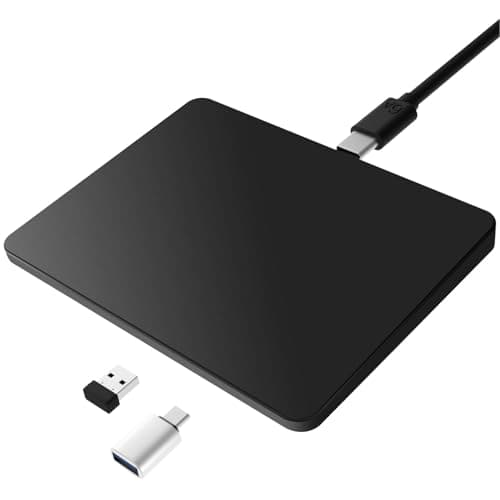
MICROPACK Digitally Yours Tri-Mode Wireless Trackpad
By Nick Miles · Updated 2026-06-08 · 6 expert sources
Pros
- +True tri-mode connectivity — Bluetooth 5.0, a 2.4GHz USB-A dongle, and USB-C wired — covers PCs, Macs, iPads, and login-screen scenarios a Bluetooth-only pad cannot
- +Cross-platform support spans Windows 8+, macOS, and iPadOS 13+, making it the most device-agnostic pick at under $50
- +USB-C wired mode doubles as charging, so it never sits dead during a long work session
- +Rated 7-10 days of battery per charge with a 2-3 hour full recharge
- +Multi-finger gesture support (scroll, swipe, zoom, tap, drag) approximates a laptop trackpad across all three platforms
Cons
- −macOS gestures depend on Apple's own driver layer — depth and reliability fall short of a real Magic Trackpad
- −Plastic chassis and surface lack the glass glide and rigidity of premium pads
- −No Force Touch or haptic feedback; clicks are mechanical
- −Expert review coverage is thin versus marquee brands — most evidence is owner reviews, not lab testing
Score breakdown
- Expert consensus7.6
- Effectiveness7.8
- Build safety8.0
- Durability7.5
- Value8.8