Display & Audio Setup
Samsung 32" Odyssey OLED G8 (G80SD)
By Nick Miles · Updated 2026-10-03 · 3 expert sources
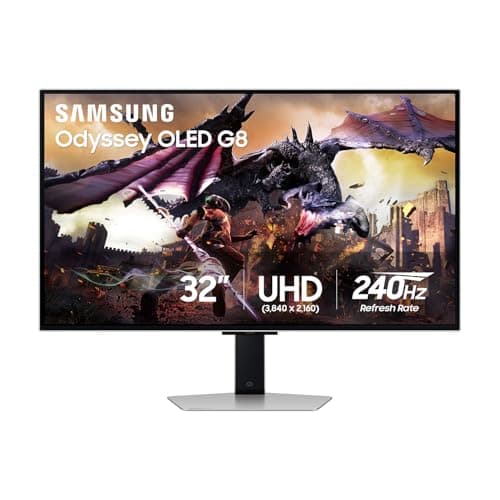
Pros
- +RTINGS rates it great for office use, with 4K resolution that delivers sharp text
- +Matte Glare Free coating (Samsung listing); RTINGS says it reduces glare well
- +Logo and taskbar detection automatically dims static elements (Samsung listing)
- +PCMag credits its innovative cooling system and burn-in prevention features
- +Rated 5/5 by TechRadar and 4/5 by PCMag
Cons
- −No USB-C video input: PCMag lists two HDMI 2.1 ports, a DisplayPort, two USB-A ports and a USB-B upstream port
- −RTINGS lists fringing around letters as a drawback for office and editing use
- −RTINGS says burn-in risk could be a problem if you only use it for office work
- −PCMag found color accuracy lower than expected
- −A 32-inch 4K screen is about 140 PPI, less dense than a 27-inch 4K at 166 PPI (TFTCentral)
Score breakdown
- Expert consensus9.0
- Effectiveness7.5
- Build safety9.0
- Durability8.0
- Value8.6
Build safety is provisional. Our 2026-10-03 search of CPSC recall data found no Samsung monitor recall, and no safety, heat or failure reports turned up in our sources, but we have not yet verified its UL/ETL or equivalent safety certification. The 9.0 is a placeholder until that evidence is reviewed, not a certified rating.
What the experts say
“The Samsung Odyssey OLED G8/G80SD S32DG80 is great for office use, but there are some limitations.”
“Packed with creature comforts, Samsung's Odyssey OLED G8 is an excellent pick for a gaming monitor that also needs to serve as an all-around entertainment hub.”
“As well as boasting a feature count most monitors can only dream about and spectacular gaming skills, the Samsung Odyssey OLED G8 is also the best 32-inch ‘TV’ there’s ever been.”