Display & Audio Setup
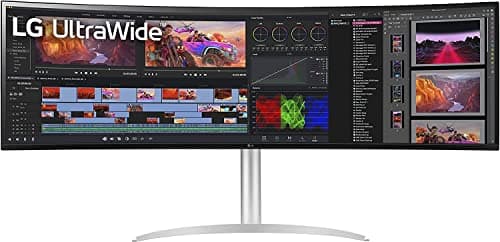
LG 49WQ95C-W 49" Super-Ultrawide
By Nick Miles · Updated 2026-05-09 · 10 expert sources
Pros
- +5120x1440 32:9 panel equals two 27" 1440p monitors without the bezel gap
- +All contexts visible simultaneously — IDE, browser, terminal, Slack without head movement
- +Built-in KVM switch toggles between two machines (work Mac + personal)
- +98% DCI-P3 IPS covers frontend color review alongside coding
- +90W USB-C for MacBook Pro single-cable hookup
Cons
- −49" footprint requires a large desk — minimum 70-80" wide for comfortable viewing
- −$1,199 is the most expensive pick in this lineup
- −Some applications and games don't support 32:9 aspect ratio well
- −IPS contrast is lower than VA or OLED — not ideal for very dark rooms
Score breakdown
- Expert consensus9.4
- Effectiveness9.5
- Build safety9.0
- Durability9.0
- Value7.6