Display & Audio Setup
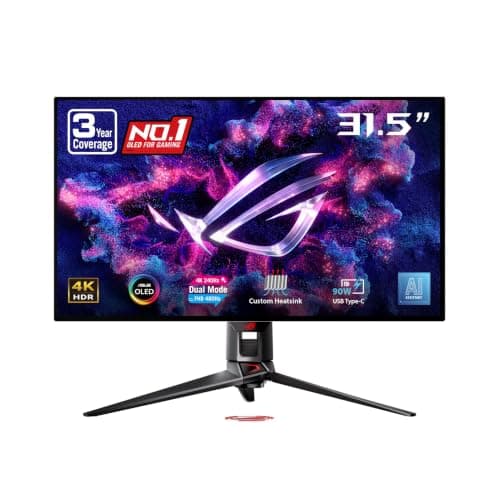
ASUS ROG Swift OLED PG32UCDP
By Nick Miles · Updated 2026-10-03 · 3 expert sources
Pros
- +TFTCentral says text clarity issues are basically resolved on this WOLED panel, with text sharp and crisp for office use
- +RTINGS rates it great for office work, with fantastic text clarity
- +USB-C with up to 90W power delivery plus a KVM switch for a second computer (RTINGS)
- +Optional uniform brightness setting keeps luminance consistent across the screen (ASUS listing)
- +Tom's Hardware rated it 5/5 and called it about as close to perfect as any gaming monitor it has seen
Cons
- −A 32-inch 4K screen is about 140 PPI, less dense than a 27-inch 4K at 166 PPI (TFTCentral)
- −RTINGS says it doesn't get bright enough to fight strong glare
- −RTINGS warns of permanent burn-in risk from constant static elements, a problem if it is used only for office work
- −Its expert score rests on a single rated review (Tom's Hardware, 5/5)
Score breakdown
- Expert consensus10.0
- Effectiveness9.5
- Build safety9.0
- Durability9.0
- Value7.4
Build safety is provisional. Our 2026-10-03 search of CPSC recall data found no ASUS monitor recall, and no safety, heat or failure reports turned up in our sources, but we have not yet verified its UL/ETL or equivalent safety certification. The 9.0 is a placeholder until that evidence is reviewed, not a certified rating.
What the experts say
“The issues with text clarity are basically resolved now on this panel and we would consider text clarity to be fine for the vast majority of users now.”
“I hate to call any gaming monitor perfect, but the Asus ROG Swift PG32UCDP is about as close as I’ve seen.”
“Although the ASUS ROG Swift OLED PG32UCDP is great for office work, it has some limitations.”