AI & Smart Office
Apple Mac Studio (M5 Max, 2026)
By Nick Miles · Updated 2026-10-03 · 3 expert sources
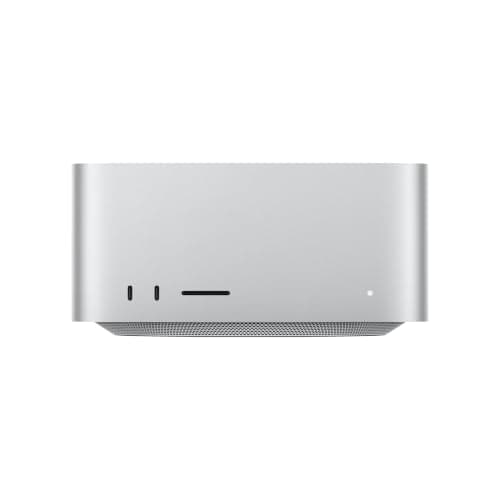
Pros
- +Four rear Thunderbolt 5 ports (up to 120Gb/s), two USB-A, HDMI 2.1 and 10Gb Ethernet (Apple specs)
- +Drives up to five external displays: four at up to 6K/60Hz or 4K/165Hz, plus a fifth at up to 5K/60Hz over HDMI (Apple specs)
- +Up to four external displays can run from a single Thunderbolt port (Apple specs)
- +Macworld calls the SSD speed gain so dramatic that M4 Max and M3 Ultra Studio owners should consider upgrading
- +tbreak found it cool to the touch and inaudible from a normal seating position after its multicore and gaming runs
Cons
- −The M5 Max's two front USB-C ports run at 10Gb/s, not Thunderbolt 5; only the M5 Ultra gets front Thunderbolt 5 (Apple specs, tbreak)
- −The M5 Max starts with a 512GB SSD, configurable up to 8TB only at purchase (Apple specs)
- −Memory is not user upgradeable (Macworld), so RAM has to be chosen at purchase
- −tbreak says the M6 Mac mini is the more sensible, cheaper choice for office work, browsing or casual creative work
Score breakdown
- Expert consensus9.0
- Effectiveness9.0
- Build safety9.0
- Durability9.0
- Value9.0
How this score was set: it is the mean of 2 published outlet ratings on a 10-point scale (Macworld 4.5/5 = 9.0; tbreak 9/10 = 9.0; mean 9.0). Effectiveness, build safety, durability and value were not assessed separately, so each carries that mean and the composite equals it. Build safety is not a certified rating: we have not verified UL/ETL or equivalent certification.
What the experts say
“Sure it’s expensive, but if you want the best Mac ever made, accept no substitute.”
“The Studio starts earning its price when you can actually feed its additional CPU cores, 40-core GPU and memory subsystem.”