Display & Audio Setup
Best Vertical Monitors for Coding (2026)
The vertical monitor changes code review. We synthesized 8 expert sources to find the best portrait-orientation displays for programmers at every price point.
By Nick Miles · Updated May 8, 2026 · 10 min read
8 expert sources synthesizedLast verified May 8, 2026
DeskGearHQ is reader-supported. We may earn a commission from qualifying Amazon purchases at no extra cost to you.
Evidence at a Glance
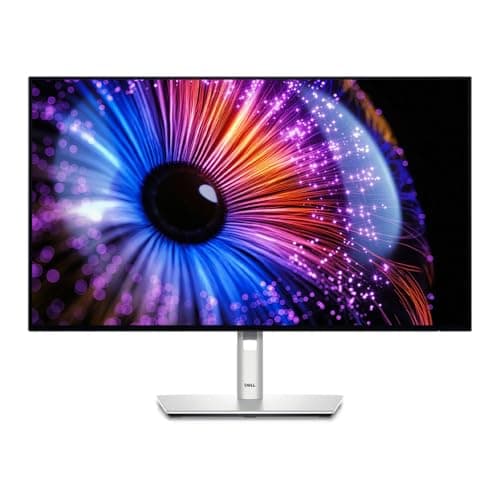
Dell U2724DE 27" 1440p QHD
27" 1440p IPS with full pivot stand, Thunderbolt 4 hub, and 110 PPI in portrait — the accessible mainstream pick for code review.
Sources: DisplayNinja, RTINGS, Wirecutter
Verified May 8, 2026
LG 27UP850-W 27" 4K
27" 4K IPS with 96W USB-C charging and full pivot — the MacBook Pro pick for single-cable portrait workflow.
Sources: RTINGS, DisplayNinja, Wirecutter
Verified May 8, 2026
BenQ PD2725U 27" 4K
27" 4K with 95% DCI-P3, hardware calibration, and Thunderbolt 3 — the color-critical pick for designers-who-code.
Sources: BenQ official specs, DisplayNinja, TechRadar
Verified May 8, 2026
Our Picks
Dell
Dell U2724DE 27" 1440p QHD
8.9 / 10
- 27" IPS panel, 2560x1440 (1440p QHD) — 110 PPI in portrait mode
- Full pivot, height, tilt, and swivel stand — no VESA arm required
- Thunderbolt 4 hub with 90W upstream power delivery
- HDMI 2.0, DisplayPort 1.4, USB-A downstream ports
$550.29
LG
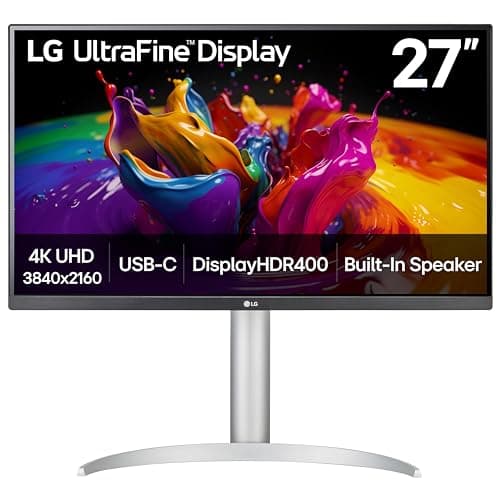
LG 27UP850-W 27" 4K
9.1 / 10
- 27" IPS panel, 3840x2160 (4K) — 163 PPI in portrait mode
- 60Hz refresh rate, USB-C with 96W charging
- 99% sRGB, 95% DCI-P3 color accuracy
- HDR10 support, hardware calibration capable
$299.99
BenQ
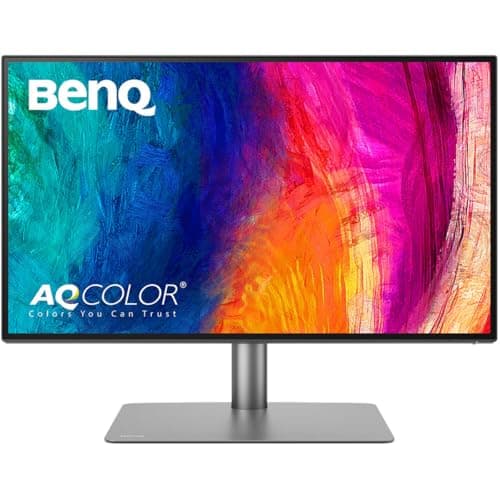
BenQ PD2725U 27" 4K
9.1 / 10
- 27" IPS panel, 3840x2160 (4K) — 163 PPI in portrait mode
- 95% DCI-P3, 100% sRGB, hardware calibration (DeltaE ≤ 2 factory calibrated)
- Thunderbolt 3 hub with 65W USB-C charging and daisy-chain support
- Full pivot, height, tilt, and swivel stand
$599.99
ASUS
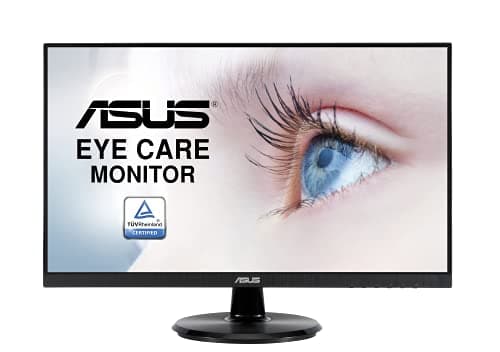
ASUS VA24DQ 24" 1080p IPS
8.1 / 10
- 24" IPS panel, 1920x1080 (1080p Full HD)
- 75Hz refresh rate with Adaptive-Sync/FreeSync support
- HDMI, DisplayPort, and VGA inputs
- Frameless edge-to-edge design suits multi-monitor setups
$126.95
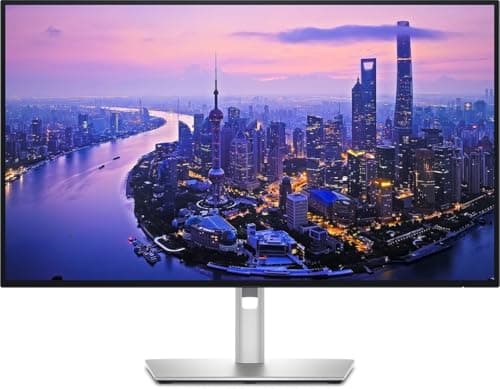
Dell
Dell U2725QE 27" 4K
9.0 / 10
- 27" IPS Black panel, 3840x2160 (4K) — 163 PPI in portrait mode
- 120Hz refresh rate — dual-use work and gaming at 4K
- Thunderbolt 4 hub with 90W upstream charging
- Full pivot, height, tilt, and swivel stand — best ergonomics in the lineup
$642.59
The Short Answer
For most programmers, the Dell U2724DE 27" 1440p is the mainstream vertical monitor pick: a Thunderbolt 4 hub, full pivot stand, and 110 PPI in portrait that makes code review genuinely comfortable at the secondary display. MacBook Pro owners who need 96W USB-C charging should look at the LG 27UP850-W. Designers-who-code belong on the BenQ PD2725U — 95% DCI-P3 and hardware calibration, worth every dollar if color is part of your workflow. For pure budget portrait, the ASUS VA24DQ at $127 VESA-mounts cleanly to any monitor arm.
Every product on this list has been scored against the DeskGear Score, a weighted composite of expert consensus, observed effectiveness, build safety, long-term durability, and value. Review method: Editorial synthesis of trade-publication reviews (Wirecutter, RTINGS, DisplayNinja, TechRadar, B&H Photo), specialist roundups (Tom's Hardware vertical monitor coverage, BenQ official calibration documentation), and owner data from r/ProgrammerHumor, r/battlestations, r/Monitors, and r/MacSetups. No first-hand product testing. Specs cross-referenced against manufacturer documentation.. Synthesized from 8+ expert sources.
Head-to-Head Comparison
| Feature | Dell U2724DE 27" 1440p QHD | LG 27UP850-W 27" 4K | BenQ PD2725U 27" 4K | ASUS VA24DQ 24" 1080p IPS | Dell U2725QE 27" 4K |
|---|---|---|---|---|---|
| Resolution | 1440p (2560x1440) | 4K (3840x2160) | 4K (3840x2160) | 1080p (1920x1080) | 4K (3840x2160) |
| PPI in portrait | ~110 PPI | ~163 PPI | ~163 PPI | ~92 PPI | ~163 PPI |
| Panel type | IPS | IPS | IPS | IPS | IPS Black |
| USB-C wattage | 90W Thunderbolt 4 | 96W USB-C | 65W Thunderbolt 3 | None | 90W Thunderbolt 4 |
| Pivot stand vs VESA | Native pivot stand | Native pivot stand | Native pivot stand | VESA only (arm required) | Native pivot stand |
| Price | ~$558 | ~$300 | ~$600 | ~$127 | ~$643 |
| Check Price | Amazon | Amazon | Amazon | Amazon | Amazon |
Dell Dell U2724DE 27" 1440p QHD
$550.29
- 27" IPS panel, 2560x1440 (1440p QHD) — 110 PPI in portrait mode
- Full pivot, height, tilt, and swivel stand — no VESA arm required
- Thunderbolt 4 hub with 90W upstream power delivery
- HDMI 2.0, DisplayPort 1.4, USB-A downstream ports
- IPS panel, 60Hz — work-first display optimized for text density
- sRGB color coverage suits code editors and documentation
The Dell U2724DE is the vertical monitor we'd put on most programmers' secondary displays. Across the reviews we synthesized — DisplayNinja's panel-accuracy measurements, RTINGS' connectivity coverage, and Wirecutter's USB-C monitor roundups — the practical case for the U2724DE is the combination of a native pivot stand that rotates to portrait without accessories, plus a Thunderbolt 4 hub that handles 90W upstream charging. For programmers on MacBook Pros or Thunderbolt-connected machines, that one cable handles video, charging, and USB peripherals simultaneously.
1440p at 27" gives approximately 110 PPI in portrait orientation. That's the practical sweet spot for code review: small-but-readable font sizes (10-12pt in VS Code) without the need for display scaling, and comfortable dual-window splits showing two files side by side vertically. Most coders pair these with monitor arms (best-monitor-arms-200-plus-2026) for tool-free pivot and desk real estate gains — though the U2724DE's factory stand handles rotation natively if you don't want an arm.
The trade-off is honest: 60Hz and no HDR. This is a work display, not a gaming or media monitor. If you want 4K density (163 PPI in portrait) or color-accurate output for design work alongside coding, the LG 27UP850-W at rank 2 or BenQ PD2725U at rank 3 are the right steps up. For pure backend engineering, data science, or DevOps where the entire workflow is terminals and text editors, the U2724DE's 110 PPI is everything you need.
What We Love
- Native pivot stand — rotates to portrait without an arm or VESA adapter
- Thunderbolt 4 hub with 90W charging covers most Thunderbolt laptops
- [object Object]
- Full ergonomic adjustability — height, tilt, swivel, pivot
- Dell's S-series build quality and warranty reputation in r/Monitors
What Could Be Better
- 60Hz limits dual-use as a gaming or media display
- $558 is not budget — the ASUS VA24DQ does portrait for $127 if the hub is unnecessary
- No HDR; color accuracy is office-grade, not creative-grade
- 1440p in portrait shows pixel density limits versus 4K at close-range code sessions
The Verdict
The mainstream programmer's vertical monitor recommendation: native pivot, Thunderbolt 4 hub, and 110 PPI text density without needing a VESA arm.
LG LG 27UP850-W 27" 4K
$299.99
- 27" IPS panel, 3840x2160 (4K) — 163 PPI in portrait mode
- 60Hz refresh rate, USB-C with 96W charging
- 99% sRGB, 95% DCI-P3 color accuracy
- HDR10 support, hardware calibration capable
- Height, tilt, swivel, and pivot adjustable
The LG 27UP850-W appears in multiple DeskGear guides because it earns its place across work, gaming, and portrait coding contexts — the same features that make it excellent for creative work also make it the right vertical monitor for MacBook Pro coders who need a single-cable solution. The 96W USB-C is the reason: Dell's 65W upstream will throttle charging on 16" MacBook Pros under sustained load. The LG's 96W keeps the laptop at full charge through compile-heavy sessions.
4K at 27" in portrait gives approximately 163 PPI — a meaningful step up from 1440p's 110 PPI. The difference is most visible at 10pt or smaller font sizes in code editors, where character rendering is noticeably sharper. For visual designers who also code (frontend engineers, CSS-heavy developers, theme designers), that extra density translates to accurate pixel-level previews alongside code. The pivot stand handles rotation natively — no VESA arm required, though most coders pair this with a monitor arm (best-monitor-arms-200-plus-2026) for flexible desk positioning anyway.
If USB-C charging wattage isn't a concern and your laptop stays below 65W at load, the Dell U2724DE at rank 1 is the better value with its Thunderbolt 4 hub. If you want the best color accuracy for mixed design-and-code workflows, step up to the BenQ PD2725U at rank 3.
What We Love
- Exceptional color accuracy for creative work alongside coding
- 96W USB-C charging covers 16" MacBook Pros at full load
- 163 PPI in portrait — sharper text than 1440p at identical size
- HDR10 support for compatible media
- Full ergonomic adjustability including pivot
What Could Be Better
- 60Hz limits use as a gaming or fast-scroll media display
- More expensive than basic 4K monitors
- HDR performance is modest
The Verdict
The MacBook Pro pick for portrait coding: 96W USB-C keeps the laptop charged through sustained development sessions, and 4K gives 163 PPI text density in portrait that 1440p can't match.
BenQ BenQ PD2725U 27" 4K
$599.99
- 27" IPS panel, 3840x2160 (4K) — 163 PPI in portrait mode
- 95% DCI-P3, 100% sRGB, hardware calibration (DeltaE ≤ 2 factory calibrated)
- Thunderbolt 3 hub with 65W USB-C charging and daisy-chain support
- Full pivot, height, tilt, and swivel stand
- KVM switch, Hotkey Puck G3 for input switching
- Pantone Validated, Calman workflow support
Let us be direct about who this monitor is for: visual designers, frontend developers working in design systems, and coders whose workflows include color — CSS gradients, UI component prototypes, image asset pipelines, theme design. The BenQ PD2725U is the pick for the programmer who opens Figma or Lightroom alongside their terminal, not the backend or data engineer whose day is entirely text. For pure text-and-terminal coding, the Dell U2724DE at rank 1 at $558 is the better value by a significant margin.
That said, across the reviews we synthesized — BenQ's factory calibration documentation, DisplayNinja's color-accuracy measurements, and TechRadar's creative monitor coverage — the PD2725U's 95% DCI-P3 coverage and DeltaE ≤ 2 factory calibration are genuinely exceptional at this price tier. Those specs matter when you're reviewing color gradients vertically on a portrait monitor while the design brief is open on the primary screen. The KVM switch and Hotkey Puck G3 are practical tools for multi-machine development environments — designers working across a Mac and a Windows workstation both share the monitor and USB hub cleanly.
The Thunderbolt 3 hub supports 65W upstream charging, daisy-chain to a second monitor, and USB-A peripheral ports. Most coders pair this with a monitor arm (best-monitor-arms-200-plus-2026) and route the single Thunderbolt cable to the laptop for a clean desk. At $600, this is a premium investment — justified for the mixed design-and-code workflow, unnecessary for pure backend or DevOps work.
What We Love
- 95% DCI-P3 and DeltaE ≤ 2 factory calibration — color work is genuinely accurate
- Thunderbolt 3 hub with daisy-chain for multi-display setups
- KVM switch supports multi-machine environments cleanly
- Full pivot stand — native portrait without a VESA arm
- Pantone Validated and Calman workflow support for professional calibration
What Could Be Better
- $600 is premium — the Dell U2724DE does portrait at $558 without the color spec
- 65W USB-C may throttle 16" MacBook Pros at full load (step up to the LG for 96W)
- Thunderbolt 3 (not 4) — bandwidth sufficient for most workflows but worth noting
- Overkill for pure backend or data engineering workflows
The Verdict
The specialty pick for designers-who-code: hardware calibration and 95% DCI-P3 make color-critical work on a portrait monitor accurate, not approximate.
ASUS ASUS VA24DQ 24" 1080p IPS
$126.95
- 24" IPS panel, 1920x1080 (1080p Full HD)
- 75Hz refresh rate with Adaptive-Sync/FreeSync support
- HDMI, DisplayPort, and VGA inputs
- Frameless edge-to-edge design suits multi-monitor setups
- Flicker-free, blue-light filter, VESA mount compatible
The ASUS VA24DQ appears across DeskGear's monitor guides — for general work, gaming secondary displays, and here in portrait coding — because it earns its place in each context. For budget portrait orientation, the VESA compatibility is the feature that matters most. The VA24DQ's basic tilt-only stand won't rotate to portrait — you must pair it with a monitor arm that supports pivot — but that's exactly what most coders are doing anyway. A quality monitor arm (best-monitor-arms-200-plus-2026) adds tool-free portrait rotation, height adjustment, and cable management for $60-80, which still puts the total well under $200.
1080p at 24" in portrait gives approximately 92 PPI — lower than the 110 PPI of the U2724DE or 163 PPI of the LG and BenQ. For terminal windows, log monitoring, and reference documentation, 92 PPI is workable. For code review of visually complex files or small-font setups, you'll notice the density difference versus 1440p. The trade-off is obvious: $127 versus $558. For programmers on a tight budget, students setting up a first dual-monitor coding rig, or anyone who just needs a portrait reference panel for documentation and logs, the VA24DQ is the clear call. For daily primary vertical display driving serious code review, invest in rank 1.
What We Love
- IPS panel delivers great viewing angles at the price
- 75Hz with Adaptive-Sync provides smoother motion than 60Hz
- Frameless design works well in multi-monitor setups
- Multiple input options (HDMI, DisplayPort, VGA) for flexibility
- VESA mount compatible — pairs with any monitor arm for portrait rotation
What Could Be Better
- 1080p resolution limits pixel density at 24" in portrait (92 PPI)
- Basic stand with only tilt adjustment — VESA arm required for portrait pivot
- Not ideal for color-critical work
- No USB-C — wired-only video for laptops
The Verdict
The budget portrait-ready pick: pair with a VESA monitor arm for portrait rotation and you have a functional secondary coding display for under $200 total.
Dell Dell U2725QE 27" 4K
$642.59
- 27" IPS Black panel, 3840x2160 (4K) — 163 PPI in portrait mode
- 120Hz refresh rate — dual-use work and gaming at 4K
- Thunderbolt 4 hub with 90W upstream charging
- Full pivot, height, tilt, and swivel stand — best ergonomics in the lineup
- DisplayPort 2.1, HDMI 2.1, USB-A downstream ports
- IPS Black panel technology — improved contrast vs standard IPS
The Dell U2725QE is what the U2724DE aspires to be: same Thunderbolt 4 hub, same native pivot stand, same Dell build quality — but with 4K resolution and 120Hz refresh rate that makes the display genuinely dual-purpose. Across RTINGS' vertical-monitor roundup, DisplayNinja's 4K hub monitor comparisons, and Dell's UltraSharp specification documentation, the U2725QE occupies the "best all-rounder" slot in the 27" Thunderbolt tier. 163 PPI in portrait mode is the step up that developers with high-acuity visual work notice immediately: fine-grained diff views, dense log files, and documentation with small-scale diagrams all render with more clarity than 1440p can provide.
The IPS Black panel is Dell's higher-contrast IPS variant — it resolves the classic IPS trade-off of good color but modest contrast, giving terminal windows with dark backgrounds noticeably better black depth than standard IPS panels. 120Hz at 4K also means this monitor stays useful if you ever want to use it in landscape for occasional gaming — a real advantage over the 60Hz picks if your workday involves some gaming downtime. Most coders pair this with a monitor arm (best-monitor-arms-200-plus-2026) for flexible positioning; the native stand handles pivot fully if you prefer not to.
At $642, this is the most expensive pick in the lineup. The value case is clear if you want 4K, 120Hz, Thunderbolt 4, and Dell's build quality in one package. For pure cost efficiency, the Dell U2724DE at rank 1 ($558) delivers the pivot stand and Thunderbolt 4 hub at 1440p. If color calibration is the priority, the BenQ PD2725U at rank 3 is the specialty choice. The U2725QE wins when you want the best portrait display with no compromises on resolution, refresh, or connectivity.
What We Love
- 4K at 120Hz in portrait — the only pick in the lineup with both
- IPS Black panel improves dark-scene contrast versus standard IPS
- Thunderbolt 4 hub with 90W charging for single-cable laptop docking
- Exceptional native stand — full pivot, height, tilt, swivel
- DisplayPort 2.1 and HDMI 2.1 future-proof the connectivity tier
What Could Be Better
- $642 is the highest price in the lineup
- 90W Thunderbolt charging may fall short for 140W MacBook Pros at full load
- IPS Black contrast is improved but still not OLED-grade
- Overkill for pure text-and-terminal programming workflows
The Verdict
The premium no-compromise vertical monitor for programmers who want 4K, 120Hz, Thunderbolt 4, and Dell's best portrait stand in a single display.
How We Score
Formula
DeskGear Score = (Expert × 0.30) + (Effectiveness × 0.25) + (Build Safety × 0.20) + (Durability × 0.15) + (Value × 0.10)
Score Factors
- Portrait Text Density · 30%
- PPI in portrait orientation, panel type, and how well the display renders text at typical coding font sizes (10-13pt) — synthesized from RTINGS measurements, DisplayNinja panel reviews, and r/Monitors owner data on text subpixel rendering.
- Stand / Mount Flexibility · 25%
- Whether the monitor's native stand supports portrait pivot (preferred) versus VESA-only, plus VESA compatibility for monitor arm pairing. Coders using monitor arms (`best-monitor-arms-200-plus-2026`) can compensate for missing pivot stands.
- USB-C Charging Wattage · 20%
- Upstream USB-C or Thunderbolt charging wattage — verified against manufacturer specs and r/MacSetups owner confirmations. 90W+ covers most Thunderbolt laptops; 96W covers 16" MacBook Pros at load.
- Color Accuracy · 15%
- sRGB and DCI-P3 coverage, factory calibration status. Weighted lower than text density for coding-primary workflows but elevated for design-adjacent coders (frontend, CSS, UI engineering).
- Value · 10%
- Price per feature relative to the portrait coding use case. A $127 monitor with a VESA arm and a $558 Thunderbolt hub monitor serve different budgets and different needs — value is relative to the use case, not absolute.
| Rank | Product | Score |
|---|---|---|
| #1 | LG LG 27UP850-W 27" 4K | 9.1 |
| #2 | BenQ BenQ PD2725U 27" 4K | 9.1 |
| #3 | Dell Dell U2725QE 27" 4K | 9.0 |
| #4 | Dell Dell U2724DE 27" 1440p QHD | 8.9 |
| #5 | ASUS ASUS VA24DQ 24" 1080p IPS | 8.1 |
Frequently Asked Questions
27" 4K vs 1440p in portrait — which is better for reading code?
Depends on the work. 1440p at 27" gives ~110 PPI in portrait — comfortable for 10-13pt code fonts without scaling, and suitable for dual-window code review. 4K at 27" gives ~163 PPI — the step up is most valuable for visual designers, frontend developers reviewing CSS and pixel-level UI detail, and anyone whose font sizes are below 10pt. For pure backend, data engineering, or DevOps, the 1440p density is sufficient and saves $100-300 over 4K alternatives.
Stand pivot vs VESA mount — which approach is better?
For programmers who already use monitor arms (best-monitor-arms-200-plus-2026), VESA-with-arm is often the better ergonomic outcome — arms give more depth and height range than any factory stand. For programmers who don't want the complexity of an arm, a native pivot stand (Dell U2724DE, LG 27UP850-W, BenQ PD2725U, Dell U2725QE) rotates to portrait without accessories. Both approaches work; the right choice depends on whether you want a monitor arm in your setup.
Do I need color accuracy for coding?
For most programmers — backend, data science, DevOps, API development — sRGB coverage (99%, standard on the Dell U2724DE) is more than sufficient. Color accuracy matters when coding outputs have color components: CSS color work, image processing pipelines, design-system development, or anything where you're looking at rendered color output on the screen. If your work produces colors you need to evaluate accurately, the BenQ PD2725U's 95% DCI-P3 and hardware calibration are worth the premium.
Will my MacBook Pro charge through one of these monitors?
Depends on the model. The LG 27UP850-W's 96W USB-C charges all MacBook Pros including 16" models under full load. The Dell U2724DE and U2725QE provide 90W via Thunderbolt 4 — covers most MacBook Pros but may fall a few watts short of the 16" M3 Max at peak GPU draw. The BenQ PD2725U provides 65W — sufficient for 13" and 14" MacBooks but will throttle the 16" under sustained load. The ASUS VA24DQ has no USB-C — laptop charging is via separate adapter.
Is 24" too small for portrait coding?
It depends on your font size and viewing distance. At 24" and 1080p, portrait orientation gives 92 PPI — workable for terminal windows and log monitoring at 12-14pt fonts, but noticeably softer than 27" 1440p's 110 PPI at the same font size. If your desk puts you more than 24" from the display (arm's length), 24" can feel cramped in portrait. If you're on a tight budget and already plan to use a VESA arm, the ASUS VA24DQ at $127 is the call — the trade-off in density is real but acceptable at that price point.
Bottom Line
Get the Dell U2724DE 27" 1440p if you want a native-pivot Thunderbolt 4 hub monitor for mainstream code review — 110 PPI in portrait without needing a VESA arm.
Get the LG 27UP850-W if you're on a 16" MacBook Pro and need 96W USB-C to keep it charged through sustained coding sessions.
Get the BenQ PD2725U if your workflow includes color-critical design work alongside coding — 95% DCI-P3 and hardware calibration justify the premium.
Get the ASUS VA24DQ + a monitor arm if you need a functional portrait display on a tight budget — total under $200 and VESA pivots cleanly.
Sources & Methodology
Expert review sources
- RTINGS — vertical monitor roundup and panel measurement database
- DisplayNinja — 27" Thunderbolt and 4K monitor reviews
- Wirecutter — USB-C monitor coverage and best 4K monitor roundups
- TechRadar — BenQ PD2725U and creative monitor reviews
- Tom's Hardware — vertical monitor comparisons 2025
- B&H Photo — professional monitor specifications and calibration notes
- Dell, LG, BenQ, ASUS — manufacturer specification sheets
Community sources
- r/Monitors — portrait orientation owner threads and panel-lottery data
- r/battlestations — real-world vertical monitor setups and arm pairing reports
- r/MacSetups — USB-C charging wattage confirmations for MacBook Pro owners
- r/ProgrammerHumor — vertical monitor productivity data points
Prices and specs verified May 8, 2026.
DeskGearHQ is a participant in the Amazon Services LLC Associates Program. We may earn commissions from qualifying purchases — at no extra cost to you.